
【音乐App】—— Vue-music 项目学习笔记:用户个人中心开发
前言:以下内容均为学习慕课网高级实战课程的实践爬坑笔记。
项目github地址:https://github.com/66Web/ljq_vue_music,欢迎Star。
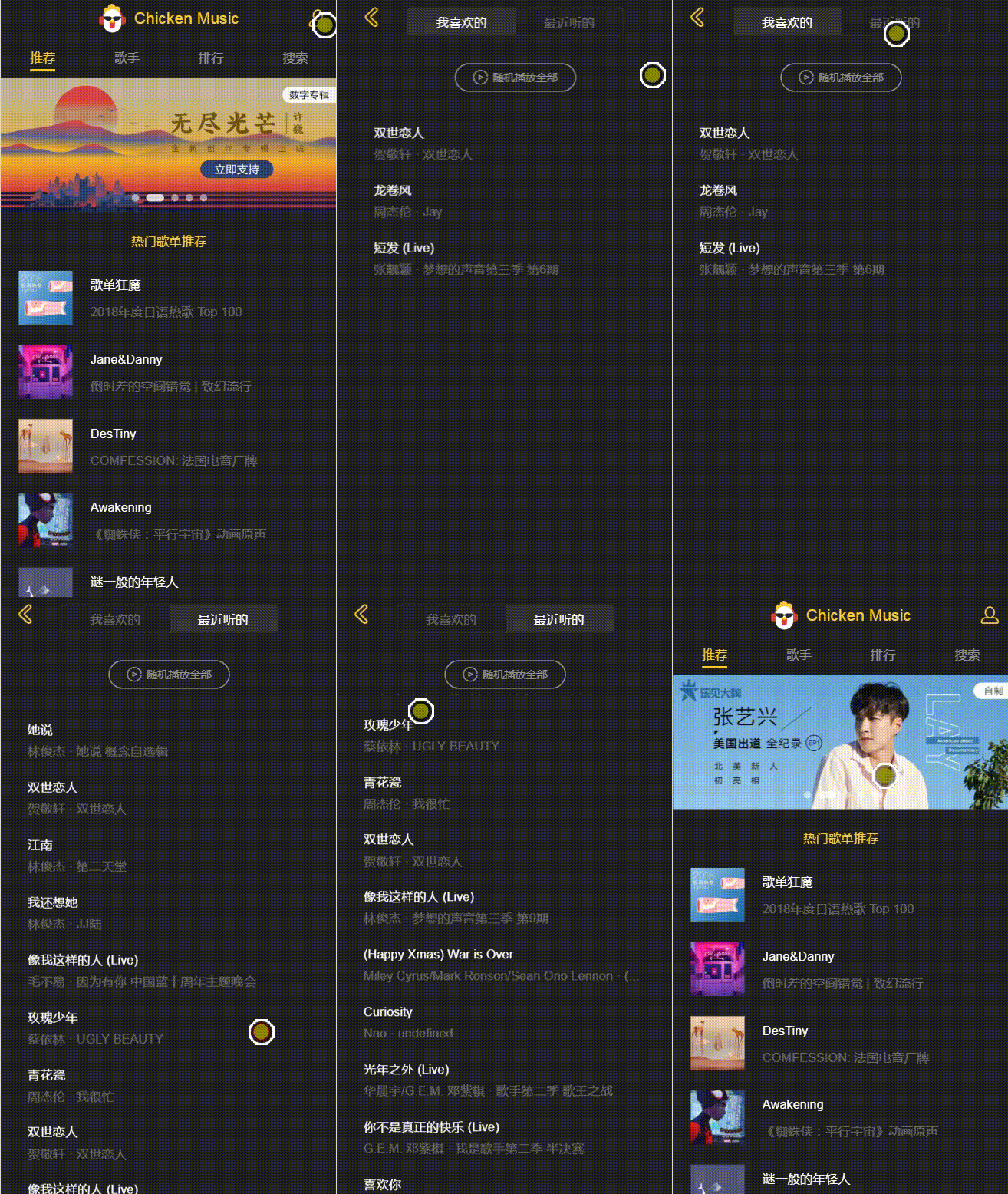 |
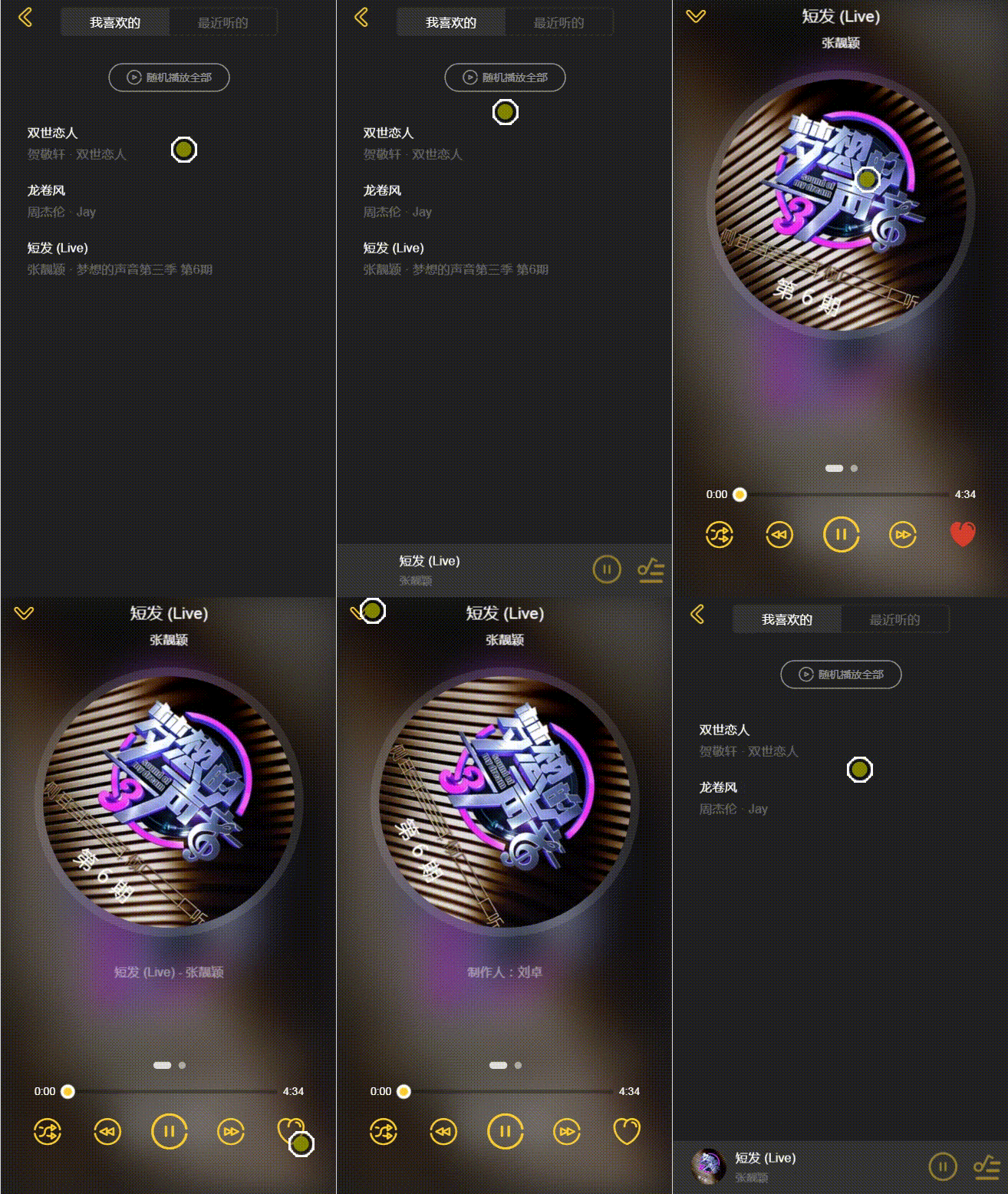 |
| 歌曲列表 | 收藏歌曲 |
| 一、用户个人中心开发 |
基础功能开发
- 设置路由跳转
- 在components->user-center目录下:创建user-center.vue
- router->index.js中配置路由:
{

   path: '/user',

   component: UserCenter

} - m-header.vue中通过<router-link>实现跳转
<router-link tp="/user" class="mine" tag="div">

    <i class="icon-mine"></i>

</router-link>
- 应用Switches组件
- 引用注册并使用
<switches @switch="switchItem" :switches="switches"

:currentIndex="currentIndex"></switches> - 定义data数据绑定
data() {

   return {

      currentIndex: 0,

      switches: [

         {name: '我喜欢的'},

         {name: '最近听的'}

      ]

  }

} - 定义方法将获得的index赋值给currentIndex
switchItem(index) {

    this.currentIndex = index

}
- 返回上一级路由
- 给按钮添加点击事件
@click="back"
- 定义方法通过router.back返回
back(){

    this.$router.back() //回退到上一级路由

}
收藏列表开发
- Vuex数据配置
- states.js中:添加数据
favoriteList: []
- mutation-types.js中:定义事件类型常量
export const SET_FAVORITE_LIST = 'SET_FAVORITE_LIST'
- mutations.js中:定义修改方法
[types.SET_FAVORITE_LIST](state, list){

    state.favoriteList = list

} - getters.js中:设置数据映射
export const favoriteList = state => state.favoriteList
- catch.js中操作storage
- 定义本地缓存的Key和最大存储歌曲值
const FAVORITE_KEY = '_favorite_'

const FAVORITE_MAX_LENGTH = 200 - 保存歌曲到本地缓存
export function saveFavorite(song) {

    let songs = storage.get(FAVORITE_KEY, [])

    insertArray(songs, song, (item) => {

          return song.id === item.id

    }, FAVORITE_MAX_LENGTH)

    storage.set(FAVORITE_KEY, songs)

    return songs

} - 从本地缓存中删除歌曲
export function deleteFavorite(song) {

    let songs = storage.get(FAVORITE_KEY, [])

    deleteFromArray(songs, (item) => {

         return song.id === item.id

   })

   storage.set(FAVORITE_KEY, songs)

   return songs

} - 从本地缓存中获取全部歌曲
export function loadFavorite() {

    return storage.get(FAVORITE_KEY, [])

}
- actions.js中:封装方法
- 同时保存到Vuex和本地缓存
export const saveFavoriteList = function ({commit}, song) {

    commit(types.SET_FAVORITE_LIST, saveFavorite(song))

} - 同时从Vuex和本地缓存删除
export const deleteFavoriteList = function ({commit}, song) {

    commit(types.SET_FAVORITE_LIST, deleteFavorite(song))

}
- states.js中修改初始数据为本地缓存数据
favoriteList: loadFavorite()
- player.vue中修改按钮,动态绑定class,监听点击事件
<i class="icon" @click="toggleFavorite(currentSong)"

   :class="getFavoriteIcon(currentSong)">
- mixin.js中在playerMixin中添加收藏歌曲需要的共享逻辑
- 通过mapGetters获得已收藏的歌曲数据:'favoriteList'
- 抽象出一个方法判断所选歌曲是否在已收藏的歌曲数据中
isFavorite(song){

   const index = this.favoriteList.findIndex((item) => {

       return item.id === song.id

   })

   return index > -1 //如果index > -1 isFavorite 返回true

} - 定义方法依据所选歌曲是否为已收藏的歌曲,取反改变icon样式
getFavoriteIcon(song){

   if(this.isFavorite(song)){

      return 'icon-favorite'

   }

   return 'icon-not-favorite'

} - 定义方法调用通过mapActions引用的action,同上取反进行保存或删除
toggleFavorite(song){

    if(this.isFavorite(song)){

       this.deleteFavoriteList(song)

    }else{

       this.saveFavoriteList(song)

    }

}
- playlist.vue中添加数据映射和点击事件
<span class="like" @click.stop="toggleFavorite(item)">

    <i :class="getFavoriteIcon(item)"></i>

</span> - usercenter.vue中渲染收藏列表和播放历史列表
- 布局DOM: 同add-song.vue
<scroll ref="favoriteList" class="list-scroll" v-if="currentIndex===0"

          :data="favoriteList">

        <div class="list-inner">

            <song-list :songs="favoriteList" @select="selectSong"></song-list>

        </div>

</scroll>

<scroll ref="playList" class="list-scroll" v-if="currentIndex===1"

          :data="playHistory">

        <div class="list-inner">

            <song-list :songs="playHistory" @select="selectSong"></song-list>

        </div>

</scroll> - 通过mapGetters获取收藏歌曲数据和播放历史数据
computed: {

   ...mapGetters([

      'favoriteList',

      'playHistory'

  ])

} - 定义方法,调用通过mapActions获取到的insertSong方法,将song实例化之后插入
selectSong(song) {

   this.insertSong(new Song(song))

},

...mapActions([

   'insertSong'

])
剩余功能开发
- 随机播放全部功能实现
- 给按钮添加点击事件,通过mapActions获取到randomPlay方法
<div ref="playBtn" class="play-btn" @click="random">
- 定义方法,判断currentIndex获取对应list,通过实例化处理传入action
random(){

    let list = this.currentIndex === 0 ? this.favoriteList : this.playHistory

    //这时list还不是实例,需要遍历list进行实例化

    list = list.map((song) => {

         return new Song(song)

    })

    this.randomPlay({

         list

    })

}
- 播放器底部自适应
import {playlistMixin} from '@/common/js/mixin'

mixins:[playlistMixin],

handlePlaylist(playlist){

    const bottom = playlist.length > 0 ? '60px' : ''

    this.$refs.listWrapper.style.bottom = bottom

    //判断列表DOM存在后再执行refresh

    this.$refs.favoriteList && this.$refs.favoriteList.refresh()

    this.$refs.playList && this.$refs.playList.refresh()

} - no-result组件的应用
- 布局DOM:
<div class="no-result-wrapper" v-if="noResult">

     <no-result :title="noResultDesc"></no-result>

</div> - 显示条件和显示提示内容都需要动态绑定计算属性,判断currentIndex
noResult() {

    if(this.currentIndex === 0) {

       return !this.favoriteList.length

    }else{

       return !this.playHistory.length

    }

},

noResultDesc() {

    if(this.currentIndex === 0) {

       return '暂无收藏歌曲'

    }else{

       return '你还没有听过歌曲'

    }

} - 优化:当列表中无数据,点击随机播放全部时,rendom()不执行任何操作
if(list.length === 0) {

   return

}
| 二、性能优化 |
- 坑:快速的点击播放暂停歌曲,发现歌曲和歌词还在播放
- 原因:player.vue中watch currentSong会做一些清理操作,并在1s内开启play()播放;此时如果很快的切换歌曲切换播放状态,调用ready()和watch playing中的pause()会在1s内执行完;虽然看起来pause执行了,但1s过去之后,又会重新开启play()
- 解决:在每次setTimeout前清理掉旧的timer,保证只有一个timer;同时修改ready的触发事件为play,保证ready()和pause()一定发生在play()后
- 区别:
①事件canplay -- 当浏览器可以播放音频/视频时
②事件play -- 当音频/视频已开始或不再暂停时
- 注: 这里添加clearTimeout(this.timer)时总报timeout.close is not function,top-tip中使用过清理timer,没有问题,这里就不知道为什么了,待解决!
- 坑:快速切换歌曲时,歌词的播放异常
- 原因:异步时机问题 -- setTImeout执行1s的操作中play()是一个同步的动作,而getLyric()是异步的操作;在异步获得回调时,有可能又切换到了下一首歌,这时之前的歌会在new一次,相当于new了两次,会有多个歌词同时存在
- 解决:在异步获得回调后先判断currentSong.lyric是否改变了,如果改变了不为layric,不执行任何操作
if(this.currentSong.lyric !== lyric){

   return

}
- 坑:当前歌曲只有一首歌时,切换下一首,不会再触发ready()了
- 原因:next()中当列表长度为1时,会调用loop(),后面的ready标志位会一直为false,redy()也就不会再触发了
- 解决:在next()和prev()中,如果调用了loop()就直接return,不再修改标志位为false
| 三、项目打包及VConsole的使用 |
编译打包
npm run build
VConsole的使用
- 安装
- 在页面引入一个JS文件:下载地址
- 使用npm安装
npm install vconsole
- 使用webpack,然后在js代码中应用VConsole
import VConsole from 'vconsole/dist/vconsole.min.js' //引入vconsole

let vConsole = new VConsole() // 初始化
或者找到这个模块下面的
dist/vconsole.min.js,然后复制到自己的项目中<head>
<script src="dist/vconsole.min.js"></script>
</head>
<!--建议在 `<head>` 中引入哦~ -->
<script>
// 初始化
var vConsole = new VConsole();
console.log('VConsole is cool');
</script>
注:项目来自慕课网
【音乐App】—— Vue-music 项目学习笔记:用户个人中心开发的更多相关文章
- 【音乐App】—— Vue-music 项目学习笔记:推荐页面开发
前言:以下内容均为学习慕课网高级实战课程的实践爬坑笔记. 上一篇总结了项目概述.项目准备.页面骨架搭建.这一篇重点梳理推荐页面开发.项目github地址:https://github.com/66We ...
- 【音乐App】—— Vue-music 项目学习笔记:搜索页面开发
前言:以下内容均为学习慕课网高级实战课程的实践爬坑笔记. 项目github地址:https://github.com/66Web/ljq_vue_music,欢迎Star. 搜索歌手歌曲 搜索历史保存 ...
- 【音乐App】—— Vue-music 项目学习笔记:歌手页面开发
前言:以下内容均为学习慕课网高级实战课程的实践爬坑笔记. 项目github地址:https://github.com/66Web/ljq_vue_music,欢迎Star. 一.歌手页面布局与设计 需 ...
- 【音乐App】—— Vue-music 项目学习笔记:项目准备
前言: 学习慕课网Vue高级实战课程后,在实践中总结一些这个项目带给自己的收获,希望可以再次巩固关于Vue开发的知识.这一篇主要梳理:项目概况.项目准备.页面骨架搭建.项目github地址:https ...
- 【音乐App】—— Vue-music 项目学习笔记:歌单及排行榜开发
前言:以下内容均为学习慕课网高级实战课程的实践爬坑笔记. 项目github地址:https://github.com/66Web/ljq_vue_music,欢迎Star. 歌单及详情页 排行榜及详情 ...
- 【音乐App】—— Vue-music 项目学习笔记:歌手详情页开发
前言:以下内容均为学习慕课网高级实战课程的实践爬坑笔记. 项目github地址:https://github.com/66Web/ljq_vue_music,欢迎Star. 歌曲列表 歌曲播放 一.子 ...
- 【音乐App】—— Vue-music 项目学习笔记:播放器内置组件开发(二)
前言:以下内容均为学习慕课网高级实战课程的实践爬坑笔记. 项目github地址:https://github.com/66Web/ljq_vue_music,欢迎Star. 播放模式切换 歌词滚动显示 ...
- 【音乐App】—— Vue-music 项目学习笔记:歌曲列表组件开发
前言:以下内容均为学习慕课网高级实战课程的实践爬坑笔记. 项目github地址:https://github.com/66Web/ljq_vue_music,欢迎Star. 当前歌曲播放列表 添加歌曲 ...
- 最新 Vue 源码学习笔记
最新 Vue 源码学习笔记 v2.x.x & v3.x.x 框架架构 核心算法 设计模式 编码风格 项目结构 为什么出现 解决了什么问题 有哪些应用场景 v2.x.x & v3.x.x ...
随机推荐
- unity c# 代码示例
1. using UnityEngine; using System.Collections; public class AnimatorMove : MonoBehaviour { public f ...
- Hadoop入门第五篇:Hive简介以及部署
标签(空格分隔): Hadoop Hive hwi 1.Hive简介 之前我一直在Maxcompute上进行大数据开发,所以对数仓这块还算比较了解,在接受Hive的时候基本上没什么大的障碍.所以, ...
- 【bzoj2048】[2009国家集训队]书堆 数论
题目描述 输入 第一行正整数 N M 输出 一行(有换行符),L,表示水平延伸最远的整数距离 (不大于答案的最大整数) 样例 #1 Input: 1 100 Output: 49 #2 Input: ...
- cvc-complex-type.2.4.c: The matching wildcard is strict, but no declaration can be found for element 'mongo:mongo-client'.
cvc-complex-type.2.4.c: The matching wildcard is strict, but no declaration can be found for element ...
- Bolzano-Weierstrass 定理
这个定理是从吴崇试老师的数学物理方法课里看到的,表述如下: 有界的无穷(复数)序列至少有一个聚点. 序列的聚点定义为 给定序列 $\{z_n\}$,若存在复数 $z$,对于任意给定的 $\vareps ...
- HDU 4391 Paint The Wall(分块+延迟标记)
Paint The Wall Time Limit: 20000/10000 MS (Java/Others) Memory Limit: 32768/32768 K (Java/Others) ...
- 数位DP毕业题
原题 题意 给一个 $64$ 位的二进制数,求小于这个数的回文二进制数的数量. 题解 加强版 题意 同上,但允许一个数最多有 $k$ 位不是回文(即把任意 $k$ 位取反后这个数是一个回文数),这种数 ...
- 洛谷P1965 转圈游戏 [NOIP2013]
题目描述 n 个小伙伴(编号从 0 到 n-1)围坐一圈玩游戏.按照顺时针方向给 n 个位置编号,从0 到 n-1.最初,第 0 号小伙伴在第 0 号位置,第 1 号小伙伴在第 1 号位置,……,依此 ...
- 用来武装Firebug的十四款Firefox插件
原文发布时间为:2010-04-24 -- 来源于本人的百度文章 [由搬家工具导入] 如果你是一名Web设计师,Firebug想必不会陌生,作为一款Firefox插件,它可能是网站前端开发最有用的工具 ...
- Boost::thread库的使用(转)
原文转自 http://blog.csdn.net/lee353086/article/details/4673790 本文主要由线程启动.Interruption机制.线程同步.等待线程退出.Thr ...