
ggplot2 texts : Add text annotations to a graph in R software
http://www.sthda.com/english/wiki/ggplot2-texts-add-text-annotations-to-a-graph-in-r-software
- Install required packages
- Create some data
- Text annotations using geom_text and geom_label
- Change the text color and size by groups
- Add a text annotation at a particular coordinate
- annotation_custom : Add a static text annotation in the top-right, top-left, …
- ggrepel: Avoid overlapping of text labels
- Infos
This article describes how to add a text annotation to a plot generated using ggplot2 package.
The functions below can be used :
- geom_text(): adds text directly to the plot
- geom_label(): draws a rectangle underneath the text, making it easier to read.
- annotate(): useful for adding small text annotations at a particular location on the plot
- annotation_custom(): Adds static annotations that are the same in every panel
It’s also possible to use the R package ggrepel, which is an extension and provides geom for ggplot2 to repel overlapping text labels away from each other.
We’ll start by describing how to use ggplot2 official functions for adding text annotations. In the last sections, examples using ggrepel extensions are provided.
Install required packages
# Install ggplot2

install.packages("ggplot2")

# Install ggrepel

install.packages("ggrepel")
Create some data
We’ll use a subset of mtcars data. The function sample() can be used to randomly extract 10 rows:
# Subset 10 rows

set.seed(1234)

ss <- sample(1:32, 10)

df <- mtcars[ss, ]
Text annotations using geom_text and geom_label
library(ggplot2)

# Simple scatter plot

sp <- ggplot(df, aes(wt, mpg, label = rownames(df)))+

  geom_point()

# Add texts

sp + geom_text()

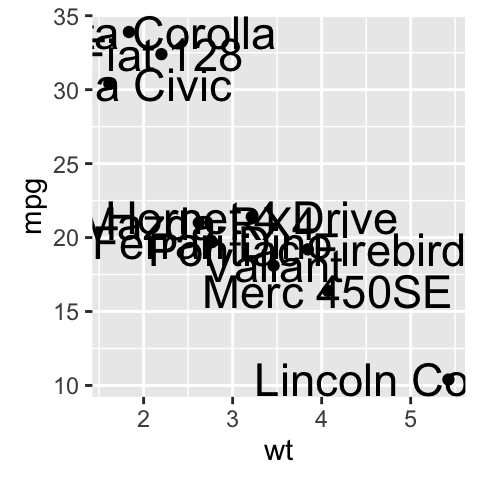
# Change the size of the texts

sp + geom_text(size=6)

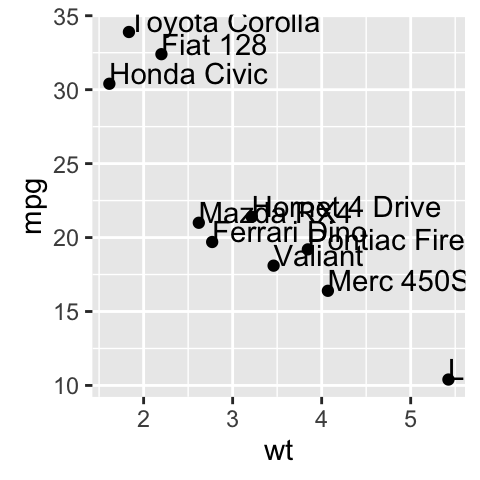
# Change vertical and horizontal adjustement

sp +  geom_text(hjust=0, vjust=0)

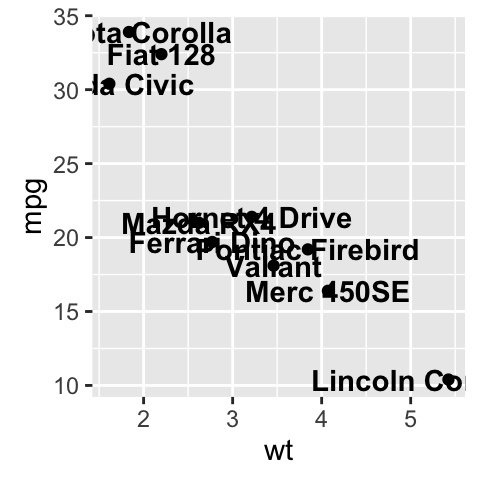
# Change fontface. Allowed values : 1(normal),

# 2(bold), 3(italic), 4(bold.italic)

sp + geom_text(aes(fontface=2))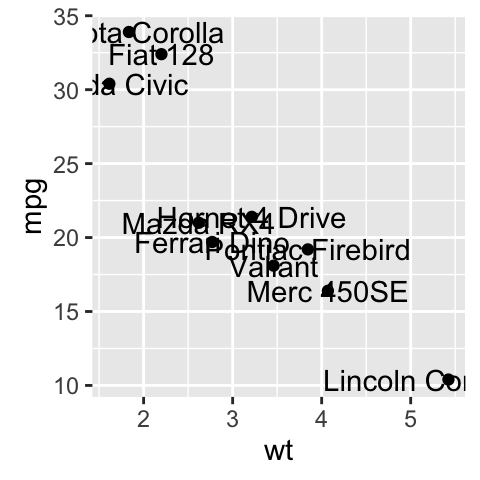
- Change font family
sp + geom_text(family = "Times New Roman")- geom_label() works like geom_text() but draws a rounded rectangle underneath each label. This is useful when you want to label plots that are dense with data.
sp + geom_label()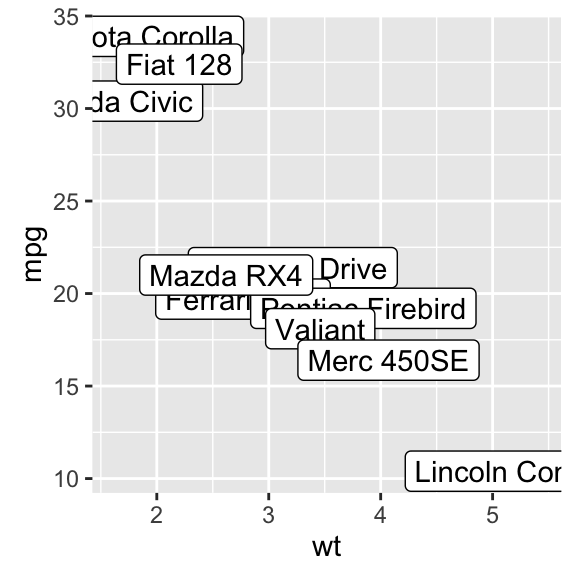
Others useful arguments for geom_text() and geom_label() are:
- nudge_x and nudge_y: let you offset labels from their corresponding points. The function position_nudge() can be also used.
- check_overlap = TRUE: for avoiding overplotting of labels
- hjust and vjust can now be character vectors (ggplot2 v >= 2.0.0): “left”, “center”, “right”, “bottom”, “middle”, “top”. New options include “inward” and “outward” which align text towards and away from the center of the plot respectively.
Change the text color and size by groups
It’s possible to change the appearance of the texts using aesthetics (color, size,…) :
sp2 <- ggplot(mtcars, aes(x=wt, y=mpg, label=rownames(mtcars)))+

  geom_point()

# Color by groups

sp2 + geom_text(aes(color=factor(cyl)))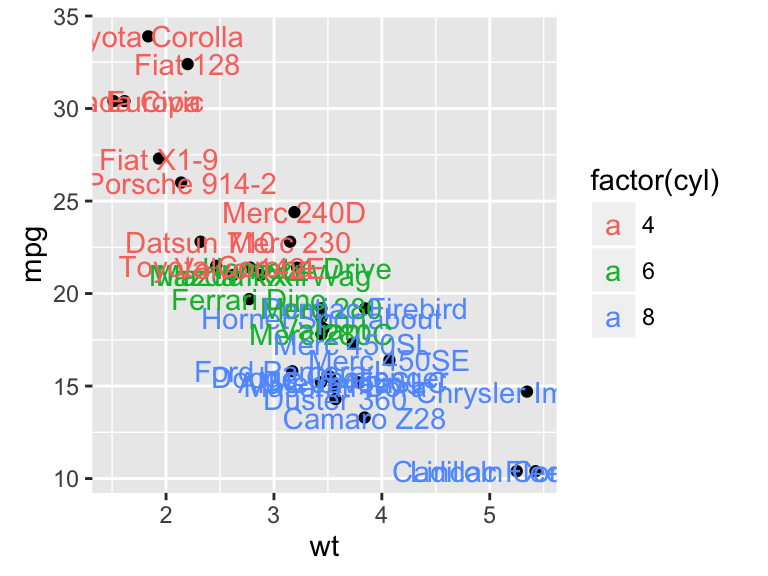
# Set the size of the text using a continuous variable

sp2 + geom_text(aes(size=wt))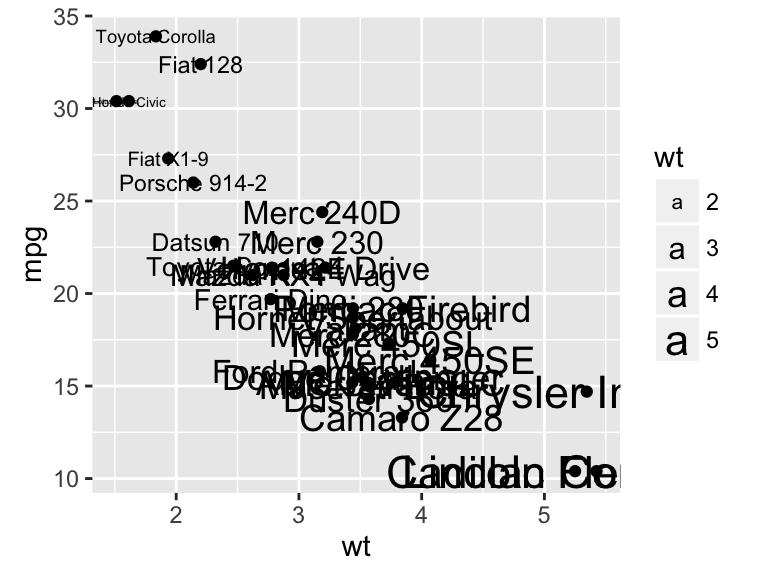
# Define size range

sp2 + geom_text(aes(size=wt)) + scale_size(range=c(3,6))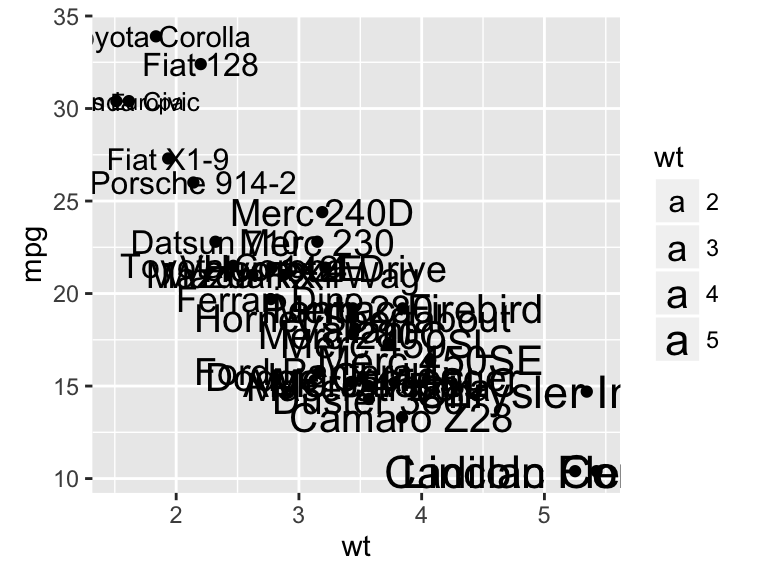
Add a text annotation at a particular coordinate
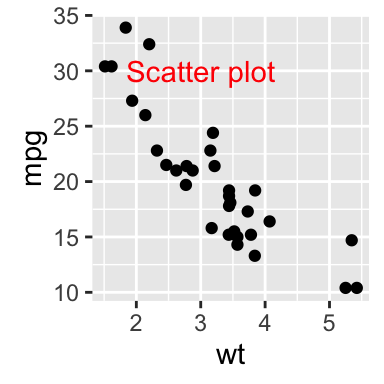
The functions geom_text() and annotate() can be used :
# Solution 1

sp2 + geom_text(x=3, y=30, label="Scatter plot")

# Solution 2

sp2 + annotate(geom="text", x=3, y=30, label="Scatter plot",

              color="red")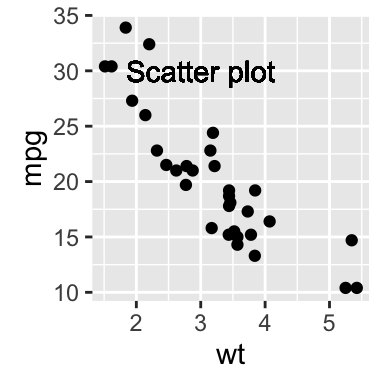
annotation_custom : Add a static text annotation in the top-right, top-left, …
The functions annotation_custom() and textGrob() are used to add static annotations which are the same in every panel.Thegrid package is required :
library(grid)

# Create a text

grob <- grobTree(textGrob("Scatter plot", x=0.1,  y=0.95, hjust=0,

  gp=gpar(col="red", fontsize=13, fontface="italic")))

# Plot

sp2 + annotation_custom(grob)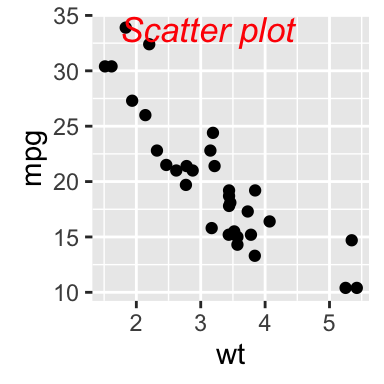
Facet : In the plot below, the annotation is at the same place (in each facet) even if the axis scales vary.
sp2 + annotation_custom(grob)+facet_wrap(~cyl, scales="free")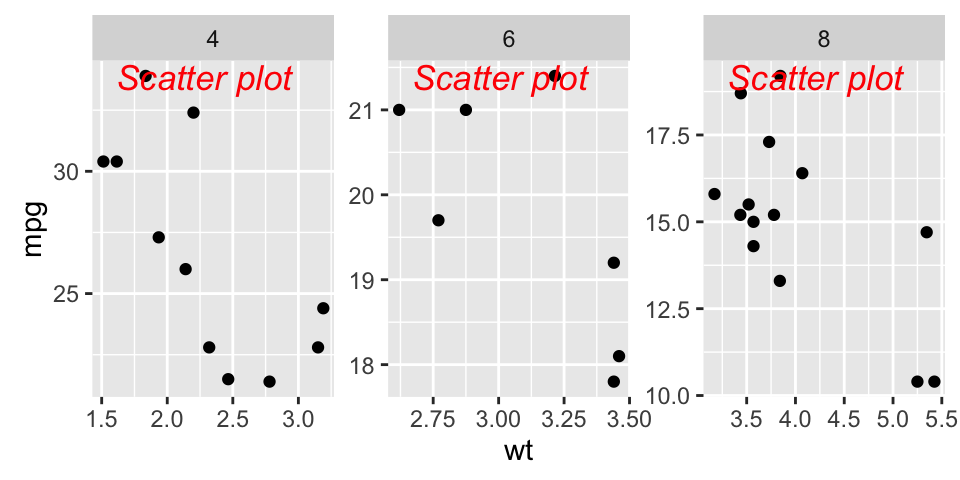
ggrepel: Avoid overlapping of text labels
There are two important functions in ggrepel R packages:
- geom_label_repel()
- geom_text_repel()
Scatter plots with text annotations
We start by creating a simple scatter plot using a subset of the mtcars data set containing 15 rows.
- Prepare some data:
# Take a subset of 15 random points

set.seed(1234)

ss <- sample(1:32, 15)

df <- mtcars[ss, ]- Create a scatter plot:
p <- ggplot(df, aes(wt, mpg)) +

  geom_point(color = 'red') +

theme_classic(base_size = 10)- Add text labels:
# Add text annotations using ggplot2::geom_text

p + geom_text(aes(label = rownames(df)),

              size = 3.5)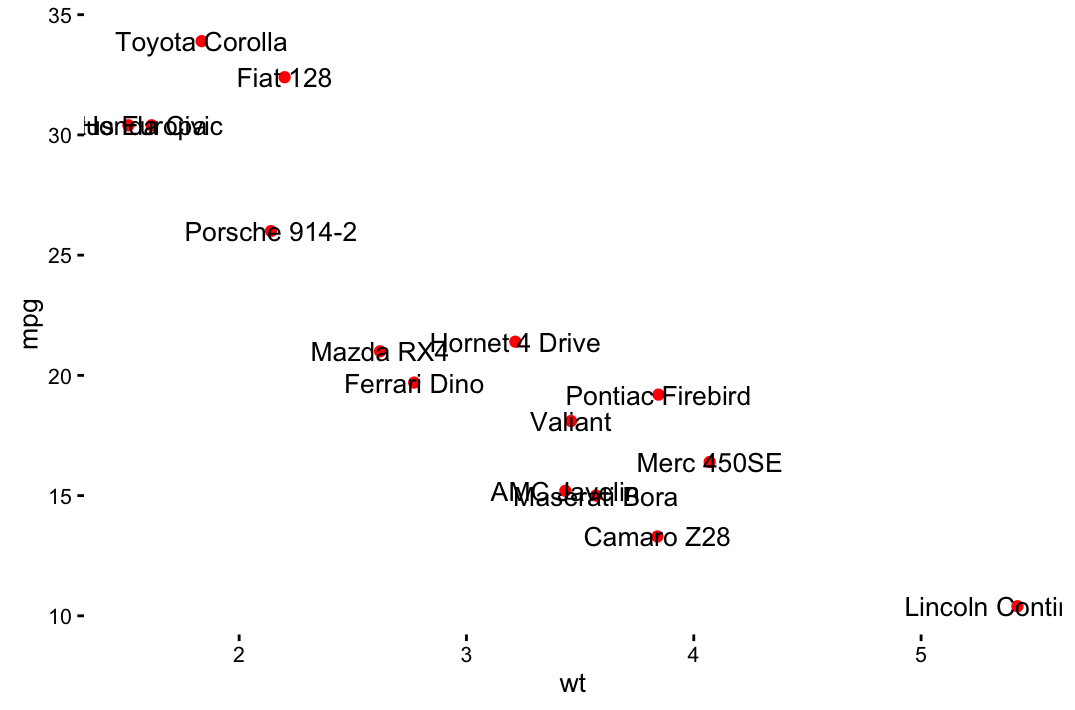
# Use ggrepel::geom_text_repel

require("ggrepel")

set.seed(42)

p + geom_text_repel(aes(label = rownames(df)),

size = 3.5) 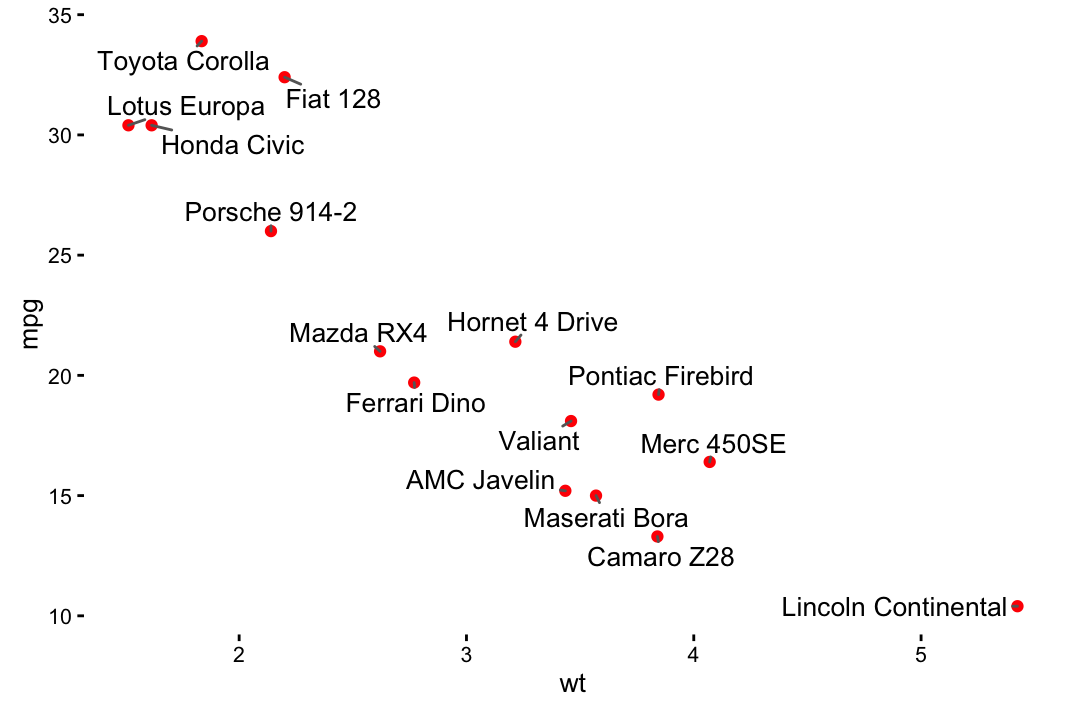
# Use ggrepel::geom_label_repel and

# Change color by groups

set.seed(42)

p + geom_label_repel(aes(label = rownames(df),

                    fill = factor(cyl)), color = 'white',

                    size = 3.5) +

   theme(legend.position = "bottom")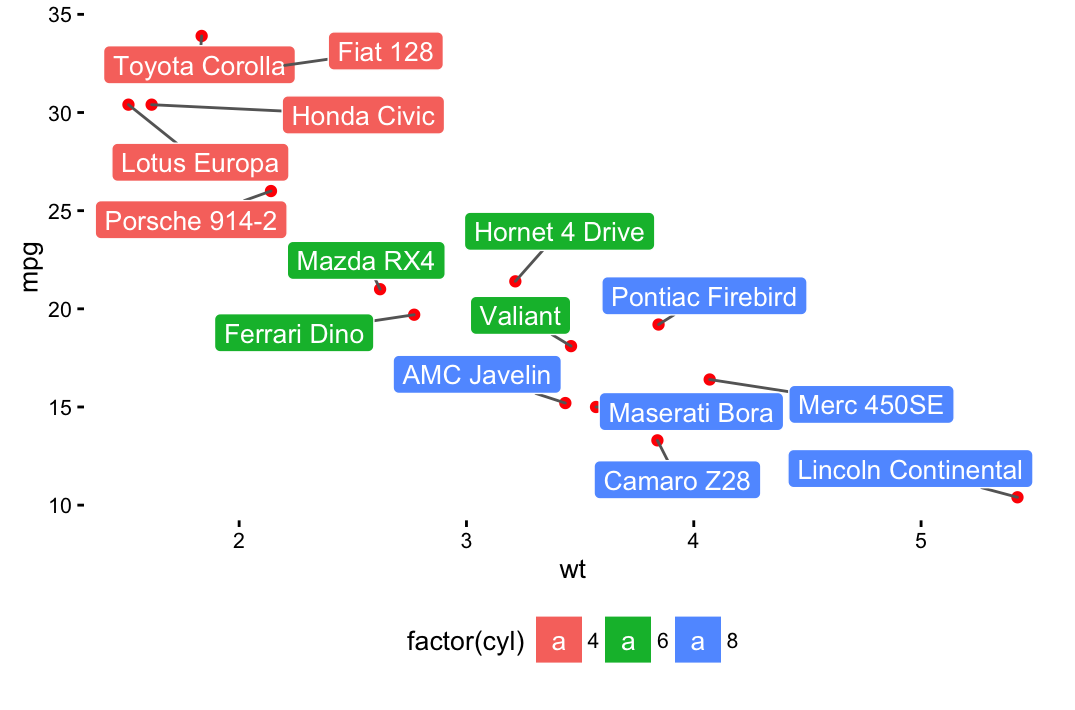
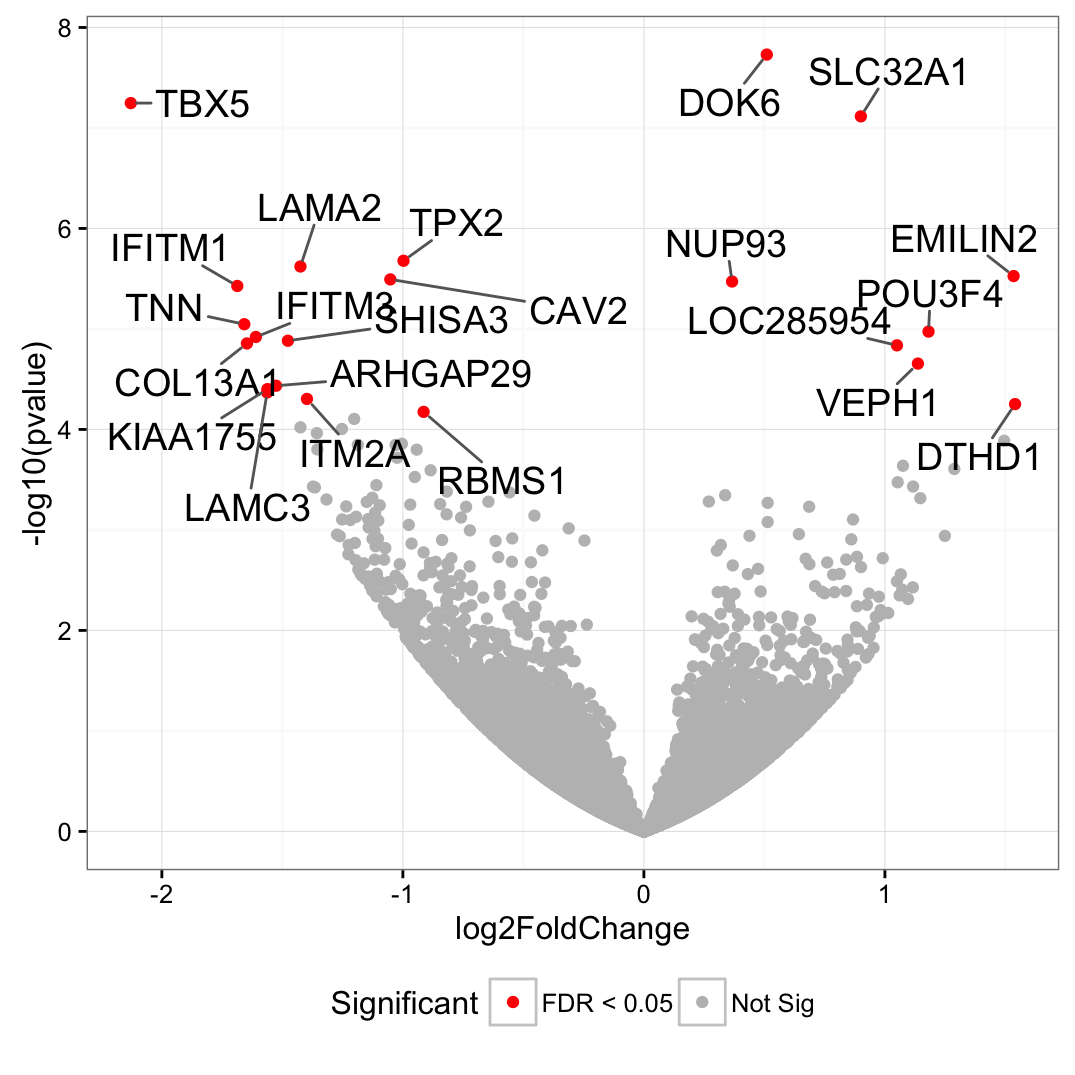
Volcano plot
genes <- read.table("https://gist.githubusercontent.com/stephenturner/806e31fce55a8b7175af/raw/1a507c4c3f9f1baaa3a69187223ff3d3050628d4/results.txt", header = TRUE)

genes$Significant <- ifelse(genes$padj < 0.05, "FDR < 0.05", "Not Sig")

ggplot(genes, aes(x = log2FoldChange, y = -log10(pvalue))) +

  geom_point(aes(color = Significant)) +

  scale_color_manual(values = c("red", "grey")) +

  theme_bw(base_size = 12) + theme(legend.position = "bottom") +

  geom_text_repel(

    data = subset(genes, padj < 0.05),

    aes(label = Gene),

    size = 5,

    box.padding = unit(0.35, "lines"),

    point.padding = unit(0.3, "lines")

  )
ggplot2 texts : Add text annotations to a graph in R software的更多相关文章
- Add text to 'Ready Page' in Inno Setup
https://stackoverflow.com/questions/1218411/add-text-to-ready-page-in-inno-setup
- Unsupervised Learning and Text Mining of Emotion Terms Using R
Unsupervised learning refers to data science approaches that involve learning without a prior knowle ...
- C# 利用TextBox的Text属性实现换行加字符 "\r\n"
要让一个TextBox显示多行文本就得把它的Multiline属性设置为true,可是如果你是要把TextBox的Text属性设置多行文本时,换行符由两个字符组成:"\r\n". ...
- Create and format Word documents using R software and Reporters package
http://www.sthda.com/english/wiki/create-and-format-word-documents-using-r-software-and-reporters-pa ...
- [D3] Add label text
If we want to add text to a node or a image // Create container for the images const svgNodes = svg ...
- IREP_SOA Integration程序注释语法Annotations(概念)
20150506 Created By BaoXinjian
- R绘图 第七篇:绘制条形图(ggplot2)
使用geom_bar()函数绘制条形图,条形图的高度通常表示两种情况之一:每组中的数据的个数,或数据框中列的值,高度表示的含义是由geom_bar()函数的参数stat决定的,stat在geom_ba ...
- Sublime Text 全程指引 by Lucida
作者:Lucida 微博:@peng_gong 豆瓣:@figure9 博客园:@figure9 原文链接:http://zh.lucida.me/blog/sublime-text-complete ...
- iOS"Request failed: unacceptable content-type: text/html"
接口访问出错了,用浏览器测试,发现可以正常返回数据. 下面是错误信息: 获取服务器响应出错 error=Error Domain=com.alamofire.error.serialization.r ...
随机推荐
- VC6_预编译头
1.去掉 使用预编译头"stdafx.h" VC6 --> Project --> Settings.. --> C/C++选项卡 --> "Ca ...
- FastJson/spring boot: json输出
1.引入FastJson依赖包 <!-- FastJson --> <dependency> <groupId>com.alibaba</groupId> ...
- JSP 指令
JSP 指令 JSP指令用来设置整个JSP页面相关的属性,如网页的编码方式和脚本语言. 语法格式如下: <%@ directive attribute="value" %&g ...
- dva subscription的使用方法
import { routerRedux } from 'dva/router' export default { namespace: 'notice', state: { notices:[], ...
- dbms_job.submit方式创建job,太老了
--方法一declarejobno number; begin dbms_job.submit(jobno, 'xxxx;', xxxx, 'xxxx'); commit ...
- 尺取法拓展——POJ3320
#include <iostream> #include <cstdio> #include <algorithm> #include <set> #i ...
- MySQL重装
一.在控制面板中卸载程序 二.找到安装目录,删除掉剩余的文件,一般在C:\Program Files\MySQL\和C:\ProgramData\MySQL\ 三.清理注册表,在“运行”里键入rege ...
- windows 下搭建python虚拟环境
###################################windows 下测试环境 C:\Users\wongg\django-cmdb>cd ..\cmdb ##下载get-pi ...
- JavaScript学习总结(二十三)——JavaScript 内存泄漏教程
参考教程:http://www.ruanyifeng.com/blog/2017/04/memory-leak.html 一.什么是内存泄漏? 程序的运行需要内存.只要程序提出要求,操作系统或者运行时 ...
- HDU 1241 Oil Deposits bfs 难度:0
http://acm.hdu.edu.cn/showproblem.php?pid=1241 对每个还未访问的点bfs,到达的点都标为一块,最后统计有多少块即可 #include <cstdio ...