
Spring boot获取yml字段内容为null的各种情况
首先,在resource目录下配置test.yml文件
A:

  B: http://123.com?

  C: username="lili"&password="123456"

  D: username="lisa"&password="123456"
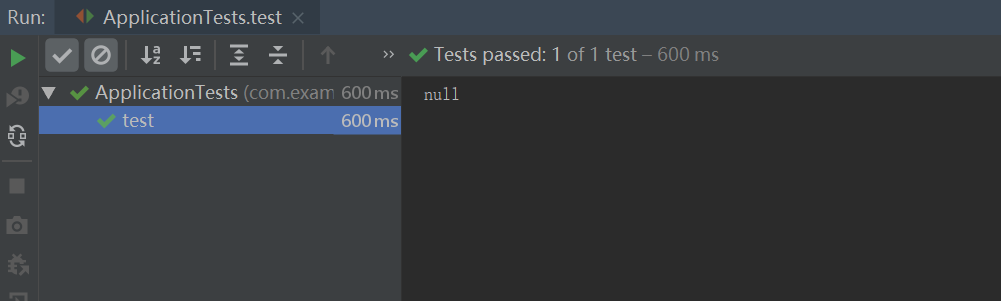
1.为了调用方便,将参数全部设置为static,结果可想而知,获取不到,只能是null

package com.example.demo.constants; import org.springframework.beans.factory.annotation.Value;
import org.springframework.stereotype.Component; @Component
public class TestYml {
public static String B;
public static String C;
public static String D;</span><span style="color: #0000ff;">public</span> <span style="color: #0000ff;">static</span><span style="color: #000000;"> String getB() {
</span><span style="color: #0000ff;">return</span><span style="color: #000000;"> B;
}
@Value(</span>"${A.B}"<span style="color: #000000;">)
</span><span style="color: #0000ff;">public</span> <span style="color: #0000ff;">static</span> <span style="color: #0000ff;">void</span><span style="color: #000000;"> setB(String b) {
B </span>=<span style="color: #000000;"> b;
} </span><span style="color: #0000ff;">public</span> <span style="color: #0000ff;">static</span><span style="color: #000000;"> String getC() {
</span><span style="color: #0000ff;">return</span><span style="color: #000000;"> C;
}
@Value(</span>"${A.C}"<span style="color: #000000;">)
</span><span style="color: #0000ff;">public</span> <span style="color: #0000ff;">static</span> <span style="color: #0000ff;">void</span><span style="color: #000000;"> setC(String c) {
C </span>=<span style="color: #000000;"> c;
} </span><span style="color: #0000ff;">public</span> <span style="color: #0000ff;">static</span><span style="color: #000000;"> String getD() {
</span><span style="color: #0000ff;">return</span><span style="color: #000000;"> D;
}
@Value(</span>"${A.D}"<span style="color: #000000;">)
</span><span style="color: #0000ff;">public</span> <span style="color: #0000ff;">static</span> <span style="color: #0000ff;">void</span><span style="color: #000000;"> setD(String d) {
D </span>=<span style="color: #000000;"> d;
}
}
执行测试代码
@RunWith(SpringRunner.class)

@SpringBootTest(classes = Application.class)

public class ApplicationTests {

    @Test

    public void test(){

        String b = TestYml.B;

        System.out.println(b);

    }

}
得到结果如下:
2.然后去掉set方法中的static,执行上一步的测试代码可以正常获取

3.如果需要将B分别和C,D进行拼接呢,将代码修改如下:
import org.springframework.beans.factory.annotation.Value;
import org.springframework.stereotype.Component; @Component
public class TestYml {
public static String B;
public static String C;
public static String D;</span><span style="color: #0000ff;">public</span> <span style="color: #0000ff;">static</span><span style="color: #000000;"> String getB() {
</span><span style="color: #0000ff;">return</span><span style="color: #000000;"> B;
}
@Value(</span>"${A.B}"<span style="color: #000000;">)
</span><span style="color: #0000ff;">public</span> <span style="color: #0000ff;">void</span><span style="color: #000000;"> setB(String b) {
B </span>=<span style="color: #000000;"> b;
} </span><span style="color: #0000ff;">public</span> <span style="color: #0000ff;">static</span><span style="color: #000000;"> String getC() {
</span><span style="color: #0000ff;">return</span><span style="color: #000000;"> C;
}
@Value(</span>"${A.C}"<span style="color: #000000;">)
</span><span style="color: #0000ff;">public</span> <span style="color: #0000ff;">void</span><span style="color: #000000;"> setC(String c) {
C </span>= getB() +<span style="color: #000000;"> c;
} </span><span style="color: #0000ff;">public</span> <span style="color: #0000ff;">static</span><span style="color: #000000;"> String getD() {
</span><span style="color: #0000ff;">return</span><span style="color: #000000;"> D;
}
@Value(</span>"${A.D}"<span style="color: #000000;">)
</span><span style="color: #0000ff;">public</span> <span style="color: #0000ff;">void</span><span style="color: #000000;"> setD(String d) {
D </span>= getB() +<span style="color: #000000;"> d;
}
}
执行代码如下:
@RunWith(SpringRunner.class)

@SpringBootTest(classes = Application.class)

public class ApplicationTests {

    @Test

    public void test(){

        String b = TestYml.B;

        String c = TestYml.C;

        String d = TestYml.D;

        System.out.println(b);

        System.out.println(c);

        System.out.println(d);

    }

}
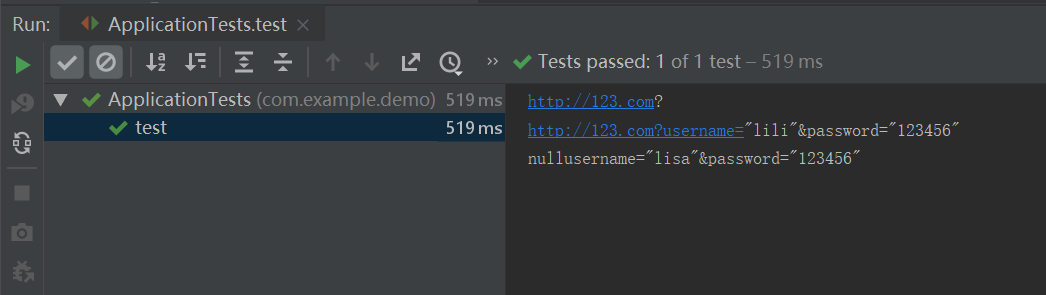
拼接的结果时而正常,时而为null,如下:
4.然后将get方法的static也去掉,结果同样也是不稳定
测试代码如下:
@RunWith(SpringRunner.class)

@SpringBootTest(classes = Application.class)

public class ApplicationTests {

    @Test

    public void test(){

        int i = 10;

        for (int i1 = 0; i1 < i; i1++) {

            String b = TestYml.B;

            String c = TestYml.C;

            String d = TestYml.D;

            System.out.println(b);

            System.out.println(c);

            System.out.println(d);

        }

    }

}
结果如下:

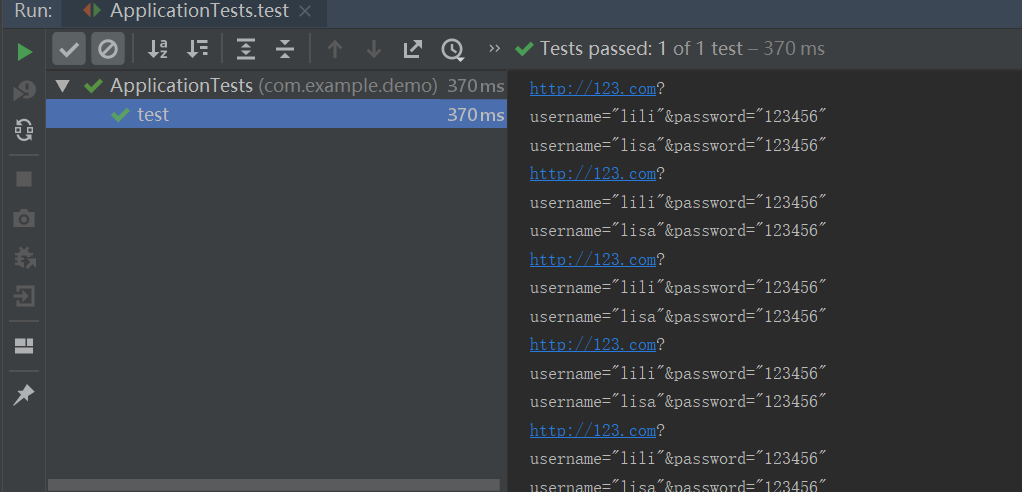
5.将@Value至于参数处,且将参数的static也去掉,并且将测试代码改为注入的方式,结果则是拼接的null都不见了
6.然后修改get方法,将拼接的值get作为该参数的返回,调用方式直接使用注入和get方法,获取值才正常
import org.springframework.beans.factory.annotation.Value;
import org.springframework.stereotype.Component; @Component
public class TestYml {
@Value("$")
private String B;
@Value("$")
private String C;
@Value("$")
private String D;</span><span style="color: #0000ff;">public</span><span style="color: #000000;"> String getB() {
</span><span style="color: #0000ff;">return</span><span style="color: #000000;"> B;
} </span><span style="color: #0000ff;">public</span> <span style="color: #0000ff;">void</span><span style="color: #000000;"> setB(String b) {
B </span>=<span style="color: #000000;"> b;
} </span><span style="color: #0000ff;">public</span><span style="color: #000000;"> String getC() {
</span><span style="color: #0000ff;">return</span> getB() +<span style="color: #000000;"> C;
} </span><span style="color: #0000ff;">public</span> <span style="color: #0000ff;">void</span><span style="color: #000000;"> setC(String c) {
C </span>=<span style="color: #000000;"> c;
} </span><span style="color: #0000ff;">public</span><span style="color: #000000;"> String getD() {
</span><span style="color: #0000ff;">return</span> getB() +<span style="color: #000000;"> D;
} </span><span style="color: #0000ff;">public</span> <span style="color: #0000ff;">void</span><span style="color: #000000;"> setD(String d) {
D </span>=<span style="color: #000000;"> d;
}
}
测试代码
@RunWith(SpringRunner.class)

@SpringBootTest(classes = Application.class)

public class ApplicationTests {

    @Autowired

    TestYml testYml;

    @Test

    public void test(){

        int i = 10;

        for (int i1 = 0; i1 < i; i1++) {

            String b = testYml.getB();

            String c = testYml.getC();

            String d = testYml.getD();

            System.out.println(b);

            System.out.println(c);

            System.out.println(d);

        }

    }

}
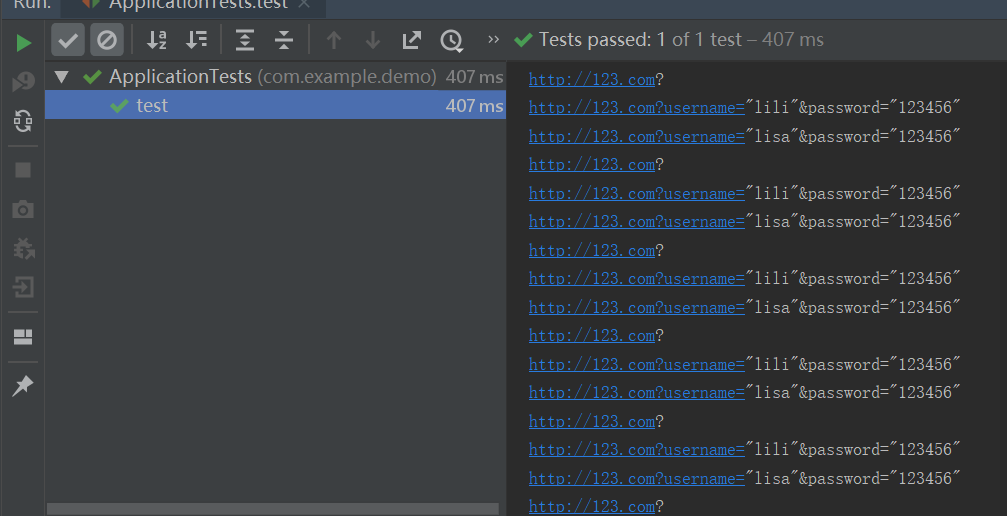
执行结果可以正常获取到值
原文地址:https://www.cnblogs.com/biyuting/p/11184254.html
Spring boot获取yml字段内容为null的各种情况的更多相关文章
- Spring Boot获取前端页面参数的几种方式总结
Spring Boot的一个好处就是通过注解可以轻松获取前端页面的参数,之后可以将参数经过一系列处理传送到后台数据库. 获得的方式有很多种,这里稍微总结一下,大致分为以下几种: 1.指定前端url请求 ...
- spring boot(10) 基础学习内容
A Spring boot(10) 基础学习内容 B SpringBoot(16) 基础学习内容
- Spring Boot 获取 java resources 下文件
Spring Boot 获取 java resources 下文件 Spring Boot 获取 resources 目录下的目录(例:获取 resources 目录下的 template 目录): ...
- spring boot 接口返回值去掉为null的字段
现在项目都是前后端分离的,返回的数据都是使用json,但有些接口的返回值存在 null或者"",这种字段不仅影响理解,还浪费带宽,需要统一做一下处理,不返回空字段,或者把NULL转 ...
- Spring Boot 获取ApplicationContext
package com.demo; import org.springframework.beans.BeansException; import org.springframework.contex ...
- Spring Boot 获取Bean对象实体
一.实现 ApplicationContextAware 接口 package com.zxguan; import org.springframework.beans.BeansException; ...
- 【spring Boot】spring boot获取资源文件的三种方式【两种情况下】
首先声明一点,springboot获取资源文件,需要看是 1>从spring boot默认的application.properties资源文件中获取 2>还是从自定义的资源文件中获取 带 ...
- Spring Boot 获取yaml配置文件信息
Spring boot 项目启动过程中: org.springframework.boot.SpringApplication#prepareEnvironment 当程序步入listeners.en ...
- spring boot的 yml和properties的对比
Spring Boot 虽然做了大量的工作来简化配置,但其配置依然是相当的复杂!支持的外部配置方式就有很多种,笔者没有去统计,也许是为了灵活使用吧. application.yml 和 appli ...
随机推荐
- SQLserver执行命令
方法一:xp_cmdshell exec master..xp_cmdshell "whoami"默认执行是关闭 EXEC sp_configure 'show advanced ...
- C 自己实现strcpy,strcmp,strlen,strcat等函数
// mystrlen() 测试字符长度方法 int mystrlen(char *str) { int cnt = 0; char *p= str; while(*p++ != '\0') { cn ...
- JS对象随机数 random() 方法可返回介于 0 ~ 1(大于或等于 0 但小于 1 )之间的一个随机数。 注意:返回一个大于或等于 0但小于1的符号为正的数值
随机数 random() random() 方法可返回介于 0 ~ 1(大于或等于 0 但小于 1 )之间的一个随机数. 语法: Math.random(); 注意:返回一个大于或等于 0 但小于 1 ...
- IQueryable 和 IEnumerable(二)
IQueryable 和 IEnumerable的扩展方法 一 我们从ef的DbSet<T>看起来,我们看到他继承了IQueryable<T> 和 IEnumerable&l ...
- Yii2 在php 7.2环境下运行,提示 Cannot use ‘Object’ as class name
出错原因是: Object是php7.2中的保留类名,不可以使用Object作为类的名称. The object name was previously soft-reserved in PHP 7. ...
- 使用CompletionService批处理任务(线程池阻塞线程)
CompletionService ExecutorService BlockingQueueFuture 如果你向Executor提交了一个批处理任务,并且希望在它们完成后获得结果.为此你可以保存与 ...
- Java 基础 - 装箱, 拆箱
总结 1-装箱过程是通过调用包装器的valueOf方法实现的,而拆箱过程是通过调用包装器的 xxxValue方法实现的.(xxx代表对应的基本数据类型).例如:在装箱的时候自动调用的是Integer的 ...
- Windows route
ROUTE [-f] [-p] [-4|-6] command [destination] [MASK netmask] [gateway] [METRIC met ...
- js 定位到某个锚点的方法
html页面内可以设置锚点,锚点定义 Html代码 ? 1 <a name="firstAnchor">&nsbp;</a> 锚点使用 Html代 ...
- Windos DNS Client 缓存
要查看 DNS 缓存,请在命令提示符下键入 ipconfig /displaydns. 要从 DNS 缓存中删除该项,请在命令提示符下键入 ipconfig /flushdns. ipconfig.e ...