
angular组件之间的通讯
组件通讯,意在不同的指令和组件之间共享信息。如何在两个多个组件之间共享信息呢。
最近在项目上,组件跟组件之间可能是父子关系,兄弟关系,爷孙关系都有。。。。。我也找找了很多关于组件之间通讯的方法,不同的方法应用在不同的场景,根据功能需求选择组件之间最适合的通讯方式。下面我就总结一下关于组件通讯的N多种方法。
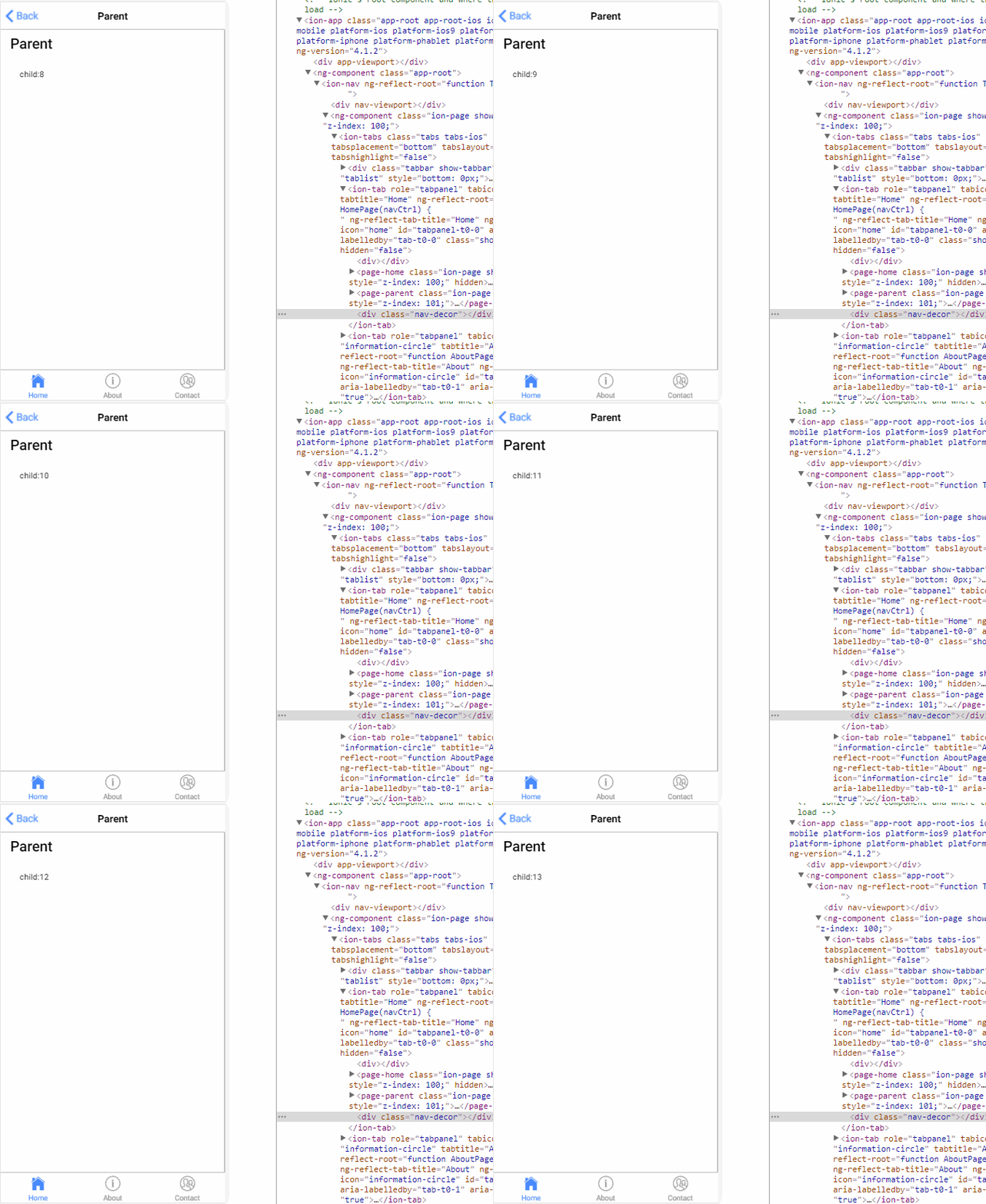
1.父→子 input (父组件给自组建传变量值)
parent.ts
import { Component } from '@angular/core';

@Component({

  selector: 'page-parent',

  templateUrl: 'parent.html',

})

export class ParentPage {

  i: number = 0;

  constructor() {

    setInterval(() => {

      this.i++;

    }, 1000)

  }

}
parent.html
<ion-header>

  <ion-navbar>

    <ion-title>Parent</ion-title>

  </ion-navbar>

</ion-header>

<ion-content padding>

  <h2>Parent</h2>

  <page-child [content]="i"></page-child>

</ion-content>
child.ts
import { Component,Input } from '@angular/core';

@Component({

  selector: 'page-child',

  templateUrl: 'child.html',

})

export class ChildPage {

@Input() content:string;

  constructor() {

  }

}
child.html

<ion-content padding>

child:{{content}}

</ion-content>
结果:
2.子→父 output (子组件的事件想要传给父组件)
parent.ts
import { Component } from '@angular/core';

@Component({

  selector: 'page-parent',

  templateUrl: 'parent.html',

})

export class ParentPage {

  i: number = 0;

  numberIChange(i:number){

      this.i = i;

  }

}
parent.html
<ion-header>

  <ion-navbar>

    <ion-title>Parent</ion-title>

  </ion-navbar>

</ion-header>

<ion-content padding>

  <h2>Parent:{{i}}</h2>

  <page-child (changeNumber)="numberIChange($event)"></page-child>

</ion-content>
child.ts
import { Component, EventEmitter, Output } from '@angular/core';

@Component({

  selector: 'page-child',

  templateUrl: 'child.html',

})

export class ChildPage {

  @Output() changeNumber: EventEmitter<number> = new EventEmitter();

  Number: number = 0;

  constructor() {

    setInterval(() => {

      this.changeNumber.emit(++this.Number);

    }, 1000)

  }

}
child.html

<ion-content padding>

     child

</ion-content>
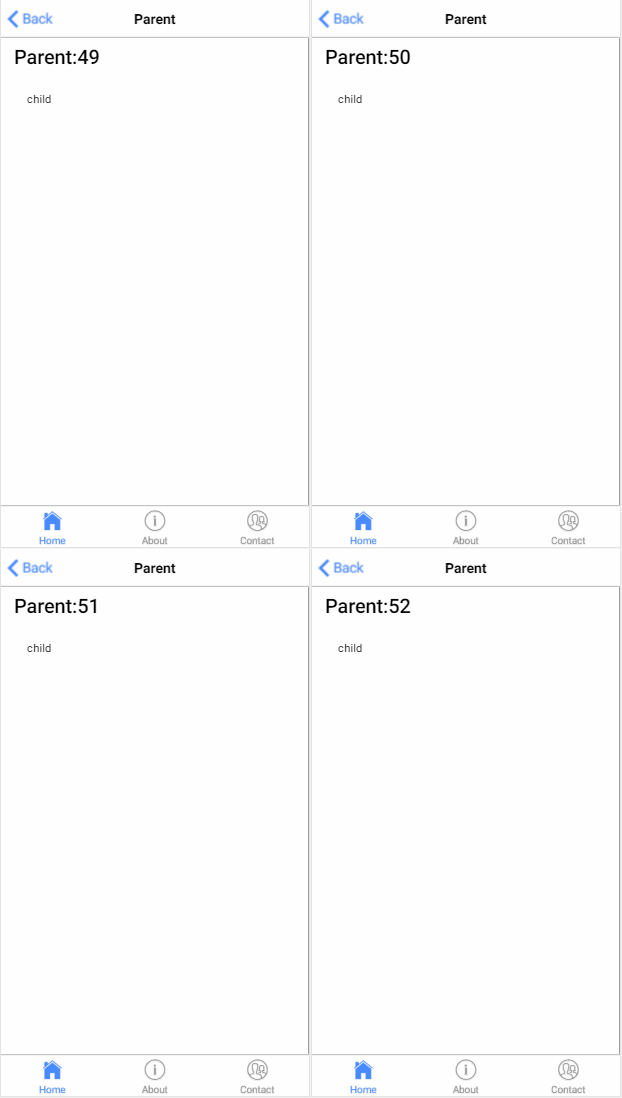
结果:
3.子获得父实例()
parent.ts
import { Component } from '@angular/core';

@Component({

  selector: 'page-parent',

  templateUrl: 'parent.html',

})

export class ParentPage {

  i:number = 0;

}
parent.html

<ion-header>

  <ion-navbar>

    <ion-title>Parent</ion-title>

  </ion-navbar>

</ion-header>

<ion-content padding>

  <h1>parent: {{i}}</h1>

  <page-child></page-child>

</ion-content>
child.ts
import { Component, Input, EventEmitter, Output,Host,Inject,forwardRef } from '@angular/core';

import{ParentPage} from '../parent/parent';

@Component({

  selector: 'page-child',

  templateUrl: 'child.html',

})

export class ChildPage {

    constructor( @Host() @Inject(forwardRef(() => ParentPage)) app: ParentPage) {

        setInterval(() => {

            app.i++;

        }, 1000);

    }

}
child.html

<ion-content padding>

 child

</ion-content>
结果:

4.父获得子实例 (
把子组件作为 ViewChild,注入到父组件里面
)
parent.ts
import {ViewChild, Component } from '@angular/core';

import{ChildPage}from '../child/child';

@Component({

  selector: 'page-parent',

  templateUrl: 'parent.html',

})

export class ParentPage {

  @ViewChild(ChildPage) child:ChildPage;

    ngAfterViewInit() {

        setInterval(()=> {

            this.child.i++;

        }, 1000)

    }

}
parent.html

<ion-header>

  <ion-navbar>

    <ion-title>Parent</ion-title>

  </ion-navbar>

</ion-header>

<ion-content padding>

  <h1>parent {{i}}</h1>

  <page-child></page-child>

</ion-content>
child.ts
import { Component, Input, EventEmitter, Output,Host,Inject,forwardRef } from '@angular/core';

@Component({

  selector: 'page-child',

  templateUrl: 'child.html',

})

export class ChildPage {

    i:number = 0;

}
child.html

<ion-content padding>

<h2>child {{i}}</h2>

</ion-content>
结果:

5.service (父组件和它的子组件共享同一个服务,利用该服务在家庭内部实现双向通讯。)
parent.ts
import { Component } from '@angular/core';

import{myService}from '../child/myService'

@Component({

  selector: 'page-parent',

  templateUrl: 'parent.html',

})

export class ParentPage {
   constructor(service:myService) {

        setInterval(()=> {

            service.i++;

        }, 1000)

    }

}
parent.html

<ion-header>

  <ion-navbar>

    <ion-title>Parent</ion-title>

  </ion-navbar>

</ion-header>

<ion-content padding>

   <h1>parent {{i}}</h1>

   <page-child></page-child>

</ion-content>
child.ts
import { Component} from '@angular/core';

import{myService}from "../child/myService"

@Component({

  selector: 'page-child',

  templateUrl: 'child.html',

})

export class ChildPage {

    constructor(public service:myService){

    }

}
child.html

<ion-content padding>

<h2>child {{service.i}}</h2>

</ion-content>
myService.ts
ps:记得在app.module.ts 加上providers: [KmyService]
import{Injectable } from '@angular/core';

@Injectable()

export class KmyService {

    i:number = 0;

}
结果:

6.EventEmitter(父组件emit 子组件订阅)
myService.ts
import {Component,Injectable,EventEmitter} from '@angular/core';

@Injectable()

export class myService {

    change: EventEmitter<number>;

    constructor(){

        this.change = new EventEmitter();

    }

}
parent.ts
import { Component } from '@angular/core';

import{myService}from '../child/myService'

@Component({

  selector: 'page-parent',

  templateUrl: 'parent.html',

})

export class ParentPage {

    i:number = 0;

    constructor(service:myService) {

        setInterval(()=> {

            service.change.emit(++this.i);

        }, 1000)

    }

}
parent.html

<ion-header>

  <ion-navbar>

    <ion-title>Parent</ion-title>

  </ion-navbar>

</ion-header>

<ion-content padding>

   <h1>parent {{i}}</h1>

   <page-child></page-child>

</ion-content>
child.ts
import { Component,  EventEmitter} from '@angular/core';

import{myService}from "../child/myService"

@Component({

  selector: 'page-child',

  templateUrl: 'child.html',

})

export class ChildPage {

    i:number = 0;

    constructor(public service:myService){

        service.change.subscribe((value:number)=>{

            this.i = value;

        })

    }

}
child.html

<ion-content padding>

 <h2>child {{i}}</h2>

</ion-content>
结果:

7.订阅
parent.ts
import { Component } from '@angular/core';

import{myService}from '../child/myService'

@Component({

  selector: 'page-parent',

  templateUrl: 'parent.html',

})

export class ParentPage {

    i:number=0;

    constructor(public service:myService) {

        setInterval(()=> {

             this.service.StatusMission(this.i++);

        }, 1000)

    }

}
parent.html

<ion-header>

  <ion-navbar>

    <ion-title>Parent</ion-title>

  </ion-navbar>

</ion-header>

<ion-content padding>

   <h1>parent</h1>

   <page-child></page-child>

</ion-content>
child.ts
import { Component, Injectable } from '@angular/core'

import { myService } from "../child/myService"

import { Subscription } from 'rxjs/Subscription';

@Component({

    selector: 'page-child',

    templateUrl: 'child.html',

})

export class ChildPage {

    i:number=0;

    subscription: Subscription;

    constructor(private Service: myService) {

        this.subscription = Service.Status$.subscribe(message => {

            this.i=message;

        });

    }

    ngOnDestroy() {

        this.subscription.unsubscribe();

    }

}
child.html

<ion-content padding>

  <h2>child {{i}}</h2>

</ion-content>
myService.ts
import { Injectable } from '@angular/core';

import { Subject } from 'rxjs/Subject';

@Injectable()

export class myService {

    private Source=new Subject<any>();

    Status$=this.Source.asObservable();

    StatusMission(message: any) {

        this.Source.next(message);

    }

}
结果:

angular组件之间的通讯的更多相关文章
- Angular组件之间通讯
组件之间会有下列3种关系: 1. 父子关系 2. 兄弟关系 3. 没有直接关系 通常采用下列方式处理(某些方式是框架特有)组件间的通讯,如下: 1父子组件之间的交互(@Input/@Output/模板 ...
- Angular10 组件之间的通讯
1 父组件和子组件之间的通讯 2 利用中间组件实现两个组件之间的通讯 3 利用服务实现两个组件之间的通讯 2017年8月26日20:09:13 待更新... 1 组件之间的关系图 1.1 父子关系 1 ...
- 组件之间的通讯:vuex状态管理,state,getters,mutations,actons的简单使用(一)
之前的文章中讲过,组件之间的通讯我们可以用$children.$parent.$refs.props.data... 但问题来了,假如项目特别大,组件之间的通讯可能会变得十分复杂... 这个时候了我们 ...
- vue.js组件之间的通讯-----父亲向儿子传递数据,儿子接收父亲的数据
<!DOCTYPE html> <html lang="en"> <head> <meta charset="UTF-8&quo ...
- Vue父子组件之间的通讯(学习笔记)
<!DOCTYPE html> <html lang="en"> <head> <meta charset="UTF-8&quo ...
- angular组件之间的通信
一.组件创建 直接使用 ng g component 的命令创建组件,会自动生成组件所需的文件,方便快捷. // 父组件 ng g component parent // 子组件 ng g compo ...
- angular 组件之间传值
/** * Created by Administrator on 2017/8/28. */ var app =angular.module('app',[]); app.directive('fo ...
- Angular 组件之间的传值
第一种方法(传单个或者多个参数): 主页面方法: 先添加引用:private _routes: Router, Details(PBSCode) { this._routes.navigate(['p ...
- Angular 发布订阅模式实现不同组件之间通讯
在我们项目中要实现不同组件之间通讯,Angular的@Input和@Output只能实现有父子组件的限制,如果是复杂跨组件实现不同组件可以通过共享变量的方式实现,比如这个博客的思路:https://w ...
随机推荐
- UESTC 1697 简单GCD问题(一) 筛法
简单GCD问题(一) Time Limit: 1500/500MS (Java/Others) Memory Limit: 65535/65535KB (Java/Others) 秦队长给你两 ...
- P1622 释放囚犯
传送门 区间DP简介: 在写这题前,需要先弄清楚区间DP是如何操作的: 区间DP的做法还是相对固定的,没有其他类型DP的复杂多变.主要思想就是先在小区间进行DP得到最优解,然后再利用小区间的最优解合并 ...
- java环境变量怎么配置
我们在学习java的时候,必须先来配置一下java的环境变量,也许你不懂什么是java环境变量,我们也不需要懂,你只要知道,java环境变量配置好了,你的电脑就能编译和运行java程序了,这显然是你想 ...
- oracle 存储过程给另一个用户的权限问题
grant execute on (包名)存储过程名称 to 用户名; grant debug on (包名)存储过程名称 to 用户名 grant select on 存储过程名称 to 用户名 ...
- java 四种线程池的异同
四种线程池的区别仅仅在于executors让threadpoolexecutor的构造器的参数不同,即核心线程池数,最大线程池数等不同.但是其他的,例如终止线程池等都是一样的
- legend2---开发日志8(thinkphp和vue如何配合才能达到最优)
legend2---开发日志8(thinkphp和vue如何配合才能达到最优) 一.总结 一句话总结:凡是php可以做的,都可以先在后端处理好数据,然后再丢给前端 凡php可以做的,都可以先在后端处理 ...
- 方差variance, 协方差covariance, 协方差矩阵covariance matrix | scatter matrix | weighted covariance | Eigenvalues and eigenvectors
covariance, co本能的想到双变量,用于描述两个变量之间的关系. correlation,相关性,covariance标准化后就是correlation. covariance的定义: 期望 ...
- spring boot ----> 和mybatis。。。
环境: centos6.8,jdk1.8.0_172,maven3.5.4,spring boot1.5.15 1.使用maven命令:mvn dependency:tree查看mybatis-spr ...
- c++-pimer-plus-6th-chapter03
Chapter Review Having more than one integer type lets you choose the type that is best suited to a p ...
- MySQL之库表详细操作
一 库操作 1.创建数据库 1.1 语法 CREATE DATABASE 数据库名 charset utf8; 1.2 数据库命名规则 可以由字母.数字.下划线.@.#.$ 区分大小写 唯一性 不能使 ...