
PhantomJS报错warnings.warn('Selenium support for PhantomJS has been deprecated, please use headless '
原因:Selenuim已经放弃PhantomJS3.x了,建议使用火狐或者谷歌无头浏览器。
解决方法:
1.phantomjs降级,换个2.x版本的
2.使用无头浏览器,示例代码(自己改了改,如有错误还望指正)
 from selenium import webdriver

 from selenium.webdriver.chrome.options import Options

 chrome_options = Options()

 chrome_options.add_argument('--headless')

 driver = webdriver.Chrome(chrome_options=chrome_options)

 driver.get("https://www.baidu.com")

 print(driver.current_url)

 driver.close()
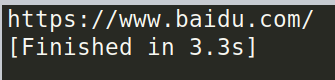
运行结果
为了紧跟时代,还是使用无头浏览器吧
PhantomJS报错warnings.warn('Selenium support for PhantomJS has been deprecated, please use headless '的更多相关文章
- selenium抓取淘宝数据报错:warnings.warn('Selenium support for PhantomJS has been deprecated, please use headless
ssh://root@192.168.33.12:22/root/anaconda3/bin/python3 -u /www/python3/maoyantop100/meishi_selenium. ...
- 使用PhantomJS报warnings.warn('Selenium support for PhantomJS has been deprecated, please use headless '解决方法
selenium已经放弃PhantomJS了,建议使用火狐或者谷歌无界面浏览器.使用无界面浏览器Selenium+Headless Firefox Selenium+Headless Firefox和 ...
- selenium + PhantomJS使用时 PhantomJS报错解决
selenium + PhantomJS使用时 PhantomJS报错解决 在做动态网页爬虫时用到了selenium + PhantomJS,安装好之后运行时报错: UserWarning: Sele ...
- Selenium support for PhantomJS has been deprecated, please use headless
今天在使用Selenuim+PhantomJS动态抓取网页时,出现如下报错信息: C:\Python36\lib\site-packages\selenium-3.11.0-py3.6.egg\sel ...
- selenium+phantomjs报错:Unable to find a free port的分析和解决
selenium+phantomjs报错:Unable to find a free port的分析和解决 Table of Contents 1. 现象 2. 分析 3. 解决办法 1 现象 在做项 ...
- ie11 selenium 报错org.openqa.selenium.NoSuchWindowException: Unable to get browser 处理方法
selenium + ie11运行报错 org.openqa.selenium.NoSuchWindowException: Unable to get browser (WARNING: The s ...
- selenium的报错信息:selenium.common.exceptions.InvalidSelectorException: Message: invalid selector: Compound class names not permitted
报错信息:selenium.common.exceptions.InvalidSelectorException: Message: invalid selector: Compound class ...
- navicat连接远程数据库报错'client does not support authentication protocol requested by server consider ...'解决方案
[1.cmd终端连接远程mysql数据库方法] mysql -uhello -pworld -h192.168.1.88 -P3306 -Dmysql_oa mysql -u用户名 -p密码 -h ...
- mac本地安装全局包报错npm WARN checkPermissions
安装本地全局包时,本地报错 npm WARN checkPermissions Missing write access to /Users/xxx/.nvm/versions/node/v11.10 ...
随机推荐
- 第十二届湖南省赛G - Parenthesis (树状数组维护)
Bobo has a balanced parenthesis sequence P=p 1 p 2…p n of length n and q questions. The i-th questio ...
- Bridge (br0) Network on Linux
动手实践虚拟网络 - 每天5分钟玩转 OpenStack(10) - CloudMan - 博客园https://www.cnblogs.com/CloudMan6/p/5296573.html li ...
- centos 7 aufs
Docker storage drivers | Docker Documentationhttps://docs.docker.com/storage/storagedriver/select-st ...
- 转:VIM选择文本块/复制/粘贴
VIM选择文本块/复制/粘贴 - lcj_cjfykx的专栏 - CSDN博客https://blog.csdn.net/lcj_cjfykx/article/details/9091569
- Webbench、ab命令:做压力测试的工具和性能的监控工具
DDOS攻击:???DDOS概述:分布式拒绝服务(DDoS:Distributed Denial of Service)攻击,指借助于客户/服务器技术,将多个计算机联合起来作为攻击平台,对一个或多个目 ...
- 使用fetch代替ajax请求 post传递方式
let postData = {a:'b'}; fetch('http://data.xxx.com/Admin/Login/login', { method: 'POST', mode: 'cors ...
- 【学亮IT手记】mysql创建/查看/切换数据库
--创建数据库 create database web_test1 CHARACTER set utf8; --切换数据库 use web_test1; --查看当前使用的数据库 select DAT ...
- 【学亮IT手记】使用Map代替switch...case语句
- Web移动端---iPhone X适配(底部栏黑横线)
一.相信大家有被iPhone X底部黑色横线支配的恐惧 上面我们可以看到,底部的导航栏被一条黑色横线所盖住,那么就很烦.下面我们可以开始进行适配环节 1.首先我们可以用 JS 判断手机环境是不是 iP ...
- linux 下crontab -e 命令插入及保存
由于功能需要,用到linux定时任务. 一般我们都是crontab -e 进去写好定时任务,直接保存退出就可以了,如果是第一次创建定时任务, 系统会选择默认编辑器,就不好保存文件. 在网上参考了一篇文 ...