
Ubuntu15.04安装不完全指南
0x00. 烧盘
使用UltraISO(破解版)烧录到U盘里,设置电脑从U盘启动,即可安装。
安装时可能出现not COM32R image的命令行,“boot:” 后面直接输入live即可解决问题。
0x01. 顺序结构安装
这步不用多讲,就按顺序安装就行。
0x02. 更新
 sudo apt-get update

 sudo apt-get upgrade
系统安装完需要更新,这两行命令提供系统更新。有人估计会说要更换源,公司网速可以的话,也没必要。
0x03. aptitude
sudo apt-get install aptitude
aptitude包管理器,系统默认的是apt包管理器,aptitude在删除一个包时,会删除其依赖包,这样系统不会残留无用的包,使系统更加干净。
0x04. git
sudo apt-get install git
这样就安装了git。
0x05. Vim
打开Terminal。Ubuntu 15.04自带了solarized主题。可以在偏好里设置。
一个没有插件的Vim就好像失去了活力的孩子。
在用户主目录下新建文件:.vimrc,需要在里面手动配置自己的vim,我的.vimrc如下:
 "Use vundle to manage plugin, required turn file type off and nocompatible

 filetype off

 set nocompatible

 set rtp+=~/.vim/bundle/vundle

 call vundle#rc()

 "Let vundle manage vundle, required

 Bundle 'gmarik/vundle'

 "My bundles here:

 Bundle 'altercation/vim-colors-solarized'

 Bundle 'taglist.vim'

 Bundle 'The-NERD-tree'

 Bundle 'a.vim'

 Bundle 'c.vim'

 Bundle 'python.vim'

 Bundle 'Lokaltog/vim-powerline'

 Bundle 'OmniCppComplete'

 "Brief help of vundle

     ":BundleList

     ":BundleInstall

     ":BundleSearch

     ":BundleClean

     ":help vundle

 "End brief help

 "Show line number, command, status line and so on

 set history=

 set ruler

 set number

 set showcmd

 set showmode

 set laststatus=

 set cmdheight=

 set scrolloff=

 "Fill space between windows

 set fillchars=stl:\ ,stlnc:\ ,vert:\

 "Turn off annoying error sound

 set noerrorbells

 set novisualbell

 set t_vb=

 "Turn off splash screen

 set shortmess=atI

 "syntax and theme

 syntax enable

 colorscheme solarized

 set background=dark

 set cursorline

 set cursorcolumn

 "Configure backspace to be able to across two lines

 set backspace=

 set whichwrap+=<,>,h,l

 "Tab and indent

 set expandtab

 set smarttab

 set shiftwidth=

 set tabstop=

 set autoindent

 set cindent

 "Files, backups and encoding

 set nobackup

 set noswapfile

 set autoread

 set autowrite

 set autochdir

 set fileencoding=utf-

 set fileformats=unix,dos,mac

 filetype plugin on

 filetype indent on

 "Text search and repalce

 set showmatch

 set matchtime=

 set hlsearch

 set incsearch

 set ignorecase

 set smartcase

 set magic

 set lazyredraw

 set nowrapscan

 set iskeyword+=_,$,@,%,#,-,.

 "powerline

 let g:Powerline_sysmbols='fancy'

 set t_Co=

 let Powerline_symbols='compatible'

 set laststatus=

 set encoding=utf-

 "Gvim config

 if has("gui_running")

     colorscheme solarized

 endif

 set guifont=DejaVu\ Sans\ Mono\

 set guioptions=aegic
这个文件参考了京山游侠的博客,感谢~
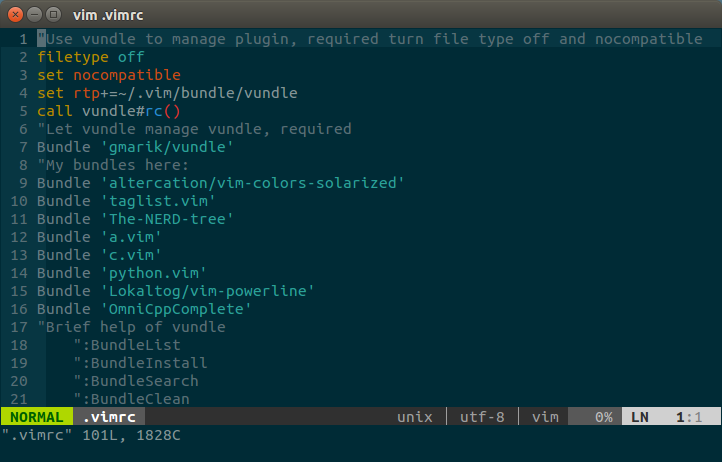
9~16行是我安装的几个基本插件。
效果如下:
0x06. oh-my-zsh
看到上面的Powerline效果很炫,shell也能这么炫酷么?当然可以。
这里我们只要安装oh-my-zsh即可。
首先得安装zsh,系统默认的是bash shell
sudo apt-get install zsh
上面一行的代码安装了zsh。
 cat /etc/shells

 # /etc/shells: valid login shells

 /bin/sh

 /bin/dash

 /bin/bash

 /bin/rbash

 /bin/zsh

 /usr/bin/zsh
查看发现zsh已经安装。接下来要将zsh设置为默认shell。
1 chsh -s /bin/zsh
此即更改了当前的shell,但不会立即生效,需要reboot计算机。
重启之后,我们按照oh-my-zsh主页的安装方式进行安装:
curl -L https://raw.github.com/robbyrussell/oh-my-zsh/master/tools/install.sh | sh
或者
wget https://raw.github.com/robbyrussell/oh-my-zsh/master/tools/install.sh -O - | sh
成功安装oh-my-zsh之后,用vim打开.zshrc文件。
修改ZSH——THEME参数的值即可修改zsh主题,如ZSH_THEME="agnoster"即可在Terminal中显示Powerline效果,如下:
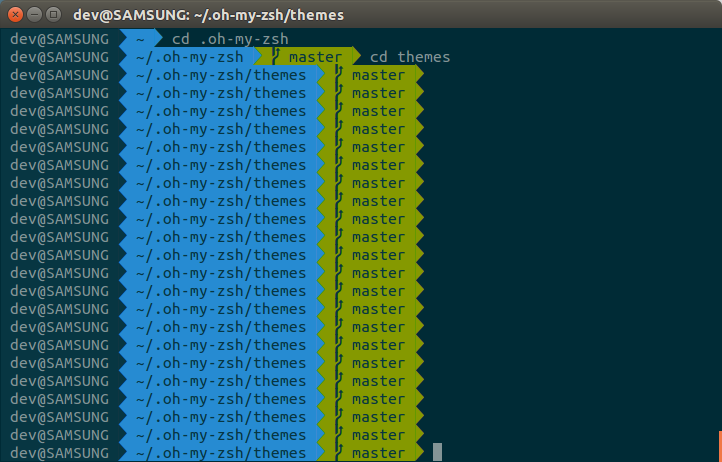
当然,可能有些同学发现箭头显示不了,打上字体补丁就OK了,Powerline的作者给出了详细的解决方案,链接如下:https://powerline.readthedocs.org/en/latest/installation/linux.html#installation-on-linux,当然,你也可以去Powerline的github主页寻找相关的信息。
0x07. Numix
拥有Numix主题的Ubuntu系统就像穿了鲜艳服装的小朋友。
从github进入NumixProject项目主页。
 sudo add-apt-repository ppa:numix/ppa

 sudo apt-get update

 sudo apt-get install numix-icon-theme-circle
这3行语句即可安装Numix主题。可是发现系统并没有什么改变。
0x08. unity-tweak-tool
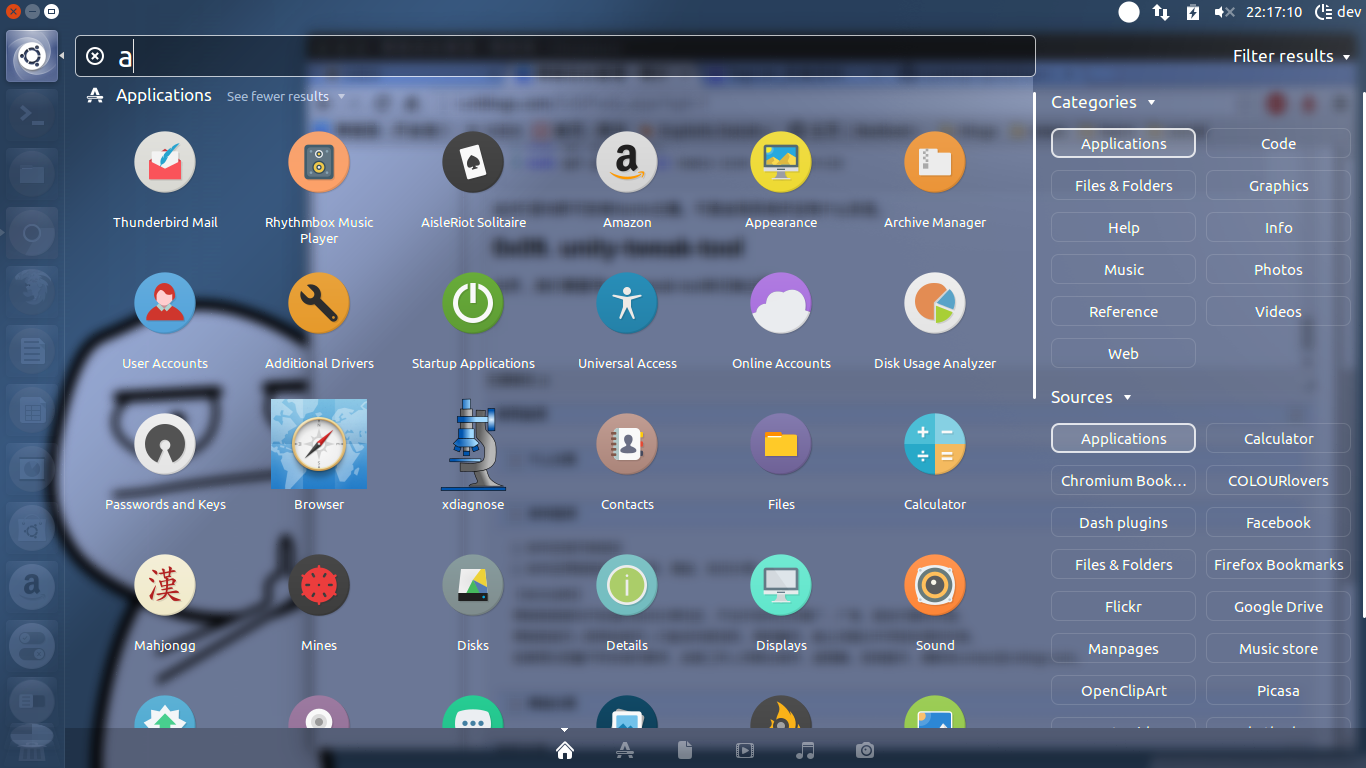
当然,我们需要用unity-tweak-tool来切换主题。
sudo apt-get install unity-tweak-tool
首先安装unity-tweak-tool。
切换后效果如下:
0x09. fcitx && flashplugin-installer
输入法是安装的fcitx。flsah插件也是要安装的。
0x0A. Browser
最后来说一下浏览器。
其实浏览器最大的一个问题是翻墙。
我平时喜欢用红杏。无奈Ubuntu默认的浏览器是Firefox。
那就选择安装Chromium浏览器,在Extension里打开开发者模式。
即可添加红杏插件,登录即可使用。
最后,附上我的红杏邀请,接受我的邀请并开通服务的同学,你和我都将获得10天的优惠。(小伙伴们快来快来~~~)
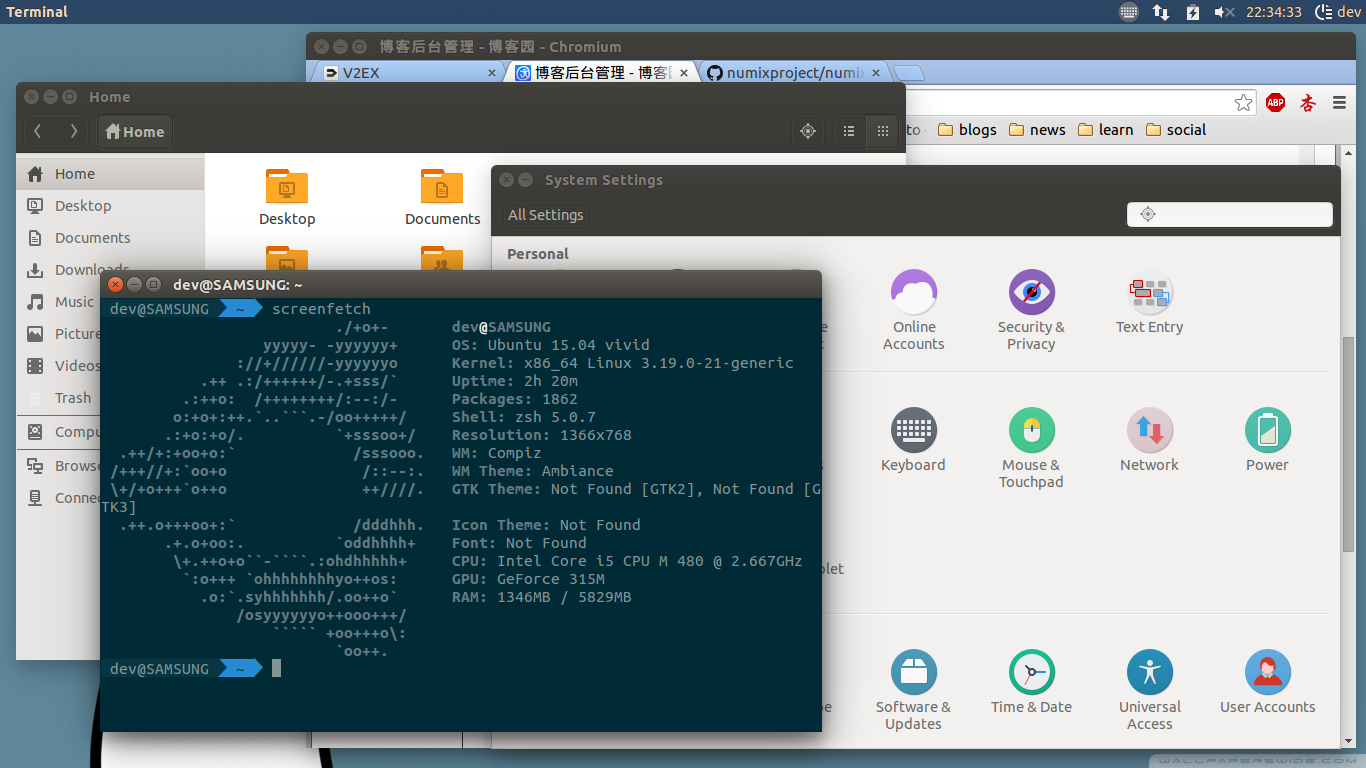
附换上壁纸后整体效果:
Ubuntu15.04安装不完全指南的更多相关文章
- ubuntu15.04安装Chrome浏览器
首先到: https://dl.google.com/linux/direct/google-chrome-stable_current_amd64.deb 下载最新的安装文件. 然后: sudo a ...
- Ubuntu15.04 安装Android开发环境
一.安装Java SE JKD A.下载 http://www.oracle.com/technetwork/java/javase/downloads/index.html?ssSourceSite ...
- ubuntu15.04安装hexo
首先吐槽一下npm淘宝源,貌似中国目前唯一一个npm源,现在不好用了,不知道是不是换了地址,在吐槽一下万恶的墙!你懂得. 好了,说点正儿八经的事儿. 之所以安装hexo也是为了创建自己的博客,我只说最 ...
- ubuntu15.04安装 RVM
首先,请参考这篇文章 https://ruby-china.org/wiki/rvm-guide RVM 官方网站 https://rvm.io/ 1 由于现在很多网站都转向https链接,所以,根据 ...
- Ubuntu18.04安装常用软件指南
安装中文版火狐浏览器 第一步:先卸载:sudo apt-get remove firefox第二步:安装:sudo apt-get install firefox第三步:设置成中文:sudo apt- ...
- ubuntu15.04 安装搜狗输入法
首先:打开 系统设置->软件和更新,添加以下源, deb http://archive.ubuntukylin.com:10006/ubuntukylin trusty main 然后 sudo ...
- ubuntu15.04 安装 pylab失败,先记下来,漫漫看
pydo@planpls:/var/python/web2py$ pip install pylab Downloading/unpacking pylab Downloading pylab-0.1 ...
- Ubuntu15.04上为火狐浏览器安装Adobe Flash Player插件
前言:最新版的ubuntu好像没有flashplayer,而且更新源也无法更新成功,找些资料终于发现 这个需要自己手动配置.由于flashplayer无法安装,导致视频,百度上传等功能都无法使用: 安 ...
- 用U盘安装Ubuntu15.04
用UltraISO刻录Ubuntu15.04到U盘安装,出现:Failed to load idlinux.c32错误,解决办法如下: source url: http://www.ubuntukyl ...
随机推荐
- [原创]MYSQL中利用外键实现级联删除和更新
MySQL中利用外键实现级联删除.更新 MySQL支持外键的存储引擎只有InnoDB,在创建外键的时候,要求父表必须有对应的索引,子表在创建外键的时候也会自动创建对应的索引.在创建索引的时候,可以指定 ...
- ES性能测试
测试背景 因为ES(ElasticSearch)前段时间查询效率有点慢,技术小组对索引做了一些改动,因此需要测试一下修改后的查询效率,跟之前的结果做一下对比,所以有了这次测试. 需求简述 ...
- SQL统计
--按周统计SELECT TOP 10DATENAME(year,AddDate) 年,DATENAME(week,AddDate) 周,COUNT(1) 单量,SUM(total) 总金额,AVG( ...
- Javascript刷题 》数组求和
计算给定数组 arr 中所有元素的总和 输入描述: 数组中的元素均为 Number 类型 输入例子: sum([ 1, 2, 3, 4 ]) 输出例子: 10 解题方法 1.定义一个变量,将前面的和后 ...
- 阿里云accessKey如何创建?~ 2015.08.25
选择导航条上面的ACCESSKeys(工单服务左边,我一开始也没注意到) 创建一下,然后同意 验证一下 收工
- 【.NET深呼吸】应用上下文(AppContext)
在.net 4.6中新增了一个类,叫AppContext,这个家伙嘛,技术含量不算高,只不过是在编程的时候可以方便用用而已.应用上下文允许定义一个标识(用字符串表示),并且在应用程序运行期间可以切换状 ...
- [C#] 走进异步编程的世界 - 剖析异步方法(下)
走进异步编程的世界 - 剖析异步方法(下) 序 感谢大家的支持,这是昨天发布<走进异步编程的世界 - 剖析异步方法(上)>的补充篇. 目录 异常处理 在调用方法中同步等待任务 在异步方法中 ...
- C# 给PDF添加图片背景
C# 给PDF添加图片背景 今天要实现的是给PDF文件添加图片背景这个功能.PDF是近年来最流行的文件之一,无论是办公还是日常生活中都经常会用到,很多时候,PDF文件的背景色都是白色,看多了难免觉得累 ...
- 2016-Beijing-GDG-DevFest大会参后感
前话 15年初的时候参加过一次GDG线下举办的一次分享会,因为当时是实习的公司提供的活动场地.有了那次机会后,就一直关注了GDG的活动. 参加的目的最重要的是本次大会是比较盛大的一场技术大会,在经过一 ...
- 类型基础---CLR Via C#笔记一
一.所有类型都是从System.Obejct派生 1.下面两个类型定义是完全一致的: class Employee{ ... } class Employee:System.Object{ ... } ...