
运用python绘制小猪佩奇
用python绘制小猪佩奇
1.打开idle

2.点击File-New Files

3.输入以下代码
1.   from turtle import *

2.

3.   def nose(x,y):#鼻子

4.       penup()#提起笔

5.       goto(x,y)#定位

6.       pendown()#落笔,开始画

7.       setheading(-30)#将乌龟的方向设置为to_angle/为数字(0-东、90-北、180-西、270-南)

8.       begin_fill()#准备开始填充图形

9.       a=0.4

10.      for i in range(120):

11.          if 0<=i<30 or 60<=i<90:

12.              a=a+0.08

13.              left(3) #向左转3度

14.              forward(a) #向前走a的步长

15.          else:

16.              a=a-0.08

17.              left(3)

18.              forward(a)

19.      end_fill()#填充完成

20.

21.      penup()

22.      setheading(90)

23.      forward(25)

24.      setheading(0)

25.      forward(10)

26.      pendown()

27.      pencolor(255,155,192)#画笔颜色

28.      setheading(10)

29.      begin_fill()

30.      circle(5)

31.      color(160,82,45)#返回或设置pencolor和fillcolor

32.      end_fill()

33.

34.      penup()

35.      setheading(0)

36.      forward(20)

37.      pendown()

38.      pencolor(255,155,192)

39.      setheading(10)

40.      begin_fill()

41.      circle(5)

42.      color(160,82,45)

43.      end_fill()

44.

45.

46.  def head(x,y):#头

47.      color((255,155,192),"pink")

48.      penup()

49.      goto(x,y)

50.      setheading(0)

51.      pendown()

52.      begin_fill()

53.      setheading(180)

54.      circle(300,-30)

55.      circle(100,-60)

56.      circle(80,-100)

57.      circle(150,-20)

58.      circle(60,-95)

59.      setheading(161)

60.      circle(-300,15)

61.      penup()

62.      goto(-100,100)

63.      pendown()

64.      setheading(-30)

65.      a=0.4

66.      for i in range(60):

67.          if 0<=i<30 or 60<=i<90:

68.              a=a+0.08

69.              lt(3) #向左转3度

70.              fd(a) #向前走a的步长

71.          else:

72.              a=a-0.08

73.              lt(3)

74.              fd(a)

75.      end_fill()

76.

77.

78.  def ears(x,y): #耳朵

79.      color((255,155,192),"pink")

80.      penup()

81.      goto(x,y)

82.      pendown()

83.      begin_fill()

84.      setheading(100)

85.      circle(-50,50)

86.      circle(-10,120)

87.      circle(-50,54)

88.      end_fill()

89.

90.      penup()

91.      setheading(90)

92.      forward(-12)

93.      setheading(0)

94.      forward(30)

95.      pendown()

96.      begin_fill()

97.      setheading(100)

98.      circle(-50,50)

99.      circle(-10,120)

100.     circle(-50,56)

101.     end_fill()

102.

103.

104. def eyes(x,y):#眼睛

105.     color((255,155,192),"white")

106.     penup()

107.     setheading(90)

108.     forward(-20)

109.     setheading(0)

110.     forward(-95)

111.     pendown()

112.     begin_fill()

113.     circle(15)

114.     end_fill()

115.

116.     color("black")

117.     penup()

118.     setheading(90)

119.     forward(12)

120.     setheading(0)

121.     forward(-3)

122.     pendown()

123.     begin_fill()

124.     circle(3)

125.     end_fill()

126.

127.     color((255,155,192),"white")

128.     penup()

129.     seth(90)

130.     forward(-25)

131.     seth(0)

132.     forward(40)

133.     pendown()

134.     begin_fill()

135.     circle(15)

136.     end_fill()

137.

138.     color("black")

139.     penup()

140.     setheading(90)

141.     forward(12)

142.     setheading(0)

143.     forward(-3)

144.     pendown()

145.     begin_fill()

146.     circle(3)

147.     end_fill()

148.

149.

150. def cheek(x,y):#腮

151.     color((255,155,192))

152.     penup()

153.     goto(x,y)

154.     pendown()

155.     setheading(0)

156.     begin_fill()

157.     circle(30)

158.     end_fill()

159.

160.

161. def mouth(x,y): #嘴

162.     color(239,69,19)

163.     penup()

164.     goto(x,y)

165.     pendown()

166.     setheading(-80)

167.     circle(30,40)

168.     circle(40,80)

169.

170. def body(x,y):#身体

171.     color("red",(255,99,71))

172.     penup()

173.     goto(x,y)

174.     pendown()

175.     begin_fill()

176.     setheading(-130)

177.     circle(100,10)

178.     circle(300,30)

179.     setheading(0)

180.     forward(230)

181.     setheading(90)

182.     circle(300,30)

183.     circle(100,3)

184.     color((255,155,192),(255,100,100))

185.     setheading(-135)

186.     circle(-80,63)

187.     circle(-150,24)

188.     end_fill()

189.

190.

191. def hands(x,y):#手

192.     color((255,155,192))

193.     penup()

194.     goto(x,y)

195.     pendown()

196.     setheading(-160)

197.     circle(300,15)

198.     penup()

199.     setheading(90)

200.     forward(15)

201.     setheading(0)

202.     forward(0)

203.     pendown()

204.     setheading(-10)

205.     circle(-20,90)

206.

207.     penup()

208.     setheading(90)

209.     forward(30)

210.     setheading(0)

211.     forward(237)

212.     pendown()

213.     setheading(-20)

214.     circle(-300,15)

215.     penup()

216.     setheading(90)

217.     forward(20)

218.     setheading(0)

219.     forward(0)

220.     pendown()

221.     setheading(-170)

222.     circle(20,90)

223.

224. def foot(x,y):#脚

225.     pensize(10)

226.     color((240,128,128))

227.     penup()

228.     goto(x,y)

229.     pendown()

230.     setheading(-90)

231.     forward(40)

232.     setheading(-180)

233.     color("black")

234.     pensize(15)

235.     fd(20)

236.

237.     pensize(10)

238.     color((240,128,128))

239.     penup()

240.     setheading(90)

241.     forward(40)

242.     setheading(0)

243.     forward(90)

244.     pendown()

245.     setheading(-90)

246.     forward(40)

247.     setheading(-180)

248.     color("black")

249.     pensize(15)

250.     fd(20)

251.

252. def tail(x,y):#尾巴

253.     pensize(4)

254.     color((255,155,192))

255.     penup()

256.     goto(x,y)

257.     pendown()

258.     seth(0)

259.     circle(70,20)

260.     circle(10,330)

261.     circle(70,30)

262.

263. def setting():          #参数设置

264.     pensize(4)

265.     hideturtle()        #使乌龟无形(隐藏)

266.     colormode(255)      #将其设置为1.0或255.随后 颜色三元组的r,g,b值必须在0 .. cmode范围内

267.     color((255,155,192),"pink")

268.     setup(840,500)

269.     speed(10)

270.

271. def main():

272.     setting()           #画布、画笔设置

273.     nose(-100,100)      #鼻子

274.     head(-69,167)       #头

275.     ears(0,160)         #耳朵

276.     eyes(0,140)         #眼睛

277.     cheek(80,10)        #腮

278.     mouth(-20,30)       #嘴

279.     body(-32,-8)        #身体

280.     hands(-56,-45)      #手

281.     foot(2,-177)        #脚

282.     tail(148,-155)      #尾巴

283.     done()

284.

285. if __name__ == '__main__':

286.     main()
4.点击run 或者直接按F5
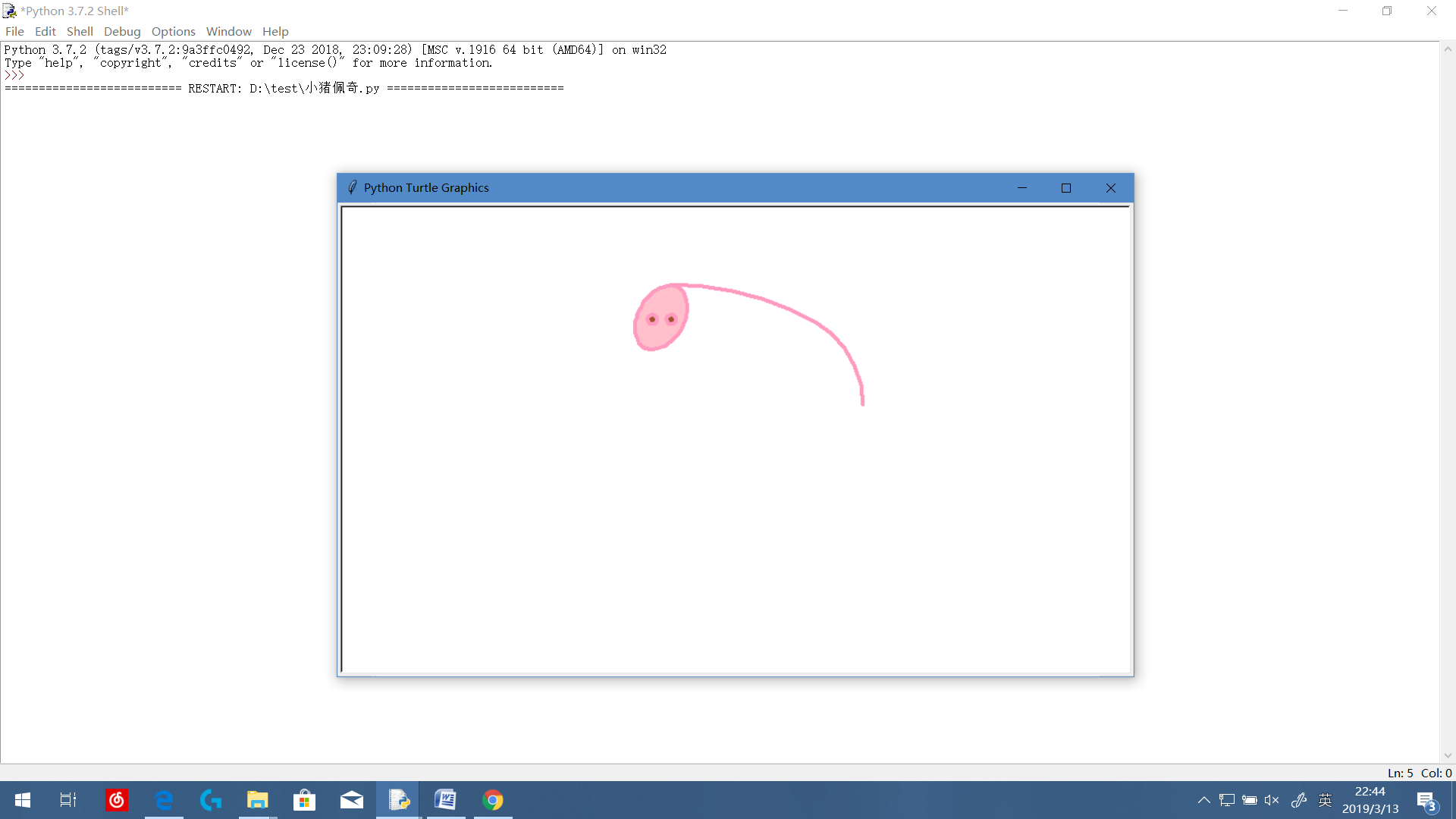
过程I
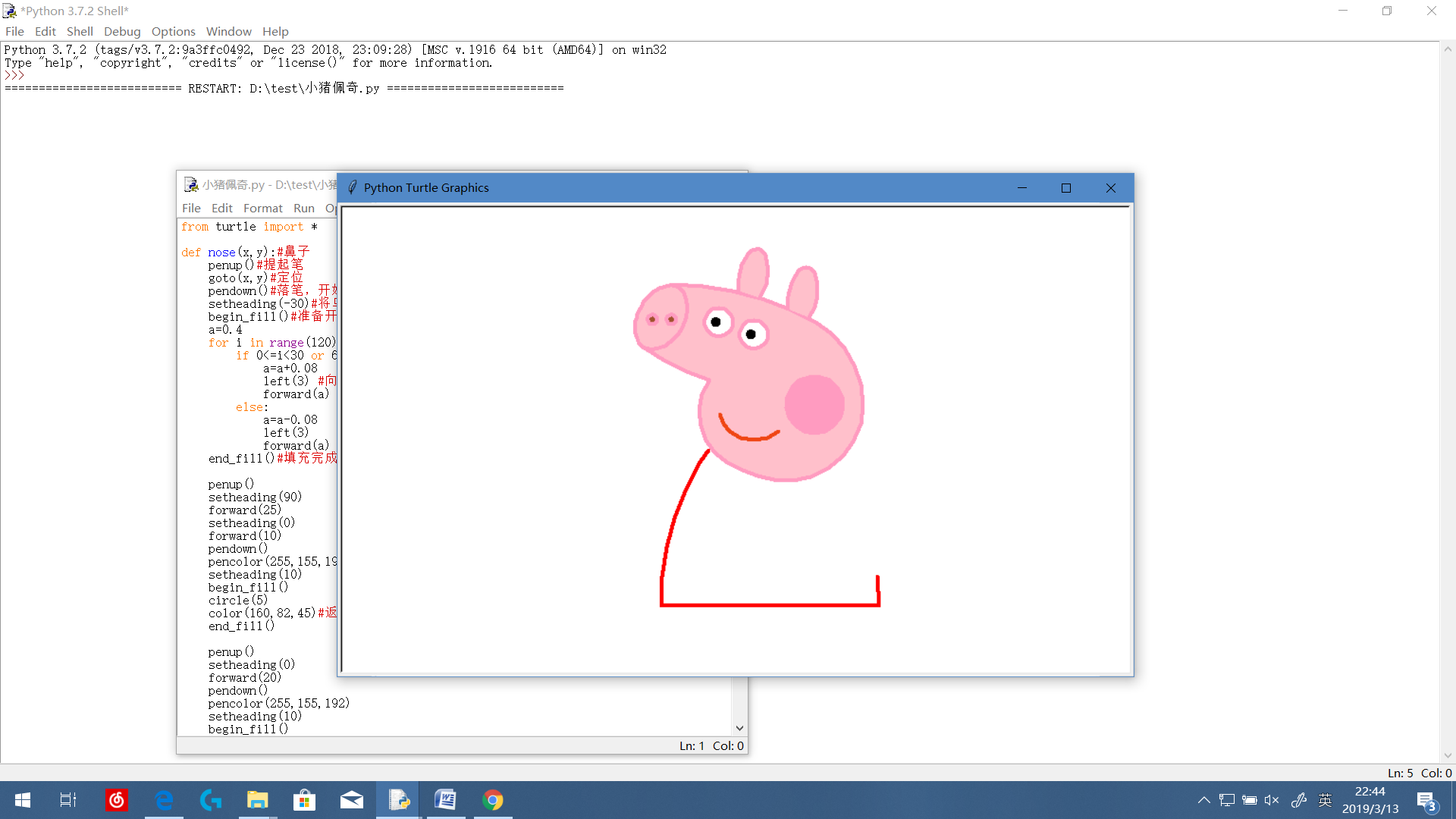
过程II
运行完毕

运用python绘制小猪佩奇的更多相关文章
- python 画小猪佩奇
转自:python画个小猪佩奇 # -*- coding: utf-8 -*- """ Created on Mon May 20 11:36:03 2019 @auth ...
- python3用turtle库进行绘制小猪佩奇图案
晚上闲着无事,深入学习这个turtle用法,就做了小猪佩奇图 附上代码: # coding: utf-8 #功能:绘画小猪佩奇 import turtle as t t.screensize(400, ...
- 用python画小猪佩奇(非原创)
略作改动: # coding:utf-8 import turtle as t t.screensize(400, 300, "blue") t.pensize(4) # 设置画笔 ...
- 利用python画小猪佩奇
import turtle as t t.pensize(4) t.hideturtle() t.colormode(255) t.color((255,155,192),"pink&quo ...
- python 画个小猪佩奇
不知道大家小时候有没有学习过logo语言,就是操纵一只小王八,来画各种图案.博主小学微机课就学习了这个,最近发现python的turtle包就是logo语言,所以画个小猪佩奇和大家分享. 代码来自知乎 ...
- Python之turtle库-小猪佩奇
Python之turtle库-小猪佩奇 #!/usr/bin/env python # coding: utf-8 # Python turtle库官方文档:https://docs.python.o ...
- *【Python】【demo实验31】【练习实例】【使用turtle画小猪佩奇】
如下图小猪佩奇: 要求使用turtle画小猪佩奇: 源码: # encoding=utf-8 # -*- coding: UTF-8 -*- # 使用turtle画小猪佩奇 from turtle i ...
- Python爬虫入门教程 45-100 Charles抓取兔儿故事-下载小猪佩奇故事-手机APP爬虫部分
1. Charles抓取兔儿故事背景介绍 之前已经安装了Charles,接下来我将用两篇博客简单写一下关于Charles的使用,今天抓取一下兔儿故事里面关于小猪佩奇的故事. 爬虫编写起来核心的重点是分 ...
- 如何优雅的使用C语言绘制一只小猪佩奇
今天我们来用C语言画一只小猪佩奇---社会.社会....在画小猪佩奇之前,我们先使用带符号的距离长 (signed distance field,SDF) 来画一个圆形. 使用这个方法表示形状,但是这 ...
随机推荐
- 对于react-redux的理解
一.redux与组件 React-Redux提供connect方法,用于从UI组件生成容器组件 二.react-redux的基本使用 1.引入 import {Provider} from " ...
- Mysql查询创建和导入操作
如何安装: https://www.cnblogs.com/bigbrotherer/p/7241845.html 登录: mysql -uroot -p 输入密码:xxxx 显示当前数据库: sho ...
- react --- 搭建环境
搭建react开发环境的准备工作 1. node.js 稳定版本 2. 安装cnpm,用cnpm代替npm 3. 用yarn替代npm yarn的安装:npm install -g yarn 搭建re ...
- 对于SQL注入的理解
从网上搜索的资料,结合自己的理解整理了一下,网友们在查看时若有发现问题,还请不吝指正,谢谢! 1.什么是SQL注入? ——官方说法:把SQL命令插入到web表单验证的输入框中,提交到服务器,以达到越过 ...
- java中annotation
什么是annotation(注解)? java.lang.annotation,接口Annotation.对于Annotation,是Java5的新特性,JDK5引入了Metadata(元数据)很容易 ...
- html常用meat头
<!-- 字体编码 --> <meta charset="utf-8" /> <!-- 关键字 --> <meta name=" ...
- 重新使用linux的一些事情
workstatin版基本上已经有了常用的那些功能了, 代码开发完全足够了, 不需要再去加什么东东了 httpd已经有了, 结构: /usr/lib: 库,放置的是 (操作)系统的静态库, 大多数是直 ...
- 目标指定法——S.M.A.R.T.
一个有效的目标一定要是 具体的(Specific), 可测量的(Measureable), 可实现的(Attainable), 有现实意义的(Realistic), 以及有明确期限的(Time-bas ...
- [IoC容器Unity]第四回:使用范例
1.引言 前面几个章节介绍了Unity的基本使用,主要分为程序和配置文件两种方法的使用,可以参考一下链接, [IoC容器Unity]第一回:Unity预览 [IoC容器Unity]第二回:Lifeti ...
- SpringBoot核心注解应用
1.今日大纲 了解Spring的发展 掌握Spring的java配置方式 学习Spring Boot 使用Spring Boot来改造购物车系统 2.Spring的发展 Spring1.x 时代 在S ...