
cobbler批量安装系统使用详解-技术流ken
前言
cobbler是一个可以实现批量安装系统的Linux应用程序。它有别于pxe+kickstart,cobbler可以实现同个服务器批量安装不同操作系统版本。
系统环境准备及其下载cobbler
一.系统环境
系统版本:CentOS release 6.7 (Final)
内网IP:192.168.232.7/24 #用来对内通信,提供cobbler服务
外网IP:10.220.5.166/24 #连接外网
二. 关闭安全服务
[root@ken ~]# cat /etc/redhat-release     #检查系统版本

CentOS release 6.7 (Final)

[root@ken ~]# service iptables stop       #关闭防火墙

[root@ken ~]# setenforce 0                #关闭selinux
三. 下载cobbler及其所需服务程序
[root@ken ~]# yum install cobbler dhcp tftp-server xinetd syslinux httpd pykickstart -y
yum安装cobbler需要使用网络yum源,大家可以复制下面的代码到自己的yum仓库保存即可
[epel]

name=epel

enabled=

gpgcheck=

baseurl=https://mirrors.aliyun.com/epel/6Server/x86_64/
配置dhcp
[root@ken ~]# vim /etc/dhcp/dhcpd.conf                  #配置dhcp配置文件,并写入如下代码

subnet 192.168.232.0 netmask 255.255.255.0 {

  range 192.168.232.10 192.168.232.20;

  option domain-name-servers 8.8.8.8;

  option routers 192.168.232.7;

  default-lease-time ;

  max-lease-time ;

  filename "pxelinux.0";

}

[root@ken ~]# service dhcpd restart                     #重启dhcpd服务,使之配置生效

Starting dhcpd:                     [  OK  ]
配置tftp
[root@ken ~]# vim /etc/xinetd.d/tftp

# default: off

# description: The tftp server serves files using the trivial file transfer \

#       protocol.  The tftp protocol is often used to boot diskless \

#       workstations, download configuration files to network-aware printers, \

#       and to start the installation process for some operating systems.

service tftp

{

        socket_type             = dgram

        protocol                = udp

        wait                    = yes

        user                    = root

        server                  = /usr/sbin/in.tftpd

        server_args             = -s /var/lib/tftpboot

        disable                 = no                     #把yes修改为no,即启动tftp服务

        per_source              =

        cps                     =

        flags                   = IPv4

}

[root@ken ~]# service xinetd restart                     #重启xinetd,使之配置生效

Stopping xinetd:                                  [FAILED]

Starting xinetd:                                  [  OK  ]

[root@ken ~]# chkconfig xinetd on                        #把xinetd加入系统启动项,实现开机自动启动

[root@ken ~]# chkconfig --list | grep tftp               #检查确认tftp是否已经成功开启

    tftp:              on
配置cobbler
首先检查cobbler配置
[root@ken ~]# cobbler check

The following are potential configuration items that you may want to fix:

 : The 'server' field in /etc/cobbler/settings must be set to something other than localhost, or kickstarting features will not work.  This should be a resolvable hostname or IP for the boot server as reachable by all machines that will use it.

 : For PXE to be functional, the 'next_server' field in /etc/cobbler/settings must be set to something other than 127.0.0.1, and should match the IP of the boot server on the PXE network.

 : some network boot-loaders are missing from /var/lib/cobbler/loaders, you may run 'cobbler get-loaders' to download them, or, if you only want to handle x86/x86_64 netbooting, you may ensure that you have installed a *recent* version of the syslinux package installed and can ignore this message entirely.  Files in this directory, should you want to support all architectures, should include pxelinux., menu.c32, elilo.efi, and yaboot. The 'cobbler get-loaders' command is the easiest way to resolve these requirements.

 : change 'disable' to 'no' in /etc/xinetd.d/rsync

 : debmirror package is not installed, it will be required to manage debian deployments and repositories

 : The default password used by the sample templates for newly installed machines (default_password_crypted in /etc/cobbler/settings) is still set to 'cobbler' and should be changed, try: "openssl passwd -1 -salt 'random-phrase-here' 'your-password-here'" to generate new one

 : fencing tools were not found, and are required to use the (optional) power management features. install cman or fence-agents to use them

Restart cobblerd and then run 'cobbler sync' to apply changes.
根据如上反馈,需要一一进行修改才能继续进行
问题一:
cobbler文件默认是127.0.0.1本地回环地址,需要更改为提供cobbler服务的ip地址 192.163.232.7
[root@ken ~]# sed -i 's/server: 127.0.0.1/server: 192.168.232.7/g' /etc/cobbler/settings
问题二:
netx_server也是默认本地127.0.0.1回环地址,需要修改为提供cobbler服务的ip地址 192.163.232.7
[root@ken ~]# sed -i 's/next_server: 127.0.0.1/next_server: 192.168.232.7/g' /etc/cobbler/settings
问题三:
可以忽略
问题四:
启动rsync即可
[root@ken ~]# vim /etc/xinetd.d/rsync

   # default: off

   # description: The rsync server is a good addition to an ftp server, as it \

   #       allows crc checksumming etc.

    service rsync

   {

        disable = no                                 #yes更改为no

        flags           = IPv6

        socket_type     = stream

        wait            = no

        user            = root

        server          = /usr/bin/rsync

        server_args     = --daemon

        log_on_failure  += USERID

   }

[root@ken ~]# service xinetd  restart                #重启xinetd服务

Stopping xinetd:                           [  OK  ]

Starting xinetd:                           [  OK  ]

[root@ken ~]# chkconfig --list | grep rsync          #检查rsync是否已经启动

    rsync:             on
 问题五:
 可以忽略
 问题六:
 更改密码,并把新生成的加密数据填写进/etc/cobbler/settings
[root@ken ~]# openssl passwd - -salt '' ''

$$$7mft0jKnzzvAdU4t0unTG1

[root@ken ~]# vim /etc/cobbler/settings

 # cobbler has various sample kickstart templates stored

 # in /var/lib/cobbler/kickstarts/. This controls

 # what install (root) password is set up for those

 # systems that reference this variable. The factory

 # default is "cobbler" and cobbler check will warn if

 # this is not changed.

 # The simplest way to change the password is to run

 # openssl passwd -

 # and put the output between the "" below.

 default_password_crypted: "$1$123$7mft0jKnzzvAdU4t0unTG1"     #把新生成的加密密码填写在101行处

 # the default template type to use in the absence of any

 # other detected template. If you do not specify the template

 # with '#template=<template_type>' on the first line of your

 # templates/snippets, cobbler will assume try to use the

 # following template engine to parse the templates.
问题七:
可以忽略
以上问题解决之后,需要同步和重启
[root@ken ~]# service cobblerd restart #重启cobbler服务
[root@ken ~]# cobbler sync #进行同步
再次检查是否已经更改完成
[root@ken ~]# cobbler check

The following are potential configuration items that you may want to fix:

 : some network boot-loaders are missing from /var/lib/cobbler/loaders, you may run 'cobbler get-loaders' to download them, or, if you only want to handle x86/x86_64 netbooting, you may ensure that you have installed a *recent* version of the syslinux package installed and can ignore this message entirely.  Files in this directory, should you want to support all architectures, should include pxelinux., menu.c32, elilo.efi, and yaboot. The 'cobbler get-loaders' command is the easiest way to resolve these requirements.

 : debmirror package is not installed, it will be required to manage debian deployments and repositories

 : fencing tools were not found, and are required to use the (optional) power management features. install cman or fence-agents to use them

Restart cobblerd and then run 'cobbler sync' to apply changes.
已经更改完毕!
挂载光盘并进行数据导入
挂载光盘
[root@ken ~]# mount /dev/cdrom /mnt
数据导入
[root@ken ~]# cobbler import --path=/mnt --name=centos6.7  #进行数据导入

task started: --09_021922_import

task started (id=Media import, time=Sun Sep   :: )

Found a candidate signature: breed=redhat, version=rhel6

Found a matching signature: breed=redhat, version=rhel6

Adding distros from path /var/www/cobbler/ks_mirror/centos6.:

creating new distro: centos6.-x86_64

trying symlink: /var/www/cobbler/ks_mirror/centos6. -> /var/www/cobbler/links/centos6.-x86_64

creating new profile: centos6.-x86_64

associating repos

checking for rsync repo(s)

checking for rhn repo(s)

checking for yum repo(s)

starting descent into /var/www/cobbler/ks_mirror/centos6. for centos6.-x86_64

processing repo at : /var/www/cobbler/ks_mirror/centos6.

need to process repo/comps: /var/www/cobbler/ks_mirror/centos6.

looking for /var/www/cobbler/ks_mirror/centos6./repodata/*comps*.xml

Keeping repodata as-is :/var/www/cobbler/ks_mirror/centos6.7/repodata

*** TASK COMPLETE ***
查看distro
[root@ken ~]# cobbler distro list

   centos6.-x86_64
查看profile
[root@ken ~]# cobbler profile list

   centos6.-x86_64
自定义profile
[root@ken ~]# cobbler profile add --distro=centos6.-x86_64 --name=centos6.7_ken --kickstart=/var/lib/cobbler/kickstarts/ks.cfg

[root@ken ~]# cobbler sync
准备ks文件
在root目录下找到ks文件,并移动到/var/lib/cobbler/kickstarts/到目录下改名为ks.cfg
[root@ken ~]# ls

anaconda-ks.cfg  install.log  install.log.syslog

[root@ken ~]# mv anaconda-ks.cfg /var/lib/cobbler/kickstarts/ks.cfg

[root@ken ~]# vim /var/lib/cobbler/kickstarts/ks.cfg
# Kickstart file automatically generated by anaconda.
#version=DEVEL
install
# Kickstart file automatically generated by anaconda.
#version=DEVEL
install
url --url=http://192.168.232.7/cobbler/ks_mirror/centos6.7/ #这里需要更改为repodata所在的http地址
lang en_US.UTF-8
keyboard us
network --onboot no --device eth0 --bootproto dhcp --noipv6
rootpw 123
reboot
firewall --service=ssh
authconfig --enableshadow --passalgo=sha512
selinux --disabled
timezone --utc Asia/Shanghai
bootloader --location=mbr --driveorder=sda --append="crashkernel=auto rhgb quiet"
# The following is the partition information you requested
# Note that any partitions you deleted are not expressed
# here so unless you clear all partitions first, this is
# not guaranteed to work
clearpart --all
zerombr
part /boot --fstype=ext4 --size=500
part pv.008002 --grow --size=1
volgroup VolGroup --pesize=4096 pv.008002
logvol / --fstype=ext4 --name=lv_root --vgname=VolGroup --grow --size=1024 --maxsize=51200
logvol swap --name=lv_swap --vgname=VolGroup --grow --size=2016 --maxsize=2016
repo --name="CentOS" --baseurl=http://192.168.232.7/cobbler/ks_mirror/centos6.7/ --cost=100 #这里的地址和上面的url地址保持一致
%packages
@core
@server-policy
@workstation-policy
%end
重启服务
[root@ken ~]# service httpd restart

[root@ken ~]# service cobblerd restart

[root@ken ~]# service dhcpd restart

[root@ken ~]# service xinetd restart
测试
新建一个虚拟机,需要和cobbler服务器所在同一个虚拟网络中(nat,桥接等)。
选择第二个我们自定义的包即可进行自动化安装。
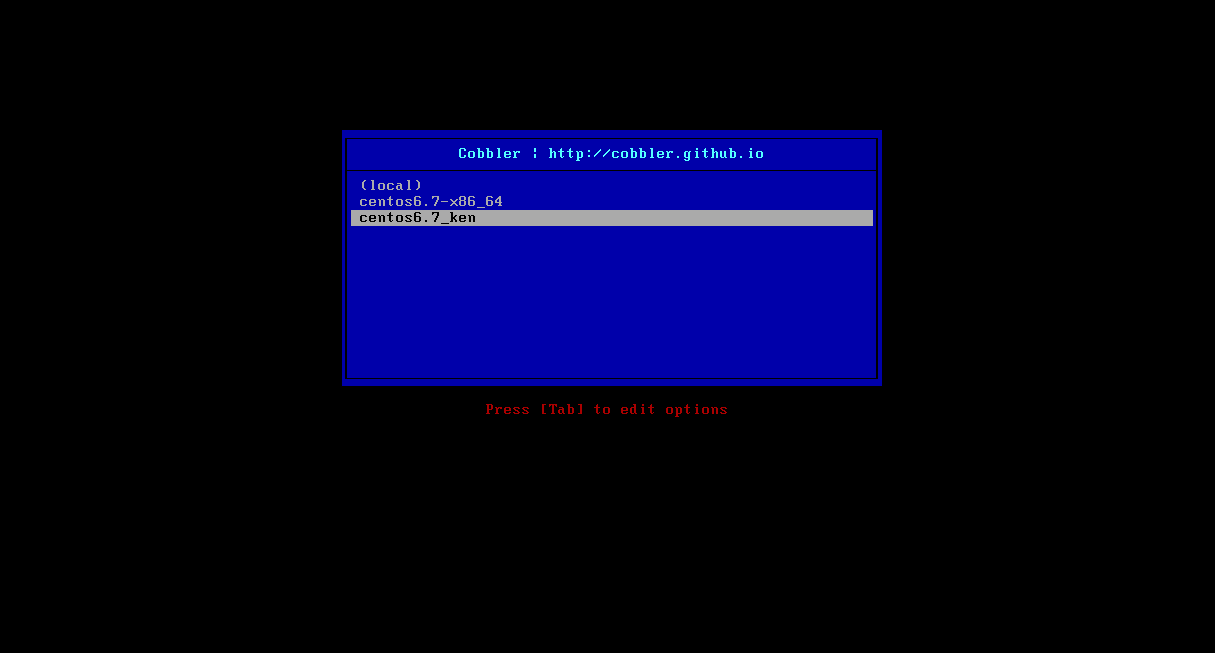
开始安装
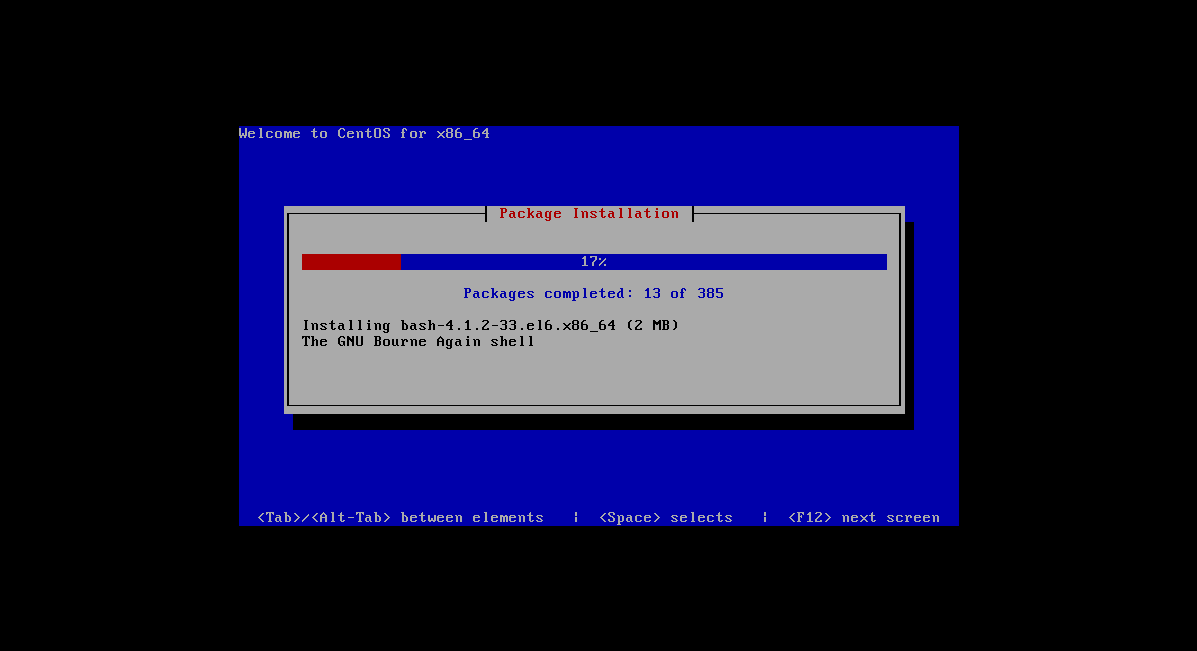
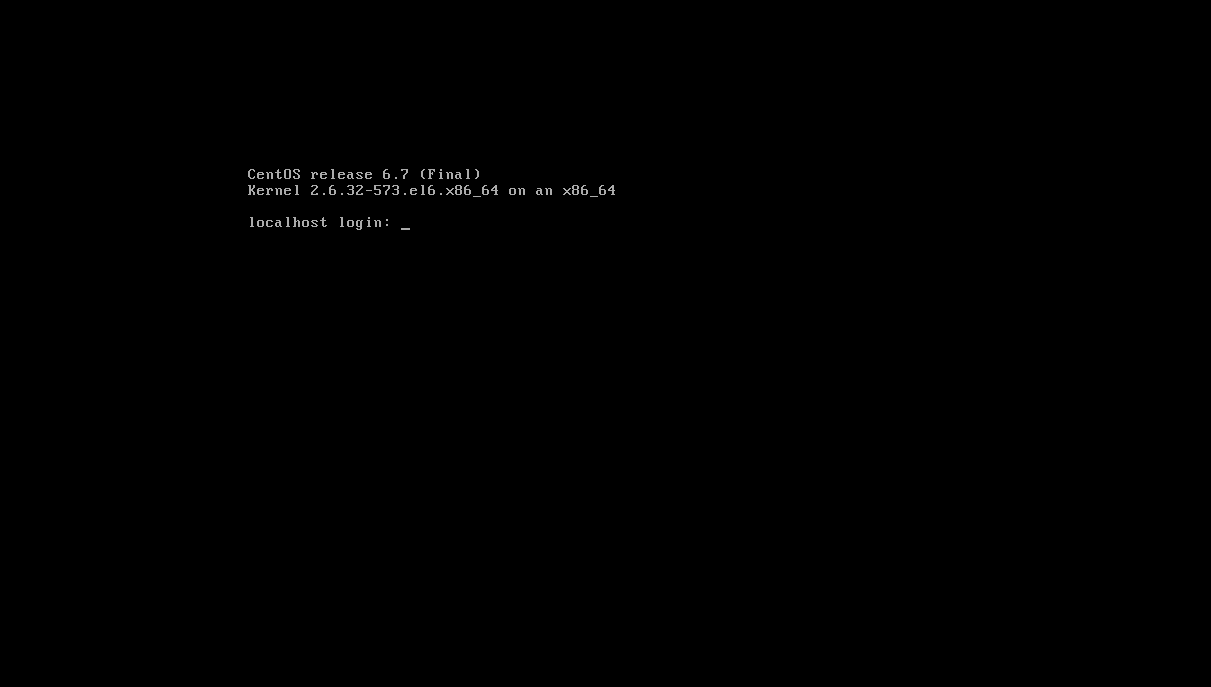
安装完成
cobbler批量安装系统使用详解-技术流ken的更多相关文章
- 基于CentOS7系统部署cobbler批量安装系统(week3_day5_part1)-技术流ken
前言 cobbler是一个可以实现批量安装系统的Linux应用程序.它有别于pxe+kickstart,cobbler可以实现同个服务器批量安装不同操作系统版本. 系统环境准备及其下载cobbler ...
- pxe+kickstart自动化批量安装系统详解-技术流ken
前言 pxe+kickstart是一款可以实现自动化批量安装系统的服务,比较经典,下面将详细介绍此服务的安装和使用. 系统环境准备 系统版本:CentOS release 6.7 (Final) 内网 ...
- KVM虚拟化使用详解--技术流ken
KVM介绍 Kernel-based Virtual Machine的简称,是一个开源的系统虚拟化模块,自Linux 2.6.20之后集成在Linux的各个主要发行版本中. KVM的虚拟化需要硬件支持 ...
- MySQL系列详解三:MySQL中各类日志详解-技术流ken
前言 日志文件记录了MySQL数据库的各种类型的活动,MySQL数据库中常见的日志文件有 查询日志,慢查询日志,错误日志,二进制日志,中继日志 .下面分别对他们进行介绍. 查询日志 1.查看查询日志变 ...
- iptables实战案例详解-技术流ken
简介 关于iptables的介绍网上有很多的资料,大家可以自己找一些关于iptables的工作原理,以及四表五链的简介,对于学习iptables将会事半功倍.本博文将会例举几个工作中常用的iptabl ...
- 实战!基于lamp安装wordpress详解-技术流ken
简介 LAMP 是Linux Apache MySQL PHP的简写,其实就是把Apache, MySQL以及PHP安装在Linux系统上,组成一个环境来运行动态的脚本文件.现在基于lamp搭建wor ...
- grafana使用详解--技术流ken
grafana简介 Grafana是一个跨平台的开源的度量分析和可视化工具,可以通过将采集的数据查询然后可视化的展示,并及时通知.它主要有以下六大特点: 1.展示方式:快速灵活的客户端图表,面板插件有 ...
- systemd服务详解-技术流ken
简介 在centos5中生成和管理用户空间中的进程以及完成系统的初始化使用的是init,并且是依次启动.在centos6中则是使用的upstart,在一定程度上实现了并行启动,但是仍然存在依赖关系,到 ...
- linux四剑客-grep/find/sed/awk/详解-技术流ken
四剑客简介 相信接触过linux的大家应该都学过或者听过四剑客,即sed,grep,find,awk,有人对其望而生畏,有人对其爱不释手.参数太多,变化形式太多,使用超级灵活,让一部分人难以适从继而望 ...
随机推荐
- DirBuster工具扫描敏感文件
DirBuster是一个多线程Java应用程序,旨在强制Web/应用程序服务器上的目录和文件名.它可以选择执行纯暴力,在查询隐藏文件和目录方面非常好用. 1)安装DirBuster 前提:电脑中必须安 ...
- 如何把if-else代码重构成高质量代码
原文:https://blog.csdn.net/qq_35440678/article/details/77939999 本文提纲: 为什么我们写的代码都是if-else? 这样的代码有什么缺点? ...
- php基础-mysqli
基本八个步骤 //连接数据库 $link = mysqli_connect('localhost', 'root', ''); //判断是否连接成功 if (!$link) { exit('数据库连接 ...
- 自动生成业务库码表insert脚本
背景:服务请求一体化项目升级到V4的服务请求类型时,所有配置库数据迁移到各省的业务库中,虽然数据出现大量冗余,但是这是唯一能解决V4 大量服务请求类型不在同一张表中的骚操作了,防止查询服务请求类型时G ...
- Linux下不同文件不同颜色的意义
通常,我们使用ls查看文件时,会出现不同颜色的文件,今天我就大概写一下不同颜色的代表意义: 蓝色————目录: 绿色————可执行文件: 红色————压缩文件: 浅蓝色————链接文件: 紫红色——— ...
- svn错误:更新源码出现校验和不匹配问题
svn 的文本校验和不匹配: 最近在更新自动化源代码的时候出现了一个错误:svn: Checksum mismatch while updating.... 查了下google,原来是在更新源码出现校 ...
- macOS 10.14虚拟机安装教程
windows10下安装vmware14.0以及macOS 10.14图文详解 工具/原料 windows10 vmware 14.0 macOS 10.14懒人版 mac补丁unlocker工具 ...
- [Swift]LeetCode798. 得分最高的最小轮调 | Smallest Rotation with Highest Score
Given an array A, we may rotate it by a non-negative integer K so that the array becomes A[K], A[K+1 ...
- Python内置函数(33)——int
英文文档: class int(x=0) class int(x, base=10) Return an integer object constructed from a number or str ...
- Openssh版本升级修复漏洞
一.由于openssh版本过低当用扫描软件检测时会出现以下漏洞: 二.解决方案是升级高版本,下面是升级的步凑. 1.安装telnet工具,因为升级过程中怕失败或者重启ssh失败.我们直接yun安装即可 ...