
基于CentOS7系统部署cobbler批量安装系统(week3_day5_part1)-技术流ken
前言
cobbler是一个可以实现批量安装系统的Linux应用程序。它有别于pxe+kickstart,cobbler可以实现同个服务器批量安装不同操作系统版本。
系统环境准备及其下载cobbler
一.系统环境
开启两个网卡。一个仅主机模式,一个桥接模式,主机模式对内提供cobbler服务。

[root@ken ~]# ip a

: lo: <LOOPBACK,UP,LOWER_UP> mtu  qdisc noqueue state UNKNOWN group default qlen

    link/loopback ::::: brd :::::

    inet 127.0.0.1/ scope host lo

       valid_lft forever preferred_lft forever

    inet6 ::/ scope host

       valid_lft forever preferred_lft forever

: eth0: <BROADCAST,MULTICAST,UP,LOWER_UP> mtu  qdisc pfifo_fast state UP group default qlen

    link/ether :0c:::a1: brd ff:ff:ff:ff:ff:ff

    inet 192.168.4.190/ brd 192.168.4.255 scope global noprefixroute eth0

       valid_lft forever preferred_lft forever

    inet6 fe80::20c:29ff:fe13:a149/ scope link

       valid_lft forever preferred_lft forever

: eth1: <BROADCAST,MULTICAST,UP,LOWER_UP> mtu  qdisc pfifo_fast state UP group default qlen

    link/ether :0c:::a1: brd ff:ff:ff:ff:ff:ff

    inet 192.168.182.128/ brd 192.168.182.255 scope global noprefixroute dynamic eth1

       valid_lft 1786sec preferred_lft 1786sec

    inet6 fe80::::e866:204f/ scope link noprefixroute

       valid_lft forever preferred_lft forever
系统版本:CentOS Linux release 7.5.1804 (Core)
内网IP:192.168.182.128/24 #用来对内通信,提供cobbler服务
外网IP:192.168.4.190/24 #连接外网
二. 关闭安全服务
[root@ken ~]# systemctl stop firewalld       #关闭防火墙

[root@ken ~]# setenforce 0                #关闭selinux
三. 下载cobbler及其所需服务程序
[root@ken ~]# yum install cobbler dhcp tftp-server xinetd syslinux httpd -y
syslinux: 提供pxelinux.0这个文件 ,pxelinux.0引导文件引导vmlinux和initrd两个启动文件
yum安装cobbler需要使用下面两个源,大家可以复制下面的代码到自己的yum仓库保存即可
[epel]

name=epel

enabled=1

gpgcheck=0
baseurl=https://mirrors.aliyun.com/epel/7/x86_64/
[centos]
name=centos base
enabled=1
gpgcheck=0
baseurl=http://mirrors.163.com/centos/7/os/x86_64/
配置相关服务
第一步:配置DHCP服务
[root@ken ~]# cat /etc/dhcp/dhcpd.conf

subnet 192.168.182.0 netmask 255.255.255.0 {

  range 192.168.182.150 192.168.182.155;

  default-lease-time ;

  max-lease-time ;

  filename "pxelinux.0";

}

[root@ken ~]# systemctl restart dhcpd
第二步:配置tftp
[root@ken ~]# cat /etc/xinetd.d/tftp

# default: off

# description: The tftp server serves files using the trivial file transfer \

#    protocol.  The tftp protocol is often used to boot diskless \

#    workstations, download configuration files to network-aware printers, \

#    and to start the installation process for some operating systems.

service tftp

{

    socket_type        = dgram

    protocol        = udp

    wait            = yes

    user            = root

    server            = /usr/sbin/in.tftpd

    server_args        = -s /var/lib/tftpboot

    disable            = no        #yes改为no

    per_source        =

    cps            =

    flags            = IPv4

}

[root@ken ~]# systemctl restart xinetd
第三步:启动cobbler
[root@ken ~]# systemctl status cobblerd
第四步:启动httpd
[root@ken ~]# systemctl restart httpd
第五步:检查cobbler配置
[root@ken ~]# cobbler check

The following are potential configuration items that you may want to fix:

 : The 'server' field in /etc/cobbler/settings must be set to something other than localhost, or kickstarting features will not work.  This should be a resolvable hostname or IP for the boot server as reachable by all machines that will use it.

 : For PXE to be functional, the 'next_server' field in /etc/cobbler/settings must be set to something other than 127.0.0.1, and should match the IP of the boot server on the PXE network.

 : Some network boot-loaders are missing from /var/lib/cobbler/loaders, you may run 'cobbler get-loaders' to download them, or, if you only want to handle x86/x86_64 netbooting, you may ensure that you have installed a *recent* version of the syslinux package installed and can ignore this message entirely.  Files in this directory, should you want to support all architectures, should include pxelinux., menu.c32, elilo.efi, and yaboot. The 'cobbler get-loaders' command is the easiest way to resolve these requirements.

 : enable and start rsyncd.service with systemctl

 : debmirror package is not installed, it will be required to manage debian deployments and repositories

 : The default password used by the sample templates for newly installed machines (default_password_crypted in /etc/cobbler/settings) is still set to 'cobbler' and should be changed, try: "openssl passwd -1 -salt 'random-phrase-here' 'your-password-here'" to generate new one

 : fencing tools were not found, and are required to use the (optional) power management features. install cman or fence-agents to use them

Restart cobblerd and then run 'cobbler sync' to apply changes.
根据如上反馈,需要一一进行修改才能继续进行
修改配置文件/etc/cobbler/settings
问题一:
cobbler文件默认是127.0.0.1本地回环地址,需要更改为提供cobbler服务的ip地址 192.168.182.128,在384行
384 server: 192.168.182.128
问题二:
netx_server也是默认本地127.0.0.1回环地址,需要修改为提供cobbler服务的ip地址 192.163.182,128,在272行出
272 next_server: 192.168.182.128
问题三:
可以忽略
问题四:
启动rsync即可
[root@ken ~]# systemctl restart rsyncd
[root@ken ~]# systemctl enable rsyncd
 问题五:
 可以忽略
 问题六:
 更改密码
[root@ken ~]# openssl passwd - -salt "" ""

$$$7mft0jKnzzvAdU4t0unTG1
并把新生成的加密数据填写进/etc/cobbler/settings
101 default_password_crypted: "$1$123$7mft0jKnzzvAdU4t0unTG1"
问题七:
可以忽略
以上问题解决之后,需要同步和重启
[root@ken ~]# systemctl restart cobblerd
[root@ken ~]# cobbler sync
再次检查是否已经更改完成
Created symlink from /etc/systemd/system/multi-user.target.wants/rsyncd.service to /usr/lib/systemd/system/rsyncd.service.

[root@ken ~]# cobbler check

The following are potential configuration items that you may want to fix:

 : Some network boot-loaders are missing from /var/lib/cobbler/loaders, you may run 'cobbler get-loaders' to download them, or, if you only want to handle x86/x86_64 netbooting, you may ensure that you have installed a *recent* version of the syslinux package installed and can ignore this message entirely.  Files in this directory, should you want to support all architectures, should include pxelinux., menu.c32, elilo.efi, and yaboot. The 'cobbler get-loaders' command is the easiest way to resolve these requirements.

 : debmirror package is not installed, it will be required to manage debian deployments and repositories

 : fencing tools were not found, and are required to use the (optional) power management features. install cman or fence-agents to use them

Restart cobblerd and then run 'cobbler sync' to apply changes.
已经更改完毕!
第六步:挂载光盘并进行数据导入
挂载光盘
[root@ken ~]# mount /dev/cdrom /mnt
数据导入(需要一些时间)
[root@ken ~]# cobbler import --path=/mnt --name="centos7.5"

task started: --13_001927_import

task started (id=Media import, time=Wed Mar  :: )

Found a candidate signature: breed=redhat, version=rhel6

Found a candidate signature: breed=redhat, version=rhel7

Found a matching signature: breed=redhat, version=rhel7

Adding distros from path /var/www/cobbler/ks_mirror/centos7.:

creating new distro: centos7.-x86_64

trying symlink: /var/www/cobbler/ks_mirror/centos7. -> /var/www/cobbler/links/centos7.-x86_64

creating new profile: centos7.-x86_64

associating repos

checking for rsync repo(s)

checking for rhn repo(s)

checking for yum repo(s)

starting descent into /var/www/cobbler/ks_mirror/centos7. for centos7.-x86_64

processing repo at : /var/www/cobbler/ks_mirror/centos7.

need to process repo/comps: /var/www/cobbler/ks_mirror/centos7.

looking for /var/www/cobbler/ks_mirror/centos7./repodata/*comps*.xml

Keeping repodata as-is :/var/www/cobbler/ks_mirror/centos7.5/repodata

*** TASK COMPLETE ***
查看distro
[root@ken ~]# cobbler distro list
centos7.5-x86_64
查看profile
[root@ken ~]# cobbler profile list
centos7.5-x86_64
distro : 发行版, 就是我们安装什么版本的linux操作系统的名称 一会我们会导入一个 distro.
profile : 类似于一个 配置文件,类似于你的 bash_profile, 里面包含你可以添加 kernel 参数,对应的kickstart 文件 以及 此profile 对应的 distro 等等.
第八步:准备kickstart文件
在root目录下找到ks文件,并移动到/var/lib/cobbler/kickstarts/到目录下改名为ks.cfg
[root@ken ~]# mv anaconda-ks.cfg /var/lib/cobbler/kickstarts/ks.cfg

[root@ken ~]# vim /var/lib/cobbler/kickstarts/ks.cfg

[root@ken ~]# cat /var/lib/cobbler/kickstarts/ks.cfg

#version=DEVEL

# System authorization information

auth --enableshadow --passalgo=sha512

# Use CDROM installation media

url --url=http://192.168.182.128/cobbler/ks_mirror/centos7.5/  #这里需要更改为repodata所在的http地址

# Use graphical install

graphical

# Run the Setup Agent on first boot

firstboot --enable

ignoredisk --only-use=sda

# Keyboard layouts

keyboard --vckeymap=us --xlayouts='us'

# System language

lang en_US.UTF-

# Network information

network  --bootproto=dhcp --device=ens33 --ipv6=auto --no-activate

network  --hostname=localhost.localdomain

# Root password

rootpw --iscrypted $$7zu1wIUDgBGEFV1Y$KsLVeaGmyN92.QHr1fqKdTqPu8PDmd8K9V/s3Ru8NxE53NZz4gQKsmP6K0udcXVvDtponekICYUwBD7tYZJqU/

# System services

services --disabled="chronyd"

# System timezone

timezone Asia/Shanghai --isUtc --nontp

# System bootloader configuration

bootloader --location=mbr --boot-drive=sda

autopart --type=lvm

# Partition clearing information

clearpart --none --initlabel

%packages

@^minimal

@core

%end

%addon com_redhat_kdump --disable --reserve-mb='auto'

%end

%anaconda

pwpolicy root --minlen= --minquality= --notstrict --nochanges --notempty

pwpolicy user --minlen= --minquality= --notstrict --nochanges --emptyok

pwpolicy luks --minlen= --minquality= --notstrict --nochanges --notempty

%end
第八步:自定义profile
[root@ken ~]#  cobbler profile add --distro=centos7.-x86_64 --name=centos7.5_ken --kickstart=/var/lib/cobbler/kickstarts/ks.cfg

[root@ken ~]# cobbler sync

task started: --13_002724_sync

task started (id=Sync, time=Wed Mar  :: )

running pre-sync triggers

cleaning trees

removing: /var/www/cobbler/images/centos7.-x86_64

removing: /var/lib/tftpboot/pxelinux.cfg/default

removing: /var/lib/tftpboot/grub/images

removing: /var/lib/tftpboot/grub/efidefault

removing: /var/lib/tftpboot/images/centos7.-x86_64

removing: /var/lib/tftpboot/s390x/profile_list

copying bootloaders

copying distros to tftpboot

copying files for distro: centos7.-x86_64

trying hardlink /var/www/cobbler/ks_mirror/centos7./images/pxeboot/vmlinuz -> /var/lib/tftpboot/images/centos7.-x86_64/vmlinuz

trying hardlink /var/www/cobbler/ks_mirror/centos7./images/pxeboot/initrd.img -> /var/lib/tftpboot/images/centos7.-x86_64/initrd.img

copying images

generating PXE configuration files

generating PXE menu structure

copying files for distro: centos7.-x86_64

trying hardlink /var/www/cobbler/ks_mirror/centos7./images/pxeboot/vmlinuz -> /var/www/cobbler/images/centos7.-x86_64/vmlinuz

trying hardlink /var/www/cobbler/ks_mirror/centos7./images/pxeboot/initrd.img -> /var/www/cobbler/images/centos7.-x86_64/initrd.img

Writing template files for centos7.-x86_64

rendering TFTPD files

generating /etc/xinetd.d/tftp

processing boot_files for distro: centos7.-x86_64

cleaning link caches

running post-sync triggers

running python triggers from /var/lib/cobbler/triggers/sync/post/*

running python trigger cobbler.modules.sync_post_restart_services

running shell triggers from /var/lib/cobbler/triggers/sync/post/*

running python triggers from /var/lib/cobbler/triggers/change/*

running python trigger cobbler.modules.manage_genders

running python trigger cobbler.modules.scm_track

running shell triggers from /var/lib/cobbler/triggers/change/*

*** TASK COMPLETE ***
第九步:查看profile
[root@ken ~]# cobbler profile list

   centos7.-x86_64

   centos7.5_ken
第十步:删除不包含ks文件的profile
[root@ken ~]# cobbler profile remove --name=centos7.-x86_64

[root@ken ~]# cobbler profile list

   centos7.5_ken
cobbler自动化安装测试
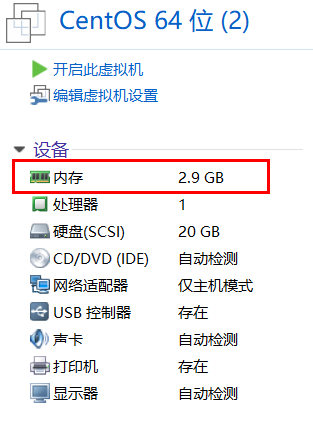
新建一个虚拟机,需要和cobbler服务器所在同一个虚拟网络中即与我们上面设置的cobbler服务器的主机模式。内存需要3个G以上。
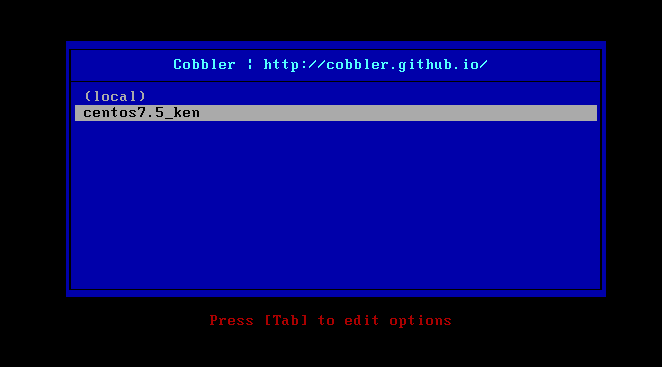
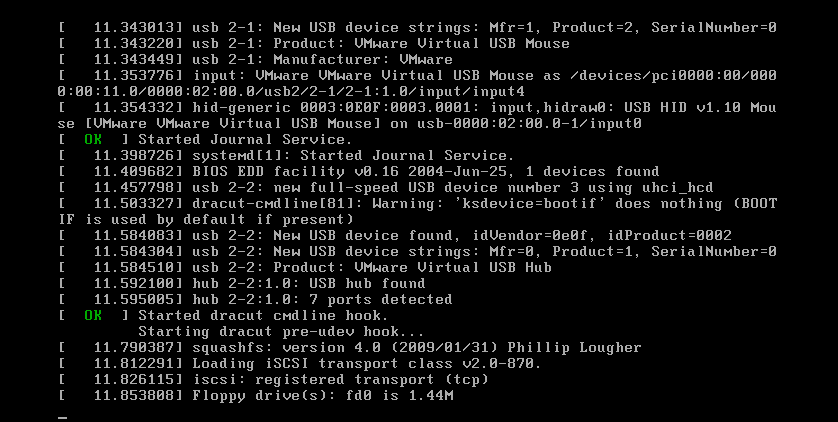
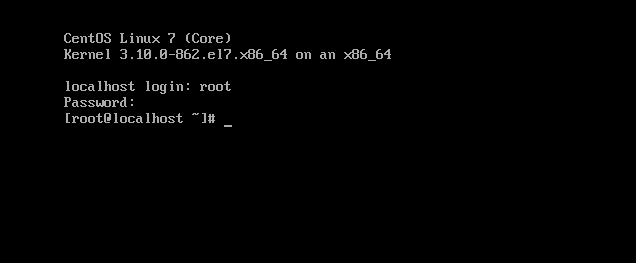
选择第我们自定义的包即可进行自动化安装。

基于CentOS7系统部署cobbler批量安装系统(week3_day5_part1)-技术流ken的更多相关文章
- 基于Centos7系统部署cobbler批量安装系统
前言 cobbler是一个可以实现批量安装系统的Linux应用程序.它有别于pxe+kickstart,cobbler可以实现同个服务器批量安装不同操作系统版本 系统环境的准备及下载cobbler 一 ...
- 末学者笔记--Centos7系统部署cobbler批量安装系统
[前言]: cobbler是一个可以实现批量安装系统的Linux应用程序.它有别于pxe+kickstart,cobbler可以实现同个服务器批量安装不同操作系统版本. 系统环境准备及其下载cob ...
- 006-(成功环境记录)基于Centos7系统部署cobbler批量安装系统
1.1 cobbler简介 Cobbler是一个Linux服务器安装的服务,可以通过网络启动(PXE)的方式来快速安装.重装物理服务器和虚拟机,同时还可以管理DHCP,DNS等. Cobbler可以使 ...
- centos7系统部署cobbler批量安装系统
系统环境: 一.开启两个网卡.一个仅主机模式,一个桥接模式,主机模式对内提供cobbler服务 [root@localhost ~]# ip a 1: lo: <LOOPBACK,UP,LOWE ...
- Jenkins+Git+Gitlab+Ansible实现持续集成自动化部署动态网站(二)--技术流ken
项目前言 在上一篇博客<Jenkins+Git+Gitlab+Ansible实现持续化集成一键部署静态网站(一)--技术流ken>中已经详细讲解了如何使用这四个工具来持续集成自动化部署一个 ...
- Jenkins+Git+Gitlab+Ansible实现持续集成自动化部署静态网站(一)--技术流ken
前言 在之前已经写了关于Git,Gitlab以及Ansible的两篇博客<Git+Gitlab+Ansible剧本实现一键部署Nginx--技术流ken>,<Git+Gitlab+A ...
- cobbler批量安装系统
cobbler是一个可以实现批量安装系统的Linux应用程序.它有别于pxe+kickstart,cobbler可以实现同个服务器批量安装不同操作系统版本. 1.系统环境准备及其下载cobbler 1 ...
- cobbler批量安装系统使用详解-技术流ken
前言 cobbler是一个可以实现批量安装系统的Linux应用程序.它有别于pxe+kickstart,cobbler可以实现同个服务器批量安装不同操作系统版本. 系统环境准备及其下载cobbler ...
- 实战!基于lamp安装Discuz论坛-技术流ken
简介 我前面的博客已经详细介绍了lamp采用yum安装以及编译安装的方式,这篇博客将基于yum安装的lamp架构来实战安装Discuz论坛,你可以任选其一来完成. 系统环境 centos7.5 服务器 ...
随机推荐
- KVM虚拟化环境准备
1. 概述2. 环境准备2.1 硬件环境2.2 软件环境2.2.1 YUM安装软件包2.2.2 环境检查2.2.3 启动libvirtd服务2.3 网络环境2.3.1 复制网卡配置文件2.3.2 修改 ...
- SpringCloud分布式微服务搭建(一)
本例子主要使用了eureka集群作为注册中心来保证高可用,客户端来做ribbon服务提供者的负载均衡. 负载均衡有两种,第一种是nginx,F5这种集中式的LB,对所有的访问按照某种策略分发. 第二种 ...
- 漏洞经验分享丨Java审计之XXE(下)
上篇内容我们介绍了XXE的基础概念和审计函数的相关内容,今天我们将继续分享Blind XXE与OOB-XXE的知识点以及XXE防御方法,希望对大家的学习有所帮助! 上期回顾 ◀漏洞经验分享丨Java ...
- 【开源】OSharpNS,轻量级.net core快速开发框架发布
OSharpNS简介 OSharp Framework with .NetStandard2.0(OSharpNS)是OSharp的以.NetStandard2.0为目标框架,在AspNetCore的 ...
- Python 中@property的用法
在绑定属性时,如果我们直接把属性赋值给对象,比如: p = Person() p.name= 'Mary' 我们先看个详细的例子(注意双下划线name和age定义为私有变量): class Perso ...
- vue3+typescript引入外部文件
vue3+typescript中引入外部文件有几种方法 (eg:引入echarts) 第一种方法: 1 indext.html中用script引入 <div id="app" ...
- Android WebView 缓存
android很多情况是使用webView用来显示界面,但是webview的加载速度略慢,想让这个webview更快一些所以需要使用缓存,在没有更新的时候使用缓存技术来提高速度.总体来讲有两个方案可以 ...
- gitbook 入门教程之 gitbook 简介
gitBook 是一个基于node.js的命令行工具,使用 github/git 和 markdown/asciiDoc 构建精美的电子书. gitbook 支持输出静态网页和电子书等多种格式,其中默 ...
- 如何优雅的使用 参数 is null而不导致全表扫描(破坏索引)
相信大家在很多实际业务中(特别是后台系统)会使用到各种筛选条件来筛选结果集 首先添加测试数据 ), Age INT) go CREATE INDEX idx_age ON TempList (Age) ...
- Golang随机数生成
需求:10以内随机生成2个幸运数字 package main import ( "fmt" "math/rand" ) func main() { fmt.Pr ...