
scrapy 中crawlspider 爬虫
爬取目标网站:
http://www.chinanews.com/rss/rss_2.html
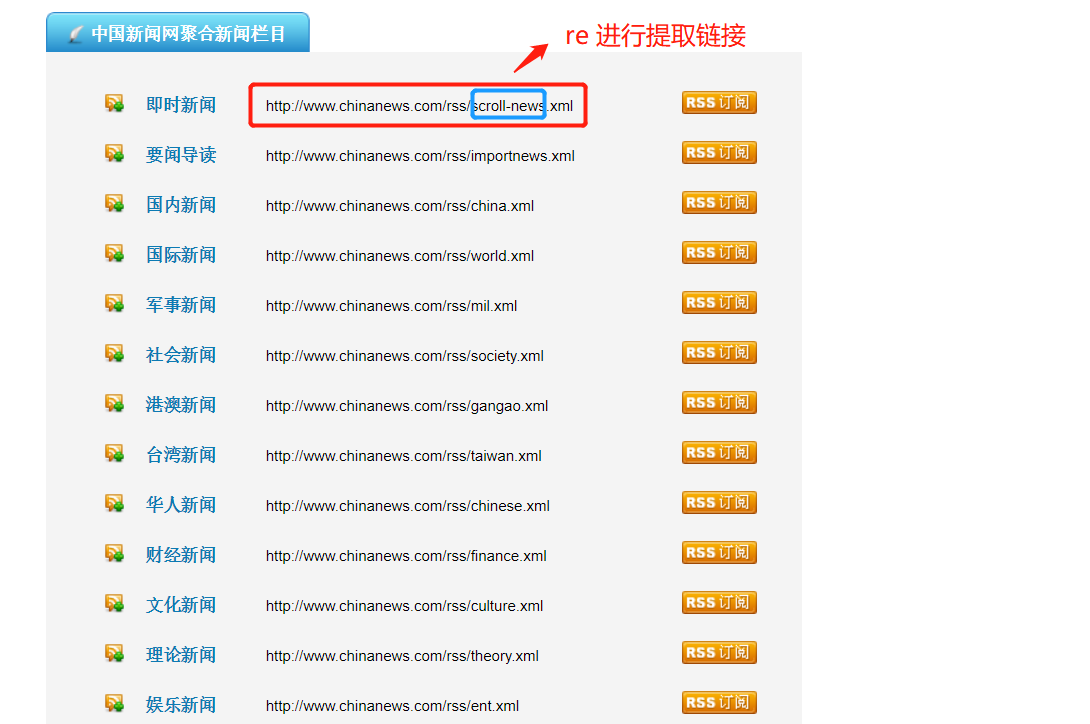
获取url后进入另一个页面进行数据提取
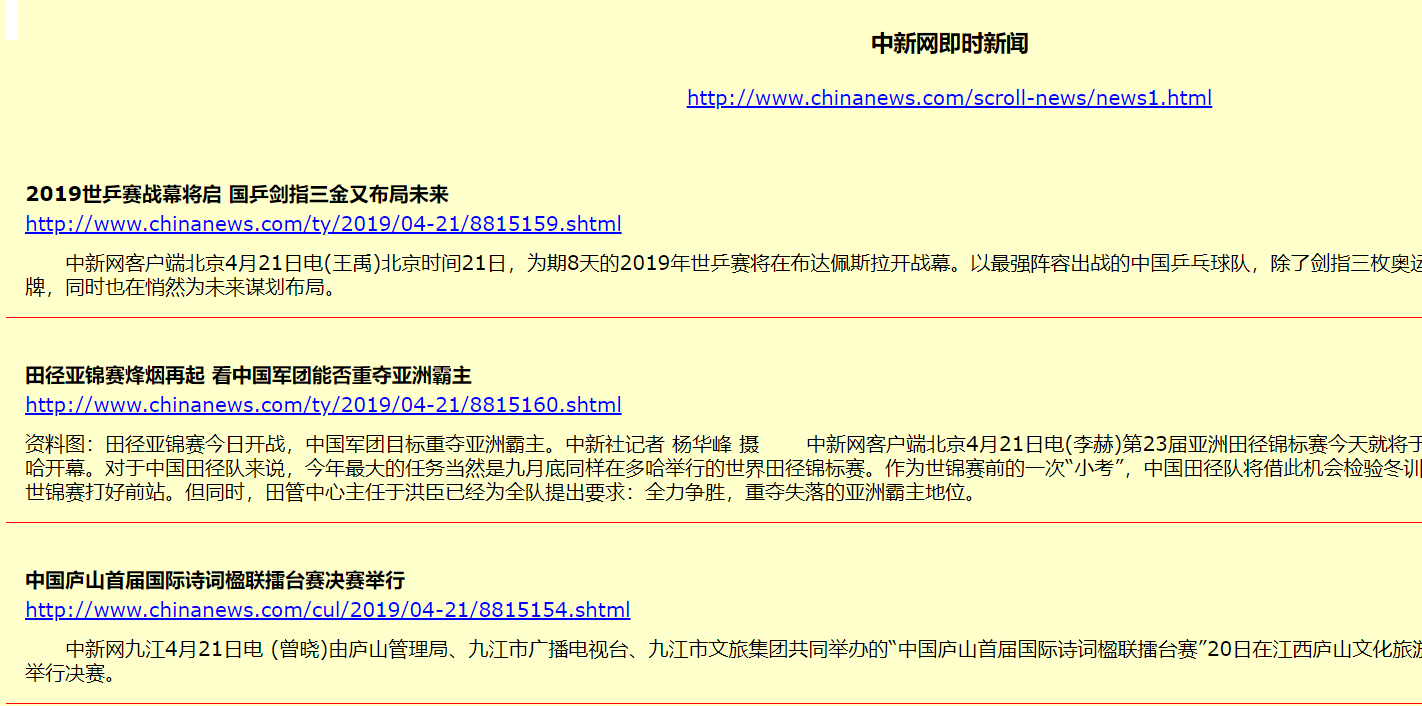
检查网页:
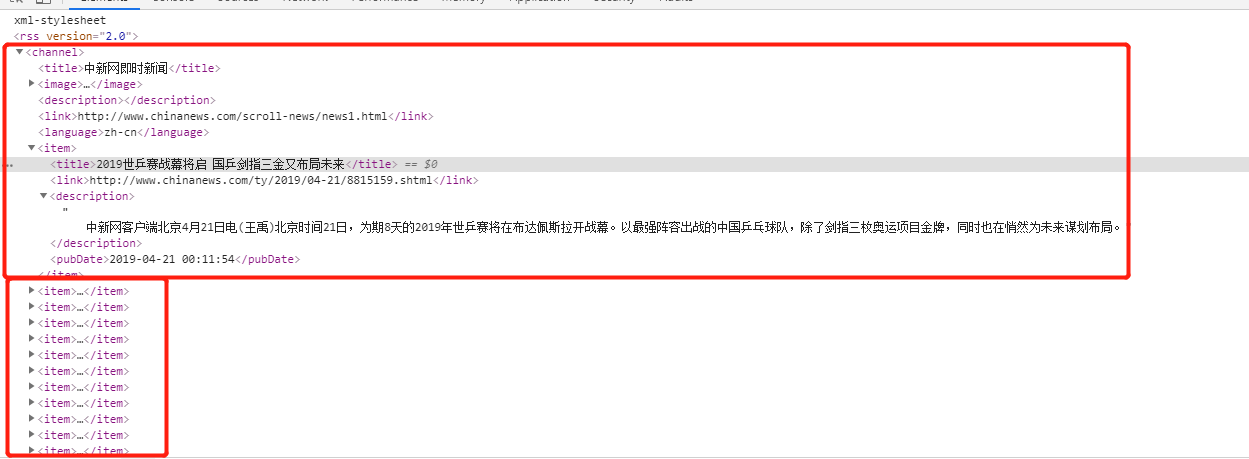
爬虫该页数据的逻辑:
Crawlspider爬虫类:
# -*- coding: utf-8 -*-

import scrapy

import re

#from scrapy import Selector

from scrapy.linkextractors import LinkExtractor

from scrapy.spiders import CrawlSpider, Rule

class NwSpider(CrawlSpider):

    name = 'nw'

    # allowed_domains = ['www.new.com']

    start_urls = ['http://www.chinanews.com/rss/rss_2.html']

    rules = (


        Rule(LinkExtractor(allow='http://www.chinanews.com/rss/.*?\.xml'), callback='parse_item'),

    )

    def parse_item(self, response):

        selector = Selector(response)

        items =response.xpath('//item').extract()

        for node in items:

            # print(type(node))

            #

            item = {}

            item['title'] = re.findall(r'<title>(.*?)</title>',node,re.S)[0]

            item['link'] = re.findall(r'<link>(.*?)</link>',node,re.S)[0]

            item['desc'] = re.findall(r'<description>(.*?)</description>',node,re.S)[0]

            item['pub_date'] =re.findall(r'<pubDate>(.*?)</pubDate>',node,re.S)[0]

            print(item)

        #item['domain_id'] = response.xpath('//input[@id="sid"]/@value').get()

        #item['name'] = response.xpath('//div[@id="name"]').get()

        #item['description'] = response.xpath('//div[@id="description"]').get()

            # yield item
scrapy 中crawlspider 爬虫的更多相关文章
- python框架Scrapy中crawlSpider的使用——爬取内容写进MySQL
一.先在MySQL中创建test数据库,和相应的site数据表 二.创建Scrapy工程 #scrapy startproject 工程名 scrapy startproject demo4 三.进入 ...
- python框架Scrapy中crawlSpider的使用
一.创建Scrapy工程 #scrapy startproject 工程名 scrapy startproject demo3 二.进入工程目录,根据爬虫模板生成爬虫文件 #scrapy genspi ...
- scrapy中运行爬虫时出现twisted critical unhandled error错误
1. 试试这条命令: twisted critical unhandled error on scrapy tutorial python python27\scripts\pywin32_posti ...
- 爬虫07 /scrapy图片爬取、中间件、selenium在scrapy中的应用、CrawlSpider、分布式、增量式
爬虫07 /scrapy图片爬取.中间件.selenium在scrapy中的应用.CrawlSpider.分布式.增量式 目录 爬虫07 /scrapy图片爬取.中间件.selenium在scrapy ...
- scrapy进阶(CrawlSpider爬虫__爬取整站小说)
# -*- coding: utf-8 -*- import scrapy,re from scrapy.linkextractors import LinkExtractor from scrapy ...
- Scrapy - CrawlSpider爬虫
crawlSpider 爬虫 思路: 从response中提取满足某个条件的url地址,发送给引擎,同时能够指定callback函数. 1. 创建项目 scrapy startproject mysp ...
- python爬虫之Scrapy框架(CrawlSpider)
提问:如果想要通过爬虫程序去爬取”糗百“全站数据新闻数据的话,有几种实现方法? 方法一:基于Scrapy框架中的Spider的递归爬去进行实现的(Request模块回调) 方法二:基于CrawlSpi ...
- 第三百五十一节,Python分布式爬虫打造搜索引擎Scrapy精讲—将selenium操作谷歌浏览器集成到scrapy中
第三百五十一节,Python分布式爬虫打造搜索引擎Scrapy精讲—将selenium操作谷歌浏览器集成到scrapy中 1.爬虫文件 dispatcher.connect()信号分发器,第一个参数信 ...
- 爬虫开发12.selenium在scrapy中的应用
selenium在scrapy中的应用阅读量: 370 1 引入 在通过scrapy框架进行某些网站数据爬取的时候,往往会碰到页面动态数据加载的情况发生,如果直接使用scrapy对其url发请求,是绝 ...
随机推荐
- JAVA String中文乱码
System.out.println(str); String str1 = new String(str.getBytes("ISO-8859-1"), "utf-8& ...
- 201905<<金字塔原理>>
金字塔原理是本好书,主要从写作,思考,解决问题三个方面讲解了如何使用金字塔结构来分析.自下而上的分析,自上而下的表达,解决问题时先确定问题的四要素,搭建三棱镜框架,再解决问题.三棱镜分析问题的方法感触 ...
- 通过js或jq增加的代码,点击事件或其他一些事件不起作用时
通过js或jq增加的代码,点击事件或其他一些事件不起作用时,可使用 $(document).on("click",".noshow",function() { ...
- sublime快捷方式
- 使用Spring的@Async创建异步方法
使用Spring的@Async创建异步方法 在开发系统的过程中,通常会考虑到系统的性能问题,提升系统性能的一个重要思想就是“串行”改“并行”.说起“并行”自然离不开“异步”,今天我们就来聊聊如何使用S ...
- zimbra填坑记录
邮件服务器上架,问题记录. 1.DNS解析设置,zimbra收发邮件均使用统一域名,mail.xxxx.com.cn,因此在做SMTP,POP,MX记录时均应指向此域名. 2.实际上架内部网络和安装所 ...
- 信步漫谈之Jenkins—集成自动化部署 SVN 项目
一.环境准备 1)Jenkins 部署 WAR 包:jenkins.war(2.164.2 版本,WAR 包官方下载路径:https://jenkins.io/download/)2)Tomcat 服 ...
- FineReport中日期时间函数使用总结
说明:凡函数中以日期作为参数因子的,其中日期的形式都必须是yy/mm/dd.而且必须用英文环境下双引号(" ")引用. DATE DATE(year,month,day):返回一个 ...
- drools kie-server和kie-workbench安装手册
Drools规则引擎可以直接在项目中编写drl文件,后调用. 也可以搭建kie-server和kie-workbench来进行远程调用. 关系: 在kie-workbench通过页面配置规则,发布到执 ...
- rabbitMq及安装、fanout交换机-分发(发布/订阅)
<dependency> <groupId>com.rabbitmq</groupId> <artifactId& ...