
Hadoop Java Hdfs API
1. 在本地文件系统生成一个文本文件,,读入文件,将其第101-120字节的内容写入HDFS成为一个新文件
2. 在HDFS中生成文本文件,读入这个文件,将其第101-120字节的内容写入本地文件系统成为一个新文件
环境部署:http://www.cnblogs.com/dopeter/p/4630791.html
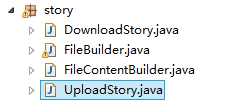
FileBuilder.java
生成文件的工具类,包含在本地生成文件,在Hadoop生成文件,读取Hadoop指定目录的文件
 package story;

 import java.io.ByteArrayInputStream;

 import java.io.ByteArrayOutputStream;

 import java.io.FileNotFoundException;

 import java.io.FileWriter;

 import java.io.IOException;

 import java.io.InputStream;

 import java.io.OutputStream;

 import java.io.PrintWriter;

 import java.io.UnsupportedEncodingException;

 import java.net.URI;

 import org.apache.hadoop.conf.Configuration;

 import org.apache.hadoop.fs.FileSystem;

 import org.apache.hadoop.fs.Path;

 import org.apache.hadoop.io.IOUtils;

 import org.apache.hadoop.util.Progressable;

 public class FileBuilder {

     //build default test data

     public static String BuildTestFileContent()

     {

         StringBuilder contentBuilder=new StringBuilder();

         for(int loop=0;loop<100;loop++)

             contentBuilder.append(String.valueOf(loop));

         String content =contentBuilder.toString();

         return content;

     }

     //build local file

     public static void BuildLocalFile(String buildPath,String content) throws FileNotFoundException, UnsupportedEncodingException

     {

         /*

         FileWriter fileWriter;

         try {

             fileWriter = new FileWriter(buildPath);

             fileWriter.write(content);

             fileWriter.close();

         } catch (IOException e) {

             e.printStackTrace();

         }

         */

             PrintWriter out = new java.io.PrintWriter(new java.io.File(buildPath), "UTF-8");

             String text = new java.lang.String(content);

             out.print(text);

             out.flush();

             out.close();

     }

     //upload file to hadoop

     public static void BuildHdfsFile(String buildPath,byte[] fileContent) throws IOException

     {

         //convert to inputstream

         InputStream inputStream=new ByteArrayInputStream(fileContent);

         //hdfs upload

         Configuration conf = new Configuration();

         FileSystem fs = FileSystem.get(URI.create(buildPath), conf);

         OutputStream outputStream = fs.create(new Path(buildPath), new Progressable() {

             public void progress() {

                 System.out.print(".");

             }

         });

         IOUtils.copyBytes(inputStream, outputStream, fileContent.length, true);

     }

     //wrapper for upload file

     public static void BuildHdfsFile(String buildPath,String fileContent) throws IOException

     {

         BuildHdfsFile(buildPath,fileContent.getBytes());

     }

     //download file from hadoop

     public static byte[] ReadHdfsFile(String readPath)throws IOException

     {

         byte[] fileBuffer;

         Configuration conf = new Configuration();

         FileSystem fs = FileSystem.get(URI.create(readPath), conf);

         InputStream in = null;

         ByteArrayOutputStream out=new ByteArrayOutputStream();

         try {

         in = fs.open(new Path(readPath));

         IOUtils.copyBytes(in, out, 4096, false);

         fileBuffer=out.toByteArray();

         } finally {

         IOUtils.closeStream(in);

         }

         return fileBuffer;

     }

 }
FileContentHandler.java
文件内容的处理类,读取本地文件时设置起始Position与截取的长度,读取从Hadoop下载的文件时设置起始Position与截取的长度
 package story;

 import java.io.IOException;

 import java.io.RandomAccessFile;

 import java.io.UnsupportedEncodingException;

 public class FileContentHandler {

     public static byte[] GetContentByLocalFile(String filePath,long beginPosition,int readLength)

     {

         int readBufferSize=readLength;

         byte[] readBuffer=new byte[readBufferSize];

         RandomAccessFile  accessFile;

         try {

             accessFile=new RandomAccessFile (filePath,"r");

             long length=accessFile.length();

             System.out.println(length);

             if(length>beginPosition&&length>beginPosition+readBufferSize)

             {

                 accessFile.seek(beginPosition);

                 accessFile.read(readBuffer);

                 accessFile.close();

             }

         } catch ( IOException e) {

             // TODO Auto-generated catch block

             e.printStackTrace();

         }

         return readBuffer;

     }

     public static String GetContentByBuffer(byte[] buffer,int beginPosition,int readLength) throws UnsupportedEncodingException

     {

         String content;

         byte[] subBuffer=new byte[readLength];

         for(int position=0;position<readLength;position++)

             subBuffer[position]=buffer[beginPosition+position];

         buffer=null;

         content=new String(subBuffer,"UTF-8");

         System.out.println(content);

         return content;

     }

 }
UploadStory.java
1的流程代码
 package story;

 public class UploadStory {

     //public static void main(String[] args) throws Exception {}

     public static void main(String[] args) throws Exception {

         //also define value of parameter from arguments.

         String localFilePath="F:/bulid.txt";

         String hdfsFilePath="hdfs://hmaster0:9000/user/14699_000/input/build.txt";

         int readBufferSize=20;

         long fileBeginReadPosition=101;

         //upload story begin.

         //build local file

         FileBuilder.BuildLocalFile(localFilePath,FileBuilder.BuildTestFileContent());

         //read file

         byte[] uploadBuffer=FileContentHandler.GetContentByLocalFile(localFilePath, fileBeginReadPosition, readBufferSize);

         //upload

         if(uploadBuffer!=null&&uploadBuffer.length>0)

             FileBuilder.BuildHdfsFile(hdfsFilePath, uploadBuffer);

     }

 }
DownloadStory.java
2的流程代码
 package story;

 public class DownloadStory {

     //public static void main(String[] args) throws Exception {        }

     public static void main(String[] args) throws Exception {

         //also define value of parameter from arguments.

         String localFilePath="F:/bulid.txt";

         String hdfsFilePath="hdfs://hmaster0:9000/user/14699_000/input/build2.txt";

         int readBufferSize=20;

         int fileBeginReadPosition=101;

         //build file to hadoop

         FileBuilder.BuildHdfsFile(hdfsFilePath, FileBuilder.BuildTestFileContent());

         //download file

         byte[] readBuffer=FileBuilder.ReadHdfsFile(hdfsFilePath);

         //handle buffer

         String content=FileContentBuilder.GetContentByBuffer(readBuffer, fileBeginReadPosition, readBufferSize);

         //write to local file

         FileBuilder.BuildLocalFile(localFilePath, content);

     }

 }
Hadoop Java Hdfs API的更多相关文章
- Hadoop JAVA HDFS客户端操作
JAVA HDFS客户端操作 通过API操作HDFS org.apache.logging.log4jlog4j-core2.8.2org.apache.hadoophadoop-common${ha ...
- hadoop学习笔记(七):Java HDFS API
一.使用HDFS FileSystem详解 HDFS依赖的第三方包: hadoop 1.x版本: commons-configuration-1.6.jar commons-lang-2.4.jar ...
- Hadoop 之 HDFS API操作
1. 文件上传 @Slf4j public class HDFSClient { @Test public void testCopyFromLocalFile() throws Exception{ ...
- JAVA HDFS API Client 连接HA
如果Hadoop开启HA,那么用Java Client连接Hive的时候,需要指定一些额外的参数 package cn.itacst.hadoop.hdfs; import java.io.FileI ...
- hadoop系列二:HDFS文件系统的命令及JAVA客户端API
转载请在页首明显处注明作者与出处 一:说明 此为大数据系列的一些博文,有空的话会陆续更新,包含大数据的一些内容,如hadoop,spark,storm,机器学习等. 当前使用的hadoop版本为2.6 ...
- hadoop: hdfs API示例
利用hdfs的api,可以实现向hdfs的文件.目录读写,利用这一套API可以设计一个简易的山寨版云盘,见下图: 为了方便操作,将常用的文件读写操作封装了一个工具类: import org.apach ...
- Hadoop Java API 操作 hdfs--1
Hadoop文件系统是一个抽象的概念,hdfs仅仅是Hadoop文件系统的其中之一. 就hdfs而言,访问该文件系统有两种方式:(1)利用hdfs自带的命令行方式,此方法类似linux下面的shell ...
- Hadoop基础-HDFS的API常见操作
Hadoop基础-HDFS的API常见操作 作者:尹正杰 版权声明:原创作品,谢绝转载!否则将追究法律责任. 本文主要是记录一写我在学习HDFS时的一些琐碎的学习笔记, 方便自己以后查看.在调用API ...
- Hadoop学习之路(十)HDFS API的使用
HDFS API的高级编程 HDFS的API就两个:FileSystem 和Configuration 1.文件的上传和下载 package com.ghgj.hdfs.api; import org ...
随机推荐
- NSPredicate的用法
一般来说这种情况还是蛮多的,比如你从文件中读入了一个array1,然后想把程序中的一个array2中符合array1中内容的元素过滤出来. 正 常傻瓜一点就是两个for循环,一个一个进行比较,这样效率 ...
- “AIR SDK 0.0: AIR SDK location “...\devsdks\AIRSDK\Win” does not exist.”问题解决~
原文同步至:http://www.waylau.com/air-sdk-0-0-air-sdk-location-does-not-exist-address/ 导入AS3项目时提示“AIR SDK ...
- Matlab绘图-很详细,很全面
强大的绘图功能是Matlab的特点之一,Matlab提供了一系列的绘图函数,用户不需要过多的考虑绘图的细节,只需要给出一些基本参数就能得到 所需图形,这类函数称为高层绘图函数.此外,Matlab还提供 ...
- IntelliJ IDEA常见问题解决办法汇总
(1)SVN相关的操作: 启用:方法1:VCS菜单下Enable Version Control Integration,点击之后选择相应的版本控制工具方法2:Setting中Version Cont ...
- Java乔晓松-android中获取图片的缩略图(解决OutOfMemoryError)内存溢出的Bug
由于android获取图片过大是会出现内存溢出的Bug 07-02 05:10:13.792: E/AndroidRuntime(6016): java.lang.OutOfMemoryError 解 ...
- BrowserSync使用
在Gulp中使用BrowserSync 2016-02-24 23:47 by 那时候的我, 116 阅读, 0 评论, 收藏, 编辑 博客已迁移至http://lwzhang.github.io. ...
- 【Cocos2d-x】源代码分析之 2d/ui/Widget
从今天開始 咱也模仿 红孩儿这些大牛分析源代码 ,因为水平有限 不正确之处欢迎狂喷.哈哈. #ifndef __UIWIDGET_H__ #define __UIWIDGET_H__ #include ...
- cheese desktop内容
#!/usr/bin/env xdg-open [Desktop Entry] Encoding=UTF- Version=1.0 Type=Application Terminal=false Na ...
- Eclipse——热键&Help
版权声明:本文博主原创文章.博客,未经同意不得转载.
- 乐在其中设计模式(C#) - 备忘录模式(Memento Pattern)
原文:乐在其中设计模式(C#) - 备忘录模式(Memento Pattern) [索引页][源码下载] 乐在其中设计模式(C#) - 备忘录模式(Memento Pattern) 作者:webabc ...