
js 命令模式 组合模式
* 基本宏命令
var closeDoorCommand = {

	execute: function() {

		console.log("Closing the door...");

	}

};

var openPcCommand = {

	execute: function() {

		console.log("Opening the PC...");

	}

};

var launchQQCommand = {

	execute: function() {

		console.log("launching QQ...");

	}

};

var MacroCommand = function() {

	return {

		commandsList: [],

		add: function(command) {

			this.commandsList.push(command);

		},

		execute: function() {

			for (var i = 0, command; command = this.commandsList[i]; i++) {

				command.execute();

			}

		}

	}

};

var macroCommand = MacroCommand();

macroCommand.add(closeDoorCommand);

macroCommand.add(openPcCommand);

macroCommand.add(launchQQCommand);

macroCommand.execute();

// Closing the door...

// Opening the PC...

// launching QQ...
* 树形宏命令
<html>

<head>

    <meta charset="UTF-8">

    <title>macro command</title>

</head>

<body>

    <button id="button">Press me</button>

    <script>

    var MacroCommand = function() {

        return {

            commandsList: [],

            add: function(command) {

                this.commandsList.push(command);

            },

            execute: function() {

                for (var i = 0, command; command = this.commandsList[i]; i++) {

                    command.execute();

                }

            }

        }

    };

    // 打开空调

    var openAcCommand = {

        execute: function() {

            console.log("Opening the Air conditioner...");

        }

    };

    // 打开电视和音响

    var openTvCommand = {

        execute: function() {

            console.log("Opening the TV...");

        },

        add: function() {

        	throw new Error('Cannot add child node to leaf object');

        }

    };

    var openStereoCommand = {

        execute: function() {

            console.log("Opening the stereo...");

        }

    };

    var macroCommand1 = MacroCommand();

    macroCommand1.add(openTvCommand);

    macroCommand1.add(openStereoCommand);

    // 关门、开电脑、登陆qq

    var closeDoorCommand = {

        execute: function() {

            console.log("Closing the door...");

        }

    };

    var openPcCommand = {

        execute: function() {

            console.log("Opening the PC...");

        }

    };

    var launchQQCommand = {

        execute: function() {

            console.log("launching QQ...");

        }

    };

    var macroCommand2 = MacroCommand();

    macroCommand2.add(closeDoorCommand);

    macroCommand2.add(openPcCommand);

    macroCommand2.add(launchQQCommand);

    // 现在把所有的命令组合成一个超级命令

    var macroCommand = MacroCommand();

    macroCommand.add(openAcCommand);

    macroCommand.add(macroCommand1);

    macroCommand.add(macroCommand2);

    // 绑定到遥控器

    var setCommand = (function(command) {

        document.getElementById("button").onclick = function() {

            command.execute();

        }

    })(macroCommand);

    // openTvCommand.add(macroCommand);  // Uncaught Error:

    </script>

</body>

</html>
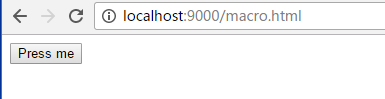
运行结果:

* 扫描文件夹
/********** Folder **************/

function Folder(name) {

    this.name = name;

    this.files = [];

}

Folder.prototype.add = function(file) {

    this.files.push(file);

}

Folder.prototype.scan = function() {

    console.log("开始扫描文件夹: " +this.name);

    for (var i = 0, file, files = this.files; file = files[i]; i++) {

        file.scan();

    }

}

/********** File **************/

function File(name) {

    this.name = name;

}

File.prototype.add = function() {

    throw new Error("文件下面不能再添加文件");

}

File.prototype.scan = function() {

    console.log("开始扫描文件: " +this.name);

}

var folder = new Folder('学习资料');

var folder1 = new Folder('javascript');

var folder2 = new Folder('jQuery');

var file1 = new File('javascript设计模式与开发实践');

var file2 = new File('精通jQuery');

var file3 = new File('重构与模式');

folder1.add(file1);

folder2.add(file2);

folder.add(folder1);

folder.add(folder2);

folder.add(file3);

var folder3 = new Folder('Nodejs');

var file4 = new File('深入浅出Node.js');

folder3.add(file4);

var file5 = new File('javascript语言精髓与编程实践');

folder.add(folder3);

folder.add(file5);

folder.scan();

/*

开始扫描文件夹: 学习资料

开始扫描文件夹: javascript

开始扫描文件: javascript设计模式与开发实践

开始扫描文件夹: jQuery

开始扫描文件: 精通jQuery

开始扫描文件: 重构与模式

开始扫描文件夹: Nodejs

开始扫描文件: 深入浅出Node.js

开始扫描文件: javascript语言精髓与编程实践

*/
* 引用父对象
/********** Folder **************/

function Folder(name) {

    this.name = name;

    this.parent = null;  // add attribute this.parent

    this.files = [];

}

Folder.prototype.add = function(file) {

    file.parent = this;  // set parent object

    this.files.push(file);

}

Folder.prototype.scan = function() {

    console.log("开始扫描文件夹: " +this.name);

    for (var i = 0, file, files = this.files; file = files[i]; i++) {

        file.scan();

    }

}

Folder.prototype.remove = function() {

    if (!this.parent) { // root node or free node

        return;

    }

    for (var files = this.parent.files, i = files.length -1; 0 <= i; i--) {

        var file = files[i];

        if (file === this) {

            files.splice(i, 1);

        }

    }

}

/********** File **************/

function File(name) {

    this.name = name;

}

File.prototype.add = function() {

    throw new Error("文件下面不能再添加文件");

}

File.prototype.scan = function() {

    console.log("开始扫描文件: " +this.name);

}

File.prototype.remove = function() {

    if (!this.parent) { // root node or free node

        return;

    }

    for (var files = this.parent.files, i = files.length -1; 0 <= i; i--) {

        var file = files[i];

        if (file === this) {

            files.splice(i, 1);

        }

    }

}

var folder = new Folder('学习资料');

var folder1 = new Folder('javascript');

var file1 = new File('深入浅出Node.js');

folder1.add(new File('javascript语言精髓与编程实践'));

folder.add(folder1);

folder.add(file1);

folder1.remove();

folder.scan();

js 命令模式 组合模式的更多相关文章
- JS设计模式——9.组合模式
组合模式概述 组合模式是一种专为创建Web上的动态用户界面量身定制的模式.使用这种模式可以用一条命令在多个对象上激发复杂的递归的行为. 它可以用来把一批子对象组织成树形结构,并且使整棵树都可被遍历.所 ...
- js中的组合模式
<!doctype html> <html lang="en"> <head> <meta charset="UTF-8&quo ...
- Head First 设计模式 --9 迭代器模式 组合模式
迭代器模式:提供一种方法书序访问一个聚合对象中的各个元素,而又不暴露其内部的表示. 用到的设计原则:1.封装变化2.多用组合,少用继承|3.针对接口编程,不针对实现编程4.松耦合5.对扩展开放,对修改 ...
- java设计模式--结构型模式--组合模式
什么是组合模式,这个有待研究,个人觉得是各类组合而形成的一种结构吧. 组合模式: 组合模式 概述 将对象组合成树形结构以表示"部分-整体"的层次结构."Composite ...
- 《Head First 设计模式》学习笔记——迭代模式 + 组合模式
迭代模式设置共生死亡,一般来说.我们只是想实现一个集,我们需要的同时提供这个集合的迭代器,喜欢java中间Collection.List.Set.Map等,这些集合都有自己的迭代器.假如我们要实现一个 ...
- Composite模式 组合模式
Android的ViewGroup 和 View 的关系,即是采用组合模式 1. 概述 在数据结构里面,树结构是很重要,我们可以把树的结构应用到设计模式里面. 例子1:就是多级树形菜单. 例子2:文件 ...
- 轻松掌握:JavaScript组合模式
组合模式 组合模式:将一组对象组合成树形结构,并统一对待组合对象和叶对象,忽略它们之间的不同(因为叶对象也可以也可以包含叶对象而成为组合对象),组合模式中的对象只能是一对多的关系,不能出现多对一. 基 ...
- js---26组合模式
<!DOCTYPE HTML PUBLIC "-//W3C//DTD HTML 4.01//EN" "http://www.w3.org/TR/html4/stri ...
- c#设计模式-组合模式
在软件开发过程中,我们经常会遇到处理简单对象和复合对象的情况,例如对操作系统中目录的处理就是这样的一个例子,因为目录可以包括单独的文件,也可以包括文件夹,文件夹又是由文件组成的,由于简单对象和复合对象 ...
随机推荐
- hdmi 随笔
从图片来看,每张图片开始传输的是45像素的垂直同步, 1.控制数据贯穿所有时间,没个不是控制数据的传输都被控制数据包围.控制数据还要通过控制位指示,下一个数据是数据岛还是视频信号. 2.terc4 全 ...
- HTTP协议之:HTTP/1.1和HTTP/2
目录 简介 HTTP/1.1 HTTP/2 传输模式对比 流优先级 缓冲区溢出处理 预测资源请求 压缩 总结 简介 HTTP的全称是Hypertext Transfer Protocol,是在1989 ...
- mysql导出word的表结构操作
mysql导出word的表结构操作 1.首先准备好mysql的相关插件mysql-connector-odbc和DBExportDoc 百度网盘地址: 链接:https://pan.baidu.com ...
- 数据结构--Dijkstra算法最清楚的讲解
迪杰斯特拉(Dijkstra)算法是典型最短路径算法,用于计算一个节点到其他节点的最短路径.它的主要特点是以起始点为中心向外层层扩展(广度优先搜索思想),直到扩展到终点为止 ###基本思想 通过Dij ...
- 学习Java的9张思维导图
转自:https://blog.csdn.net/aitaozi11/article/details/79652943 网上搜集了java的学习思维导图,分享给大家. 01.Java程序设计(基础) ...
- 何时覆盖hashCode()和equals()方法
The theory (for the language lawyers and the mathematically inclined): equals() (javadoc) must defin ...
- 在Spring中使用静态工厂时发生的无法得到对象的问题
因为我测试时,使用的是之前的包Spring 3.x一类的jar包,发现我的代码毫无问题,但是就是运行不出来,后面去Spring官网上发现,JDK6+至少都要使用Spring4.x了,而为了配合JDK8 ...
- Struts2常见问题
时间:2017-1-14 21:29 1.配置Struts2过滤器之后无法正常访问Servlet 自己手动配置过滤器,参数为要访问的Servlet
- opencv入门系列教学(二)图像入门:读取、展示并保存视频
一.从相机读取视频 通常情况下,我们必须用摄像机捕捉实时画面.让我们从摄像头捕捉一段视频(我使用的是我笔记本电脑内置的网络摄像头) ,将其转换成灰度视频并显示出来. 要捕获视频,我们需要 ...
- 利用AOP切面打印项目中每个接口的运行情况
1.前言 AOP切面技术,大家应该都听知道,Spring框架的主要功能之一. AOP切面的用途很广,其中一个常见的用途就是打印接口方法的运行日志和运行时间. 日志对于一个项目很是重要,不仅有助于调错, ...