
[Xamarin] 啟動拍照並且儲存 (转帖)
拍照對手機來說是很常用到的功能,許多App都基於在拍照上面,這篇文章主要大部分是在翻譯官方文件 (http://docs.xamarin.com/recipes/android/other_ux/camera_intent/take_a_picture_and_save_using_camera_app) 因為這篇寫得很清楚,主要我就筆記且翻譯一些比較重要的地方。
這篇文章主要聊聊如何啟動相機,並且拍一張照片之後,將照片取回來顯示在ImageView 上面
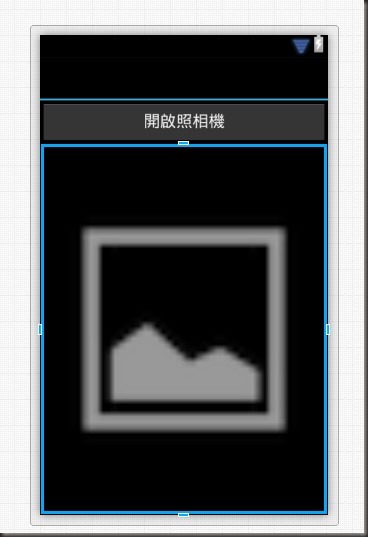
1. 首先我們看一下畫面,有一顆按鈕點下去後就啟動相機,並且將圖片帶回,首先你得先做幾件事情,開啟一個專案,再來就是新增AndroidManifest.xml 並且 新增WRITE_EXTERNAL_STORAG的權限。下面為 主要畫面的axml code :
<?xml version="1.0" encoding="utf-8"?>
<LinearLayout xmlns:android="http://schemas.android.com/apk/res/android"
android:orientation="vertical"
android:layout_width="fill_parent"
android:layout_height="fill_parent">
<Button
android:id="@+id/myButton"
android:layout_width="fill_parent"
android:layout_height="wrap_content"
android:text="開啟照相機" />
<ImageView
android:src="@android:drawable/ic_menu_gallery"
android:layout_width="fill_parent"
android:layout_height="fill_parent"
android:id="@+id/imageView1"
android:adjustViewBounds="true" />
</LinearLayout>
預覽:
2.接者,我在主要的Activity 中加入一些變數
Java.IO.File _file;
Java.IO.File _dir;
ImageView _imageView;
3.我們在OnCreate 中加入這些程式碼:
protected override void OnCreate(Bundle bundle)
{
base.OnCreate(bundle);
// Set our view from the "main" layout resource
SetContentView(Resource.Layout.Main);
if (IsThereAnAppToTakePictures())
{
CreateDirectoryForPictures();
Button button = FindViewById<Button>(Resource.Id.myButton);
_imageView = FindViewById<ImageView>(Resource.Id.imageView1);
button.Click += TakeAPicture;
}
}
會出現紅字別緊張還有兩個function沒有補上
/// <summary>
/// 判斷是否可以正常叫起相機
/// </summary>
/// <returns></returns>
private bool IsThereAnAppToTakePictures()
{
var intent = new Intent(MediaStore.ActionImageCapture);
IList<ResolveInfo> availableActivities = PackageManager.QueryIntentActivities(intent, PackageInfoFlags.MatchDefaultOnly);
return availableActivities != null && availableActivities.Count > 0;
}
/// <summary>
/// 在外部儲存裝置中建立起檔案夾並且使用當作暫存
/// </summary>
private void CreateDirectoryForPictures()
{
_dir = new File(Android.OS.Environment.GetExternalStoragePublicDirectory(Android.OS.Environment.DirectoryPictures), "CameraAppDemo");
if (!_dir.Exists())
{
_dir.Mkdirs();
}
}
接下來,我們需要處理按鈕的Click事件。在這個例子中,我們將創建一個將處理事件的方法:
/// <summary>
/// 點擊拍照按鈕後啟動拍照
/// </summary>
/// <param name="sender"></param>
/// <param name="eventArgs"></param>
private void TakeAPicture(object sender, EventArgs eventArgs)
{
//使用intent 叫起拍照動作
var intent = new Intent(MediaStore.ActionImageCapture);
//回存的檔名
_file = new File(_dir, String.Format("myPhoto_{0}.jpg", Guid.NewGuid()));
intent.PutExtra(MediaStore.ExtraOutput, Android.Net.Uri.FromFile(_file));
//等待結果的呼叫Activity
//可以參考 http://no2don.blogspot.com/2013/07/xamarin-startactivityforresult.html
StartActivityForResult(intent, 0);
}
當用戶點擊按鈕,該程式將會發送一個intent 要求android 來找到一個活動去拍照,通常是用系統現在指定的拍照軟體,請注意在intent中我們提供她儲存位置,再來我們看看當OnActivityResult 被觸發(因為使用的是StartActivityForResult)的程式碼實作:
protected override void OnActivityResult(int requestCode, Result resultCode, Intent data)
{
base.OnActivityResult(requestCode, resultCode, data);
// 讓此可以在圖片庫中被使用
// 這一段不寫不會影響功能只是在圖片庫中,並不會顯示此張照片
var mediaScanIntent = new Intent(Intent.ActionMediaScannerScanFile);
var contentUri = Android.Net.Uri.FromFile(_file);
mediaScanIntent.SetData(contentUri);
SendBroadcast(mediaScanIntent);
//
// 將其顯示在ImageView上面
// 因為避免拍照片太大導致app crash
int height = _imageView.Height;
int width = Resources.DisplayMetrics.WidthPixels;
//using (Bitmap bitmap = _file.Path.LoadAndResizeBitmap(width, height))
using (Bitmap bitmap = _file.Path.LoadAndResizeBitmap(width, height))
{
_imageView.SetImageBitmap(bitmap);
}
}
按照原文範例,為了避免App Crash 所以必須要調整大小,所以官方的教學文件上面附上一個BitmapHelper來作,請就直接開一個BitmapHelper.cs 來貼上下面的code:
using Android.Graphics;
namespace SampleOpenCamera
{
public static class BitmapHelpers
{
public static Bitmap LoadAndResizeBitmap(this string fileName, int width, int height)
{
// First we get the the dimensions of the file on disk
BitmapFactory.Options options = new BitmapFactory.Options { InJustDecodeBounds = true };
BitmapFactory.DecodeFile(fileName, options);
// Next we calculate the ratio that we need to resize the image by
// in order to fit the requested dimensions.
int outHeight = options.OutHeight;
int outWidth = options.OutWidth;
int inSampleSize = 1;
if (outHeight > height || outWidth > width)
{
inSampleSize = outWidth > outHeight
? outHeight / height
: outWidth / width;
}
// Now we will load the image and have BitmapFactory resize it for us.
options.InSampleSize = inSampleSize;
options.InJustDecodeBounds = false;
Bitmap resizedBitmap = BitmapFactory.DecodeFile(fileName, options);
return resizedBitmap;
}
}
}
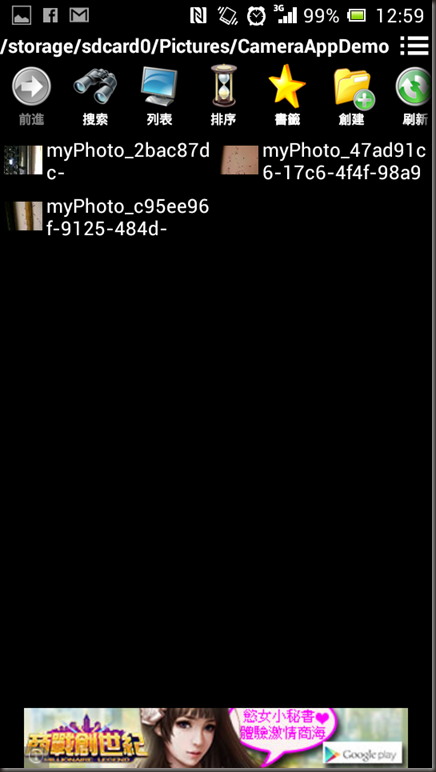
結果 :
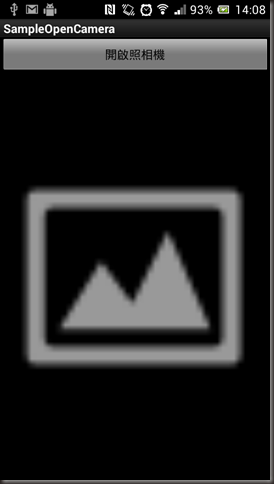
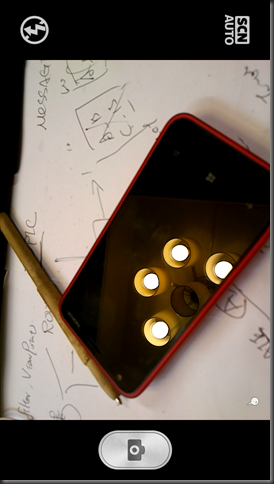
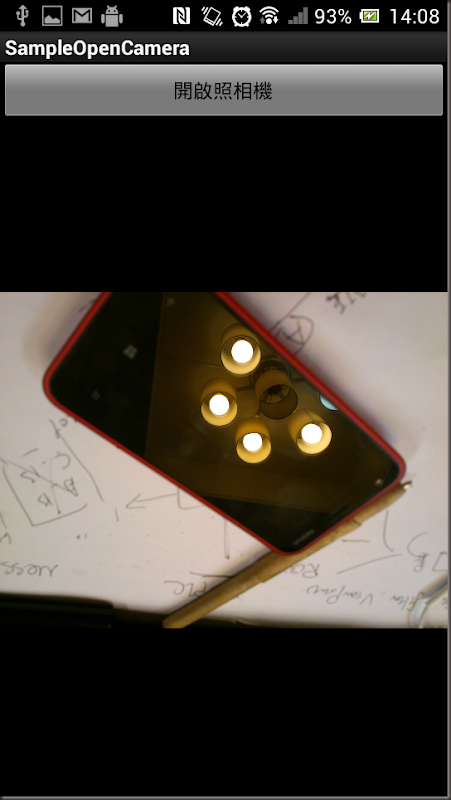
圖片存放位置: /storage/sdcard0/Pictures/CameraAppDemo
[Xamarin] 啟動拍照並且儲存 (转帖)的更多相关文章
- [Xamarin.Android] 儲存資料於Windows Azure (转帖)
在準備討論Xamarin.Android 如何整合GCM與Windows Azure來實作Push Notification之前, 先來了解如何將Xamarin.Android 與Windows Az ...
- [Xamarin] 透過 IsolatedStorageFile儲存資料(转帖)
開發手機App通常都會遇到想要儲存資料的,舉個例來說,像是 (圖片來源:http://docs.xamarin.com/guides/android/application_fundamentals/ ...
- 問題排查:F5啟動偵錯後所提示的錯誤 (2)
原始專案版本:Visual Studio 2005 開發環境:Visual Studio 2013 偵錯運行環境:IIS Express 啟動偵錯後,錯誤提示內容如下: HTTP 错误 403.14 ...
- 問題排查:F5啟動偵錯後所提示的錯誤 (1)
原始專案版本:Visual Studio 2005 開發環境:Visual Studio 2013 偵錯運行環境:IIS Express 啟動偵錯後,錯誤提示內容如下: HTTP 错误 500.23 ...
- [Xamarin] 關於發出Notification 的大小事 (转帖)
關於Anroid 的使用者來說,Notification 是一個非常會看到且用到的功能 他可以提醒使用者甚麼東西需要待處理,像是郵件或是會議的提醒等.. 甚至有些APP ,直接使用Notificati ...
- Visual Studio 跨平台開發實戰(4) - Xamarin Android 基本控制項介紹 (转帖)
前言 不同於iOS, Xamarin 在Visual Studio中針對Android, 可以直接設計使用者介面. 在本篇教學文章中, 筆者會針對Android的專案目錄結構以及基本控制項進行介紹, ...
- [Xamarin] 製作吐司(Toast)以及圖文並茂的Toast (转帖)
最近在看Xamarin使用C#來撰寫Android App . 紀錄一下,順便給之後有需要的人可以有所參考 :) 今天要來聊的是關於Toast 這東西,這在以前Android 上面我是很常使用 拿來l ...
- [CentOS 6.5 X64]讓firefox java plugin 啟動
到ORACLE下載JRE http://www.oracle.com/technetwork/java/javase/downloads/index.html 我是X64所以下載 jre-7-linu ...
- xamarin android打开拍照
xamarin android打开摄像头 Intent intentBrowser = new Intent("android.media.action.IMAGE_CAPTURE" ...
随机推荐
- 【EF学习笔记12】----------解释查询和本地查询 区分 Enumerable 和 Queryable
简单介绍:Enumerable 和 Queryable 他们都是静态类,位于命名控件 System.Linq下,分别为IEnumerable<T>和IQueryable<T>提 ...
- 转:RealThinClient (RTC)是什么?
RealThinClient SDK是用于开发标准的HTTP(S)服务器,ISAPI扩展以及客户端的VCL控件.可用于Windows下的CodeGear Delphi 6-XE5. 功能描述 Abou ...
- MySQL表分区技术
MySQL表分区技术 MySQL有4种分区类型: 1.RANGE 分区 - 连续区间的分区 - 基于属于一个给定连续区间的列值,把多行分配给分区: 2.LIST 分区 - 离散区间的分区 - 类似于按 ...
- phpunit.xml
<phpunit bootstrap="vendor/autoload.php"> <testsuites> <testsuite name=&quo ...
- [原创]PCB知识补充
近期又要使用Altium进行PCB板的绘制,算起来从大学课上第一次接触Protel99SE到现在已经算是半个熟练工了.不过现在想来还是能回忆起第一次使用的情景,对着一幅简单的原理图使用着自动连线的功能 ...
- 第一章 tomcat安装与启动
一.安装 1.下载tomcat安装包 2.解压安装包 3.配置环境变量 打开~/.bash_profile文件,输入一下两句话: export TOMCAT_HOME=/Users/enniu1/De ...
- 加载form表单
var row = $('#dg').datagrid('getData').rows[rowIndex]; $('#moneyff').form('load', row);//row 可以 ...
- UVA315 (无向图求割点)
题目大意:给定一个无向图,问共存在多少个割点.(割点:去掉此点后此图会断开连接)割点有两种存在:一种是第一次搜索的根节点,若其子节点数超过两个,则此点去掉后图会 断开连接,因此此点为割点:或者此点为搜 ...
- hibernate进行多表联合查询
hibernate是按照hql语句来进行查询的, 里面所使用的表名, 其实是实体类的名字, hql语句的写法并没有多大差别, 是在返回结果的时候要稍微做一些处理 //使用hibernate进行多表查询 ...
- poj 2551 Ones
本题的想法很简单,就是模拟手算乘法.不一样的是,需要控制输出的结果:每一位都是由1构成的整数. 代码如下: #include <iostream> using namespace std; ...