
通过TopShelf简单创建windows service
目前很多项目都是B/S架构的,我们经常会用到webapi、MVC等框架,实际项目中可能不仅仅是一些数据的增删改查,需要对数据进行计算,但是将计算逻辑放到api层又会拖累整个项目的运行速度,从而会写一些计划任务(使用quartz.net,在上一篇中已经提到)将需要计算的数据提前计算并入库,理论上api层需要做的只是增删改查,从而加快程序运行速度。
传统windows 服务需要创建一个windows service 项目,我自己没有用过,但是看过别人的整个开发流程,感觉及其繁杂并且不容易调试。
使用topshelf可以很快的创建一个服务,而我们需要做的只是创建一个控制台程序,调试成本也大大降低。
步骤如下:
- 首先还是通过nuget添加topshelf程序集
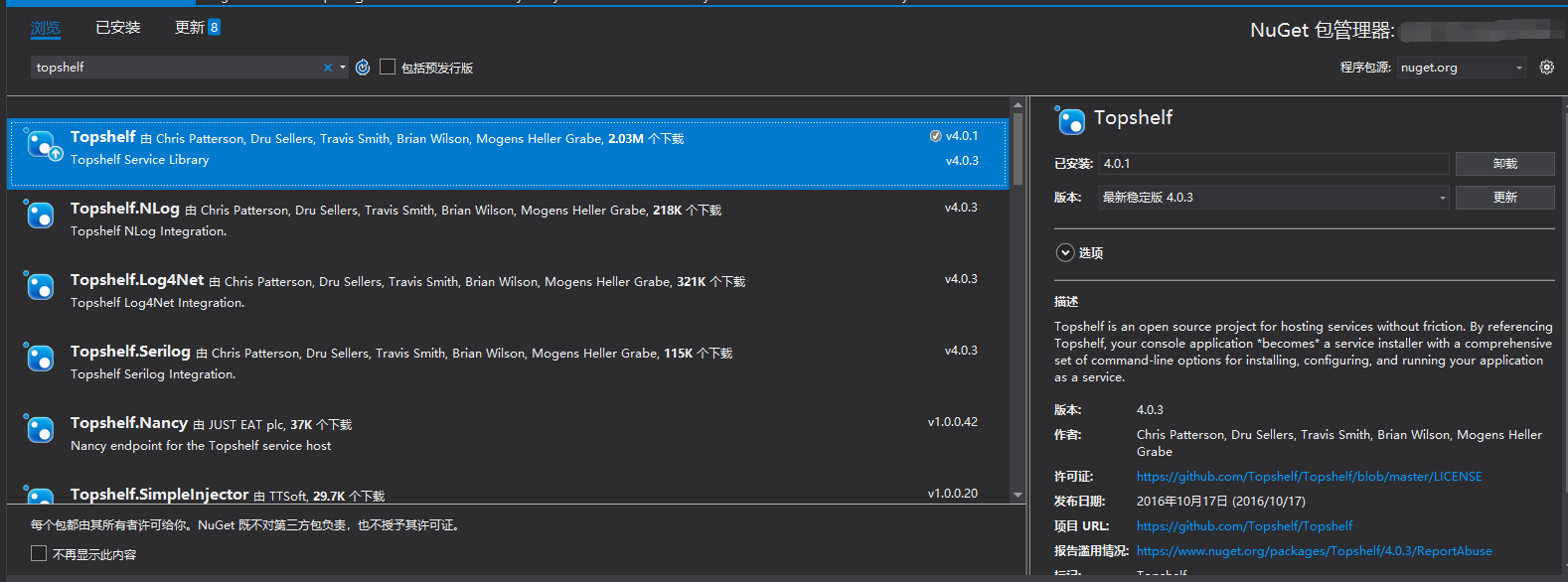
添加ServiceRunner类,这里用Quartz做例子。当然不仅仅适用于次,也可以用于wcf等。
using Quartz;

using Quartz.Impl;

using Topshelf;

namespace KfqPointService

{

    public sealed class ServiceRunner : ServiceControl, ServiceSuspend

    {

        private readonly IScheduler scheduler;

        public ServiceRunner()

        {

            scheduler = StdSchedulerFactory.GetDefaultScheduler();

        }

        public bool Start(HostControl hostControl)

        {

            scheduler.Start();

            return true;

        }

        public bool Stop(HostControl hostControl)

        {

            scheduler.Shutdown(false);

            return true;

        }

        public bool Continue(HostControl hostControl)

        {

            scheduler.ResumeAll();

            return true;

        }

        public bool Pause(HostControl hostControl)

        {

            scheduler.PauseAll();

            return true;

        }

    }

}
在程序入口中添加代码
using System.Configuration;

using KfqPointService;

using Topshelf;

namespace LfsZqHbInterface

{

    class Program

    {

        static void Main(string[] args)

        {

            //LogWriter.Debug("Begin Service");

            HostFactory.Run(x =>

            {

                x.Service<ServiceRunner>();

                x.SetDescription(ConfigurationManager.AppSettings["Description"]);

                x.SetDisplayName(ConfigurationManager.AppSettings["DisplayName"]);

                x.SetServiceName(ConfigurationManager.AppSettings["ServiceName"]);

                x.EnablePauseAndContinue();

            });

        }

    }

}
将Windows服务安装到服务器上
(1)依次打开服务文件夹以管理员权限运行powershell,并进入服务所在文件夹。

(2)输入.\文件名.exe install 回车安装此服务,如下图所示
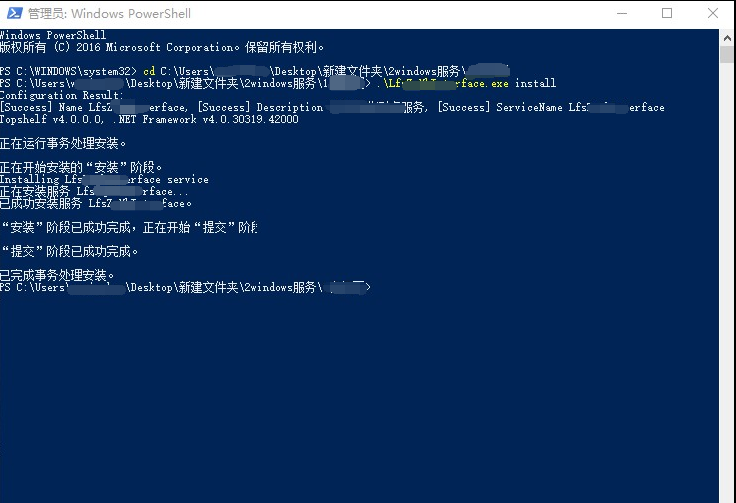
出现此场景为安装成功,此时大功告成,打开服务面板就可看到我们刚刚安装的服务。
通过TopShelf简单创建windows service的更多相关文章
- C#创建Windows Service(Windows 服务)基础教程
Windows Service这一块并不复杂,但是注意事项太多了,网上资料也很凌乱,偶尔自己写也会丢三落四的.所以本文也就产生了,本文不会写复杂的东西,完全以基础应用的需求来写,所以不会对Window ...
- .net core+topshelf+quartz创建windows定时任务服务
.net core+topshelf+quartz创建windows定时任务服务 准备工作 创建.net core 控制台应用程序,这里不做过多介绍 添加TopShelf包:TopShelf: 添加Q ...
- 创建Windows Service
基本参照使用C#创建Windows服务,添加了部分内容 目录 创建Windows Service 可视化管理Windows Service 调试 示例代码 创建Windows Service 选择C# ...
- C# 创建Windows Service(Windows服务)程序
本文介绍了如何用C#创建.安装.启动.监控.卸载简单的Windows Service 的内容步骤和注意事项. 一.创建一个Windows Service 1)创建Windows Service项目 2 ...
- .NET 6学习笔记(2)——通过Worker Service创建Windows Service
通过Visual Studio中的Windows Service模板,我么可以创建.NET Framework版本的Windows Service,网络上对此已有详细且丰富的各路教程.但在我们升级到. ...
- Windows Service 学习系列(一):建立简单的Windows service
参考:https://www.cnblogs.com/cncc/p/7170951.html 一.开发环境 操作系统:Windows 7 X64 开发环境:VS2017 编程语言:C# .NET版本: ...
- C# 创建Windows Service
当我们需要一个程序长期运行,但是不需要界面显示时可以考虑使用Windows Service来实现.这篇博客将简单介绍一下如何创建一个Windows Service,安装/卸载Windows Servi ...
- 目前.NET Core创建Windows Service比较好的一个开源框架:DasMulli.Win32.ServiceUtils
新建一个.NET Core控制台程序,搜索并下载Nuget包:DasMulli.Win32.ServiceUtils GitHub 链接及使用指南 Write a windows service us ...
- 使用.net 创建windows service
最近公司项目需要,写了个windows 服务,windows 服务的内容可以在VS 中新建一个"windows服务项目", (1)服务中的主要代码: public partial ...
随机推荐
- Landscaping Gym - 101128F (网络流)
Problem F: Landscaping \[ Time Limit: 1 s \quad Memory Limit: 256 MiB \] 题意 题意是给出一个\(n*m\)的格子,其中一些是低 ...
- 【转】FIddler+Proxifer工具对windows PC客户端进行抓包
开篇:要想实现写爬虫,抓取到数据,首先我们应该分析客户端和服务器的请求/响应,前提就是我们能监控到客户端是如何与服务器交互的,下面来记录下常见的三种情况下的抓包方法 1.PC端浏览器网页抓包网页板抓包 ...
- ent 基本使用十四 edge
edge 在ent 中属于比较核心,同时也是功能最强大的,ent 提供了比较强大的关系模型 快速使用 参考图 以上包含了两个通过边定义的关系 pets/owner: user package sc ...
- class-transformer 方便的json 对象转class
在我们日常web开发中经常碰到需要json 到类的处理,因为json 就是普通的数据,没有处理能力,class 具有业务处理能力, 但是需要数据的支持,class-transformer 刚好做为了一 ...
- .net core 原生支持grpc
文章转自:https://grpc.io/blog/grpc-on-dotnetcore This is a guest post by Sourabh Shirhatti, a Program Ma ...
- [RN] React Native 分享弹窗 ShareAlertDialog
React Native 分享弹窗 ShareAlertDialog ShareAlertDialog.js文件 /** * 分享弹窗 */ import React, {Component} fro ...
- ES5对象新增的方法
Object.is()-----判断是否全等,和===一样Object.assign()-----对象的复制Object.keys()-----以数组的形式返回所有可遍历属性的键名,原型上的属性不能遍 ...
- 分享一个Centos8的国内yum源
使用的是清华大学开源镜像站,文件地址: https://github.com/hackyoMa/docker-centos/blob/8/CentOS-Base.repo 使用方法: cd /etc/ ...
- 【Wannafly挑战赛24E】旅行
[Wannafly挑战赛24E]旅行 题面 牛客 题解 首先有一个非常显然的\(dp\):我们直接把\(s\rightarrow t\)的路径抠出来然后设\(f_{i,j}\)表示到第\(i\)个点, ...
- Kubeasz部署K8s基础测试环境简介
下面介绍使用Kubeasz部署K8s集群环境. https://github.com/easzlab/kubeasz在需要使用kubeeasz项目安装的k8s时,需要将所有需要它来部署的节点上,都安装 ...