
Shimmer辉光动画效果
Shimmer辉光动画效果
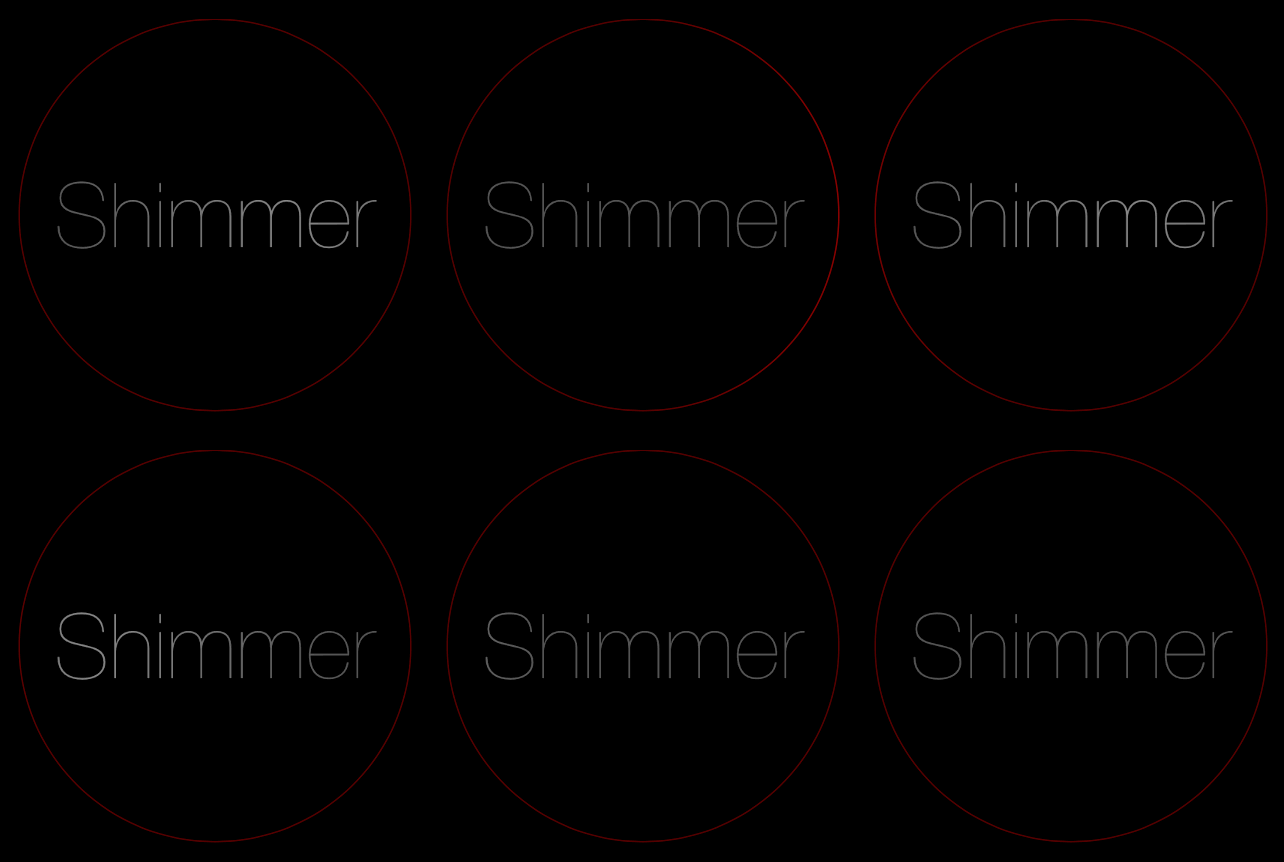
效果
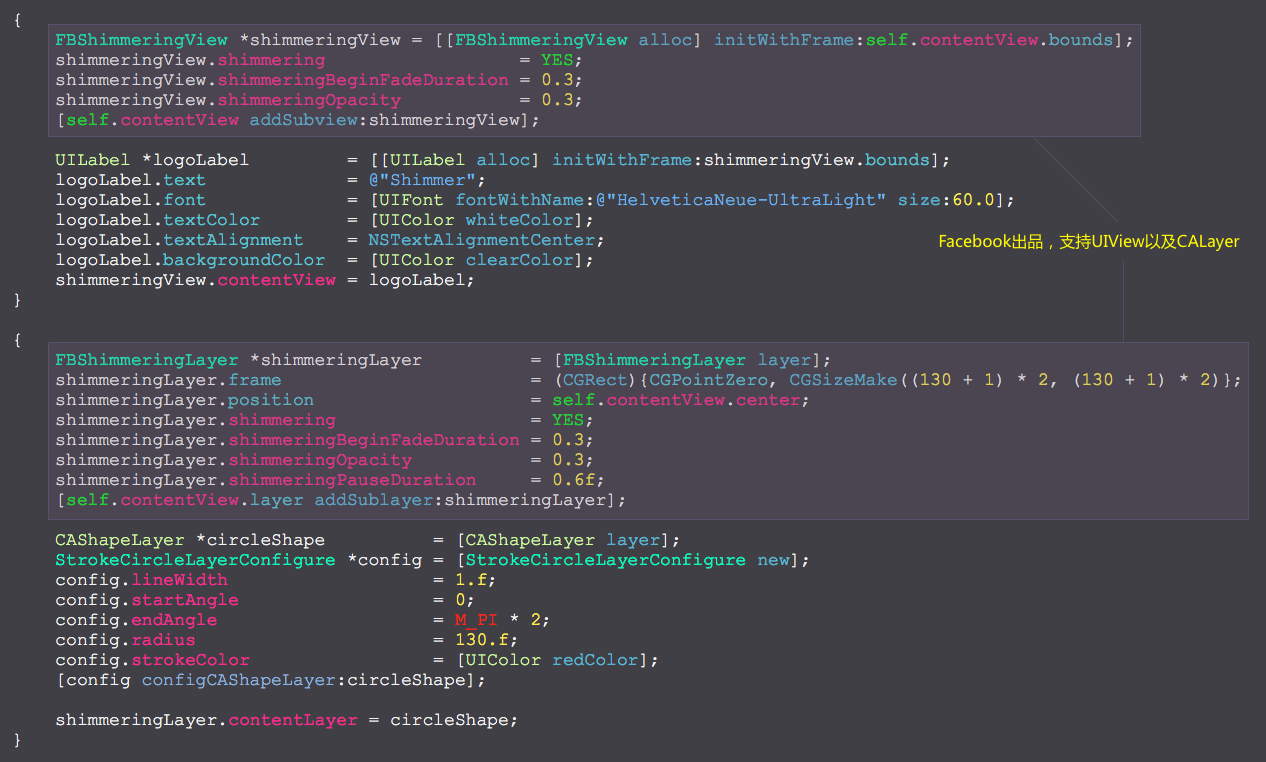
源码
https://github.com/facebook/Shimmer
https://github.com/YouXianMing/Animations
//

//  ShimmerController.m

//  Animations

//

//  Created by YouXianMing on 15/12/18.

//  Copyright © 2015年 YouXianMing. All rights reserved.

//

#import "ShimmerController.h"

#import "UIView+SetRect.h"

#import "FBShimmeringLayer.h"

#import "FBShimmeringView.h"

#import "StrokeCircleLayerConfigure.h"

@interface ShimmerController ()

@end

@implementation ShimmerController

- (void)setup {

    [super setup];

    self.backgroundView.backgroundColor = [UIColor blackColor];

    {

        FBShimmeringView *shimmeringView = [[FBShimmeringView alloc] initWithFrame:self.contentView.bounds];

        shimmeringView.shimmering                  = YES;

        shimmeringView.shimmeringBeginFadeDuration = 0.3;

        shimmeringView.shimmeringOpacity           = 0.3;

        [self.contentView addSubview:shimmeringView];

        UILabel *logoLabel         = [[UILabel alloc] initWithFrame:shimmeringView.bounds];

        logoLabel.text             = @"Shimmer";

        logoLabel.font             = [UIFont fontWithName:@"HelveticaNeue-UltraLight" size:60.0];

        logoLabel.textColor        = [UIColor whiteColor];

        logoLabel.textAlignment    = NSTextAlignmentCenter;

        logoLabel.backgroundColor  = [UIColor clearColor];

        shimmeringView.contentView = logoLabel;

    }

    {

        FBShimmeringLayer *shimmeringLayer          = [FBShimmeringLayer layer];

        shimmeringLayer.frame                       = (CGRect){CGPointZero, CGSizeMake(( + ) * , ( + ) * )};

        shimmeringLayer.position                    = self.contentView.center;

        shimmeringLayer.shimmering                  = YES;

        shimmeringLayer.shimmeringBeginFadeDuration = 0.3;

        shimmeringLayer.shimmeringOpacity           = 0.3;

        shimmeringLayer.shimmeringPauseDuration     = 0.6f;

        [self.contentView.layer addSublayer:shimmeringLayer];

        CAShapeLayer *circleShape          = [CAShapeLayer layer];

        StrokeCircleLayerConfigure *config = [StrokeCircleLayerConfigure new];

        config.lineWidth                   = .f;

        config.startAngle                  = ;

        config.endAngle                    = M_PI * ;

        config.radius                      = .f;

        config.strokeColor                 = [UIColor redColor];

        [config configCAShapeLayer:circleShape];

        shimmeringLayer.contentLayer = circleShape;

    }

}

- (void)buildTitleView {

    [super buildTitleView];

    // Title label.

    UILabel *headlinelabel      = [UILabel new];

    headlinelabel.font          = Font_Avenir(.f);

    headlinelabel.textAlignment = NSTextAlignmentCenter;

    headlinelabel.textColor     = [UIColor redColor];

    headlinelabel.text          = self.title;

    [headlinelabel sizeToFit];

    headlinelabel.center = self.titleView.middlePoint;

    FBShimmeringView *shimmeringView = [[FBShimmeringView alloc] initWithFrame:self.titleView.bounds];

    shimmeringView.shimmering                  = YES;

    shimmeringView.shimmeringBeginFadeDuration = 0.3;

    shimmeringView.shimmeringOpacity           = 0.3;

    [self.titleView addSubview:shimmeringView];

    shimmeringView.contentView = headlinelabel;

    // Line.

    UIView *line         = [[UIView alloc] initWithFrame:CGRectMake(, 63.5, self.view.width, 0.5f)];

    line.backgroundColor = [[UIColor grayColor] colorWithAlphaComponent:0.25f];

    [self.titleView addSubview:line];

    [self.titleView addSubview:headlinelabel];

    // Back button.

    UIImage  *image      = [UIImage imageNamed:@"backIconVer2"];

    UIButton *backButton = [[UIButton alloc] initWithFrame:CGRectMake(, , , )];

    backButton.center    = CGPointMake(, self.titleView.middleY);

    [backButton setImage:image forState:UIControlStateNormal];

    [backButton addTarget:self action:@selector(popSelf) forControlEvents:UIControlEventTouchUpInside];

    [backButton.imageView setContentMode:UIViewContentModeCenter];

    [self.titleView addSubview:backButton];

}

- (void)popSelf {

    [self popViewControllerAnimated:YES];

}

@end
细节
Shimmer辉光动画效果的更多相关文章
- 使用CALayer制作View的辉光效果
使用CALayer制作View的辉光效果 实现以下的辉光效果: 思路是这样子的: 1. 创建好需要实现辉光效果的View 2. 对这个View进行截图 3. 将这个截图重新添加进View中 4. 对这 ...
- iOS之UI--辉光动画
前言:学习来自YouXianMing老师的博客:<辉光UIView的category>以及YouXianMing老师的github源码:< GlowView > 而我个人 ...
- jquery添加光棒效果的各种方式以及简单动画复杂动画
过滤器.绑定事件.动画 一.基本过滤器 语法 描述 返回值 :first 选取第一个元素 单个元素 :last 选取最后一个元素 单个元素 :not(selector) 选取去除所有与给定选择器匹 ...
- 支持辉光效果的Label
支持辉光效果的Label 效果 源码 https://github.com/YouXianMing/UI-Component-Collection 中的 FBGlowLabel // // FBGlo ...
- GraphicsLab Project之辉光(Glare,Glow)效果 【转】
作者:i_dovelemon 日期:2016 / 07 / 02 来源:CSDN 主题:Render to Texture, Post process, Glare, Glow, Multi-pass ...
- 辉光UIView的category
辉光UIView的category 本人视频教程系类 iOS中CALayer的使用 效果如下: 源码: UIView+GlowView.h 与 UIView+GlowView.m // // UI ...
- iOS酷炫动画效果合集
iOS酷炫动画效果合集 源码地址 https://github.com/YouXianMing/Animations 效果绝对酷炫,包含了多种多样的动画类型,如POP.Easing.粒子效果等等,虽然 ...
- 辉光的UIView
辉光的UIView 辉光UIView使用了一个UIView的一个category,名为UIView+Glow,请自行到github上查找. 源码如下: // // RootViewController ...
- Android Shimmer 发光微光动画
这是Facebook提供的一个类库(题外话http://code.facebook.com,这里有很多好玩有趣有用的Facebook开源的类库) 这么炫酷的发光动画效果,想必很多Android码农都会 ...
随机推荐
- BZOJ囤题计划
决定做一些题,学习jry,开坑(其实是填坑) 大概会刷的很慢,大家别鄙视我..欢迎鄙视 果然慢出翔了,还是填完吧.. 现在做了: 11 [2338][HNOI2011]数矩形 枚举对角线暴力水过,所有 ...
- MFC+WinPcap编写一个嗅探器之一(准备)
知识准备: MFC:http://www.jizhuomi.com/software/257.html WinPcap:http://www.ferrisxu.com/WinPcap/html/ind ...
- 【HackerRank】How Many Substrings?
https://www.hackerrank.com/challenges/how-many-substrings/problem 题解 似乎是被毒瘤澜澜放弃做T3的一道题(因为ASDFZ有很多人做过 ...
- USACO 5.3 Milk Measuring
Milk MeasuringHal Burch Farmer John must measure Q (1 <= Q <= 20,000) quarts of his finest mil ...
- js constructor 和 instanceof
说到这两个属性,那不得不说一下_proto_这个属性,通常这个属性是隐藏属性,是不允许被暴露的,而某些浏览器为了开发者能够很好的理解,而将这个属性暴露出来,比如Mozilla FireFox,这就是为 ...
- 喜大普奔!Django官方文档终于出中文版了
喜大普奔!Django官方文档终于出中文版了 文章来源:企鹅号 - Crossin的编程教室 昨天经 Sur 同学告知才发现,Django 官方文档居然支持中文了! 之所以让我觉得惊喜与意外,是因为: ...
- Laravel数据库配置问题
由于项目需要,使用Laravel连接远程数据库进行开发 将默认的数据库配置信息改为远程数据库信息 在模型文件中定义了 protected $connection = 'default' 运行程序,报错 ...
- TPS和QPS是什么,他们的区别是什么
一.TPS:Transactions Per Second(每秒传输的事物处理个数),即服务器每秒处理的事务数.TPS包括一条消息入和一条消息出,加上一次用户数据库访问.(业务TPS = CAPS × ...
- Mysql表连接查询
原文地址: https://www.cnblogs.com/qiuqiuqiu/p/6442791.html 1.内联接(典型的联接运算,使用像 = 或 <> 之类的比较运算符).包括相等 ...
- poj3537 Crosses and Crosses 博弈论
大意: 给定一个\(1 * n\)的棋盘,你和对手轮流在上面画"X" 当出现三个连续的X时,最后一步操作的人胜利 不难发现,在棋盘中画了一个X之后 问题等价于两个一样的子游戏 然后 ...