
【水滴石穿】rn_statusbar
先放项目地址https://github.com/hezhii/rn_statusbar
来看一下效果
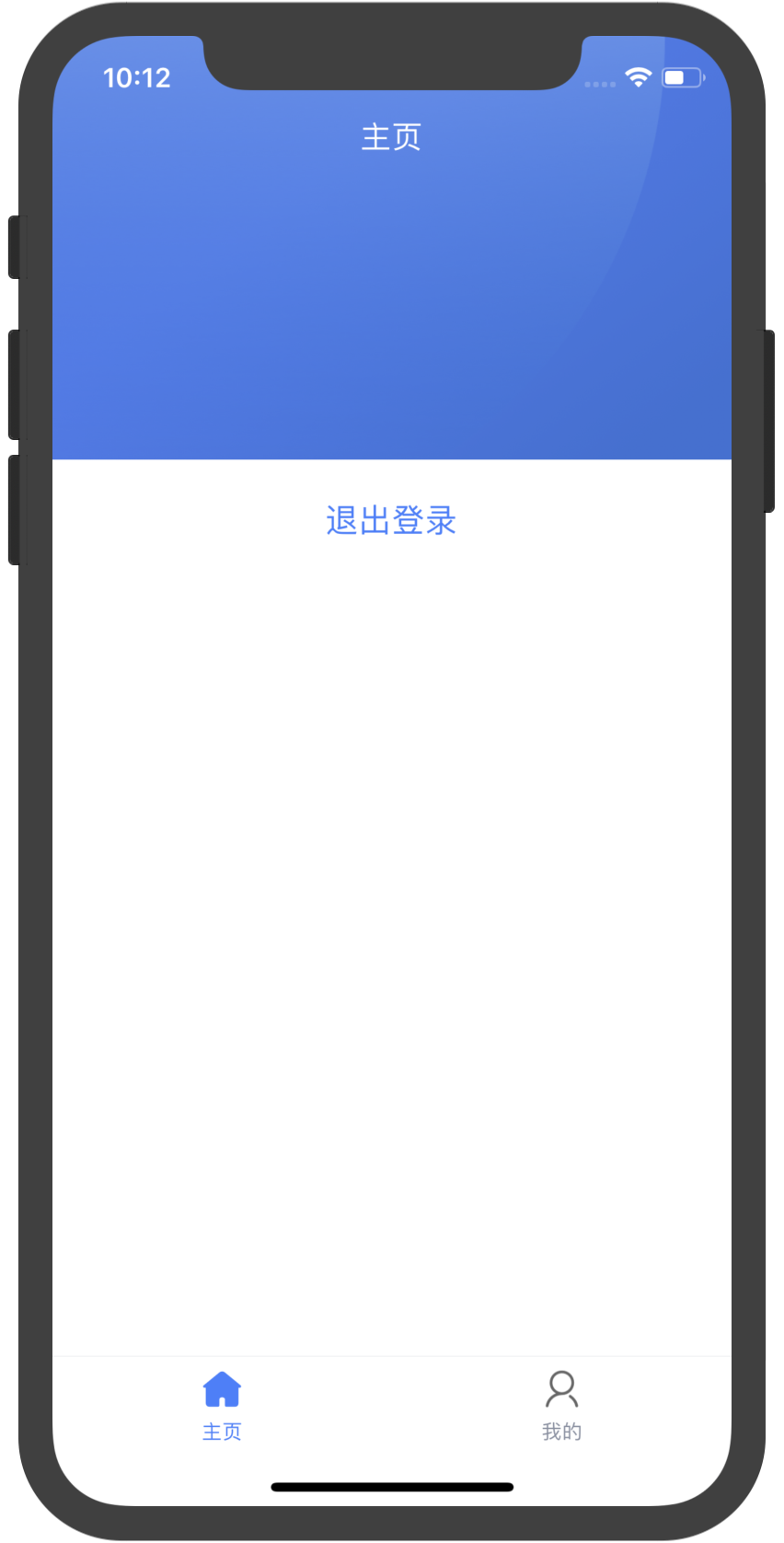
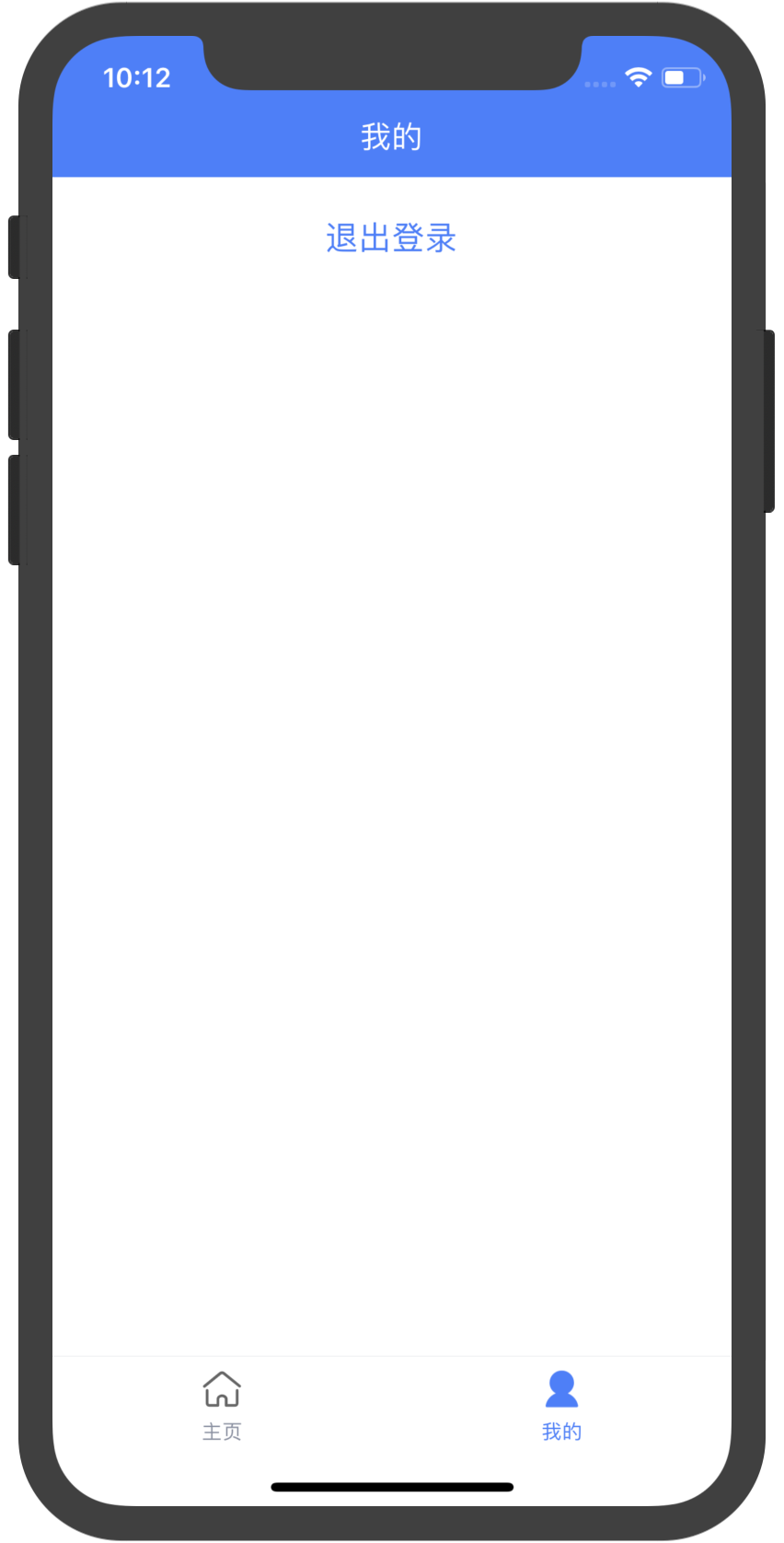
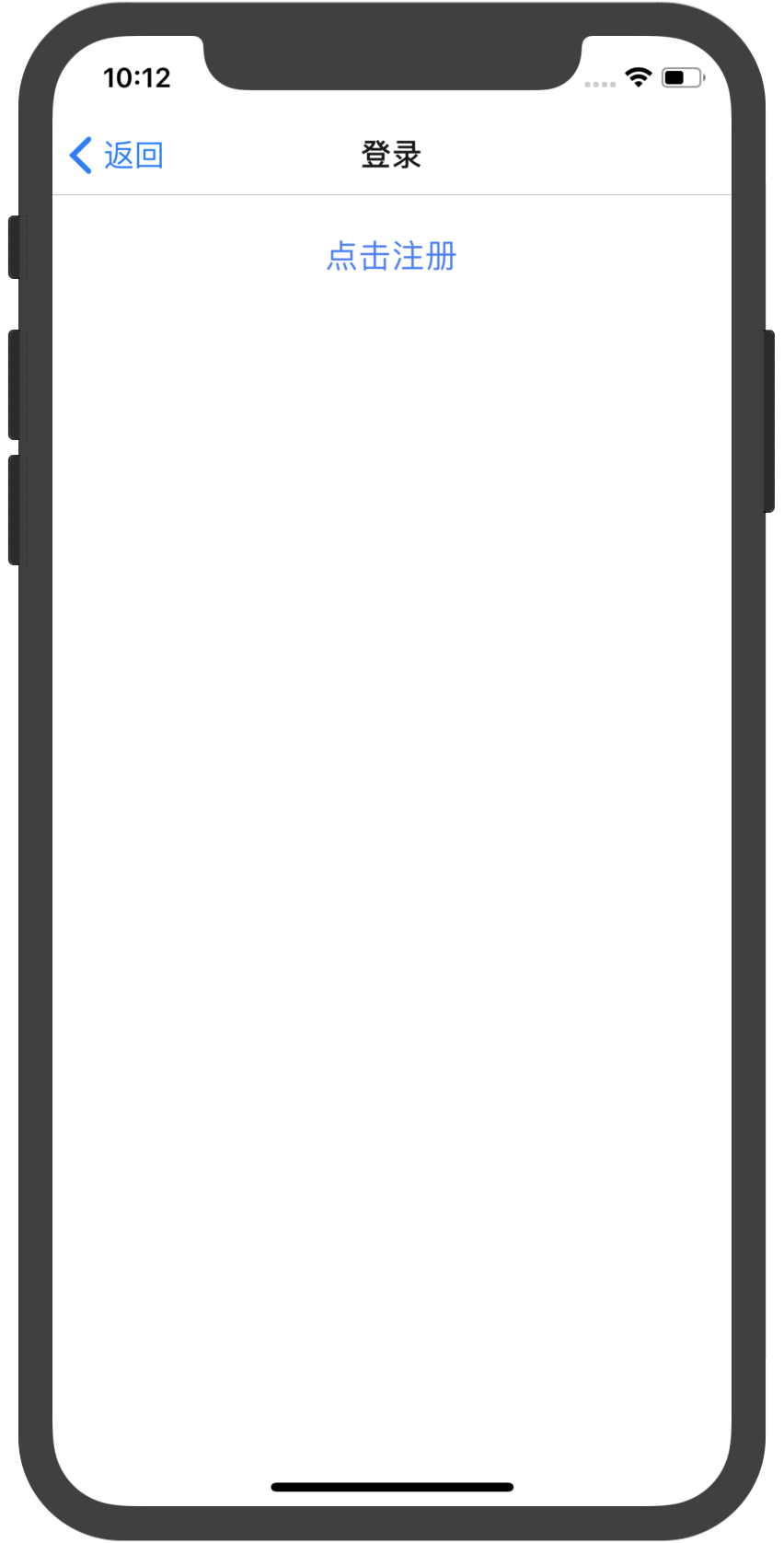

咩有感觉很怎么样,看代码
根入口文件
//index.js

//看代码我们知道入口是app.js

import { AppRegistry } from 'react-native';

import App from './src/App';

import { name as appName } from './app.json';

AppRegistry.registerComponent(appName, () => App);
app.js
//src/App.js

//里面主要是引用了navigator.js

import React, { PureComponent } from 'react';

import Navigator from './Navigator'

export default class App extends PureComponent {

  render() {

    return <Navigator />

  }

}
//src/Navigator.js

import React from 'react'

import { createAppContainer, createStackNavigator, createBottomTabNavigator } from 'react-navigation'

import TabBarIcon from './components/TabBarIcon'

import Home from './pages/Home'

import My from './pages/My'

import Login from './pages/Login'

import Register from './pages/Register'

const Main = createBottomTabNavigator(

  {

    Home,

    My

  },

  {

    defaultNavigationOptions: ({ navigation }) => {

      const { routeName } = navigation.state;

      return {

        tabBarIcon: ({ focused }) => <TabBarIcon focused={focused} routeName={routeName} />,

      };

    },

    tabBarOptions: {

      activeTintColor: '#437dff',

      inactiveTintColor: '#888FA1',

      style: {

        borderTopColor: '#E6E8EB',

      },

    },

  }

)

export default createAppContainer(createStackNavigator(

  {

    Main: {

      screen: Main,

      navigationOptions: {

        header: null,

      },

    },

    Login,

    Register

  },

  {

    defaultNavigationOptions: {

      headerBackTitle: '返回'

    }

  }

))
//src/pages/Home.js

import React from 'react'

import { StyleSheet, View, ImageBackground, Button, StatusBar } from 'react-native'

import Header from '../components/Header'

import { setStatusBar } from '../components/HOC/StatusBar'

@setStatusBar({

  barStyle: 'light-content',

  translucent: true,

  backgroundColor: 'transparent'

})

export default class Home extends React.PureComponent {

  static navigationOptions = {

    title: '主页'

  }

  render() {

    return (

      <View style={styles.fill}>

        <ImageBackground style={styles.bg} source={require('../assets/imgs/bg.png')}>

          <Header title="主页" fullScreen />

        </ImageBackground>

        <View style={styles.buttonWrapper}>

          <Button

            title="退出登录"

            onPress={() => this.props.navigation.push('Login')}

            color="#437dff"

          />

        </View>

      </View>

    )

  }

}

const styles = StyleSheet.create({

  fill: {

    flex: 1

  },

  bg: {

    height: 234,

  },

  text: {

    fontSize: 20,

    fontWeight: '500',

    color: '#437dff',

    textAlign: 'center'

  },

  buttonWrapper: {

    padding: 16

  }

})
//src/pages/Login.js

import React from 'react'

import { StyleSheet, View, Button } from 'react-native'

import { setStatusBar } from '../components/HOC/StatusBar'

@setStatusBar()

export default class Login extends React.PureComponent {

  static navigationOptions = {

    title: '登录',

  }

  render() {

    return (

      <View style={styles.fill}>

        <View style={styles.buttonWrapper}>

          <Button

            title="点击注册"

            onPress={() => this.props.navigation.push('Register')}

            color="#437dff"

          />

        </View>

      </View>

    )

  }

}

const styles = StyleSheet.create({

  fill: {

    flex: 1

  },

  buttonWrapper: {

    padding: 16

  }

})
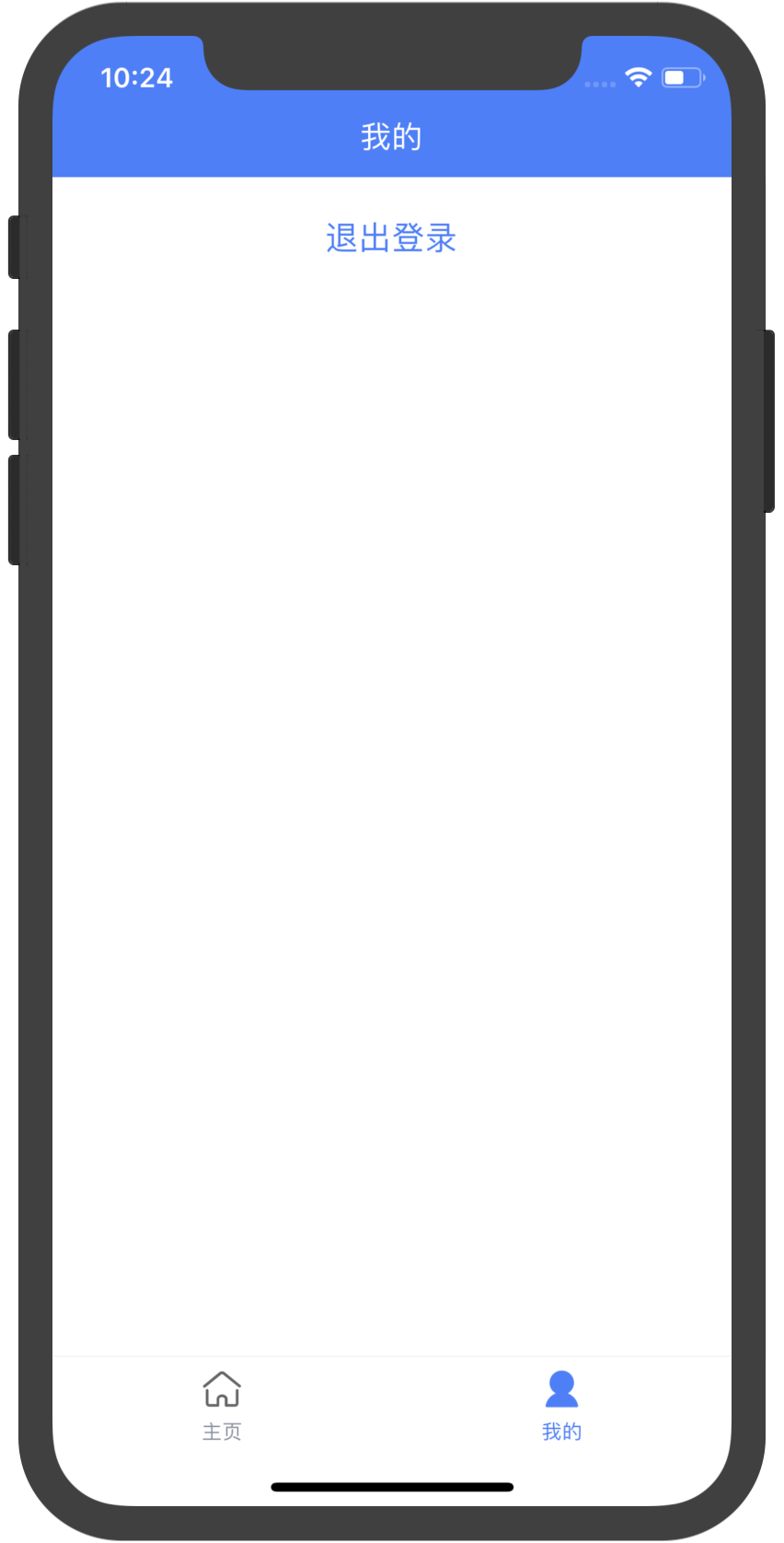
//src/pages/My.js

import React from 'react'

import { StyleSheet, View, Button } from 'react-native'

import Header from '../components/Header'

import { setStatusBar } from '../components/HOC/StatusBar'

@setStatusBar({

  barStyle: 'light-content',

  translucent: true,

  backgroundColor: 'transparent'

})

export default class My extends React.PureComponent {

  static navigationOptions = {

    title: '我的',

  }

  render() {

    return (

      <View style={styles.fill}>

        <Header title="我的" style={styles.header} fullScreen />

        <View style={styles.buttonWrapper}>

          <Button

            title="退出登录"

            onPress={() => this.props.navigation.push('Login')}

            color="#437dff"

          />

        </View>

      </View>

    )

  }

}

const styles = StyleSheet.create({

  fill: {

    flex: 1

  },

  text: {

    fontSize: 20,

    fontWeight: '500',

    color: '#437dff',

    textAlign: 'center'

  },

  header: {

    backgroundColor: '#437dff',

  },

  buttonWrapper: {

    padding: 16

  }

})
//src/pages/Register.js

import React from 'react'

import { StyleSheet, View, Text, StatusBar } from 'react-native'

export default class Login extends React.PureComponent {

  static navigationOptions = {

    title: '注册',

    headerStyle: {

      backgroundColor: '#437dff',

    },

    headerTintColor: '#fff'

  }

  render() {

    return (

      <View style={styles.fill}>

        <StatusBar translucent={false} backgroundColor='red' barStyle="light-content" />

        <Text style={styles.text}>注册页面</Text>

      </View>

    )

  }

}

const styles = StyleSheet.create({

  fill: {

    flex: 1

  },

  text: {

    marginTop: 32,

    fontSize: 20,

    fontWeight: '500',

    color: '#437dff',

    textAlign: 'center'

  }

})
工具函数里面是做的适配
//src/utils/device.js

import { Platform, Dimensions } from 'react-native';

// iPhone X、iPhone XS

const X_WIDTH = 375;

const X_HEIGHT = 812;

// iPhone XR、iPhone XS Max

const XSMAX_WIDTH = 414;

const XSMAX_HEIGHT = 896;

const DEVICE_SIZE = Dimensions.get('window');

const { height: D_HEIGHT, width: D_WIDTH } = DEVICE_SIZE;

export { DEVICE_SIZE };

export const isiOS = () => Platform.OS === 'ios'

export const isAndroid = () => Platform.OS === 'android'

export const isiPhoneX = () => {

  return (

    isiOS() &&

    ((D_HEIGHT === X_HEIGHT && D_WIDTH === X_WIDTH) ||

      (D_HEIGHT === X_WIDTH && D_WIDTH === X_HEIGHT)) ||

    ((D_HEIGHT === XSMAX_HEIGHT && D_WIDTH === XSMAX_WIDTH) ||

      (D_HEIGHT === XSMAX_WIDTH && D_WIDTH === XSMAX_HEIGHT))

  );

};

export const ifiPhoneX = (iPhoneXStyle, regularStyle) => isiPhoneX() ? iPhoneXStyle : regularStyle
封装的header
//src/components/Header/index.js

/**

 * 全屏页面中使用的 Header 组件。非全屏页面使用 react-nativetion 的 Header 即可。

 *

 * 组件会根据当前运行的环境调整高度,考虑了状态栏。

 */

import React from 'react';

import { StyleSheet, View, Text, StatusBar } from 'react-native';

import { isiOS, isiPhoneX } from '../../utils/device'

const STATUS_BAR_HEIGHT = isiOS() ? (isiPhoneX() ? 34 : 20) : StatusBar.currentHeight

const HEADER_HEIGHT = 44

const Header = ({ title, left, right, color = '#fff', style, fullScreen }) => {

  const headerStyle = [

    styles.header,

    (fullScreen || isiOS()) && {

      height: STATUS_BAR_HEIGHT + HEADER_HEIGHT,

      paddingTop: STATUS_BAR_HEIGHT

    },

    style

  ]

  return (

    <View style={headerStyle}>

      <View style={styles.left}>

        {left}

      </View>

      <Text style={[styles.title, { color }]}>{title}</Text>

      <View style={styles.right}>

        {right}

      </View>

    </View>

  );

};

const styles = StyleSheet.create({

  header: {

    height: HEADER_HEIGHT,

    flexDirection: 'row',

    alignItems: 'center',

    paddingHorizontal: 15,

  },

  title: {

    flex: 2,

    fontSize: 17,

    textAlign: 'center',

  },

  left: {

    flex: 1,

    flexDirection: 'row',

  },

  right: {

    flex: 1,

    flexDirection: 'row',

    justifyContent: 'flex-end',

  },

});

export default Header;
//src/components/TabBarIcon/index.js

import React from 'react';

import { StyleSheet, Image } from 'react-native';

const styles = StyleSheet.create({

  image: {

    height: 24,

  },

});

export default ({ routeName, focused }) => {

  const images = {

    Home: focused

      ? require('../../assets/icons/home_fill.png')

      : require('../../assets/icons/home.png'),

    My: focused

      ? require('../../assets/icons/my_fill.png')

      : require('../../assets/icons/my.png'),

  };

  return (

    <Image style={styles.image} source={images[routeName]} resizeMode="contain" />

  );

}
//src/components/HOC/StatusBar.js

//这个是定义的高阶函数

import React from 'react'

import hoistNonReactStatics from 'hoist-non-react-statics'

import { StatusBar } from 'react-native'

import { isAndroid } from '../../utils/device'

export const setStatusBar = (statusbarProps = {}) => WrappedComponent => {

  class Component extends React.PureComponent {

    constructor(props) {

      super(props)

      this._navListener = props.navigation.addListener('willFocus', this._setStatusBar)

    }

    componentWillUnmount() {

      this._navListener.remove();

    }

    _setStatusBar = () => {

      const {

        barStyle = "dark-content",

        backgroundColor = '#fff',

        translucent = false

      } = statusbarProps

      StatusBar.setBarStyle(barStyle)

      if (isAndroid()) {

        StatusBar.setTranslucent(translucent)

        StatusBar.setBackgroundColor(backgroundColor);

      }

    }

    render() {

      return <WrappedComponent {...this.props} />

    }

  }

  return hoistNonReactStatics(Component, WrappedComponent);

}
just soso
【水滴石穿】rn_statusbar的更多相关文章
- iOS 开发笔记 -- 各种细枝末节的知识(水滴石穿)
在此总结整理,遇到的各种的小问题: 1.通过从字典(数组)中取出的NSString的length==0 作为if的判断条件导致的carsh: 由于在字典中通过Key取出值之后直接做了length相关操 ...
- 【水滴石穿】react-native-book
先推荐一个学习的地址:https://ke.qq.com/webcourse/index.html#cid=203313&term_id=100240778&taid=12778558 ...
- 【水滴石穿】rnTest
其实就是一个小的demo,不过代码分的挺精巧的 先放地址:https://github.com/linchengzzz/rnTest 来看看效果 确实没有什么可以说的,不过代码部分还行 先入口文件 / ...
- 【水滴石穿】react-native-ble-demo
项目的话,是想打开蓝牙,然后连接设备 点击已经连接的设备,我们会看到一些设备 不过我这边在开启蓝牙的时候报错了 先放作者的项目地址: https://github.com/hezhii/react-n ...
- 【水滴石穿】ReactNative-Redux-Thunk
老实说,运行出来的项目让人失望,毕竟我想看各种有趣的demo啊- 先放上源码地址:https://github.com/ludejun/ReactNative-Redux-Thunk 我们来一起看看代 ...
- 【水滴石穿】mobx-todos
我觉得代码在有些程序员手里,就好像是画笔,可以创造很多东西 不要觉得创意少就叫没有创意,每天进步一点点,世界更美好 首先源码地址为:https://github.com/byk04712/mobx-t ...
- 【水滴石穿】ReactNativeMobxFrame
项目地址如下:https://github.com/FTD-ZF/ReactNativeMobxFrame 应该可以说的是,项目也只是一个花架子,不过底部的tab稍微改变了 我们一起来看代码 //in ...
- 【水滴石穿】react-native-aze
说个题外话,早上打开电脑的时候,电脑变成彩色的了,锅是我曾经安装的一个chrome扩展,没有经过我的同意开启了 (也许是昨天迷迷糊糊开启了) 上午运行项目都不成功,还以为被黑客攻击了---然后下午就排 ...
- 【水滴石穿】douban-movies-react-native
这个项目的话,倒是可以做一个支架页面,就是你需要什么东西,你就可以在里面加,不过也是比较难的地方 就是数据流,数据处理的部分.react可以处理数据的方式很多,没有见过类似于古老的vue时候可以使用的 ...
随机推荐
- 在HBase之上构建SQL引擎
- PHP简单实现“相关文章推荐”功能的方法(此方法不是自创)
1, 所用的函数:int similar_text ( string $first, string $second[, float $percent] ) 利用similar_text将这些文章标题同 ...
- React 组件&Props
组件&Props 组件&Props 组件可以将UI切分成一些独立的.可复用的部件,这样你就只需要专注于构建每一个单独的组件. 组件从概念上看就像是函数,它可以接受任意的输入值(称之为& ...
- 499 单词计数 (Map Reduce版本)
原题网址:https://www.lintcode.com/problem/word-count-map-reduce/description 描述 使用 map reduce 来计算单词频率http ...
- jquery的each()遍历和ajax传值
页面展示 JS代码部分 /*功能:删除选中用户信息数据*/ function delUser(){ $("#delU").click(function(){ var unoStr ...
- diango中orm的惰性机制
那么首先要知道什么是ORM 专业化的角度来说:叫对象关系映射(Object-Relation Mapping)是一种为了解决面向对象与关系数据库存在的互不匹配的现象的技术. 那具体ORM是什么呢?:( ...
- git放弃本地所有未提交的修改
1.未添加至暂存区的 git checkout . 2.已添加至暂存区的 git reset HEAD . git checkout .
- 禅道Mysql默认密码修改
1.安装禅道之后进入MySql数据库时提示密码错误:(禅道数据库默认用户名和密码admin,密码无) 2.此时需要修改MySql用户名和密码才可进入禅道数据库: 3.在Linux中执行命令 /op ...
- javascript基础:dom
Dom: * 概念:Document Object Model 文档对象模型 * 将标记语言文档的各个组成部分,封装成对象,可以使用这些对象,对标记语言文档进行CRUD的动态操作 * D ...
- Redis源码解析:27集群(三)主从复制、故障转移
一:主从复制 在集群中,为了保证集群的健壮性,通常设置一部分集群节点为主节点,另一部分集群节点为这些主节点的从节点.一般情况下,需要保证每个主节点至少有一个从节点. 集群初始化时,每个集群节点都是以独 ...