
1、springboot+mybatis+zookeeper+dubbox+maven+pagehelper
一、创建普通的maven的web项目
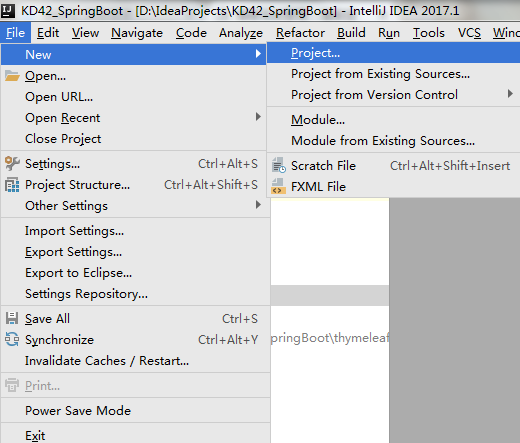
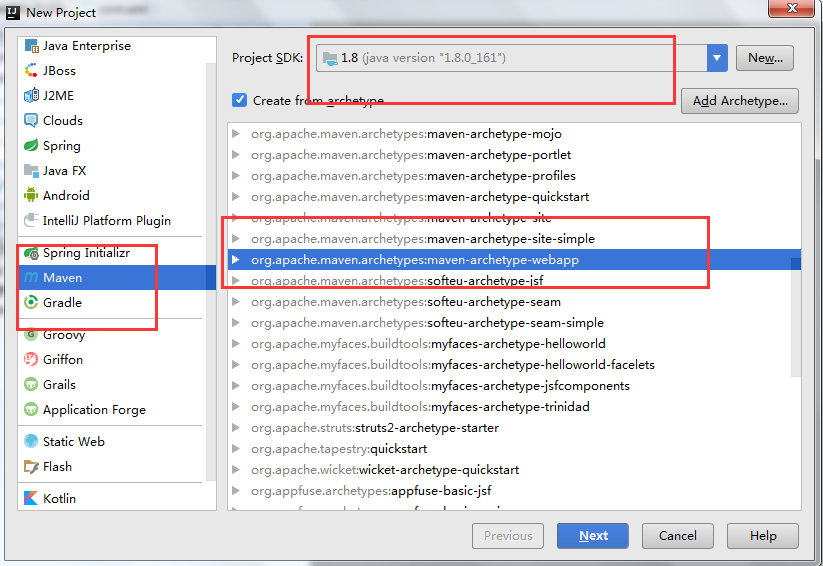
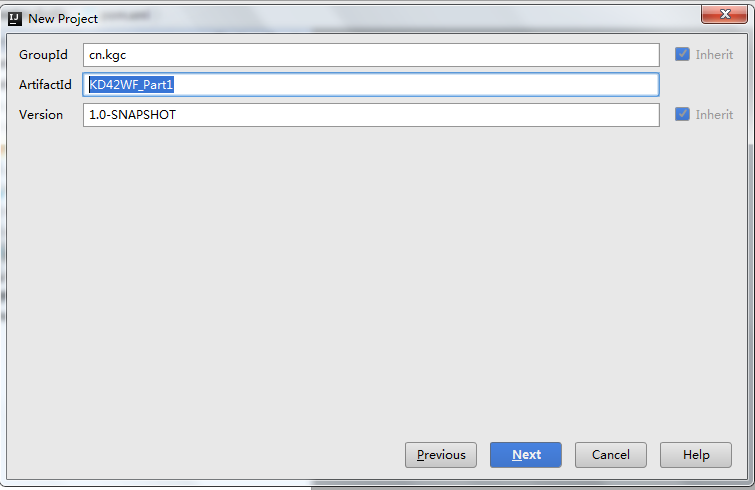
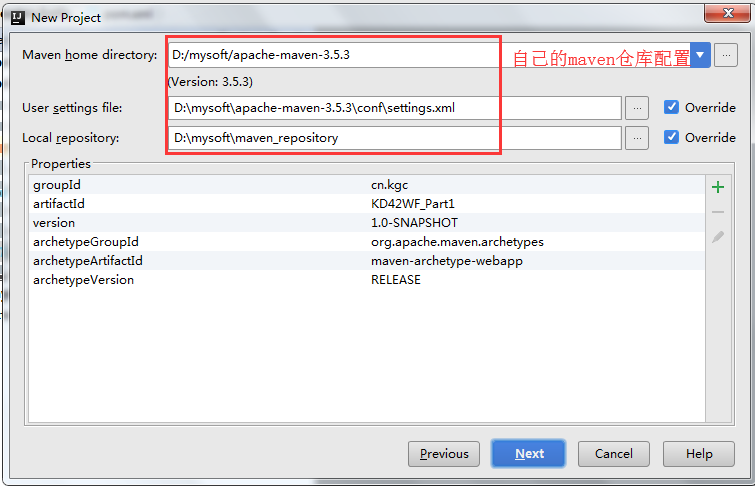
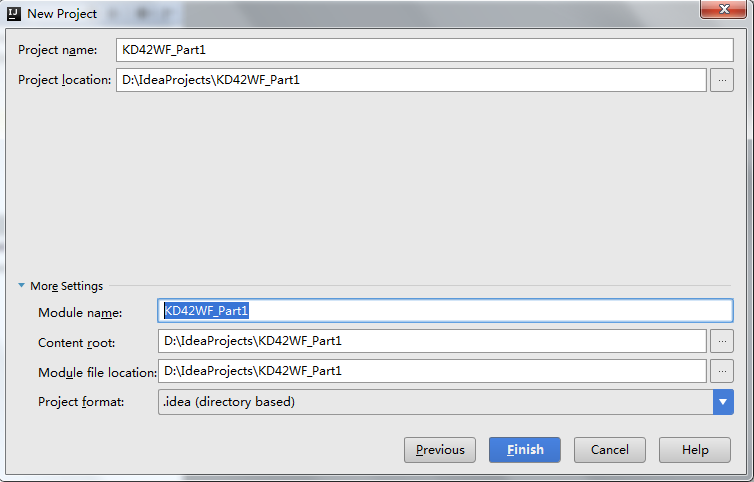
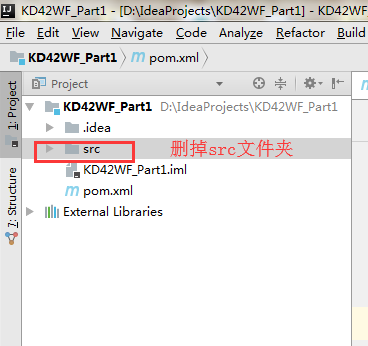
2、配置KD42WF_Part1下的pom.xml
 <?xml version="1.0" encoding="UTF-8"?>

 <project xmlns="http://maven.apache.org/POM/4.0.0" xmlns:xsi="http://www.w3.org/2001/XMLSchema-instance"

   xsi:schemaLocation="http://maven.apache.org/POM/4.0.0 http://maven.apache.org/xsd/maven-4.0.0.xsd">

   <modelVersion>4.0.0</modelVersion>

   <groupId>cn.kgc</groupId>

   <artifactId>KD42WF_Part1</artifactId>

   <version>1.0-SNAPSHOT</version>

   <packaging>war</packaging>

   <name>KD42WF_Part1 Maven Webapp</name>

   <!-- FIXME change it to the project's website -->

   <url>http://www.example.com</url>

   <dependencies>

     <!--配置springboot分页插件-->

     <dependency>

       <groupId>com.github.pagehelper</groupId>

       <artifactId>pagehelper-spring-boot-starter</artifactId>

       <version>1.2.3</version>

     </dependency>

   </dependencies>

 </project>
pom.xml
二、common模块: 在项目下创建一个空的maven的普通工程的子common模块
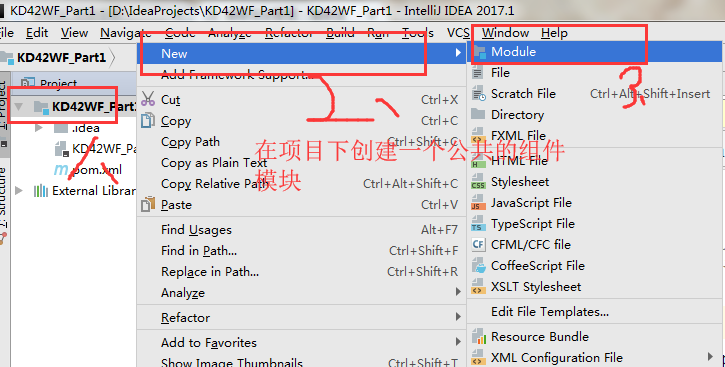
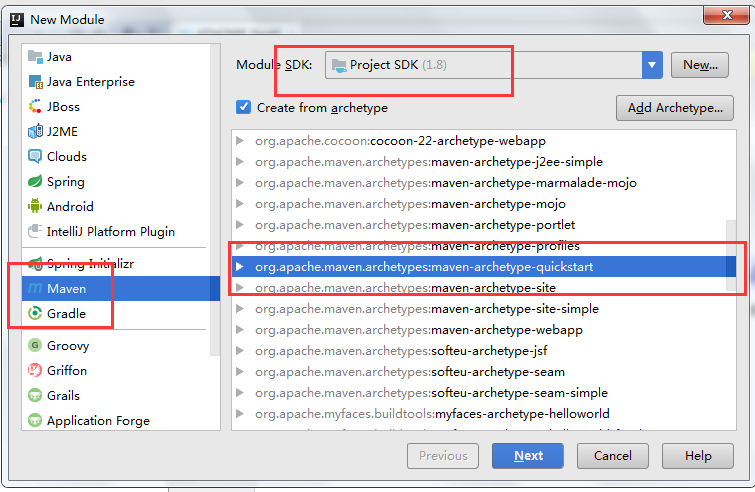
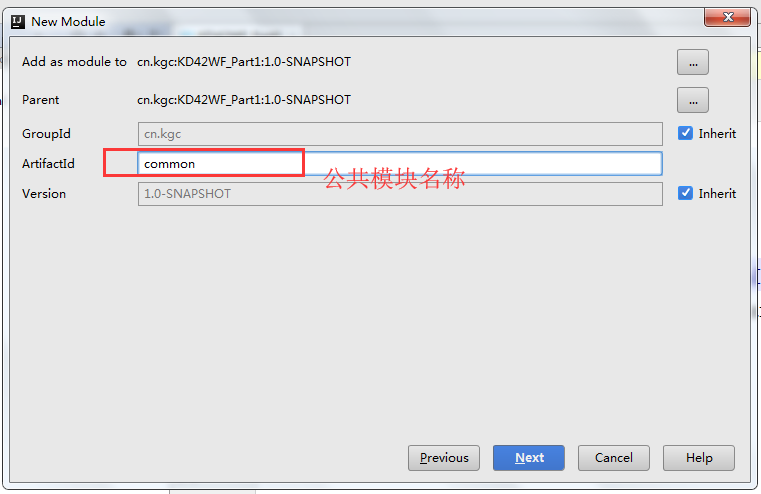
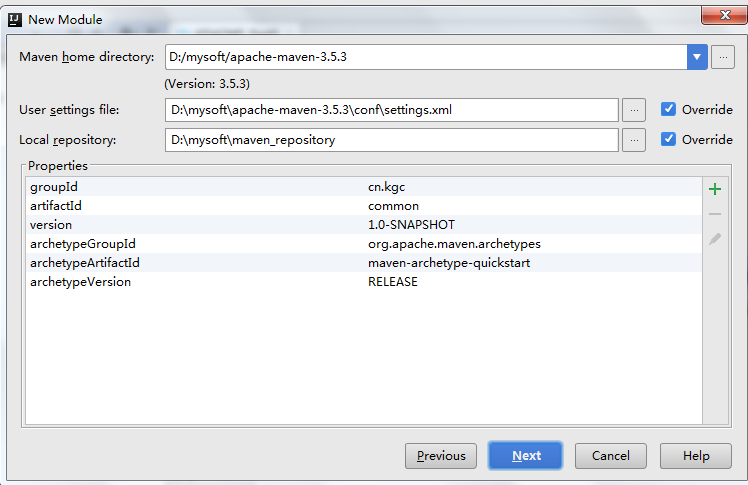
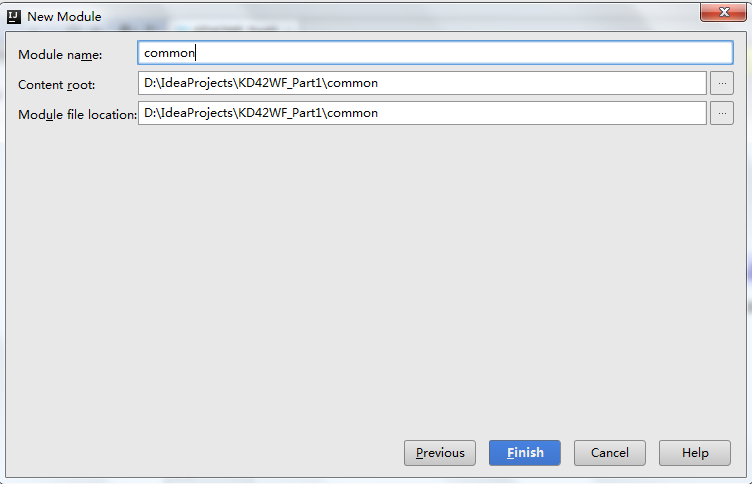
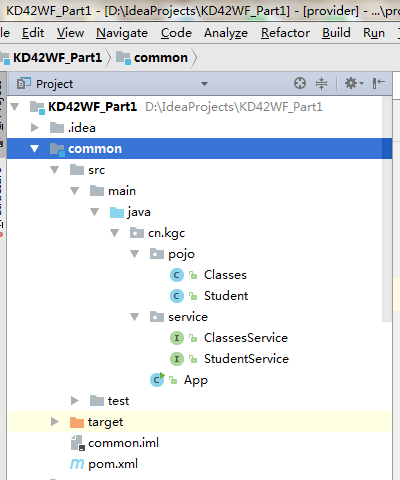
3、在Common模块下创建实体类Classes.java
 package cn.kgc.pojo;

 import java.io.Serializable;

 /**

  * 持久化类一定要进行序列化,否则请求数据时会报错

  */

 public class Classes implements Serializable{

     private Integer cid;

     private String cname;

     public Classes() {

     }

     public Classes(Integer cid, String cname) {

         this.cid = cid;

         this.cname = cname;

     }

     public Integer getCid() {

         return cid;

     }

     public void setCid(Integer cid) {

         this.cid = cid;

     }

     public String getCname() {

         return cname;

     }

     public void setCname(String cname) {

         this.cname = cname;

     }

     @Override

     public String toString() {

         return "Classes{" +

                 "cid=" + cid +

                 ", cname='" + cname + '\'' +

                 '}';

     }

 }
Classes.java
4、在Common模块下创建实体类Student.java
 package cn.kgc.pojo;

 public class Student {

     private Integer sid;

     private String sname;

     private String password;

     private String subject;

     private Double score;

     private Classes classes;

     public Student() {

     }

     public Student(Integer sid, String sname, String password, String subject, Double score, Classes classes) {

         this.sid = sid;

         this.sname = sname;

         this.password = password;

         this.subject = subject;

         this.score = score;

         this.classes = classes;

     }

     public Integer getSid() {

         return sid;

     }

     public void setSid(Integer sid) {

         this.sid = sid;

     }

     public String getSname() {

         return sname;

     }

     public void setSname(String sname) {

         this.sname = sname;

     }

     public String getPassword() {

         return password;

     }

     public void setPassword(String password) {

         this.password = password;

     }

     public String getSubject() {

         return subject;

     }

     public void setSubject(String subject) {

         this.subject = subject;

     }

     public Double getScore() {

         return score;

     }

     public void setScore(Double score) {

         this.score = score;

     }

     public Classes getClasses() {

         return classes;

     }

     public void setClasses(Classes classes) {

         this.classes = classes;

     }

     @Override

     public String toString() {

         return "Student{" +

                 "sid=" + sid +

                 ", sname='" + sname + '\'' +

                 ", password='" + password + '\'' +

                 ", subject='" + subject + '\'' +

                 ", score=" + score +

                 ", classes=" + classes +

                 '}';

     }

 }
Student.java
5、在Common模块下创建服务接口ClassesService.java
 package cn.kgc.service;

 import cn.kgc.pojo.Classes;

 import java.util.List;

 /**

  * Created by Administrator on 2019/3/12.

  */

 public interface ClassesService {

     List<Classes> optionData();

 }
ClassesService.java
6、在Common模块下创建服务接口StudentService.java
 package cn.kgc.service;

 import cn.kgc.pojo.Student;

 import com.github.pagehelper.PageInfo;

 import java.util.Map;

 /**

  * Created by Administrator on 2019/3/12.

  */

 public interface StudentService {

     PageInfo<Map<String,Object>> showPage(Integer pageno, Integer pagesize, Map<String,Object> map);

 }
StudentService.java
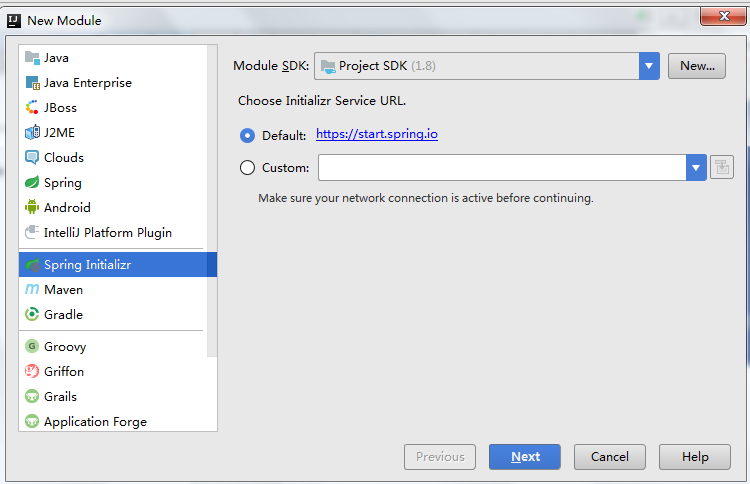
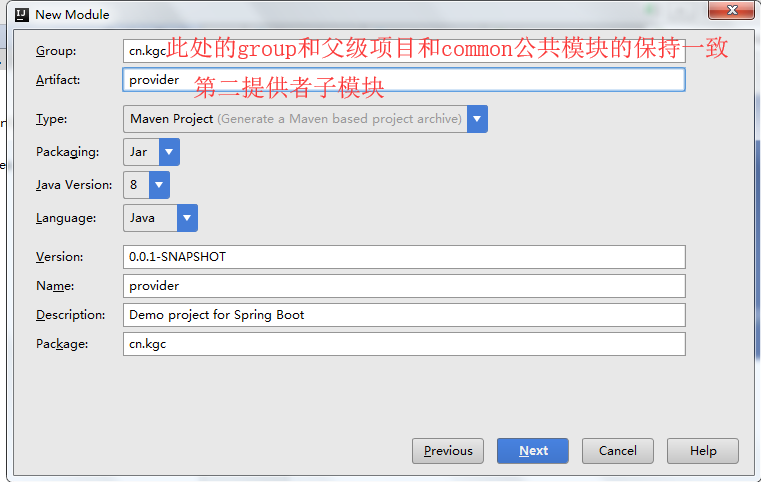
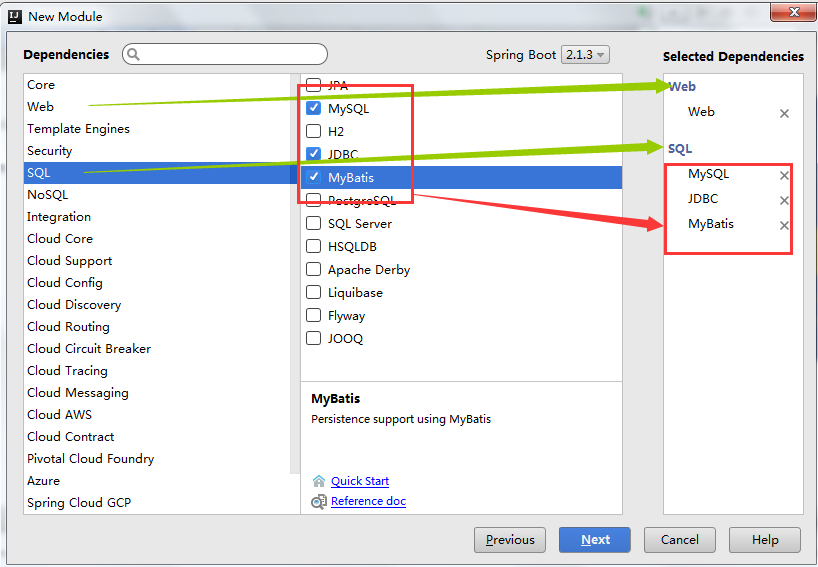
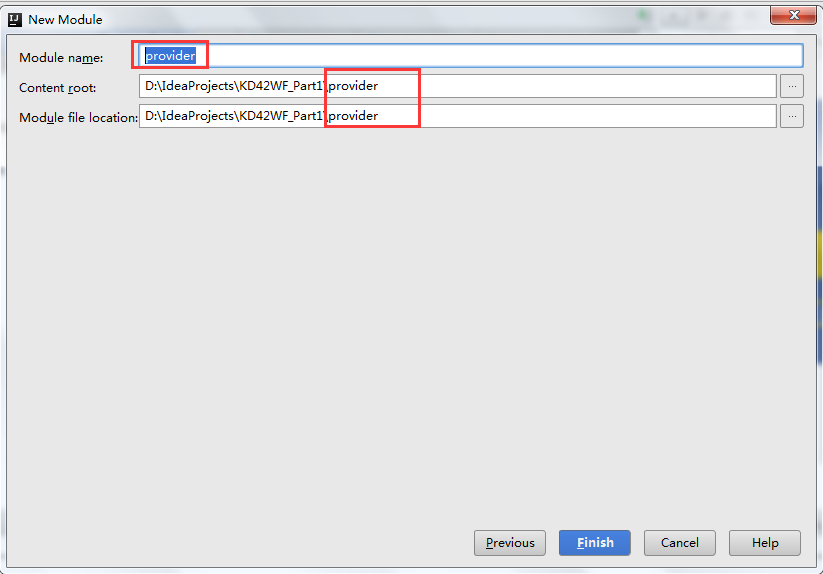
三、创建provider的模块: springboot的provider提供者子模块
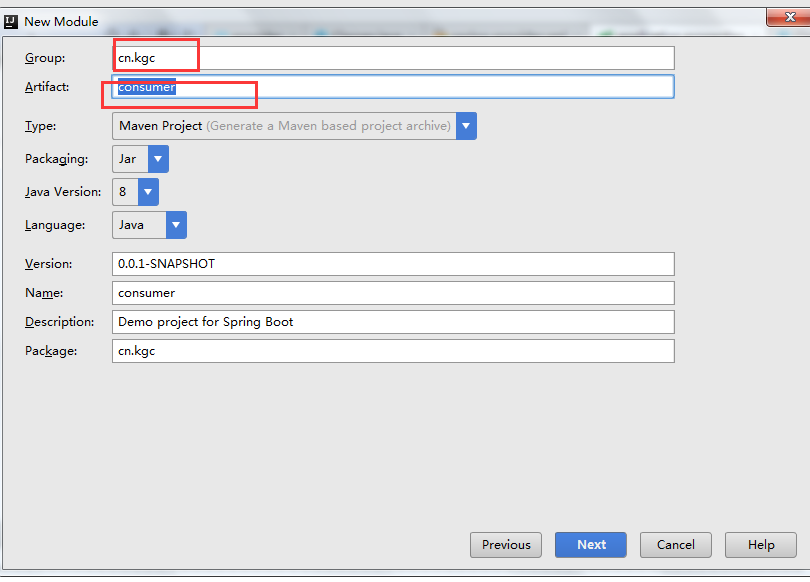
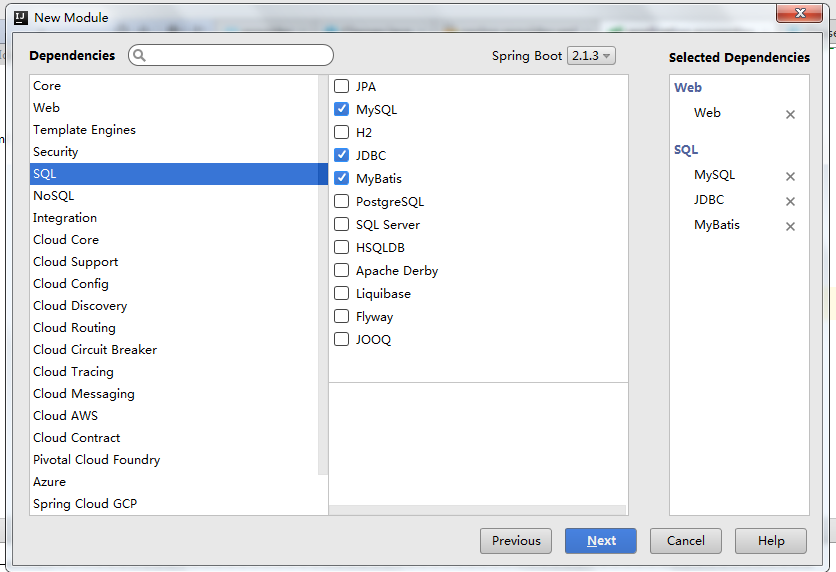
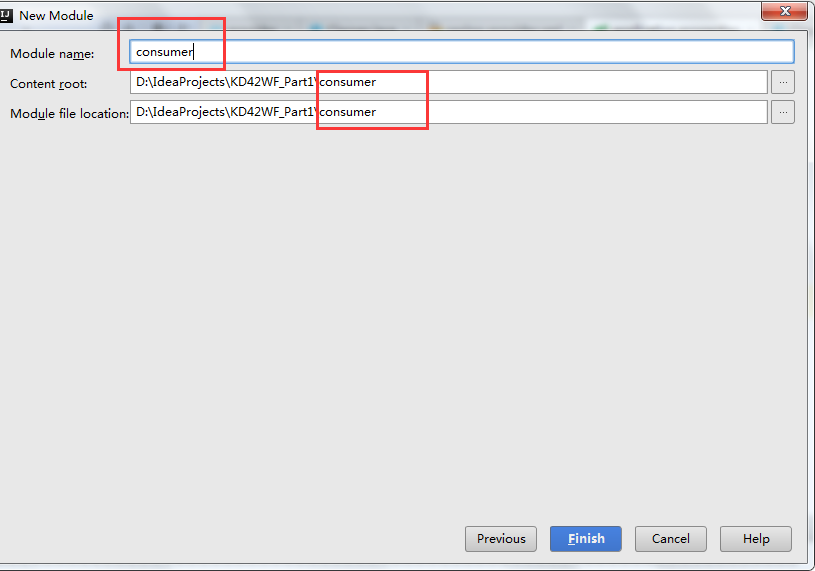
四、创建Cosumer模块
1、springboot+mybatis+zookeeper+dubbox+maven+pagehelper的更多相关文章
- easy-table-vue+VueJs、SpringBoot+Mybatis实现MVVM模型前后台数据交互
该项目分为前端展示部分和后台服务部分. 前端部分 使用的技术是:NodeJs.Webpack.VueJs 使用的组件库是:IVIEW.easy-table-vue 使用的开发工具是:WebStorm ...
- 7、SpringBoot+Mybatis整合------PageHelper简单分页
开发工具:STS 代码下载链接:https://github.com/theIndoorTrain/SpringBoot_Mybatis/tree/1d30d2a573ce6784149a28af9b ...
- 1、SpringBoot+Mybatis整合------简单CRUD的实现
编译工具:STS 代码下载链接:https://github.com/theIndoorTrain/SpringBoot_Mybatis01/commit/b757cd9bfa4e2de551b2e9 ...
- 9、SpringBoot+Mybatis整合------动态sql
开发工具:STS 前言: mybatis框架中最具特色的便是sql语句中的自定义,而动态sql的使用又使整个框架更加灵活. 动态sql中的语法: where标签 if标签 trim标签 set标签 s ...
- 2、SpringBoot+Mybatis整合------一对一
开发工具:STS 代码下载链接:https://github.com/theIndoorTrain/SpringBoot_Mybatis01/tree/93398da60c647573645917b2 ...
- 使用idea 搭建一个 SpringBoot + Mybatis + logback 的maven 项目
(注意项目名不能有大写......),把项目类型 改成 War 类型.(web项目) 使用 mybatis-generator 插件 生成 实体类 和 接口 在 resources 目录 中 新建一个 ...
- 8、SpringBoot+Mybatis整合------参数取值方式
前言: 我们知道,在mybatis中,参数取值方式有两种: #{ } 和 ${ } 下面,我们来探讨下#{ }与${ }不同. 一.#{ } 例: select * from student wher ...
- 6、SpringBoot+Mybatis整合------参数传递
开发工具:STS 代码下载链接:https://github.com/theIndoorTrain/SpringBoot_Mybatis/tree/7892801d804d2060774f3720f8 ...
- 5、SpringBoot+Mybatis整合------多对多
开发工具:STS 代码下载链接:https://github.com/theIndoorTrain/SpringBoot_Mybatis/tree/3baea10a3a1104bda815c20695 ...
随机推荐
- UI层自动化测试框架(一)-简介和环境搭建
http://blog.csdn.net/ToBeTheEnder/article/details/52302777
- 查找存在某字符的文件列表,不包括svn文件
find . ! -wholename '*.svn*' -print | xargs grep "img" | awk -F ':.' '{print $1}' | uniq
- App/Activity/Screen Orientation
测试android屏幕方向的小Demo 1.首先我们在values下面新建文件arrays.xml(用来在下拉列表中显示) <?xml version="1.0" encod ...
- android recovery 主系统代码分析【转】
本文转载自:http://blog.csdn.net/andyhuabing/article/details/9248713 阅读完上一篇文章: http://blog.csdn.net/andyhu ...
- Fisher 线性判别
Multiplying both sides of this result by wT and adding w0, and making use of y(x)=wTx+w0 and y(xΓ)= ...
- centos的vsftp修改上传下载速度
比如你想限制本地用户的上传速度和下载速度为1MB/s,则在vsftpd.conf中添加以下内容:local_max_rate = 1048576 ※ 默认单位是Byte/s
- LeetCode Weekly Contest 28
1. 551. Student Attendance Record I 2. 552. Student Attendance Record II hihocode原题,https://hihocode ...
- SQLServer2008 字符串函数一览表
/* 字符串函数 (PS.索引都从1开始计算)*/ /* 指定字符(或字符串)A.字符串B.起始索引.获得A在B中的索引值.*/select Charindex('d','abcdefg',0) -- ...
- css中background-clip属性的作用
background-clip属性的通俗作用就是指定元素背景所在的区域,有四种取值 1.border-box border-box是默认值,表示元素的背景从border区域(包括border)以内开始 ...
- android黑科技系列——防自动抢红包外挂原理解析
一.前言 春节过年发个红包本来就是为了讨个喜庆,朋友亲戚之间的关系交流,但是现在随着技术变革,抢红包插件越来越多,导致现在不太愿意发红包了,特别是在一个多人群里,潜水的非常多,但是丢个红包瞬间就没了, ...