
js off 缓动动画
动画也有很多种,一起来学习,缓动动画吧
缓动动画
var but=document.getElementsByTagName("button")[];

var box=document.getElementsByTagName("div")[];

but.onclick=function(){

setInterval(function(){

//缓动效果,如果缓动,步子越来越小

// 步长的公式=盒子现在的位置+(盒子目标位置-现在的位置)/10;

var target=;

var step=(target-box.offsetLeft)/;

//动画原理:盒子未来的位置 = 盒子当前的位置+步长

box.style.left=box.offsetLeft+step+"px"

//清除定时器,当目标值减去盒子的位置 小于步子 清除

            if(box.offsetLeft-<(-box.offsetLeft)/){

                clearInterval(strme)

            }

},)

}
<script>

    var but=document.getElementsByTagName("button")[];

    var div=document.getElementsByTagName("div")[];

    var timer=null;

    but.onclick=function(){

        //要用定时器先请定时器

        clearInterval(timer);

       timer=setInterval(function() {

           //缓动效果,如果缓动,步子越来越小

           // 步长的公式=盒子现在的位置+(盒子目标位置-现在的位置)/10;

           var step=(-div.offsetLeft)/;

           //最后10像素的时候都是1像素1像素的向目标位置移动,就能够到达指定位置

           //拓展,目标值 - 现在值 差值大于0时向上曲整,小于0的时候,向小取整

           // step=(0-div.offsetLeft)<0 ? Math.floor(step) : Math.ceil(step); //对的结果在前面

           //step=0<div.offsetLeft ? Math.floor(step) : Math.ceil(step);

             step= step> ? Math.ceil(step) : Math.floor(step);

           div.style.left=div.offsetLeft+ step + "px";

            console.log();

           //跳出条件 目标值-当前位置绝对值<步长绝对值,因为与可能是

           if( Math.abs(-div.offsetLeft)< Math.abs(step)){

               div.style.left =+"px";

               clearInterval(timer)

           }

       },)

    }

<script>

    var but=document.getElementsByTagName("button");

    var box=document.getElementsByTagName("div");

    var timer=null;

    //调用函数

    but[].onclick=function () {

        animate(box[],)

    };

    but[].onclick=function () {

        animate(box[],)

    };

    //分装代码

    function animate(ele,target){

        //用定时器先清除定时器

         clearInterval(ele.timer);

        //定义定时器

         ele.timer=setInterval(function(){

            //定义缓动 动画步长 越来越慢

             // 步长=(目标值-现在值)/10

            var step=(target-ele.offsetLeft )/;

            //对步长二次加工(小于步长相下去值 大于)

             step=step> ? Math.ceil(step):Math.floor(step);

             //赋值给left

             console.log();

             ele.style.left=ele.offsetLeft+step+"px";

             //清除定时器

             if(Math.abs(target-ele.offsetLeft)<=Math.abs(step)){

                 //处理小数赋值

                 ele.style.left=target+"px";

                clearInterval(ele.timer)

             }

        },)

    }

</script>
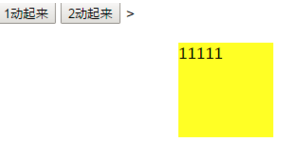
<style>

        *{margin:; padding:; }

        body{background:rgba(,,,0.8)}

        .box{width:800px; height:42px; border-radius: 8px;  background: #fff url("../image/wifi.png") no-repeat right center ; margin:200px auto; position: relative;}

        .box ul{position: relative;}

        .box li{float:left; list-style: none; width:83px; height:42px; text-align: center; font: 16px/42px "simsun"; cursor: pointer;}

        .box span{width:83px; height:42px; background: url("../image/cloud.gif") no-repeat ; position: absolute; left:; }

    </style>

    <script>

        //需求1:属于移到哪个li上,span就停在那个li上,离开后,span会到原点

        //需求2;鼠标点击哪个li就记录li标签,移开的时候,span就会到记录的li上

        window.onload=function () {

            //获取元素

            var liArr=document.getElementsByTagName("li");

            var span=document.getElementsByTagName("span")[];

            var liWidth=liArr[].offsetWidth;

            var coun=;

            //绑定事件

            for(var i=; i<liArr.length; i++){

                //绑定属性index

                liArr[i].index=i;

                liArr[i].onmouseover=function () {

                    animate(span,this.index*liWidth)

                }

                liArr[i].onmouseout=function () {

                    animate(span,coun*liWidth)

                }

                liArr[i].onclick=function () {

                    coun=this.index;

                    animate(span,coun*liWidth)

                }

            }

        }

        //分装代码

        function animate(ele,target){

            clearInterval(ele.timer);

            ele.timer=setInterval(function(){

                var step=(target-ele.offsetLeft )/;

                step=step> ? Math.ceil(step):Math.floor(step);

                console.log();

                ele.style.left=ele.offsetLeft+step+"px";

                if(Math.abs(target-ele.offsetLeft)<=Math.abs(step)){

                    ele.style.left=target+"px";

                    clearInterval(ele.timer)

                }

            },)

        }

    </script>

</head>

<body>

<div class="box">

    <span></span>

    <ul>

        <li>首页新闻</li>

        <li>搜狐新闻</li>

        <li>腾讯新闻</li>

        <li>河北新闻</li>

        <li>北京新闻</li>

        <li>湖南新闻</li>

        <li>山东新闻</li>

        <li>湖北新闻</li>

    </ul>

</div>
<style>

        *{margin:; padding:; }

        body{background:rgba(,,,0.8)}

        .box{width:800px; height:42px; border-radius: 8px;  background: #fff url("../image/wifi.png") no-repeat right center ; margin:200px auto; position: relative;}

        .box ul{position: relative;}

        .box li{float:left; list-style: none; width:83px; height:42px; text-align: center; font: 16px/42px "simsun"; cursor: pointer;}

        .box span{width:83px; height:42px; background: url("../image/cloud.gif") no-repeat ; position: absolute; left:; }

    </style>

    <script>

        //需求1:属于移到哪个li上,span就停在那个li上,离开后,span会到原点

        //需求2;鼠标点击哪个li就记录li标签,移开的时候,span就会到记录的li上

        window.onload=function () {

            //获取元素

            var liArr=document.getElementsByTagName("li");

            var span=document.getElementsByTagName("span")[];

            var liWidth=liArr[].offsetWidth;

            var coun=;

            //绑定事件

            for(var i=; i<liArr.length; i++){

                //绑定属性index

                liArr[i].index=i;

                liArr[i].onmouseover=function () {

                    animate(span,this.index*liWidth)

                }

                liArr[i].onmouseout=function () {

                    animate(span,coun*liWidth)

                }

                liArr[i].onclick=function () {

                    coun=this.index;

                    animate(span,coun*liWidth)

                }

            }

        }

        //分装代码

        function animate(ele,target){

            clearInterval(ele.timer);

            ele.timer=setInterval(function(){

                var step=(target-ele.offsetLeft )/;

                step=step> ? Math.ceil(step):Math.floor(step);

                console.log();

                ele.style.left=ele.offsetLeft+step+"px";

                if(Math.abs(target-ele.offsetLeft)<=Math.abs(step)){

                    ele.style.left=target+"px";

                    clearInterval(ele.timer)

                }

            },)

        }

    </script>

</head>

<body>

<div class="box">

    <span></span>

    <ul>

        <li>首页新闻</li>

        <li>搜狐新闻</li>

        <li>腾讯新闻</li>

        <li>河北新闻</li>

        <li>北京新闻</li>

        <li>湖南新闻</li>

        <li>山东新闻</li>

        <li>湖北新闻</li>

    </ul>

</div>

js off 缓动动画的更多相关文章
- JS实现缓动动画效果
原理如下: 假设要从数值A变化到数值B,如果是线性运动,则每次移动距离是一样:如果是缓动,每次移动距离不一样.那如何才能不一样呢?很简单,按比例移动就可以. 例如:每次移动剩余距离的一半. 对吧,超容 ...
- JS基础知识——缓动动画
基于距离的缓动动画 原理:设定起始位置 start 和终止位置 end,变化会越来越慢. 公式:start=start+(end-start)/10; 这个10不是固定的,想分成多少份就分成 ...
- js简单动画:匀速动画、缓动动画、多物体动画以及透明度动画
主要实现以下几种简单的动画效果(其实原理基本相同): 1.匀速动画:物体的速度固定 2.缓动动画:物体速度逐渐变慢 3.多物体动画 4.透明度动画 效果实现: 1.匀速动画(以物体左右匀速运动为例) ...
- JS-特效 ~ 04. client对象、网页可视区域的宽高、client / offset / scroll 三大家族的区别、冒泡事件、事件委托、获取内嵌式和外链式属性getStyle(ele,attr) ;、缓动动画封装
知识点: 模拟滚动条的解除事件问题 : event内置对象,包含 了大量事件: page兼容性: pageX || clientX + scool().top : if (true === a)tr ...
- jQuery-1.9.1源码分析系列(十五) 动画处理——缓动动画核心Tween
在jQuery内部函数Animation中调用到了createTweens()来创建缓动动画组,创建完成后的结果为: 可以看到上面的缓动动画组有四个原子动画组成.每一个原子动画的信息都包含在里面了. ...
- 背水一战 Windows 10 (15) - 动画: 缓动动画
[源码下载] 背水一战 Windows 10 (15) - 动画: 缓动动画 作者:webabcd 介绍背水一战 Windows 10 之 动画 缓动动画 - easing 示例演示缓动(easing ...
- WPF界面设计技巧(7)—模拟电梯升降的缓动动画
原文:WPF界面设计技巧(7)-模拟电梯升降的缓动动画 如同Flash一样,WPF的亮点之一也在于其擅于表现平滑的动画效果,但以移动动画来说,仅凭简单的起始位置.目标位置,所产生的动画仍会非常生硬,这 ...
- Windows Phone开发(42):缓动动画
原文:Windows Phone开发(42):缓动动画 前面在讨论关键帧动画的时候,我有意把几个带缓动动画的关键帧动画忽略掉,如EasingColorKeyFrame.EasingDoubleKeyF ...
- 重新想象 Windows 8 Store Apps (19) - 动画: 线性动画, 关键帧动画, 缓动动画
原文:重新想象 Windows 8 Store Apps (19) - 动画: 线性动画, 关键帧动画, 缓动动画 [源码下载] 重新想象 Windows 8 Store Apps (19) - 动画 ...
随机推荐
- SWD下载k60
转:JTAG各类接口针脚定义,含义及SWD接线方式 IAR设置如下
- 1+X证书学习日志——函数
工具得特点: 1:重复性使用 2:隐藏内部原理(细节) 3:选择性应用 创建函数: 1:关键字 function 函数名称(){ } 2:字面量创建 var fn = function(){ } 3: ...
- 各种变异绕过XSS过滤器
各种变异绕过XSS过滤器(Various variations bypass the XSS filter ) 文章来自:https://www.cnblogs.com/iAmSoScArEd/p/1 ...
- 经典数据结构与算法在经典软件(linux kernel)中的应用
参考文章:Core Alorgithms deployed linux中的priority search tree数据结构研究 虚拟内存: 1.红黑树,管理与进程关联的vm_area_struct实例 ...
- antd-table——内容展示变型
bug单: https://github.com/ant-design/ant-design/issues/13825 1.设置固定宽度:在columns中设置widht或者className { t ...
- MySQL FEDERATED引擎使用示例, 类似Oracle DBLINK(转)
1 引擎说明 本地MySQL数据库要访问远程MySQL数据库的表中的数据, 必须通过FEDERATED存储引擎来实现. 有点类似Oracle中的 数据库链接(DBLINK). 要允许这个存储引擎, 当 ...
- c# HashTable 类
- tomcat运行一段时间出“org.apache.coyote.http11.Http11Processor.service Error parsing HTTP request header”
试了好多种方法,貌似还是没有解决问题,不过也学到了点东西,记录下备忘吧. 异常详情: 1.首先看到最多的就是说在server.xml中的Connector中添加maxHttpHeaderSize=&q ...
- 【转】使用JavaParser获得Java代码中的类名、方法形参列表中的参数名以及统计总的文件个数与不能解析的文件个数
遍历目录查找Java文件: public static void ergodicDir(File dir, HashSet<String> argNameSet, HashSet<S ...
- java基础(8)---接口和lambda
一.接口 接口定义: 接口抽象方法定义: 二.接口实现类的定义.创建.调用 接口需要一个实现类. 接口实现类的定义: 接口实现类的创建和调用: 接口的好处: 不好的写法: 推荐的写法: 接口实 ...