
Autorotation and Autosizing
配置应用级别的旋转方向——Global Setting
方法:点击项目-General-Deployment-Device Orientation
It doesn’t necessarily mean that every view in your application will use all of the selected orientations; but if you’re going to support an orientation in any of your application’s views, that orientation must be selected here.
配置视图级别的旋转方向——Local Setting
方法:ViewController.m中
- (NSUInteger)supportedInterfaceOrientations

{

    return (UIInterfaceOrientationMaskPortrait | UIInterfaceOrientationMaskLandscapeLeft);

}
同一个App的不同视图,旋转方向的限制可能不一样。只能在应用级别的旋转方向上限制更多,比如应用级别不支持Upside-down,视图级别也一定不行。
附,旋转方向:
- UIInterfaceOrientationMaskPortrait
- UIInterfaceOrientationMaskLandscapeLeft
- UIInterfaceOrientationMaskLandscapeRight
- UIInterfaceOrientationMaskPortraitUpsideDown
- UIInterfaceOrientationMaskLandscape
- UIInterfaceOrientationMaskAll
- UIInterfaceOrientationMaskAllButUpsideDown
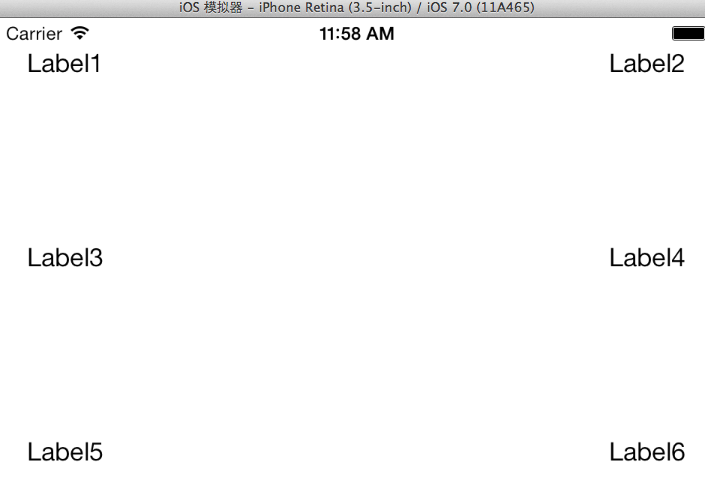
旋转,横竖视图排版一样
添加四个角(1,2,5,6)的Label
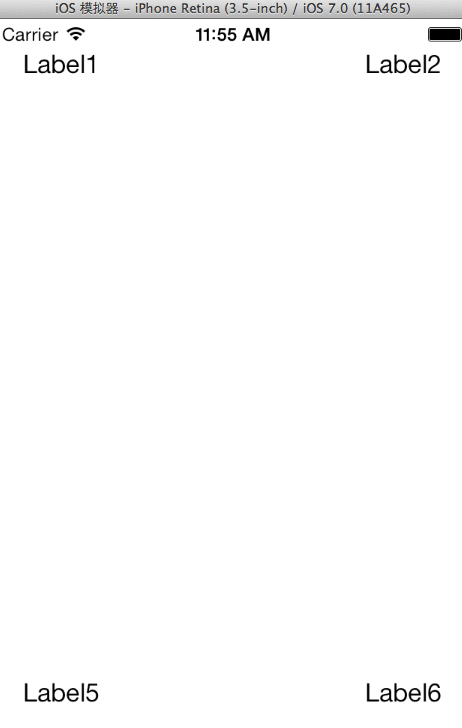
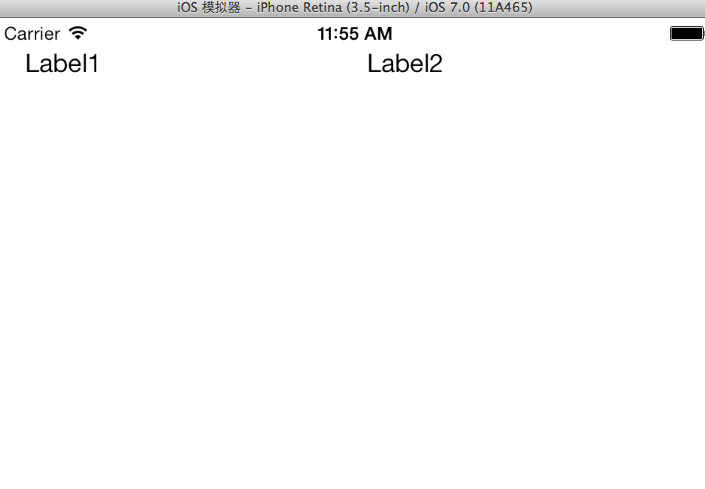
全选四个角(1,2,5,6)的Label,选择Editor -> Resolve Auto Layout Issues -> Add Missing Constraints
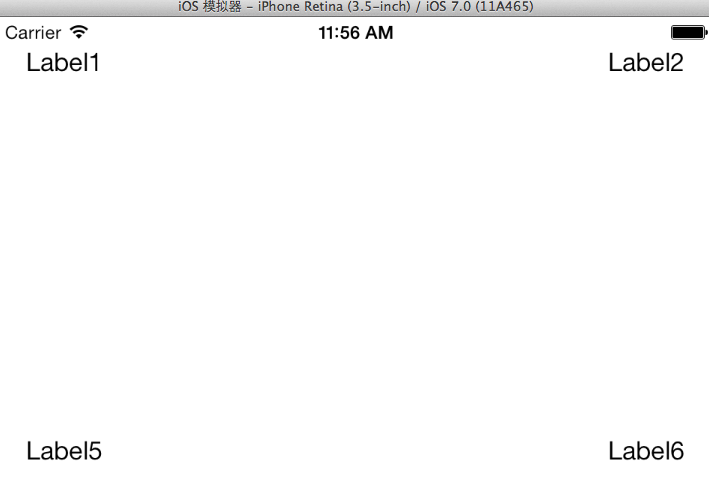
添加中间(3,4)的Label,对齐
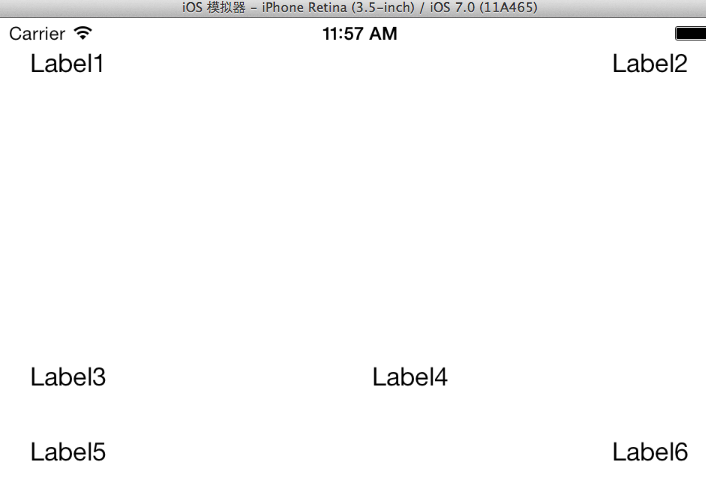
左中(3)Editor -> Align -> Vertical Center in Container
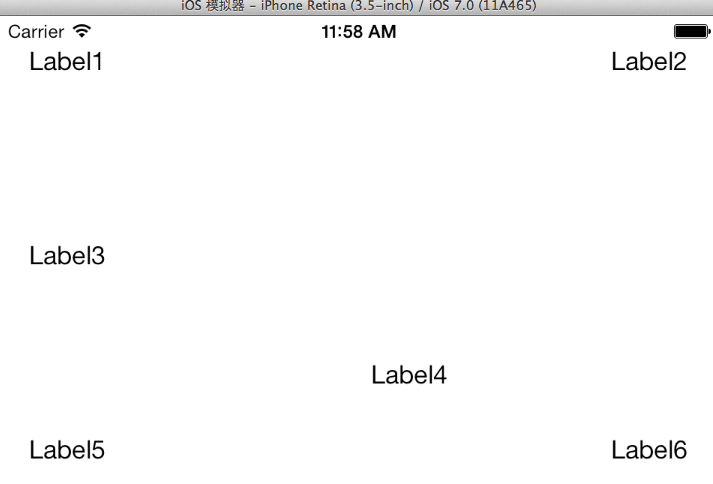
右中(4)Editor -> Resolve Auto Layout Issues -> Add Missing Constraints
(1,2)加背景颜色,调整它们的宽度(随便,不一定等宽)
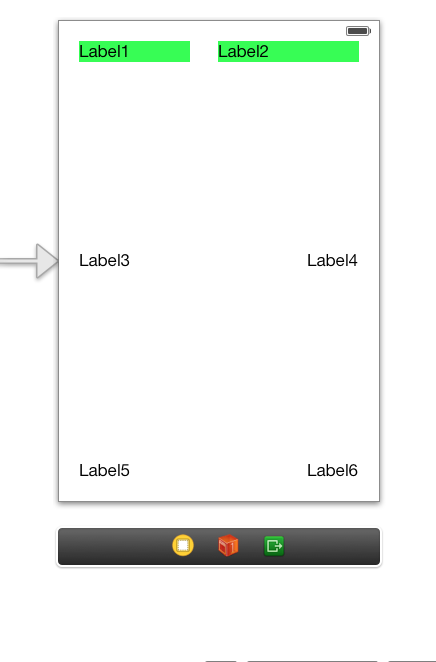
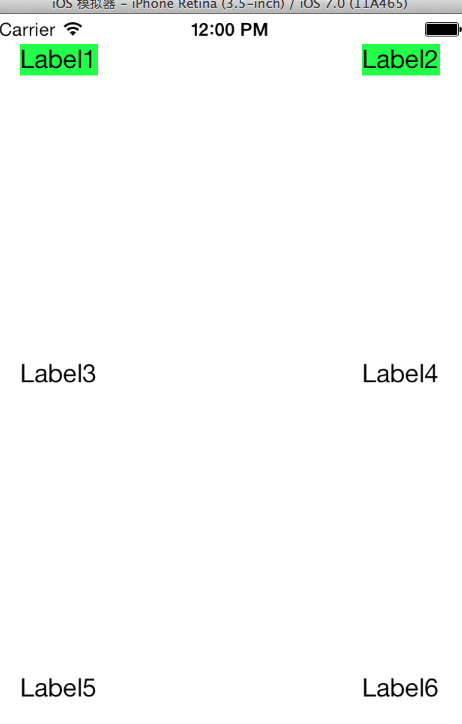
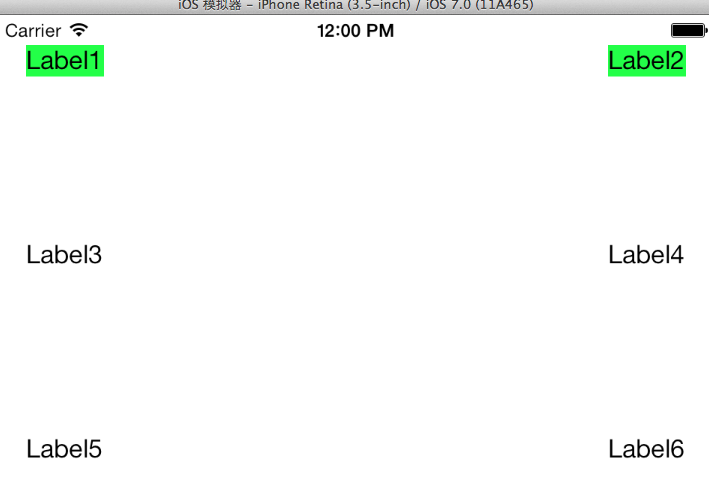
(1,2) Editor -> Pin -> Horizontal Spacing(无论怎么旋转都不等宽)

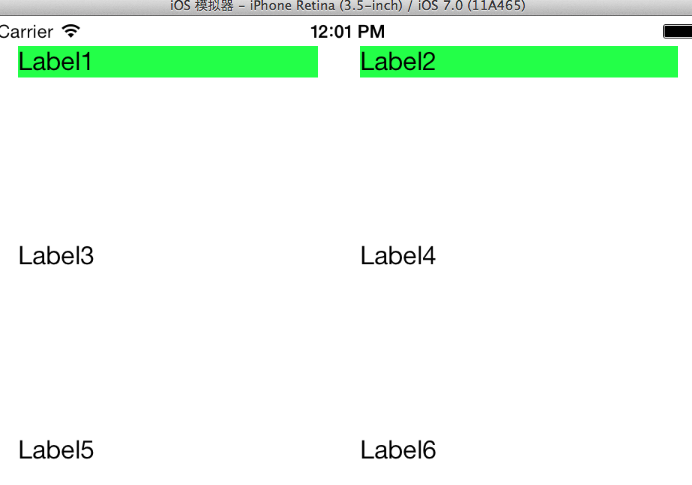
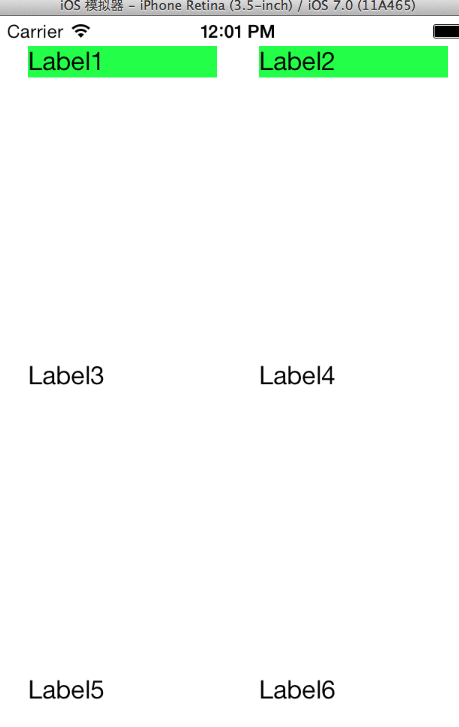
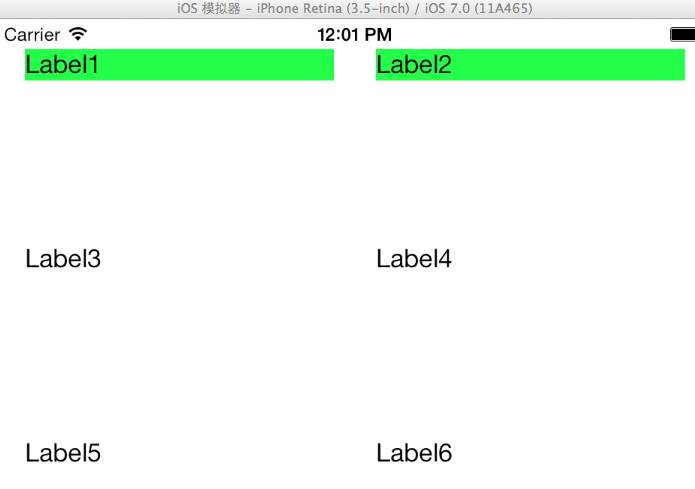
(1,2) Editor -> Pin -> Widths Equally(无论怎么旋转都等宽)
旋转,横竖视图排版不一样
创建SingleViewApplication,在View的File Inspector中取消AutoLayout,我们要利用代码实现布局。
在Main.storyboard中拖入一个View和4个Button,并设置该View的背景颜色。
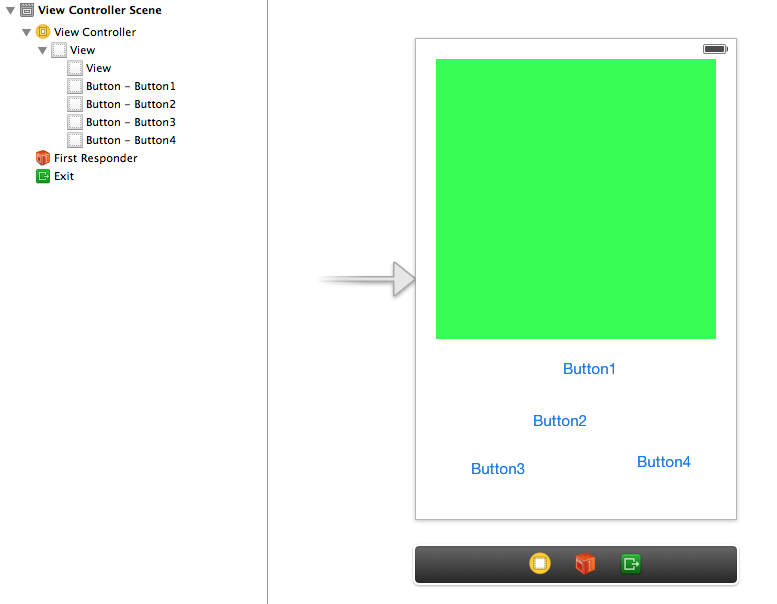
ViewController.m中实现代码
旋转的时候就自动调用
- (void)willAnimateRotationToInterfaceOrientation:(UIInterfaceOrientation)toInterfaceOrientation duration:(NSTimeInterval)duration

{

    [self adjustLayout:toInterfaceOrientation];

}
- (void)adjustLayout:(UIInterfaceOrientation)toInterfaceOrientation

{

    if (UIInterfaceOrientationIsPortrait(toInterfaceOrientation))

    {

        [self layoutPortrait];

    }

    else

    {

        [self layoutLandscape];

    }

}
static const CGFloat btnHeight = ;

static const CGFloat btnWidth = ;

static const CGFloat spacing = ;

- (void)layoutPortrait

{

    CGRect b = self.view.bounds;

    CGFloat contentHeight = CGRectGetHeight(b)-btnHeight*-spacing*;

    CGFloat contentWidth = CGRectGetWidth(b) - spacing*;

    self.contentView.frame = CGRectMake(spacing, spacing, contentWidth, contentHeight);

    CGFloat btn1x = spacing;

    CGFloat btn2x = CGRectGetWidth(b)-spacing-btnWidth;

    CGFloat btn1y = contentHeight+*spacing;

    CGFloat btn2y = btn1y+btnHeight+spacing;

    self.btn1.frame = CGRectMake(btn1x, btn1y, btnWidth, btnHeight);

    self.btn2.frame = CGRectMake(btn2x, btn1y, btnWidth, btnHeight);

    self.btn3.frame = CGRectMake(btn1x, btn2y, btnWidth, btnHeight);

    self.btn4.frame = CGRectMake(btn2x, btn2y, btnWidth, btnHeight);

}

- (void)layoutLandscape

{

    CGRect b = self.view.bounds;

    CGFloat contentHeight = CGRectGetHeight(b)-spacing*;

    CGFloat contentWidth = CGRectGetWidth(b) - spacing*-btnWidth;

    self.contentView.frame = CGRectMake(spacing, spacing, contentWidth, contentHeight);

    CGFloat btnx = CGRectGetWidth(b)-spacing-btnWidth;

    CGFloat btny1 = spacing;

    CGFloat btny4 = CGRectGetHeight(b)-spacing-btnHeight;

    CGFloat btny2 = btny1+(btny4-btny1)/3.0;

    CGFloat btny3 = btny2+(btny4-btny1)/3.0;

    self.btn1.frame = CGRectMake(btnx, btny1, btnWidth, btnHeight);

    self.btn2.frame = CGRectMake(btnx, btny2, btnWidth, btnHeight);

    self.btn3.frame = CGRectMake(btnx, btny3, btnWidth, btnHeight);

    self.btn4.frame = CGRectMake(btnx, btny4, btnWidth, btnHeight);

}
viewDidLoad只在程序启动时调用了一次;屏幕旋转的时候没有调用它,调用的是- (void)willAnimateRotationToInterfaceOrientation:duration:
- (void)viewDidLoad

{

    [super viewDidLoad];

    // Do any additional setup after loading the view, typically from a nib.
  //处理启动时不是默认竖屏的情况。

    UIApplication *app = [UIApplication sharedApplication];

    UIInterfaceOrientation currentOrientation = app.statusBarOrientation;

    [self adjustLayout:currentOrientation];

}
效果
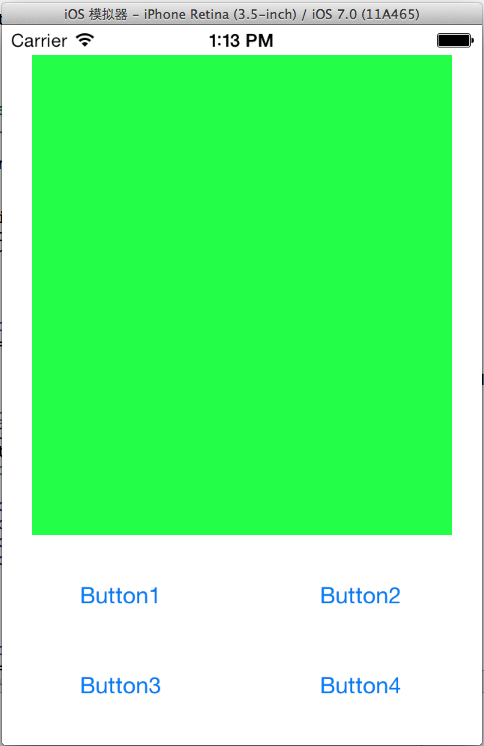
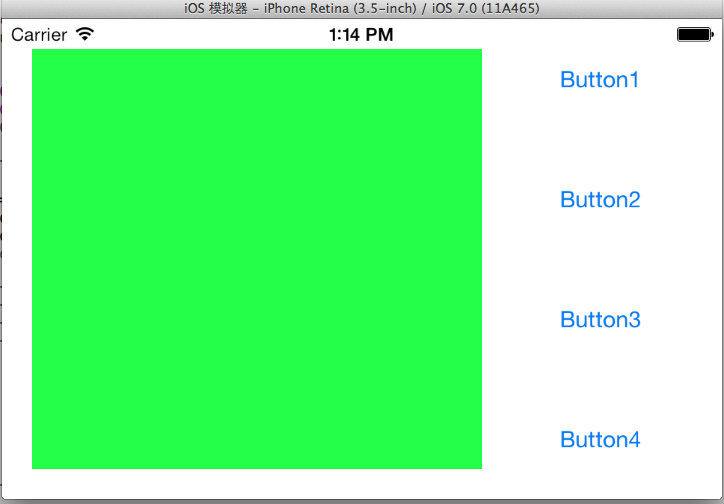
Autorotation and Autosizing的更多相关文章
- 从零开始学ios开发(八):Autorotation and Autosizing
不好意思,这一篇间隔的时间有点长,最近实在是事情太多,耽搁了,好了,长话短说,下面继续学习ios. 这次学习的内容是Autorotation和Autosizing,Autorotation就是屏幕内容 ...
- 【 Beginning iOS 7 Development《精通iOS7开发》】05 Autorotation and Autosizing
一.旋转后相对位置不变 watermark/2/text/aHR0cDovL2Jsb2cuY3Nkbi5uZXQvZ29nbGVy/font/5a6L5L2T/fontsize/400/fill/I0 ...
- iOS iphone5屏幕适配 autosizing
转自:http://blog.sina.com.cn/s/blog_a843a8850101jxhh.html iphone5出来了,从不用适配的我们也要像android一样适配不同分辨率的屏幕了. ...
- xcode中没有autoSizing的设置
转自:http://blog.sina.com.cn/s/blog_954bb2f001016oyx.html 学习Xcode的iOS编程时,可能会发现Autosizing Control不见了,其原 ...
- Xcode无法设置视图的 autosizing control原因
转自:Xcode无法设置视图的 autosizing control原因 学习Xcode的iOS编程时,可能会发现Autosizing Control不见了,其原因很简单,因为你在设置中选择了Auto ...
- Android Oreo 8.0 新特性实战 Autosizing TextView --自动缩放TextView
Android Oreo 8.0 新特性实战 Autosizing TextView --自动缩放TextView 8.0出来很久了,这个新特性已经用了很久了,但是一直没有亲自去试试.这几天新的需求来 ...
- TextView 的新特性,Autosizing 到底是如何实现的? | 源码分析
一.前言 Hi,大家好,我是承香墨影! 前两天聊了一下 Autosizing 的使用,反映还不错.毕竟是这种能解决实际问题的新 Api,确实在需要的时候,用起来会很顺手. 简单回顾一下,Autosiz ...
- Android Autosizing TextViews
https://developer.android.com/guide/topics/ui/look-and-feel/autosizing-textview Autosizing TextView ...
- iOS Programming Autorotation, Popover Controllers, and Modal View Controllers
iOS Programming Autorotation, Popover Controllers, and Modal View Controllers 自动旋转,Popover 控制器,Moda ...
随机推荐
- Codeforces 385 C Bear and Prime Numbers
题目链接~~> 做题感悟:这题属于想法题,比赛时直接做的 D 题.可是处理坐标处理的头晕眼花的结果到最后也没AC. 解题思路: 由于查询的时候仅仅考虑素数,so~我们仅仅考虑素数就能够,这就须要 ...
- Python中的关键字的用法
Python有哪些关键字 -Python常用的关键字 and, del, from, not, while, as, elif, global, or, with, assert, else, if, ...
- axios [æk'si:əʊs] 及 axios 请求配置
特征 比Jquery轻量,但处理请求不多的时候,可以使用 基于Promise语法标准 支持nodejs 自动转换JSON数据 用法 get // Make a request for a user w ...
- setImmediate 函数详解
1.兼容性 只有IE10以上的IE浏览器才支持. 2.用途 https://developer.mozilla.org/zh-CN/docs/Web/API/Window/setImmediate 该 ...
- Docker背后的内核知识——cgroups资源限制(转)
时间 2015-04-20 21:10:00 InfoQ 原文 http://www.infoq.com/cn/articles/docker-kernel-knowledge-cgroups-re ...
- 移动端页面弹幕小Demo实例说明
代码地址如下:http://www.demodashi.com/demo/11595.html 弹幕小Demo实例地址,点击看效果 写在前面:尝试做了一下弹幕的实例,欢迎提出并指正问题 问题说明: D ...
- 【转】ESFramework成熟的C#网络通信框架(跨平台)
原文地址:http://www.cnblogs.com/zhuweisky/archive/2010/08/12/1798211.html ESFramework网络通信框架是一套性能卓越.稳定可靠. ...
- Rabbitmq消息队列(四) 发布订阅
1.简介 在上篇教程中,我们搭建了一个工作队列,每个任务只分发给一个工作者,在本篇教程中,我们要做的跟之前完全不一样 —— 分发一个消息给多个消费者(consumers).这种模式被称为“发布/订阅” ...
- C#面试题汇总2
http://www.cnblogs.com/wangjisi/archive/2010/06/14/1758347.html 用.net做B/S结构的系统,您是用几层结构来开发,每一层之间的关系以及 ...
- nginx-1.2.7 + tcp_proxy_module手动编译安装
Nginx开源软件默认没有提供TCP协议的负载均衡,下面记录一下我的安装过程: 1. 下载nginx最新稳定版的源码.可访问:http://www.nginx.org 或 linux命令下载到本地: ...