
自定义View(9)关于onLayout
1.渲染脚本官网
https://developer.android.com/guide/topics/renderscript/compute
2.高斯模糊 ScriptIntrinsicBlur
2.1 添加api
在module 的 build.gradle 文件中添加选项,注意是 defaultConfig中。
 android {

     compileSdkVersion 28

     defaultConfig {

         applicationId "com.cnblogs.sjjg.gaussianblur"

         minSdkVersion 17

         targetSdkVersion 28

         versionCode 1

         versionName "1.0"

         testInstrumentationRunner "androidx.test.runner.AndroidJUnitRunner"

         renderscriptTargetApi 18

11         renderscriptSupportModeEnabled true

     }

     buildTypes {

         release {

             minifyEnabled false

             proguardFiles getDefaultProguardFile('proguard-android-optimize.txt'), 'proguard-rules.pro'

         }

     }

 }

 dependencies {

     implementation fileTree(dir: 'libs', include: ['*.jar'])

     implementation 'androidx.appcompat:appcompat:1.0.2'

     implementation 'androidx.constraintlayout:constraintlayout:1.1.3'

     testImplementation 'junit:junit:4.12'

     androidTestImplementation 'androidx.test:runner:1.2.0'

     androidTestImplementation 'androidx.test.espresso:espresso-core:3.2.0'

 }
2.2 添加模糊工具类
 package com.cnblogs.sjjg.gaussianblur;

 import android.content.Context;

 import android.graphics.Bitmap;

 import android.renderscript.Allocation;

 import android.renderscript.Element;

 import android.renderscript.RenderScript;

 import android.renderscript.ScriptIntrinsicBlur;

 import androidx.annotation.IntRange;

 import androidx.annotation.NonNull;

 public class RenderScriptGaussianBlur {

     private RenderScript renderScript;

     public RenderScriptGaussianBlur(@NonNull Context context) {

         this.renderScript = RenderScript.create(context);

     }

     public Bitmap gaussianBlur(@IntRange(from = , to = ) int radius, Bitmap original) {

         Allocation input = Allocation.createFromBitmap(renderScript, original);

         Allocation output = Allocation.createTyped(renderScript, input.getType());

         ScriptIntrinsicBlur scriptIntrinsicBlur = ScriptIntrinsicBlur.create(renderScript, Element.U8_4(renderScript));

         scriptIntrinsicBlur.setRadius(radius);

         scriptIntrinsicBlur.setInput(input);

         scriptIntrinsicBlur.forEach(output);

         output.copyTo(original);

         return original;

     }

 }
2.3 使用模糊类
 package com.cnblogs.sjjg.gaussianblur;

 import androidx.appcompat.app.AppCompatActivity;

 import android.graphics.Bitmap;

 import android.graphics.BitmapFactory;

 import android.os.Bundle;

 import android.widget.ImageView;

 import android.widget.SeekBar;

 public class MainActivity extends AppCompatActivity implements SeekBar.OnSeekBarChangeListener {

     private         SeekBar                     blurValue;

     private         ImageView                   image;

     private         RenderScriptGaussianBlur    blur;

     @Override

     public void onProgressChanged(SeekBar seekBar, int progress, boolean fromUser) {

     }

     @Override

     public void onStartTrackingTouch(SeekBar seekBar) {

     }

     @Override

     public void onStopTrackingTouch(SeekBar seekBar) {

         int radius = seekBar.getProgress();

         if (radius < ) {

             radius = ;

         }

         Bitmap bitmap = BitmapFactory.decodeResource(getResources(), R.mipmap.image);

         bitmap = blur.gaussianBlur(radius,bitmap);

         image.setImageBitmap(bitmap);

     }

     @Override

     protected void onCreate(Bundle savedInstanceState) {

         super.onCreate(savedInstanceState);

         setContentView(R.layout.activity_main);

         image = findViewById(R.id.imageView);

         blurValue = findViewById(R.id.blur_value);

         blurValue.setOnSeekBarChangeListener(this);

         blur = new RenderScriptGaussianBlur(getBaseContext());

     }

 }
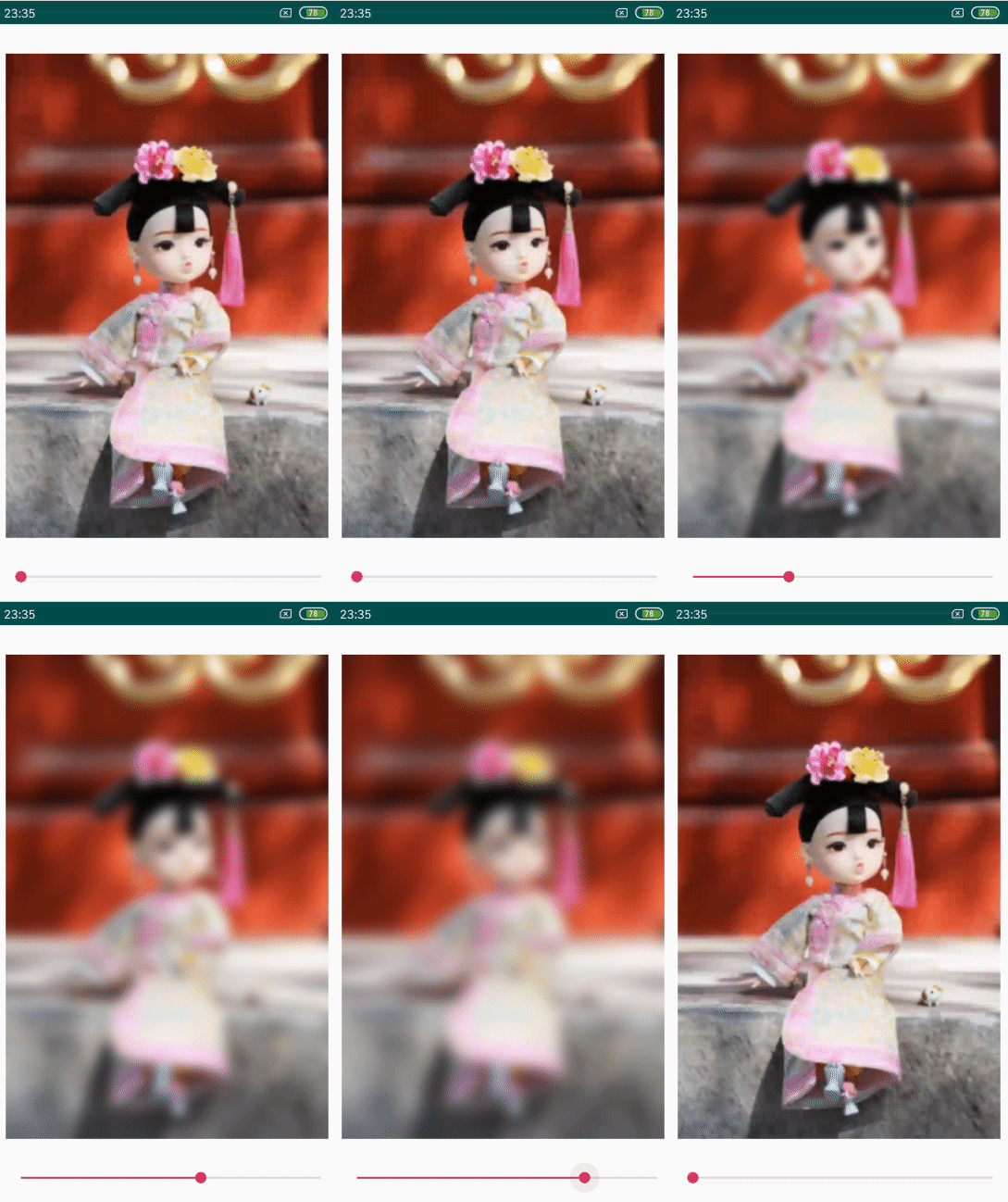
2.4 效果
2.5 下载
https://github.com/f9q/gaussianblur
自定义View(9)关于onLayout的更多相关文章
- 自定义View(五),onLayout
转自http://blog.csdn.net/a396901990/article/details/38129669 简介: 在自定义view的时候,其实很简单,只需要知道3步骤: 1.测量——onM ...
- 【Android - 自定义View】之自定义View实现“刮刮卡”效果
首先来介绍一下这个自定义View: (1)这个自定义View的名字叫做 GuaguakaView ,继承自View类: (2)这个View实现了很多电商项目中的“刮刮卡”的效果,即用户可以刮开覆盖层, ...
- Android之自定义View的实现
对于学习Android开发的小童鞋对于自定义View一定不会陌生,相信大家对它是又爱又恨,爱它可以跟随我们的心意设计出漂亮的效果:恨它想要完全流畅掌握,需要一定的功夫.对于初学者来说确实很不容易,网上 ...
- 自定义View其实很简单系列1-12
作者: AigeStudio http://blog.csdn.net/aigestudio 说明:文中的1/12表示12篇中的第1篇, 1/6=2/12表示12篇中的第2篇,其它类似. 自定义控件 ...
- Android 自定义View
Android 自定义View流程中的几个方法解析: onFinishInflate():从布局文件.xml加载完组件后回调 onMeasure() :调用该方法负责测量组件大小 onSizeChan ...
- Android 自定义View 总结
Android系统本身给我们提供十分丰硕的组件让我们实现包罗万象的UI效果,与此同时,我们也能够非常方便实现各种方法来实现各种强大的功能.通过继承现有的UI控件,我们也能够拓展现有的功能.我们也能够完 ...
- Android 自定义View 三板斧之三——重写View来实现全新控件
通常情况下,Android实现自定义控件无非三种方式. Ⅰ.继承现有控件,对其控件的功能进行拓展. Ⅱ.将现有控件进行组合,实现功能更加强大控件. Ⅲ.重写View实现全新的控件 本文来讨论最难的一种 ...
- Android 自定义View及其在布局文件中的使用示例(三):结合Android 4.4.2_r1源码分析onMeasure过程
转载请注明出处 http://www.cnblogs.com/crashmaker/p/3549365.html From crash_coder linguowu linguowu0622@gami ...
- Android 自定义View及其在布局文件中的使用示例(二)
转载请注明出处 http://www.cnblogs.com/crashmaker/p/3530213.html From crash_coder linguowu linguowu0622@gami ...
随机推荐
- 【BZOJ】【1855】【SCOI2010】/【HDOJ】【3401】股票交易
DP/单调队列优化 题解:http://www.cnblogs.com/jianglangcaijin/p/3799736.html 令f[i][j]表示第 i 天结束后,手里剩下 j 股的最大利润, ...
- JAVA 关于Icon,Image,ImageIcon的简单的对比参考 分类: Java Game 2014-08-14 17:08 210人阅读 评论(0) 收藏
转自:http://blog.csdn.net/bcmissrain/article/details/7190886 其实就算是现在,我还是有不少地方概念模糊,但是下面的内容是是没有什么问题的.稍微介 ...
- mongo二维数组操作
有2个嵌套的数组: 如果我想查询comments里score大于5的记录: testProvider.find({"comments.score":{"$gt" ...
- [nowCoder] 二进制中1的个数
题目描述 输入一个整数,输出该数二进制表示中1的个数.其中负数用补码表示. class Solution { public: int NumberOf1(int n) { ; while(n) ...
- KMP--路过
HDU 1358:弄清楚了NEXT,就好解决,还有不要再循环中用strlen;会超 ----------------------我是凑字数的------------------还是不会KMP----- ...
- .net 类型源码下载地址
原文:http://www.cnblogs.com/ProJKY/p/SSCLI.html 一般场景下,采用 Reflector可以反射出.NET 的部分实现出来,可以拿来参考,但和微软公开的SSCL ...
- ZOJ3762 The Bonus Salary!(最小费用最大流)
题意:给你N个的任务一定要在每天的[Li,Ri]时段完成,然后你只有K天的时间,每个任务有个val,然后求K天里能够获得的最大bonus. 思路:拿到手第一直觉是最小费用最大流,然后不会建图,就跑去想 ...
- Lock wait timeout exceeded; try restarting transaction
What gives this away is the word transaction. It is evident by the statement that the query was atte ...
- light oj 1140 - How Many Zeroes? 数位DP
思路:dp[i][j]:表示第i位数,j表示是否有0. 代码如下: #include<iostream> #include<stdio.h> #include<algor ...
- JDBC第一次学习
JDBC(Java Data Base Connectivity,java数据库连接),由一些类和接口构成的API,它是J2SE的一部分,由java.sql,javax.sql包组成. 应用程序.J ...