
搭建springboot redis项目
1.创建项目

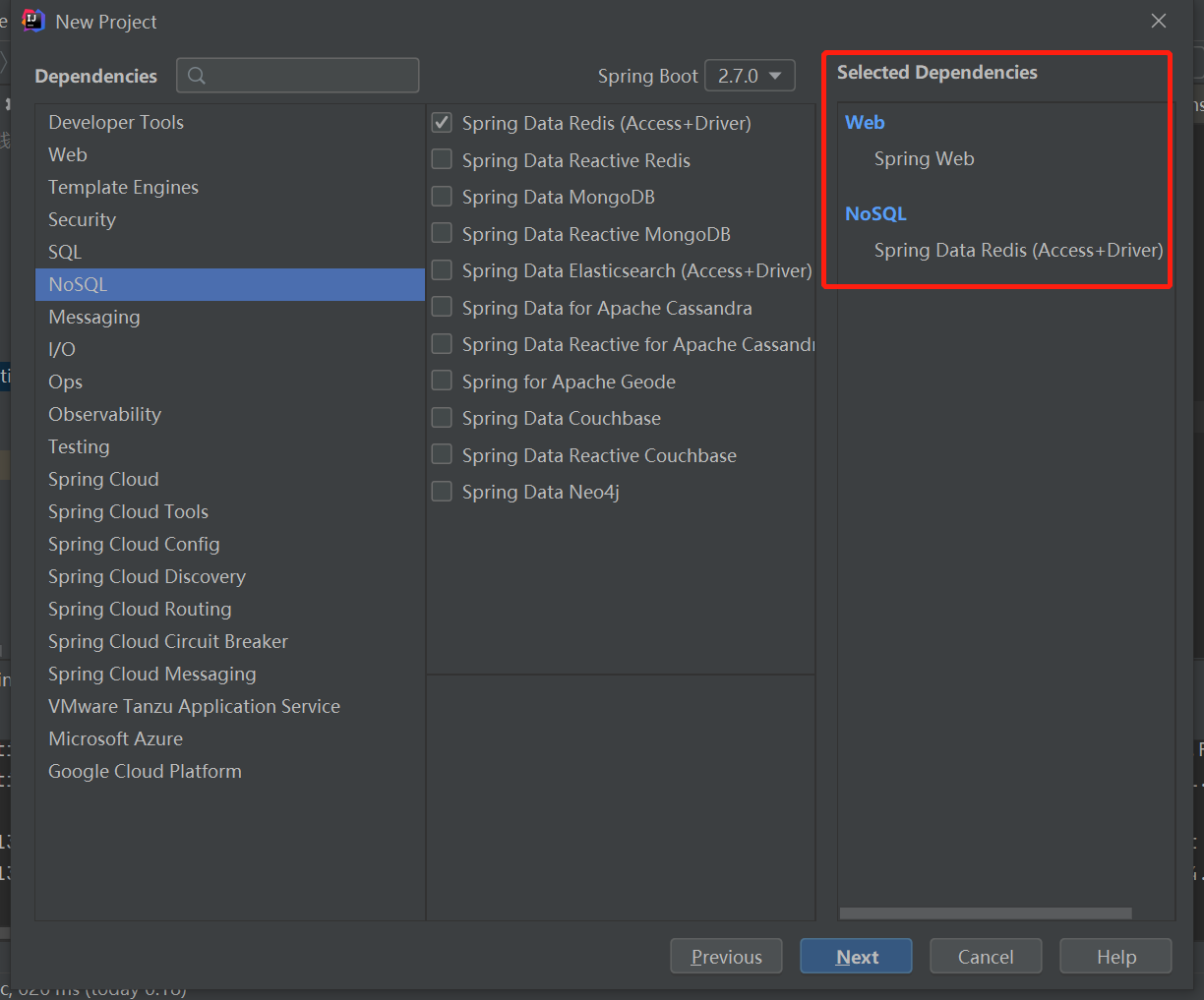
如果出现init失败(需要等待网络可以正常连接)
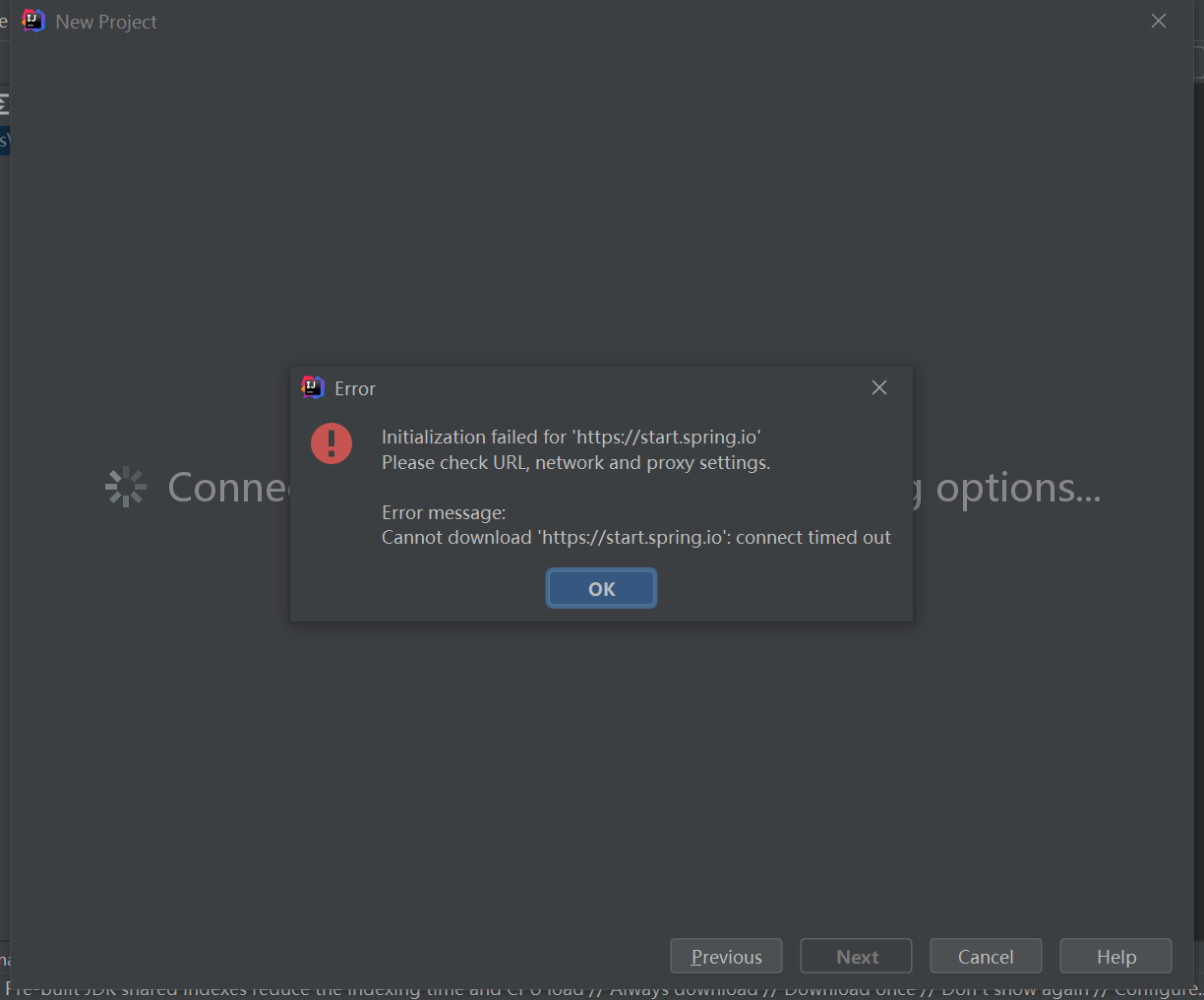
或者运行主类的时候报错(错误: 找不到或无法加载主类),需要重新导入maven项目再重新编译试试。

2.引入pom jar
<?xml version="1.0" encoding="UTF-8"?>
<project xmlns="http://maven.apache.org/POM/4.0.0" xmlns:xsi="http://www.w3.org/2001/XMLSchema-instance"
xsi:schemaLocation="http://maven.apache.org/POM/4.0.0 https://maven.apache.org/xsd/maven-4.0.0.xsd">
<modelVersion>4.0.0</modelVersion>
<!-- <parent>-->
<!-- <groupId>org.springframework.boot</groupId>-->
<!-- <artifactId>spring-boot-starter-parent</artifactId>-->
<!-- <version>2.5.4</version>-->
<!-- <relativePath/> <!– lookup parent from repository –>-->
<!-- </parent>-->
<groupId>com.redis</groupId>
<artifactId>demo</artifactId>
<version>0.0.1-SNAPSHOT</version>
<name>demo</name>
<description>Demo project for Spring Boot</description>
<properties>
<java.version>17</java.version>
</properties>
<dependencies>
<dependency>
<groupId>org.springframework.boot</groupId>
<artifactId>spring-boot-starter-data-redis</artifactId>
<version>2.5.4</version>
</dependency>
<dependency>
<groupId>org.springframework.boot</groupId>
<artifactId>spring-boot-starter-web</artifactId>
<version>2.5.4</version>
</dependency> <dependency>
<groupId>org.projectlombok</groupId>
<artifactId>lombok</artifactId>
<version>1.18.20</version>
<optional>true</optional>
</dependency>
<dependency>
<groupId>org.springframework.boot</groupId>
<artifactId>spring-boot-starter-test</artifactId>
<version>2.5.4</version>
<scope>test</scope>
</dependency>
<dependency>
<groupId>org.springframework.boot</groupId>
<artifactId>spring-boot-autoconfigure</artifactId>
<version>2.5.4</version>
</dependency>
<dependency>
    <groupId>com.alibaba</groupId>
    <artifactId>fastjson</artifactId>
    <version>1.2.62</version>
</dependency>
<dependency>
    <groupId>junit</groupId>
    <artifactId>junit</artifactId>
    <version>4.12</version>
    <scope>test</scope>
</dependency>
    </dependencies>

    <build>

        <plugins>

            <plugin>

                <groupId>org.springframework.boot</groupId>

                <artifactId>spring-boot-maven-plugin</artifactId>

            </plugin>

        </plugins>

    </build>

</project>
3.添加redis配置
server.port=8088

spring.redis.host=127.0.0.1

#Redis服务器连接端口

spring.redis.port=6379

#Redis服务器连接密码(默认为空)

spring.redis.password=

#连接池最大连接数(使用负值表示没有限制)

spring.redis.pool.max-active=8

#连接池最大阻塞等待时间(使用负值表示没有限制)

spring.redis.pool.max-wait=-1

#连接池中的最大空闲连接

spring.redis.pool.max-idle=8

#连接池中的最小空闲连接

spring.redis.pool.min-idle=0

#连接超时时间(毫秒)

spring.redis.timeout=30000
4.controller模拟订单号每次请求增加1
package com.redis.demo;

import org.springframework.beans.factory.annotation.Autowired;

import org.springframework.boot.SpringApplication;

import org.springframework.boot.autoconfigure.SpringBootApplication;

import org.springframework.data.redis.core.StringRedisTemplate;

import org.springframework.web.bind.annotation.RequestMapping;

import org.springframework.web.bind.annotation.RestController;

@RestController

@SpringBootApplication

public class DemoApplication {

    @Autowired

    private StringRedisTemplate redisTemplate;

    @RequestMapping("/")

    public String demo(){

        Long idx = redisTemplate.opsForValue().increment("orderId");

        return "Hello World! orderId = " + idx;

    }

    public static void main(String[] args) {

        SpringApplication.run(DemoApplication.class, args);

    }

}
5.访问

搭建springboot redis项目的更多相关文章
- 手把手教你从零开始搭建SpringBoot后端项目框架
原料 新鲜的IntelliJ IDEA.一双手.以及电脑一台. 搭建框架 新建项目 打开IDE,点击File -> New Project.在左侧的列表中的选择Maven项目,点击Next. 填 ...
- eclipse搭建springboot的项目
记录一次自己搭建springboot的经历 springboot项目创建 这里借用别的博主分享的方法 https://blog.csdn.net/mousede/article/details/812 ...
- 在线官网Spring Initializr 或 IntelliJ IDEA 快速搭建springboot项目
Spring Boot是由Pivotal团队提供的全新框架,设计目的是用来简化新Spring应用的初始搭建以及开发过程.它主要推崇的是'消灭配置’,实现零配置. 那么,如何快速新建一个一个spring ...
- 搭建Springboot
这几天一直在研究IDEA上面怎么搭建一个web-mvc的SpringBoot项目,看网上的教程一步步的搭建,可是还是出现一堆的问题. 为了让大家以后少走一些弯路,我在这里分享一下我这几天研究的成果,也 ...
- 如何基于 Docker 快速搭建 Springboot + Mysql + Redis 项目
目录 前言 项目目录 搭建项目 1. docker安装启动mysql以及redis 1.1 安装mysql 1.2 安装redis 2. 初始化数据库 3.创建项目 4.初始化代码 4.1 全局配置文 ...
- SpringBoot+Redis环境搭建
写在正文前的絮叨: 其实这个环境的搭建是很简单的,照着官网给的说明很快就可以搭建测试出来.为什么又要写出来呢?只是为了记录.保留.分享这其中遇到的坑. 这个环境之前在架构一个简单系统时,也曾经搭建过, ...
- 搭建Springboot+mybatis+redis+druid
2019独角兽企业重金招聘Python工程师标准>>> 准备工作 JDK:1.8 使用技术:SpringBoot.Dubbo.Mybatis.Druid 开发工具:Intelj ID ...
- springboot基础项目搭建(十五篇)
springboot系列一.springboot产生背景及介绍 springboot系列二.springboot项目搭建 springboot系列三.springboot 单元测试.配置访问路径.多个 ...
- (A)eclipse搭建springboot项目入门
网上许多资料都是用idea的,但是我个人用eclipse习惯了,所以就在eclipse里面自己尝试着写了一个hello. 然而项目建好后却迟迟不能访问!!!网上搜了许多资料都不靠谱! 虽然最后能看到h ...
- SpringBoot从入门到精通一(idea优雅搭建SpringBoot项目)
前言 在没有SpringBoot之前,我们搭建的是SSM(SpingMVC+Spring+Mybatis)项目,在搭建SSM项目的时候,我们要经过一系列的繁琐配置,例如:application,web ...
随机推荐
- Cloudera Manager 术语和架构
简介: 本文介绍了Cloudera Manager 的常见术语和架构 Cloudera Manager 术语 为了有效地使用Cloudera Manager,您应该首先了解其术语. 术语之间的关系如 ...
- 基于 MySQL + Tablestore 分层存储架构的大规模订单系统实践-架构篇
简介: 本文简要介绍了基于 MySQL 结合 Tablestore 的大规模订单系统方案.这种方案支持大数据存储.高性能数据检索.SQL搜索.实时与全量数据分析,且部署简单.运维成本低. 作者 ...
- Golang 与 JS 的字符串截取大同小异
Golang 和 JS 的字符串截取都可以利用索引定位的方式. Golang: str := "abcdef" sub := str[1: 2] JS: const str = ' ...
- [FAQ] dyld: Library not loaded: /usr/local/opt/icu4c/lib/libicui18n.64.dylib
通过 ls -al /usr/local/opt 可以看到 icu4c 链接的不是 libicui18n.64.dylib. 一般是 node 版本问题会出现该提示,通过观察版本大小,决定是升级还是使 ...
- 学习 Avalonia 框架笔记 如何创建一个全屏置顶的 X11 应用窗口
本文记录我从 Avalonia 框架里面学到如何创建一个全屏置顶的 X11 应用窗口的方法 开始之前,先从 Avalonia 或 CPF 里面拷贝足够的代码,这部分代码可以从本文末尾找到下载方法 设置 ...
- C语言笔记001-用C语言编写程序
例2-1 在屏幕上显示一个短句"Hello World!". #include <stdio.h> int main(void) { printf("hel ...
- R5_ES读写流程
基本概念 refresh:es接收数据请求时先存入ES进程中的内存 Buffer ,默认每隔一秒(index.refresh_interval:1s)会从内存buffer中将数据写入 os cache ...
- C#使用MX Component实现三菱PLC软元件数据采集的完整步骤(仿真)
前言 本文介绍了如何使用三菱提供的MX Component插件实现对三菱PLC软元件数据的读写,记录了使用计算机仿真,模拟PLC,直至完成测试的详细流程,并重点介绍了在这个过程中的易错点,供参考. 用 ...
- ERROR: Error installing mysql2: ERROR: Failed to build gem native extension [@Ubuntu 15.04]
参考文章: https://blog.csdn.net/a60919820/article/details/101847890 安装mysql 参考:https://www.cnblogs.com/h ...
- Atera 用户为最终用户提供对办公计算机的远程访问
一言以蔽之:由 Splashtop 提供支持的 Atera 的客户远程访问功能允许使用 Atera 的 MSP 设置和管理其最终用户对办公计算机的远程访问. 新冠肺炎大流行已加速了全球远程工作的进程 ...