
Viewpager实现今日头条顶部导航的功能
利用简单的Textview 和Viewpager实现滑动、点击换页的效果,效果图如下:
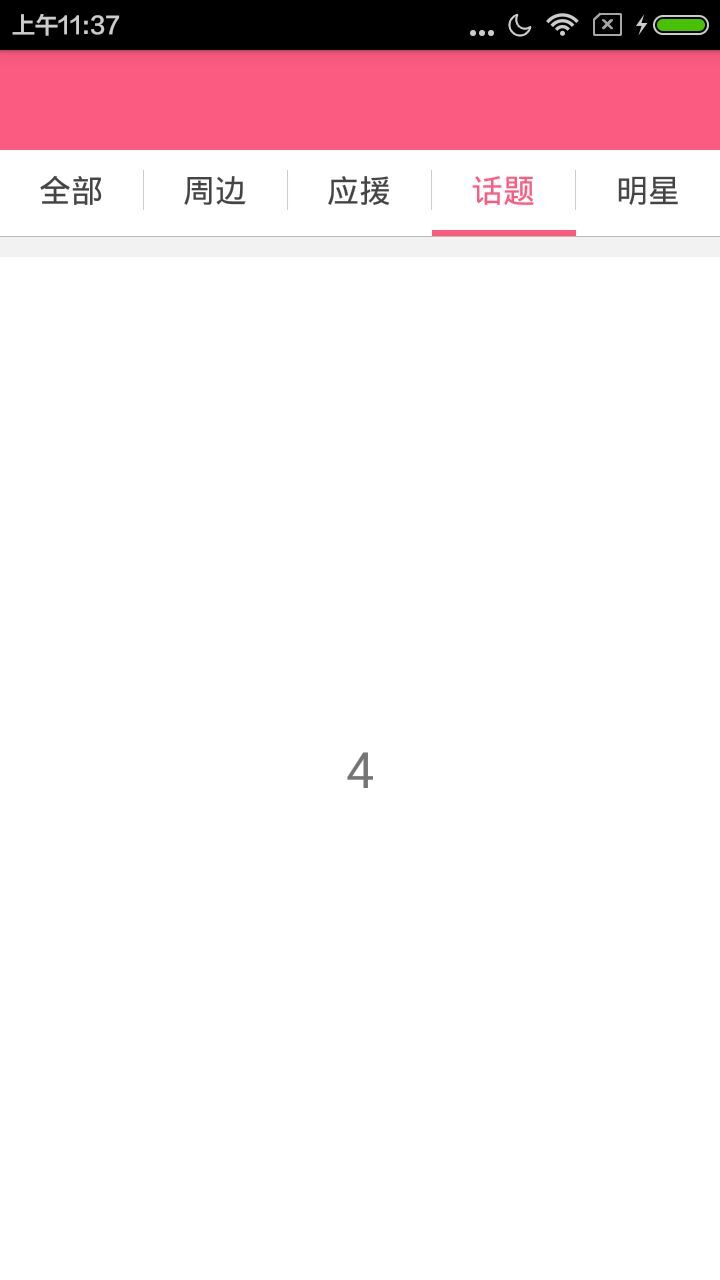
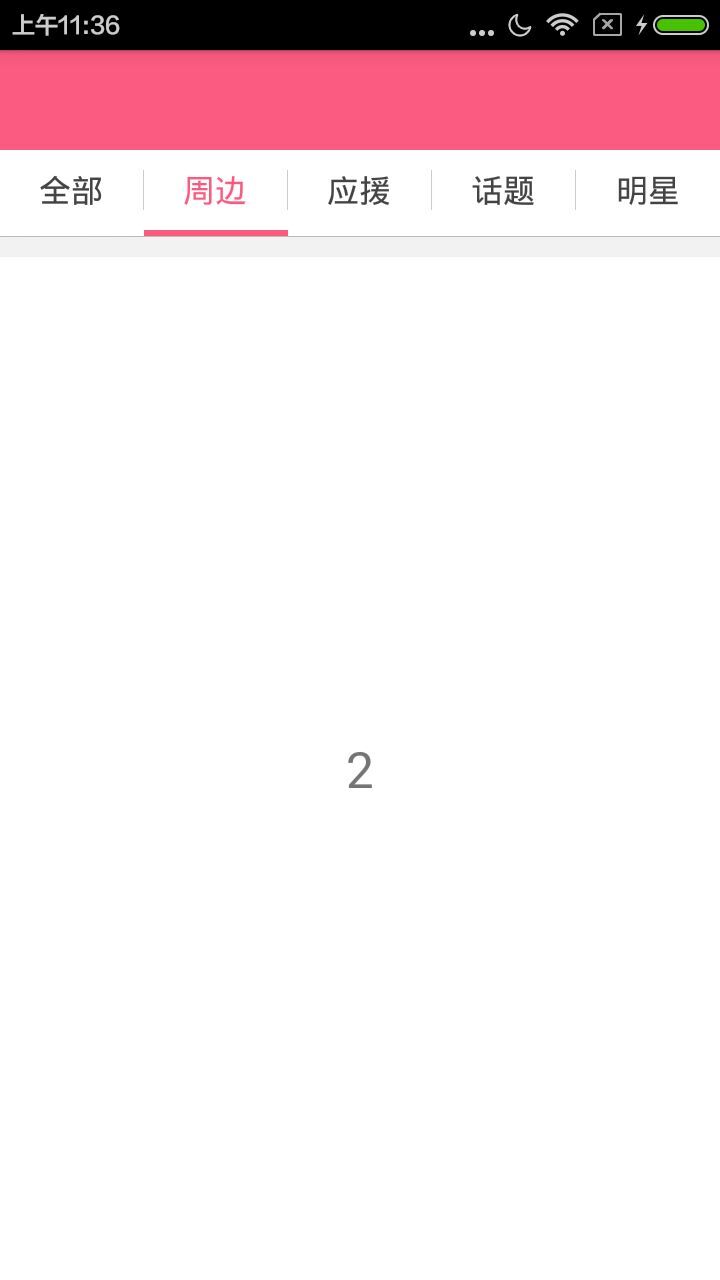
先上布局文件代码:
<?xml version="1.0" encoding="utf-8"?>

<LinearLayout xmlns:android="http://schemas.android.com/apk/res/android"

    android:layout_width="match_parent"

    android:layout_height="match_parent"

    android:background="@color/white"

    android:orientation="vertical" >

   <LinearLayout

       android:background="@color/red_base"

       android:orientation="horizontal"

       android:layout_width="match_parent"

       android:layout_height="50dp">

   </LinearLayout>

    <!-- 选项卡 -->

    <LinearLayout

        android:layout_width="match_parent"

        android:layout_height="40dp"

        android:background="@color/white"

        android:orientation="horizontal"

        android:weightSum="5" >

        <FrameLayout

            android:id="@+id/rim_tab1_fl"

            android:layout_width="0dp"

            android:layout_height="match_parent"

            android:layout_weight="1"

            android:clickable="true"

            android:gravity="center" >

            <TextView

                android:id="@+id/rim_tab1_tv"

                android:layout_width="wrap_content"

                android:layout_height="wrap_content"

                android:layout_gravity="center"

                android:text="全部"

                android:textColor="@color/red_base"

                android:textSize="16sp" />

        </FrameLayout>

        <View

            android:layout_width="0.5dp"

            android:layout_height="match_parent"

            android:layout_marginBottom="10dp"

            android:layout_marginTop="10dp"

            android:background="@color/divider_gray_line" />

        <FrameLayout

            android:id="@+id/rim_tab2_fl"

            android:layout_width="0dp"

            android:layout_height="match_parent"

            android:layout_weight="1"

            android:clickable="true"

            android:gravity="center" >

            <TextView

                android:id="@+id/rim_tab2_tv"

                android:layout_width="wrap_content"

                android:layout_height="wrap_content"

                android:layout_gravity="center"

                android:text="周边"

                android:textColor="@color/text_gray_4"

                android:textSize="16sp" />

        </FrameLayout>

        <View

            android:layout_width="0.5dp"

            android:layout_height="match_parent"

            android:layout_marginBottom="10dp"

            android:layout_marginTop="10dp"

            android:background="@color/divider_gray_line" />

        <FrameLayout

            android:id="@+id/rim_tab3_fl"

            android:layout_width="0dp"

            android:layout_height="match_parent"

            android:layout_weight="1"

            android:clickable="true"

            android:gravity="center" >

            <TextView

                android:id="@+id/rim_tab3_tv"

                android:layout_width="wrap_content"

                android:layout_height="wrap_content"

                android:layout_gravity="center"

                android:text="应援"

                android:textColor="@color/text_gray_4"

                android:textSize="16sp" />

        </FrameLayout>

        <View

            android:layout_width="0.5dp"

            android:layout_height="match_parent"

            android:layout_marginBottom="10dp"

            android:layout_marginTop="10dp"

            android:background="@color/divider_gray_line" />

        <FrameLayout

            android:id="@+id/rim_tab4_fl"

            android:layout_width="0dp"

            android:layout_height="match_parent"

            android:layout_weight="1"

            android:clickable="true"

            android:gravity="center" >

            <TextView

                android:id="@+id/rim_tab4_tv"

                android:layout_width="wrap_content"

                android:layout_height="wrap_content"

                android:layout_gravity="center"

                android:text="话题"

                android:textColor="@color/text_gray_4"

                android:textSize="16sp" />

        </FrameLayout>

        <View

            android:layout_width="0.5dp"

            android:layout_height="match_parent"

            android:layout_marginBottom="10dp"

            android:layout_marginTop="10dp"

            android:background="@color/divider_gray_line" />

        <FrameLayout

            android:id="@+id/rim_tab5_fl"

            android:layout_width="0dp"

            android:layout_height="match_parent"

            android:layout_weight="1"

            android:clickable="true"

            android:gravity="center" >

            <TextView

                android:id="@+id/rim_tab5_tv"

                android:layout_width="wrap_content"

                android:layout_height="wrap_content"

                android:layout_gravity="center"

                android:text="明星"

                android:textColor="@color/text_gray_4"

                android:textSize="16sp" />

        </FrameLayout>

    </LinearLayout>

    <LinearLayout

        android:layout_width="match_parent"

        android:layout_height="3dp"

        android:background="@color/white" >

        <ImageView

            android:id="@+id/rim_cursor"

            android:layout_width="80dp"

            android:layout_height="3dp"

            android:layout_marginTop="0dip"

            android:background="@color/title_bar_blue" />

    </LinearLayout>

    <View

        android:layout_width="match_parent"

        android:layout_height="0.1dp"

        android:background="@color/btn_bg_gray" />

    <!-- 选项卡内容显示区域 -->

    <View

        android:layout_width="match_parent"

        android:layout_height="10dp"

        android:background="@color/bg_light_gray" />

    <android.support.v4.view.ViewPager

        android:id="@+id/rim_third_vp"

        android:layout_width="match_parent"

        android:layout_height="match_parent" />

</LinearLayout>
上面红色指示器的view的初始化
private int screenWidth;//指示器

private ImageView cursorImg;

private LinearLayout.LayoutParams lp;

 private void initViews(){

        WindowManager wm = (WindowManager)

                getSystemService(Context.WINDOW_SERVICE);

        int width = wm.getDefaultDisplay().getWidth();

        screenWidth=width/5;

        cursorImg = (ImageView) findViewById(R.id.rim_cursor);

        lp = (LinearLayout.LayoutParams) cursorImg.getLayoutParams();

        lp.width = screenWidth;

        cursorImg.setLayoutParams(lp);

        leftMargin = lp.leftMargin;

  }
初始化indicater
private void initViewPager() {

        viewPager = (ViewPager) findViewById(R.id.rim_third_vp);

        fragmentsList = new ArrayList<Fragment>();

        fragment1 = new RimFragment();

        fragmentsList.add(fragment1);

        fragmentsList.add(fragment2);

        fragmentsList.add(fragment3);

        fragmentsList.add(fragment4);

        fragmentsList.add(fragment5);

        viewPager.setAdapter(new FragmentAdapter(getSupportFragmentManager(),

                fragmentsList));

        viewPager.setCurrentItem(0);

        viewPager.setOnPageChangeListener(this);

    }
设置上面选项卡的点击事件
 @Override

    public void onClick(View v) {

        switch (v.getId()){

            case R.id.rim_tab1_fl:

                viewPager.setCurrentItem(0);

                num_tab1_tv.setTextColor(getResources().getColor(R.color.red_base));

                num_tab2_tv.setTextColor(getResources().getColor(R.color.text_gray_4));

                num_tab3_tv.setTextColor(getResources().getColor(R.color.text_gray_4));

                num_tab4_tv.setTextColor(getResources().getColor(R.color.text_gray_4));

                num_tab5_tv.setTextColor(getResources().getColor(R.color.text_gray_4));

                fragment1.setMsgName("1","周边");//周边的官方和会员的接口参数,官方

                break;
设置viewpager 滑动事件
 @Override

    public void onPageScrolled(int position, float positionOffset, int positionOffsetPixels) {

        offset = (screenWidth - cursorImg.getLayoutParams().width) / 5;

        hidePoint(position, positionOffsetPixels);//设置红色指示器的位置

        cursorImg.setLayoutParams(lp);

        currentIndex = position;

    }

    @Override

    public void onPageSelected(int position) {

        switch (position){//设置点击事件

            case  0:

                fragment1.setMsgName("1","周边");

                num_tab1_tv.setTextColor(getResources().getColor(R.color.red_base));

                num_tab2_tv.setTextColor(getResources().getColor(R.color.text_gray_4));

                num_tab3_tv.setTextColor(getResources().getColor(R.color.text_gray_4));

                num_tab4_tv.setTextColor(getResources().getColor(R.color.text_gray_4));

                num_tab5_tv.setTextColor(getResources().getColor(R.color.text_gray_4));

                break;

        }

        if (position==0)

        {

        }else {

        }

    }

    @Override

    public void onPageScrollStateChanged(int state) {

    }

    //设置指示器的位置

    private void hidePoint(int position, int positionOffsetPixels) {

        if (position == 0) {// 0<->1

            lp.leftMargin = (int) (positionOffsetPixels / 5) + offset;

        } else if (position == 1) {// 1<->2

            lp.leftMargin = (int) (positionOffsetPixels / 5) + screenWidth

                    + offset;

        }else  if(position==2){

            lp.leftMargin = (int) (positionOffsetPixels / 5) + screenWidth*2

                    + offset;

        }

        else  if(position==3){

            lp.leftMargin = (int) (positionOffsetPixels / 5) + screenWidth*3

                    + offset;

        }

        else  if(position==4){

            lp.leftMargin = (int) (positionOffsetPixels / 5) + screenWidth*4

                    + offset;

        }

    }
代码并不难,希望通过我这个例子,一是巩固自己的学习和理解,二是希望更多的人更好的学习,我会再接再厉,写更多的博文。
Viewpager实现今日头条顶部导航的功能的更多相关文章
- Android之仿今日头条顶部导航栏效果
随着时间的推移现在的软件要求显示的内容越来越多,所以要在小的屏幕上能够更好的显示更多的内容,首先我们会想到底部菜单栏,但是有时候像今日头条新闻客户端要显示的内容太多,而且又想在主界面全部显示出来,所以 ...
- 自适应 Tab 宽度可以滑动文字逐渐变色的 TabLayout(仿今日头条顶部导航)
TabLayout相信大家都用过,2015年Google大会上发布了新的Android Support Design库里面包含了很多新的控件,其中就包含TabLayout,它可以配合ViewPager ...
- iOS仿今日头条滑动导航
之前写了篇博客网易首页导航封装类.网易首页导航封装类优化,今天在前两个的基础上仿下今日头条. 1.网易首页导航封装类中主要解决了上面导航的ScrollView和下面的页面的ScrollView联动的问 ...
- [Android] Android 类似今日头条顶部的TabLayout 滑动标签栏 效果
APP市场中大多数新闻App都有导航菜单,导航菜单是一组标签的集合,在新闻客户端中,每个标签标示一个新闻类别,对应下面ViewPager控件的一个分页面,今日头条, 网易新闻等. 本文主要讲的是用:T ...
- swfit - 实现类似今日头条顶部标签和底部内容的动态解决方案
TYPageView TYPageView 类似今日头条 的标签导航解决方案,支持多种样式选择,基于swift3.0,支持文字颜色动态变化,底部选中线的动态变化 配图: 使用方法: let title ...
- swift - 实现类似今日头条顶部标签和底部内容的动态解决方案
TYPageView TYPageView 类似今日头条 的标签导航解决方案,支持多种样式选择,基于swift3.0,支持文字颜色动态变化,底部选中线的动态变化 配图: 使用方法: let title ...
- Android 代码实现viewPager+fragment 模仿今日头条的顶部导航
模仿今日头条的顶部导航: 下载地址: http://download.csdn.net/detail/u014608640/9917700 效果图:
- 仿今日头条最强顶部导航指示器,支持6种模式-b
项目中经常会用到类似今日头条中顶部的导航指示器,我也经常用一个类似的库PagerSlidingTabStrip,但是有时并不能小伙伴们的所有需求,所以我在这个类的基础上就所有能用到的情况做了一个简单的 ...
- Android仿今日头条和知乎等App顶部滑动导航实现代码分析及源码下载
一.本文所涉及到的知识点 源码下载 二.目标 通过利用ViewPager+FragmentStatePagerAdapter+TabLayout 实现顶部滑动效果,如图: 三.知识点讲解 1.View ...
随机推荐
- Java Collection.Set
package 集合; /** * Set不包含重复元素 存储顺序和取出数据不一样 * * HashSet:它不保证set的迭代顺序,特别是它不保证该顺序恒久不变 * 底层是哈希表结构的 * Link ...
- js经验点滴
1.clone(),clone(ture),节点复制,元素复制追加. 2.siblings([expr]):取得一个包含匹配的元素集合中每一个元素的所有唯一同辈元素的元素集合.可以用可选的表达式进行筛 ...
- JS图片赖加载例子
<!DOCTYPE html> <html lang="en"> <head> <meta charset="UTF-8&quo ...
- less自动编译 VScode 开发工具配置
1.首先在vscode商店下载EasyLess插件,安装 2.在VS Code项目中,有一个.vscode的文件夹,找里面的settings.json文件(或者在文件-首选项-设置-搜索setting ...
- <Android 基础(十八)> XLIFF
介绍 XLIFF ,XML Localization Interchange File Format,XML本地化数据交换格式. 实际使用 1.布局文件 activity_main.xml <? ...
- 打杂程序员之nginx服务配置
现在公司要在服务器上多加个网站用同一个nginx服务器,而且都是公用80端口. 因为服务器上跑着好几个网站了,所以配置文件配置完成时候要检测一下能不能用,用nginx -t:最好不要直接杀死nginx ...
- String_Helper
#region 扩展验证方法 #region <<IsNullOrEmpty()字符串是否为空>> /// <summary> /// <para>代码 ...
- jscode属性排序
根据data中的value 对geCoorMap 进行排序,暂定降序排序. var data = [{name:"name1",value:29},{name:"name ...
- SDET面试之感受篇。
某年某月的某一天,我来到了太监村的一栋大厦,因为早到了半个小时,拿出来提前准备好的code随便的翻看着. 人家都说,面试头五分钟就已经决定了,是否能面试成功.所以,面试真正的真谛可能就是相面.什么写c ...
- 【NLP_Stanford课堂】语言模型1
一.语言模型 旨在:给一个句子或一组词计算一个联合概率 作用: 机器翻译:用以区分翻译结果的好坏 拼写校正:某一个拼错的单词是这个单词的概率更大,所以校正 语音识别:语音识别出来是这个句子的概率更大 ...