
9.Query on Embedded/Nested Documents-官方文档摘录
1.插入案例
db.inventory.insertMany( [

   { item: "journal", qty: 25, size: { h: 14, w: 21, uom: "cm" }, status: "A" },

   { item: "notebook", qty: 50, size: { h: 8.5, w: 11, uom: "in" }, status: "A" },

   { item: "paper", qty: 100, size: { h: 8.5, w: 11, uom: "in" }, status: "D" },

   { item: "planner", qty: 75, size: { h: 22.85, w: 30, uom: "cm" }, status: "D" },

   { item: "postcard", qty: 45, size: { h: 10, w: 15.25, uom: "cm" }, status: "A" }

]);
2.匹配内嵌文档
db.inventory.find({size:{h:14,w:21,uom:"cm"}})
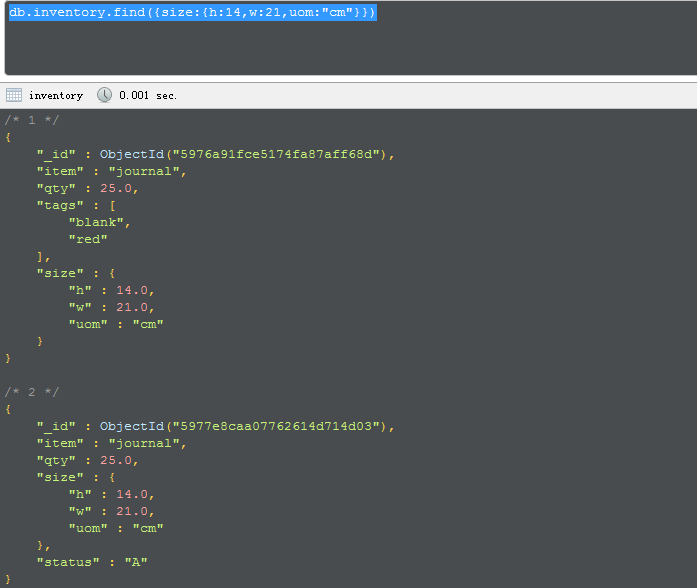
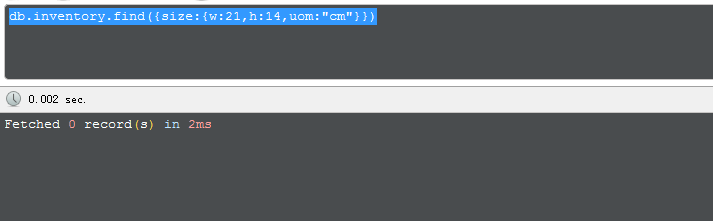
如果顺序不一致,则无法出正确数据
3 在嵌套字段中查找
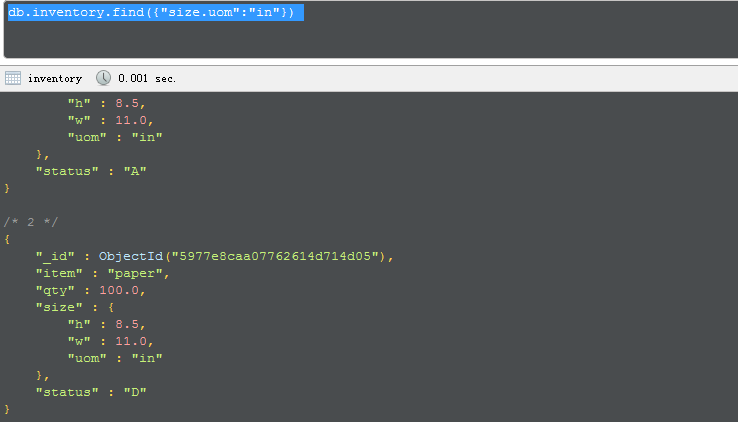
db.inventory.find({"size.uom":"in"})
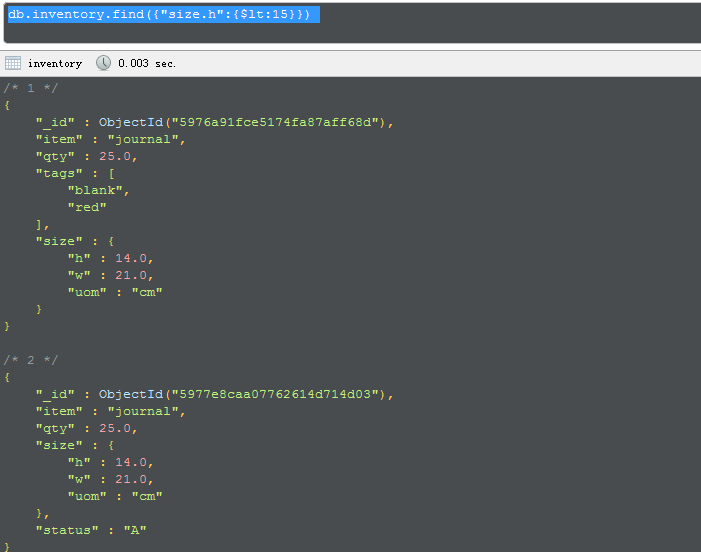
db.inventory.find({"size.h":{$lt:15}})
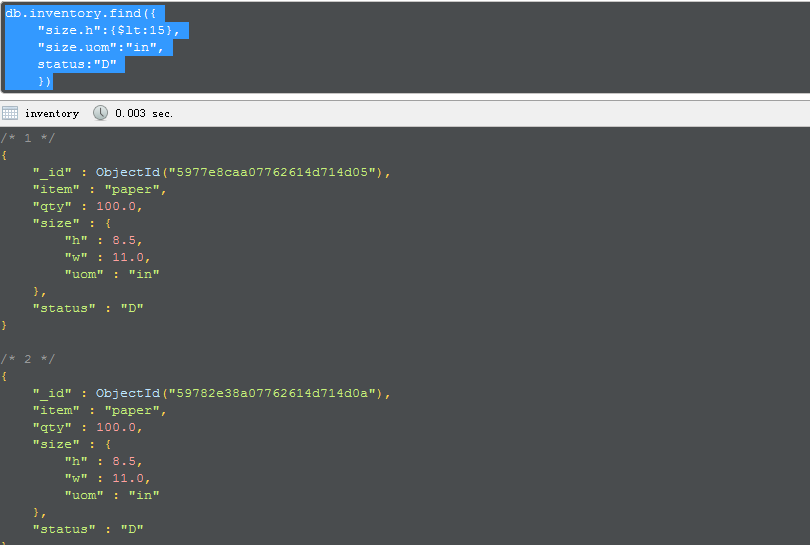
db.inventory.find({

    "size.h":{$lt:15},

    "size.uom":"in",

    status:"D"

    })
This page provides examples of query operations on embedded/nested documents using thedb.collection.find() method in the mongo shell. The examples on this page use the inventorycollection. To populate the inventory collection, run the following:
db.inventory.insertMany( [

   { item: "journal", qty: 25, size: { h: 14, w: 21, uom: "cm" }, status: "A" },

   { item: "notebook", qty: 50, size: { h: 8.5, w: 11, uom: "in" }, status: "A" },

   { item: "paper", qty: 100, size: { h: 8.5, w: 11, uom: "in" }, status: "D" },

   { item: "planner", qty: 75, size: { h: 22.85, w: 30, uom: "cm" }, status: "D" },

   { item: "postcard", qty: 45, size: { h: 10, w: 15.25, uom: "cm" }, status: "A" }

]);
You can run the operation in the web shell below:
Match an Embedded/Nested Document
To specify an equality condition on a field that is an embedded/nested document, use the query filter document { <field>: <value> } where <value> is the document to match.
For example, the following query selects all documents where the field size equals the document { h: 14,w: 21, uom: "cm" }:
db.inventory.find( { size: { h: 14, w: 21, uom: "cm" } } )
Equality matches on the whole embedded document require an exact match of the specified <value>document, including the field order. For example, the following query does not match any documents in theinventory collection:
db.inventory.find( { size: { w: 21, h: 14, uom: "cm" } } )
Query on Nested Field
To specify a query condition on fields in an embedded/nested document, use the dot notation("field.nestedField").
Specify Equality Match on a Nested Field
The following example selects all documents where the field uom nested in the size field equals "in":
db.inventory.find( { "size.uom": "in" } )
Specify Match using Query Operator
A query filter document can use the query operators to specify conditions in the following form:
{ <field1>: { <operator1>: <value1> }, ... }
The following query uses the less than operator ($lt) on the field h embedded in the size field:
db.inventory.find( { "size.h": { $lt: 15 } } )
Specify AND Condition
The following query selects all documents where the nested field h is less than 15, the nested field uomequals "in", and the status field equals "D":
db.inventory.find( { "size.h": { $lt: 15 }, "size.uom": "in", status: "D" } )
Additional Query Tutorials
For additional query examples, see:
9.Query on Embedded/Nested Documents-官方文档摘录的更多相关文章
- Cocos Creator 加载和切换场景(官方文档摘录)
Cocos Creator 加载和切换场景(官方文档摘录) 在 Cocos Creator 中,我们使用场景文件名( 可以不包含扩展名)来索引指代场景.并通过以下接口进行加载和切换操作: cc.dir ...
- ng的概念层次(官方文档摘录)
官方文档是这么说的: You write Angular applications by: composing HTML templates with Angularized markup, writ ...
- 13.Query for Null or Missing Fields-官方文档摘录
1 插入数据 db.inventory.insertMany([ { _id: 1, item: null }, { _id: 2 } ]) 2 查询null值 db.inventory.find({ ...
- Cocos Creator 生命周期回调(官方文档摘录)
Cocos Creator 为组件脚本提供了生命周期的回调函数.用户通过定义特定的函数回调在特定的时期编写相关 脚本.目前提供给用户的声明周期回调函数有: onLoad start update la ...
- Cocos Creator 使用计时器(官方文档摘录)
在 Cocos Creator 中,我们为组件提供了方便的计时器,这个计时器源自于 Cocos2d-x 中的 cc.Scheduler,我们将它保留在了 Cocos Creator 中并适配了基于组件 ...
- angular 模板语法(官方文档摘录)
https://angular.cn/guide/template-syntax {{}} 和"" 如果嵌套,{{}}里面求完值,""就是原意 <h3&g ...
- 11.Query an Array of Embedded Documents-官方文档摘录
总结 1.插入数据 db.inventory.insertMany( [ { item: "journal", instock: [ { warehouse: "A&qu ...
- 10.Query an Array-官方文档摘录
1.插入 db.inventory.insertMany([ { item: "journal", qty: 25, tags: ["blank", " ...
- 8.Query Documents-官方文档摘录
总结 1 先插入数据 db.inventory.insertMany([ { item: "journal", qty: 25, size: { h: 14, w: 21, uom ...
- 5.MongoDB CRUD Operations-官方文档摘录
总结 1. CRUD:create, read, update, and delete DOCUMENT 2.在3.2版本的插入方式 db.collection.insertOne() db.coll ...
随机推荐
- 根据现有IP地址获取其地理位置(省份,城市等)的方法
根据现有IP地址获取其地理位置(省份,城市等)的方法 function GetIpLookup($ip = ''){ if(empty($ip)){ return '请输入IP地址'; } $res ...
- Hadoop 2.0 编译问题小结
原文见 http://xiguada.org/hadoop-2-x-compile/ 这些问题是2013年初整理的,不过到目前为止,即使最新的hadoop2.0系列,编译总体上变化不大,因此还能适用. ...
- vim插件管理器的安装和配置-windows
# vim插件管理器的安装和配置-windows ### 前言------------------------------ vim做一框功能强大的编辑器,扩展功能令人称奇,插件机制非常灵活- 本篇推荐 ...
- DelphiXE8怎么使用调试模式(小米手机2)
需求:在开发Android程序时,大家一直是使用ShowMessage.其实XE是支持下断点的. 操作:小米手机2: 1.小米手机2用USB线,连到电脑上. 2.小米手机2-设置-关于手机-" ...
- 2016-2017 ACM-ICPC CHINA-Final H Great Cells ans[i]*i看做整体,转化为期望理解来解题
/** 题目:2016-2017 ACM-ICPC CHINA-Final H Great Cells 链接:http://codeforces.com/gym/101194 题意:给定n*m的矩形, ...
- php ocket通信机制
php 实例说明 socket通信机制 一,socket是什么 什么是socket 所谓socket通常也称作"套接字",用于描述IP地址和端口,是一个通信链的句柄.应用程序通常通 ...
- JQ 报表插件 jquery.jqplot 使用
<!DOCTYPE HTML PUBLIC "-//W3C//DTD HTML 4.01 Transitional//EN"> <html> <hea ...
- JFinal使用笔记3-注册和登录功能开发记录
首页 开源项目 问答 代码 博客 翻译 资讯 移动开发 招聘 城市圈 当前访客身份:游客 [ 登录 | 加入开源中国 ] 当前访客身份: 游客 [ 登录 | 加入开源中国 ] 软件 土龙 关注 ...
- VS2013远程调试IIS中的网站
问题描述一般网站发布到远程iis中了.我们就无法调试了... 今天查到个可以远程调试iis或winform的方法: 记录下 第一步:copy 本地 C:\Program Files (x86)\Mic ...
- windows server 服务器添加免费域名证书的方法(Let's Encrypt)
在 windows server 服务器上可以通过 win-acme工具添加ssl 1.首先下载工具 https://github.com/PKISharp/win-acme/releases 最新版 ...