
eclipse新建maven项目报错Could not resolve arachetype org.apache.maven.archetypes:mmaven-archetype-quickstart:1.1 from any of the configured repositories
使用eclipse新建maven项目,按下图所示选择后,报错
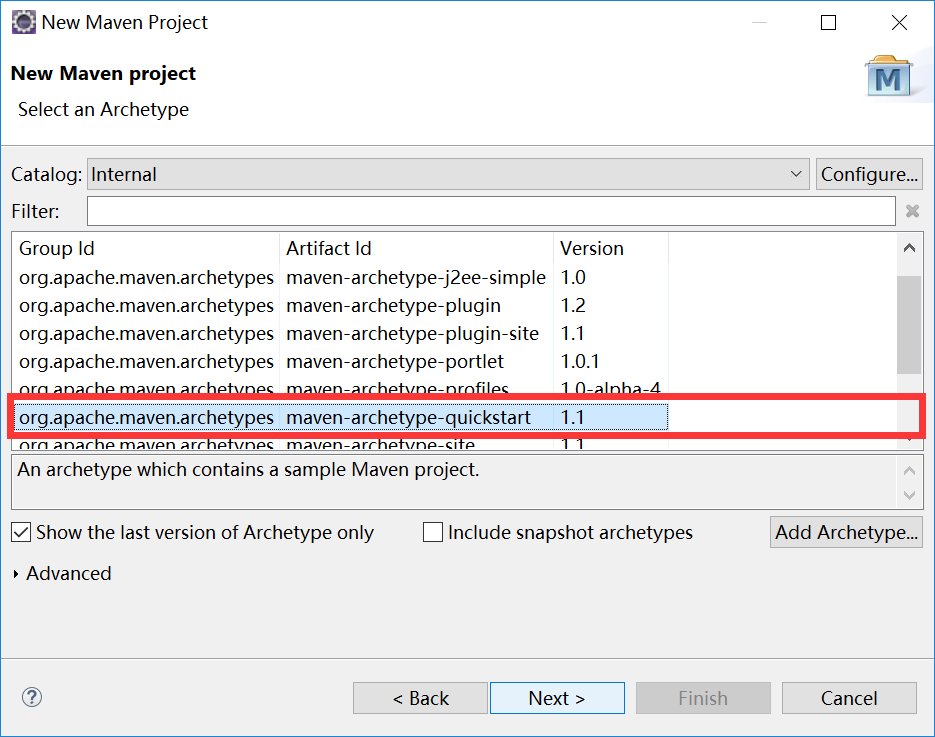
报错截图
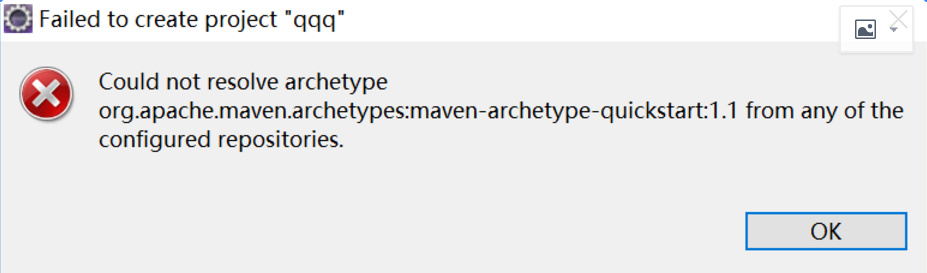
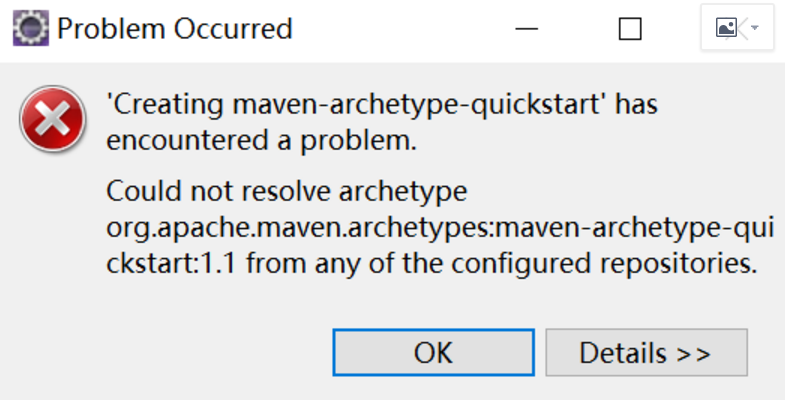
报错详细信息
Could not resolve archetype org.apache.maven.archetypes:maven-archetype-quickstart:1.1 from any of the configured repositories.
Could not resolve artifact org.apache.maven.archetypes:maven-archetype-quickstart:pom:1.1
Failure to transfer org.apache.maven.archetypes:maven-archetype-quickstart:pom:1.1 from http://maven.aliyun.com/nexus/content/groups/public was cached in the local repository, resolution will not be reattempted until the update interval of alimaven has elapsed or updates are forced. Original error: Could not transfer artifact org.apache.maven.archetypes:maven-archetype-quickstart:pom:1.1 from/to nexus-aliyun (http://maven.aliyun.com/nexus/content/groups/public): maven.aliyun.com
Failure to transfer org.apache.maven.archetypes:maven-archetype-quickstart:pom:1.1 from http://maven.aliyun.com/nexus/content/groups/public was cached in the local repository, resolution will not be reattempted until the update interval of alimaven has elapsed or updates are forced. Original error: Could not transfer artifact org.apache.maven.archetypes:maven-archetype-quickstart:pom:1.1 from/to nexus-aliyun (http://maven.aliyun.com/nexus/content/groups/public): maven.aliyun.com
附翻译
不能解决原型org.apache.maven.archetypes: maven-archetype-quickstart:从1.1的任何配置存储库。
不能解决工件org.apache.maven.archetypes: maven-archetype-quickstart: pom: 1.1
故障转移org.apache.maven.archetypes: maven-archetype-quickstart: pom: 1.1从http://maven.aliyun.com/nexus/content/groups/public缓存在本地存储库,解决之前不会再尝试的更新间隔alimaven强制运行或更新。原始错误:无法传输工件org.apache.maven.archetypes: maven-archetype-quickstart: pom: 1.1 / nexus-aliyun (http://maven.aliyun.com/nexus/content/groups/public): maven.aliyun.com
故障转移org.apache.maven.archetypes: maven-archetype-quickstart: pom: 1.1从http://maven.aliyun.com/nexus/content/groups/public缓存在本地存储库,解决之前不会再尝试的更新间隔alimaven强制运行或更新。原始错误:不能怪罪别人
之前也用此选择新建过项目是可以新建的,突然报错,按照下面这篇文章所讲的方法还是没有解决问题
https://www.cnblogs.com/suncoolcat/p/3366080.html
最后将本地仓库中下载的jar包全部删除后在新建项目,项目新建成功。
eclipse新建maven项目报错Could not resolve arachetype org.apache.maven.archetypes:mmaven-archetype-quickstart:1.1 from any of the configured repositories的更多相关文章
- Maven新建webapp项目报错Could not resolve artifact org.apache.maven.archetypes:maven-archetype-webapp:pom:RELEASE
Windows-Preferences 在搜索框输入maven,点击下面的Archetypes--->Add Remote Catalog... 对应输入 http://repo1.maven. ...
- Maven install 报错: Failed to execute goalorg.apache.maven.plugins:maven-gpg-plugin:1.4:sign (sign-art
执行 Maven install 时报错: Failed to execute goalorg.apache.maven.plugins:maven-gpg-plugin:1.4:sign (sign ...
- SpringBoot MAVEN编译报错Failed to execute goal org.apache.maven.plugins:maven-compiler-plugin:3.8.0:
参考了好几篇文章没搞定,直到查询错误关键字 An unknown compilation problem occurred 分别参考了以下博客: https://blog.csdn.net/fanre ...
- maven install 报错Failed to execute goal org.apache.maven.plugins:maven-compiler-plugin:3.1:compile (default-compile) on project*****
[ERROR]Failed to execute goal org.apache.maven.plugins:maven-compiler-plugin:3.1:compile (default-co ...
- 启动Maven项目时报错Failed to execute goal org.apache.maven.plugins:maven-clean-plugin:2.5:clean (default-clean) on project **-web: Failed to clean project: Failed to delete E:\**\target\tomcat\logs\access_lo
这类错误 出现这种错误,通常是由于您已启动了另一个tomcat 进程或者运行的javaw.exe进程,导致报错. 解决方法: 1. 鼠标点击 X 进行关闭运行失败的 Console页,(如果运行多次, ...
- maven install 报错 Failed to execute goal org.apache.maven.plugins:maven-surefire-plugin:2.12.4:test
pom文件引入以下依赖 <plugin> <groupId>org.apache.maven.plugins</groupId> <artifactId> ...
- Eclipse开发Android项目报错解决方案详细教程,最新版一篇就够了!
本文记录刚接触Android开发搭建环境后新建工程各种可能的报错,并亲身经历漫长的解决过程(╥╯^╰╥),寻找各种偏方,避免大家采坑,希望能帮助到大家. 报错信息 出错一:The import and ...
- STS新建的maven项目报错问题
STS新建的maven项目报错问题 解决方法:打开pom.xml文件添加 <dependency> <groupId>javax.servlet</groupId> ...
- 【maven】ecplise新建maven项目 报错Could not calculate build plan: Plugin org.apache.maven.plugins:maven-resources-plugin
在ecplise上新建maven项目 报错: Could not calculate build plan: Plugin org.apache.maven.plugins:maven-resourc ...
随机推荐
- django_1:配置文件
工程下: settings.py(建议设置成如下) DATABASES #数据库配置 DEBUG = True ...
- python:正则1
鱼c(扩展阅读): Python3 如何优雅地使用正则表达式(详解一) Python3 如何优雅地使用正则表达式(详解二) Python3 如何优雅地使用正则表达式(详解三) Python3 如何优雅 ...
- PHP提高SESSION响应速度的方法有哪些
1.设置多级目录存储SESSION 默认session的存储目录是1级目录,如果用户量比较大,session文件数量就比较大,我们可以设置目录数为2,使用2级目录可以提交查找和存取速度.不过这种方式对 ...
- nginx支持https配置
nginx证书 nginx.conf配置.
- C#Windows Forms 使MessageBox顶层显示--xdd
方法1. MessageBox.Show("Text", "Caption", MessageBoxButtons.OK, MessageBoxIcon.Inf ...
- MySql 表索引设计原则
索引的优点 1.加快数据的检索速度,这是创建索引的最主要的原因; 2.通过创建唯一性索引,可以保证数据库表中每一行数据的唯一性; 3.加速表和表之间的连接; 4.在使用分组和排序子句进行数据检索时,可 ...
- .net压缩文件
首先nuget安装DotNetZip 代码很少
- 学习spring和spring mvc过程中遇到的一些问题
以下仅为个人通过网上查找资料总结的内容,如有不对的地方欢迎提出: 注解: @Controller//表明本类是一个Controller @RequestMapping(value="/dem ...
- 网站出现bug,我深夜被叫醒处理,用一个触发器解决了问题
凌晨两点,我正在睡梦之中,此时电话忽然想起,在漆黑的深夜中显得格外刺耳. 这个时间点电话响了肯定没好事,因为我的手机在夜间模式下,除非被同一个电话号码打三次,否则是静音,因此电话那边的人肯定有急事找我 ...
- js4——字符转化
<!DOCTYPE html><html lang="en"><head> <meta charset="UTF-8" ...