
吴裕雄 python 神经网络——TensorFlow 训练过程的可视化 TensorBoard的应用
#训练过程的可视化 ,TensorBoard的应用

#导入模块并下载数据集

import tensorflow as tf

from tensorflow.examples.tutorials.mnist import input_data

#设置超参数

max_step=1000

learning_rate=0.001

dropout=0.9

# 用logdir明确标明日志文件储存路径

#训练过程中的数据储存在E:\\MNIST_data\\目录中,通过这个路径指定--log_dir

data_dir='E:\\MNIST_data\\'

log_dir='E:\\mnist_with_summaries\\'

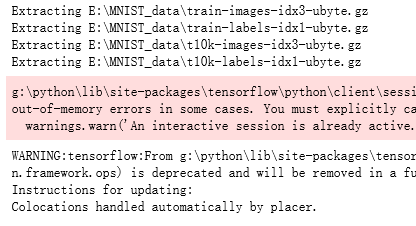
mnist=input_data.read_data_sets(data_dir,one_hot=True)

sess=tf.InteractiveSession()

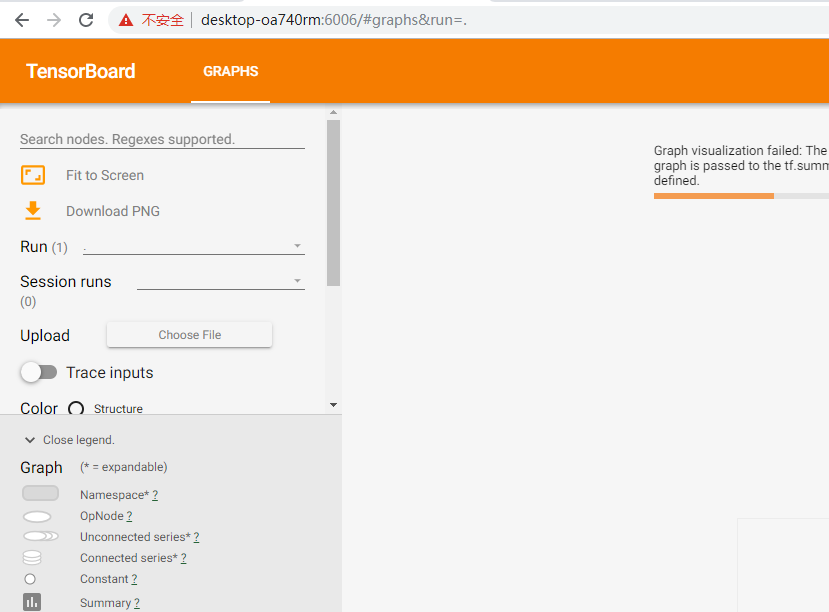
#本句的含义是使图可视化,sess.graph是对图的定义

#使用以上指定的路径创建摘要的文件写入符(FileWrite)

file_write=tf.summary.FileWriter(log_dir,sess.graph)

def variable_summaries(var, name):

    """对每一个张量添加多个摘要描述"""

    with tf.name_scope('summaries'):

        tf.summary.histogram(name, var)

        mean = tf.reduce_mean(var)

        #均值

        tf.summary.scalar('mean/' + name, mean)

        stddev = tf.sqrt(tf.reduce_mean(tf.square(var - mean)))

        #标准差

        tf.summary.scalar('stddev/' + name, stddev)

        # 最大值

        tf.summary.scalar('max',tf.reduce_max(var))

        # 最小值

        tf.summary.scalar('min', tf.reduce_min(var))

        tf.summary.histogram('histogram', var)

def nn_layer(input_tensor, input_dim, output_dim, layer_name, act=tf.nn.relu):

    with tf.name_scope(layer_name):

        """为确保计算图中各个层的分组,给每一层添加一个name_scope"""

        with tf.name_scope('weights'):

            weights = tf.Variable(tf.truncated_normal([input_dim, output_dim], stddev=0.1))

            variable_summaries(weights, layer_name + '/weights')

        with tf.name_scope('biases'):

            biases = tf.Variable(tf.constant(0.0, shape=[output_dim]))

            variable_summaries(biases, layer_name + '/biases')

        with tf.name_scope('Wx_plus_b'):

            preactivate = tf.matmul(input_tensor, weights) + biases

            # 激活前的直方图

            tf.summary.histogram(layer_name + '/pre_activations', preactivate)

        activations = act(preactivate, name='activation')

        # 记录神经网络节点输出在经过激活函数之后的分布。

        # 激活后的直方图

        tf.summary.histogram(layer_name + '/activations', activations)

        return activations

#构建回归模型,输入原始真实值(group truth),采用sotfmax函数拟合,并定义损失函数和优化器

#定义回归模型

x = tf.placeholder(tf.float32, [None, 784])

activations = nn_layer(x,784,10,"x")

#训练模型

#使用InteractiveSession()创建交互式上下文tf会话,这里的会话是默认

#在tf.Tensor.eval 和tf.Operation.run中都可以使用该会话来运行操作(OP)

sess = tf.InteractiveSession()

#注意:之前的版本中使用的是 tf.initialize_all_variables 作为初始化全局变量,已被弃用,更新后的采用一下命令

tf.global_variables_initializer().run()

for _ in range(1000):

    batch_xs, batch_ys = mnist.train.next_batch(100)

    sess.run(activations, feed_dict={x: batch_xs})

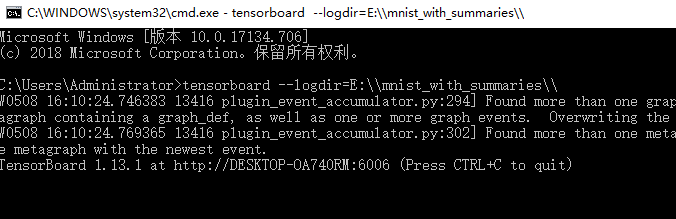
#运行tensorboard命令,打开浏览器,查看模型训练过程中的可视化结果,

#在终端输入下命令:

#tensorboard --logdir=E:\\mnist_with_summaries\\
吴裕雄 python 神经网络——TensorFlow 训练过程的可视化 TensorBoard的应用的更多相关文章
- 吴裕雄 python 神经网络——TensorFlow训练神经网络:不使用滑动平均
import tensorflow as tf from tensorflow.examples.tutorials.mnist import input_data INPUT_NODE = 784 ...
- 吴裕雄 python 神经网络——TensorFlow训练神经网络:不使用隐藏层
import tensorflow as tf from tensorflow.examples.tutorials.mnist import input_data INPUT_NODE = 784 ...
- 吴裕雄 python 神经网络——TensorFlow训练神经网络:不使用激活函数
import tensorflow as tf from tensorflow.examples.tutorials.mnist import input_data INPUT_NODE = 784 ...
- 吴裕雄 python 神经网络——TensorFlow训练神经网络:不使用指数衰减的学习率
import tensorflow as tf from tensorflow.examples.tutorials.mnist import input_data INPUT_NODE = 784 ...
- 吴裕雄 python 神经网络——TensorFlow训练神经网络:不使用正则化
import tensorflow as tf from tensorflow.examples.tutorials.mnist import input_data INPUT_NODE = 784 ...
- 吴裕雄 python 神经网络——TensorFlow训练神经网络:全模型
import tensorflow as tf from tensorflow.examples.tutorials.mnist import input_data INPUT_NODE = 784 ...
- 吴裕雄 python 神经网络——TensorFlow训练神经网络:MNIST最佳实践
import os import tensorflow as tf from tensorflow.examples.tutorials.mnist import input_data INPUT_N ...
- 吴裕雄 python 神经网络——TensorFlow训练神经网络:花瓣识别
import os import glob import os.path import numpy as np import tensorflow as tf from tensorflow.pyth ...
- 吴裕雄 python 神经网络——TensorFlow训练神经网络:卷积层、池化层样例
import numpy as np import tensorflow as tf M = np.array([ [[1],[-1],[0]], [[-1],[2],[1]], [[0],[2],[ ...
随机推荐
- Leetcode找三个数字的和满足xx条件的题目总结15➕16➕259
双指针最基础的题目是一个区间里找两个数字的和等于Target.首先将区间从小到大排序.接下来只要一个le指针,一个ri指针,分别从区间左右边界往中间推进即可.复杂度是排序的nlogn. 下面几道题都是 ...
- MYSQL入门总结
创建数据库及创建表 create schema/database ttest(名字); //创建数据库 create table ttest(建好的数据库名字).new_table(表名字) ( a ...
- 手写基于Promise A+规范的Promise
const PENDING = 'pending';//初始态const FULFILLED = 'fulfilled';//初始态const REJECTED = 'rejected';//初始态f ...
- 题解【loj6277】数列分块入门1
题目描述 给出一个长为\(n\)的数列,以及\(n\)个操作,操作涉及区间加法,单点查值. 输入格式 第一行输入一个数字\(n\). 第二行输入\(n\)个数字,第\(i\)个数字为\(a_{i}\) ...
- Goahead WebSever 总结
编译成功后用http://127.0.0.1可以访问网站,若端口号不是默认的80,者访问时加“:端口”,如: http://127.0.0.1:8888 1.websHomePageHandler函数 ...
- ansible playbook详解
ansible playbook是由yml语法书写,结构清晰,可读性强,所以必须掌握yml基础语法 语法 描述 缩进 YAML使用固定的缩进风格表示层级结构,每个缩进由两个空格组成,不能使用tabs键 ...
- codeforces div2 603 C. Everyone is a Winner!(二分)
题目链接:https://codeforces.com/contest/1263/problem/C 题意:给你一个数字n,求n/k有多少个不同的数 思路:首先K大于n时,n/k是0.然后k取值在1到 ...
- Spring Boot 2.x基础教程:找回启动日志中的请求路径列表
如果您看过之前的Spring Boot 1.x教程,或者自己原本就对Spring Boot有一些经验,或者对Spring MVC很熟悉.那么对于Spring构建的Web应用在启动的时候,都会输出当前应 ...
- JS高级---案例:贪吃蛇小游戏
案例:贪吃蛇小游戏 可以玩的小游戏,略复杂,过了2遍,先pass吧 先创建构造函数,再给原型添加方法.分别创建食物,小蛇和游戏对象. 食物,小蛇的横纵坐标,设置最大最小值,运动起来的函数,按上下左右键 ...
- 建立Web Service 接口及调用
WEB SERVICE 接口: [WebMethod] public string MaterialRequest(string jsonText) { string WorkNo; string P ...