
吴裕雄 python 人工智能——基于Mask_RCNN目标检测(2)
import os

import sys

import itertools

import math

import logging

import json

import re

import random

from collections import OrderedDict

import numpy as np

import matplotlib

import matplotlib.pyplot as plt

import matplotlib.patches as patches

import matplotlib.lines as lines

from matplotlib.patches import Polygon

import utils

import visualize

from visualize import display_images

import model as modellib

from model import log

%matplotlib inline

ROOT_DIR = os.getcwd()
# Run one of the code blocks

# Shapes toy dataset

# import shapes

# config = shapes.ShapesConfig()

# MS COCO Dataset

import coco

config = coco.CocoConfig()

COCO_DIR = "path to COCO dataset"  # TODO: enter value here
# Load dataset

if config.NAME == 'shapes':

    dataset = shapes.ShapesDataset()

    dataset.load_shapes(500, config.IMAGE_SHAPE[0], config.IMAGE_SHAPE[1])

elif config.NAME == "coco":

    dataset = coco.CocoDataset()

    dataset.load_coco(COCO_DIR, "train")

# Must call before using the dataset

dataset.prepare()

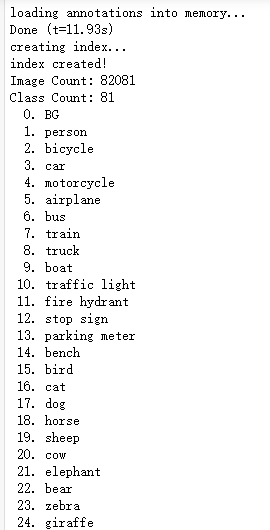
print("Image Count: {}".format(len(dataset.image_ids)))

print("Class Count: {}".format(dataset.num_classes))

for i, info in enumerate(dataset.class_info):

    print("{:3}. {:50}".format(i, info['name']))
# Load and display random samples

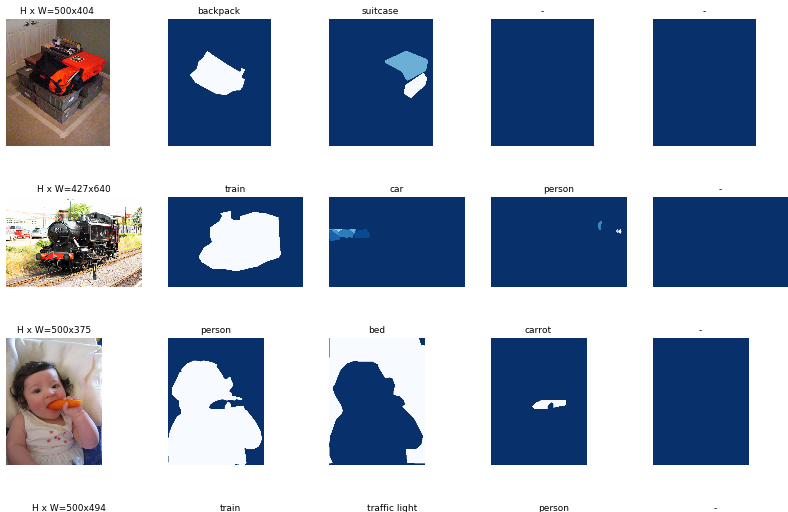
image_ids = np.random.choice(dataset.image_ids, 4)

for image_id in image_ids:

    image = dataset.load_image(image_id)

    mask, class_ids = dataset.load_mask(image_id)

    visualize.display_top_masks(image, mask, class_ids, dataset.class_names)
# Load random image and mask.

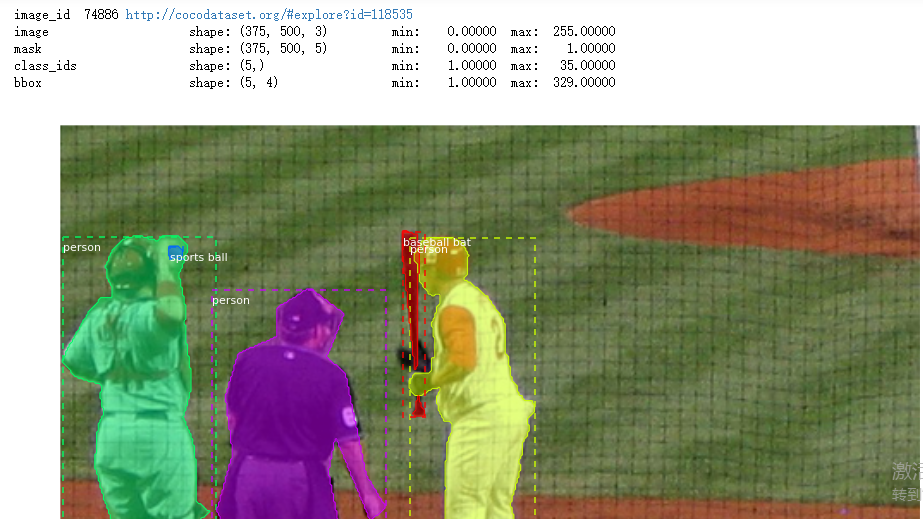
image_id = random.choice(dataset.image_ids)

image = dataset.load_image(image_id)

mask, class_ids = dataset.load_mask(image_id)

# Compute Bounding box

bbox = utils.extract_bboxes(mask)

# Display image and additional stats

print("image_id ", image_id, dataset.image_reference(image_id))

log("image", image)

log("mask", mask)

log("class_ids", class_ids)

log("bbox", bbox)

# Display image and instances

visualize.display_instances(image, bbox, mask, class_ids, dataset.class_names)
# Load random image and mask.

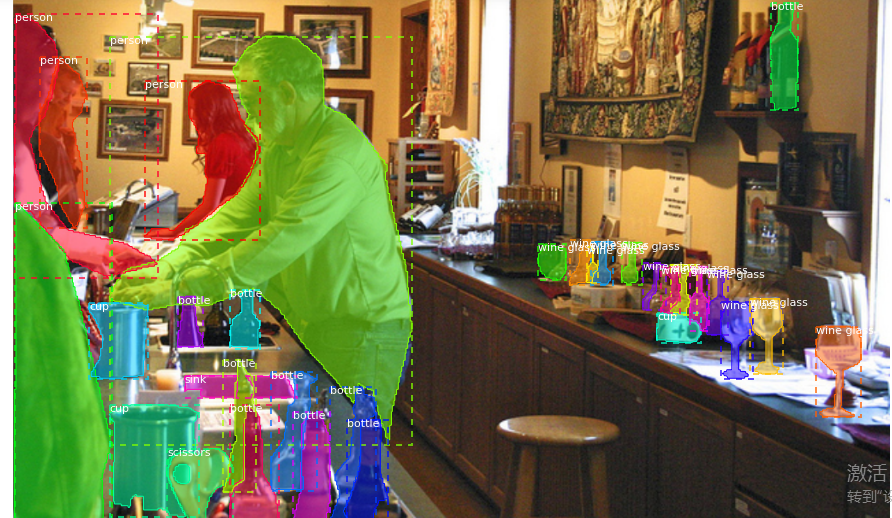
image_id = np.random.choice(dataset.image_ids, 1)[0]

image = dataset.load_image(image_id)

mask, class_ids = dataset.load_mask(image_id)

original_shape = image.shape

# Resize

image, window, scale, padding = utils.resize_image(

    image,

    min_dim=config.IMAGE_MIN_DIM,

    max_dim=config.IMAGE_MAX_DIM,

    padding=config.IMAGE_PADDING)

mask = utils.resize_mask(mask, scale, padding)

# Compute Bounding box

bbox = utils.extract_bboxes(mask)

# Display image and additional stats

print("image_id: ", image_id, dataset.image_reference(image_id))

print("Original shape: ", original_shape)

log("image", image)

log("mask", mask)

log("class_ids", class_ids)

log("bbox", bbox)

# Display image and instances

visualize.display_instances(image, bbox, mask, class_ids, dataset.class_names)
image_id = np.random.choice(dataset.image_ids, 1)[0]

image, image_meta, class_ids, bbox, mask = modellib.load_image_gt(

    dataset, config, image_id, use_mini_mask=False)

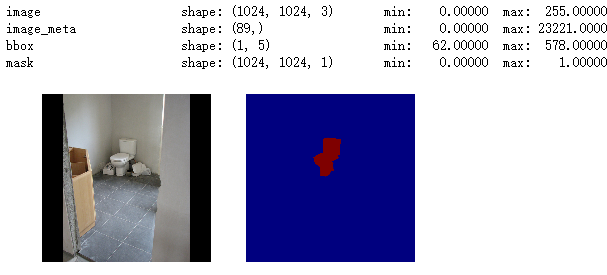
log("image", image)

log("image_meta", image_meta)

log("class_ids", class_ids)

log("bbox", bbox)

log("mask", mask)

display_images([image]+[mask[:,:,i] for i in range(min(mask.shape[-1], 7))])
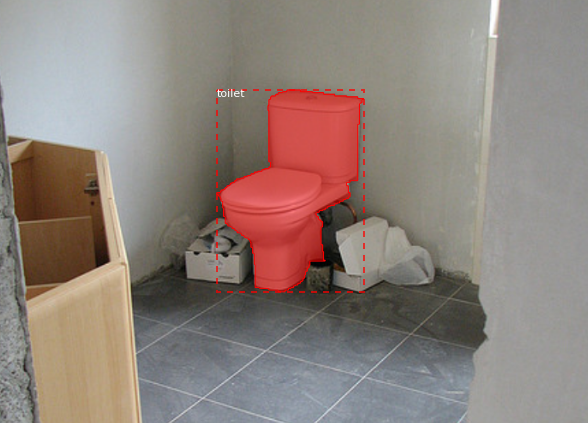
visualize.display_instances(image, bbox, mask, class_ids, dataset.class_names)
# Add augmentation and mask resizing.

image, image_meta, class_ids, bbox, mask = modellib.load_image_gt(

    dataset, config, image_id, augment=True, use_mini_mask=True)

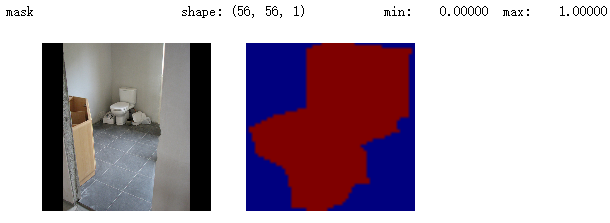
log("mask", mask)

display_images([image]+[mask[:,:,i] for i in range(min(mask.shape[-1], 7))])
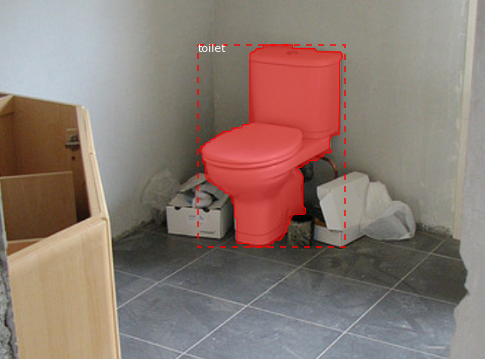
mask = utils.expand_mask(bbox, mask, image.shape)

visualize.display_instances(image, bbox, mask, class_ids, dataset.class_names)
# Generate Anchors

anchors = utils.generate_pyramid_anchors(config.RPN_ANCHOR_SCALES,

                                          config.RPN_ANCHOR_RATIOS,

                                          config.BACKBONE_SHAPES,

                                          config.BACKBONE_STRIDES,

                                          config.RPN_ANCHOR_STRIDE)

# Print summary of anchors

num_levels = len(config.BACKBONE_SHAPES)

anchors_per_cell = len(config.RPN_ANCHOR_RATIOS)

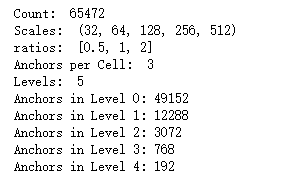
print("Count: ", anchors.shape[0])

print("Scales: ", config.RPN_ANCHOR_SCALES)

print("ratios: ", config.RPN_ANCHOR_RATIOS)

print("Anchors per Cell: ", anchors_per_cell)

print("Levels: ", num_levels)

anchors_per_level = []

for l in range(num_levels):

    num_cells = config.BACKBONE_SHAPES[l][0] * config.BACKBONE_SHAPES[l][1]

    anchors_per_level.append(anchors_per_cell * num_cells // config.RPN_ANCHOR_STRIDE**2)

    print("Anchors in Level {}: {}".format(l, anchors_per_level[l]))
## Visualize anchors of one cell at the center of the feature map of a specific level

# Load and draw random image

image_id = np.random.choice(dataset.image_ids, 1)[0]

image, image_meta, _, _, _ = modellib.load_image_gt(dataset, config, image_id)

fig, ax = plt.subplots(1, figsize=(10, 10))

ax.imshow(image)

levels = len(config.BACKBONE_SHAPES)

for level in range(levels):

    colors = visualize.random_colors(levels)

    # Compute the index of the anchors at the center of the image

    level_start = sum(anchors_per_level[:level]) # sum of anchors of previous levels

    level_anchors = anchors[level_start:level_start+anchors_per_level[level]]

    print("Level {}. Anchors: {:6}  Feature map Shape: {}".format(level, level_anchors.shape[0],

                                                                config.BACKBONE_SHAPES[level]))

    center_cell = config.BACKBONE_SHAPES[level] // 2

    center_cell_index = (center_cell[0] * config.BACKBONE_SHAPES[level][1] + center_cell[1])

    level_center = center_cell_index * anchors_per_cell

    center_anchor = anchors_per_cell * (

        (center_cell[0] * config.BACKBONE_SHAPES[level][1] / config.RPN_ANCHOR_STRIDE**2) \

        + center_cell[1] / config.RPN_ANCHOR_STRIDE)

    level_center = int(center_anchor)

    # Draw anchors. Brightness show the order in the array, dark to bright.

    for i, rect in enumerate(level_anchors[level_center:level_center+anchors_per_cell]):

        y1, x1, y2, x2 = rect

        p = patches.Rectangle((x1, y1), x2-x1, y2-y1, linewidth=2, facecolor='none',

                              edgecolor=(i+1)*np.array(colors[level]) / anchors_per_cell)

        ax.add_patch(p)

# Create data generator

random_rois = 2000

g = modellib.data_generator(

    dataset, config, shuffle=True, random_rois=random_rois,

    batch_size=4,

    detection_targets=True)
# Get Next Image

if random_rois:

    [normalized_images, image_meta, rpn_match, rpn_bbox, gt_class_ids, gt_boxes, gt_masks, rpn_rois, rois], \

    [mrcnn_class_ids, mrcnn_bbox, mrcnn_mask] = next(g)

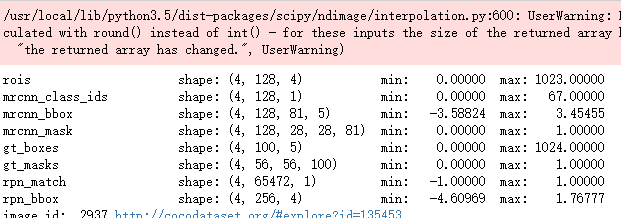
    log("rois", rois)

    log("mrcnn_class_ids", mrcnn_class_ids)

    log("mrcnn_bbox", mrcnn_bbox)

    log("mrcnn_mask", mrcnn_mask)

else:

    [normalized_images, image_meta, rpn_match, rpn_bbox, gt_boxes, gt_masks], _ = next(g)

log("gt_class_ids", gt_class_ids)

log("gt_boxes", gt_boxes)

log("gt_masks", gt_masks)

log("rpn_match", rpn_match, )

log("rpn_bbox", rpn_bbox)

image_id = image_meta[0][0]

print("image_id: ", image_id, dataset.image_reference(image_id))

# Remove the last dim in mrcnn_class_ids. It's only added

# to satisfy Keras restriction on target shape.

mrcnn_class_ids = mrcnn_class_ids[:,:,0]
b = 0

# Restore original image (reverse normalization)

sample_image = modellib.unmold_image(normalized_images[b], config)

# Compute anchor shifts.

indices = np.where(rpn_match[b] == 1)[0]

refined_anchors = utils.apply_box_deltas(anchors[indices], rpn_bbox[b, :len(indices)] * config.RPN_BBOX_STD_DEV)

log("anchors", anchors)

log("refined_anchors", refined_anchors)

# Get list of positive anchors

positive_anchor_ids = np.where(rpn_match[b] == 1)[0]

print("Positive anchors: {}".format(len(positive_anchor_ids)))

negative_anchor_ids = np.where(rpn_match[b] == -1)[0]

print("Negative anchors: {}".format(len(negative_anchor_ids)))

neutral_anchor_ids = np.where(rpn_match[b] == 0)[0]

print("Neutral anchors: {}".format(len(neutral_anchor_ids)))

# ROI breakdown by class

for c, n in zip(dataset.class_names, np.bincount(mrcnn_class_ids[b].flatten())):

    if n:

        print("{:23}: {}".format(c[:20], n))

# Show positive anchors

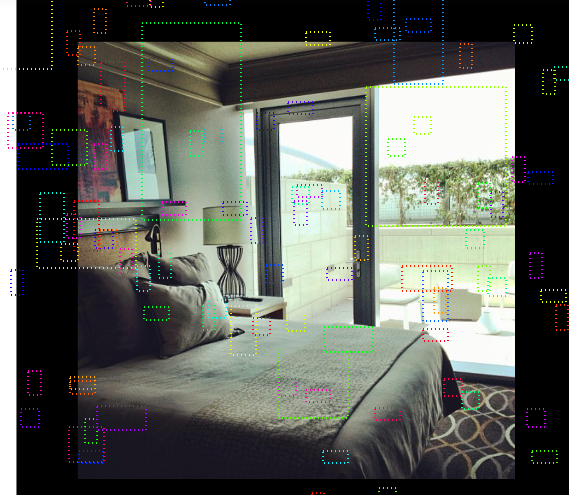
visualize.draw_boxes(sample_image, boxes=anchors[positive_anchor_ids],

                     refined_boxes=refined_anchors)
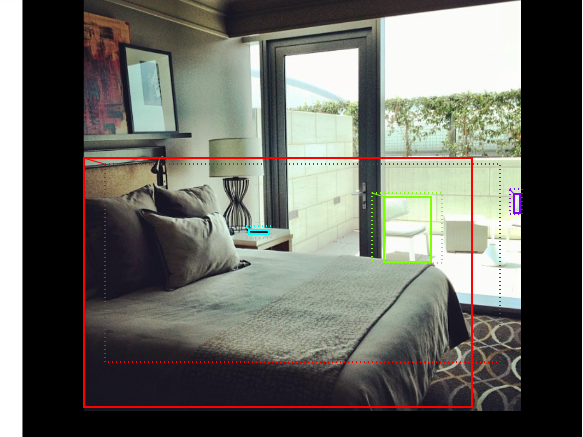
# Show negative anchors

visualize.draw_boxes(sample_image, boxes=anchors[negative_anchor_ids])
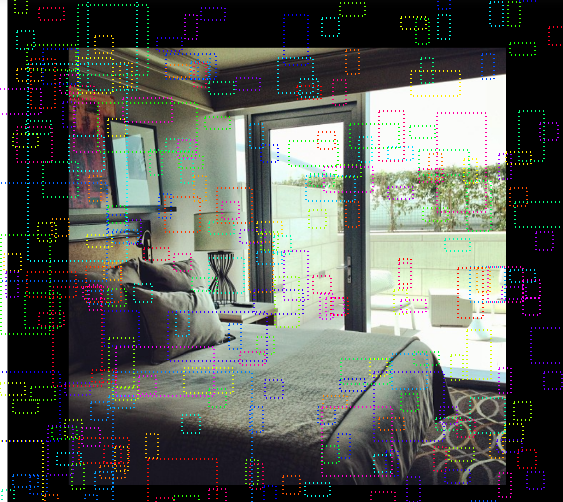
# Show neutral anchors. They don't contribute to training.

visualize.draw_boxes(sample_image, boxes=anchors[np.random.choice(neutral_anchor_ids, 100)])
if random_rois:

    # Class aware bboxes

    bbox_specific = mrcnn_bbox[b, np.arange(mrcnn_bbox.shape[1]), mrcnn_class_ids[b], :]

    # Refined ROIs

    refined_rois = utils.apply_box_deltas(rois[b].astype(np.float32), bbox_specific[:,:4] * config.BBOX_STD_DEV)

    # Class aware masks

    mask_specific = mrcnn_mask[b, np.arange(mrcnn_mask.shape[1]), :, :, mrcnn_class_ids[b]]

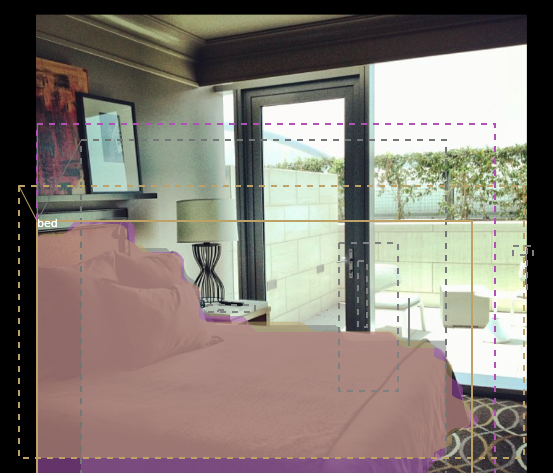
    visualize.draw_rois(sample_image, rois[b], refined_rois, mask_specific, mrcnn_class_ids[b], dataset.class_names)

    # Any repeated ROIs?

    rows = np.ascontiguousarray(rois[b]).view(np.dtype((np.void, rois.dtype.itemsize * rois.shape[-1])))

    _, idx = np.unique(rows, return_index=True)

    print("Unique ROIs: {} out of {}".format(len(idx), rois.shape[1]))
if random_rois:

    # Dispalay ROIs and corresponding masks and bounding boxes

    ids = random.sample(range(rois.shape[1]), 8)

    images = []

    titles = []

    for i in ids:

        image = visualize.draw_box(sample_image.copy(), rois[b,i,:4].astype(np.int32), [255, 0, 0])

        image = visualize.draw_box(image, refined_rois[i].astype(np.int64), [0, 255, 0])

        images.append(image)

        titles.append("ROI {}".format(i))

        images.append(mask_specific[i] * 255)

        titles.append(dataset.class_names[mrcnn_class_ids[b,i]][:20])

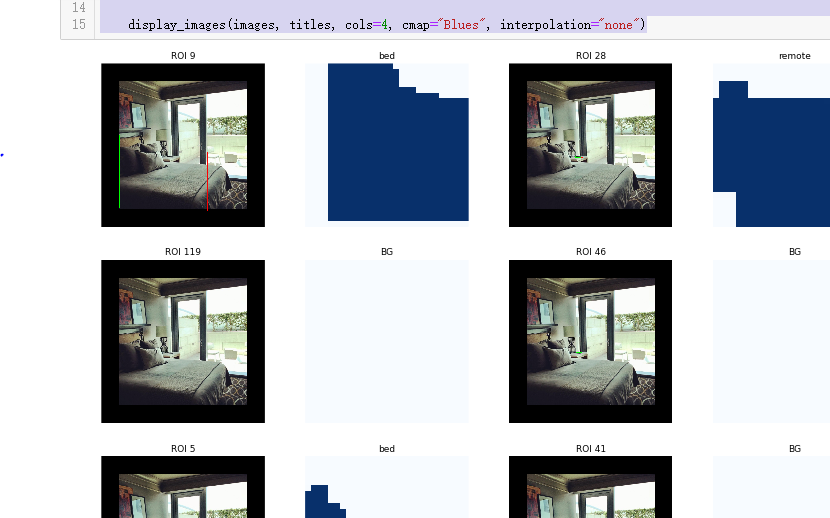
    display_images(images, titles, cols=4, cmap="Blues", interpolation="none")
# Check ratio of positive ROIs in a set of images.

if random_rois:

    limit = 10

    temp_g = modellib.data_generator(

        dataset, config, shuffle=True, random_rois=10000,

        batch_size=1, detection_targets=True)

    total = 0

    for i in range(limit):

        _, [ids, _, _] = next(temp_g)

        positive_rois = np.sum(ids[0] > 0)

        total += positive_rois

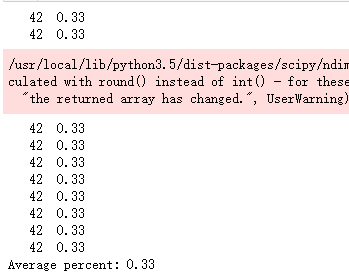
        print("{:5} {:5.2f}".format(positive_rois, positive_rois/ids.shape[1]))

    print("Average percent: {:.2f}".format(total/(limit*ids.shape[1])))
吴裕雄 python 人工智能——基于Mask_RCNN目标检测(2)的更多相关文章
- 吴裕雄 PYTHON 人工智能——基于MASK_RCNN目标检测(5)
import os import sys import numpy as np import tensorflow as tf import matplotlib import matplotlib. ...
- 吴裕雄 PYTHON 人工智能——基于MASK_RCNN目标检测(4)
import os import sys import random import math import re import time import numpy as np import tenso ...
- 吴裕雄 python 人工智能——基于Mask_RCNN目标检测(3)
import os import sys import random import math import re import time import numpy as np import cv2 i ...
- 吴裕雄 python 人工智能——基于Mask_RCNN目标检测(1)
import os import sys import random import math import numpy as np import skimage.io import matplotli ...
- 吴裕雄 python 人工智能——基于神经网络算法在智能医疗诊断中的应用探索代码简要展示
#K-NN分类 import os import sys import time import operator import cx_Oracle import numpy as np import ...
- 吴裕雄 PYTHON 人工智能——智能医疗系统后台智能分诊模块及系统健康养生公告简约版代码展示
#coding:utf-8 import sys import cx_Oracle import numpy as np import pandas as pd import tensorflow a ...
- 吴裕雄 python 人工智能——智能医疗系统后台用户复诊模块简约版代码展示
#复诊 import sys import os import time import operator import cx_Oracle import numpy as np import pand ...
- 吴裕雄 python 人工智能——智能医疗系统后台用户注册、登录和初诊简约版代码展示
#用户注册.登录模块 #数据库脚本 CREATE TABLE usertable( userid number(8) primary key not null , username varchar(5 ...
- TF项目实战(基于SSD目标检测)——人脸检测1
SSD实战——人脸检测 Tensorflow 一 .人脸检测的困难: 1. 姿态问题 2.不同种族人, 3.光照 遮挡 带眼睛 4.视角不同 5. 不同尺度 二. 数据集介绍以及转化VOC: 1. F ...
随机推荐
- Docker(一)概念与基础
Docker 基础 为什么需要docker?在传统部署下,我们会遇到不同机器.不同依赖版本的兼容性等问题,解决此问题一般会消耗大量时间,并且在不同机器上均要执行统一环境的部署也是一个耗时较长的工作.除 ...
- [LOJ113] 最大异或和 - 线性基
虽然是SB模板但还真是第一次手工(然而居然又被运算符优先级调戏了) #include <bits/stdc++.h> using namespace std; #define int lo ...
- <context:component-scan>标签
在spring-mvc的配置文件Springmvc-servlet.xml中,要扫描Controller注解的类,用<context:include-filter>标签 <conte ...
- C++-LUOGU2938- [USACO09FEB]股票市场Stock Market-[完全背包]
开O2,开O2,开O2 重要的事情说三遍 #include <set> #include <map> #include <cmath> #include <q ...
- C++-1019-Number Sequence
题意: 求数字112123123412345123456123456712345678123456789123456789101234567891011123456789101112123456789 ...
- 不能暴露服务给外部环境,因为nginx-ingress-control启动失败
不能暴露服务给外部环境,因为nginx-ingress-control启动失败 待办 rancher 和k8s中的端口冲突,nginx-ingress-control都需要使用80端口 以及443端口 ...
- 【Python】摄氏度与华氏度互相转化
Python入门程序,大家可以举一反三,进行各种转换,比如单位转化,货币转化等等,自行发挥即可! 原理: 代码: Tempstr=input("请输入带有符号的温度值:\n")# ...
- DockerToolbox安装docker - Windows 10
Wiindows安装docker 在转换成linux模式的时候不能使用,只能退而求其次安装Docker ToolBox在windows10中使用docker. 一.前言 由于本机使用的是win10家庭 ...
- idea中使用Data Source and Drivers时,如果使用自己自定义的jar包
- codeforces 1245D(最小生成树)
题面链接:https://codeforces.com/problemset/problem/1245/D 题意大概是给你一些城市的坐标,可以在城市中建立发电站,也可以让某个城市和已经建好发电站的城市 ...