
python 爬虫实例(三)
问题描述
爬取博客园的首页数据URL【https://home.cnblogs.com/blog/page/1/】,之后写到自己的Excel里面
环境:
OS:Window10
python:3.7
代码
import requests

import os

from bs4 import BeautifulSoup

import xlwt

import xlrd

from xlutils.copy import copy

import threading

import datetime

class BlogHome:

    def __init__(self):

        self.url = "https://home.cnblogs.com/blog/page/{}/"

        self.path = r"C:\pythonProject\Blog"

    def request(self, param):

        url= self.url.format(param)

        r = requests.get(self.url)

        return r.text

    def all_page(self, maxpage):

        # wbk = xlwt.Workbook()

        # sheet = wbk.add_sheet("Data")

        wbk = xlrd.open_workbook(r"C:\Users\peiqiang\Desktop\aaa.xls", formatting_info=True)

        wbCopy = copy(wbk)

        sheet = wbCopy.get_sheet(0)

        row = 4

        for page in range(1, maxpage):

            thread_lock.acquire()

            req = self.request(page)

            reRow = self.getdata(req, sheet, row)

            row = reRow

            thread_lock.release()

        wbCopy.save(r"C:\Users\peiqiang\Desktop\aaa.xls")

        print("書き込みました")

    def getdata(self, req, sheet, row):

        soup = BeautifulSoup(req, "xml")

        all_title = soup.find_all(class_="post_block")

        for title in all_title:

            col = 1

            # title取得

            title_blank = title.find(class_="entry_title").find_all("a")

            print("user:", title_blank[0].string.replace("[", "").replace("]", ""))

            sheet.write(row, col, title_blank[0].string.replace("[", "").replace("]", ""))

            col += 1

            print("title:", title_blank[1].string)

            sheet.write(row, col, title_blank[1].string)

            col += 1

            # 評論個数

            post_comment = title.find(class_="post_comment")

            print("評論個数:", post_comment.string)

            sheet.write(row, col, post_comment.string)

            col += 1

            # 読込個数

            post_view = title.find(class_="post_view")

            print("読込個数:", post_view.string)

            sheet.write(row, col, post_view.string)

            col += 1

            # 推奨個数

            # susume = title.find(class_="entry_footer")

            # print("推奨個数:", susume.string)

            # 発表日付

            postdate = title.find(class_="postdate")

            print("発表日付:", postdate.string)

            sheet.write(row, col, postdate.string)

            col += 1

            # 詳細取得

            entry_summary = title.find(class_="entry_summary")

            print("詳細取得:", entry_summary.string)

            sheet.write(row, col, entry_summary.string)

            col += 1

            row += 1

        return row

    def writeExcel(self, row, col, data):

        wbk = xlwt.Workbook()

        sheet = wbk.add_sheet("Data", cell_overwrite_ok=True)

        sheet.write(row, col, data)

        wbk.save(r"C:\Users\peiqiang\Desktop\aaa.xls")

        print("書き込みました")

    def mkdir(self):

        path = self.path.strip()

        isExist = os.path.exists(path)

        if not isExist:

            print('创建名字叫做', path, '的文件夹')

            os.makedirs(path)

            print('创建成功!')

            return True

        else:

            print(path, '文件夹已经存在了,不再创建')

            return False

    def getBlog(self):

        startTime = datetime.datetime.now()

        print("開始", startTime)

        self.all_page(10)

        endTime = datetime.datetime.now()

        print("実行時間:", (endTime - startTime).seconds)

        print("開始", startTime)

        print("終了", endTime)

thread_lock = threading.BoundedSemaphore(value=10)

blogHome = BlogHome()

blogHome.getBlog()
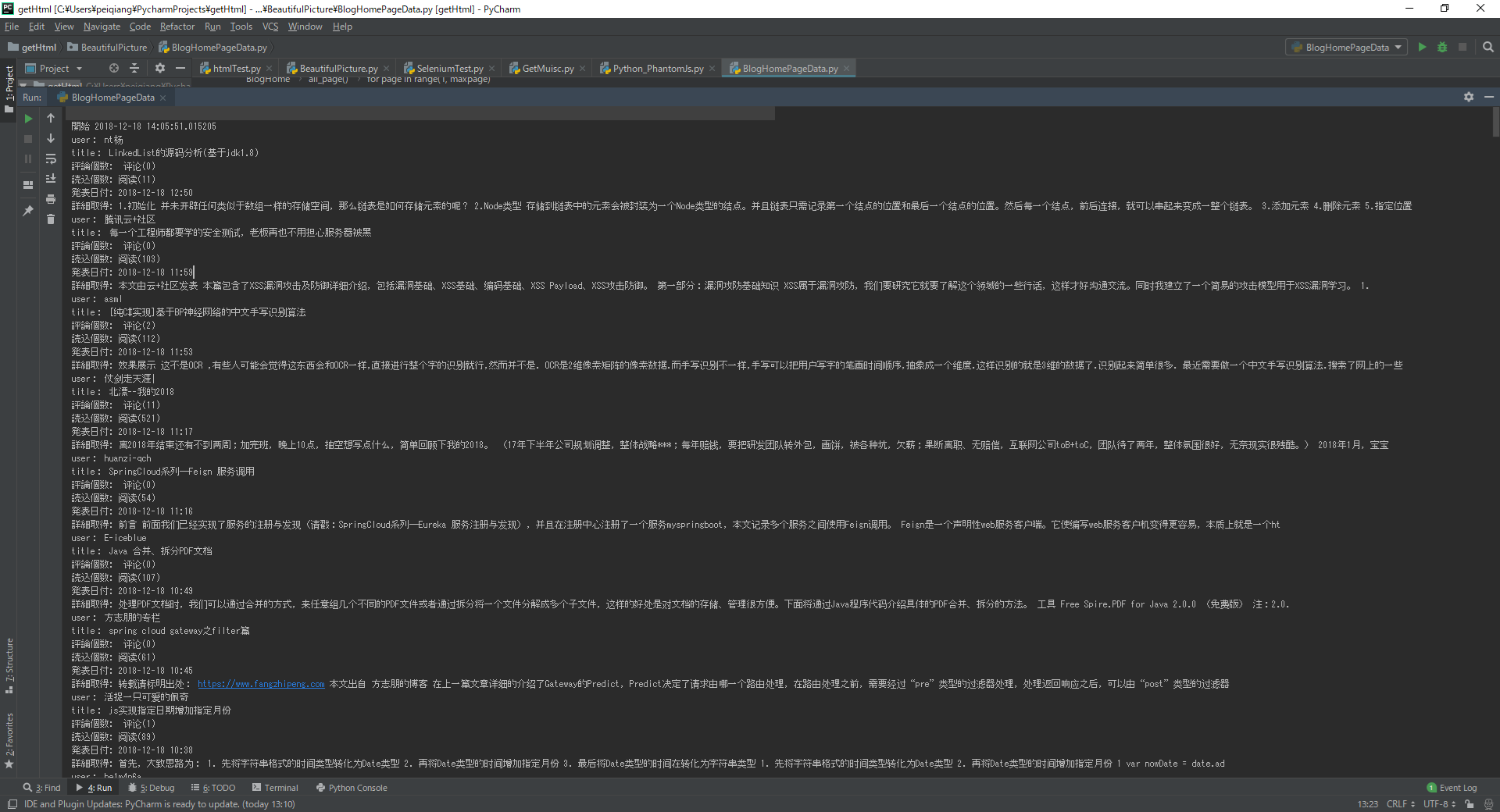
执行上面的代码
Excel上面的数据

python 爬虫实例(三)的更多相关文章
- Python爬虫实例:爬取豆瓣Top250
入门第一个爬虫一般都是爬这个,实在是太简单.用了 requests 和 bs4 库. 1.检查网页元素,提取所需要的信息并保存.这个用 bs4 就可以,前面的文章中已经有详细的用法阐述. 2.找到下一 ...
- 3.Python爬虫入门三之Urllib和Urllib2库的基本使用
1.分分钟扒一个网页下来 怎样扒网页呢?其实就是根据URL来获取它的网页信息,虽然我们在浏览器中看到的是一幅幅优美的画面,但是其实是由浏览器解释才呈现出来的,实质它是一段HTML代码,加 JS.CSS ...
- 转 Python爬虫入门三之Urllib库的基本使用
静觅 » Python爬虫入门三之Urllib库的基本使用 1.分分钟扒一个网页下来 怎样扒网页呢?其实就是根据URL来获取它的网页信息,虽然我们在浏览器中看到的是一幅幅优美的画面,但是其实是由浏览器 ...
- Python爬虫实例:爬取B站《工作细胞》短评——异步加载信息的爬取
很多网页的信息都是通过异步加载的,本文就举例讨论下此类网页的抓取. <工作细胞>最近比较火,bilibili 上目前的短评已经有17000多条. 先看分析下页面 右边 li 标签中的就是短 ...
- Python爬虫实例:爬取猫眼电影——破解字体反爬
字体反爬 字体反爬也就是自定义字体反爬,通过调用自定义的字体文件来渲染网页中的文字,而网页中的文字不再是文字,而是相应的字体编码,通过复制或者简单的采集是无法采集到编码后的文字内容的. 现在貌似不少网 ...
- Python爬虫进阶三之Scrapy框架安装配置
初级的爬虫我们利用urllib和urllib2库以及正则表达式就可以完成了,不过还有更加强大的工具,爬虫框架Scrapy,这安装过程也是煞费苦心哪,在此整理如下. Windows 平台: 我的系统是 ...
- Python爬虫实战三之实现山东大学无线网络掉线自动重连
综述 最近山大软件园校区QLSC_STU无线网掉线掉的厉害,连上之后平均十分钟左右掉线一次,很是让人心烦,还能不能愉快地上自习了?能忍吗?反正我是不能忍了,嗯,自己动手,丰衣足食!写个程序解决掉它! ...
- Python 爬虫实例
下面是我写的一个简单爬虫实例 1.定义函数读取html网页的源代码 2.从源代码通过正则表达式挑选出自己需要获取的内容 3.序列中的htm依次写到d盘 #!/usr/bin/python import ...
- Python爬虫实例:糗百
看了下python爬虫用法,正则匹配过滤对应字段,这里进行最强外功:copy大法实践 一开始是直接从参考链接复制粘贴的,发现由于糗百改版导致失败,这里对新版html分析后进行了简单改进,把整理过程记录 ...
- shell及Python爬虫实例展示
1.shell爬虫实例: [root@db01 ~]# vim pa.sh #!/bin/bash www_link=http://www.cnblogs.com/clsn/default.html? ...
随机推荐
- 多个List 或 Array 进行 合并
1.调用 var aaa = new List<string>() { "0" }; var a1 = new List<string>() { " ...
- ICEM-管肋
原视频下载地址:https://yunpan.cn/cMgkmd7u9ZPdC 访问密码 8a73
- listbox demo
功能 添加.删除.修改选中的项.上移.下移.清空.保存列表.加载列表.判断内容是否重复.查找.模糊查找.取消选择.上一条.下一条.第一条.最后一条 下载地址:https://download.csdn ...
- python中requests里.text和.content方法的区别
requests对象的get和post方法都会返回一个Response对象,这个对象里面存的是服务器返回的所有信息,包括响应头,响应状态码等.其中返回的网页部分会存在.content和.text两个对 ...
- 【转】反编译微信小程序错误: $gwx is not defined和__vd_version_info__ is not defined 已解决
修改wxappUnpacker文件中的 wuWxss.js function runVM(name, code) { // let wxAppCode = {}, handle = {cssFile: ...
- JVM 扩展类加载器2
1.创建Sample public class MyTest22 { static { System.out.println("MyTest22 initializer"); } ...
- C语言中size_t类型详细说明【转载】
来看看网上的一些说法: C语言 size_t到底是个什么东东? 大神求解 . 简单理解为 unsigned int就可以了 . 这是在不同的机器里面的的头文件定义的相应宏定义,实际上是unsigned ...
- onenote 每天输入网络密码
1.问题:只局限 内网 笔记本的弹出输入远程内网服务器用户名密码的情况,每次重启电脑后又会要求输入,否则同步失败 2.解决 控制面板-windows用户-凭据管理器-添加凭据-从上到下一次输入 ip ...
- Android: ListView与Button的共存问题解决
ListView 和 其它能触发点击事件的widget无法一起正常工作的原因是加入其它widget后,ListView的itemclick事件将无法触发,被其它widget的click事件屏蔽. ...
- ratingBar 星级评分条
<?xml version="1.0" encoding="utf-8"?> <LinearLayout xmlns:android=&quo ...