
python 爬虫实例(三)
问题描述
爬取博客园的首页数据URL【https://home.cnblogs.com/blog/page/1/】,之后写到自己的Excel里面
环境:
OS:Window10
python:3.7
代码
import requests

import os

from bs4 import BeautifulSoup

import xlwt

import xlrd

from xlutils.copy import copy

import threading

import datetime

class BlogHome:

    def __init__(self):

        self.url = "https://home.cnblogs.com/blog/page/{}/"

        self.path = r"C:\pythonProject\Blog"

    def request(self, param):

        url= self.url.format(param)

        r = requests.get(self.url)

        return r.text

    def all_page(self, maxpage):

        # wbk = xlwt.Workbook()

        # sheet = wbk.add_sheet("Data")

        wbk = xlrd.open_workbook(r"C:\Users\peiqiang\Desktop\aaa.xls", formatting_info=True)

        wbCopy = copy(wbk)

        sheet = wbCopy.get_sheet(0)

        row = 4

        for page in range(1, maxpage):

            thread_lock.acquire()

            req = self.request(page)

            reRow = self.getdata(req, sheet, row)

            row = reRow

            thread_lock.release()

        wbCopy.save(r"C:\Users\peiqiang\Desktop\aaa.xls")

        print("書き込みました")

    def getdata(self, req, sheet, row):

        soup = BeautifulSoup(req, "xml")

        all_title = soup.find_all(class_="post_block")

        for title in all_title:

            col = 1

            # title取得

            title_blank = title.find(class_="entry_title").find_all("a")

            print("user:", title_blank[0].string.replace("[", "").replace("]", ""))

            sheet.write(row, col, title_blank[0].string.replace("[", "").replace("]", ""))

            col += 1

            print("title:", title_blank[1].string)

            sheet.write(row, col, title_blank[1].string)

            col += 1

            # 評論個数

            post_comment = title.find(class_="post_comment")

            print("評論個数:", post_comment.string)

            sheet.write(row, col, post_comment.string)

            col += 1

            # 読込個数

            post_view = title.find(class_="post_view")

            print("読込個数:", post_view.string)

            sheet.write(row, col, post_view.string)

            col += 1

            # 推奨個数

            # susume = title.find(class_="entry_footer")

            # print("推奨個数:", susume.string)

            # 発表日付

            postdate = title.find(class_="postdate")

            print("発表日付:", postdate.string)

            sheet.write(row, col, postdate.string)

            col += 1

            # 詳細取得

            entry_summary = title.find(class_="entry_summary")

            print("詳細取得:", entry_summary.string)

            sheet.write(row, col, entry_summary.string)

            col += 1

            row += 1

        return row

    def writeExcel(self, row, col, data):

        wbk = xlwt.Workbook()

        sheet = wbk.add_sheet("Data", cell_overwrite_ok=True)

        sheet.write(row, col, data)

        wbk.save(r"C:\Users\peiqiang\Desktop\aaa.xls")

        print("書き込みました")

    def mkdir(self):

        path = self.path.strip()

        isExist = os.path.exists(path)

        if not isExist:

            print('创建名字叫做', path, '的文件夹')

            os.makedirs(path)

            print('创建成功!')

            return True

        else:

            print(path, '文件夹已经存在了,不再创建')

            return False

    def getBlog(self):

        startTime = datetime.datetime.now()

        print("開始", startTime)

        self.all_page(10)

        endTime = datetime.datetime.now()

        print("実行時間:", (endTime - startTime).seconds)

        print("開始", startTime)

        print("終了", endTime)

thread_lock = threading.BoundedSemaphore(value=10)

blogHome = BlogHome()

blogHome.getBlog()
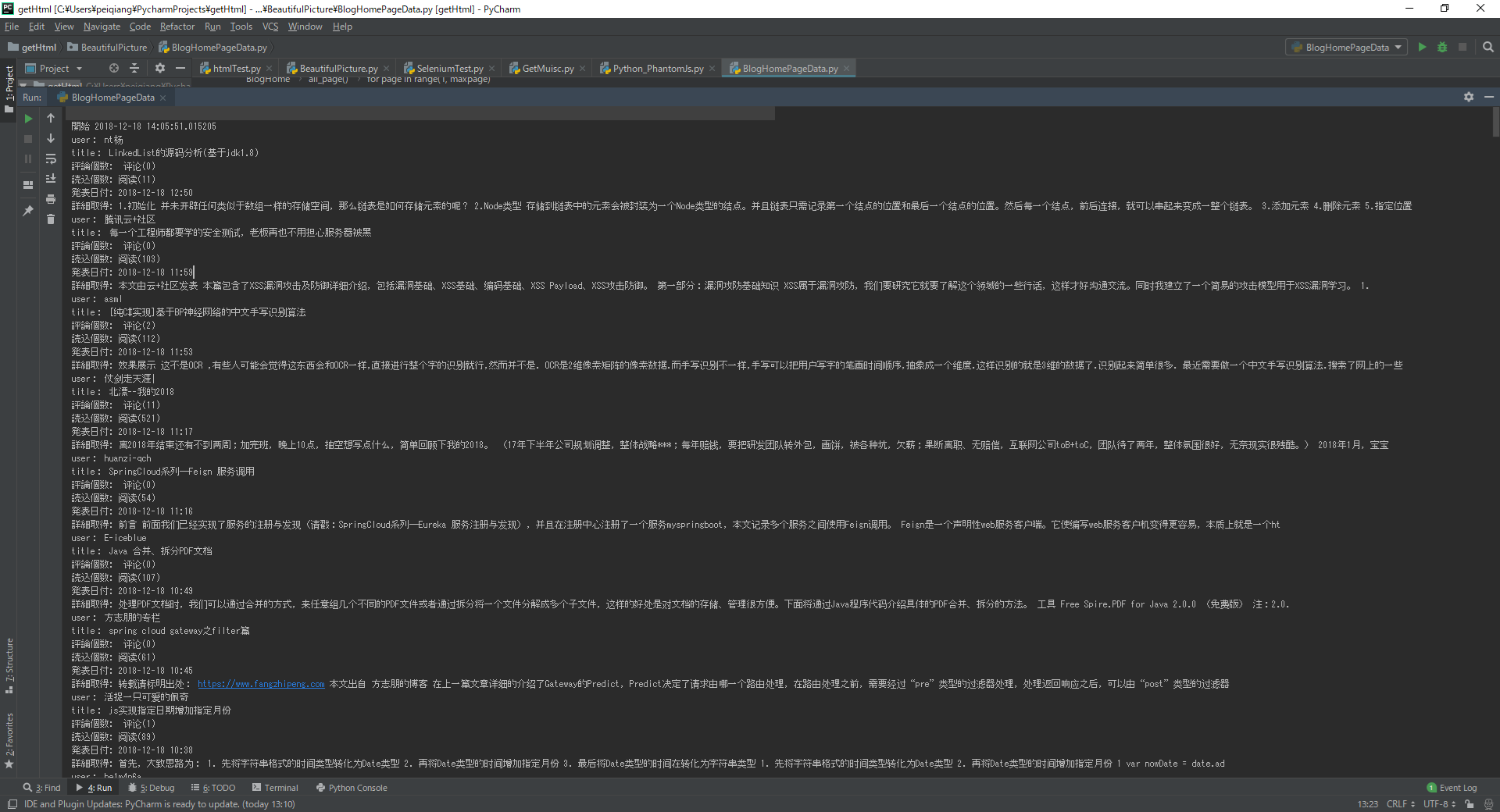
执行上面的代码
Excel上面的数据

python 爬虫实例(三)的更多相关文章
- Python爬虫实例:爬取豆瓣Top250
入门第一个爬虫一般都是爬这个,实在是太简单.用了 requests 和 bs4 库. 1.检查网页元素,提取所需要的信息并保存.这个用 bs4 就可以,前面的文章中已经有详细的用法阐述. 2.找到下一 ...
- 3.Python爬虫入门三之Urllib和Urllib2库的基本使用
1.分分钟扒一个网页下来 怎样扒网页呢?其实就是根据URL来获取它的网页信息,虽然我们在浏览器中看到的是一幅幅优美的画面,但是其实是由浏览器解释才呈现出来的,实质它是一段HTML代码,加 JS.CSS ...
- 转 Python爬虫入门三之Urllib库的基本使用
静觅 » Python爬虫入门三之Urllib库的基本使用 1.分分钟扒一个网页下来 怎样扒网页呢?其实就是根据URL来获取它的网页信息,虽然我们在浏览器中看到的是一幅幅优美的画面,但是其实是由浏览器 ...
- Python爬虫实例:爬取B站《工作细胞》短评——异步加载信息的爬取
很多网页的信息都是通过异步加载的,本文就举例讨论下此类网页的抓取. <工作细胞>最近比较火,bilibili 上目前的短评已经有17000多条. 先看分析下页面 右边 li 标签中的就是短 ...
- Python爬虫实例:爬取猫眼电影——破解字体反爬
字体反爬 字体反爬也就是自定义字体反爬,通过调用自定义的字体文件来渲染网页中的文字,而网页中的文字不再是文字,而是相应的字体编码,通过复制或者简单的采集是无法采集到编码后的文字内容的. 现在貌似不少网 ...
- Python爬虫进阶三之Scrapy框架安装配置
初级的爬虫我们利用urllib和urllib2库以及正则表达式就可以完成了,不过还有更加强大的工具,爬虫框架Scrapy,这安装过程也是煞费苦心哪,在此整理如下. Windows 平台: 我的系统是 ...
- Python爬虫实战三之实现山东大学无线网络掉线自动重连
综述 最近山大软件园校区QLSC_STU无线网掉线掉的厉害,连上之后平均十分钟左右掉线一次,很是让人心烦,还能不能愉快地上自习了?能忍吗?反正我是不能忍了,嗯,自己动手,丰衣足食!写个程序解决掉它! ...
- Python 爬虫实例
下面是我写的一个简单爬虫实例 1.定义函数读取html网页的源代码 2.从源代码通过正则表达式挑选出自己需要获取的内容 3.序列中的htm依次写到d盘 #!/usr/bin/python import ...
- Python爬虫实例:糗百
看了下python爬虫用法,正则匹配过滤对应字段,这里进行最强外功:copy大法实践 一开始是直接从参考链接复制粘贴的,发现由于糗百改版导致失败,这里对新版html分析后进行了简单改进,把整理过程记录 ...
- shell及Python爬虫实例展示
1.shell爬虫实例: [root@db01 ~]# vim pa.sh #!/bin/bash www_link=http://www.cnblogs.com/clsn/default.html? ...
随机推荐
- Luogu P1903 BZOJ 2120 数颜色 带修改的莫队
https://www.luogu.org/problemnew/show/P1903 之前切过这道题,复习莫队再切一遍,不过我之前写的是主席树和树状数组,也不知道我当时怎么想的…… 这个题卡常我没写 ...
- 猴猴的比赛 dfs序
猴猴的比赛 dfs序 两颗\(n\)节点的树,不相同,问多少点对\((u,v)\)在两棵树上均满足路径\(v\)在\(u\)子树中 \(n\le 10^5\) 暴力: \(n^2\)暴力枚举点对用\( ...
- codevs 5958 无
5958 无 时间限制: 1 s 空间限制: 1000 KB 题目等级 : 大师 Master 题解 题目描述 Description 无 输入描述 Input Descriptio ...
- 贪心算法训练(四)——(HDU1050)Moving Tables
题目描述 在一个狭窄的走廊里将桌子从一个房间移动到另一个房间,走廊的宽度只能允许一个桌子通过.给出 t,表示有 t 组测试数据,再给出 n,表示要移动 n 个桌子.n 下面有 n 行,每行两个数字,表 ...
- Java 获取客户端真实IP地址
本文基于方法 HttpServletRequest.getHeader 和 HttpServletRequest.getRemoteAddr 介绍如何在服务器端获取客户端真实IP地址. 业务背景 服务 ...
- Pycharm中直接安装第三方库
1.点File->Settings 2.在project interpreter(项目解释器)中点击“+”号 3.输入第三方库进行查询,并安排 4.安装成功
- 从Windows命令行启动MySQL
SERVER: 从Windows命令行启动MySQL 可以从命令行手动启动MySQL服务器.可以在任何版本的Windows中实现. 要想从命令行启动mysqld服务器,你应当启动控制台窗口(或“DOS ...
- Java8中的日期时间类
测试类: import java.time.*; import java.time.format.DateTimeFormatter; public class App { public static ...
- [原][osg][OSGEARTH]OE的关闭打开自动计算裁剪面被OE的海洋ocean影响
在osgEarthUtil 下 Ocean.cpp 的 traverse函数中: // we don't want the ocean participating in the N/F calcul ...
- Vue事件 定义方法执行方法 获取数据 改变数据 执行方法传值 以及事件对象
<template> <div id="app"> <!-- <img v-bind:src='url' /> <img :src= ...