
吴裕雄--天生自然PYTHON爬虫:使用Scrapy抓取股票行情
Scrapy框架它能够帮助提升爬虫的效率,从而更好地实现爬虫。Scrapy是一个为了抓取网页数据、提取结构性数据而编写的应用框架,该框架是封装的,包含request异步调度和处理、下载器(多线程的Downloader)、解析器selector和twisted(异步处理)等。对于网站的内容爬取,其速度非常快捷。
下面将使用Scrapy框架抓取某证券网站A股行情,爬取过程分为以下五步:
一:创建Scrapy爬虫项目;
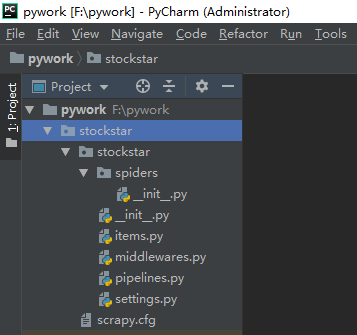
二:定义一个item容器;
三:定义settings文件进行基本爬虫设置;
四:编写爬虫逻辑;
五:代码调试。
1、创建Scrapy爬虫项目
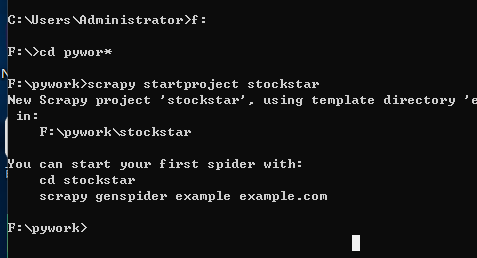
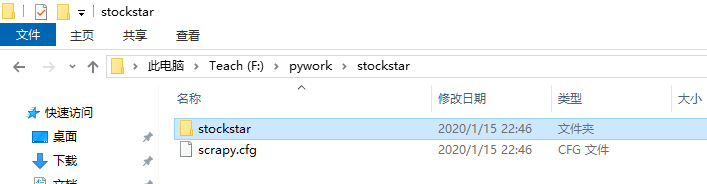
调出CMD,输入下面代码:(我在F盘下的pywork文件夹下创建的)







# -*- coding: utf-8 -*-

# Define here the models for your scraped items

#

# See documentation in:

# https://docs.scrapy.org/en/latest/topics/items.html

import scrapy

from scrapy.loader import ItemLoader

from scrapy.loader.processors import TakeFirst

class StockstarItemLoader(ItemLoader):

    #自定义itemloader

    default_output_processor = TakeFirst()

class StockstarItem(scrapy.Item):

    # define the fields for your item here like:

    # name = scrapy.Field()

    code = scrapy.Field()  # 股票代码

    abbr = scrapy.Field()  # 股票简称

    last_trade = scrapy.Field()  # 最新价

    chg_ratio = scrapy.Field()   # 涨跌幅

    chg_amt = scrapy.Field()     # 涨跌额

    chg_ratio_5min = scrapy.Field() # 5分钟涨幅

    volumn = scrapy.Field()  # 成交量

    turn_over = scrapy.Field()  # 成交额

# -*- coding: utf-8 -*-

# Scrapy settings for stockstar project

#

# For simplicity, this file contains only settings considered important or

# commonly used. You can find more settings consulting the documentation:

#

#     https://docs.scrapy.org/en/latest/topics/settings.html

#     https://docs.scrapy.org/en/latest/topics/downloader-middleware.html

#     https://docs.scrapy.org/en/latest/topics/spider-middleware.html

from scrapy.exporters import JsonLinesItemExporter

# 默认显示的中文是阅读性较差的Unicode字符

# 需要定义子类显示出原来的字符集(将父类的ensure_ascii属性设置为False即可)

class CustomJsonLinesItemExporter(JsonLinesItemExporter):

    def __init__(self, file, **kwargs):

        super(CustomJsonLinesItemExporter, self).__init__(file, ensure_ascii=False, **kwargs)

# 启用新定义的Exporter类

FEED_EXPORTERS = {

    'json': 'stockstar.settings.CustomJsonLinesItemExporter',

}

BOT_NAME = 'stockstar'

SPIDER_MODULES = ['stockstar.spiders']

NEWSPIDER_MODULE = 'stockstar.spiders'

# Crawl responsibly by identifying yourself (and your website) on the user-agent

#USER_AGENT = 'stockstar (+http://www.yourdomain.com)'

# Obey robots.txt rules

ROBOTSTXT_OBEY = True

# Configure maximum concurrent requests performed by Scrapy (default: 16)

#CONCURRENT_REQUESTS = 32

# Configure a delay for requests for the same website (default: 0)

# See https://docs.scrapy.org/en/latest/topics/settings.html#download-delay

# See also autothrottle settings and docs

DOWNLOAD_DELAY = 0.25

#DOWNLOAD_DELAY = 3

# The download delay setting will honor only one of:

#CONCURRENT_REQUESTS_PER_DOMAIN = 16

#CONCURRENT_REQUESTS_PER_IP = 16

# Disable cookies (enabled by default)

#COOKIES_ENABLED = False

# Disable Telnet Console (enabled by default)

#TELNETCONSOLE_ENABLED = False

# Override the default request headers:

#DEFAULT_REQUEST_HEADERS = {

#   'Accept': 'text/html,application/xhtml+xml,application/xml;q=0.9,*/*;q=0.8',

#   'Accept-Language': 'en',

#}

# Enable or disable spider middlewares

# See https://docs.scrapy.org/en/latest/topics/spider-middleware.html

#SPIDER_MIDDLEWARES = {

#    'stockstar.middlewares.StockstarSpiderMiddleware': 543,

#}

# Enable or disable downloader middlewares

# See https://docs.scrapy.org/en/latest/topics/downloader-middleware.html

#DOWNLOADER_MIDDLEWARES = {

#    'stockstar.middlewares.StockstarDownloaderMiddleware': 543,

#}

# Enable or disable extensions

# See https://docs.scrapy.org/en/latest/topics/extensions.html

#EXTENSIONS = {

#    'scrapy.extensions.telnet.TelnetConsole': None,

#}

# Configure item pipelines

# See https://docs.scrapy.org/en/latest/topics/item-pipeline.html

#ITEM_PIPELINES = {

#    'stockstar.pipelines.StockstarPipeline': 300,

#}

# Enable and configure the AutoThrottle extension (disabled by default)

# See https://docs.scrapy.org/en/latest/topics/autothrottle.html

#AUTOTHROTTLE_ENABLED = True

# The initial download delay

#AUTOTHROTTLE_START_DELAY = 5

# The maximum download delay to be set in case of high latencies

#AUTOTHROTTLE_MAX_DELAY = 60

# The average number of requests Scrapy should be sending in parallel to

# each remote server

#AUTOTHROTTLE_TARGET_CONCURRENCY = 1.0

# Enable showing throttling stats for every response received:

#AUTOTHROTTLE_DEBUG = False

# Enable and configure HTTP caching (disabled by default)

# See https://docs.scrapy.org/en/latest/topics/downloader-middleware.html#httpcache-middleware-settings

#HTTPCACHE_ENABLED = True

#HTTPCACHE_EXPIRATION_SECS = 0

#HTTPCACHE_DIR = 'httpcache'

#HTTPCACHE_IGNORE_HTTP_CODES = []

#HTTPCACHE_STORAGE = 'scrapy.extensions.httpcache.FilesystemCacheStorage'
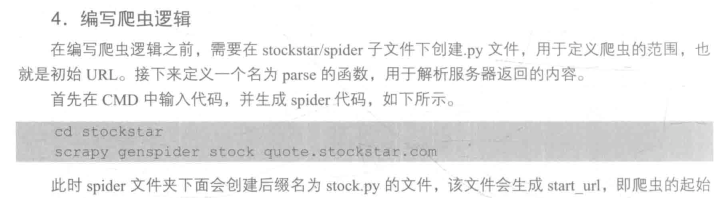

scrapy genspider stock quote.stockstar.com

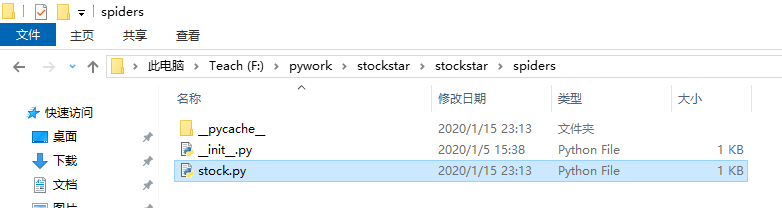
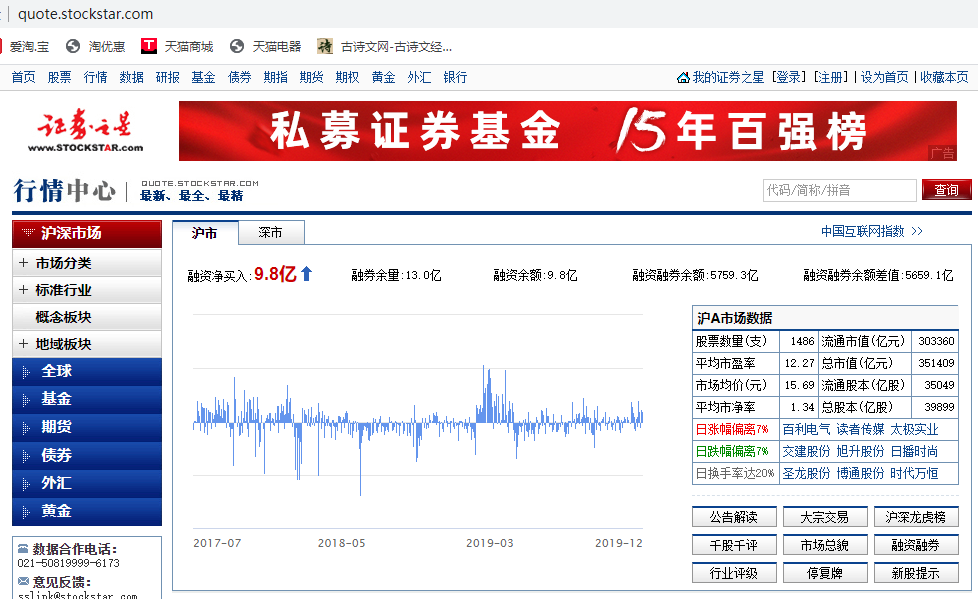

# -*- coding: utf-8 -*-

import scrapy

from items import StockstarItem, StockstarItemLoader

class StockSpider(scrapy.Spider):

    #爬虫名称

    name = 'stock'

    #爬虫领域

    allowed_domains = ['quote.stockstar.com']

    # start_urls = ['http://quote.stockstar.com/']

    #爬虫开始链接

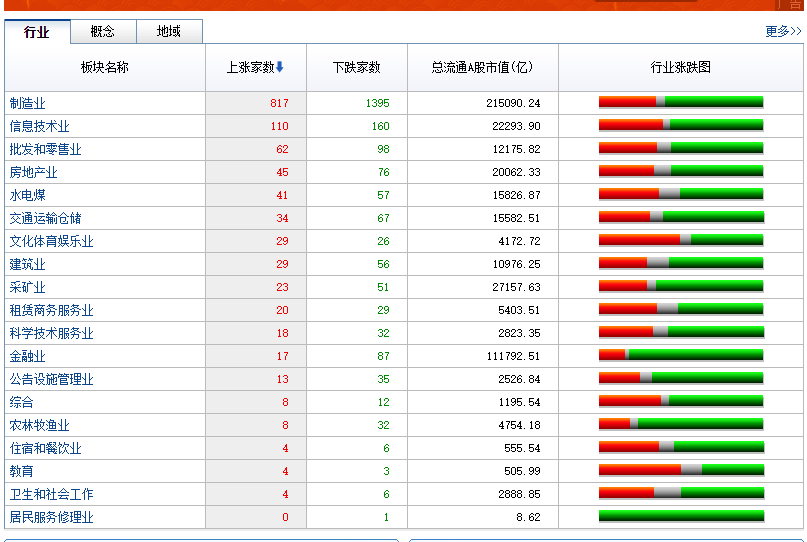
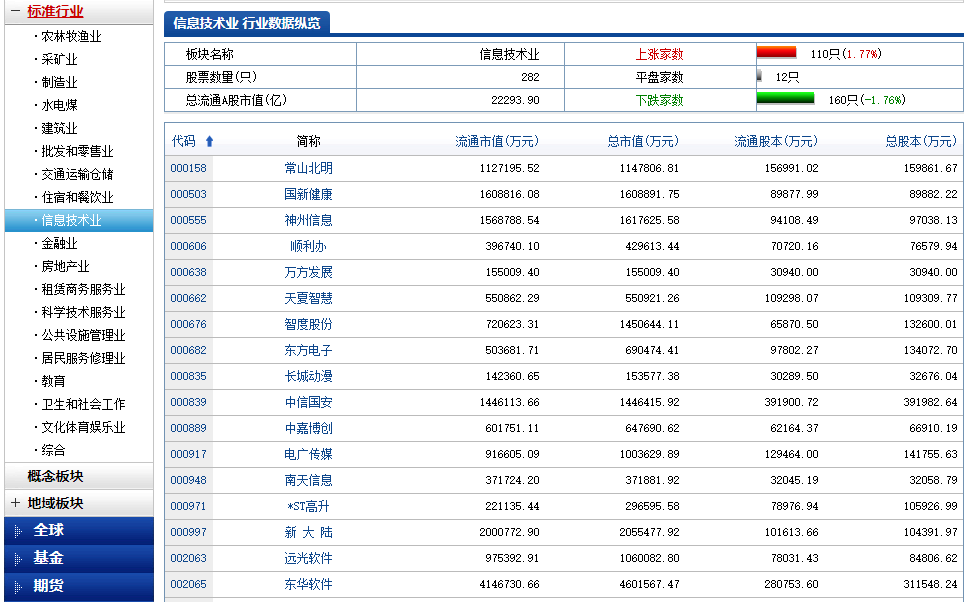
    start_urls = ['http://quote.stockstar.com/stock/industry_I_0_0_1.html']

    #编写爬虫逻辑

    def parse(self, response):

        #获取页码

        page = int(response.url.split("_")[-1].split(".")[0])

        item_nodes = response.css('#datalist tr')

        for item_node in item_nodes:

            #根据item_node定义的字段内容来按照里面的字段获取

            item_loader = StockstarItemLoader(item=StockstarItem(), selector=item_node)

            item_loader.add_css("code", "td:nth-child(1) a::text")

            item_loader.add_css("abbr", "td:nth-child(2) a::text")

            item_loader.add_css("last_trade", "td:nth-child(3) ::text")

            item_loader.add_css("chg_ratio", "td:nth-child(4) ::text")

            item_loader.add_css("chg_amt", "td:nth-child(5) ::text")

            item_loader.add_css("chg_ratio_5min", "td:nth-child(6) ::text")

            item_loader.add_css("volumn", "td:nth-child(7)::text")

            item_loader.add_css("turn_over", "td:nth-child(8)::text")

            stock_item = item_loader.load_item()

            yield stock_item

        if item_nodes:

            next_page = page + 1

            next_url = response.url.replace("{0}.html".format(page), "{0}.html".format(next_page))

            yield scrapy.Request(url=next_url, callback=self.parse)
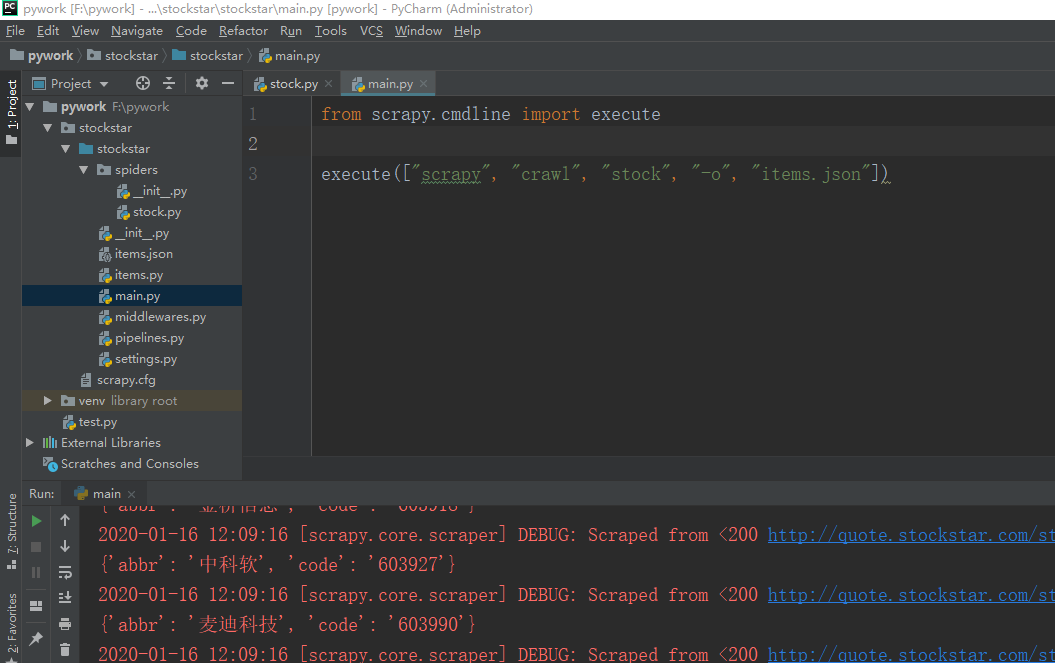
5、接下来在stockstar文件下创建一个main.py文件用来方便调试爬虫代码。
from scrapy.cmdline import execute
execute(["scrapy", "crawl", "stock", "-o", "items.json"])
上面这条命令等价与在CMD中进入到scrapy文件中执行:
scrapy crawl stock -o items.json
这样爬虫得到的内容就都保存到items.json这个文件里面了


吴裕雄--天生自然PYTHON爬虫:使用Scrapy抓取股票行情的更多相关文章
- 吴裕雄--天生自然python学习笔记:抓取网络公开数据
当前,有许多政府或企事业单位会在网上为公众提供相关的公开数据.以 http://api.help.bj.cn/api/均 .cn/api /网站为例,打开这个链接,大家可以看到多种可供调用的数据 . ...
- 吴裕雄--天生自然PYTHON爬虫:使用Selenium爬取大型电商网站数据
用python爬取动态网页时,普通的requests,urllib2无法实现.例如有些网站点击下一页时,会加载新的内容,但是网页的URL却没有改变(没有传入页码相关的参数),requests.urll ...
- 吴裕雄--天生自然PYTHON爬虫:爬虫攻防战
我们在开发者模式下不仅可以找到URL.Form Data,还可以在Request headers 中构造浏览器的请求头,封装自己.服务器识别浏览器访问的方法就是判断keywor是否为Request h ...
- 吴裕雄--天生自然PYTHON爬虫:爬取某一大型电商网站的商品数据(效率优化以及代码容错处理)
这篇博文主要是对我的这篇https://www.cnblogs.com/tszr/p/12198054.html爬虫效率的优化,目的是为了提高爬虫效率. 可以根据出发地同时调用多个CPU,每个CPU运 ...
- 吴裕雄--天生自然PYTHON爬虫:安装配置MongoDBy和爬取天气数据并清洗保存到MongoDB中
1.下载MongoDB 官网下载:https://www.mongodb.com/download-center#community 上面这张图选择第二个按钮 上面这张图直接Next 把bin路径添加 ...
- 吴裕雄--天生自然PYTHON爬虫:用API爬出天气预报信息
天气预报网址:https://id.heweather.com/,这个网站是需要注册获取一个个人认证后台密钥key的,并且每个人都有访问次数的限制,这个key就是访问API的钥匙. 这个key现在是要 ...
- 吴裕雄--天生自然PYTHON爬虫:使用BeautifulSoup解析中国旅游网页数据
import requests from bs4 import BeautifulSoup url = "http://www.cntour.cn/" strhtml = requ ...
- 吴裕雄--天生自然python爬虫:使用requests模块的get和post方式抓取中国旅游网站和有道翻译网站翻译内容数据
import requests url = 'http://www.cntour.cn/' strhtml = requests.get(url) print(strhtml.text) URL='h ...
- 吴裕雄--天生自然python学习笔记:爬取我国 1990 年到 2017年 GDP 数据并绘图显示
绘制图形所需的数据源通常是不固定的,比如,有时我们会需要从网页抓取, 也可能需从文件或数据库中获取. 利用抓取网页数据技术,把我国 1990 年到 2016 年的 GDP 数据抓取出来 ,再利用 Ma ...
随机推荐
- 如何用纯代码实现图片CSS3
在刷面试题的时候刷到2015阿里巴巴的,如何用代码实现下面的图形. <div class="main"> <h1>图片图标-一个标签实现</h1> ...
- iframe多层嵌套时,Jquery获取元素
在项目中,尤其是后台管理项目,会使用到iframe嵌套的网页,说起iframe,真的是个让人头疼的东西,能避开是最好避开.不然要请随身备好氧气瓶哈(因为管理和调试过程中往往会被气缺氧!!!哈哈哈~~~ ...
- Python函数基础进阶
函数参数的另一种使用方式 def print_info(name,age): print("Name: %s" %name) print("age: %d" % ...
- 拿到别人的Django程序如何在本地RUN起来
在Pycharm IDE下 Edit Configurations 1.检查Python interpreter 2.检查 Working directory 3.Settings 数据库配置
- datename()计算一个日期是星期几
- 计算机二级-C语言-对文件的读写操作。链表的定义与赋值。对字符串的遍历和处理。
//程序填空题:在此程序中,通过定义学生结构体变量,存储了学生的学号,姓名和三门课的成绩.所有学生数据均以二进制方式输出到文件中.函数fun()函数的功能是重写形参filename所指文件中最后一个学 ...
- ASP.NET Core搭建多层网站架构【10-使用JWT进行授权验证】
2020/01/31, ASP.NET Core 3.1, VS2019, Microsoft.AspNetCore.Authentication.JwtBearer 3.1.1 摘要:基于ASP.N ...
- 「JSOI2013」侦探jyy
「JSOI2013」侦探jyy 传送门 个人感觉我写的复杂度不够优秀啊,但是好像没有别的办法了... 我们枚举每个点,考虑这个点能不能不发生. 首先我们从这个点开始,在反图上面 \(\text{BFS ...
- Django框架之登录案例
内容: (1)request.GET和request.POST (2)获取get方法提交和post方法提交的数据 一.登录案例 登录逻辑代码 def login(request): if reques ...
- 201771010135杨蓉庆《面向对象程序设计(java)》第四周学习总结
学习目标 1.掌握类与对象的基础概念,理解类与对象的关系: 2.掌握对象与对象变量的关系: 3.掌握预定义类的基本使用方法,熟悉Math类.String类.math类.Scanner类.LocalDa ...