
吴裕雄--天生自然 pythonTensorFlow图形数据处理:将MNIST手写图片数据写入TFRecord文件
import numpy as np

import tensorflow as tf

from tensorflow.examples.tutorials.mnist import input_data

# 定义函数转化变量类型。

def _int64_feature(value):

    return tf.train.Feature(int64_list=tf.train.Int64List(value=[value]))

def _bytes_feature(value):

    return tf.train.Feature(bytes_list=tf.train.BytesList(value=[value]))

# 读取mnist训练数据。

mnist = input_data.read_data_sets("F:\\TensorFlowGoogle\\201806-github\\datasets\\MNIST_data\\",dtype=tf.uint8, one_hot=True)

images = mnist.train.images

labels = mnist.train.labels

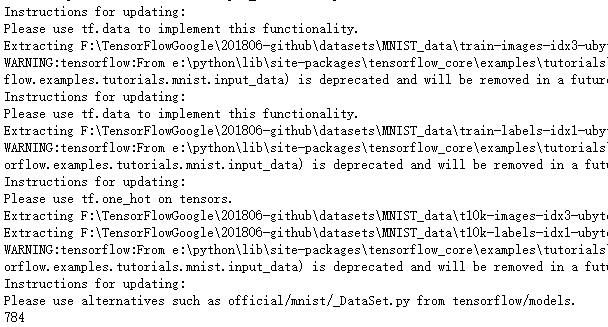
pixels = images.shape[1]#训练数据的图像分辨率,可作为Example的一个属性

print(pixels)
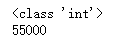
num_examples = mnist.train.num_examples

print(type(num_examples))

print(num_examples)#训练图片的张数
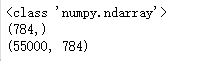
print(type(images))

print(images[0].shape)

print(images.shape)
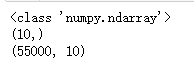
print(type(labels))

print(labels[0].shape)

print(labels.shape)
# 将数据转化为tf.train.Example格式。

def _make_example(pixels, label, image):

    image_raw = image.tostring()

    example = tf.train.Example(features=tf.train.Features(feature={

        'pixels': _int64_feature(pixels),

        'label': _int64_feature(np.argmax(label)),

        'image_raw': _bytes_feature(image_raw)

    }))

    return example

# 输出包含训练数据的TFRecord文件。

with tf.compat.v1.python_io.TFRecordWriter("F:\\output.tfrecords") as writer:

    for index in range(num_examples):

        example = _make_example(pixels, labels[index], images[index])

        writer.write(example.SerializeToString())

print("TFRecord训练文件已保存。")

吴裕雄--天生自然 pythonTensorFlow图形数据处理:将MNIST手写图片数据写入TFRecord文件的更多相关文章
- 吴裕雄--天生自然 pythonTensorFlow图形数据处理:循环神经网络预测正弦函数
import numpy as np import tensorflow as tf import matplotlib.pyplot as plt # 定义RNN的参数. HIDDEN_SIZE = ...
- 吴裕雄--天生自然 pythonTensorFlow图形数据处理:数据集高层操作
import tempfile import tensorflow as tf # 1. 列举输入文件. # 输入数据生成的训练和测试数据. train_files = tf.train.match_ ...
- 吴裕雄--天生自然 pythonTensorFlow图形数据处理:数据集基本使用方法
import tempfile import tensorflow as tf # 1. 从数组创建数据集. input_data = [1, 2, 3, 5, 8] dataset = tf.dat ...
- 吴裕雄--天生自然 pythonTensorFlow图形数据处理:输入数据处理框架
import tensorflow as tf # 1. 创建文件列表,通过文件列表创建输入文件队列 files = tf.train.match_filenames_once("F:\\o ...
- 吴裕雄--天生自然 pythonTensorFlow图形数据处理:输入文件队列
import tensorflow as tf # 1. 生成文件存储样例数据. def _int64_feature(value): return tf.train.Feature(int64_li ...
- 吴裕雄--天生自然 pythonTensorFlow图形数据处理:多线程队列操作
import tensorflow as tf #1. 定义队列及其操作. queue = tf.FIFOQueue(100,"float") enqueue_op = queue ...
- 吴裕雄--天生自然 pythonTensorFlow图形数据处理:队列操作
import tensorflow as tf #1. 创建队列,并操作里面的元素. q = tf.FIFOQueue(2, "int32") init = q.enqueue_m ...
- 吴裕雄--天生自然 pythonTensorFlow图形数据处理:图像预处理完整样例
import numpy as np import tensorflow as tf import matplotlib.pyplot as plt #随机调整图片的色彩,定义两种顺序. def di ...
- 吴裕雄--天生自然 pythonTensorFlow图形数据处理:TensorFlow图像处理函数
import numpy as np import tensorflow as tf import matplotlib.pyplot as plt #读取图片 image_raw_data = tf ...
随机推荐
- DataStructuresAndAlogorithm--红黑树
简介 为了理解红黑树(red-black tree)是什么,首先需要知道二叉树. 定义1:二叉树是结点的有限集合,该集合或者为空集,或者是由一个根和两棵互不相交的,称为该根的左子树和右子树的二叉树组成 ...
- ..\EEP\EEP.c(249): error: #268: declaration may not appear after executable statement in block
主要原因: ON_nWP;这个应该放在 unsigned char Delay; unsigned char ReData; 的后面. 修改成功.
- SpringAOP切入点的表达式
1. 常用的切入点表达式分为: (1)按类型匹配:within 关键字 (2)按函数匹配:execution (3)按bean的id匹配:bean 2.按类匹配的写法 匹配到具体的类:<aop ...
- 目标检测评价标准(mAP, 精准度(Precision), 召回率(Recall), 准确率(Accuracy),交除并(IoU))
1. TP , FP , TN , FN定义 TP(True Positive)是正样本预测为正样本的数量,即与Ground truth区域的IoU>=threshold的预测框 FP(Fals ...
- BZOJ:2243: [SDOI2011]染色
题解: 树剖,线段树维护区间颜色段数 记录两端点的颜色,做到O(1)合并 问题: 非递归建树实现 #include<iostream> #include<cstdio> #in ...
- Vulkan 开发学习资料汇总
开发资料汇总 1.API Reference 2.Vulkan Spec 有详细说明的pdf 文章 1.知乎Vulkan-高性能渲染 2.Life of a triangle - NVIDIA's l ...
- windows elasticsearch-head插件安装教程
elasticsearch-head下载地址:https://github.com/mobz/elasticsearch-head 1.git下载 git clone git://github.com ...
- 详解CentOS7安装配置vsftp搭建FTP
安装配置vsftpd做FTP服务,我们的Web应用使用git管理进行迭代,公共文件软件存储使用开源网盘Seafile来管理,基本够用.想不到FTP的使用的场景,感觉它好像老去了,虽然现在基本没有用到这 ...
- POJ-3629 模拟
A - Card Stacking Time Limit:1000MS Memory Limit:65536KB 64bit IO Format:%I64d & %I64u S ...
- 一、VIP课程:互联网工程专题 02-Git服务搭建与版本分支管理
第二课:搭建企业私有Git服务.docx 课程概要: GIT远程通信协议详解 基于gogs 搭建WEB管理服务 一.GIT服务器搭建方式 上一节课我们讲过GIT是一个分布式版本管理系统,既然是分布那么 ...