
01- ajax, 登录验证,json数据,文件上传
1、ajax简介
1.向服务器发送请求的途径
# 向服务器发送请求的途径

1. 浏览器地址栏,默认get请求

2. form表单:

        get请求

        post请求

3. a标签,默认get请求

4. Ajax

    特点:   (1)  异步请求

            (2) 局部刷新

    方式:

            get

            post
2、简介
AJAX(Asynchronous Javascript And XML)翻译成中文就是“异步Javascript和XML”。即使用Javascript语言与服务器进行异步交互,传输的数据为XML(当然,传输的数据不只是XML,现在更多使用json数据)。
- 同步交互:客户端发出一个请求后,需要等待服务器响应结束后,才能发出第二个请求;
- 异步交互:客户端发出一个请求后,无需等待服务器响应结束,就可以发出第二个请求。
AJAX除了异步的特点外,还有一个就是:浏览器页面局部刷新;(这一特点给用户的感受是在不知不觉中完成请求和响应过程)
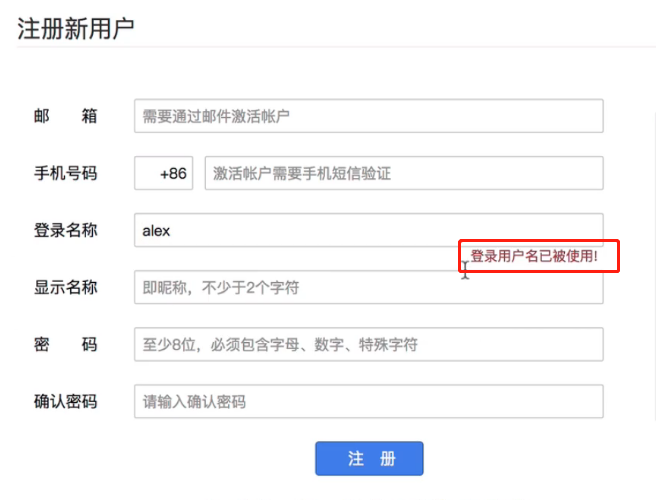
优点:
- AJAX使用Javascript技术向服务器发送异步请求
- AJAX无须刷新整个页面
2、基于jquery的ajax请求
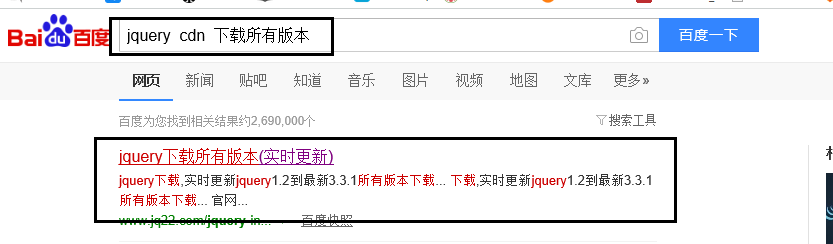
1.在线jquery cdn
http://www.jq22.com/jquery-info122
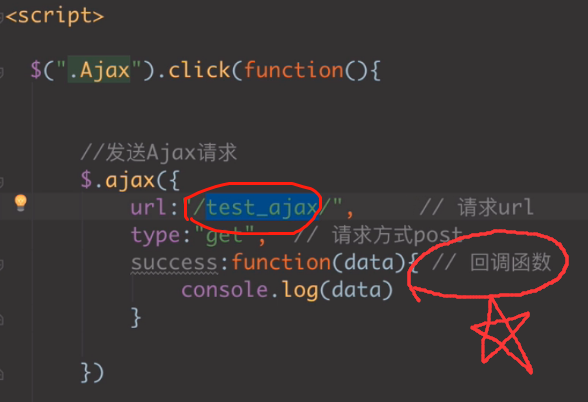
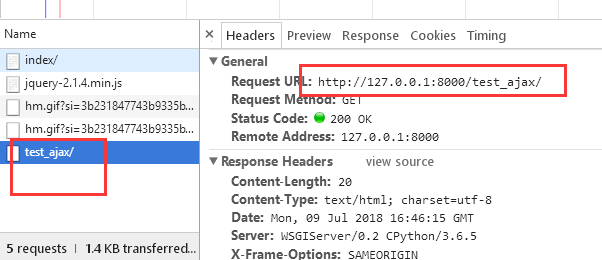
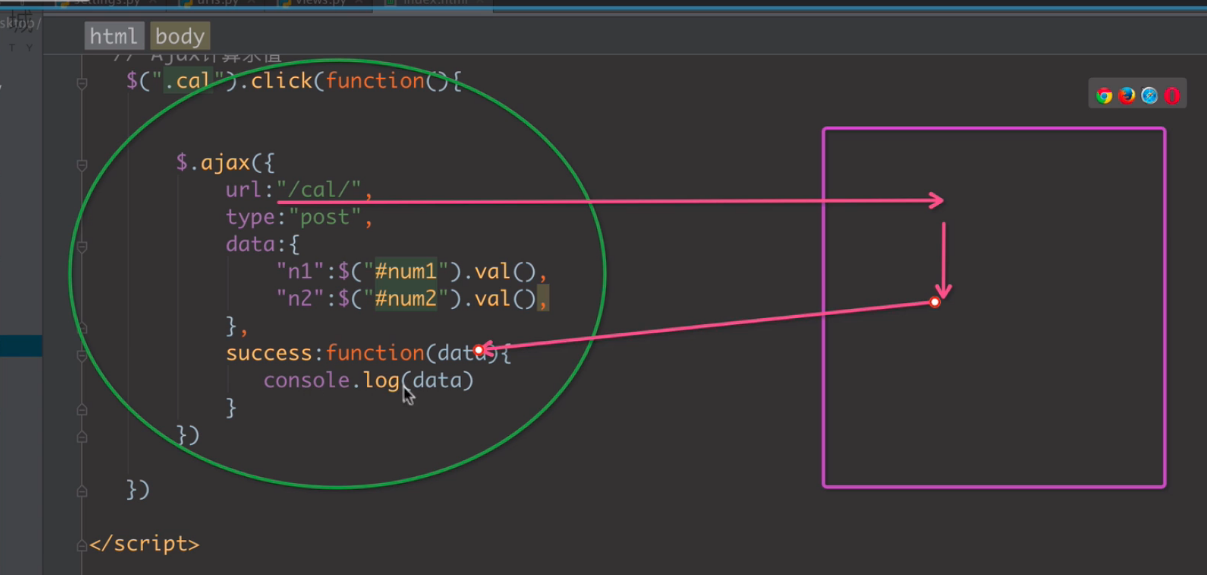
2、ajax流程

3、代码
url
from django.urls import path, re_path, include

from app01 import views

urlpatterns = [

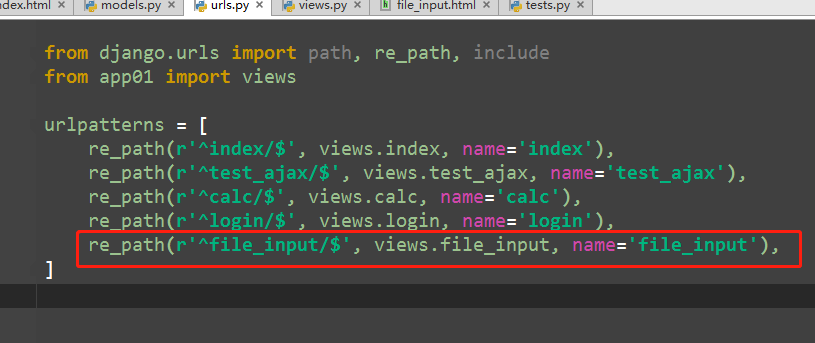
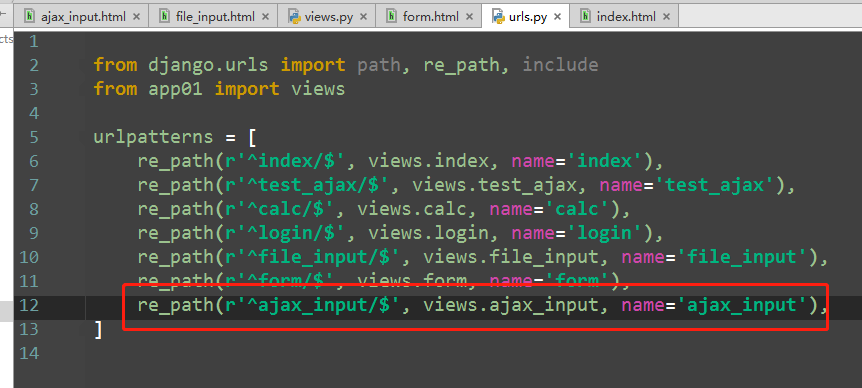
    re_path(r'^index/$', views.index, name='index'),

    re_path(r'^test_ajax/$', views.test_ajax, name='test_ajax'),

]
views
from django.shortcuts import render,HttpResponse

# Create your views here.

def index(request):

    return render(request, 'index.html')

def test_ajax(request):

    print(request.GET)

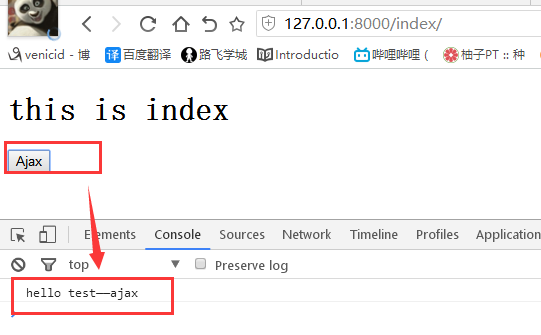
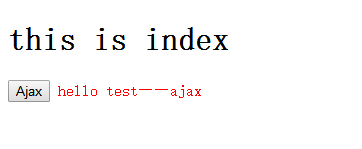
    return HttpResponse('hello test——ajax')
index.html
<!DOCTYPE html>

<html lang="en">

<head>

    <meta charset="UTF-8">

    <title>Title</title>

    <script src="http://ajax.aspnetcdn.com/ajax/jquery/jquery-2.1.4.min.js"></script></head>

<body>

<h1>this is index</h1>

<button class="ajax">Ajax</button>

<span class="error_msg" style="color: red"></span>

<script>

    $(function () {

        $(document).on('click','.ajax',function () {

            // 发送ajax请求

            $.ajax({

                url:'/test_ajax/',         //请求url,        默认与当前脚本所在的ip与端口同源

                type:'get',                 //请求方式get

                success:function (data) {    //回调函数

                    $('.error_msg').html(data)

                }

            })

        })

    })

</script>

</body>

</html>
3、Ajax传递数据
1、传递数据
ajax请求
            $.ajax({

                url:'/test_ajax/',       //请求url

                type:'get',             //请求方式get

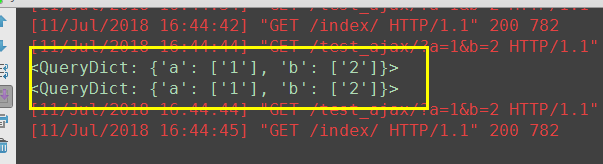
                data:{a:1,b:2},

                success:function (data) {   //回调函数

                    console.log(data);

                    $('.error_msg').html(data)

                }

            })
test_ajax视图
def test_ajax(request):

    print(request.GET)

    return HttpResponse('hello test——ajax')
2、简易计算器
url
from django.urls import path, re_path, include

from app01 import views

urlpatterns = [

    re_path(r'^index/$', views.index, name='index'),

    re_path(r'^test_ajax/$', views.test_ajax, name='test_ajax'),

    re_path(r'^calc/$', views.calc, name='calc'),

]
view
def calc(request):

    print(request.POST)

    n1 = request.POST.get('n1')     # n1,n2是ajax传递过来的参数

    n2 = request.POST.get('n2')

    ret = int(n1)+int(n2)

    return HttpResponse(ret)
index.html
<!DOCTYPE html>

<html lang="en">

<head>

    <meta charset="UTF-8">

    <title>Title</title>

    <script src="http://ajax.aspnetcdn.com/ajax/jquery/jquery-2.1.4.min.js"></script></head>

<body>

<hr>

<h3>简易计算器</h3>

<input type="text" id="num1"> + <input type="text" id="num2"> = <input type="text" id="ret"> <button id="calc">计算</button>

<script>

    $(function () {

        $(document).on('click','#calc',function () {

            // 简易计算器

            $.ajax({

                url:'/calc/',

                type:'post',

                data:{

                    "n1":$('#num1').val(),      //n1,n2 是自定义的变量名

                    "n2":$('#num2').val()

                },

                success:function (data) {

                    $('#ret').val(data)

                }

            })

        });

            //ajax传递数据

            $.ajax({

                url:'/test_ajax/',       //请求url

                type:'get',             //请求方式get

                data:{a:1,b:2},

                success:function (data) {   //回调函数

                    console.log(data);

                    $('.error_msg').html(data)

                }

            })

        })

    })

</script>

</body>

</html>

4、基于Ajax的登录验证
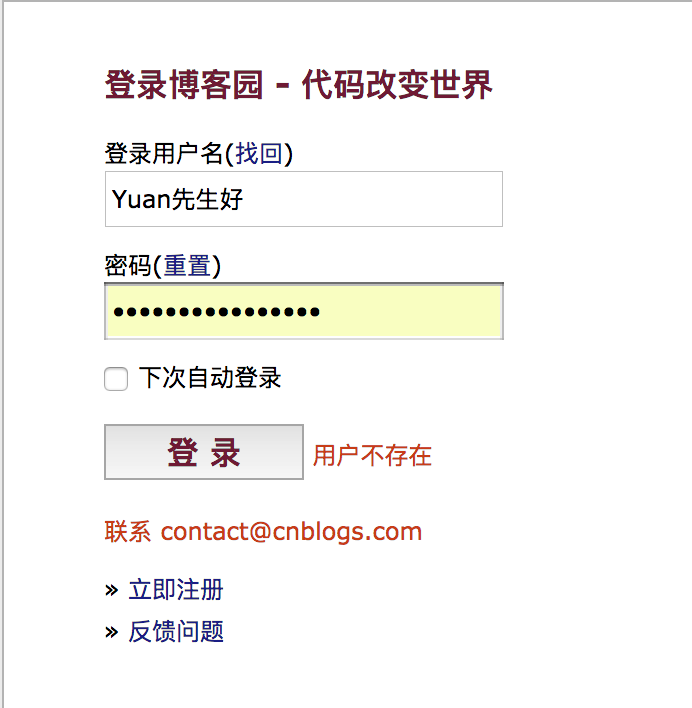
通过form表单提交数据,页面会整体刷新,不会局部刷新
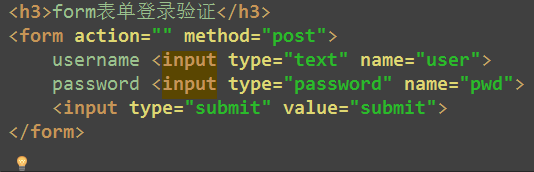
1、创建数据
model
from django.db import models

class User(models.Model):

    username = models.CharField(max_length=32)

    password = models.CharField(max_length=32)
生成数据库表
C:\PycharmProjects\ajaxdemo>python manage.py makemigrations

C:\PycharmProjects\ajaxdemo>python manage.py migrate
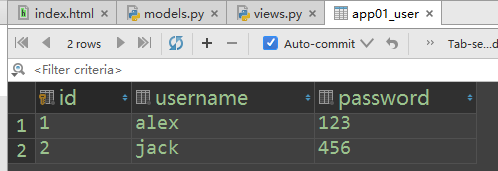
添加用户信息
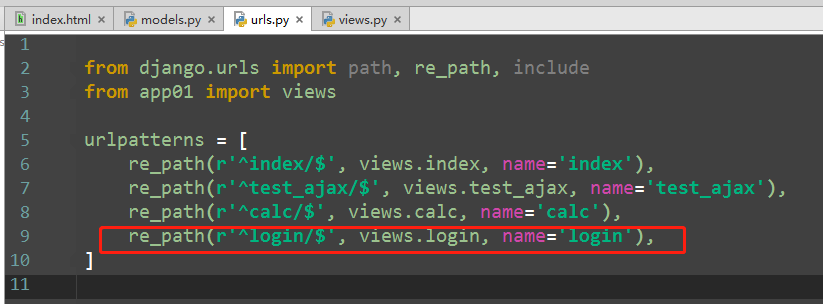
2、login视图
from app01.models import User

def login(request):

    if request.method == 'POST':    # ajax提交方式是post方式

        print(request.POST)         # <QueryDict: {'user': ['1'], 'pwd': ['2']}>

        user = request.POST.get('user', '')     # get到是user, get不到结果为空

        pwd = request.POST.get('pwd', '')

        user_obj = User.objects.filter(username=user, password=pwd).first()

        ret = {"user": None, "msg": None}

        if user_obj:

            ret["user"] = user_obj.username

        else:

            ret["msg"] = "error username or password"

    import json

    ret_string = json.dumps(ret)   # 序列化  某种格式--->string

    return HttpResponse(ret_string)
3、ajax部分
html
<!DOCTYPE html>

<html lang="en">

<head>

    <meta charset="UTF-8">

    <title>Title</title>

    <script src="http://ajax.aspnetcdn.com/ajax/jquery/jquery-2.1.4.min.js"></script>

</head>

<body>

<h3>ajax登录验证</h3>

<form>

    username <input type="text" class="user">

    password <input type="password" class="pwd">

{#    <input type="submit" value="登录" class="login_btn">  如果用submit按钮会出现bug#}

    <input type="button" value="登录" class="login_btn">

    <span class="msg" style="color: red; margin-left: 10px;"></span>

</form>

</body>

</html>
ajax代码
<script>

    $(function () {

        $(document).on('click', '.login_btn', function () {

            $.ajax({

                url:'/login/',

                type:'post',

                data:{

                    'user':$('.user').val(),

                    'pwd':$('.pwd').val()

                },

                success:function (data) {

                    console.log(data);

                    console.log(typeof data)       // 查看json序列化后的传递过来的数据类型

                    var _data = JSON.parse(data)  // 反序列化  string----> object {}

                    console.log(_data)            // json字符串

                    console.log(typeof _data)

                    if(_data.user){

                        location.href="https://www.baidu.com/"

                    }

                    else{

                        $('.msg').html(_data.msg)

                    }

                }

            })

        })

    });

</script>
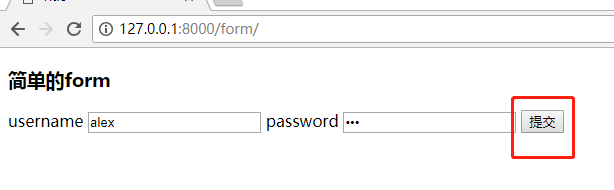
4、演示结果截图
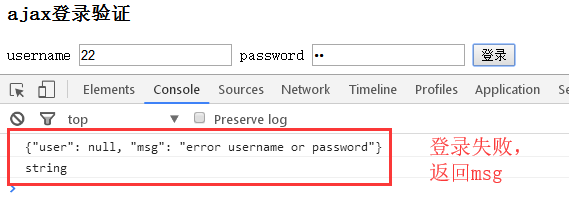
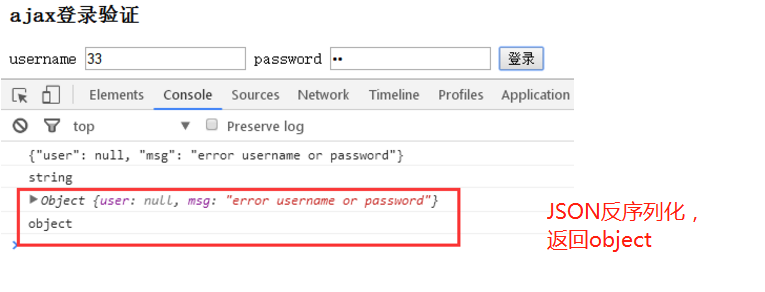



5、重点:json--字符串 如何转换?
HttpResponse 只能传递字符串

views视图中

# 序列化  json数据转换为string

    ret = {"user": None, "msg": None}

    import json

    ret_string = json.dumps(ret)   # 序列化  某种格式--->string

    return HttpResponse(ret_string)

html代码中

# 反序列化    字符串----> object对象 {}

data = {"user": null, "msg": "error username or password"}

string

-----------------------------------------------------------------------------

     var _data = JSON.parse(data)  // 反序列化  string----> object {}

     console.log(_data)                  // json字符串

--------------------------------------------------------------------------

Object {user: null, msg: "error username or password"}

object
5、基于Form表单的文件上传
1、form上传文件的编码格式
<h3>基于form表单的文件上传</h3>

<form action="" method="post" enctype="application/x-www-form-urlencoded"> 不写默认是这个

    username <input type="text" name="username">

    userImg <input type="file" name="userImg">

    <input type="submit" value="提交">

</form>

<form action="" method="post" enctype="multipart/form-data">              # 上传文件用

    username <input type="text" name="username">

    userImg <input type="file" name="userImg">

    <input type="submit" value="提交">

</form>

2、view视图保存文件
views视图
def file_input(request):

    if request.method == 'POST':

        print(request.POST)

        print(request.FILES)   # 上传的文件保存在FILES

        # 保存文件

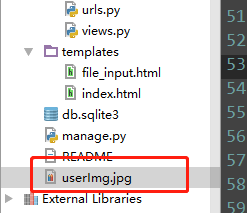
        file_obj = request.FILES.get('userImg')     # 取出文件对象

        file_name = file_obj.name                    # 取出文件名称

        with open(file_name, 'wb') as f:

            for line in file_obj:

                f.write(line)

    return render(request, 'file_input.html')
file_input.html
<!DOCTYPE html>

<html lang="en">

<head>

    <meta charset="UTF-8">

    <title>Title</title>

</head>

<body>

<h3>基于form表单的文件上传</h3>

{#<form action="" method="post">#}

{#<form action="" method="post" enctype="application/x-www-form-urlencoded"> # 默认是这个#}

{#<form action="" method="post" enctype="text/plain">                         # 基本不用#}

<form action="" method="post" enctype="multipart/form-data">              # 上传文件用

    username <input type="text" name="username">

    userImg <input type="file" name="userImg">

    <input type="submit" value="提交">

</form>

</body>

</html>


3、2个重点
1、form表单enctype
<form action="" method="post">

<form action="" method="post" enctype="application/x-www-form-urlencoded"> # 默认是这个

<form action="" method="post" enctype="text/plain">                         # 基本不用

<form action="" method="post" enctype="multipart/form-data">                # 上传文件用
2、如何读取上传的图片
        print(request.FILES)   # 上传的文件保存在FILES

        # 保存文件

        file_obj = request.FILES.get('userImg', '')  # 取出文件对象

        file_name = file_obj.name                    # 取出文件名称
6、http请求头之contentType
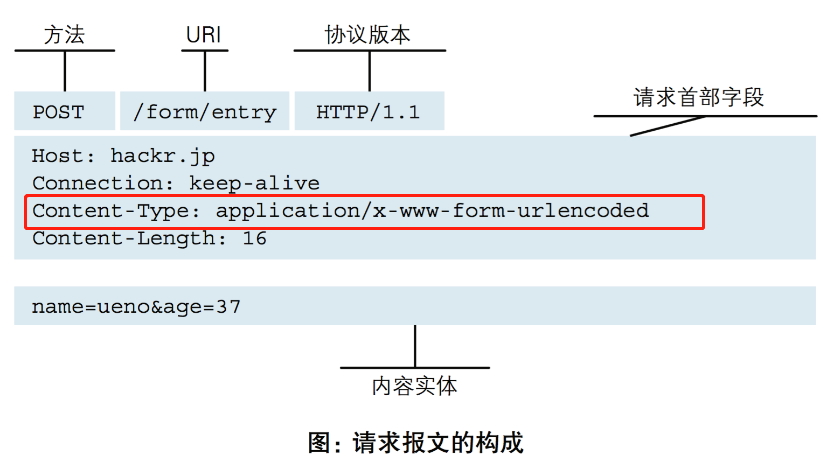
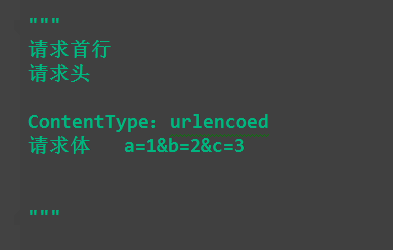
ContentType指的是请求体的编码类型,常见的类型共有3种:
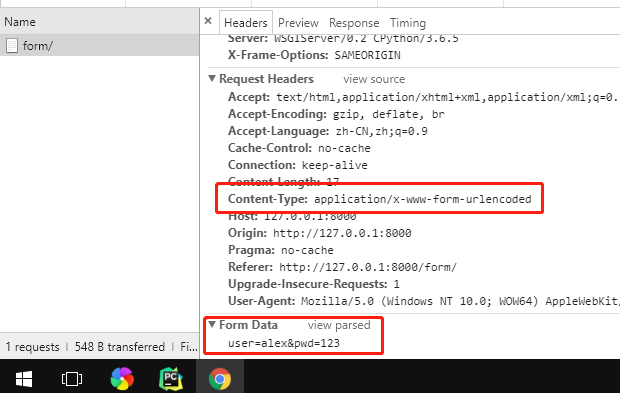
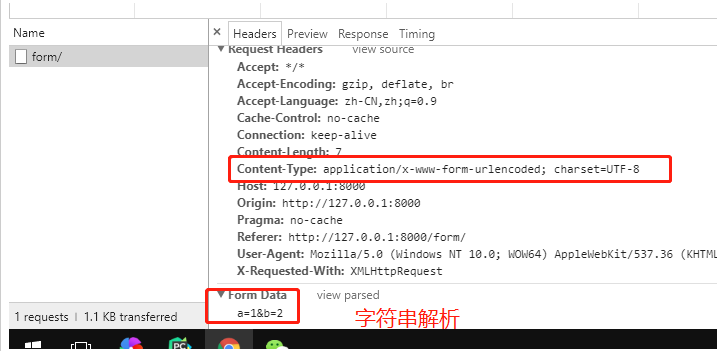
1、application/x-www-form-urlencoded
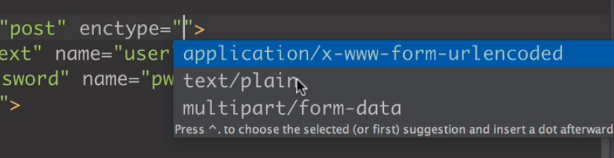
这应该是最常见的 POST 提交数据的方式了。浏览器的原生 <form> 表单,如果不设置 enctype 属性,那么最终就会以 application/x-www-form-urlencoded 方式提交数据。
请求类似于下面这样(无关的请求头在本文中都省略掉了):

2 multipart/form-data
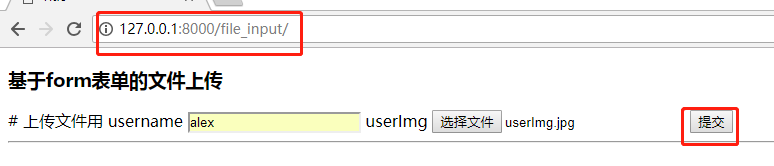
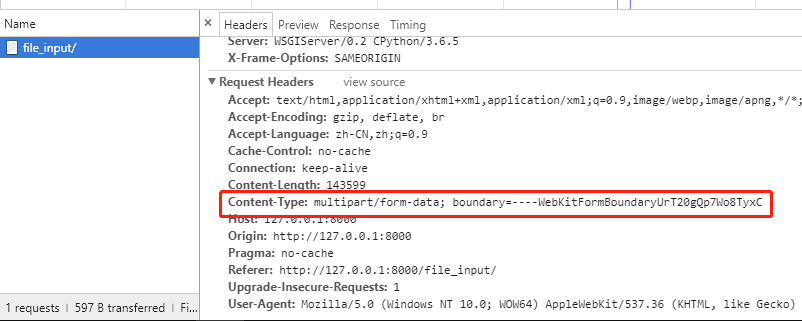
这又是一个常见的 POST 数据提交的方式。我们使用表单上传文件时,必须让 <form> 表单的 enctype 等于 multipart/form-data。直接来看一个请求示例:
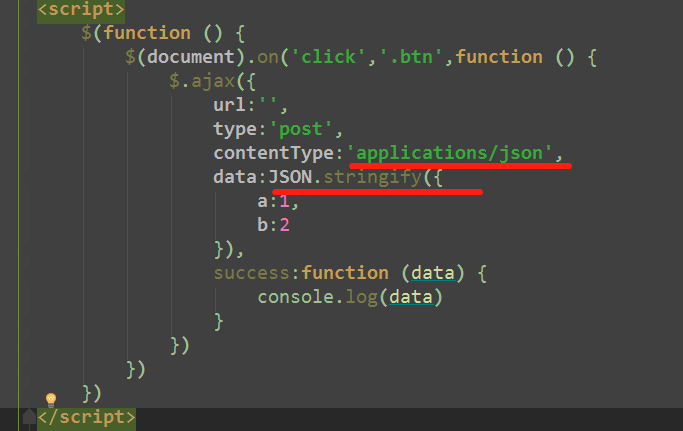
3 application/json
application/json 这个 Content-Type 作为响应头大家肯定不陌生。实际上,现在越来越多的人把它作为请求头,用来告诉服务端消息主体是序列化后的 JSON 字符串。
由于 JSON 规范的流行,除了低版本 IE 之外的各大浏览器都原生支持 JSON.stringify,服务端语言也都有处理 JSON 的函数,使用 JSON 不会遇上什么麻烦。
JSON 格式支持比键值对复杂得多的结构化数据,这一点也很有用。记得我几年前做一个项目时,需要提交的数据层次非常深,我就是把数据 JSON 序列化之后来提交的。
不过当时我是把 JSON 字符串作为 val,仍然放在键值对里,以 x-www-form-urlencoded 方式提交。
7、ajax传递json数据
form表单
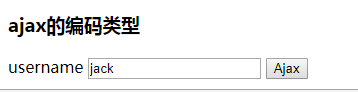
<h3>ajax的编码类型</h3>

<form action="">

    username <input type="text" name="user">

    <input type="button" class="btn" value="Ajax">

</form>
view视图
def form(request):

    if request.method == 'POST':

        print("body", request.body)    # 请求报文中的请求体

        print("POST", request.POST)    # if contentType == urlencoded, request.POST才有数据

    return render(request, 'form.html')
两种方式的请求体
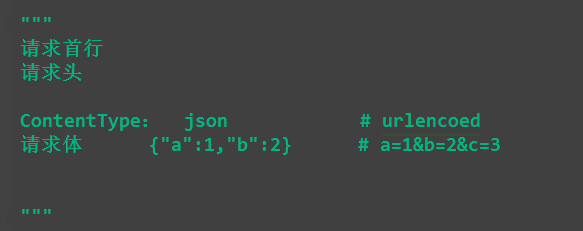
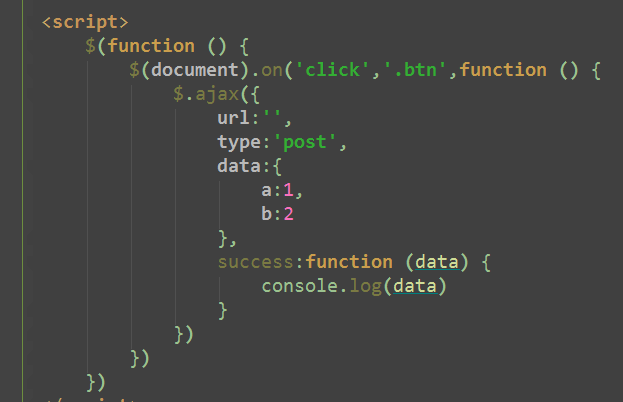
1、默认编码格式:urlcode
        $(document).on('click', '.btn', function () {

            $.ajax({

                url: '',

                type: 'post',

                data:{a:1,b:2},

                success: function (data) {

                    console.log(data)

                }

            })

        })

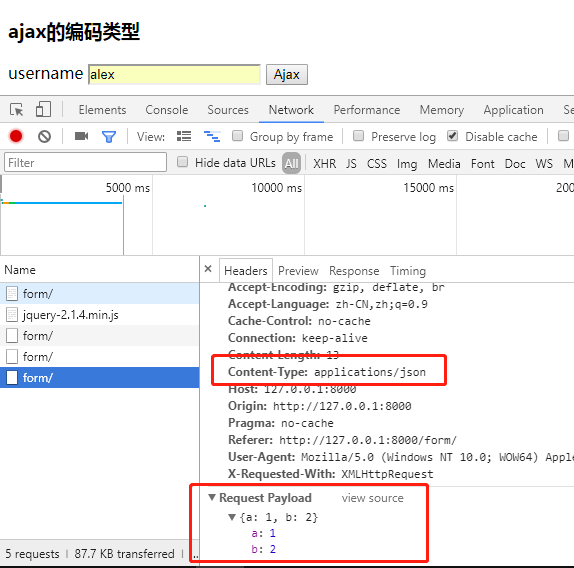
2、消息主体是序列化后的 JSON 字符串:application/json
<script>

    $(function () {

        $(document).on('click','.btn',function () {

            $.ajax({

                url:'',

                type:'post',

                contentType:'applications/json',

                data:JSON.stringify({

                    a:1,

                    b:2

                }),

                success:function (data) {

                    console.log(data)

                }

            })

        })

    })

</script>

8、基于ajax的文件上传
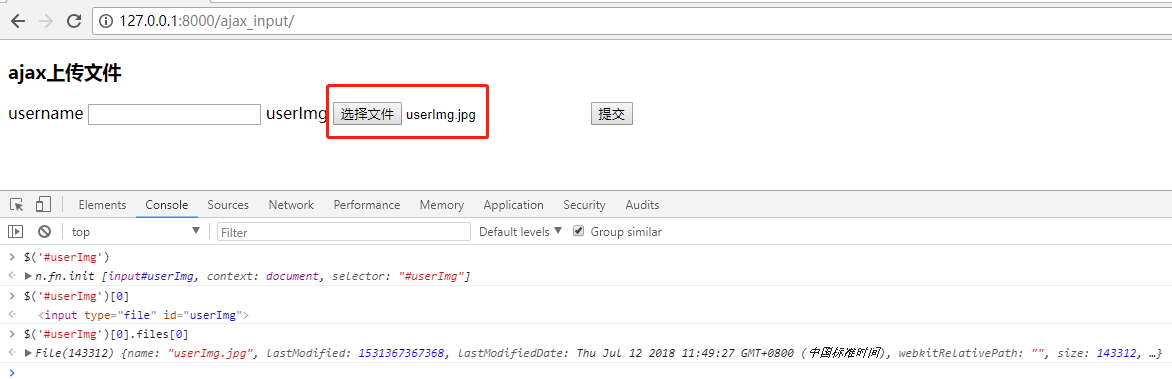
1、如何选中input上传的图片
$('#userImg')
n.fn.init [input#userImg, context: document, selector: "#userImg"]
$('#userImg')[0]
<input type="file" id="userImg">
$('#userImg')[0].files[0]
File(143312) {name: "userImg.jpg", lastModified: 1531367367368, lastModifiedDate: Thu Jul 12 2018 11:49:27 GMT+0800 (中国标准时间), webkitRelativePath: "", size: 143312, …}
2、FormData对象
详细解释
https://developer.mozilla.org/zh-CN/docs/Web/API/FormData/Using_FormData_Objects
https://blog.csdn.net/saharalili/article/details/79002568
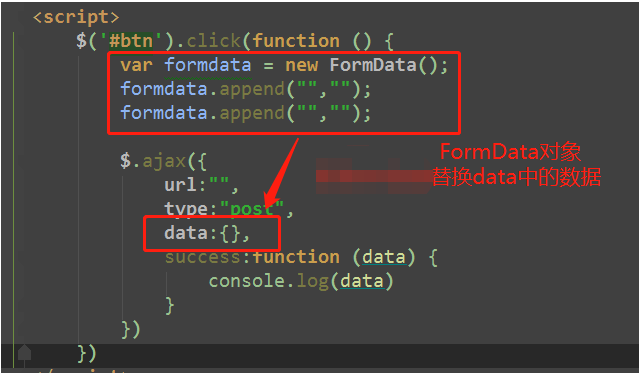
FormData对象用以将数据编译成键值对,以便用XMLHttpRequest来发送数据。其主要用于发送表单数据,但亦可用于发送带键数据(keyed data),而独立于表单使用。
如果表单enctype属性设为multipart/form-data ,则会使用表单的submit()方法来发送数据,从而,发送数据具有同样形式。
调用append()方法来添加数据
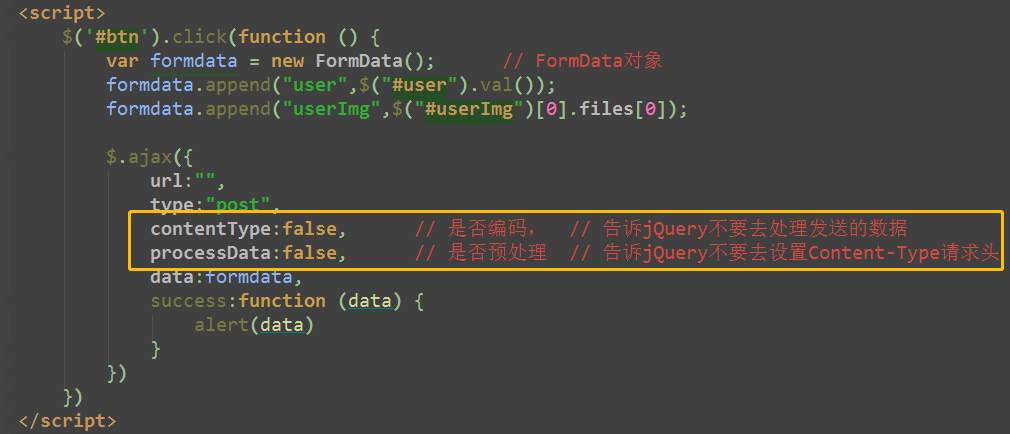
3、出现 error:
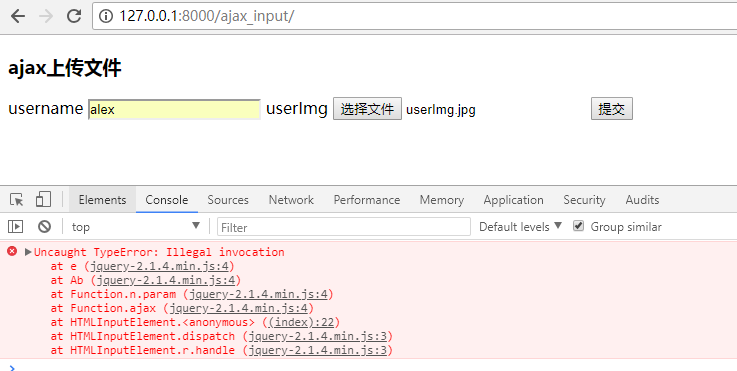
是否预处理,是否编码
jquery-2.1.4.min.js:4 Uncaught TypeError: Illegal invocation

    at e (jquery-2.1.4.min.js:4)

    at Ab (jquery-2.1.4.min.js:4)

    at Function.n.param (jquery-2.1.4.min.js:4)

    at Function.ajax (jquery-2.1.4.min.js:4)

    at HTMLInputElement.<anonymous> ((index):22)

    at HTMLInputElement.dispatch (jquery-2.1.4.min.js:3)

    at HTMLInputElement.r.handle (jquery-2.1.4.min.js:3)

e @ jquery-2.1.4.min.js:4

Ab @ jquery-2.1.4.min.js:4

n.param @ jquery-2.1.4.min.js:4

ajax @ jquery-2.1.4.min.js:4

(anonymous) @ (index):22

dispatch @ jquery-2.1.4.min.js:3

r.handle @ jquery-2.1.4.min.js:3
4、上传文件
这又是一个常见的 POST 数据提交的方式。我们使用表单上传文件时,必须让 <form> 表单的 enctype 等于 multipart/form-data。直接来看一个请求示例:

POST http://www.example.com HTTP/1.1

Content-Type:multipart/form-data; boundary=----WebKitFormBoundaryrGKCBY7qhFd3TrwA

------WebKitFormBoundaryrGKCBY7qhFd3TrwA

Content-Disposition: form-data; name="user"

yuan

------WebKitFormBoundaryrGKCBY7qhFd3TrwA

Content-Disposition: form-data; name="file"; filename="chrome.png"

Content-Type: image/png

PNG ... content of chrome.png ...

------WebKitFormBoundaryrGKCBY7qhFd3TrwA--

5、完整代码
view视图代码
def ajax_input(request):

    if request.method == 'POST':

        print(request.body)   # 原始的请求体数据

        print(request.GET)    # GET请求数据

        print(request.POST)   # POST请求数据

        print(request.FILES)  # 上传的文件数据

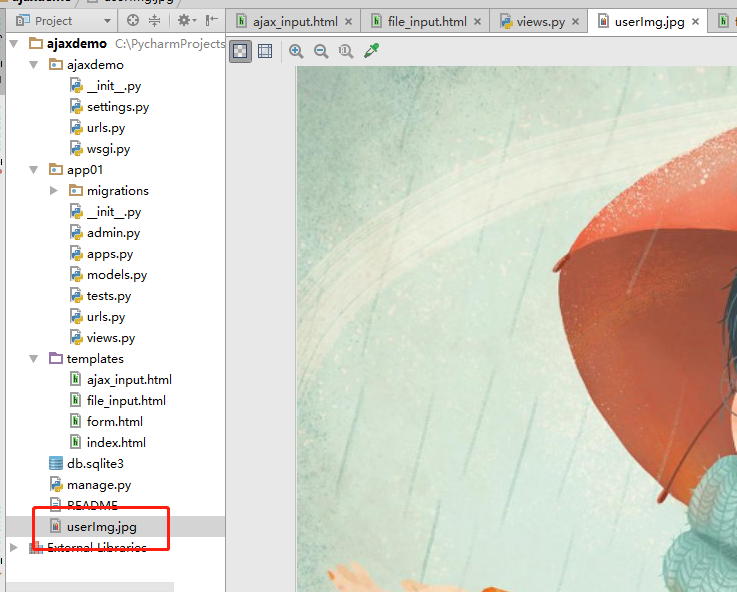
        file_obj = request.FILES.get('userImg')

        file_name = file_obj.name

        with open(file_name, 'wb') as f:

            for line in file_obj:

                f.write(line)

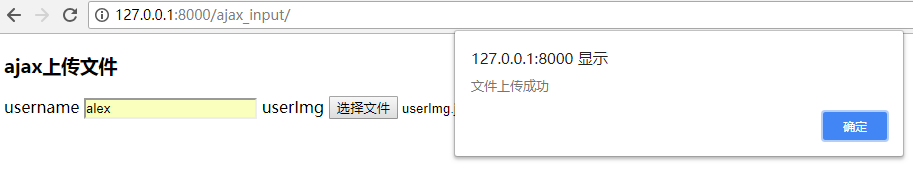
        return HttpResponse('文件上传成功')

    return render(request, 'ajax_input.html')


ajax.html
<!DOCTYPE html>

<html lang="en">

<head>

    <meta charset="UTF-8">

    <title>Title</title>

    <script src="http://ajax.aspnetcdn.com/ajax/jquery/jquery-2.1.4.min.js"></script>

</head>

<body>

<h3>ajax上传文件</h3>

<form>

    username <input type="text" id="user">

    userImg <input type="file" id="userImg">

    <input type="button" value="提交" id="btn">

</form>

<script>

    $('#btn').click(function () {

        var formdata = new FormData();      // FormData对象

        formdata.append("user",$("#user").val());

        formdata.append("userImg",$("#userImg")[0].files[0]);

        $.ajax({

            url:"",

            type:"post",

            contentType:false,      // 是否编码,  // 告诉jQuery不要去处理发送的数据

            processData:false,      // 是否预处理  // 告诉jQuery不要去设置Content-Type请求头

            data:formdata,

            success:function (data) {

                alert(data)

            }

        })

    })

</script>

</body>

</html>
01- ajax, 登录验证,json数据,文件上传的更多相关文章
- SpringMVC——返回JSON数据&&文件上传下载
--------------------------------------------返回JSON数据------------------------------------------------ ...
- Ajax(form表单文件上传、请求头之contentType、Ajax传递json数据、Ajax文件上传)
form表单文件上传 上菜 file_put.html <form action="" method="post" enctype="multi ...
- HTML5 + AJAX ( 原生JavaScript ) 异步多文件上传
这是在上篇 HTML5 + AJAX ( jQuery版本 ) 文件上传带进度条 的修改版本.后台代码不变就可以接着使用,但是脚本不再使用jQuery了,改为原生的 JavaScript 代码,所以我 ...
- ajax提交表单,支持文件上传
当我们提交表单但是又不想要刷新页面的时候就可以考虑使用ajax来实现提交功能,但是这有个局限就是当有文件上传的时候是行不通的,下面借助于jquery.form可以很方便满足我们的需求. 1.表单写 ...
- maven中的pom配置文件一——spring,mybatis,oracle,jstl,json,文件上传
<?xml version="1.0" encoding="UTF-8"?> <project xmlns="http://mave ...
- 前台提交数据(表单数据、Json数据及上传文件)的类型
MIME (Multipurpose Internet Mail Extensions) 是描述内容类型的互联网标准.Clients use this content type or media ty ...
- 使用Ajax和一般处理程序实现文件上传与下载
1.使用HTML的input标签 <input type="file" multiple="multiple" id="file_load&qu ...
- js+ajax+springmvc实现无刷新文件上传
话不多说直接上代码 <%@ page language="java" contentType="text/html; charset=UTF-8" pag ...
- xml数据文件上传至数据库
上传xml文件数据到数据库思路:首先上传需要建校验xml字段的校验文件,然后程序根据后台写好的xml数据文件路径自动读取数据文件,再上传数据文件到数据库之前先根据校验文件校验上传的数据文件的字段是否合 ...
- Spring MVC 文件上传简单示例(form、ajax方式 )
1.Form Upload SpringMVC 中,文件的上传是通过 MultipartResolver 实现的,所以要实现上传,只要注册相应的 MultipartResolver 即可. Multi ...
随机推荐
- 只能在堆上生成的对象 VS. 只能在栈上生成的对象
1. 只能在堆上 即禁止在栈上生成.如何实现? 当对象建立在栈上面时,是由编译器分配内存空间的,调用构造函数来构造栈对象.如果类的析构函数是私有的,则编译器不会在栈空间上为类对象分配内存. 所以,只需 ...
- Entity Framework 6.X实现记录执行的SQL功能
Entity Framework在使用时,很多时间操纵的是Model,并没有写sql语句,有时候为了调试或优化等,又需要追踪Entity framework自动生成的sql(最好还能记录起来,方便出错 ...
- C++ 入门随手笔记及联系
一.第一个C++程序 1.文件扩展名 C++源代码的文件扩展名.cpp.C.cxx.c(需要指定编译语言) 自定义的头文件依然保留.h 2.头文件 C++标准库的头文件不带.h,最常用的是ios ...
- Python学习---JSON补充内容[中文编码 + dumps解析]
JSON补充内容[微信解决中文乱码,接上] import json # 英文显示 dic = {"hello": "world"} str = json.dum ...
- 一、DAO设计模式 二、DAO设计模式的优化 三、JDBC中的事务,连接池的使用
一.DAO设计模式概述###<1>概念 DAO,Data Access Object ,用于访问数据库的对象. 位于业务逻辑和数据持久化层之间,实现对数据持久化层的访问 ...
- Windows程序设计(Charles Petzold)HELLOWIN程序实现
/*-------------------------------------------------------------- HELLOWIN.C--DisPlays "Hello, W ...
- September 22nd 2017 Week 38th Friday
If we believe that tomorrow will be better, we can bear a hardship today. 如果我们相信明天会更好,今天就能承受艰辛. If y ...
- 终于明白为什么要赋值给ret ,
def my_max(a,b): if a > b: return a else: return b my_max(10,45)# 如果只是这样,那么只是运行了并产生返回值,但没有打印返回值t ...
- [转] 29个你必须知道的Linux命令
总结: 1. find 查找文件 2. grep 查找某个文件或者文件夹里面文件的内容 29个你必须知道的Linux命令 虽然Linux发行版支持各种各样的GUI(graphical user in ...
- 【洛谷】【二分答案+贪心】P1316 丢瓶盖
[题目描述:] 陶陶是个贪玩的孩子,他在地上丢了A个瓶盖,为了简化问题,我们可以当作这A个瓶盖丢在一条直线上,现在他想从这些瓶盖里找出B个,使得距离最近的2个距离最大,他想知道,最大可以到多少呢? [ ...