
【水滴石穿】rn_antd_dva_reactnavigation
这个项目好像就是记录了一个数据的流向,大体思想好像是这个
项目地址:https://github.com/Yangzhuren/rn_antd_dva_reactnavigation
先看效果
第一个页面会显示第二个页面点击的值
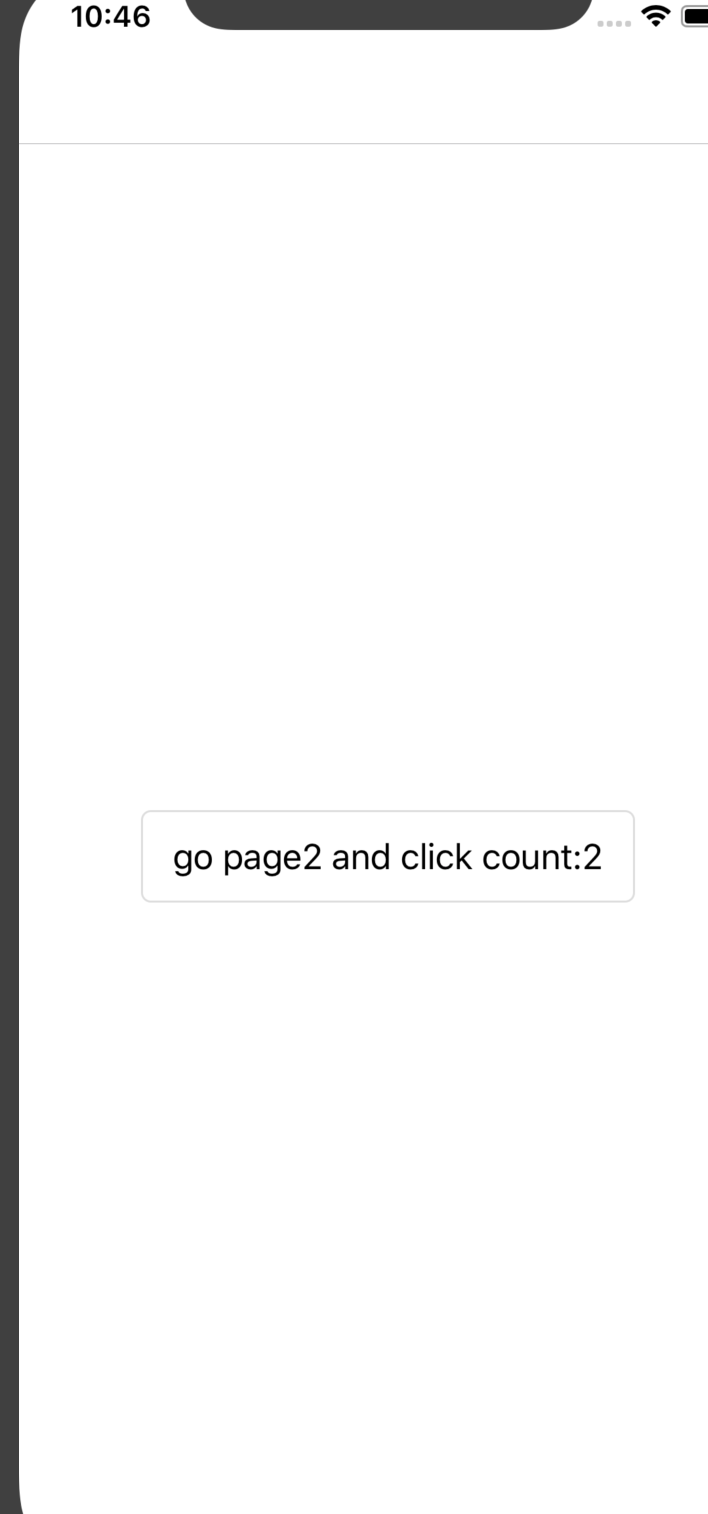
第二个页面

先来看代码
根index.js引用的不是app.js组件而是在自定义的组件里面
//index.js

/**

 * @format

 */

import {AppRegistry} from 'react-native';

import App from './js';

import {name as appName} from './app.json';

AppRegistry.registerComponent(appName, () => App);
js中的项目
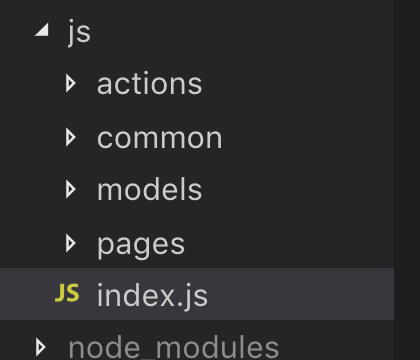
//js/index.js

import React, {Component} from 'react'

import {InputItem, List, Provider} from "@ant-design/react-native";

import Pages from './pages'

import dva from "dva";

import {registerModels} from "./models";

import createMemoryHistory from "history/createMemoryHistory";

class Root extends Component {

    constructor(props) {

        super(props);

    }

    render() {

        return (

            <Provider>

                <Pages/>

            </Provider>

        )

    }

}

const app = dva({

    history:createMemoryHistory(),

    initialState: {},

    onError: function (e) {

        console.log("dva onError", e)

    }

})

registerModels(app)

app.router(() => <Root/>)

const App = app.start()

export default App
上面的引用了pages组件
页面一进去,应该进入的是page1页面然后再进去page2页面
看代码
//js/pages/index.js

//根据代码执行顺序可知道先执行page1

import React, {Component} from 'react'

import {createStackNavigator, createAppContainer} from 'react-navigation'

import Page1 from "./page1";

import Page2 from "./page2";

const Pages = createStackNavigator({

    page1: {

        screen: Page1

    },

    page2: {

        screen: Page2

    }

})

export default createAppContainer(Pages)
page1页面组件

//js/pages/page1/index.js

import React, {Component} from 'react'

import {Button, Flex} from "@ant-design/react-native"

import Actions from './actions'

import {connect} from 'dva'

class Page1 extends Component {

    constructor(props) {

        super(props)

        new Actions(this)

    }

    render() {

        const {clickCount} = this.props.userInfo

        return (

            <Flex align={"center"} justify={"center"} style={{flex: 1}}>

                <Button onPress={this.clicked}>go page2 and click count:{clickCount}</Button>

            </Flex>

        )

    }

}

function mapStateToProps(state) {

    return {userInfo: state.user}

}

export default connect(mapStateToProps)(Page1)
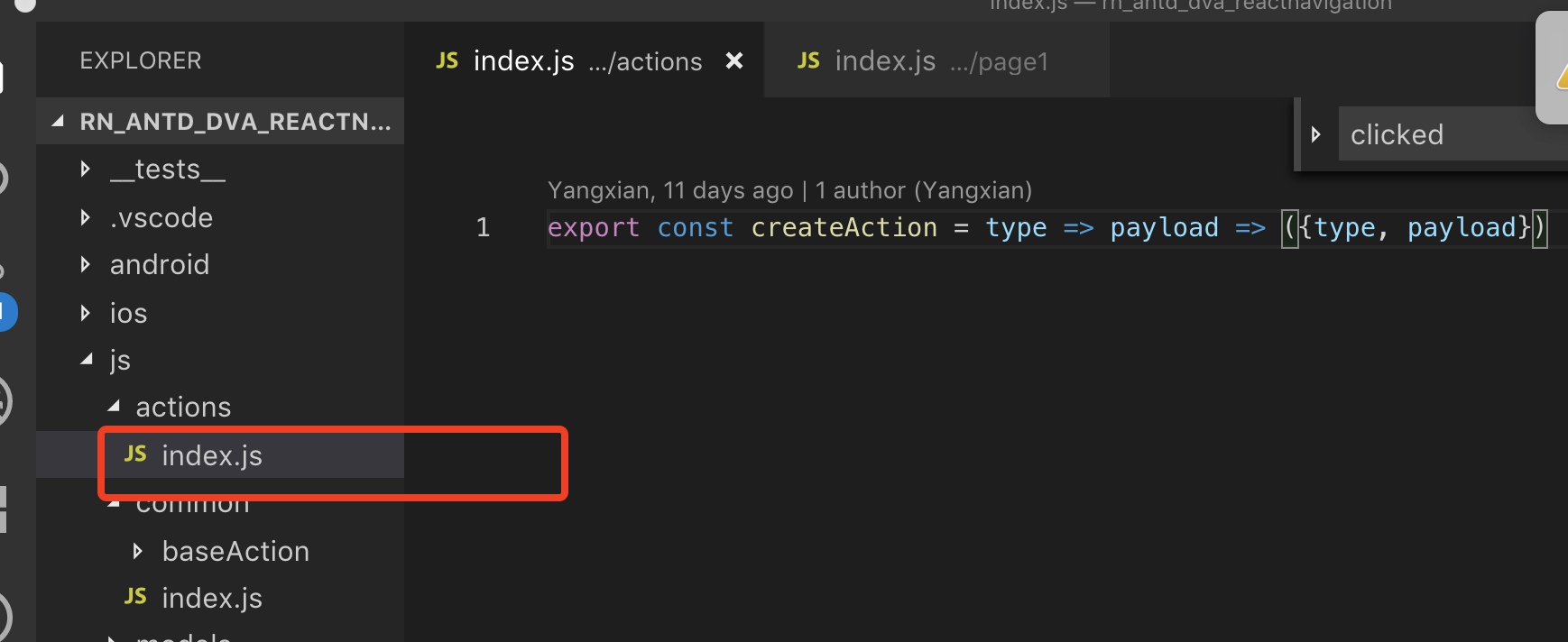
这个有意思,定一个action组件,然后点击可以跳转第二个页面
//js/pages/page1/actions.js

import {BaseAction} from '../../common'

export default class Actions extends BaseAction {

    clicked() {

        this.props.navigation.navigate('page2')

    }

}
//js/pages/page2/index.js

import React, {Component} from 'react'

import {Button} from "@ant-design/react-native"

import Actions from './actions'

import {createAction} from "../../actions";

import {connect} from 'dva';

class Page2 extends Component {

    constructor(props) {

        super(props)

        new Actions(this)

        this.state = {

            clickCount: 0

        }

    }

    render() {

        const {clickCount} = this.state

        return (

            <Button onPress={this.clicked}>page2 click counts:{clickCount}</Button>

        )

    }

}

function mapStateToProps(state) {

    return {userInfo: state.user}

}

export default connect(mapStateToProps)(Page2)
//js/pages/page2/actions.js

import {BaseAction} from '../../common'

import {createAction} from "../../actions";

export default class Actions extends BaseAction {

    clicked() {

        const {clickCount} = this.state

        this.setState({

            clickCount: clickCount + 1

        },()=>{

            const userAction = createAction('user/checkUser')({clickCount: this.state.clickCount})

            this.props.dispatch(userAction)

        })

    }

}
关于models里面有一点不理解
//js/models/index.js

import User from './User'

import {DvaInstance} from "dva";

export function registerModels(app: DvaInstance) {

    app.model(User)

}
//js/models/User.js

// 里面就是dva的一些基本方法吗

import {createAction} from '../actions'

export default {

    namespace: 'user',

    state: {

        name: '',

        mobile: '',

        clickCount: 0

    },

    reducers: {

        getUserInfo(state, {payload}) {

            return {...state, ...payload}

        }

    },

    effects: {

        * checkUser({payload}, {call, put}) {

            yield put(

                createAction('getUserInfo')({

                    ...payload

                })

            )

        }

    }

}
【水滴石穿】rn_antd_dva_reactnavigation的更多相关文章
- iOS 开发笔记 -- 各种细枝末节的知识(水滴石穿)
在此总结整理,遇到的各种的小问题: 1.通过从字典(数组)中取出的NSString的length==0 作为if的判断条件导致的carsh: 由于在字典中通过Key取出值之后直接做了length相关操 ...
- 【水滴石穿】react-native-book
先推荐一个学习的地址:https://ke.qq.com/webcourse/index.html#cid=203313&term_id=100240778&taid=12778558 ...
- 【水滴石穿】rnTest
其实就是一个小的demo,不过代码分的挺精巧的 先放地址:https://github.com/linchengzzz/rnTest 来看看效果 确实没有什么可以说的,不过代码部分还行 先入口文件 / ...
- 【水滴石穿】rn_statusbar
先放项目地址https://github.com/hezhii/rn_statusbar 来看一下效果 咩有感觉很怎么样,看代码 根入口文件 //index.js //看代码我们知道入口是app.js ...
- 【水滴石穿】react-native-ble-demo
项目的话,是想打开蓝牙,然后连接设备 点击已经连接的设备,我们会看到一些设备 不过我这边在开启蓝牙的时候报错了 先放作者的项目地址: https://github.com/hezhii/react-n ...
- 【水滴石穿】ReactNative-Redux-Thunk
老实说,运行出来的项目让人失望,毕竟我想看各种有趣的demo啊- 先放上源码地址:https://github.com/ludejun/ReactNative-Redux-Thunk 我们来一起看看代 ...
- 【水滴石穿】mobx-todos
我觉得代码在有些程序员手里,就好像是画笔,可以创造很多东西 不要觉得创意少就叫没有创意,每天进步一点点,世界更美好 首先源码地址为:https://github.com/byk04712/mobx-t ...
- 【水滴石穿】ReactNativeMobxFrame
项目地址如下:https://github.com/FTD-ZF/ReactNativeMobxFrame 应该可以说的是,项目也只是一个花架子,不过底部的tab稍微改变了 我们一起来看代码 //in ...
- 【水滴石穿】react-native-aze
说个题外话,早上打开电脑的时候,电脑变成彩色的了,锅是我曾经安装的一个chrome扩展,没有经过我的同意开启了 (也许是昨天迷迷糊糊开启了) 上午运行项目都不成功,还以为被黑客攻击了---然后下午就排 ...
随机推荐
- 二分判定 覆盖问题 BZOJ 1052
//二分判定 覆盖问题 BZOJ 1052 // 首先确定一个最小矩阵包围所有点,则最优正方形的一个角一定与矩形一个角重合. // 然后枚举每个角,再解决子问题 #include <bits/s ...
- mysql系统变量与状态变量
一.系统变量分为全局系统变量和会话系统变量:有些变量既是全局系统变量,有些变量只有全局的,有些变量只有会话的. .变量的查询: show global variables like 'log' \G; ...
- leetcode 324 Wiggle Sort 2
利用中位数的概念,中位数就是将一组数分成2等份(若为奇数,则中位数既不属于左也不属于右,所以是2等份),其一组数中任何一个元素都大于等于另一组数 那么我们是不是只要一左一右配合着插入,就保证了差值+- ...
- ArccGIS 10发布WFS服务并加载到Skyline中
下面用ArcGIS Server 10.0将建筑物图层发布为WFS服务. (1)创建mxd文件.ArcMap打开建筑物图层,存为Buildings.mxd文件.注意:必须统一空间参考系,且要与图层的坐 ...
- 微服务注册发现集群搭建—单机版(Registrator+Consul+Consul-template+nginx)
1.创建模板文件 docker-compose.yml #backend web application, scale this with docker-compose scale web=3 web ...
- SpringBooot- 访问时,默认有弹出认证
SpringBooot- 访问时,默认有弹出认证 springboot启动成功后,访问请求时,默认弹出窗口,需登录认证. 原因: 是由于使用了springsecurity的默认安全策略,解决方案:启动 ...
- Django数据库连接丢失问题
问题 在Django中使用mysql偶尔会出现数据库连接丢失的情况,错误通常有如下两种 1. OperationalError: (2006, 'MySQL server has gone away' ...
- python利用paramiko执行服务器命令
话不多说直接上代码 封装连接 @staticmethod def connect(ip, server_user, server_port, server_path): ""&qu ...
- Puppet基础应用
Puppet简介 IT基础设施自动化管理工具,作者:Luck Kanies,官方站点:www.puppetlabs.com 管理设施的整个生命周期: provisioning.configuratio ...
- CentOS 6.5安装libvirt启动不了libvirtd进程的错误
今天安装kvm时遇到了一个libvirtd服务启动不了的问题,具体报错信息如下: 自己检查了一阵子,确定其他方面没有问题,在网上搜到了答案,在此整理下来: 再次启动服务,没有任何问题: