
[Docker03] Deploy LNMP on Docker
Deploy MYSQL
docker pull mysql
挂载卷保存数据文件
mkdir -p /mysql/data

chmod -p 777 /mysql/data
MySQL使用过程中的环境变量
| Num | Env Variable | Description |
|---|---|---|
| 1 | MYSQL_ROOT_PASSWORD | root用户的密码 |
| 2 | MYSQL_DATABASE | 创建一个数据库 |
| 3 | MYSQL_USER,MYSQL_PASSWORD | 创建一个用户以及用户密码 |
| 4 | MYSQL_ALLOW_EMPTY_PASSWORD | 允许空密码 |
1、创建网络
docker network create --subnet 10.0.0.0/24 --gateway 10.0.0.1 marion

docker network ls

➜  ~ docker network ls | grep marion

6244609a83bb        marion              bridge              local
2、创建MYSQL container
➜  ~ docker run -v /mysql/data:/var/lib/mysql --name mysqldb --restart=always -p 3306:3306 -e MYSQL_DATABASE='wordpress' -e MYSQL_USER='marion' -e MYSQL_PASSWORD='marion' -e MYSQL_ALLOW_EMPTY_PASSWORD='yes' -e MYSQL_ROOT_PASSWORD='marion' --network=marion --ip=10.0.0.2 -d mysql

➜  ~ docker ps -a

➜  marion docker ps -a

CONTAINER ID        IMAGE               COMMAND                  CREATED             STATUS              PORTS                    NAMES

3013c407c74b        mysql               "docker-entrypoint..."   4 minutes ago       Up 4 minutes        0.0.0.0:3306->3306/tcp   mysqldb

➜  marion docker exec -it 3013c407c74b /bin/bash

root@3013c407c74b:/# ip addr

1: lo: <LOOPBACK,UP,LOWER_UP> mtu 65536 qdisc noqueue state UNKNOWN group default qlen 1000

    link/loopback 00:00:00:00:00:00 brd 00:00:00:00:00:00

    inet 127.0.0.1/8 scope host lo

       valid_lft forever preferred_lft forever

    inet6 ::1/128 scope host

       valid_lft forever preferred_lft forever

9: eth0@if10: <BROADCAST,MULTICAST,UP,LOWER_UP> mtu 1500 qdisc noqueue state UP group default

    link/ether 02:42:0a:00:00:02 brd ff:ff:ff:ff:ff:ff

    inet 10.0.0.2/24 scope global eth0

       valid_lft forever preferred_lft forever

    inet6 fe80::42:aff:fe00:2/64 scope link

       valid_lft forever preferred_lft forever

root@3013c407c74b:/# apt-get install net-tools -y

root@3013c407c74b:/# netstat -tunlp

Active Internet connections (only servers)

Proto Recv-Q Send-Q Local Address           Foreign Address         State       PID/Program name

tcp        0      0 127.0.0.11:45485        0.0.0.0:*               LISTEN      -

tcp6       0      0 :::3306                 :::*                    LISTEN      -

udp        0      0 127.0.0.11:48475        0.0.0.0:*                           -

root@3013c407c74b:/# mysql -u marion -p

Enter password:

Welcome to the MySQL monitor.  Commands end with ; or \g.

Your MySQL connection id is 3

Server version: 5.7.20 MySQL Community Server (GPL)

Copyright (c) 2000, 2017, Oracle and/or its affiliates. All rights reserved.

Oracle is a registered trademark of Oracle Corporation and/or its

affiliates. Other names may be trademarks of their respective

owners.

Type 'help;' or '\h' for help. Type '\c' to clear the current input statement.

mysql> show databases;

+--------------------+

| Database           |

+--------------------+

| information_schema |

| wordpress          |

+--------------------+

2 rows in set (0.01 sec)

mysql>
3、运行nginx-php
mkdir -p /var/www/html

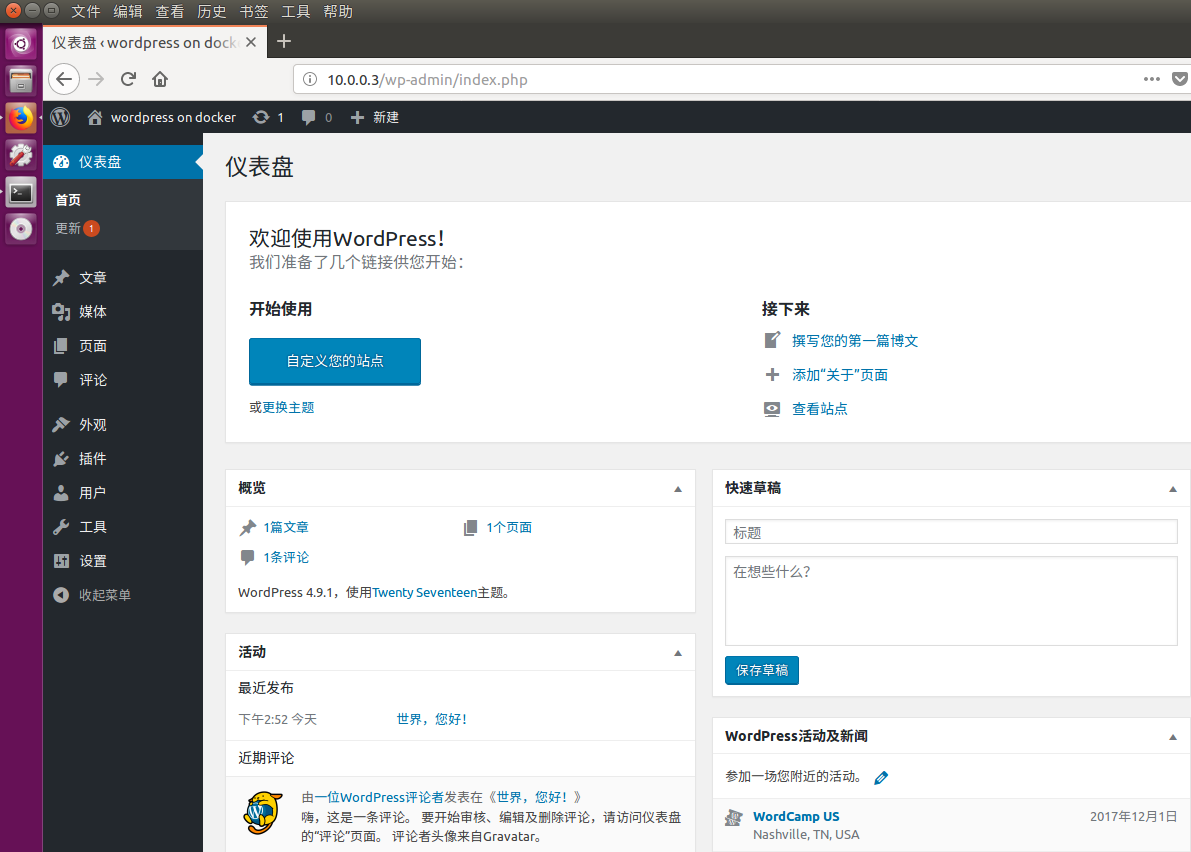
docker run --name php7 -p 9000:9000 -p 80:80 -v /var/www/html:/usr/local/nginx/html --restart=always --network=marion --ip=10.0.0.3 -d skiychan/nginx-php7

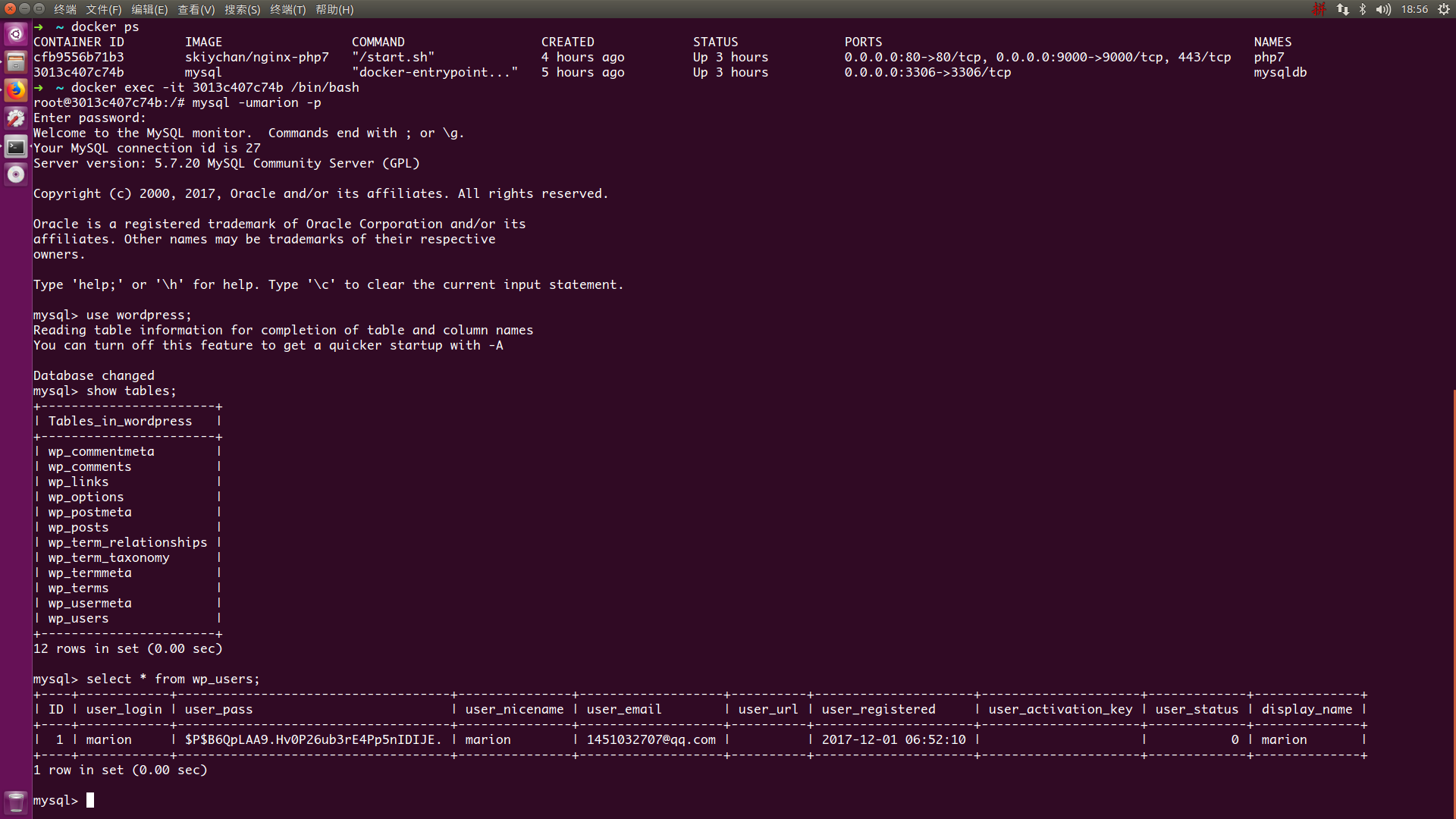
docker ps

docker exec -it cfb9556b71b3 /bin/bash

cd /usr/local/php/etc

vim php.ini

date.timezone =Asia/Shanghai
编辑nginx配置文件/usr/local/nginx/conf/nginx.conf
user www www;  #modify

worker_processes auto;  #modify

#error_log  logs/error.log;

#error_log  logs/error.log  notice;

#error_log  logs/error.log  info;

error_log /var/log/nginx_error.log crit;  #add

#pid        logs/nginx.pid;

pid /var/run/nginx.pid;  #modify

worker_rlimit_nofile 51200;

events {

    use epoll;

    worker_connections 51200;

    multi_accept on;

}

http {

    include       mime.types;

    default_type  application/octet-stream;

    #log_format  main  '$remote_addr - $remote_user [$time_local] "$request" '

    #                  '$status $body_bytes_sent "$http_referer" '

    #                  '"$http_user_agent" "$http_x_forwarded_for"';

    #access_log  logs/access.log  main;

    client_max_body_size 100m;  #add

    sendfile        on;

    #tcp_nopush     on;

    #keepalive_timeout  0;

    keepalive_timeout  120; #65;

    #gzip  on;

    server {

        listen       80;

        server_name  localhost;

        #charset koi8-r;

        #access_log  logs/host.access.log  main;

        root   /usr/local/nginx/html;

        index  index.php index.html index.htm;

        location / {

            try_files $uri $uri/ /index.php?$args;

        }

        #error_page  404              /404.html;

        # redirect server error pages to the static page /50x.html

        #

        error_page   500 502 503 504  /50x.html;

        location = /50x.html {

            root   html;

        }

        location ~ \.php$ {

            root           /usr/local/nginx/html;

            fastcgi_pass   127.0.0.1:9000;

            fastcgi_index  index.php;

            fastcgi_param  SCRIPT_FILENAME  /$document_root$fastcgi_script_name;

            include        fastcgi_params;

        }

    }

    #add

    ##########################vhost#####################################

    include vhost/*.conf;

}

daemon off;
测试配置文件是否有问题
[root@cfb9556b71b3 sbin]# /usr/local/nginx/sbin/nginx -t

nginx: the configuration file /usr/local/nginx/conf/nginx.conf syntax is ok

nginx: configuration file /usr/local/nginx/conf/nginx.conf test is successful
重新加载配置文件
[root@cfb9556b71b3 sbin]# /usr/local/nginx/sbin/nginx -s reload

[root@cfb9556b71b3 sbin]#
[Docker03] Deploy LNMP on Docker的更多相关文章
- 原lnmp环境服务器升级为mysql+nginx+php单个docker容器构建的lnmp环境
时间:2018年2月 一.项目背景 我单位现web服务架构为lnmp环境,服务器软件.硬件升级部署难:同时开源软件日新月异,考虑到技术升级,领导决定服务器架构整体升级为容器架构,维护性.移植性强. 二 ...
- centos7搭建docker并部署lnmp (转)
1.首先呢先更新yum源 yum -y update 2.1.安装docker存储库 yum install -y yum-utils \ device-mapper-persistent-dat ...
- Centos7搭建Docker部署LNMP
1.首先呢先更新yum源 yum update 2.1.安装docker存储库 yum install -y yum-utils \ device-mapper-persistent-data \ l ...
- Docker部署lnmp 实战 (多注意配置文件,不管访问试试换个浏览器)
Docker部署LNMP环境 关闭防火墙,设置自定义网络 systemctl stop firewalld systemctl disable firewalld setenforce 0 docke ...
- Docker之LNMP分布式容器部署
Docker之LNMP分布式容器部署 目录 Docker之LNMP分布式容器部署 一.项目模拟 1. 项目环境 2. 服务器环境 3. 任务需求 二.Linux系统基础镜像 三.Nginx 1. 建立 ...
- Docker三剑客之Docker Compose
一.什么是Docker Compose Compose 项目是Docker官方的开源项目,负责实现Docker容器集群的快速编排,开源代码在https://github.com/docker/comp ...
- Docker的镜像制作与整套项目一键打包部署
Dockerfile常用指令介绍 指令 描述 FROM 构建的新镜像是基于哪个镜像.例如:FROM centos:6 MAINTAINER 镜像维护者姓名或邮箱地址.例如:MAINTAINER Mr. ...
- Docker基础(下)
Docker基础(下) 链接:https://pan.baidu.com/s/1u8Tg5qB4ZZHEK6GqCJkjwg 提取码:u8hb 复制这段内容后打开百度网盘手机App,操作更方便哦 5. ...
- 生产环境中使用Docker Swarm的一些建议
译者按: 实践中会发现,生产环境中使用单个Docker节点是远远不够的,搭建Docker集群势在必行.然而,面对Kubernetes, Mesos以及Swarm等众多容器集群系统,我们该如何选择呢?它 ...
随机推荐
- Docker快速安装kafka
Docker快速安装kafka | 沈健的技术博客 盒子 盒子 博客 分类 标签 友链 搜索 文章目录 同样基于docker-compose安装,Docker快速部署nginx中有讲到,不在重述 1. ...
- androidthreadtest<CODE 2 chaper9>
学习目的:1.了解android线程的使用 2.了解主线程与子线程区别 3.解析异步处理机制主线程与子线程:所谓主线程,在Windows窗体应用程序中一般指UI线程,这个是程序启动的时候首先创建的线程 ...
- TensorFlow学习笔记(一)
[TensorFlow API](https://www.tensorflow.org/versions/r0.12/how_tos/variable_scope/index.html) Tensor ...
- PHP正则表达式-修饰符
我们在PHP正则表达式的学习中会碰到修饰符,那么关于PHP正则表达式修饰符的理解以及使用我们需要注意什么呢?那么我们来具体的看看它的概念以及相关内容.在学习PHP正则表达式修饰符之前先来理解下贪婪模式 ...
- Ubunt 16.04 安装 Beyond compare 4
1. 下载安装包: 2. 安装步骤 3. 运行并注册 之前Beyond compare 3 只有32位,在Ubunt 16.04上运行效率非常低,所以只有安装最新的Beyond compare 4,安 ...
- VMWare vCenter 4.x 数据库由SQL Express 迁移至SQL Server 2008 R2
默认安装下的 VMware vCenter 4.x 会在本地安装 SQL Express 2005 版本,如果你有需要迁移至 Full SQL Server版本比如 SQL Server 2008 R ...
- 浅谈.NET Framework 与CLR
承载公共语言运行时 (CLR) 的所有应用程序均需启动(或称“激活”)CLR 以运行托管代码. 通常,.NET Framework 应用程序在生成它的 CLR ...
- nginx设置目录浏览及中文乱码问题解决
在Nginx下默认是不允许列出整个目录的.如需此功能, 先打开nginx.conf文件,在location server 或 http段中加入 autoindex on;另外两个参数最好也加上去: a ...
- Spring,SpringMVC,MyBatis,SSM配置文件比较
Spring配置文件: applicationContext.xml applicationContext.xml是Spring的核心配置文件 IOC/DI,AOP相关配置都是在这个文件中 Sprin ...
- ASP.NET CORE 内置的IOC解读及使用
在我接触IOC和DI 概念的时候是在2016年有幸倒腾Java的时候第一次接触,当时对这两个概念很是模糊:后来由于各种原因又回到.net 大本营,又再次接触了IOC和DI,也算终于搞清楚了IOC和DI ...