
ios 自定义消息提示框
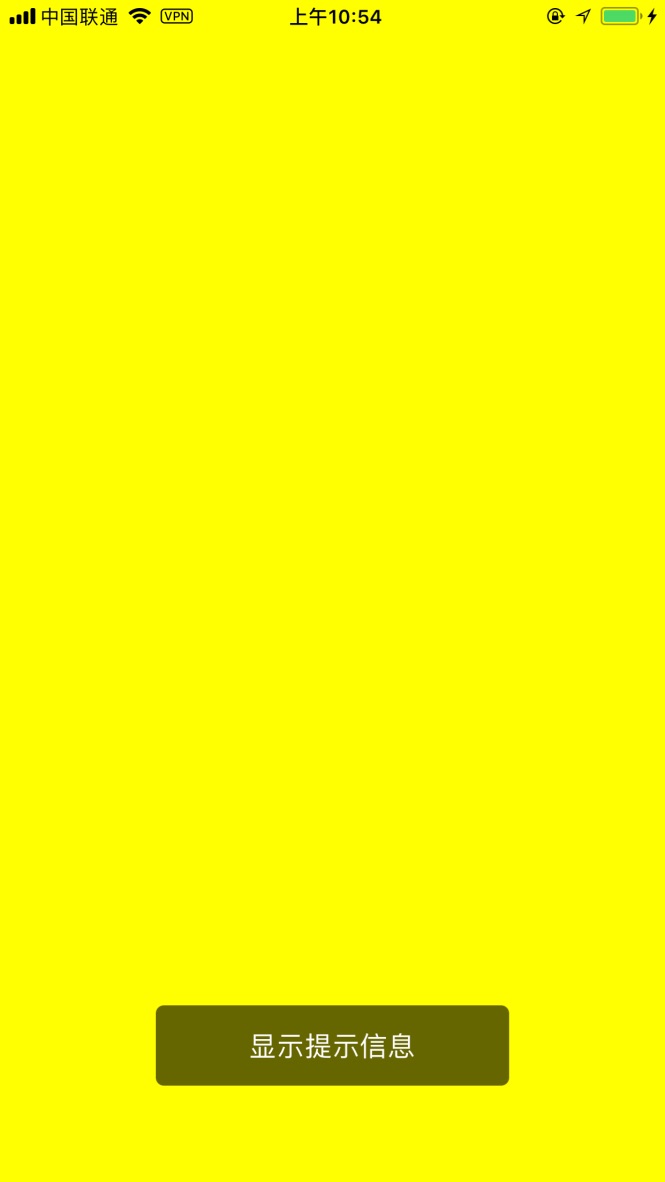
自定义提示框,3秒钟后自动消失。如上图显示效果。
提示框加载代码:
- (void)viewDidLoad {

    [super viewDidLoad];

    //将view背景颜色变更为黄色

    self.view.backgroundColor = [UIColor yellowColor];

    //在self.view上加载提示框

    [[BIDNoteView sharedInstance] showNoteView:@"显示提示信息" subView:self.view];

}
BIDNoteView.h 代码:
//

//  BIDNoteView.h

//  label上画横线

//

//  Created by eJiupi on 14-7-23.

//  Copyright (c) 2014年 xujinzhong. All rights reserved.

//

#import <Foundation/Foundation.h>

@interface BIDNoteView : NSObject

+ (BIDNoteView*)sharedInstance;

- (void)showNoteView:(NSString*)noteText subView:(UIView*)subView;

-(void)setFont:(UIFont*)font;

@end
BIDNoteView.m 实现代码:
//

//  BIDNoteView.m

//  label上画横线

//

//  Created by eJiupi on 14-7-23.

//  Copyright (c) 2014年 xujinzhong. All rights reserved.

//

#import "BIDNoteView.h"

@interface BIDNoteView ()

//@property (strong, nonatomic) UIView *subView;

@property (strong, nonatomic) UIView *noteView;

@property (strong, nonatomic) UILabel *noteLable;

@property (strong, nonatomic) NSTimer *timer;

@end

@implementation BIDNoteView

+ (BIDNoteView*)sharedInstance

{

    static BIDNoteView* instance = nil;

    if (instance == nil)

    {

        instance = [[BIDNoteView alloc] init];

    }

    return instance;

}

- (id)init

{

    self = [super init];

    if (self)

    {

        NSInteger w = ;

        NSInteger h = ;

        NSInteger x = ([UIScreen mainScreen].bounds.size.width-w)/;

        NSInteger y = [UIScreen mainScreen].bounds.size.height--h;

        self.noteView = [[UIView alloc] initWithFrame:CGRectMake(x, y, w, h)];

        self.noteView.layer.cornerRadius = 5.0;

        self.noteView.backgroundColor = [UIColor colorWithRed: green: blue: alpha:0.6];

        self.noteLable = [[UILabel alloc] initWithFrame:CGRectMake(, , w, h)];

        self.noteLable.text = @"亲,没有更多商品信息了哦";

        self.noteLable.numberOfLines=;

        self.noteLable.textColor = [UIColor whiteColor];

        self.noteLable.textAlignment = NSTextAlignmentCenter;

        self.noteLable.backgroundColor = [UIColor clearColor];

        [self.noteView addSubview:self.noteLable];

    }

    return self;

}

-(void)setFont:(UIFont*)font

{

    self.noteLable.font=font;

}

- (void)showNoteView:(NSString*)noteText subView:(UIView*)subView

{

    if (self.timer != nil && [self.timer isValid]) {

        [self.timer invalidate];

        self.timer = nil;

    }

    if (noteText != nil && [noteText length] > )

        self.noteLable.text = noteText;

    [subView addSubview:self.noteView];

    [subView layoutIfNeeded];

    self.timer = [NSTimer scheduledTimerWithTimeInterval:1.5 target:self selector:@selector(timerFired:) userInfo:nil repeats:NO];

}

- (void)timerFired:(NSTimer*)timer

{

    [self.timer invalidate];

    //[self setFont:[BIDDeviceFont font_15]];

    [self setFont:[UIFont fontWithName:@"Helvetica" size:]];

    self.timer = nil;

    [self.noteView removeFromSuperview];

}

@end
ios 自定义消息提示框的更多相关文章
- iOS:提示框(警告框)控件UIActionSheet的详解
提示框(警告框)控件2:UIActionSheet 功能:当点击按钮或标签等时,弹出一个提示框,显示必要的提示,然后通过添加的按钮完成需要的功能.它与导航栏类似,它继承自UIView. 风格类型: ...
- [ios][swift]提示框,并自动消失
参考: 提示框:http://blog.csdn.net/gishero/article/details/43941361 提示框自动消失:http://www.cnblogs.com/yemingl ...
- Unity 之 自定义消息提示框
简单版: http://blog.csdn.net/caoshuangxiaodouya/article/details/46550655 复杂版: http://www.tuicool.com/ar ...
- mui IOS权限提示框修改
"plistcmds": [ "Set :NSContactsUsageDescription 说明读取用户通讯录的原因", "Set :NSMicr ...
- 自定义iOS 中推送消息 提示框
看到标题你可能会觉得奇怪 推送消息提示框不是系统自己弹出来的吗? 为什么还要自己自定义呢? 因为项目需求是这样的:最近需要做 远程推送通知 和一个客服系统 包括店铺客服和官方客服两个模块 如果有新的消 ...
- iOS开发——UI基础-提示框
提示框的种类有很多,废话不多说,直接上代码 一.文本提示框 运行结果如下: 代码实现如下: @interface ViewController () // 添加方法 - (IBAction)add; ...
- 【转】提示框第三方库之MBProgressHUD iOS toast效果 动态提示框效果
原文网址:http://www.zhimengzhe.com/IOSkaifa/37910.html MBProgressHUD是一个开源项目,实现了很多种样式的提示框,使用上简单.方便,并且可以对显 ...
- iOS bug 之 H5 页面没有弹出提示框
描述:在安卓上有提示框,但是在iOS上没有提示框. step 1: 失误,是我没有在正确的位置设置网址. step 2: 修改之后,测试页能弹出提示框,但是正式的页面没有提示框. step 3: 我输 ...
- iOS - UIAlertController三种显示提示框代码
UIAlertView在IOS 8以上版本已经过时了,官方推荐我们使用UIAlertController代替UIAlertView.UIActionSheet 1、UIAlertController显 ...
随机推荐
- Cobbler安装配置简单使用
安装Cobbler [root@linux-node3 ~]# yum -y install epel-release [root@linux-node3 ~]# yum -y install cob ...
- bzoj4589
fwt 原理并不知道 nim游戏石子异或和=0后手赢 那么也就是求a[1]^a[2]^...^a[n]=0的方案数 这个和bzoj3992一样可以dp dp[i][j]表示前i个数异或和为j的方案数 ...
- androidEditTextinputType及android:imeOptions=”actionDone”(转)
一.android 软件盘事件响应 在android中,有时需要对EditText实现软件盘监听的场景.当android按下软键盘的时候,响应完成.发送.搜索或者其他事件. Google 提供了 Ed ...
- 1.3-1.4 hive环境部署
一. 官网:http://hive.apache.org/ 下载:http://archive.apache.org/dist/hive/ GitHub:https://github.com/apac ...
- DOM学习笔记(三)DOM元素的访问、修改与事件
访问 HTML 元素等同于访问节点,使用的是document对象下的数个getElement方法,然后再对返回的元素(或元素列表)进行具体内容的访问和修改,或者响应对应的事件是操作 一些 DOM 对象 ...
- Swift协议中类继承协议的mutating问题
之前实际开发的时候遇到的一个小问题,网上也没有找到相关说明.本来当时弄明白了想着记下来的,但是比较忙就耽搁了,趁今天休息记录一下. 首先,我们看一下下面这个两数之和的协议 protocol Test: ...
- 新浪微博分享出现libc++abi.dylib: terminating with uncaught exception of type NSException微博微信SDK运行编译报错
SDK出现libc++abi.dylib: terminating with uncaught exception of type NSException 的问题: 解决方法 结合 # 监测bug( ...
- HTML5标签不兼容ie怎么办?
HTML5的语义化标签以及属性,可以让开发者非常方便地实现清晰的web页面布局,加上CSS3的效果渲染,快速建立丰富灵活的web页面显得非常简单. 比较常用的HTML5的新标签元素有: <hea ...
- Unity学习(六)5.x依赖打包
http://blog.sina.com.cn/s/blog_89d90b7c0102w2ox.html unity5已经封装好了接口,所以依赖打包并没有那么神秘和复杂了. 打包: 1.定义好资源的a ...
- .netcore--Controller后台实现企业微信发送消息
一.获得企业微信管理端权限,登录企业企业微信管理端界面,并创建应用,如下图中的[网站消息推送] 二.参见企业微信API文献,根据corpid=ID&corpsecret=SECRET(其中企业 ...