
使用容器运行的minio配置https(TLS)访问
使用certgen生成证书
下载地址:https://github.com/minio/certgen/releases/tag/v0.0.2
下载地址:https://files.cnblogs.com/files/sanduzxcvbnm/0.0.2.zip
注意: 只能使用0.0.2版本的certgen,高版本的certgen没有-ca参数了
# 0.0.2版本的参数

# ./certgen-linux-amd64 --help

Usage of ./certgen-linux-amd64:

  -ca

        whether this cert should be its own Certificate Authority

  -duration duration

        Duration that certificate is valid for (default 8760h0m0s)

  -ecdsa-curve string

        ECDSA curve to use to generate a key. Valid values are P224, P256 (recommended), P384, P521

  -ed25519

        Generate an Ed25519 key

  -host string

        Comma-separated hostnames and IPs to generate a certificate for

  -org-name string

        Organization name used when generating the certs (default "Acme Co")

  -rsa-bits int

        Size of RSA key to generate. Ignored if --ecdsa-curve is set (default 2048)

  -start-date string

        Creation date formatted as Jan 1 15:04:05 2011

# 大于0.0.2版本的参数

# ./certgen-linux-amd64 --help

Usage of ./certgen-linux-amd64:

  -duration duration

        Duration that certificate is valid for (default 8760h0m0s)

  -ecdsa-curve string

        ECDSA curve to use to generate a key. Valid values are P224, P256 (recommended), P384, P521

  -ed25519

        Generate an Ed25519 key (default true)

  -host string

        Comma-separated hostnames and IPs to generate a certificate for

  -no-ca

        whether this cert should not be its own Certificate Authority

  -org-name string

        Organization name used when generating the certs (default "Acme Co")

  -start-date string

        Creation date formatted as Jan 1 15:04:05 2011

# certgen -ca -host "主机IP,minio容器运行IP"

# 如果缺容器IP Post "https://172.17.0.2:9000/": x509: certificate is valid for 192.168.20.102, not 172.17.0.2 错误

# 如果缺主机IP Post "https://172.17.0.2:9000/": x509: certificate signed by unknown authority (possibly because of "crypto/rsa: verification error" while trying to verify candidate authority certificate "Acme Co") 错误

# 实际执行的生成证书的命令

# ./certgen-linux-amd64 -ca -host "192.168.20.102,172.17.0.2"

2022/03/09 14:10:58 wrote public.crt

2022/03/09 14:10:58 wrote private.key
使用容器运行minio服务
mkdir -p /mnt/{data,config}

docker run -d -p 9000:9000 -p 9001:9001 --name minio1 \

  -e "MINIO_ACCESS_KEY=admin" \

  -e "MINIO_SECRET_KEY=12345678" \

  -v /mnt/data:/data \

  -v /mnt/config:/root/.minio \

  minio/minio server /data --console-address ":9001"
复制生成的证书到/mnt/config/certs路径下
cp p* /mnt/config/certs

docker restart minio1
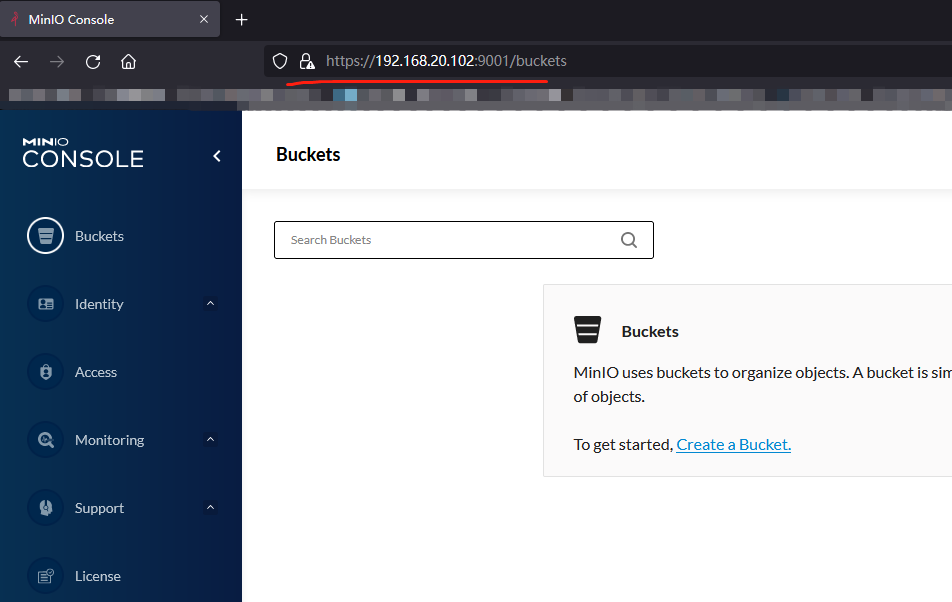
使用https://192.168.20.102:9000访问登录即可
certgen扩展
Example (server)
certgen -ca -host "10.10.0.3,10.10.0.4,10.10.0.5"

2020/11/21 10:16:18 wrote public.crt

2020/11/21 10:16:18 wrote private.key
Example (client)
certgen -client -host "localhost"

2022/02/28 16:55:37 wrote client.crt

2022/02/28 16:55:37 wrote client.key
使用容器运行的minio配置https(TLS)访问的更多相关文章
- 单机部署minio,设置Nginx代理,配置https(TLS)访问
安装 下载地址:https://dl.min.io/ # 创建目录 mkdir -p /usr/local/minio/{data,bin,etc} # 下载minio wget https://dl ...
- Tomcat8配置Https协议,Tomcat配置Https安全访问,Tomcat Https配置
Tomcat8配置Https协议,Tomcat配置Https安全访问,Tomcat Https配置 ============================== ©Copyright 蕃薯耀 2017 ...
- 【转】Linux下nginx配置https协议访问的方法
一.配置nginx支持https协议访问,需要在编译安装nginx的时候添加相应的模块--with-http_ssl_module 查看nginx编译参数:/usr/local/nginx/sbin/ ...
- Tomcat配置https协议访问
Tomcat9配置https协议访问: https://blog.csdn.net/weixin_42273374/article/details/81010203 配置Tomcat使用https协议 ...
- Linux服务之nginx服务篇四(配置https协议访问)
一.配置nginx支持https协议访问 编译安装nginx的时候需要添加相应的模块--with-http_ssl_module和--with-http_gzip_static_module(可通过/ ...
- 在容器服务kubernetes上配置https
当前容器服务Kubernetes集群支持多种应用访问的形式,最常见形式如SLB:Port,NodeIP:NodePort和域名访问等.但是Kubernetes集群默认不支持HTTPS访问,如果用户希望 ...
- lnmp之Nginx配置https加密访问
配置lnmp之Nginx网站支持https加密访问 注: 1. 这里拿购买的(pxsnx.pxjy.com)证书来做样例 证书文件共有三个---> (pxsnxg.pxjy.com_ca.crt ...
- IIS7配置HTTPS+默认访问https路径
一.下载证书(这里我使用的是阿里云免费的证书) 文件说明: 1. 1532858285913.key(证书私钥文件).1532858285913.pem(证书文件).1532858285913.pfx ...
- tomcat7 配置 https安全访问
在apache-tomcat-7.0.33-windows-x64.zip配置https,结果在配置SSL时遇到一些问题 1.用JDK自带的keytool来生成私有密钥和自签发的证书,如下: keyt ...
随机推荐
- Mybatis整合第三方缓存
1) 为了提高扩展性.MyBatis定义了缓存接口Cache.我们可以通过实现Cache接口来自定义二级缓存 2) EhCache 是一个纯Java的进程内缓存框架,具有快速.精干等特点. 3) 整合 ...
- 微信开发在Pc端调用公众号粉丝发送过来的图片素材
因为项目要在PC端搞一个微信墙功能,就是把粉丝发送过来的上墙内容给展示出来,但因为微信对微信素材进行了防盗链加密处理,所以在非微信页面上直接引用在微信服务器上的图片的链接是无法显示的,只会显示一张微信 ...
- CSS进阶内容——布局技巧和细节修饰
CSS进阶内容--布局技巧和细节修饰 我们在之前的文章中已经掌握了CSS的大部分内容,但仍有一些内容我们没有涉略,这篇文章就是为了补充前面没有涉及的内容,为我们的知识做出补充并且介绍一些布局技巧 当然 ...
- python+tkinter 简单的登录窗口demo
一个简单的登录窗口布局,可以用于日常快速搭建一个简单的窗口类. from tkinter import * import tkinter.messagebox class LoginUi: def _ ...
- atcoder ABC 232 B~E题解
B 模拟,水题 #include<bits/stdc++.h> using namespace std; char s1[100005],s2[100005]; int a1[100005 ...
- SpringCloud微服务实战——搭建企业级开发框架(四十五):【微服务监控告警实现方式二】使用Actuator(Micrometer)+Prometheus+Grafana实现完整的微服务监控
无论是使用SpringBootAdmin还是使用Prometheus+Grafana都离不开SpringBoot提供的核心组件Actuator.提到Actuator,又不得不提Micrometer ...
- 使用JDK的同步容器时,应该避免那些坑?
摘要:在使用JDK中的同步容器时,应该尽量避免哪些坑 本文分享自华为云社区<[高并发]亿级流量高并发秒杀系统商品"超卖"了,只因使用的JDK同步容器中存在这两个巨大的坑!!( ...
- Docker 好用的镜像
Docker 官方镜像 1.个人博客空间wordpress 2.开源管理系统odoo 3.开发文档生成工具star7th/showdoc.(启动说明文档https://www.showdoc.com. ...
- HTTP 协议概述
什么是 HTTP 协议 什么是协议? 协议是指双方,或多方,相互约定好,大家都需要遵守的规则,叫协议. 所谓 HTTP 协议,就是指,客户端和服务器之间通信时,发送的数据,需要遵守的规则,叫 HTTP ...
- java-分支结构(四种基本分支结构的认识)
分支结构:有条件的执行某语句,并非每句必走 1)if结构:1条路 2)if...else结构:2条路 3)if...else if结构:多条路 4)switch...case结构:多条路 优点:效率高 ...