
[iOS微博项目 - 1.6] - 自定义TabBar
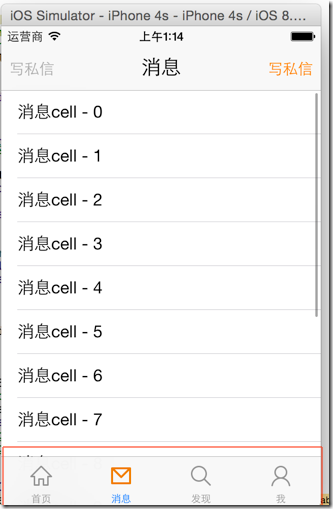
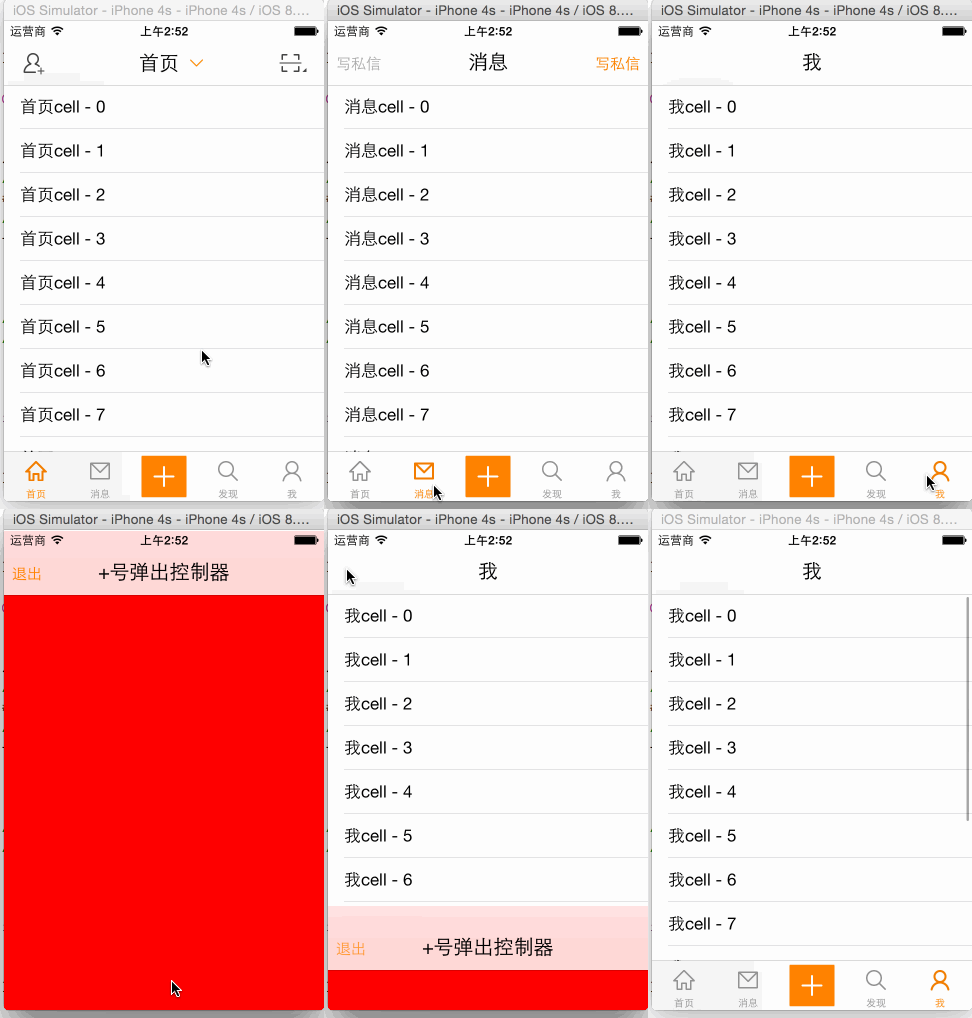
- 选中时item字体颜色为蓝色
 - (void)viewDidAppear:(BOOL)animated {

     NSMutableDictionary *attr = [NSMutableDictionary dictionary];

     attr[NSForegroundColorAttributeName] = [UIColor orangeColor];

     for (UITabBarItem *item in self.tabBar.items) {

         [item setTitleTextAttributes:attr forState:UIControlStateSelected];

     }

 }
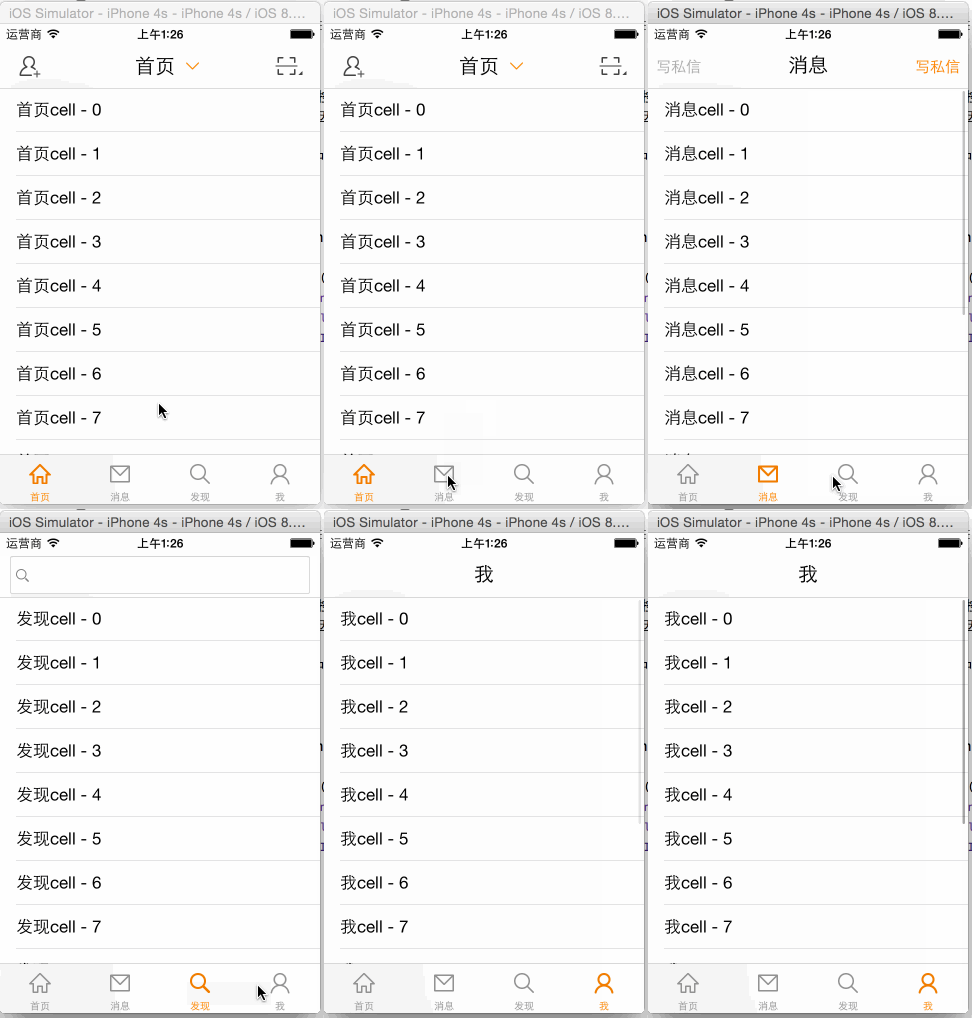
- 封装上述的改变TabBarButton文本颜色的代码
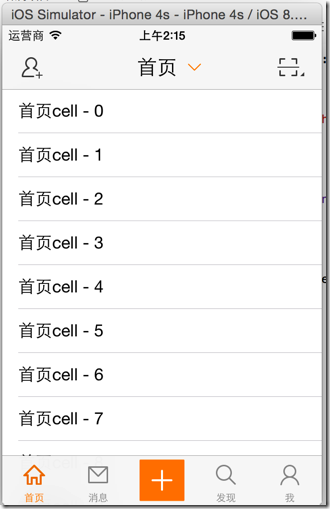
- 重写TabBarButton的位置尺寸,中间空出一个位置放置“+”按钮
 //

 //  HVWTabBar.m

 //  HVWWeibo

 //

 //  Created by hellovoidworld on 15/2/3.

 //  Copyright (c) 2015年 hellovoidworld. All rights reserved.

 //

 #import "HVWTabBar.h"

 @implementation HVWTabBar

 - (void)layoutSubviews {

     // 切记一定要调用父类的方法!!!

     [super layoutSubviews];

     // 设置文本属性

     [self initTextAttr];

     // 设置BarButton的位置

     [self initBarButtonPosition];

     // 添加"+"按钮

     [self addComposeButton];

 }

 /** 设置文本属性 */

 - (void) initTextAttr {

     NSMutableDictionary *attr = [NSMutableDictionary dictionary];

     attr[NSForegroundColorAttributeName] = [UIColor orangeColor];

     for (UITabBarItem *item in self.items) {

         // 设置字体颜色

         [item setTitleTextAttributes:attr forState:UIControlStateSelected];

     }

 }

 /** 设置BarButton的位置 */

 - (void) initBarButtonPosition {

     // 创建一个位置所以,用来定位

     int index = ;

     for (UIView *tabBarButton in self.subviews) {

         if ([tabBarButton isKindOfClass:NSClassFromString(@"UITabBarButton")]) {

             // 计算尺寸,预留一个“+”号空间

             CGFloat width = self.width / (self.items.count + );

             tabBarButton.width = width;

             // 计算位置

             if (index < (int)(self.items.count / )) {

                 tabBarButton.x = width * index;

             } else {

                 tabBarButton.x = width * (index + );

             }

             index++;

         }

     }

 }

 /** 添加"+"按钮 */

 - (void) addComposeButton {

     // 初始化按钮

     UIButton *plusButton = [UIButton buttonWithType:UIButtonTypeCustom];

     [plusButton setBackgroundImage:[UIImage imageWithNamed:@"tabbar_compose_button"] forState:UIControlStateNormal];

     [plusButton setBackgroundImage:[UIImage imageWithNamed:@"tabbar_compose_button_highlighted"] forState:UIControlStateHighlighted];

     [plusButton setImage:[UIImage imageWithNamed:@"tabbar_compose_icon_add"] forState:UIControlStateNormal];

     [plusButton setImage:[UIImage imageWithNamed:@"tabbar_compose_icon_add_highlighted"] forState:UIControlStateHighlighted];

     // 设置位置尺寸

     CGFloat width = self.width / (self.items.count + );

     CGFloat height = self.height;

     CGFloat x = (self.items.count / ) * width;

     CGFloat y = ;

     plusButton.frame = CGRectMake(x, y, width, height);

     // 添加到tabBar上

     [self addSubview:plusButton];

 }

 @end
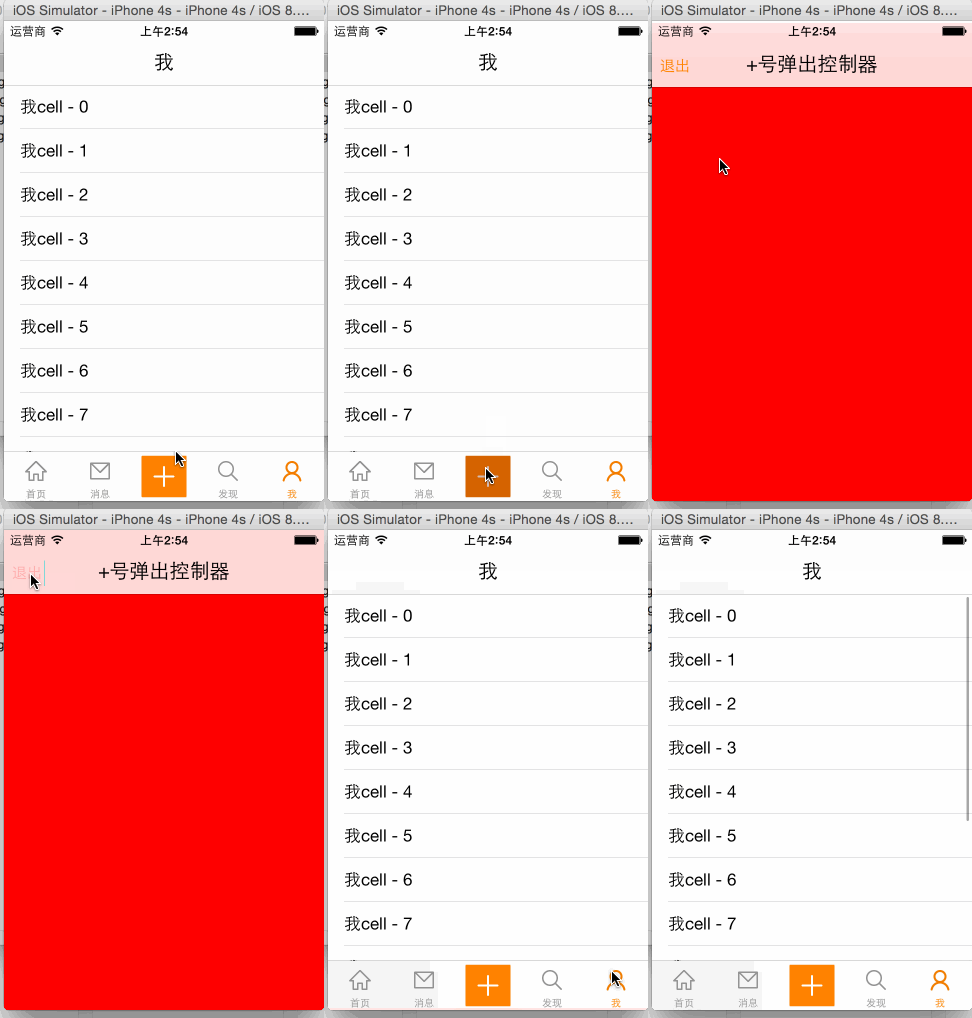
- 弹出一个新的界面用来写新微博
- 新建一个目录“compose”专门负责发微博业务
- 创建一个集成UIViewController的HVWComposeViewController
 //

 //  HVWComposeViewController.m

 //  HVWWeibo

 //

 //  Created by hellovoidworld on 15/2/3.

 //  Copyright (c) 2015年 hellovoidworld. All rights reserved.

 //

 #import "HVWComposeViewController.h"

 @interface HVWComposeViewController ()

 @end

 @implementation HVWComposeViewController

 - (void)viewDidLoad {

     [super viewDidLoad];

     // Do any additional setup after loading the view.

     // 初始化一些功能按钮

     self.view.backgroundColor = [UIColor redColor];

     self.title = @"+号弹出控制器";

     self.navigationItem.leftBarButtonItem = [[UIBarButtonItem alloc] initWithTitle:@"退出" style:UIBarButtonItemStylePlain target:self action:@selector(dismiss)];

 }

 - (void) dismiss {

     [self dismissViewControllerAnimated:YES completion:nil];

 }

 @end
 //  HVWTabBarViewController.m

 #pragma mark - HVWTabBarDelegate

 /** “+”按钮点击代理方法 */

 - (void)tabBarDidComposeButtonClick:(HVWTabBar *)tabBar {

     HVWComposeViewController *composeView = [[HVWComposeViewController alloc] init];

     // tabBarController不是由navigationController弹出来的,没有navigationController

 //    [self.navigationController pushViewController:vc animated:YES];

 //    HVWLog(@"%@", self.navigationController); // null

     // 为了使用导航栏,使用NavigationController包装一下

     HVWNavigationViewController *nav = [[HVWNavigationViewController alloc] initWithRootViewController:composeView];

     // 使用modal方式弹出

     [self presentViewController:nav animated:YES completion:nil];

 }
[iOS微博项目 - 1.6] - 自定义TabBar的更多相关文章
- iOS开发项目之四 [ 调整自定义tabbar的位置与加号按钮的位置]
自定义tabbar与按钮的添加 01 - 把系统的tabbar用我们自己的覆盖 LHQTabBar *lhqTabBar = [[LHQTabBar alloc]init]; [self setVal ...
- [iOS微博项目 - 4.0] - 自定义微博cell
github: https://github.com/hellovoidworld/HVWWeibo A.自定义微博cell基本结构 1.需求 创建自定义cell的雏形 cell包含:内容.工具条 内 ...
- [iOS微博项目 - 1.4] - 各种item NavigationBar & NavigationItem & BarButtonItem || TabBar & TabBarItem
一.UINavigationItem1> 获得方式self.navigationItem // self是指控制器2> 作用可以用来设置当前控制器顶部导航栏的内容// 设置导航栏中间的内容 ...
- [iOS微博项目 - 1.0] - 搭建基本框架
A.搭建基本环境 github: https://github.com/hellovoidworld/HVWWeibo 项目结构: 1.使用代码构建UI,不使用storyboard ...
- [iOS微博项目 - 3.6] - 获取未读消息
github: https://github.com/hellovoidworld/HVWWeibo A.获取登陆用户未读消息 1.需求 获取所有未读消息,包括新微博.私信.@.转发.关注等 把未 ...
- [iOS微博项目 - 3.1] - 发微博界面
github: https://github.com/hellovoidworld/HVWWeibo A.发微博界面:自定义UITextView 1.需求 用UITextView做一个编写微博的输 ...
- [iOS微博项目 - 3.0] - 手动刷新微博
github: https://github.com/hellovoidworld/HVWWeibo A.下拉刷新微博 1.需求 在“首页”界面,下拉到一定距离的时候刷新微博数据 刷新数据的时候使 ...
- [iOS微博项目 - 1.7] - 版本新特性
A.版本新特性 1.需求 第一次使用新版本的时候,不直接进入app,而是展示新特性界面 github: https://github.com/hellovoidworld/HVWWeibo ...
- [iOS微博项目 - 1.1] - 设置导航栏主题(统一样式)
A.导航栏两侧文字按钮 1.需求: 所有导航栏两侧的文字式按钮统一样式 普通样式:橙色 高亮样式:红色 不可用样式:亮灰 阴影:不使用 字体大小:15 github: https://github ...
随机推荐
- Android开发之三种动画
转载:http://www.cnblogs.com/angeldevil/archive/2011/12/02/2271096.html http://www.lightskystreet.com/2 ...
- 转 intent常用功能
1.从google搜索内容Intent intent = new Intent();intent.setAction(Intent.ACTION_WEB_SEARCH);intent.putExtra ...
- Mac系统在终端中查看CPU信息的命令
在mac os x的终端中以命令行的形式查看本机cpu信息: sysctl -n machdep.cpu.brand_string E.G. lis-mbp:Home jenkins$ sysctl ...
- poj 1185 炮兵阵地(三维状态压缩dP)
题目:http://poj.org/problem?id=1185 思路: d[i][j][k]表示第i行的状态为第k个状态,第i-1行的状态为第j个状态的时候 的炮的数量. 1表示放大炮, 地形状态 ...
- 使用截图方式将Excel导出为PNG图片的不可行性
博主前面一篇文章使用了JAVA的Robot机制 模拟打开Excel然后Robot移动到指定区域,截图并生成PNG格式图片 试图使用这种方式将复杂的Excel报表转化成无差别的PNG图片 但是这种方式遇 ...
- UVa 12230 (期望) Crossing Rivers
题意: 从A到B两地相距D,之间有n段河,每段河有一条小船,船的位置以及方向随机分布,速度大小不变.每段河之间是陆地,而且在陆地上行走的速度为1.求从A到B的时间期望. 分析: 我们只要分析每段河的期 ...
- Linux中 干掉原来的PHP方法
干掉原来的PHP方法: 查看php版本命令:#php -v这个命令是删除不干净的#yum remove php因为使用这个命令以后再用#php -v还是会看到有版本信息的..... 必须强制删除#rp ...
- poj 2063 Investment
题意:给定一个初始资金capital,然后给定d种投资方案,每种投资方案中有投资额value[i](是1000的倍数)和利息interest[i],每年的投资就可以拿到全部利息,然后累加起来继续投资利 ...
- 【转】使用autolayout常见错误
原文网址:http://www.cnblogs.com/xiaokanfengyu/p/4175091.html 使用autolayout常见错误 1:The view hierarchy is no ...
- 【转】setTag()/getTag()
原文网址:http://www.cnblogs.com/topcoderliu/archive/2011/06/07/2074419.html View中的setTag(Onbect)表示给View添 ...