
Hadoop MapReduce编程 API入门系列之FOF(Fund of Fund)(二十三)
不多说,直接上代码。


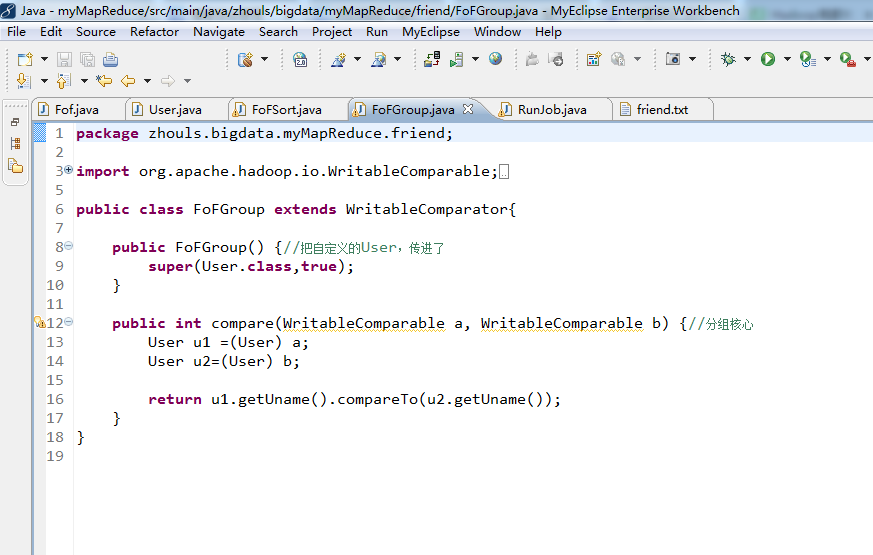


代码
package zhouls.bigdata.myMapReduce.friend;
import org.apache.hadoop.io.Text;
public class Fof extends Text{//自定义Fof,表示f1和f2关系
public Fof(){//无参构造
super();
}
public Fof(String a,String b){//有参构造
super(getFof(a, b));
}
public static String getFof(String a,String b){
int r =a.compareTo(b);
if(r<0){
return a+"\t"+b;
}else{
return b+"\t"+a;
}
}
}
package zhouls.bigdata.myMapReduce.friend;
import java.io.DataInput;
import java.io.DataOutput;
import java.io.IOException;
import org.apache.hadoop.io.WritableComparable;
public class User implements WritableComparable<User>{
//WritableComparable,实现这个方法,要多很多
//readFields是读入,write是写出
private String uname;
private int friendsCount;
public String getUname() {
return uname;
}
public void setUname(String uname) {
this.uname = uname;
}
public int getFriendsCount() {
return friendsCount;
}
public void setFriendsCount(int friendsCount) {
this.friendsCount = friendsCount;
}//这一大段的get和set,可以右键,source,产生get和set,自动生成。
public User() {//无参构造
}
public User(String uname,int friendsCount){//有参构造
this.uname=uname;
this.friendsCount=friendsCount;
}
public void write(DataOutput out) throws IOException { //序列化
out.writeUTF(uname);
out.writeInt(friendsCount);
}
public void readFields(DataInput in) throws IOException {//反序列化
this.uname=in.readUTF();
this.friendsCount=in.readInt();
}
public int compareTo(User o) {//核心
int result = this.uname.compareTo(o.getUname());
if(result==0){
return Integer.compare(this.friendsCount, o.getFriendsCount());
}
return result;
}
}
package zhouls.bigdata.myMapReduce.friend;
import org.apache.hadoop.io.WritableComparable;
import org.apache.hadoop.io.WritableComparator;
public class FoFSort extends WritableComparator{
public FoFSort() {//把自定义的User,传进了
super(User.class,true);
}
public int compare(WritableComparable a, WritableComparable b) {//排序核心
User u1 =(User) a;
User u2=(User) b;
int result =u1.getUname().compareTo(u2.getUname());
if(result==0){
return -Integer.compare(u1.getFriendsCount(), u2.getFriendsCount());
}
return result;
}
}
package zhouls.bigdata.myMapReduce.friend;
import org.apache.hadoop.io.WritableComparable;
import org.apache.hadoop.io.WritableComparator;
public class FoFGroup extends WritableComparator{
public FoFGroup() {//把自定义的User,传进了
super(User.class,true);
}
public int compare(WritableComparable a, WritableComparable b) {//分组核心
User u1 =(User) a;
User u2=(User) b;
return u1.getUname().compareTo(u2.getUname());
}
}
package zhouls.bigdata.myMapReduce.friend;
import java.io.IOException;
import java.text.SimpleDateFormat;
import java.util.Calendar;
import java.util.Date;
import org.apache.hadoop.conf.Configuration;
import org.apache.hadoop.fs.FileSystem;
import org.apache.hadoop.fs.Path;
import org.apache.hadoop.io.DoubleWritable;
import org.apache.hadoop.io.IntWritable;
import org.apache.hadoop.io.NullWritable;
import org.apache.hadoop.io.Text;
import org.apache.hadoop.mapreduce.Job;
import org.apache.hadoop.mapreduce.Mapper;
import org.apache.hadoop.mapreduce.Reducer;
import org.apache.hadoop.mapreduce.lib.input.FileInputFormat;
import org.apache.hadoop.mapreduce.lib.input.KeyValueTextInputFormat;
import org.apache.hadoop.mapreduce.lib.output.FileOutputFormat;
import org.apache.hadoop.util.StringUtils;
public class RunJob {
// 小明 老王 如花 林志玲
// 老王 小明 凤姐 排序在FoFSort.java
// 如花 小明 李刚 凤姐
// 林志玲 小明 李刚 凤姐 郭美美 分组在FoFGroup.java
// 李刚 如花 凤姐 林志玲
// 郭美美 凤姐 林志玲
// 凤姐 如花 老王 林志玲 郭美美
public static void main(String[] args) {
Configuration config =new Configuration();
// config.set("fs.defaultFS", "hdfs://HadoopMaster:9000");
// config.set("yarn.resourcemanager.hostname", "HadoopMaster");
// config.set("mapred.jar", "C:\\Users\\Administrator\\Desktop\\wc.jar");
// config.set("mapreduce.input.keyvaluelinerecordreader.key.value.separator", ",");//默认分隔符是制表符"\t",这里自定义,如","
if(run1(config)){
run2(config);//设置两个run,即两个mr。
}
}
public static void run2(Configuration config) {
try {
FileSystem fs =FileSystem.get(config);
Job job =Job.getInstance(config);
job.setJarByClass(RunJob.class);
job.setJobName("fof2");
job.setMapperClass(SortMapper.class);
job.setReducerClass(SortReducer.class);
job.setSortComparatorClass(FoFSort.class);
job.setGroupingComparatorClass(FoFGroup.class);
job.setMapOutputKeyClass(User.class);
job.setMapOutputValueClass(User.class);
job.setInputFormatClass(KeyValueTextInputFormat.class);
// //设置MR执行的输入文件
// FileInputFormat.addInputPath(job, new Path("hdfs://HadoopMaster:9000/f1"));
//
// //该目录表示MR执行之后的结果数据所在目录,必须不能存在
// Path outputPath=new Path("hdfs://HadoopMaster:9000/out/f2");
//设置MR执行的输入文件
FileInputFormat.addInputPath(job, new Path("./out/f1"));
//该目录表示MR执行之后的结果数据所在目录,必须不能存在
Path outputPath=new Path("./out/f2");
if(fs.exists(outputPath)){
fs.delete(outputPath, true);
}
FileOutputFormat.setOutputPath(job, outputPath);
boolean f =job.waitForCompletion(true);
if(f){
System.out.println("job 成功执行");
}
} catch (Exception e) {
e.printStackTrace();
}
}
public static boolean run1(Configuration config) {
try {
FileSystem fs =FileSystem.get(config);
Job job =Job.getInstance(config);
job.setJarByClass(RunJob.class);
job.setJobName("friend");
job.setMapperClass(FofMapper.class);
job.setReducerClass(FofReducer.class);
job.setMapOutputKeyClass(Fof.class);
job.setMapOutputValueClass(IntWritable.class);
job.setInputFormatClass(KeyValueTextInputFormat.class);
// FileInputFormat.addInputPath(job, new Path("hdfs://HadoopMaster:9000/friend/friend.txt"));//下有friend.txt
//
// Path outpath =new Path("hdfs://HadoopMaster:9000/out/f1");
FileInputFormat.addInputPath(job, new Path("./data/friend/friend.txt"));//下有friend.txt
Path outpath =new Path("./out/f1");
if(fs.exists(outpath)){
fs.delete(outpath, true);
}
FileOutputFormat.setOutputPath(job, outpath);
boolean f= job.waitForCompletion(true);
return f;
} catch (Exception e) {
e.printStackTrace();
}
return false;
}
static class FofMapper extends Mapper<Text, Text, Fof, IntWritable>{
protected void map(Text key, Text value,
Context context)
throws IOException, InterruptedException {
String user =key.toString();
String[] friends =StringUtils.split(value.toString(), '\t');
for (int i = 0; i < friends.length; i++) {
String f1 = friends[i];
Fof ofof =new Fof(user, f1);
context.write(ofof, new IntWritable(0));
for (int j = i+1; j < friends.length; j++) {
String f2 = friends[j];
Fof fof =new Fof(f1, f2);
context.write(fof, new IntWritable(1));
}
}
}
}
static class FofReducer extends Reducer<Fof, IntWritable, Fof, IntWritable>{
protected void reduce(Fof arg0, Iterable<IntWritable> arg1,
Context arg2)
throws IOException, InterruptedException {
int sum =0;
boolean f =true;
for(IntWritable i: arg1){
if(i.get()==0){
f=false;
break;
}else{
sum=sum+i.get();
}
}
if(f){
arg2.write(arg0, new IntWritable(sum));
}
}
}
static class SortMapper extends Mapper<Text, Text, User, User>{
protected void map(Text key, Text value,
Context context)
throws IOException, InterruptedException {
String[] args=StringUtils.split(value.toString(),'\t');
String other=args[0];
int friendsCount =Integer.parseInt(args[1]);
context.write(new User(key.toString(),friendsCount), new User(other,friendsCount));
context.write(new User(other,friendsCount), new User(key.toString(),friendsCount));
}
}
static class SortReducer extends Reducer<User, User, Text, Text>{
protected void reduce(User arg0, Iterable<User> arg1,
Context arg2)
throws IOException, InterruptedException {
String user =arg0.getUname();
StringBuffer sb =new StringBuffer();
for(User u: arg1 ){
sb.append(u.getUname()+":"+u.getFriendsCount());
sb.append(",");
}
arg2.write(new Text(user), new Text(sb.toString()));
}
}
Hadoop MapReduce编程 API入门系列之FOF(Fund of Fund)(二十三)的更多相关文章
- Hadoop MapReduce编程 API入门系列之小文件合并(二十九)
不多说,直接上代码. Hadoop 自身提供了几种机制来解决相关的问题,包括HAR,SequeueFile和CombineFileInputFormat. Hadoop 自身提供的几种小文件合并机制 ...
- Hadoop MapReduce编程 API入门系列之压缩和计数器(三十)
不多说,直接上代码. Hadoop MapReduce编程 API入门系列之小文件合并(二十九) 生成的结果,作为输入源. 代码 package zhouls.bigdata.myMapReduce. ...
- Hadoop MapReduce编程 API入门系列之挖掘气象数据版本3(九)
不多说,直接上干货! 下面,是版本1. Hadoop MapReduce编程 API入门系列之挖掘气象数据版本1(一) 下面是版本2. Hadoop MapReduce编程 API入门系列之挖掘气象数 ...
- Hadoop MapReduce编程 API入门系列之挖掘气象数据版本2(十)
下面,是版本1. Hadoop MapReduce编程 API入门系列之挖掘气象数据版本1(一) 这篇博文,包括了,实际生产开发非常重要的,单元测试和调试代码.这里不多赘述,直接送上代码. MRUni ...
- Hadoop MapReduce编程 API入门系列之join(二十六)(未完)
不多说,直接上代码. 天气记录数据库 Station ID Timestamp Temperature 气象站数据库 Station ID Station Name 气象站和天气记录合并之后的示意图如 ...
- Hadoop MapReduce编程 API入门系列之MapReduce多种输入格式(十七)
不多说,直接上代码. 代码 package zhouls.bigdata.myMapReduce.ScoreCount; import java.io.DataInput; import java.i ...
- Hadoop MapReduce编程 API入门系列之自定义多种输入格式数据类型和排序多种输出格式(十一)
推荐 MapReduce分析明星微博数据 http://git.oschina.net/ljc520313/codeexample/tree/master/bigdata/hadoop/mapredu ...
- Hadoop MapReduce编程 API入门系列之wordcount版本1(五)
这个很简单哈,编程的版本很多种. 代码版本1 package zhouls.bigdata.myMapReduce.wordcount5; import java.io.IOException; im ...
- Hadoop MapReduce编程 API入门系列之薪水统计(三十一)
不多说,直接上代码. 代码 package zhouls.bigdata.myMapReduce.SalaryCount; import java.io.IOException; import jav ...
随机推荐
- 获取 PHPstorm编辑器 注册码地址
网址: http://idea.lanyus.com/ 注册码有效期为2016年11月24日至2017年11月23日使用前请将“0.0.0.0 account.jetbrains.com”添加到hos ...
- APICloud上啦加载下拉刷新模块
apicloud有自带的上啦加载下拉刷新,当让也可以用第三方或者在模块库里面找一个使用 一.下拉刷新,一下代码写在 apiready = function (){} 里面 apiready = fun ...
- grep命令总结
grep (缩写来自Globally search a Regular Expression and Print)是一种强大的文本搜索工具,它能使用特定模式匹配(包括正则表达式)搜索文本,并默认输出匹 ...
- [luogu2576 SCOI2010] 幸运数字 (容斥原理)
传送门 Description 在中国,很多人都把6和8视为是幸运数字!lxhgww也这样认为,于是他定义自己的"幸运号码"是十进制表示中只包含数字6和8的那些号码,比如68,66 ...
- 读取linux服务器内带格式文件,转为json字符串
工具类方法:ReadTextUtil package com.dc.health.platform.common.utils; import com.alibaba.fastjson.JSONObje ...
- 0709关于mysql优化思路【何登成】
转自 http://isky000.com/database/mysql-performance-tuning-sql 优化目标 减少 IO 次数IO永远是数据库最容易瓶颈的地方,这是由数据库的职责所 ...
- CODEVS——T 1297 硬币
http://www.codevs.cn/problem/1297/ 时间限制: 1 s 空间限制: 128000 KB 题目等级 : 黄金 Gold 题解 题目描述 Descrip ...
- Swift----安装,简单介绍
安装: 眼下最新的稳定版是 Swift 0.94.1 1.下载:wget http://swiftlang.org/packages/swift-0.94.1.tar.gz 2.解压:tar xfz ...
- js导出table中的EXCEL总结
导出EXCEL通常是用PHP做,可是项目中,有时候PHP后端project师返回的数据不是我们想要的,作为前端开发project师,把相应的数据编号转换为文字后,展示给用户.可是.需求要把数据同一时候 ...
- linux命令用来查看日志关键字
1.查看日志 前 n行: cat 文件名 | head -n 数量 demo: cat test.log | head -n 200 # 查看test.log前200行 2.查看日志 尾 n行: c ...