
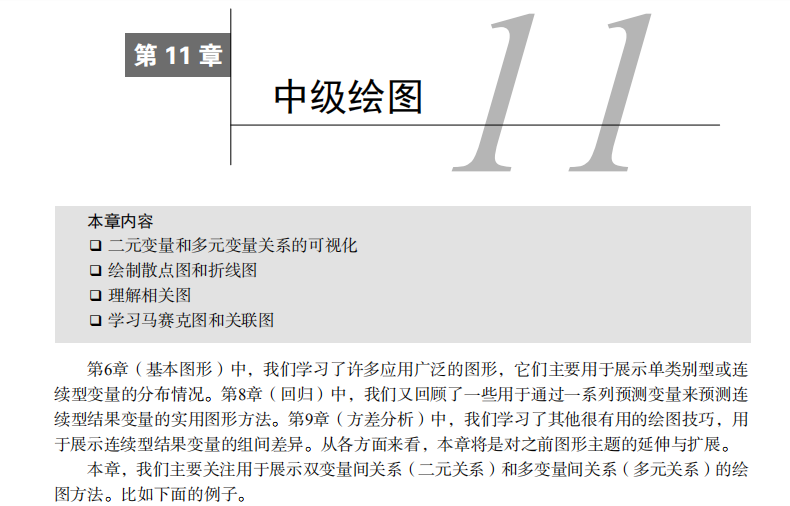
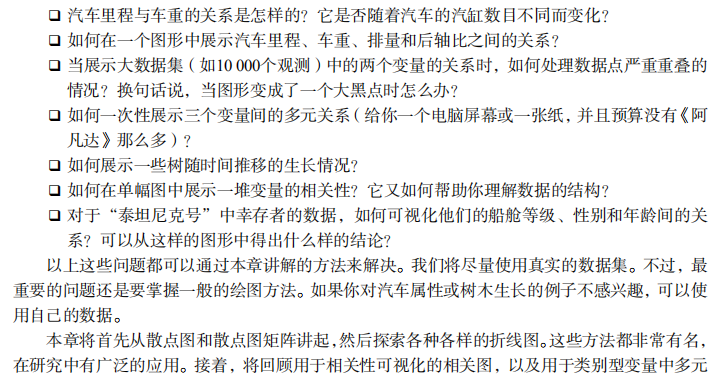
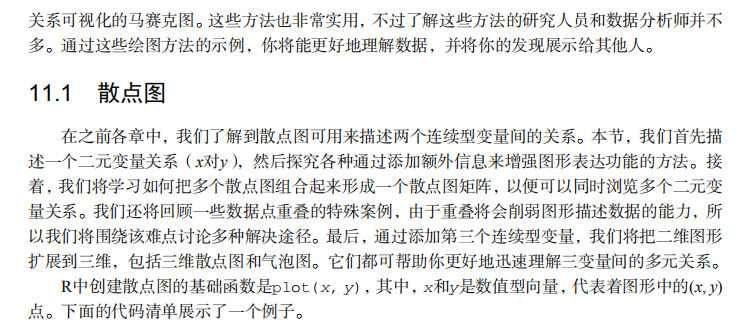
吴裕雄--天生自然 R语言开发学习:中级绘图







#------------------------------------------------------------------------------------#

# R in Action (2nd ed): Chapter 11                                                   #

# Intermediate graphs                                                                #

# requires packages car, scatterplot3d, gclus, hexbin, IDPmisc, Hmisc,               #

#                   corrgram, vcd, rlg to be installed                               #

# install.packages(c("car", "scatterplot3d", "gclus", "hexbin", "IDPmisc", "Hmisc",  #

#                    "corrgram", "vcd", "rld"))                                      #

#------------------------------------------------------------------------------------#

par(ask=TRUE)

opar <- par(no.readonly=TRUE) # record current settings

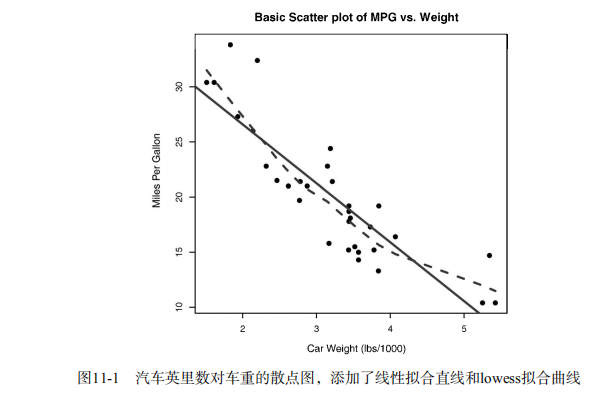
# Listing 11.1 - A scatter plot with best fit lines

attach(mtcars)

plot(wt, mpg,

     main="Basic Scatterplot of MPG vs. Weight",

     xlab="Car Weight (lbs/1000)",

     ylab="Miles Per Gallon ", pch=19)

abline(lm(mpg ~ wt), col="red", lwd=2, lty=1)

lines(lowess(wt, mpg), col="blue", lwd=2, lty=2)

detach(mtcars)

# Scatter plot with fit lines by group

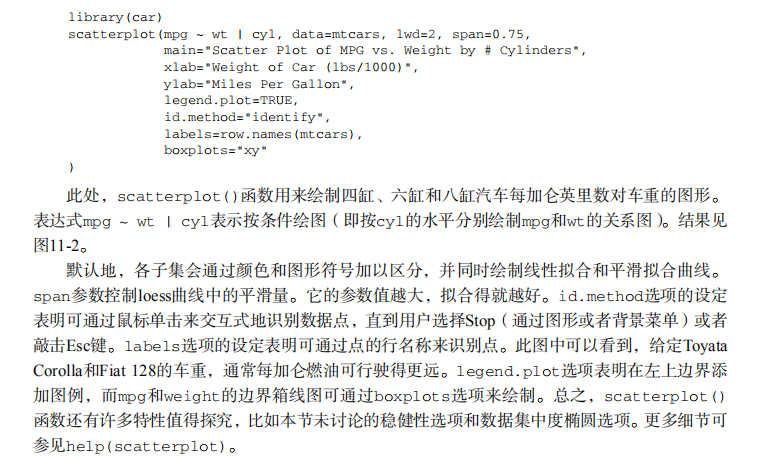
library(car)

scatterplot(mpg ~ wt | cyl, data=mtcars, lwd=2,

            main="Scatter Plot of MPG vs. Weight by # Cylinders",

            xlab="Weight of Car (lbs/1000)",

            ylab="Miles Per Gallon", id.method="identify",

            legend.plot=TRUE, labels=row.names(mtcars),

            boxplots="xy")

# Scatter-plot matrices

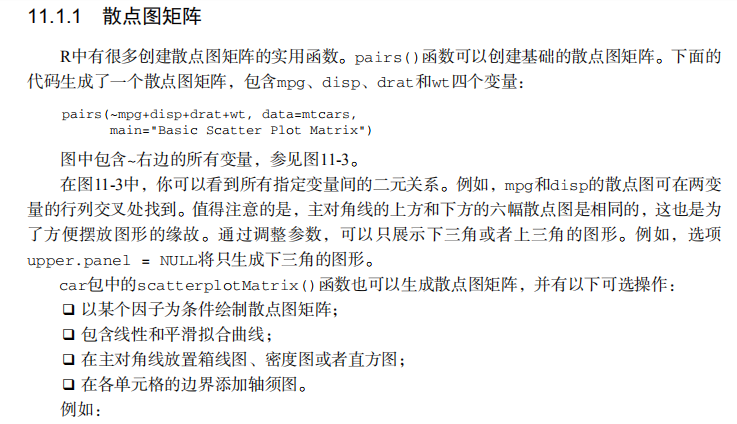
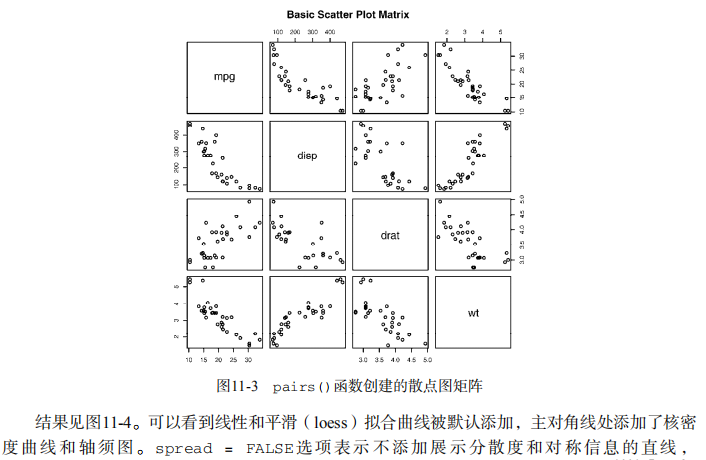
pairs(~ mpg + disp + drat + wt, data=mtcars,

      main="Basic Scatterplot Matrix")

library(car)

library(car)

scatterplotMatrix(~ mpg + disp + drat + wt, data=mtcars,

                  spread=FALSE, smoother.args=list(lty=2),

                  main="Scatter Plot Matrix via car Package")

# high density scatterplots

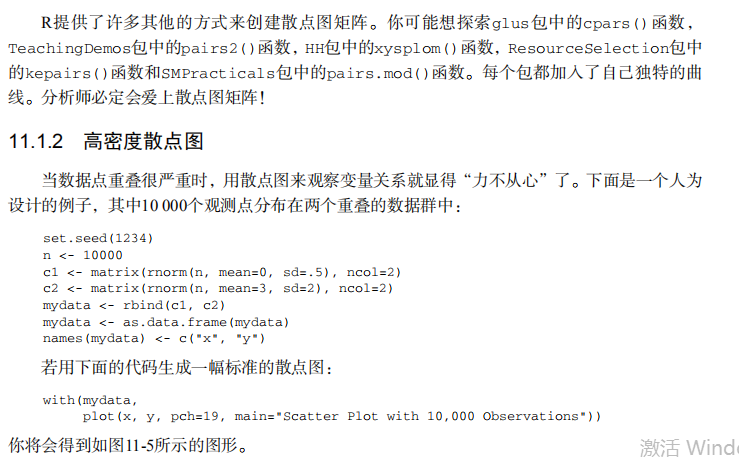
set.seed(1234)

n <- 10000

c1 <- matrix(rnorm(n, mean=0, sd=.5), ncol=2)

c2 <- matrix(rnorm(n, mean=3, sd=2), ncol=2)

mydata <- rbind(c1, c2)

mydata <- as.data.frame(mydata)

names(mydata) <- c("x", "y")

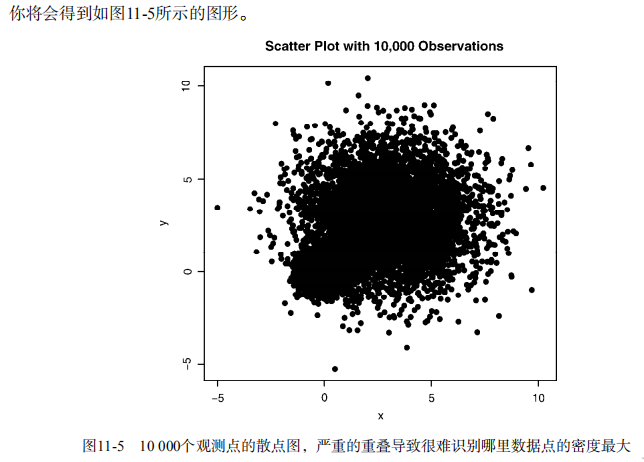
with(mydata,

     plot(x, y, pch=19, main="Scatter Plot with 10000 Observations"))

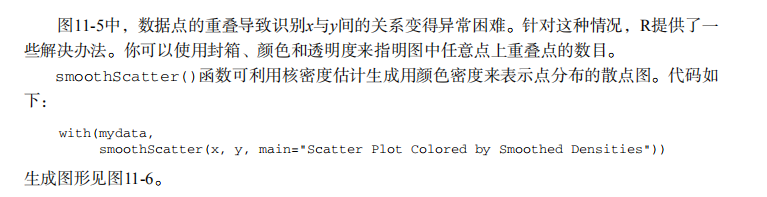
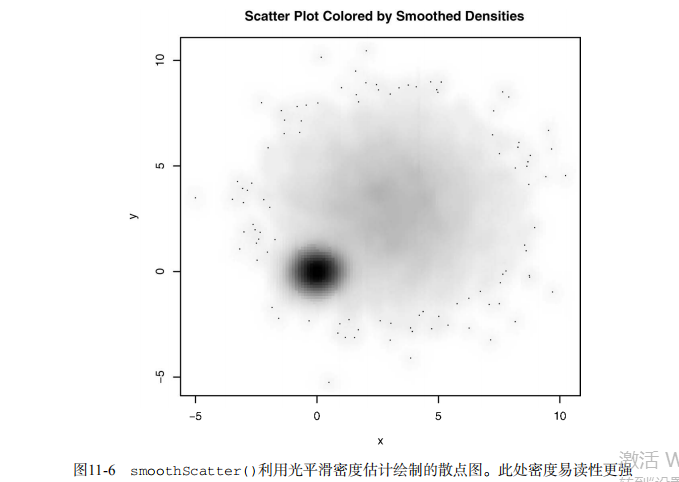
with(mydata,

     smoothScatter(x, y, main="Scatter Plot colored by Smoothed Densities"))

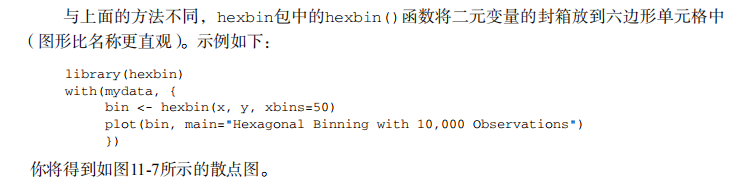
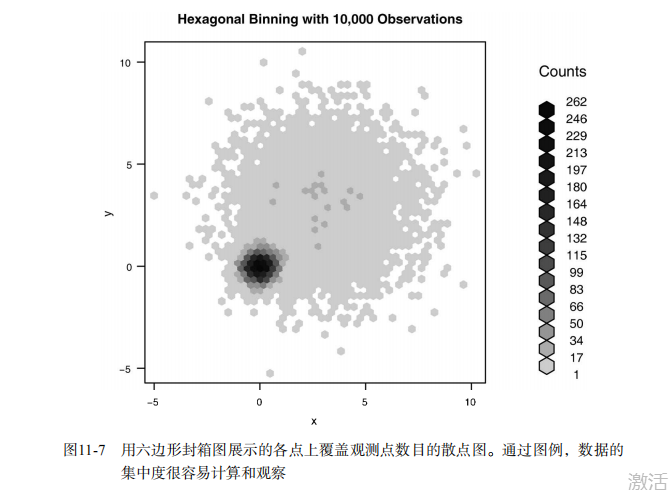
library(hexbin)

with(mydata, {

  bin <- hexbin(x, y, xbins=50)

  plot(bin, main="Hexagonal Binning with 10,000 Observations")

})

# 3-D Scatterplots

library(scatterplot3d)

attach(mtcars)

scatterplot3d(wt, disp, mpg,

              main="Basic 3D Scatter Plot")

scatterplot3d(wt, disp, mpg,

              pch=16,

              highlight.3d=TRUE,

              type="h",

              main="3D Scatter Plot with Vertical Lines")

s3d <-scatterplot3d(wt, disp, mpg,

                    pch=16,

                    highlight.3d=TRUE,

                    type="h",

                    main="3D Scatter Plot with Vertical Lines and Regression Plane")

fit <- lm(mpg ~ wt+disp)

s3d$plane3d(fit)

detach(mtcars)

# spinning 3D plot

library(rgl)

attach(mtcars)

plot3d(wt, disp, mpg, col="red", size=5)

# alternative

library(car)

with(mtcars,

     scatter3d(wt, disp, mpg))

# bubble plots

attach(mtcars)

r <- sqrt(disp/pi)

symbols(wt, mpg, circle=r, inches=0.30,

        fg="white", bg="lightblue",

        main="Bubble Plot with point size proportional to displacement",

        ylab="Miles Per Gallon",

        xlab="Weight of Car (lbs/1000)")

text(wt, mpg, rownames(mtcars), cex=0.6)

detach(mtcars)

# Listing 11.2 - Creating side by side scatter and line plots

opar <- par(no.readonly=TRUE)

par(mfrow=c(1,2))

t1 <- subset(Orange, Tree==1)

plot(t1$age, t1$circumference,

     xlab="Age (days)",

     ylab="Circumference (mm)",

     main="Orange Tree 1 Growth")

plot(t1$age, t1$circumference,

     xlab="Age (days)",

     ylab="Circumference (mm)",

     main="Orange Tree 1 Growth",

     type="b")

par(opar)

# Listing 11.3 - Line chart displaying the growth of 5 Orange trees over time

Orange$Tree <- as.numeric(Orange$Tree)

ntrees <- max(Orange$Tree)

xrange <- range(Orange$age)

yrange <- range(Orange$circumference)

plot(xrange, yrange,

     type="n",

     xlab="Age (days)",

     ylab="Circumference (mm)"

)

colors <- rainbow(ntrees)

linetype <- c(1:ntrees)

plotchar <- seq(18, 18+ntrees, 1)

for (i in 1:ntrees) {

  tree <- subset(Orange, Tree==i)

  lines(tree$age, tree$circumference,

        type="b",

        lwd=2,

        lty=linetype[i],

        col=colors[i],

        pch=plotchar[i]

  )

}

title("Tree Growth", "example of line plot")

legend(xrange[1], yrange[2],

       1:ntrees,

       cex=0.8,

       col=colors,

       pch=plotchar,

       lty=linetype,

       title="Tree"

)

# Correlograms

options(digits=2)

cor(mtcars)

library(corrgram)

corrgram(mtcars, order=TRUE, lower.panel=panel.shade,

         upper.panel=panel.pie, text.panel=panel.txt,

         main="Corrgram of mtcars intercorrelations")

corrgram(mtcars, order=TRUE, lower.panel=panel.ellipse,

         upper.panel=panel.pts, text.panel=panel.txt,

         diag.panel=panel.minmax,

         main="Corrgram of mtcars data using scatter plots

and ellipses")

cols <- colorRampPalette(c("darkgoldenrod4", "burlywood1",

                           "darkkhaki", "darkgreen"))

corrgram(mtcars, order=TRUE, col.regions=cols,

         lower.panel=panel.shade,

         upper.panel=panel.conf, text.panel=panel.txt,

         main="A Corrgram (or Horse) of a Different Color")

# Mosaic Plots

ftable(Titanic)

library(vcd)

mosaic(Titanic, shade=TRUE, legend=TRUE)

library(vcd)

mosaic(~Class+Sex+Age+Survived, data=Titanic, shade=TRUE, legend=TRUE)

# type= options in the plot() and lines() functions

x <- c(1:5)

y <- c(1:5)

par(mfrow=c(2,4))

types <- c("p", "l", "o", "b", "c", "s", "S", "h")

for (i in types){

  plottitle <- paste("type=", i)

  plot(x,y,type=i, col="red", lwd=2, cex=1, main=plottitle)

}
吴裕雄--天生自然 R语言开发学习:中级绘图的更多相关文章
- 吴裕雄--天生自然 R语言开发学习:R语言的安装与配置
下载R语言和开发工具RStudio安装包 先安装R
- 吴裕雄--天生自然 R语言开发学习:数据集和数据结构
数据集的概念 数据集通常是由数据构成的一个矩形数组,行表示观测,列表示变量.表2-1提供了一个假想的病例数据集. 不同的行业对于数据集的行和列叫法不同.统计学家称它们为观测(observation)和 ...
- 吴裕雄--天生自然 R语言开发学习:导入数据
2.3.6 导入 SPSS 数据 IBM SPSS数据集可以通过foreign包中的函数read.spss()导入到R中,也可以使用Hmisc 包中的spss.get()函数.函数spss.get() ...
- 吴裕雄--天生自然 R语言开发学习:使用键盘、带分隔符的文本文件输入数据
R可从键盘.文本文件.Microsoft Excel和Access.流行的统计软件.特殊格 式的文件.多种关系型数据库管理系统.专业数据库.网站和在线服务中导入数据. 使用键盘了.有两种常见的方式:用 ...
- 吴裕雄--天生自然 R语言开发学习:R语言的简单介绍和使用
假设我们正在研究生理发育问 题,并收集了10名婴儿在出生后一年内的月龄和体重数据(见表1-).我们感兴趣的是体重的分 布及体重和月龄的关系. 可以使用函数c()以向量的形式输入月龄和体重数据,此函 数 ...
- 吴裕雄--天生自然 R语言开发学习:基础知识
1.基础数据结构 1.1 向量 # 创建向量a a <- c(1,2,3) print(a) 1.2 矩阵 #创建矩阵 mymat <- matrix(c(1:10), nrow=2, n ...
- 吴裕雄--天生自然 R语言开发学习:图形初阶(续二)
# ----------------------------------------------------# # R in Action (2nd ed): Chapter 3 # # Gettin ...
- 吴裕雄--天生自然 R语言开发学习:图形初阶(续一)
# ----------------------------------------------------# # R in Action (2nd ed): Chapter 3 # # Gettin ...
- 吴裕雄--天生自然 R语言开发学习:图形初阶
# ----------------------------------------------------# # R in Action (2nd ed): Chapter 3 # # Gettin ...
- 吴裕雄--天生自然 R语言开发学习:基本图形(续二)
#---------------------------------------------------------------# # R in Action (2nd ed): Chapter 6 ...
随机推荐
- 第4章 ZK基本特性与基于Linux的ZK客户端命令行学习
第4章 ZK基本特性与基于Linux的ZK客户端命令行学习 4-1 zookeeper常用命令行操作 4-2 session的基本原理与create命令的使用
- Servlet&JSP复习笔记 03
1.Servlet的声明周期 容器如何创建Servlet对象,如何为Servlet对象分配资源,如何调用Servlet对象的方法来处理请求,以及如何销毁Servlet对象的过程. a.实例化 容器调用 ...
- java读取本地json数组并解析
1.本地json位置 2,json数据 {"garbages":[{"id":"/m/011k07","ename":& ...
- spring 事物面试题
1.spring 事物管理器中事物传播机制 2.spring中事物的隔离级别 读未提交-事物未提交,另一个事物可以读取到,脏读 读已提交-事物已提交,先前读取的数据与后来读取的数据不同,不可重复读 可 ...
- Linux-守护进程的引入
1.进程查看命令ps (1).ps -ajx 偏向显示各种有关的ID号 (2).ps -aux 偏向显示进程各种占用资源 2.向进程发送信号指令kill (1).kill -信号编号 进程ID,向一 ...
- linux中awk的应用
1.awk的基本认识和使用方法,参考下面链接 https://www.cnblogs.com/timxgb/p/4658631.html 2.awk中关于条件判断的用法,如 https://blog. ...
- dubbo的重试原则
验证思路.使用超时来验证重试次数 XML 注解
- POJ-1751 Highways(最小生成树消边+输出边)
http://poj.org/problem?id=1751 Description The island nation of Flatopia is perfectly flat. Unfortun ...
- 20190221 beautiful soup 入门
beautiful soup 入门 Beautiful Soup 是 python 的一个库,最主要的功能是从网页抓取数据. Beautiful Soup 自动将输入文档转换为 Unicode 编码, ...
- 利用docker安装gitlab
安装docker 安装 virtualbox 下载 dockertoolbox并安装 官网的服务器一直连不上, 幸亏还有这个 https://get.daocloud.io/toolbox/ 比 ht ...