
ios10--拳皇动画
/**

    图片的两种加载方式:

    1> imageNamed:

      a. 就算指向它的指针被销毁,该资源也不会被从内存中干掉,

      b. 放到Assets.xcassets的图片,默认就有缓存,

      c. 图片经常被使用,用这种方式加载,

    2> imageWithContentsOfFile:

      a. 指向它的指针被销毁,该资源会被从内存中干掉,

      b. 放到项目中的图片就不带缓存,

      c. 不经常用,大批量的图片,使用这种方式,

 */
/**

 *  游戏结束

 */

- (IBAction)gameOver {  //没有强指针,就把图片释放了,即使是图片数组,只要把图片数组的首地址置位nil,数组就释放了,所以只要首地址置位nil就可以

    self.standImages = nil;

    self.smallImages = nil;

    self.bigImages = nil;

    self.imageView.animationImages = nil;

}
//

//  ViewController.m

//  07-拳皇动画(加载图片)

//

#import "ViewController.h"

@interface ViewController ()

@property (weak, nonatomic) IBOutlet UIImageView *imageView;

/** 站立 */

@property (nonatomic, strong) NSArray *standImages;  //不是故事板上的东西,没有强引用指向,所以这里用strong,

/** 小招 */

@property (nonatomic, strong) NSArray *smallImages;

/** 大招 */

@property (nonatomic, strong) NSArray *bigImages;

@end

@implementation ViewController

// 初始化一些数据

- (void)viewDidLoad {

    [super viewDidLoad];

    // 1.加载所有的站立图片

    self.standImages = [self loadAllImagesWithimagePrefix:@"stand" count:];

    // 2.加载所有的小招图片

    self.smallImages = [self loadAllImagesWithimagePrefix:@"xiaozhao3" count:];

    // 3.加载所有的大招图片

    self.bigImages = [self loadAllImagesWithimagePrefix:@"dazhao" count:];

    // 4.站立

    [self stand];

}

/**

 *  加载所有的图片

 *

 *  @param imagePrefix 名称前缀

 *  @param count       图片的总个数

 */

- (NSArray *)loadAllImagesWithimagePrefix:(NSString *)imagePrefix count:(int)count{

    NSMutableArray<UIImage *> *images = [NSMutableArray array];

    for (int i=; i<count; i++) {

        // 获取所有图片的名称

        NSString *imageName = [NSString stringWithFormat:@"%@_%d",imagePrefix, i+];

        // 创建UIImage

        UIImage *image = [UIImage imageNamed:imageName];

        // 装入数组

        [images addObject:image];

    }

    return images;

}

/**

 *  站立

 */

- (IBAction)stand {

    // 2.设置动画图片

    self.imageView.animationImages = self.standImages;

    // 3.设置播放次数

    self.imageView.animationRepeatCount = ;

    // 4.设置播放的时长

    self.imageView.animationDuration = 0.6;

    // 5.播放

    [self.imageView startAnimating];

}

/**

 *  小招

 */

- (IBAction)smallZhao {

    // 2.设置动画图片

    self.imageView.animationImages = self.smallImages;

    // 3.设置动画次数

    self.imageView.animationRepeatCount = ;

    // 4.设置播放时长

    self.imageView.animationDuration = 1.5;

    // 5.播放

    [self.imageView startAnimating];

    // 6.站立(延迟),执行一个方法,传入参数,延迟多长时间,

    // Selector 方法

    // Object 参数

    // afterDelay 时间

//    NSSelectorFromString(NSString * _Nonnull aSelectorName) 效果一样

    [self performSelector:@selector(stand) withObject:nil afterDelay:self.imageView.animationDuration];

}

/**

 *  大招

 */

- (IBAction)bigZhao {

    // 2.设置动画图片

    self.imageView.animationImages = self.bigImages;

    // 3.设置动画次数

    self.imageView.animationRepeatCount = ;

    // 4.设置播放时长

    self.imageView.animationDuration = 2.5;

    // 5.播放

    [self.imageView startAnimating];

    // 6.站立

    [self performSelector:@selector(stand) withObject:nil afterDelay:self.imageView.animationDuration];

}

@end
//

//  ViewController.m

//  07-拳皇动画(加载图片)

//

#import "ViewController.h"

@interface ViewController ()

@property (weak, nonatomic) IBOutlet UIImageView *imageView;

/** 站立 */

@property (nonatomic, strong) NSArray *standImages;//不是故事板上的东西,没有强引用指向,所以这里用strong,

/** 小招 */

@property (nonatomic, strong) NSArray *smallImages;

/** 大招 */

@property (nonatomic, strong) NSArray *bigImages;

@end

@implementation ViewController

/**

    图片的两种加载方式:

    1> imageNamed:

      a. 就算指向它的指针被销毁,该资源也不会被从内存中干掉,

      b. 放到Assets.xcassets的图片,默认就有缓存,

      c. 图片经常被使用,用这种方式加载,

    2> imageWithContentsOfFile:

      a. 指向它的指针被销毁,该资源会被从内存中干掉,

      b. 放到项目中的图片就不带缓存,

      c. 不经常用,大批量的图片,使用这种方式,

 */

// 初始化一些数据

- (void)viewDidLoad {

    [super viewDidLoad];

    // 1.加载所有的站立图片

    self.standImages = [self loadAllImagesWithimagePrefix:@"stand" count:];

    // 2.加载所有的小招图片

    self.smallImages = [self loadAllImagesWithimagePrefix:@"xiaozhao3" count:]; //不需要写外层文件夹的名字,只需要写图片文件的名字即可。

    // 3.加载所有的大招图片

    self.bigImages = [self loadAllImagesWithimagePrefix:@"dazhao" count:];

    // 4.站立

    [self stand];

}

/**

 *  加载所有的图片

 *

 *  @param imagePrefix 名称前缀

 *  @param count       图片的总个数

 */

- (NSArray *)loadAllImagesWithimagePrefix:(NSString *)imagePrefix count:(int)count{

    NSMutableArray<UIImage *> *images = [NSMutableArray array];

    for (int i=; i<count; i++) {

        // 获取所有图片的名称

        NSString *imageName = [NSString stringWithFormat:@"%@_%d",imagePrefix, i+];

        // 创建UIImage

//        UIImage *image = [UIImage imageNamed:imageName];

        NSString *imagePath = [[NSBundle mainBundle] pathForResource:imageName ofType:@"png"];

        UIImage *image = [UIImage imageWithContentsOfFile:imagePath];

        // 装入数组

        [images addObject:image];

    }

    return images;

}

/**

 *  站立

 */

- (IBAction)stand {

    /*

    // 2.设置动画图片

    self.imageView.animationImages = self.standImages;

    // 3.设置播放次数

    self.imageView.animationRepeatCount = 0;

    // 4.设置播放的时长

    self.imageView.animationDuration = 0.6;

    // 5.播放

    [self.imageView startAnimating];

    */

    [self palyZhaoWithImages:self.standImages count: duration:0.6 isStand:YES];

}

/**

 *  小招

 */

- (IBAction)smallZhao {

    /*

    // 2.设置动画图片

    self.imageView.animationImages = self.smallImages;

    // 3.设置动画次数

    self.imageView.animationRepeatCount = 1;

    // 4.设置播放时长

    self.imageView.animationDuration = 1.5;

    // 5.播放

    [self.imageView startAnimating];

    // 6.站立(延迟)

    [self performSelector:@selector(stand) withObject:nil afterDelay:self.imageView.animationDuration];

     */

    [self palyZhaoWithImages:self.smallImages count: duration:1.5 isStand:NO];

}

/**

 *  大招

 */

- (IBAction)bigZhao {

    /*

    // 2.设置动画图片

    self.imageView.animationImages = self.bigImages;

    // 3.设置动画次数

    self.imageView.animationRepeatCount = 1;

    // 4.设置播放时长

    self.imageView.animationDuration = 2.5;

    // 5.播放

    [self.imageView startAnimating];

    // 6.站立

    [self performSelector:@selector(stand) withObject:nil afterDelay:self.imageView.animationDuration];

    */

    [self palyZhaoWithImages:self.bigImages count: duration:2.5 isStand:NO];

}

/**

 *  游戏结束

 */

- (IBAction)gameOver {  //没有强指针,就把图片释放了,即使是图片数组,只要把图片数组的首地址置位nil,数组就释放了,所以只要首地址置位nil就可以

    self.standImages = nil;

    self.smallImages = nil;

    self.bigImages = nil;

    self.imageView.animationImages = nil;

}

/**

 *  放招

 *

 *  @param images   图片数组

 *  @param count    播放次数

 *  @param duration 播放时间

 *  @param isStand  是否站立

 */

- (void)palyZhaoWithImages:(NSArray *)images count: (NSInteger)count duration:(NSTimeInterval)duration isStand:(BOOL)isStand{

    // 1.设置动画图片

    self.imageView.animationImages = images;

    // 2.设置动画次数

    self.imageView.animationRepeatCount = count;

    // 3.设置播放时长

    self.imageView.animationDuration = duration;

    // 4.播放

    [self.imageView startAnimating];

    // 5.站立

    if (!isStand) {

     [self performSelector:@selector(stand) withObject:nil afterDelay:self.imageView.animationDuration];

    }

}

@end
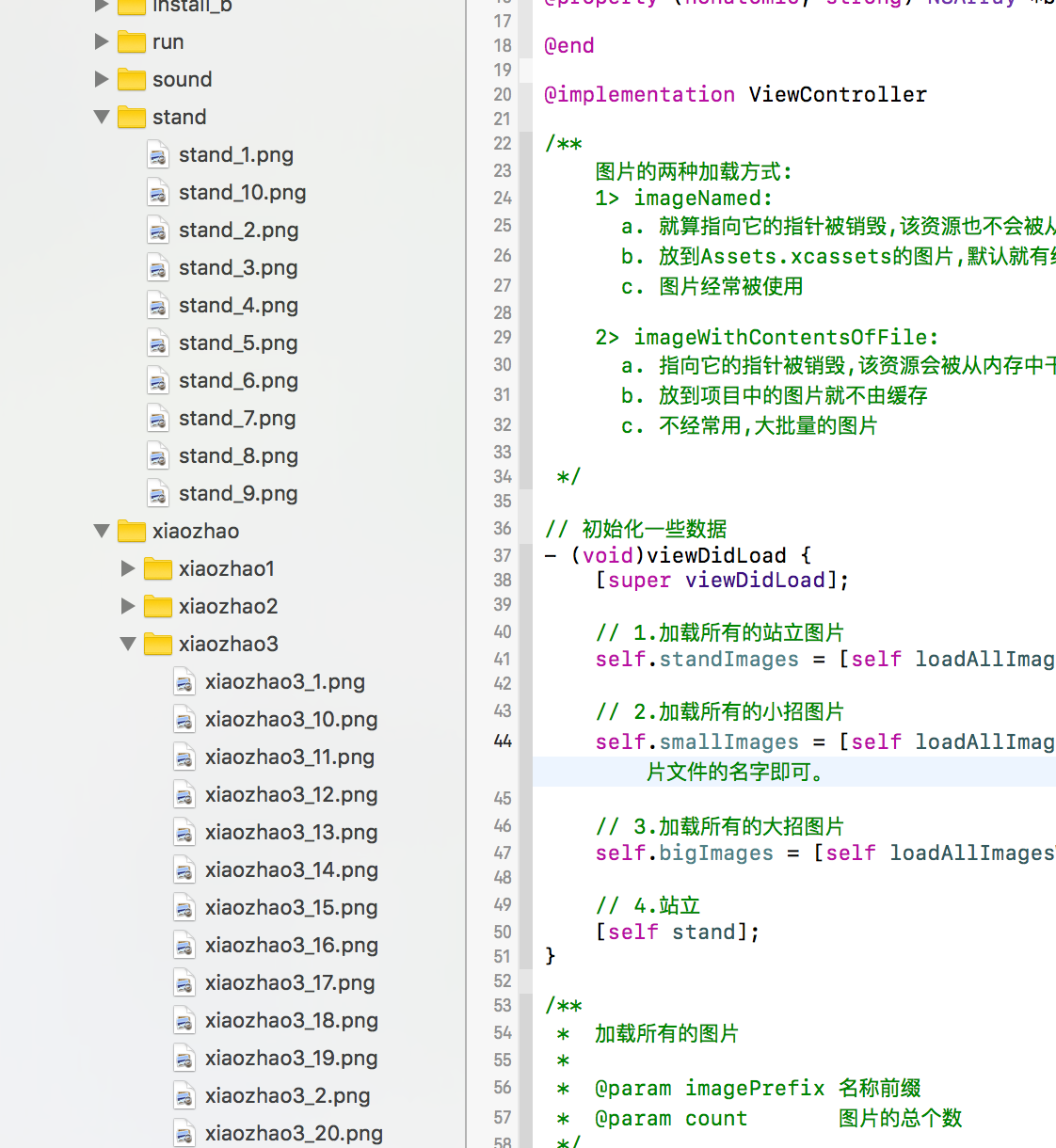
/**

    图片的两种加载方式:

    1> imageNamed:

      a. 就算指向它的指针被销毁,该资源也不会被从内存中干掉,

      b. 放到Assets.xcassets的图片,默认就有缓存,

      c. 图片经常被使用,用这种方式加载,

    2> imageWithContentsOfFile:

      a. 指向它的指针被销毁,该资源会被从内存中干掉,

      b. 放到项目中的图片就不带缓存,

      c. 不经常用,大批量的图片,使用这种方式,

 */
/**

 *  游戏结束

 */

- (IBAction)gameOver {  //没有强指针,就把图片释放了,即使是图片数组,只要把图片数组的首地址置位nil,数组就释放了,所以只要首地址置位nil就可以

    self.standImages = nil;

    self.smallImages = nil;

    self.bigImages = nil;

    self.imageView.animationImages = nil;

}
ios10--拳皇动画的更多相关文章
- IOS之UIImageView--小实例项目--带音效的拳皇动画
内容大纲: 1.初步工作 2.开始敲代码 3.注意 4.可能遇到的错误 5.设置音频速率在代码顺序上的注意点 带音效的拳皇动画实例项目 初步工作 1.新建一Objective-C工程之后,将需要的拳皇 ...
- [Animations] 快速上手 iOS10 属性动画
概述 今天要说的UIViewPropertyAnimator, 是iOS10新的API 详细 代码下载:http://www.demodashi.com/demo/10639.html 基础动画, 核 ...
- iOS10新特性
1.Siri API 的开放自然是 iOS 10 SDK 中最激动人心也是亮眼的特性.Apple 加入了一套全新的框架 Intents.framework 来表示 Siri 获取并解析的结果. 在 i ...
- ios10 safari 的坑!
| 导语 ios10 的safari,又给前端开发者挖坑了..测试验证此问题只出现在ios10 safari中.想早点知道结论的,可以直接看最后一个结论~因为,解决过程不重要! 个人原创,未经允许,禁 ...
- iOS10 UI设计基础教程
iOS10 UI设计基础教程 介绍:本教程针对iOS初级开发人员,基于iOS 10系统,使用Swift 3.0语言讲解如何进行UI设计.本教程内容涵盖UI基础构成.UI元素.自动布局.自适应UI.UI ...
- ios9和ios10的新特性
昨天面试了一个做ios开发的公司,其中面试官问我最新的ios系统版本是多少,以及它的特性是什么?由于自己是初学者,所以对这些没有关注过.今天特地搜索了一下关于ios9和ios10的新特性,并整理了一下 ...
- WDC2106 iOS10新特性及开发者要注意什么
昨晚苹果在旧金山召开了WWDC,看了WWDC2016直播,我们发现变得谨慎而开放的苹果在新一版四大平台系统中展示了很多变化,当然重中之重还是伟大的iOS.通过试用iOS10beta版,除了长大了的更强 ...
- 推送通知/传感器/UIDynamic仿真(推送通知已适配iOS10)
推送通知/传感器/UIDynamic 一.推送通知 1.推送通知简介 什么是推送通知 此处的推送通知与NSNotification没有任何关系 可以理解为,向用户推送一条信息来通知用户某件事情 作用: ...
- iOS10 CAAnimationDelegate的适配
最近在xcode8打开之前的动画代码,看到如下警告
- iOS10软件崩溃 Xcode8崩溃 打印/字体等问题汇总 韩俊强的博客
每日更新关注:http://weibo.com/hanjunqiang 新浪微博!iOS开发者交流QQ群: 446310206 [1].Xcode8代码出现ubsystem: com.apple.U ...
随机推荐
- 树莓派安装CentOS
1.下载并安装,这里使用的是 centos系统地址:http://mirror.centos.org/altarch/7/isos/armhfp/ 下载CentOS-Userland-7-armv7h ...
- 模块挂载、切换,uml模式、流程图模式
模块挂载.切换,uml模式.流程图模式
- 【windows】自动化测试持续集成(CI)环境部署
1. 环境准备 1.1 我的环境 1.Win10 64位 2.JDK 1.8.0_121 3.Tomcat 7.0.92 4. Jenkins 2.24 5.SVN-Server 3.8.1 1.2 ...
- 由杭州开往成都的K529次列车
春运期间,在由杭州开往成都的K529次列车上,旅客严重超员.一个靠窗坐着的老大爷正跟邻座的人分享他的幸运经历,原来,他是到上饶的,买的是无座票,上车后抱着侥幸心理事先占了个好座,没想到直到开车也没人上 ...
- Android 各大网络请求库的比较及实战
自己学习android也有一段时间了,在实际开发中,频繁的接触网络请求,而网络请求的方式很多,最常见的那么几个也就那么几个.本篇文章对常见的网络请求库进行一个总结. HttpUrlConnection ...
- 搜索--P1101 单词方阵
题目描述 给一n×n的字母方阵,内可能蕴含多个"yizhong"单词.单词在方阵中是沿着同一方向连续摆放的.摆放可沿着 8 个方向的任一方向,同一单词摆放时不再改变方向,单词与单词 ...
- idea必选配置
参考: IDEA配置
- 登录deepin 15.9后不显示任务栏,无法操作
一直觉得在Linux下编程很酷,所以决定装个Deepin试试,安装很顺利,然后搭建了开发环境,写了一个简单程序,觉得挺不错的. 哪知第二天一开机,登录后找不到任务栏了,做不了啥操作,走接傻眼了,直觉以 ...
- save density, pressure, velocity, temperature contour at one slice in xy plane-- paraview with batch Python scripts
#### import the simple module from the paraviewfrom paraview.simple import *#### disable automatic c ...
- 关于一个css布局的小记录
这里我们采用一种最简单的 方式,至少我目前认为最简单的方式,使用flex布局来实现 下面是html结构: <div class="box1"> <div clas ...