
vue-router(路由嵌套)
1、项目结构

2、路由嵌套
import Vue from 'vue'

import Router from 'vue-router'

import Main from '../views/Main'

import Login from '../views/Login'

import Information from '../views/user/Information'

import ListUser from '../views/user/List'

Vue.use(Router)

export default new Router({

  routes: [

    {

      path:'/main',

      component:Main,

      children:[

        {path:'/user/information',component:Information},

        {path:'/user/list',component:ListUser}

      ]

    },

    {

      path:'/login',

      component:Login

    }

  ]

})
3、界面(使用elementui)
<template>

  <el-container>

    <el-header style="text-align: right" font-size:12px>

      <el-dropdown>

        <i class="el-icon-setting" style="margin-right: 15px"></i>

        <el-dropdown-menu slot="dropdown">

          <el-dropdown-item>个人信息</el-dropdown-item>

          <el-dropdown-item>退出登录</el-dropdown-item>

        </el-dropdown-menu>

      </el-dropdown>

    </el-header>

    <el-container>

      <el-aside width="200px">

        <el-menu :default-openeds="['1']">

          <el-submenu index="1">

            <template slot="title"><i class="el-icon-caret-right"></i>用户管理</template>

            <el-menu-item-group>

              <el-menu-item index="1-1">

                <router-link to="/user/information">用户信息</router-link>

              </el-menu-item>

              <el-menu-item index="1-2">

                <router-link to="/user/list">用户列表</router-link>

              </el-menu-item>

            </el-menu-item-group>

          </el-submenu>

          <el-submenu index="2">

            <template slot="title"><i class="el-icon-caret-right"></i>内容管理</template>

            <el-menu-item-group>

              <el-menu-item index="1-1">

                修改信息

              </el-menu-item>

              <el-menu-item index="1-2">

               修改密码

              </el-menu-item>

            </el-menu-item-group>

          </el-submenu>

        </el-menu>

      </el-aside>

      <el-main>

        <router-view/>

      </el-main>

    </el-container>

  </el-container>

</template>

<script>

    export default {

        name: "Main"

    }

</script>

<style scoped>

  .el-dropdown-link {

    cursor: pointer;

    color: #409EFF;

  }

  .el-icon-arrow-down {

    font-size: 12px;

  }

  .el-header, .el-footer {

    background-color: #B3C0D1;

    color: #333;

    text-align: center;

    line-height: 60px;

  }

  .el-aside {

    background-color: #D3DCE6;

    color: #333;

    text-align: center;

    line-height: 200px;

  }

  .el-main {

    background-color: #E9EEF3;

    color: #333;

    text-align: center;

    line-height: 160px;

  }

  body > .el-container {

    margin-bottom: 40px;

  }

  .el-container:nth-child(5) .el-aside,

  .el-container:nth-child(6) .el-aside {

    line-height: 260px;

  }

  .el-container:nth-child(7) .el-aside {

    line-height: 320px;

  }

</style>
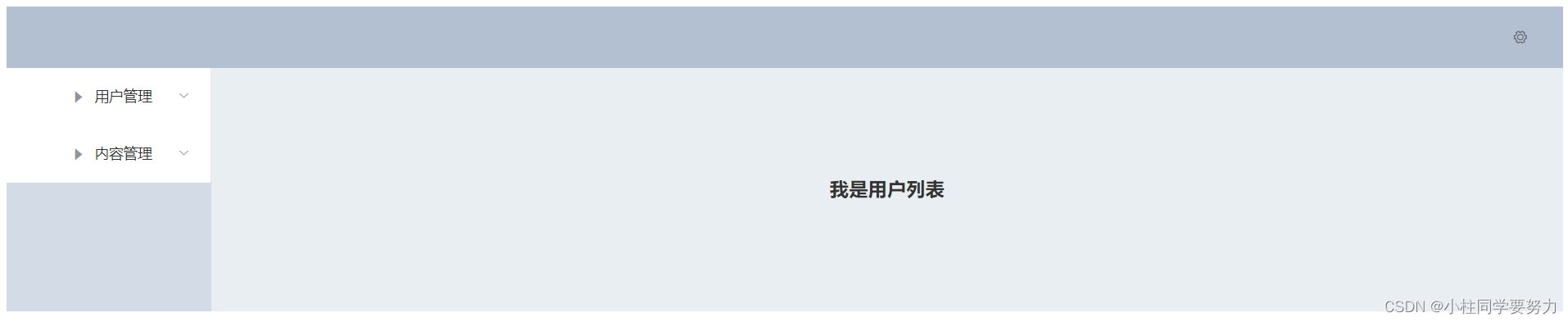
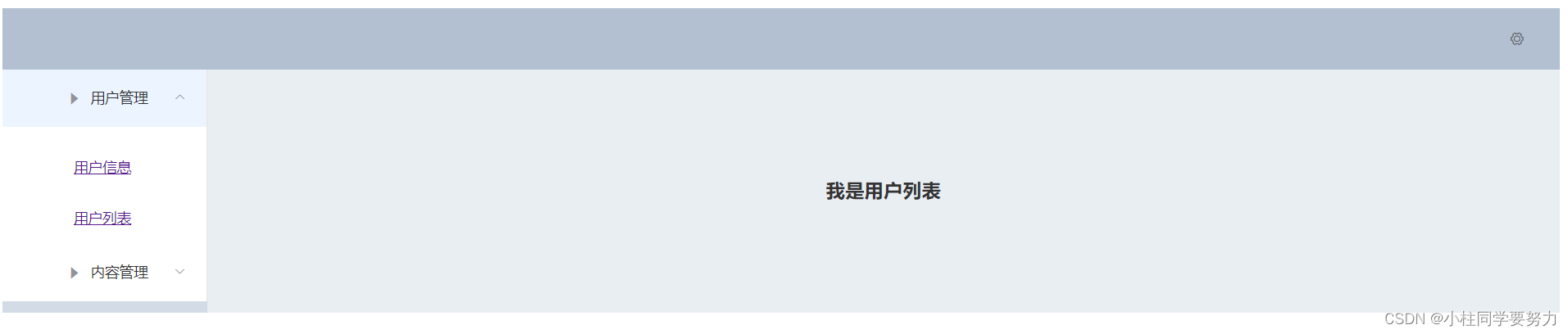
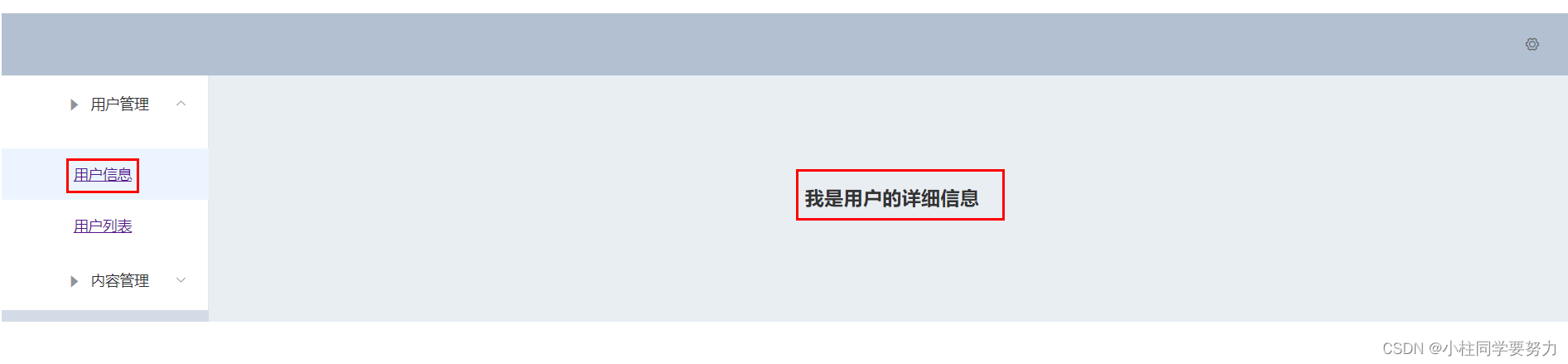
4、效果展示

vue-router(路由嵌套)的更多相关文章
- 前端MVC Vue2学习总结(八)——Vue Router路由、Vuex状态管理、Element-UI
一.Vue Router路由 二.Vuex状态管理 三.Element-UI Element-UI是饿了么前端团队推出的一款基于Vue.js 2.0 的桌面端UI框架,手机端有对应框架是 Mint U ...
- vue学习路由嵌套
1. 路由嵌套和参数传递 传参的两种形式: a.查询字符串:login?name=tom&pwd=123 {{$route.query}} ------ <li><route ...
- Vue系列:Vue Router 路由梳理
Vue Router 是 Vue.js 官方的路由管理器.它和 Vue.js 的核心深度集成,让构建单页面应用变得易如反掌.包含的功能有: 嵌套的路由/视图表 模块化的.基于组件的路由配置 路由参数. ...
- 04 Vue Router路由管理器
路由的基本概念与原理 Vue Router Vue Router (官网: https://router.vuejs.org/zh/)是Vue.js 官方的路由管理器. 它和vue.js的核心深度集成 ...
- Vue Router路由管理器介绍
参考博客:https://www.cnblogs.com/avon/p/5943008.html 安装介绍:Vue Router 版本说明 对于 TypeScript 用户来说,vue-router@ ...
- vue.js路由嵌套
<!DOCTYPE html> <html> <head> <title></title> <meta charset="u ...
- Vue Router 路由守卫:完整的导航解析流程
完整的导航解析流程 1 导航被触发. 2 在失活的组件里调用离开守卫. 3 调用全局的 beforeEach 守卫. 4 在重用的组件里调用 beforeRouteUpdate 守卫 (2.2+). ...
- Vue Router路由守卫妙用:异步获取数据成功后再进行路由跳转并传递数据,失败则不进行跳转
问题引入 试想这样一个业务场景: 在用户输入数据,点击提交按钮后,这时发起了ajax请求,如果请求成功, 则跳转到详情页面并展示详情数据,失败则不跳转到详情页面,只是在当前页面给出错误消息. 难点所在 ...
- vue 多级路由嵌套后打开页面是空白
在多层路由嵌套时,一级子目录必须有一个页面并且添加一具<router-view>,否则路由跳转页面为空,没有任何显示 来自为知笔记(Wiz)
- Vue Router 路由实现原理
一.概念 通过改变 URL,在不重新请求页面的情况下,更新页面视图. 二.实现方式 更新视图但不重新请求页面,是前端路由原理的核心之一,目前在浏览器环境中这一功能的实现主要有2种方式: 1.Hash ...
随机推荐
- 张高兴的 .NET IoT 入门指南:(八)基于 GPS 的 NTP 时间同步服务器
时间究竟是什么?这既可以是一个哲学问题,也可以是一个物理问题.古人对太阳进行观测,利用太阳的投影发明了日晷,定义了最初的时间.随着科技的发展,天文观测的精度也越来越准确,人们发现地球的自转并不是完全一 ...
- layui框架图片上传至服务器
注意:只可用于数据量较小的项目,数据量庞大的项目不要用这个,否则会造成图片数量庞大,至服务器运行速度变慢或瘫痪 HTML代码 //前端使用的是layui框架<div class="la ...
- vue自定义switch开关,使用less支持换肤
实际项目用到了,记录一下,也方便以后使用,这样也可以避免为了使用一个switch,引入整个外部web框架: 也可以方便更好的理解是和使用less. 基础代码使用的是网上的,然后自己添加了less换肤, ...
- java-代码操作服务器之SSH连续发送命令
java操作Linux服务器可以使用专用的jar包,这里介绍使用jsch操作Linux服务器 maven 依赖 <dependency> <groupId>com.jcraft ...
- Java 解析Tiff深入研究
最近在读取客户发过来的tiff文件是,底层竟然报错了,错误:bandOffsets.length is wrong! 没办法,因为错误消息出现在tiff的read中,因此就对 底层序中tiff读取 ...
- C#实现HTTP访问类HttpHelper
在项目开发过程中,我们经常会访问第三方接口,如我们需要接入的第三方接口是Web API,这时候我们就需要使用HttpHelper调用远程接口了.示例中的HttpHelper类使用Log4Net记录了每 ...
- JUC在深入面试题——三种方式实现线程等待和唤醒(wait/notify,await/signal,LockSupport的park/unpark)
一.前言 在多线程的场景下,我们会经常使用加锁,来保证线程安全.如果锁用的不好,就会陷入死锁,我们以前可以使用Object的wait/notify来解决死锁问题.也可以使用Condition的awai ...
- Keepalived+HAProxy 搭建高可用负载均衡
转载自:https://mp.weixin.qq.com/s/VebiWftaRa26x1aA21Jqww 1. 概述 软件负载均衡技术是指可以为多个后端服务器节点提供前端IP流量分发调度服务的软件技 ...
- 安装MySQL8 工具集
下载地址:https://downloads.mysql.com/archives/utilities/ # wget https://downloads.mysql.com/archives/get ...
- fastdfs-zyc管理FastDFS的web界面
俩压缩包根据大小重命名以下,按图片所示 把1_fastdfs-zyc.7z重命名为fastdfs-zyc.7z.001 把2_fastdfs-zyc.7z重命名为fastdfs-zyc.7z.002 ...