
git push遇到的问题“Please make sure you have the correct access rights and the repository exists.”
问题:今天在用idea往github推送代码的时候,出现了下面的报错
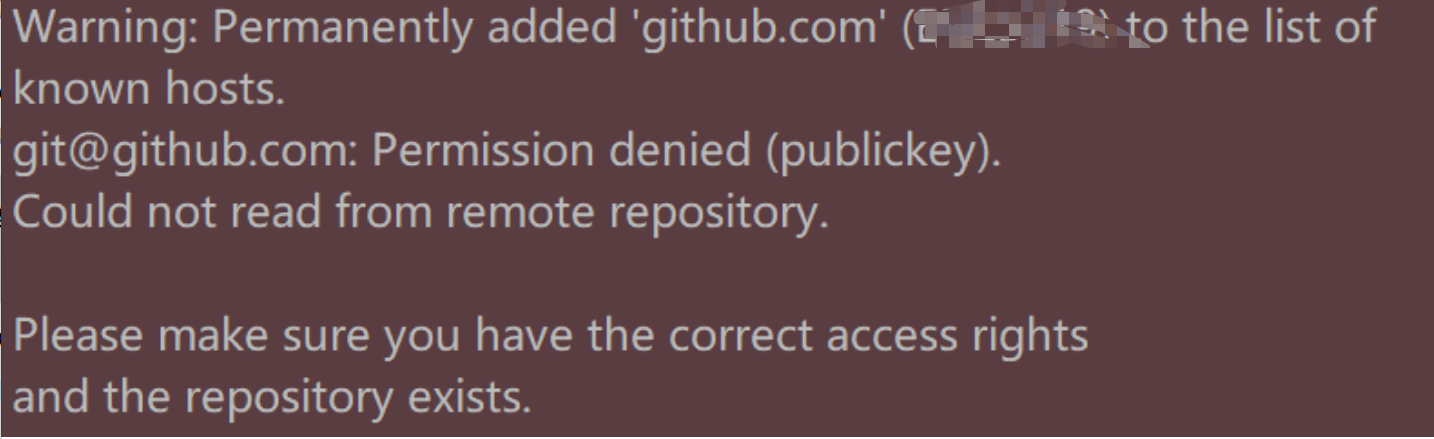
原因:是ssh key有问题,连接不上服务器
解决:
1.得重新在git设置一下身份的名字和邮箱
git config --global user.name "yourname"
git config --global user.email "your@email.com"
说明:yourname是你要设置的名字,your@email是你要设置的邮箱。
2.删除.ssh文件夹(在C:\Users\某某某)下的known_hosts
3.git输入命令
ssh-keygen -t rsa -C "your@email.com"
your@email是你之前要设置的邮箱。
敲完命令按下回车后出现
Generating public/private rsa key pair.
Enter file in which to save the key (/Users/your_user_directory/.ssh/id_rsa):
再次按下回车
这时在.ssh文件夹下会生成两个文件,id_rsa和id_rsa.pub,打开id_rsa.pub,将里面的内容全选复制。
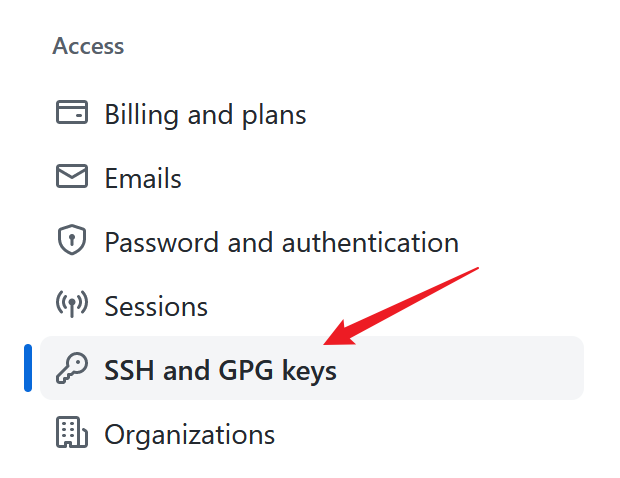
4.在浏览器登录你的github账号,进入设置,点击这一项

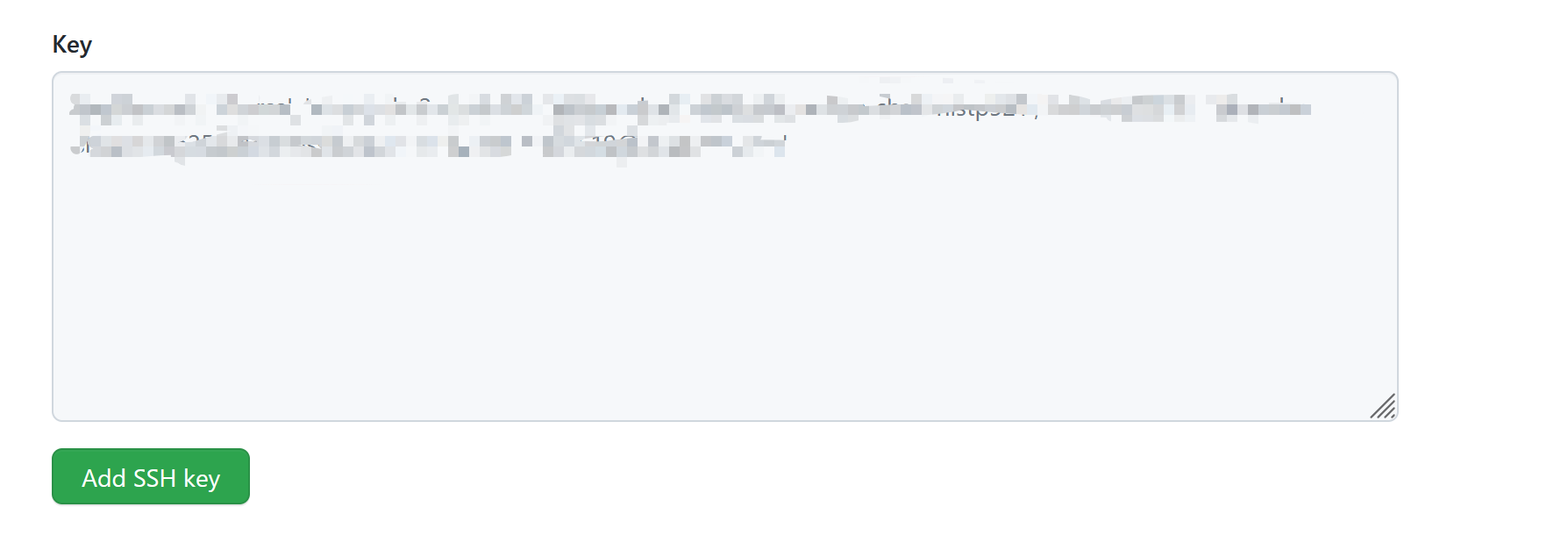
往key里面粘贴刚刚复制的内容,点击add ssh key.
5.在git中输入下面的命令
ssh -T git@github.com
显示一些信息,输入yes,回车,提示你成功了。
最后退出git和idea,重新进入,往远程库push代码,发现成功了。
完。
参考:https://blog.csdn.net/jingtingfengguo/article/details/51892864
git push遇到的问题“Please make sure you have the correct access rights and the repository exists.”的更多相关文章
- git遇到的问题之“Please make sure you have the correct access rights and the repository exists.”
对于git的提交一直很小心翼翼,感觉一不小心就会踩到莫名的坑. 这不, 某天commit 就遇到了On branch master nothing to commit (working directo ...
- Git push提交时报错Permission denied(publickey)...Please make sure you have the correct access rights and the repository exists.
一.git push origin master 时出错 错误信息为: Permission denied(publickey). fatal: Could not read from remote ...
- windows 部署 git 服务器报 Please make sure you have the correct access rights and the repository exists.错误
这两天在阿里云上弄windows 服务器,顺便部署了一个git服务.根据网上教程一步步操作下来,最后在 remote远程仓库的时候提示 fatal: 'yourpath/test.git' does ...
- git pull 出错 fatal: Could not read from remote repository.Please make sure you have the correct access rights.and the repository exists.
Warning: Permanently added the RSA host key for IP address '192.30.252.131' to the list of known hos ...
- 使用git时出现Please make sure you have the correct access rights and the repository exists.问题已解决。
使用git时,出现Please make sure you have the correct access rights and the repository exists.问题已解决. 今天我在使用 ...
- [Git]Please make sure you have the correct access rights and the repository exists
这个问题是这样,需要在已有github账号的A机器上,再创建一个github账号,新账号创建完毕,将代码通过机器A push上之后,再另一台机器B,clone 这个项目时报出了如下错误: Permis ...
- Git clone时出现Please make sure you have the correct access rights and the repository exists.问题已解决。
看了好多资料终于搞定了git 中clone命令报错这个问题,废话不多说直接上步骤希望对大家有帮助. 1 删除.ssh文件夹(直接搜索该文件夹)下的known_hosts(手动删除即可,不需要git ...
- 报错 Please make sure you have the correct access rights and the repository exists (git 添加ssh密钥 )
1.设置Git的user name和email $ git config --global user.name "wubaiwan" $ git config --global u ...
- Git提交时提示“Please make sure you have the correct access rights and the repository exists.”的解决方法
1.首先打开Git Bash设置名字和邮箱: git config --global user.name "你的名字" git config --global user.email ...
- Git出错:“Please make sure you have the correct access rights and the repository exists.”
此问题是需要重置ssh密钥 解决步骤如下: 1.重置用户名和邮箱: 打开Git Bash 进入Git命令,输入以下命令 git config --global user.name "你的用户 ...
随机推荐
- k8s 深入篇———— Job与CronJob[十]
开篇 简要演练一下job 和 cronjob 正文 实际上,它们主要编排的对象,都是"在线业务",即:Long Running Task(长作业).比如,我在前面举例时常用的 Ng ...
- EDA(Exploratory Data Analysis)数据探索性分析
EDA目的:通过了解数据集的分布情况,数据之间的关系,来帮我们更好的后期进行特征工程和建立模型. 本文主要是一个根据coco数据集格式的json文件,来分析数据集中图片尺寸,宽高比,bbox尺寸,宽高 ...
- sm加密前端解析--JS实现国密算法SM2加密
https://gitee.com/houxianzhou/sm2-demo.git 具体相关算法这里不在讲述,网上文章很多,也可以看我之前 iOS-sm2-sm3-sm4-sm9-zuc 里面提供的 ...
- 最简编译CockroachDB 21.2
编译CockroachDB比较麻烦,尤其是从git下载代码编译还需要关联项目的下载,本文整理从官网下载代码的编译过程,非常简单,几乎没有异常,供大家参考. 编译CockroachDB 21.2 1.安 ...
- 【Oracle】Oracle常用分析函数(排名)
Oracle常用分析函数(排名) 一般来说,遇到需要对数据进行排序的时候,可以使用分析函数,一般常用的有三个,rank,dense_rank,row_number --Oracle常用分析函数(排名) ...
- 力扣1773(java&python)-统计匹配检索规则的物品数量(简单)
题目: 给你一个数组 items ,其中 items[i] = [typei, colori, namei] ,描述第 i 件物品的类型.颜色以及名称. 另给你一条由两个字符串 ruleKey 和 r ...
- 性能提升40%!阿里云神龙大数据加速引擎获TPCx-BB世界排名第一
简介:神龙大数据加速引擎,针对大数据常用组件,如Spark.Hadoop.Alluxio等,结合阿里云神龙架构的特性,进行软硬一体化优化,形成独一无二的性能优势,最终,使复杂SQL查询场景性能相比社 ...
- Vite + React 组件开发实践
简介: 毫不夸张的说,Vite 给前端带来的绝对是一次革命性的变化.或者也可以说是 Vite 背后整合的 esbuild . Browser es modules.HMR.Pre-Bundling 等 ...
- Cube 技术解读 | 支付宝新一代动态化技术架构与选型综述
简介: 支付宝客户端的动态化技术经历三个阶段:现阶段也就是第三阶段是实体组件+部分光栅化的hybrid模式,Cube 就是该模式下的产物. 如标题所述,笔者将持续更新<Cube 技术解读& ...
- S3-FIFO
S3-FIFO 本文作为下一篇缓存文章的预备知识. 背景 基于LRU和FIFO的驱逐 FIFO和LRU都是经典的缓存驱逐算法,在过去几十年中也出现了很多追求更高效率的驱逐算法,如ARC, 2Q, LI ...