
移动 WEB 布局方式之 rem 适配布局 ---- 苏宁首页案例制作
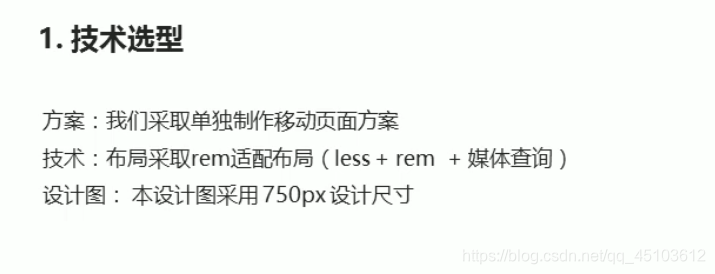
一、技术选型
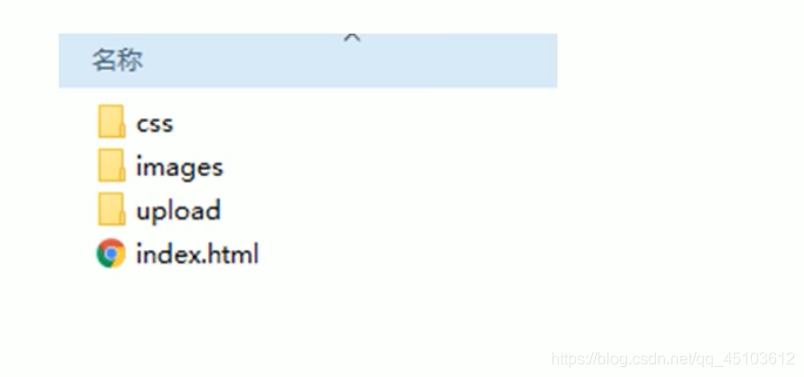
二、搭建相关文件夹结构
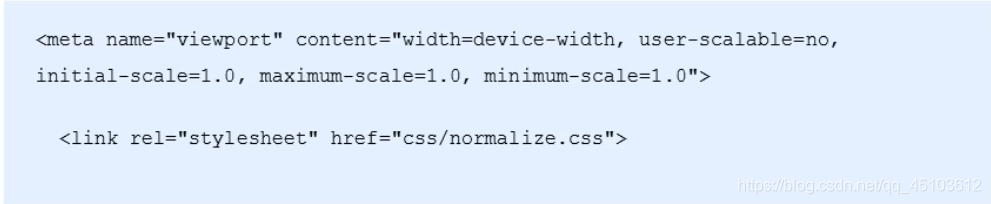
三、设置视口标签以及引入初始化样式
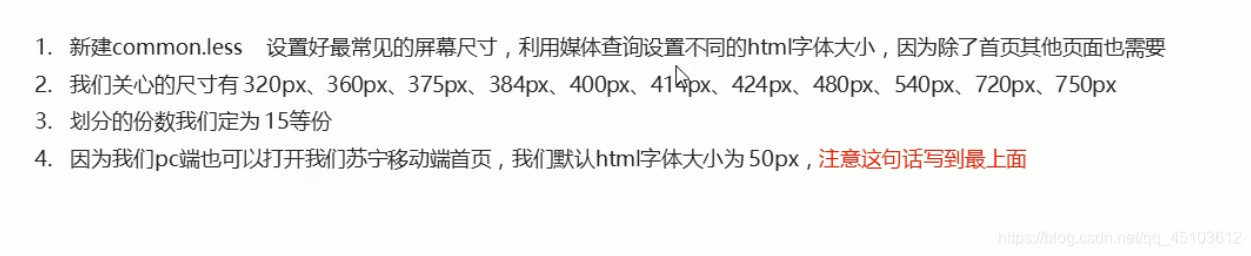
四、设置公共common.less 文件
common.less
//设置常见的屏幕尺寸大小,修改里面的html 文字大小

//因为在 pc 端也可以打开苏宁的移动端网页

//我们默认字体大小为 50 px

html {

    font-size: 50px;

}

//注意:这句话一定要写在最上面

//定义划分的份数 15等份

@no:15;

//320 大小的屏幕

@media screen and (min-width:320px){

    html{

        font-size: 320px / @no;

    }

}

//360 大小的屏幕

@media screen and (min-width:360px){

    html{

        font-size: 360px / @no;

    }

}

// 375 大小的屏幕 iPhone6/7/8的屏幕大小尺寸

@media screen and (min-width:375px){

    html{

        font-size: 375px / @no;

    }

}

// 384

@media screen and (min-width: 384px) {

    html {

        font-size: 384px / @no;

    }

}

// 400

@media screen and (min-width: 400px) {

    html {

        font-size: 400px / @no;

    }

}

// 414

@media screen and (min-width: 414px) {

    html {

        font-size: 414px / @no;

    }

}

// 424

@media screen and (min-width: 424px) {

    html {

        font-size: 424px / @no;

    }

}

// 480

@media screen and (min-width: 480px) {

    html {

        font-size: 480px / @no;

    }

}

// 540

@media screen and (min-width: 540px) {

    html {

        font-size: 540px / @no;

    }

}

// 720

@media screen and (min-width: 720px) {

    html {

        font-size: 720px / @no;

    }

}

// 750

@media screen and (min-width: 750px) {

    html {

        font-size: 750px / @no;

    }

}
五、新建index.less文件
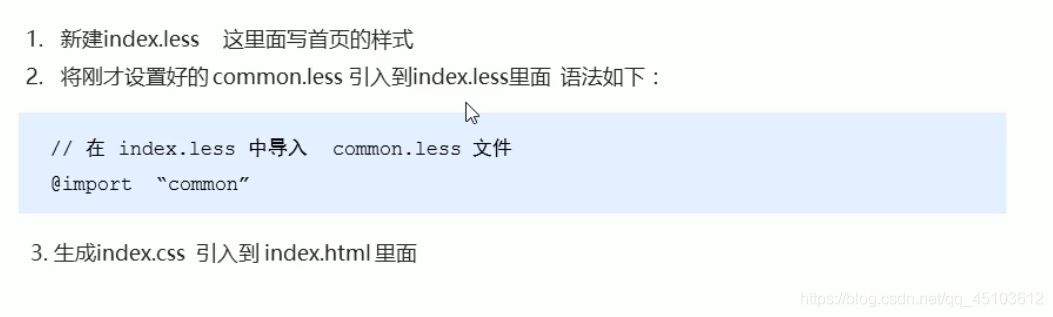
index.less
//导入 common.less文件

@import "common";

//文件后缀名可写可不写
index.html
<link rel="stylesheet" href="css/index.css">
六、苏宁首页 body 样式设置
body {

    min-width: 320px;

    width: 15rem;

    //750像素下,一个rem就是 html的 font-size 也就是 50px

    //那么15rem就是 750px,

    margin: 0 auto;

    line-height: 1.5;

    font-family: Arial,Helvetica;

    background: #F2F2F2;

}
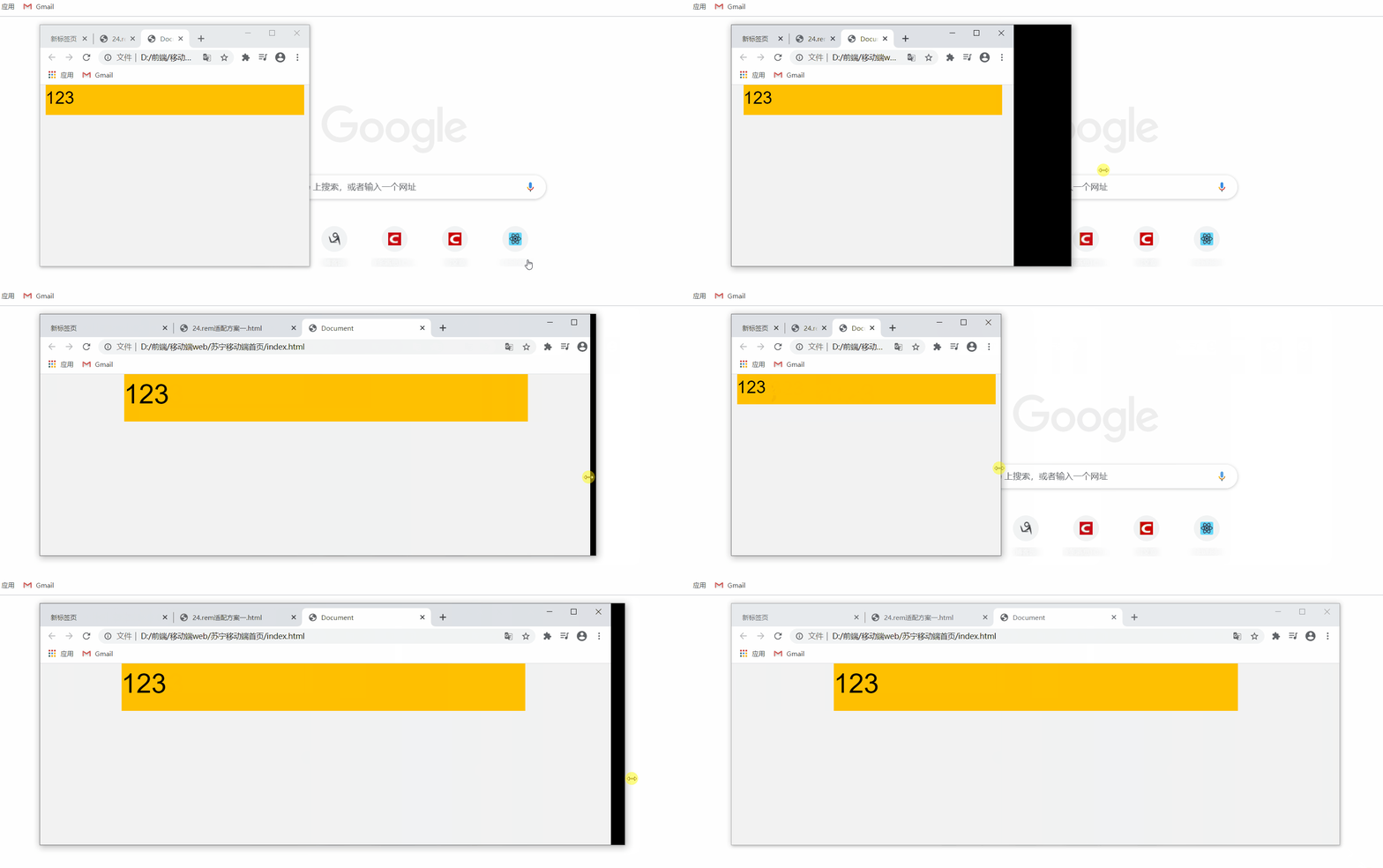
七、苏宁首页 search-content 模块布局
index.html
<body>

 <!-- 顶部部分   -->

 <div class="search-content">123</div>

</body>
index.less
// 顶部模块

// 页面元素rem计算公式: 页面元素的px / html 字体大小 50

@baseFont:50;

.search-content{

    height: 88rem / @baseFont;

    width: 15rem;

    position: fixed;

    top: 0;

    left: 50%;

    transform: translateX(-50%);

    background-color: #FFC001;

}
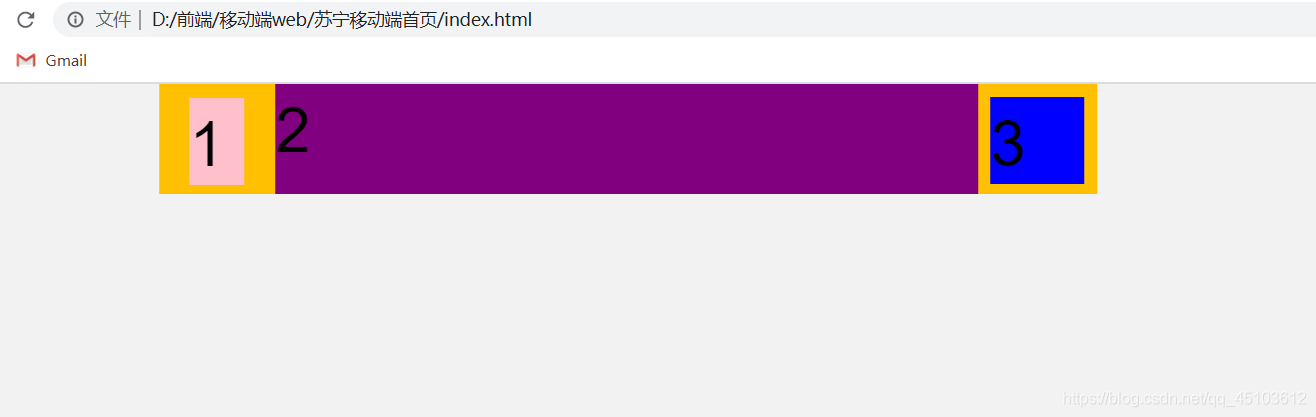
八、苏宁首页 search-content 内容布局
index.html
 <div class="search-content">

     <div class="classify">1</div>

     <div class="search">2</div>

     <div class="login">3</div>

</div>
index.less
@baseFont:50;

.search-content{

    height: 88rem / @baseFont;

    width: 15rem;

    position: fixed;

    top: 0;

    left: 50%;

    transform: translateX(-50%);

    background-color: #FFC001;

    display: flex;

    .classify {

        width: 44rem / @baseFont;

        height: 70rem / @baseFont;

        background-color: pink;

        margin: 11rem / @baseFont 25rem / @baseFont 7rem / @baseFont 24rem / @baseFont;

    }

    .search {

        flex: 1;

        background-color: purple;

    }

    .login {

        width:75rem / @baseFont ;

        height: 70rem / @baseFont;

        background-color: blue;

        margin: 10rem / @baseFont;

    }

}
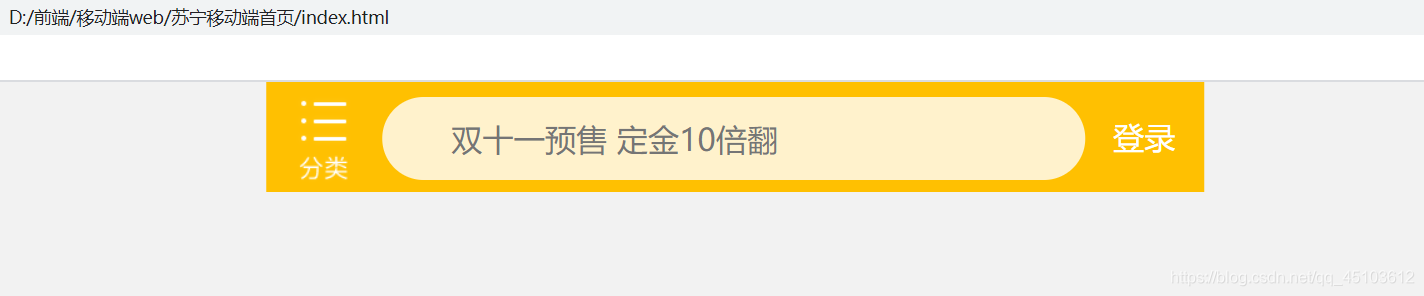
九、苏宁首页 search-content 内容制作
index.html
 <div class="search-content">

     <div class="classify"></div>

     <div class="search">

        <form action="">

            <input type="search" value="双十一预售 定金10倍翻">

        </form>

     </div>

     <div class="login">登录</div>

</div>
index.less
@baseFont:50;

.search-content{

    height: 88rem / @baseFont;

    width: 15rem;

    position: fixed;

    top: 0;

    left: 50%;

    transform: translateX(-50%);

    background-color: #FFC001;

    display: flex;

    .classify {

        width: 44rem / @baseFont;

        height: 70rem / @baseFont;

        // background-color: pink;

        margin: 11rem / @baseFont 25rem / @baseFont 7rem / @baseFont 24rem / @baseFont;

        background: url(../images/classify.png) no-repeat;

        background-size: 44rem / @baseFont 70rem / @baseFont;

    }

    .search {

        flex: 1;

        // background-color: purple;

        input {

            width: 100%;

            height: 66rem / @baseFont;

            background-color: #FFF2CC;

            border-radius: 33rem / @baseFont;

            margin-top: 12rem / @baseFont;

            padding-left: 55rem / @baseFont;

            font-size: 25rem / @baseFont;

            outline: none;

            border: 0;

            color: #757575;

        }

    }

    .login {

        width:75rem / @baseFont ;

        height: 70rem / @baseFont;

        // background-color: blue;

        margin: 10rem / @baseFont;

        font-size: 25rem / @baseFont;

        color: #ffff;

        text-align: center;

        line-height: 70rem / @baseFont;

    }

}
十、banner 和 广告内容制作
index.html
<!-- 广告部分 -->

<div class="ad">

    <a href=""><img src="upload/ad1.gif"/></a>

    <a href=""><img src="upload/ad2.gif"/></a>

    <a href=""><img src="upload/ad3.gif"/></a>

</div>
index.less
// 广告部分

.ad {

   display: flex;

   a {

       flex: 1;

       img{

           width: 100%;

       }

   }

}
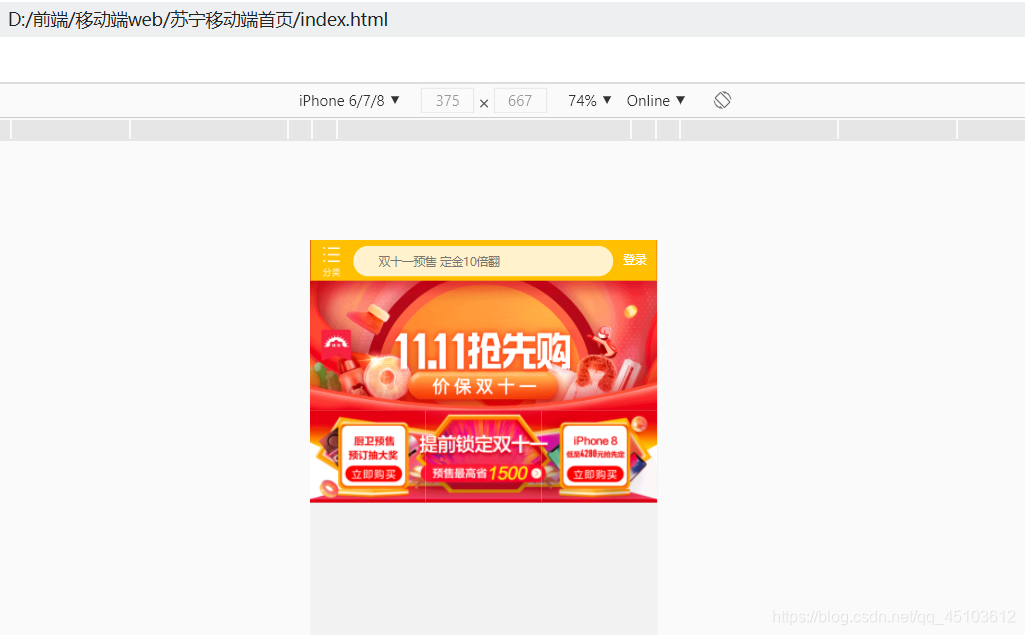
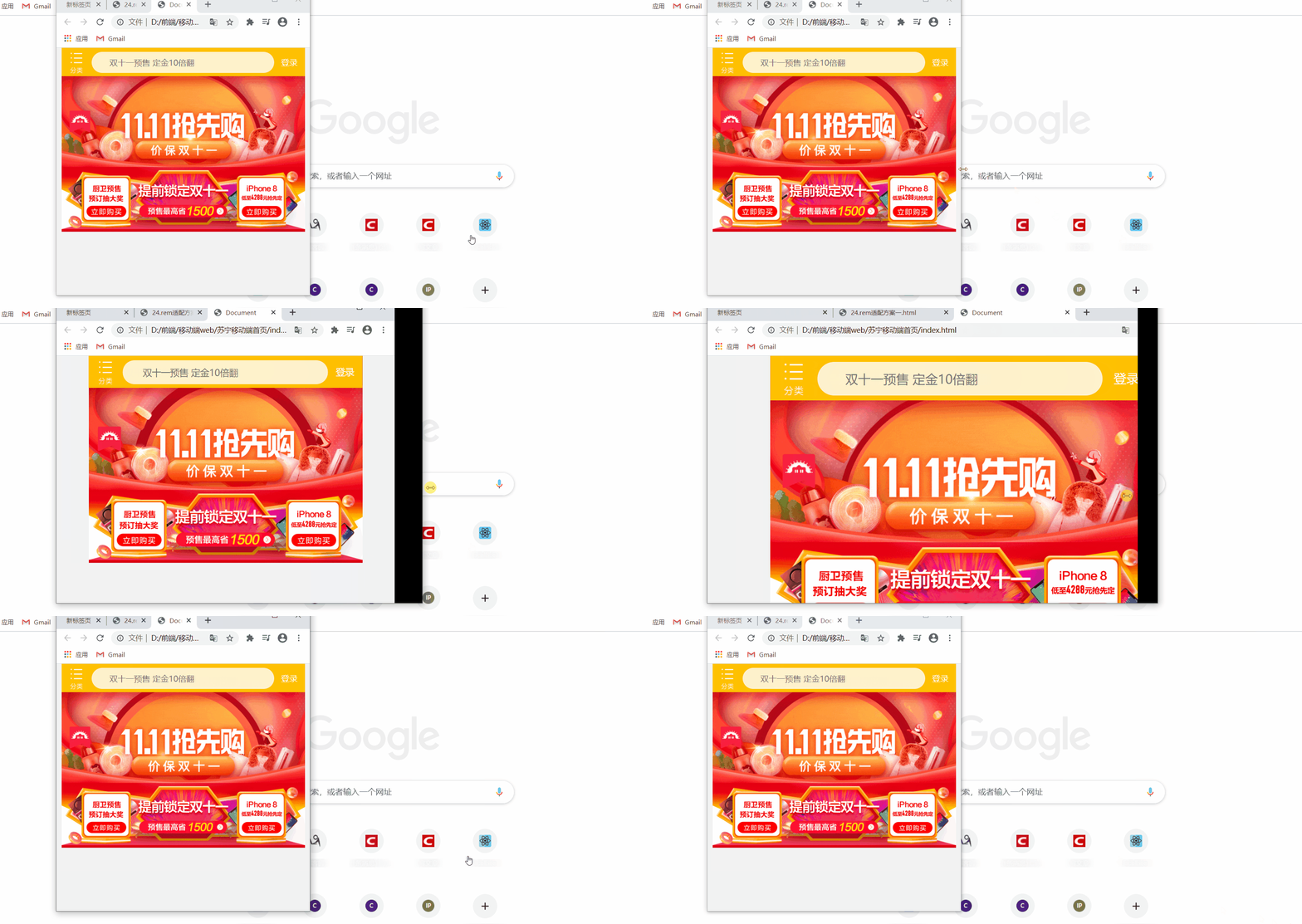
可实现自适应效果
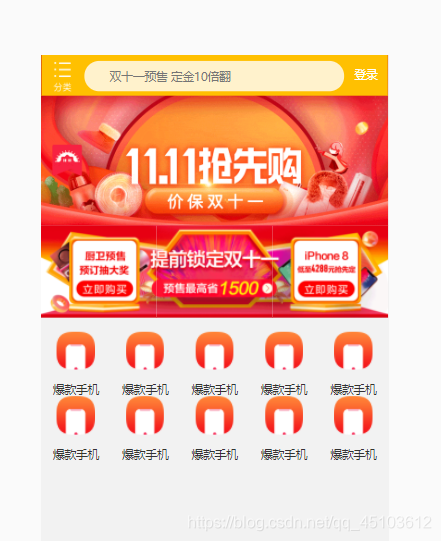
十一、nav内容制作
index.html
<!-- nav 部分 -->

<nav>

    <a href="#">

        <img src="upload/nav1.png" alt="">

        <span>爆款手机</span>

    </a>

    <a href="#">

        <img src="upload/nav1.png" alt="">

        <span>爆款手机</span>

    </a>

    <a href="#">

        <img src="upload/nav1.png" alt="">

        <span>爆款手机</span>

    </a>

    <a href="#">

        <img src="upload/nav1.png" alt="">

        <span>爆款手机</span>

    </a>

    <a href="#">

        <img src="upload/nav1.png" alt="">

        <span>爆款手机</span>

    </a>

    <a href="#">

        <img src="upload/nav1.png" alt="">

        <span>爆款手机</span>

    </a>

    <a href="#">

        <img src="upload/nav1.png" alt="">

        <span>爆款手机</span>

    </a>

    <a href="#">

        <img src="upload/nav1.png" alt="">

        <span>爆款手机</span>

    </a>

    <a href="#">

        <img src="upload/nav1.png" alt="">

        <span>爆款手机</span>

    </a>

    <a href="#">

        <img src="upload/nav1.png" alt="">

        <span>爆款手机</span>

    </a>

</nav>
index.less
// nav 部分

nav {

    width: 750rem / @baseFont;

    a {

        float: left;

        width: 150rem / @baseFont;

        height: 140rem / @baseFont;

        text-align: center;

        img {

            display: block;

            width: 82rem / @baseFont;

            height: 82rem / @baseFont;

            margin: 10rem / @baseFont auto 0;

        }

        span {

            font-size: 25rem / @baseFont;

            color: #333;

        }

    }

}
移动 WEB 布局方式之 rem 适配布局 ---- 苏宁首页案例制作的更多相关文章
- 移动web开发之rem适配布局
移动web开发之rem适配布局 方案: 页面布局文字能否随着屏幕大小变化而变化 流式布局和flex布局主要针对于宽度布局,那高度如何布局? 怎样让屏幕发生变化的时候元素高度和宽度等比例缩放? 1. r ...
- rem适配布局(rem+less+媒体查询 和 rem+flexible.js)
1. rem 基础 rem 是一个相对单位,类似于 em ,em 是父元素字体大小. em 是相对于父元素 的字体大小来说的 rem 是相对于 html 元素 字体大小来说的 rem 优点 就是可以 ...
- PostCSS的插件 -- 关于vue rem适配布局方案
PostCSS的插件 作用:用于自动将像素单元生成rem单位 记以下三种 postcss-plugin-px2rem postcss-pxtorem postcss-px2rem 任选一种,最近大家推 ...
- 移动端rem适配布局
dome如下: <!doctype html><html><head> <meta charset="UTF-8" /> <m ...
- Android开发之基本控件和详解四种布局方式
Android中的控件的使用方式和iOS中控件的使用方式基本相同,都是事件驱动.给控件添加事件也有接口回调和委托代理的方式.今天这篇博客就总结一下Android中常用的基本控件以及布局方式.说到布局方 ...
- CSS常用布局方式-两列布局、三列布局
CSS基础 2.几种布局方式1)table布局 当年主流的布局方式,第一种是通过table tr td布局 示例: <style type="text/css"> ta ...
- 从零开始学 Web 之 移动Web(六)响应式布局
大家好,这里是「 从零开始学 Web 系列教程 」,并在下列地址同步更新...... github:https://github.com/Daotin/Web 微信公众号:Web前端之巅 博客园:ht ...
- css 布局方式
布局方式 1 布局:设置元素在网页中的排列方式及显示效果 2 分类: 1 标准流布局(文档流,普通流,静态流) 是默认的布局方式 特点:将元素按照书写顺序及元素类型,从上至下,从左至右排列 2 浮动布 ...
- css常见的各种布局上(两列布局)
常见的布局上(两列布局) 1.常见的两列布局 1.1左边固定,右边自适应,左边宽度已知,右边默认占满整行,使用left 左浮动,右边不浮动,设置margin-left:左侧宽度 <style&g ...
- Web页面布局方式小结
Web页面是由块元素组成的,正常情况下块元素一个个按垂直方向排布,构成了页面.可是这样的主要的布局方式绝大多时候不能满足我们的需求,所以各种布局方式应运而生,本文就对这些布局方式做个小结. 1.元素漂 ...
随机推荐
- 关于Redis的,你了解多少?来看看我的笔记
Redis 概述 Redis(Remote Dictionary Server ),即远程字典服务,是一个开源的使用ANSI C语言编写.支持网络.可基于内存亦可持久化的日志型.Key-Value数据 ...
- Java8新特性—四大内置函数式接口
Java8新特性--四大内置函数式接口 预备知识 背景 Lambda 的设计者们为了让现有的功能与 Lambda 表达式良好兼容,考虑了很多方法,于是产生了函数接口这个概念. 什么是函数式接口? 函数 ...
- 嵌入式-C语言基础:数组指针
定义一个数组指针,指向二维数组: int a[3][4]={{1,2,3,4},{5,6,7,8},{9,10,11,12}}; int (*p)[4];//定义二维指针数组 p=a;//指向二维数组 ...
- 嵌入式-C语言基础:二维数组
二维数组的每个元素都是一个一维数组,例如int arr[2][3]={{1,2,3},{4,5,6}}; 下面通过几个例子来对二维数组进行深入了解:二维数组可以看作是一个父数组,他的每个元素都是一个一 ...
- 2022春每日一题:Day 11
题目:高斯消元法 高斯消元法是一个模板,下面简单介绍其内容以及实现方法. 高斯消元是求一个求多元一次方程组的解的算法. 就是形式如下的关于x1,x2...xn的方程组的解. a11x1 + a12x2 ...
- [排序算法] 堆排序 (C++)
堆排序解释 什么是堆 堆 heap 是一种近似完全二叉树的数据结构,其满足一下两个性质 1. 堆中某个结点的值总是不大于(或不小于)其父结点的值: 2. 堆总是一棵完全二叉树 将根结点最大的堆叫做大根 ...
- AFL源码分析(一)
AFL源码分析(一) 文章首发于:ChaMd5公众号 https://mp.weixin.qq.com/s/E-D_M25xv5gIpRa6k8xOvw a.alf-gcc.c 1.find_as 这 ...
- [.NET学习]EFCore学习之旅 -2 简单的增删改查
1.实例化创建数据库上下文类 首先实例化一个数据库操作上下文类,注意到DbContext实现了IDisposable接口,所以使用using语句,避免内存泄露. 2.插入 以Person类为例,先生成 ...
- 【每日一题】【模拟】2021年11月11日--LRU 缓存机制
运用你所掌握的数据结构,设计和实现一个 LRU (最近最少使用) 缓存机制 .实现 LRUCache 类: LRUCache(int capacity) 以正整数作为容量 capacity 初始化 L ...
- web框架推导 wsgiref模块 jinja2模板语法 django框架简介 django基本操作
目录 纯手撸web框架 web框架的本质 手写web框架 存在的问题 基于wsgiref模块 基本介绍 推导流程 代码封装优化 总结 动静态网页 jinja2模块 前端.后端.数据库三者联动 推导流程 ...