
【Flutter 实战】动画序列、共享动画、路由动画
老孟导读:此篇文章是 Flutter 动画系列文章第四篇,本文介绍动画序列、共享动画、路由动画。
动画序列
Flutter中组合动画使用Interval,Interval继承自Curve,用法如下:
Animation _sizeAnimation = Tween(begin: 100.0, end: 300.0).animate(CurvedAnimation(

    parent: _animationController, curve: Interval(0.5, 1.0)));
表示_sizeAnimation动画从0.5(一半)开始到结束,如果动画时长为6秒,_sizeAnimation则从第3秒开始。
Interval中begin 和end参数值的范围是0.0到1.0。
下面实现一个先执行颜色变化,在执行大小变化,代码如下:
class AnimationDemo extends StatefulWidget {

  @override

  State<StatefulWidget> createState() => _AnimationDemo();

}

class _AnimationDemo extends State<AnimationDemo>

    with SingleTickerProviderStateMixin {

  AnimationController _animationController;

  Animation _colorAnimation;

  Animation _sizeAnimation;

  @override

  void initState() {

    _animationController =

        AnimationController(duration: Duration(seconds: 5), vsync: this)

    ..addListener((){setState(() {

    });});

    _colorAnimation = ColorTween(begin: Colors.red, end: Colors.blue).animate(

        CurvedAnimation(

            parent: _animationController, curve: Interval(0.0, 0.5)));

    _sizeAnimation = Tween(begin: 100.0, end: 300.0).animate(CurvedAnimation(

        parent: _animationController, curve: Interval(0.5, 1.0)));

    //开始动画

    _animationController.forward();

    super.initState();

  }

  @override

  Widget build(BuildContext context) {

    return Center(

      child: Column(

        mainAxisSize: MainAxisSize.min,

        children: <Widget>[

          Container(

              height: _sizeAnimation.value,

              width: _sizeAnimation.value,

              color: _colorAnimation.value),

        ],

      ),

    );

  }

  @override

  void dispose() {

    _animationController.dispose();

    super.dispose();

  }

}
效果如下:
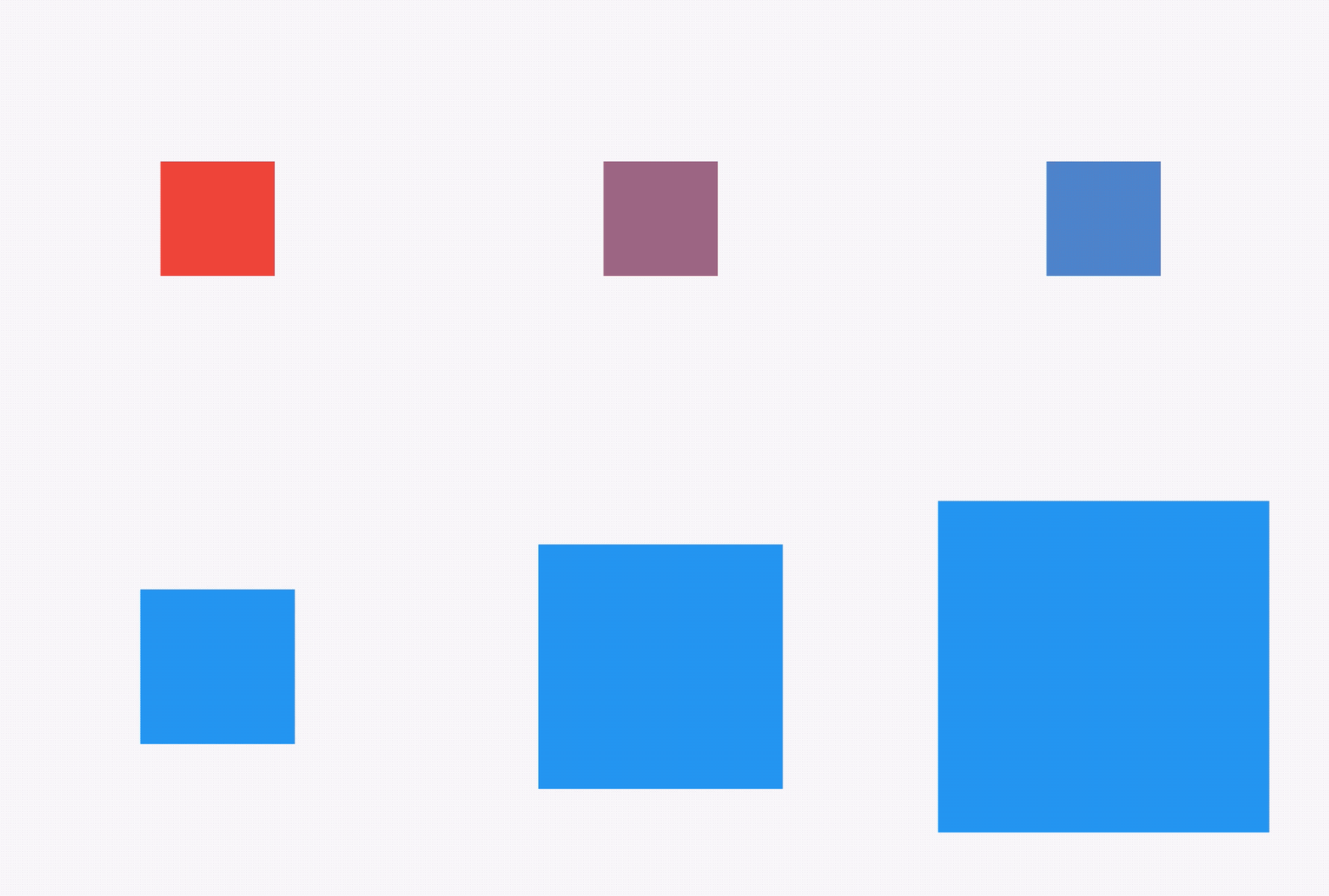
我们也可以设置同时动画,只需将2个Interval的值都改为Interval(0.0, 1.0)。
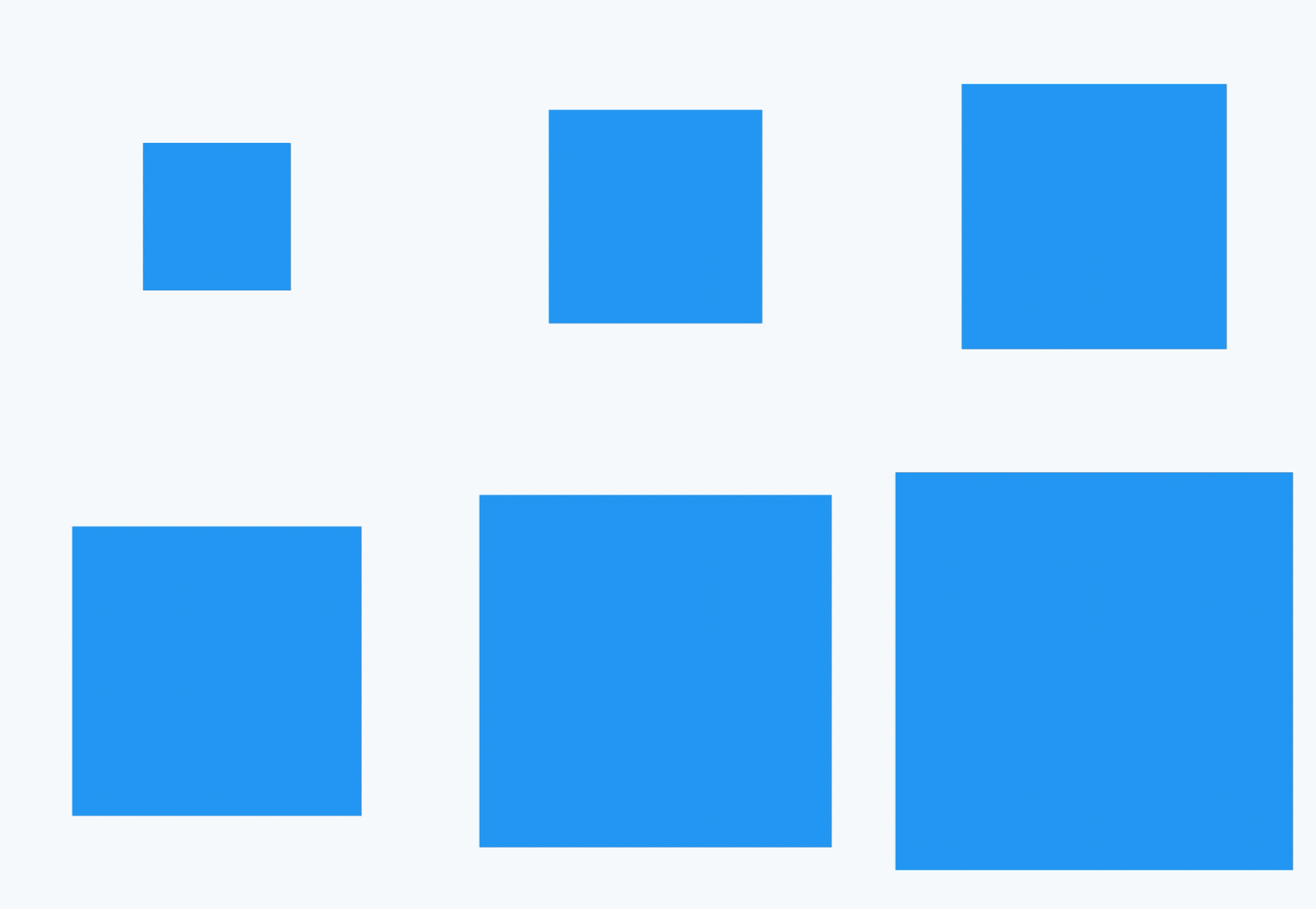
想象下面的场景,一个红色的盒子,动画时长为6秒,前40%的时间大小从100->200,然后保持200不变20%的时间,最后40%的时间大小从200->300,这种效果通过TweenSequence实现,代码如下:
_animation = TweenSequence([

  TweenSequenceItem(

      tween: Tween(begin: 100.0, end: 200.0)

          .chain(CurveTween(curve: Curves.easeIn)),

      weight: 40),

  TweenSequenceItem(tween: ConstantTween<double>(200.0), weight: 20),

  TweenSequenceItem(tween: Tween(begin: 200.0, end: 300.0), weight: 40),

]).animate(_animationController);
weight表示每一个Tween的权重。
最终效果如下:
共享动画
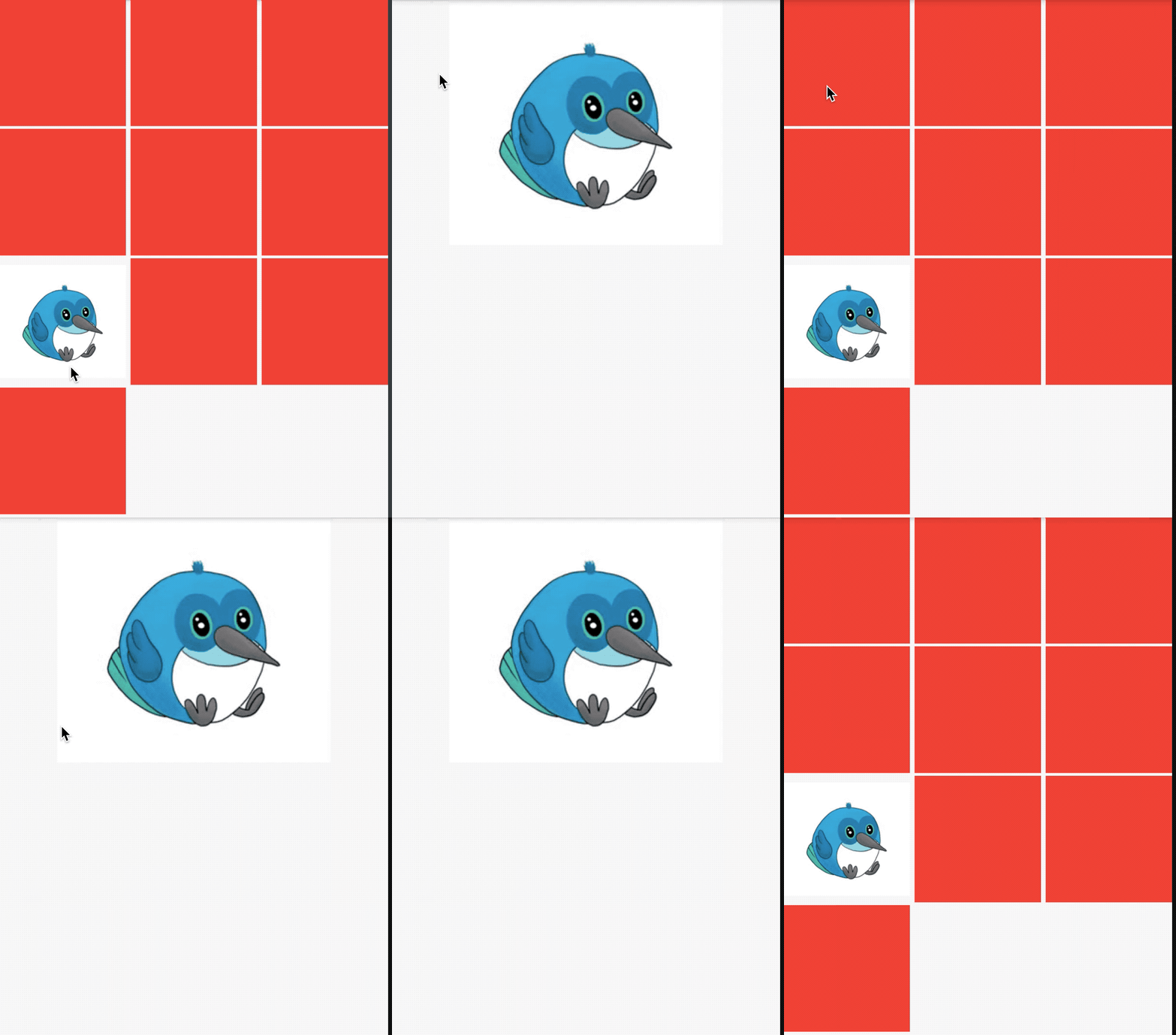
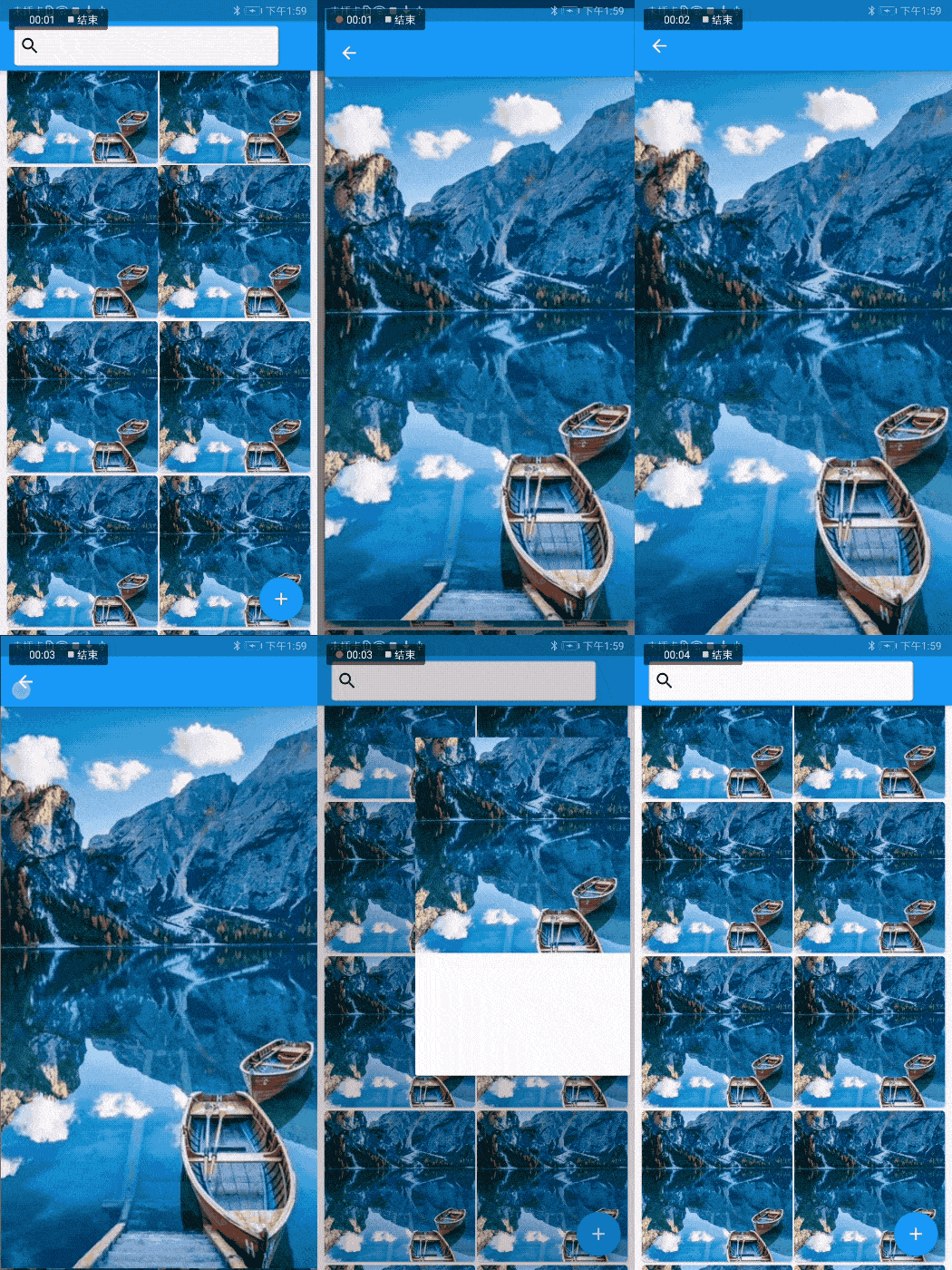
Hero是我们常用的过渡动画,当用户点击一张图片,切换到另一个页面时,这个页面也有此图,那么使用Hero组件就在合适不过了,先看下Hero的效果图:
上面效果实现的列表页面代码如下:
class HeroDemo extends StatefulWidget {

  @override

  State<StatefulWidget> createState() => _HeroDemo();

}

class _HeroDemo extends State<HeroDemo> {

  @override

  Widget build(BuildContext context) {

    return Scaffold(

      body: GridView(

        gridDelegate: SliverGridDelegateWithFixedCrossAxisCount(

            crossAxisCount: 3, crossAxisSpacing: 5, mainAxisSpacing: 3),

        children: List.generate(10, (index) {

          if (index == 6) {

            return InkWell(

              onTap: () {

                Navigator.push(

                    context,

                    new MaterialPageRoute(

                        builder: (context) => new _Hero1Demo()));

              },

              child: Hero(

                tag: 'hero',

                child: Container(

                  child: Image.asset(

                    'images/bird.png',

                    fit: BoxFit.fitWidth,

                  ),

                ),

              ),

            );

          }

          return Container(

            color: Colors.red,

          );

        }),

      ),

    );

  }

}
第二个页面代码如下:
class _Hero1Demo extends StatelessWidget {

  @override

  Widget build(BuildContext context) {

    return Scaffold(

      appBar: AppBar(),

      body: Container(

          alignment: Alignment.topCenter,

          child: Hero(

            tag: 'hero',

            child: Container(

              child: Image.asset(

                'images/bird.png',

              ),

            ),

          )),

    );

  }

}
2个页面都有Hero控件,且tag参数一致。
路由动画
转场 就是从当前页面跳转到另一个页面,跳转页面在 Flutter 中通过 Navigator,跳转到新页面如下:
Navigator.push(context, MaterialPageRoute(builder: (context) {

  return _TwoPage();

}));
回退到前一个页面:
Navigator.pop(context);
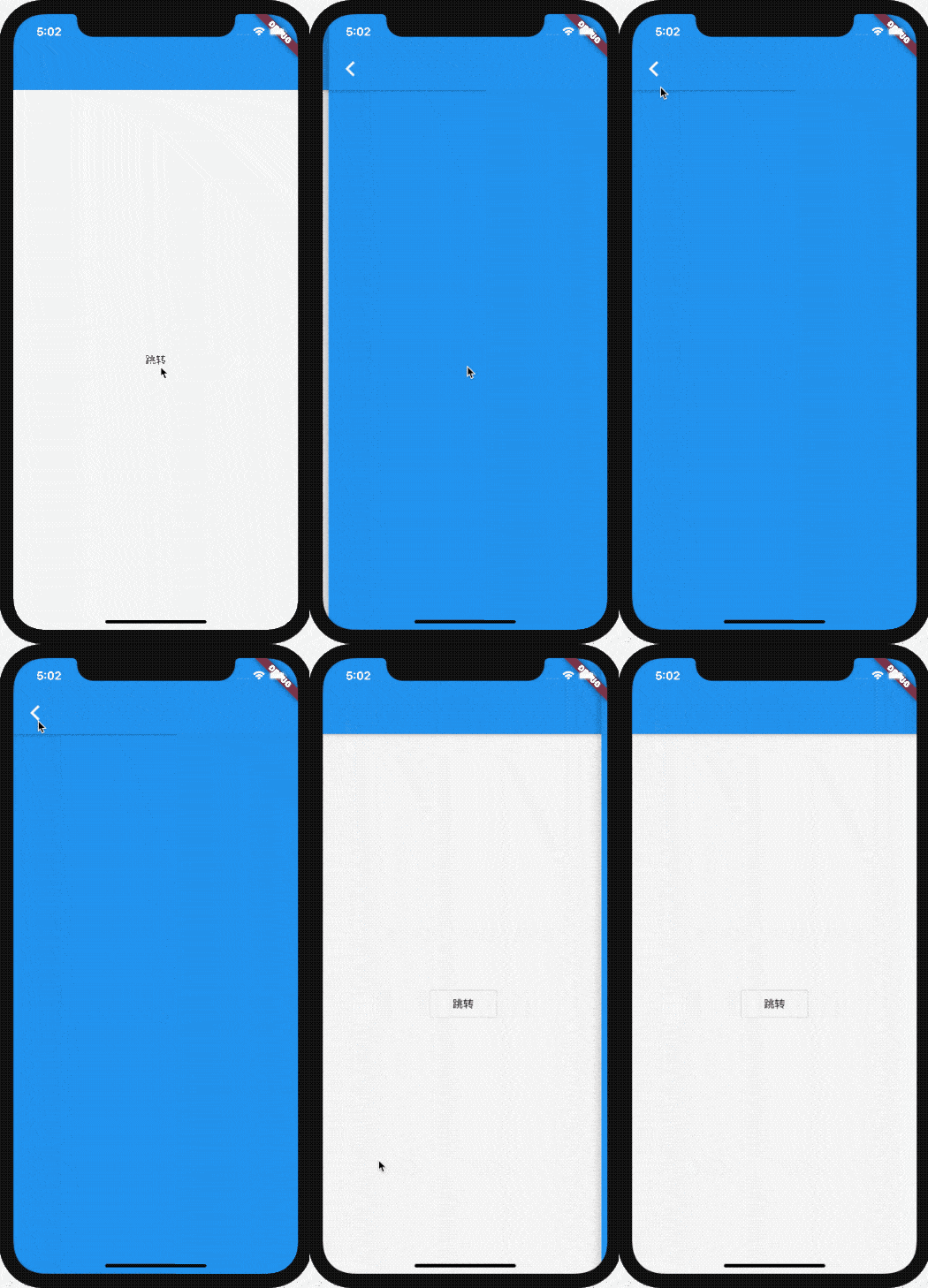
Flutter 提供了两个转场动画,分别为 MaterialPageRoute 和 CupertinoPageRoute,MaterialPageRoute 根据不同的平台显示不同的效果,Android效果为从下到上,iOS效果为从左到右。CupertinoPageRoute 不分平台,都是从左到右。
使用 MaterialPageRoute 案例如下:
class NavigationAnimation extends StatelessWidget {

  @override

  Widget build(BuildContext context) {

    return Scaffold(

      appBar: AppBar(),

      body: Center(

        child: OutlineButton(

          child: Text('跳转'),

          onPressed: () {

            Navigator.push(context, CupertinoPageRoute(builder: (context) {

              return _TwoPage();

            }));

          },

        ),

      ),

    );

  }

}

class _TwoPage extends StatelessWidget {

  @override

  Widget build(BuildContext context) {

    return Scaffold(

      appBar: AppBar(),

      body: Container(

        color: Colors.blue,

      ),

    );

  }

}
iOS效果:
如果要自定义转场动画如何做?
自定义任何组件都是一样的,如果系统有类似的,直接看源代码是如何实现的,然后按照它的模版自定义组件。
回到正题,看 MaterialPageRoute 的继承关系:
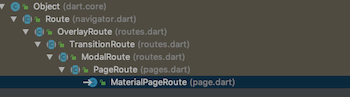
PageRoute 的继承关系:

MaterialPageRoute 和 CupertinoPageRoute 都是继承PageRoute,所以重点是 PageRoute,PageRoute 是一个抽象类,其子类还有一个 PageRouteBuilder,看其名字就知道这是一个可以自定义动画效果,PageRouteBuilder源代码:
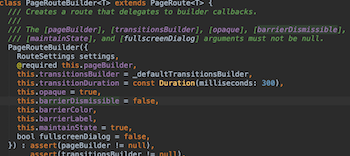
pageBuilder 表示跳转的页面。
transitionsBuilder 表示页面的动画效果,默认值代码:
Widget _defaultTransitionsBuilder(BuildContext context, Animation<double> animation, Animation<double> secondaryAnimation, Widget child) {

  return child;

}
通过源代码发现,默认情况下没有动画效果。
自定义转场动画只需修改transitionsBuilder即可:
Navigator.push(

    context,

    PageRouteBuilder(pageBuilder: (

      BuildContext context,

      Animation<double> animation,

      Animation<double> secondaryAnimation,

    ) {

      return _TwoPage();

    }, transitionsBuilder: (BuildContext context,

        Animation<double> animation,

        Animation<double> secondaryAnimation,

        Widget child) {

      return SlideTransition(

        position: Tween(begin: Offset(-1, 0), end: Offset(0, 0))

            .animate(animation),

        child: child,

      );

    }));

将其封装,方便使用:
class LeftToRightPageRoute extends PageRouteBuilder {

  final Widget newPage;

  LeftToRightPageRoute(this.newPage)

      : super(

          pageBuilder: (

            BuildContext context,

            Animation<double> animation,

            Animation<double> secondaryAnimation,

          ) =>

              newPage,

          transitionsBuilder: (

            BuildContext context,

            Animation<double> animation,

            Animation<double> secondaryAnimation,

            Widget child,

          ) =>

              SlideTransition(

            position: Tween(begin: Offset(-1, 0), end: Offset(0, 0))

                .animate(animation),

            child: child,

          ),

        );

}
使用:
Navigator.push(context, LeftToRightPageRoute(_TwoPage()));
不仅是这些平移动画,前面所学的旋转、缩放等动画直接替换 SlideTransition 即可。
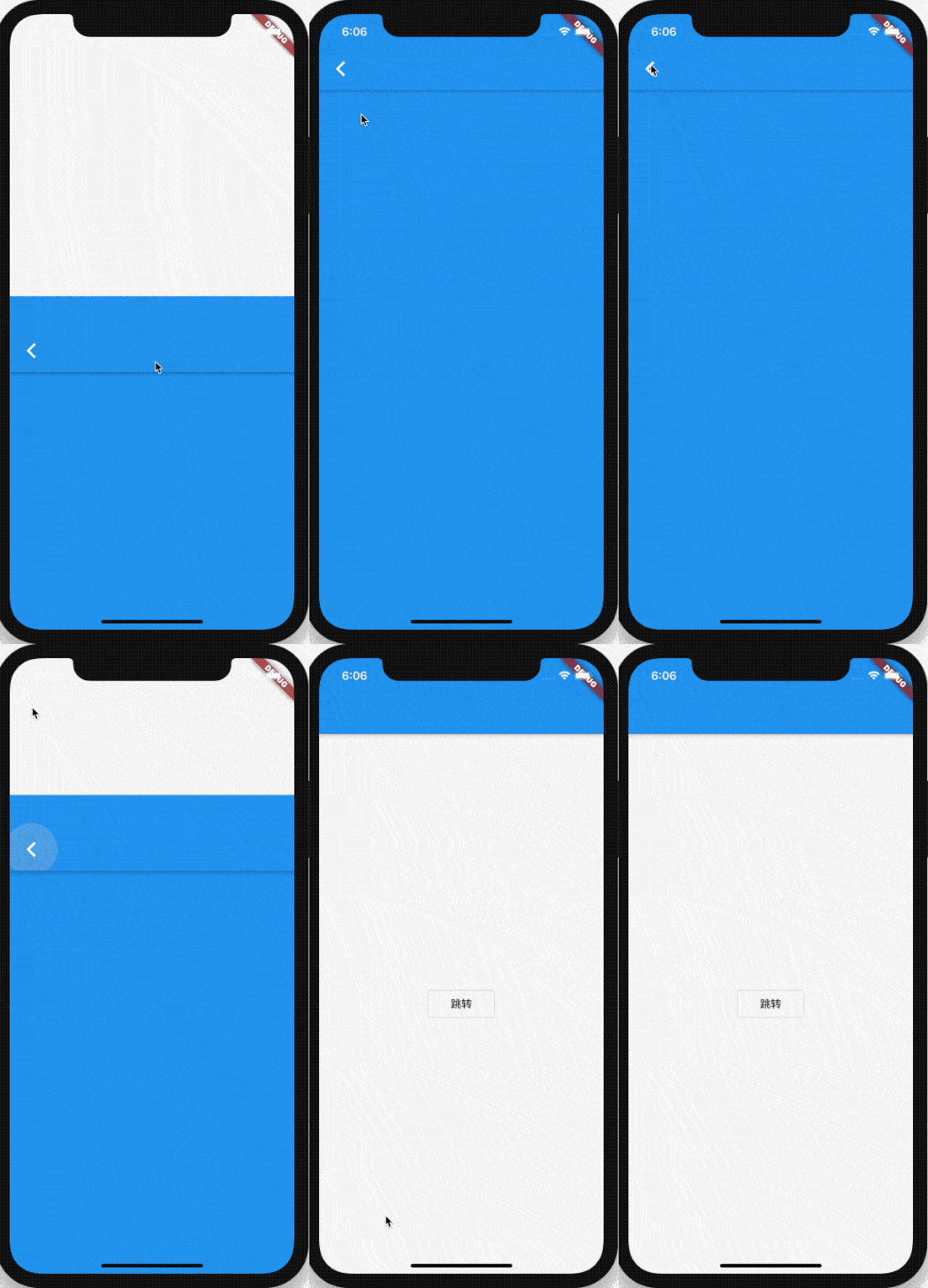
上面的动画只对新的页面进行了动画,如果想实现当前页面被新页面从顶部顶出的效果,实现方式如下:
class CustomPageRoute extends PageRouteBuilder {

  final Widget currentPage;

  final Widget newPage;

  CustomPageRoute(this.currentPage, this.newPage)

      : super(

          pageBuilder: (

            BuildContext context,

            Animation<double> animation,

            Animation<double> secondaryAnimation,

          ) =>

              currentPage,

          transitionsBuilder: (

            BuildContext context,

            Animation<double> animation,

            Animation<double> secondaryAnimation,

            Widget child,

          ) =>

              Stack(

            children: <Widget>[

              SlideTransition(

                position: new Tween<Offset>(

                  begin: const Offset(0, 0),

                  end: const Offset(0, -1),

                ).animate(animation),

                child: currentPage,

              ),

              SlideTransition(

                position: new Tween<Offset>(

                  begin: const Offset(0, 1),

                  end: Offset(0, 0),

                ).animate(animation),

                child: newPage,

              )

            ],

          ),

        );

}
本质就是对两个页面做动画处理,使用:
Navigator.push(context, CustomPageRoute(this, _TwoPage()));
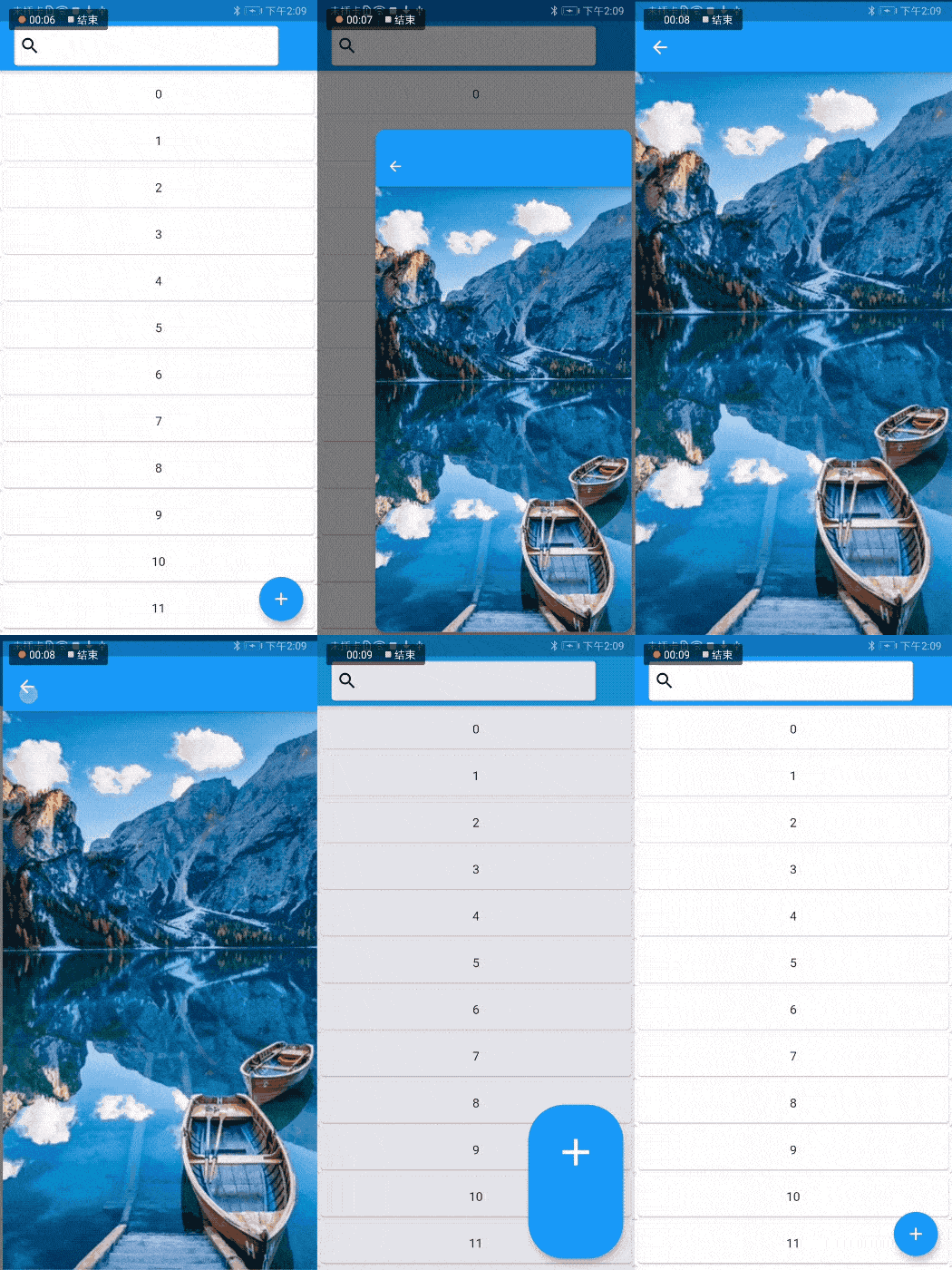
除了自定义路由动画,在 Flutter 1.17 发布大会上,Flutter 团队还发布了新的 Animations 软件包,该软件包提供了实现新的 Material motion 规范的预构建动画。
里面提供了一系列动画,部分效果:
详情:https://juejin.im/post/6847902223909781511
交流
老孟Flutter博客地址(330个控件用法):http://laomengit.com
欢迎加入Flutter交流群(微信:laomengit)、关注公众号【老孟Flutter】:
 |
 |
【Flutter 实战】动画序列、共享动画、路由动画的更多相关文章
- 【Flutter 实战】酷炫的开关动画效果
此动画效果是我在浏览文章时发现的一个非常酷炫的效果,于是就使用 Flutter 实现了. 更多动画效果及Flutter资源:https://github.com/781238222/flutter-d ...
- 【Flutter 实战】17篇动画系列文章带你走进自定义动画
老孟导读:Flutter 动画系列文章分为三部分:基础原理和核心概念.系统动画组件.8篇自定义动画案例,共17篇. 动画核心概念 在开发App的过程中,自定义动画必不可少,Flutter 中想要自定义 ...
- 20个Flutter实例视频教程-第05节: 酷炫的路由动画-1
视屏地址: https://www.bilibili.com/video/av39709290/?p=5 博客地址: https://jspang.com/post/flutterDemo.html# ...
- 20个Flutter实例视频教程-第06节: 酷炫的路由动画-2
博客地址: https://jspang.com/post/flutterDemo.html#toc-94f 视频地址: https://jspang.com/post/flutterDemo.htm ...
- flutter 路由动画
import 'package:flutter/material.dart'; import 'package:flutter_app/pages/FirstPage.dart'; void main ...
- Flutter酷炫的路由动画效果
现在Flutter的路由效果已经非常不错了,能满足大部分App的需求,但是谁不希望自己的App更酷更炫那,下面介绍几个酷炫的路由动画. 其实路由动画的原理很简单,就是重写并继承PageRouterBu ...
- 【Flutter 实战】一文学会20多个动画组件
老孟导读:此篇文章是 Flutter 动画系列文章第三篇,后续还有动画序列.过度动画.转场动画.自定义动画等. Flutter 系统提供了20多个动画组件,只要你把前面[动画核心](文末有链接)的文章 ...
- 【Flutter 实战】动画核心
老孟导读:动画系统是任何一个UI框架的核心功能,也是开发者学习一个UI框架的重中之重,同时也是比较难掌握的一部分,下面我们就一层一层的揭开 Flutter 动画的面纱. 任何程序的动画原理都是一样的, ...
- 【Flutter 实战】自定义动画-涟漪和雷达扫描
老孟导读:此篇文章是 Flutter 动画系列文章第五篇,本文介绍2个自定义动画:涟漪和雷达扫描效果. 涟漪 实现涟漪动画效果如下: 此动画通过 CustomPainter 绘制配合 Animatio ...
随机推荐
- Python随机数函数
Python随机数函数: ''' choice(seq) 从序列的元素中随机选出一个元素 randrange ([start,] stop [,step]) 从指定范围内,在指定步长递增的集合中 获取 ...
- Radiobutton基础语法
.Radiobutton(root 主窗口,text 文本内容,value 值(可以通过set 和 get 获取到的值),variable 变量修改原来的StringVar) self.radio_m ...
- PHP mysqli_stat() 函数
创建 SSL 连接: <?php 高佣联盟 www.cgewang.com // 假定数据库用户名:root,密码:123456,数据库:RUNOOB $con=mysqli_connect(& ...
- luogu 3188 [HNOI2007]梦幻岛宝珠
LINK:梦幻岛宝珠 时隔多日 我再次挑战这道题.还是以失败告终. 我觉得这一道背包真的有点难度 这是一个数量较少 但是价值和体积较大的背包. 通常的01背包 要不就是体积小 要么是价值小 但这道题给 ...
- 错误记录:MIME type may not contain reserved characters
最近遇到个问题,随手记录一下! 新做了一个项目,要通过HTTP请求发送ZIP文件到OSS平台,但上传过程中,总是出现下面错误提示: 初步判定,应该是包冲突原因!于是,分析MIME-TYPE获取源码发现 ...
- 数位DP 学习笔记
前言:鸣谢https://www.luogu.com.cn/blog/virus2017/shuweidp.感谢大佬orz ----------------------------- [引入] 首先要 ...
- 实验10—— java读取歌词文件内容动画输出
1.Read.java package cn.tedu.demo; import java.io.BufferedReader; import java.io.File; import java.io ...
- 使用 Python 为女神挑选口红
口红对于女生来说永远不嫌多,而男生也搞不明白珊瑚红.番茄色.斩男色等等颜色有什么区别,不都是红色么?当送给女神的口红是她不适合的,那结果就是口红进入垃圾箱还算是轻的,重则拉黑处理.男生们也不用着急,我 ...
- jQuery 选择器笔记
jquery基础选择器 $('选择器') 基本上与css选择器相同 demo $('ul li') $('.nav') $('#box') 隐试迭代 遍历内 ...
- C++中inet_pton、inet_ntop函数
- 头文件windows下:#include <WS2tcpip.h>linux下:#include <sys/socket.h>#include <netinet/in ...