
Visual Studio Code工具使用及配置
最近迷上了这个工具,启动速度快,好多插件。唯一不满意的地方就是svn版本控制工具。下面发现我装的一些插件及配置:
我安装的一些插件:
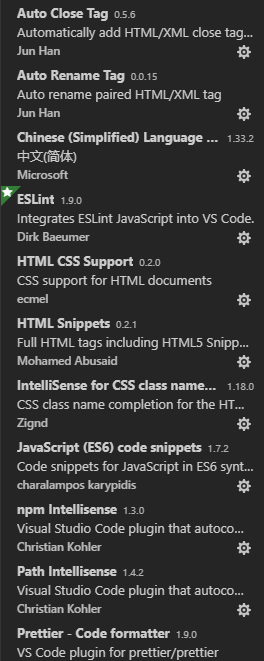
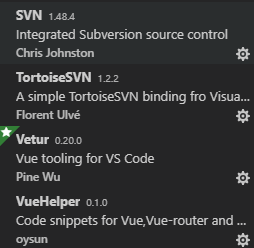
上面是我装的插件,等有时间再解释下插件的作用。
接下来说下配置:
进入设置步骤:
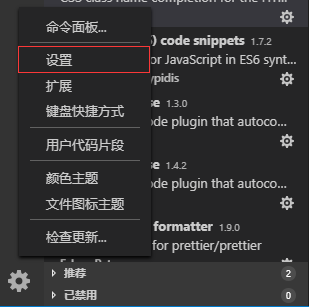
进入设置页面选择工作区设置
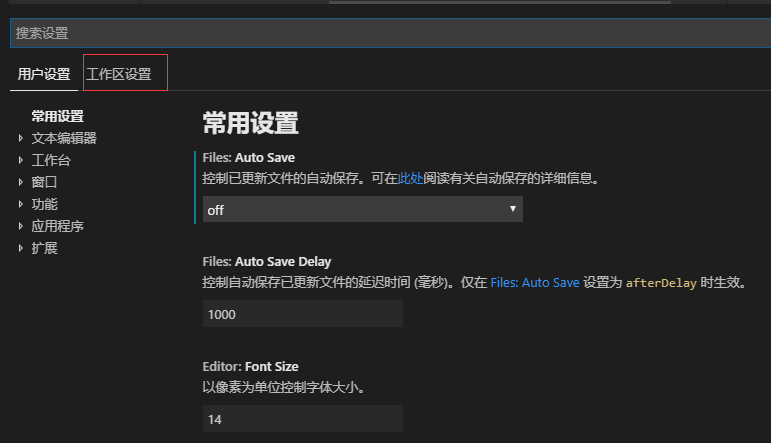

这是我的一些设置如下:
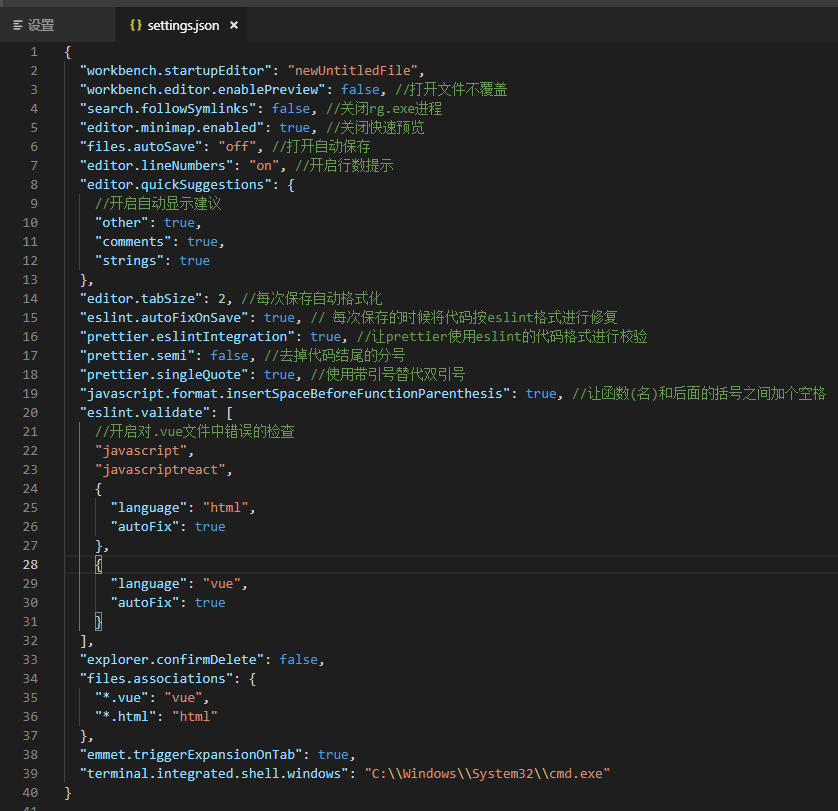
附上设置类容:
{

  "workbench.startupEditor": "newUntitledFile",

  "workbench.editor.enablePreview": false, //打开文件不覆盖

  "search.followSymlinks": false, //关闭rg.exe进程

  "editor.minimap.enabled": true, //关闭快速预览

  "files.autoSave": "off", //打开自动保存

  "editor.lineNumbers": "on", //开启行数提示

  "editor.quickSuggestions": {

    //开启自动显示建议

    "other": true,

    "comments": true,

    "strings": true

  },

  "editor.tabSize": 2, //每次保存自动格式化

  "eslint.autoFixOnSave": true, // 每次保存的时候将代码按eslint格式进行修复

  "prettier.eslintIntegration": true, //让prettier使用eslint的代码格式进行校验

  "prettier.semi": false, //去掉代码结尾的分号

  "prettier.singleQuote": true, //使用带引号替代双引号

  "javascript.format.insertSpaceBeforeFunctionParenthesis": true, //让函数(名)和后面的括号之间加个空格

  "eslint.validate": [

    //开启对.vue文件中错误的检查

    "javascript",

    "javascriptreact",

    {

      "language": "html",

      "autoFix": true

    },

    {

      "language": "vue",

      "autoFix": true

    }

  ],

  "explorer.confirmDelete": false,

  "files.associations": {

    "*.vue": "vue",

    "*.html": "html"

  },

  "emmet.triggerExpansionOnTab": true,

  "terminal.integrated.shell.windows": "C:\\Windows\\System32\\cmd.exe"

}
还可以设置用户代码模板。设置如下:
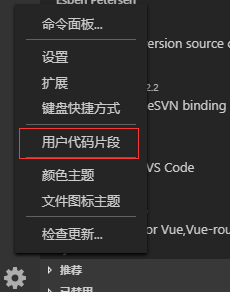
我用这个工具主要做vue开发的,下面分享我vue代码片段

搜vue.json并且打开它。将一下类容粘贴上去保存即可。
{

  "Print to console": {

    "prefix": "vue",

    "body": [

      "<template>",

      "    <div>\n",

      "    </div>",

      "</template>\n",

      "<script>",

      "export default {",

      "    props: {\n",

      "    },",

      "    components: {\n",

      "    },",

      "    watch: {\n",

      "    },",

      "    data() {",

      "        return {\n",

      "        };",

      "    },",

      "    computed: {\n",

      "    },",

      "    created() {\n",

      "    },",

      "    mounted() {\n",

      "    },",

      "    methods: {\n",

      "    },",

      "};",

      "</script>\n",

      "<style scoped lang=\"${1:scss}\">\n",

      "</style>\n"

    ],

    "description": "Create vue template"

  }

}
下面测试一下怎么使用:
新建一个vue文件
输入vue,按下enter或者tab键代码生成。

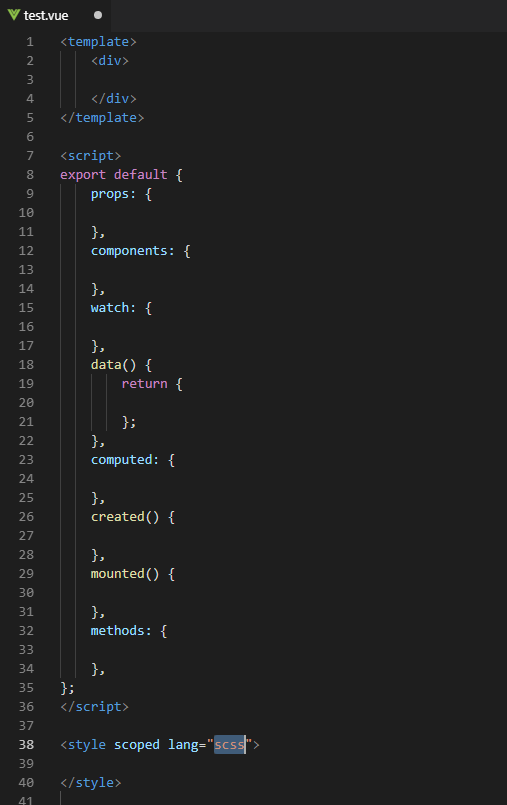
效果如下:
Visual Studio Code工具使用及配置的更多相关文章
- Visual Studio Code IDE开发插件配置
[PHP通用集成环境] PHP Extension Pack #PHP拓展包,PHP开发最重要的拓展 PHP Intelephense #PHP自动补全工具 PHP IntelliSense #PHP ...
- Visual Studio Code 工具使用教程
软件下载这里就不用讲了,安装完之后: 1.切换中文: 选择扩展 搜索“Language”,在下列选项选择 Chinese (Simplified) Language Pack for Visual S ...
- 在Visual Studio Code中配置GO开发环境
一.GO语言安装 详情查看:GO语言下载.安装.配置 二.GoLang插件介绍 对于Visual Studio Code开发工具,有一款优秀的GoLang插件,它的主页为:https://github ...
- Visual Studio Code中配置GO开发环境
在Visual Studio Code中配置GO开发环境 一.GO语言安装 详情查看:GO语言下载.安装.配置 二.GoLang插件介绍 对于Visual Studio Code开发工具,有一款优秀的 ...
- 使用Visual Studio Code开发.NET Core看这篇就够了
作者:依乐祝 原文地址:https://www.cnblogs.com/yilezhu/p/9926078.html 在本文中,我将带着大家一步一步的通过图文的形式来演示如何在Visual Studi ...
- 使用visual studio code调试php代码
这回使用visual studio code折腾php代码的调试,又是一顿折腾,无论如何都进不了断点.好在就要放弃使用visual studio code工具的时候,折腾好了,汗~ 这里把步骤记录下来 ...
- 使用Visual Studio Code开发Asp.Net Core WebApi学习笔记(十)-- 发布(Windows)
本篇将在这个系列演示的例子上继续记录Asp.Net Core在Windows上发布的过程. Asp.Net Core在Windows上可以采用两种运行方式.一种是自托管运行,另一种是发布到IIS托管运 ...
- Create A .NET Core Development Environment Using Visual Studio Code
https://www.c-sharpcorner.com/article/create-a-net-core-development-environment-using-visual-studio- ...
- [一]Cesium利其器——Visual Studio Code
Cesium中文网:http://cesiumcn.org/ | 国内快速访问:http://cesium.coinidea.com/ IDE Web前端刚入门的朋友,常常想选择一个快速.好用.流行( ...
随机推荐
- SQL编程规范整理
一.排版规范 1.代码缩进 对于判断.循环等处理使用字符缩进 缩进的空格最好不要使用TAB键 2.空格及换行 变量定义.相对独立的程序块等要单独成行,便于阅读 太长的程序(超过110列)应做换行处理 ...
- MapReduce的初识
MapReduce是什么 HDFS:分布式存储系统 MapReduce:分布式计算系统 YARN:hadoop 的资源调度系统 Common:以上三大组件的底层支撑组件,主要提供基础工具包和 RPC ...
- 解决关于VC++ 6.0打开文件时,程序停止的问题
不少boys和girls安装VC++ 6.0英文版后,开始学习C++语言,但是使用软件的过程中,点击“打开”时,就会出现程序进程错误,崩溃的事儿,很是郁闷.最后直接一个对话框如下: 并且vc6.0直接 ...
- java 集合类 列表
Dissecting the Program Line 2-4 imports the collection framework classes and interfaces reside in th ...
- Python高级函数--filter
def is_palindrome(n): return str(n) == str(n)[::-1] #前两个‘:’表示整个范围,‘-’表示从后面,‘1’表示数据间隔 output = filter ...
- github Actions 使用方法
http://www.ruanyifeng.com/blog/2019/09/getting-started-with-github-actions.html Actions 是github提供的持续 ...
- ABP 01 项目的基本运行
原文:https://www.cnblogs.com/ldybyz/p/8441084.html 照着这篇文章弄 一般是没有什么问题的 记录一下我出现的问题,大多是没有仔细看文章. 1.无法迁移数据库 ...
- [PHP]全国省市区信息,mysql数据库记录
下载地址: https://files.cnblogs.com/files/wukong1688/T_Area.zip 或者也可以复制如下内容: CREATE TABLE IF NOT EXISTS ...
- Ubuntu下手动安装vscode
Ubuntu下手动安装vscode1.下载vscodewget https://vscode.cdn.azure.cn/stable/553cfb2c2205db5f15f3ee8395bbd5cf0 ...
- Docker原理及使用
虚拟化系统: 1. Type-I: 此种虚拟化是Hypervisor直接运行在硬件之上,来创建虚拟机. 2. Type-II: 这种虚拟化类似与VMware Workstations. IPC: 在相 ...