
Android ToggleButton(开关函数)与switch (开关按钮)
1.ToggleButton
(1)介绍
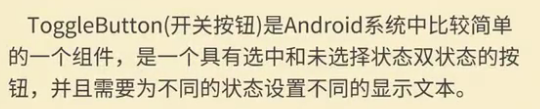
(2)组件形状
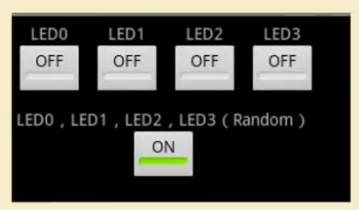
(3)xml文件设置
<?xml version="1.0" encoding="utf-8"?>

<LinearLayout xmlns:android="http://schemas.android.com/apk/res/android"

    xmlns:app="http://schemas.android.com/apk/res-auto"

    xmlns:tools="http://schemas.android.com/tools"

    android:layout_width="match_parent"

    android:layout_height="match_parent"

    android:orientation="vertical"

    tools:context=".MainActivity">

    <LinearLayout

        android:layout_width="wrap_content"

        android:layout_height="wrap_content"

        android:orientation="horizontal">

        <!--设置背景颜色,ToggleButton 默认灰色背景看不出来-->

        <ToggleButton

            android:id="@+id/toggleButton2"

            android:layout_width="100dp"

            android:layout_height="wrap_content"

            android:text="ToggleButton"

            android:background="#000fff"

            android:textOff="关灯"

            android:textOn="开灯" />

        <ImageView

            android:id="@+id/imageView"

            android:layout_width="200dp"

            android:layout_height="300dp"

            app:srcCompat="@mipmap/img1" />

    </LinearLayout>

    <LinearLayout

        android:layout_width="wrap_content"

        android:layout_height="wrap_content"

        android:layout_marginLeft="100dp"

        android:layout_marginTop="20dp"

        android:background="#345555"

        android:orientation="horizontal">

        <Switch

            android:id="@+id/switch1"

            android:layout_width="200dp"

            android:layout_height="100dp"

            android:layout_weight="1"

            android:text="客厅灯开关" />

    </LinearLayout>

</LinearLayout>
(4)后台代码
对应的工程名:test22
package com.lucky.test22;

import android.support.v7.app.AppCompatActivity;

import android.os.Bundle;

import android.widget.CompoundButton;

import android.widget.ImageView;

import android.widget.Switch;

import android.widget.ToggleButton;

public class MainActivity extends AppCompatActivity {

    ToggleButton toggleButton;

    ImageView imageView;

    Switch aSwitch;

    @Override

    protected void onCreate(Bundle savedInstanceState) {

        super.onCreate(savedInstanceState);

        setContentView(R.layout.activity_main);

        toggleButton=findViewById(R.id.toggleButton2);

        aSwitch=findViewById(R.id.switch1);

        imageView=findViewById(R.id.imageView);

        toggleButton.setOnCheckedChangeListener(new CompoundButton.OnCheckedChangeListener() {

            @Override

            public void onCheckedChanged(CompoundButton buttonView, boolean isChecked) {

                if(isChecked){

                    imageView.setImageResource(R.mipmap.img1);  //修改所显示的图片

                }else {

                    imageView.setImageResource(R.mipmap.img2);

                }

            }

        });

        aSwitch.setOnCheckedChangeListener(new CompoundButton.OnCheckedChangeListener() {

            @Override

            public void onCheckedChanged(CompoundButton buttonView, boolean isChecked) {

                if(isChecked){

                    imageView.setImageResource(R.mipmap.img1);  //修改所显示的图片

                }else {

                    imageView.setImageResource(R.mipmap.img2);

                }

            }

        });

    }

}
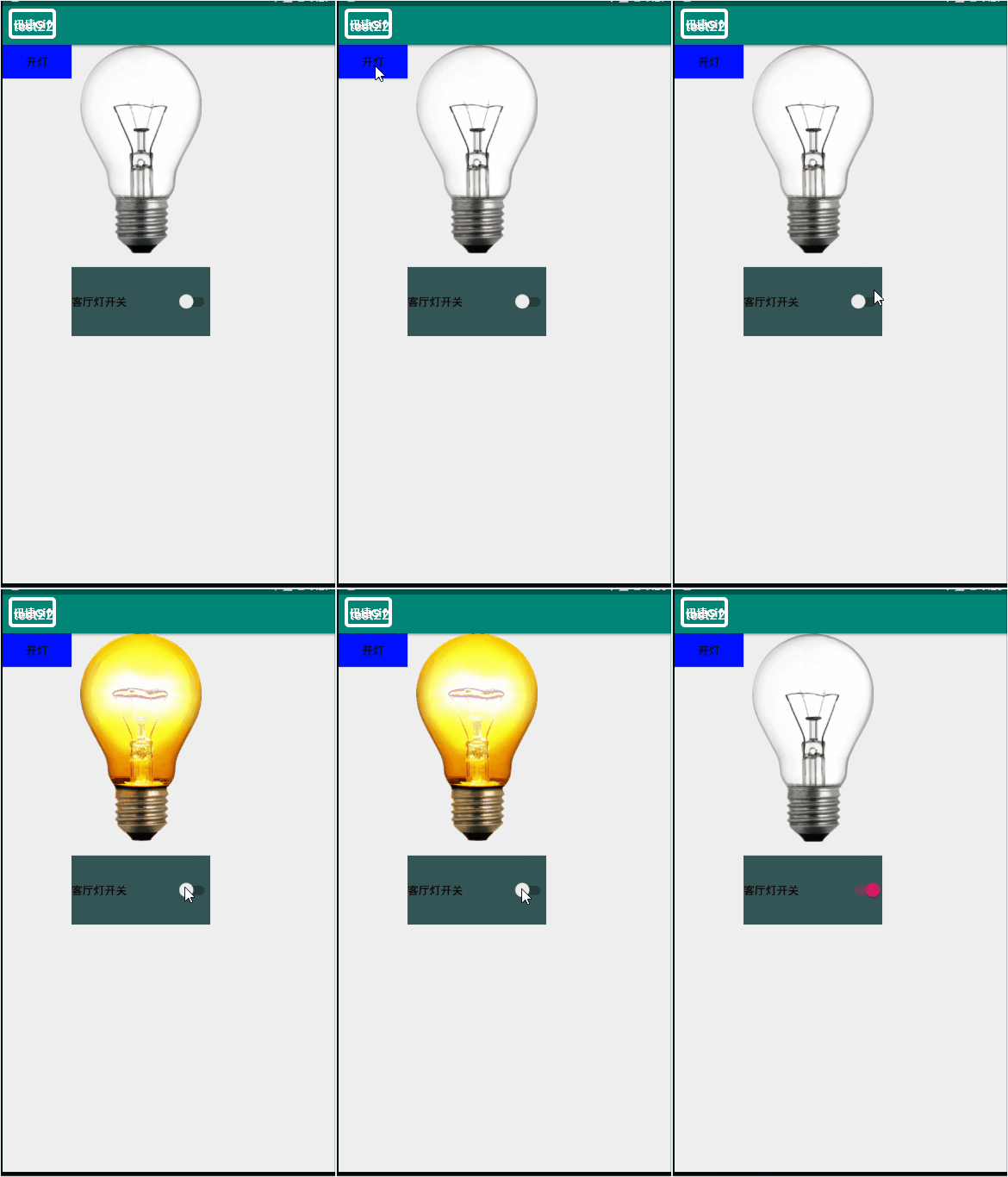
(5)效果图
Android ToggleButton(开关函数)与switch (开关按钮)的更多相关文章
- Android学习笔记-开关按钮ToggleButton和开关Switch
本节给大家介绍的Android基本UI控件是:开关按钮ToggleButton和开关Switch,这两个其实都是开关组件,只是后者需要在Android 4.0以后才能使用 所以AndroidManif ...
- android开关控件Switch和ToggleButton
序:今天项目中用到了开关按钮控件,查阅了一些资料特地写了这篇博客记录下. 1.Switch <Switch android:id="@+id/bt" android:layo ...
- Android——复选按钮和开关按钮
复选按钮和开关按钮代码如下: <LinearLayout android:layout_width="match_parent" android:layout_height= ...
- Android课程---视图组件之开关按钮
<?xml version="1.0" encoding="utf-8"?> <manifest xmlns:android="ht ...
- Android ToggleButton Example--开关按钮
Android ToggleButton Example 在 Android 中, “android.widget.ToggleButton” 是个特殊的类,可以渲染出一个“开关按钮” ,顾名思义, ...
- Android内核sysfs中switch类使用实例
Android内核sysfs中switch类使用实例 最终在这个周末,能够干点自己想要干的事了. 由我这个二流的内核驱动开发人员来解析一下sysfs中的switch类.先猜測一下来历,在普通的嵌入式L ...
- Android ToggleButton:状态切换的Button
Android ToggleButton:状态切换的Button Android ToggleButton和Android Button类似,但是ToggleButton提供了一种选择机制,可以 ...
- Android基础控件ToggleButton和Switch开关按钮
1.简介 ToggleButton和Switch都是开关按钮,只不过Switch要Android4.0之后才能使用! ToggleButton <!--checked 是否选择--> &l ...
- 状态开关按钮(ToggleButton)和开关(Switch)
ToggleButton支持的XML属性及相关方法1.android:checked----->setChecked(boolean) ----->设置该按钮是否被选中2.android: ...
随机推荐
- 深入剖析SolrCloud(二)
作者:洞庭散人 出处:http://phinecos.cnblogs.com/ 本博客遵从Creative Commons Attribution 3.0 License,若用于非商业目的,您可以自由 ...
- Leetcode:Two Sum分析和实现
问题表示提供一个整数数组nums,以及一个目标target,要找到两个下标i与j,使得nums[i] + nums[j] = target. 最简单的思路是两次循环: for a in nums fo ...
- python子进程模块subprocess详解与应用实例 之二
1.2. Popen 对象 Popen类的实例有下列方法: 1. Popen.poll() 检查子进程是否已经结束,设置并返回返回码值. 2. Popen.wait() 等待子进程结束,设置并返回返回 ...
- 六.使用list和tuple
list Python内置的一种数据类型是列表:list.list是一种有序的集合,可以随时添加和删除其中的元素. 比如,列出班里所有同学的名字,就可以用一个list表示: classmates = ...
- lucene和solr
我们为什么要用solr呢? 1.solr已经将整个索引操作功能封装好了的搜索引擎系统(企业级搜索引擎产品) 2.solr可以部署到单独的服务器上(WEB服务),它可以提供服务,我们的业务系统就只要发送 ...
- 对于 yii2 高级模板 生成文件入口
安装的 advanced 模板web下是没有index.php 方法: 在advanced 目录下有个init.bat 应用程序 双击即可如下 查看advanced 目录 (刷新)如下 已有:
- Ajax步骤
var request = new XMLHttpRequest(); request.open("GET","get.php",ture); request. ...
- Java List集合和Map集合的综合应用
public static void main(String[] args) { //--------------------------------------------------------- ...
- MongoDB整理笔记のGUI操作
值得幸运的是,其实MongoDB也有像类似于PL/SQL一样的界面操作工具操作MongoDB. 下面就来介绍几款不同的界面工具,大家各取所需! MongoVUE 主页:http://www.mongo ...
- CentOS下配置防火墙 配置nat转发服务
CentOS下配置iptables防火墙 linux NAT(iptables)配置 CentOS下配置iptables 1,vim /etc/sysconfig/network 这里可以更改主机 ...