
asp.net core 登录身份认证(Cookie)
asp.net core 2最简单的登录功能
创建asp.net core Web Mvc项目
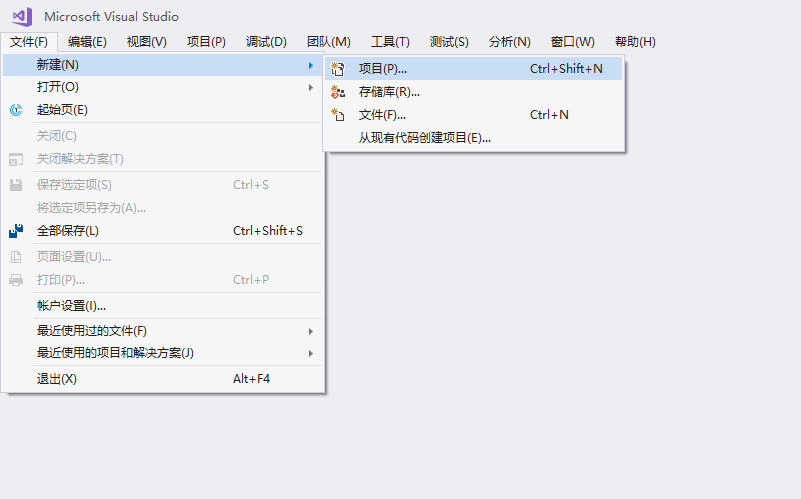
配置下选项

项目目录结构
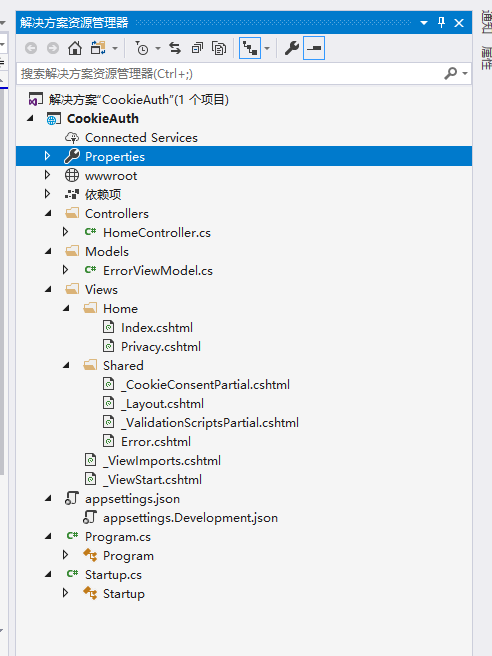
在Models文件夹下新建两个实体类

    public class Test

    {

        public int Id { get; set; }

        [Required]

        [Display(Name = "某人")]

        public string Someone { get; set; }

        [Required]

        [Display(Name = "某事")]

        public string Something { get; set; }

    }
    public class User

    {

        public int Id { get; set; }

        [Required]

        [Display(Name = "用户名")]

        public string UserName { get; set; }

        [Display(Name = "密码")]

        [Required]

        public string UserPwd { get; set; }

        public string Nothing { get; set; }

    }
在项目文件夹下新建Data文件夹,新建DbContext类
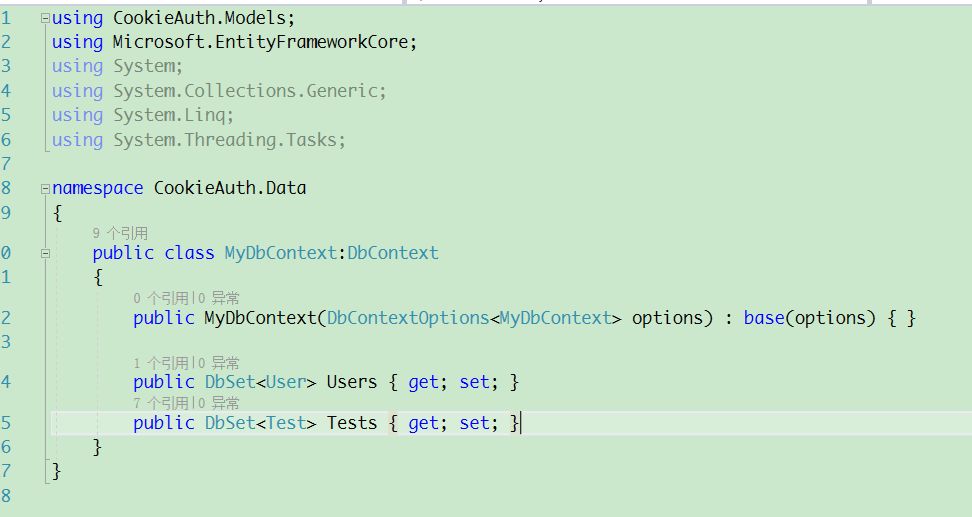
    public class MyDbContext:DbContext

    {

        public MyDbContext(DbContextOptions<MyDbContext> options) : base(options) { }

        public DbSet<User> Users { get; set; }

        public DbSet<Test> Tests { get; set; }

    }
在Startup.cs文件中的ConfigureServices下添加dbcontext服务
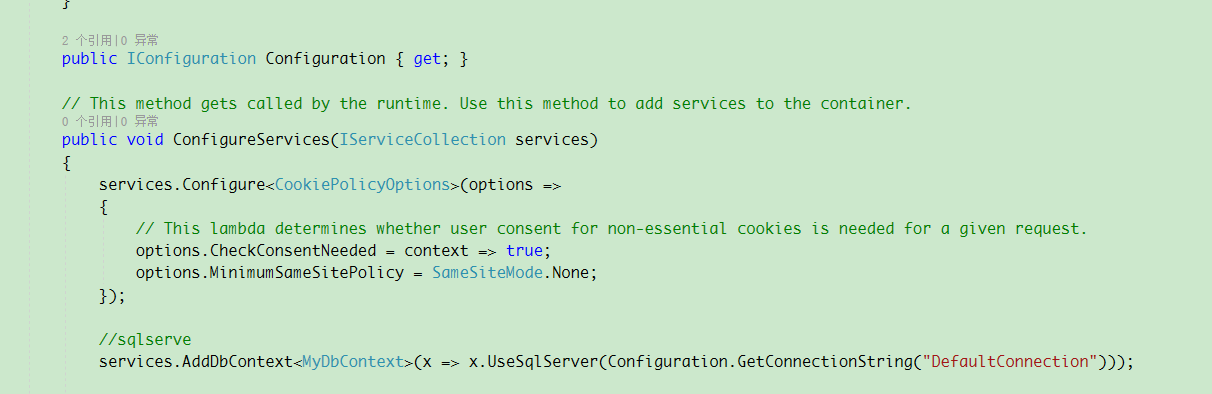
        public void ConfigureServices(IServiceCollection services)

        {

            services.Configure<CookiePolicyOptions>(options =>

            {

                // This lambda determines whether user consent for non-essential cookies is needed for a given request.

                options.CheckConsentNeeded = context => true;

                options.MinimumSameSitePolicy = SameSiteMode.None;

            });

            //sqlserver

            services.AddDbContext<MyDbContext>(x => x.UseSqlServer(Configuration.GetConnectionString("DefaultConnection")));

            services.AddMvc().SetCompatibilityVersion(CompatibilityVersion.Version_2_2);

        }
在appsettings.json下配置数据库连接字符串
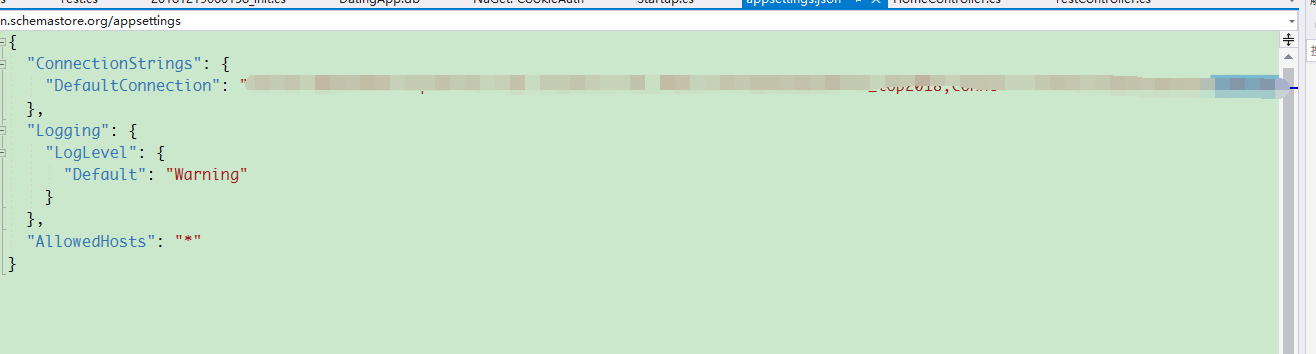
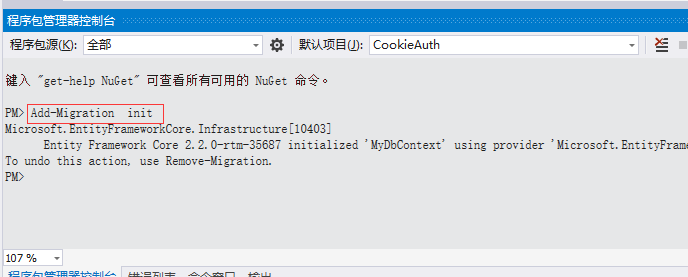
打开程序包管理器控制台,执行生成数据库上下文和创建更新数据库命令

去数据库查看下表是否生成,并直接添加一个种子数据。

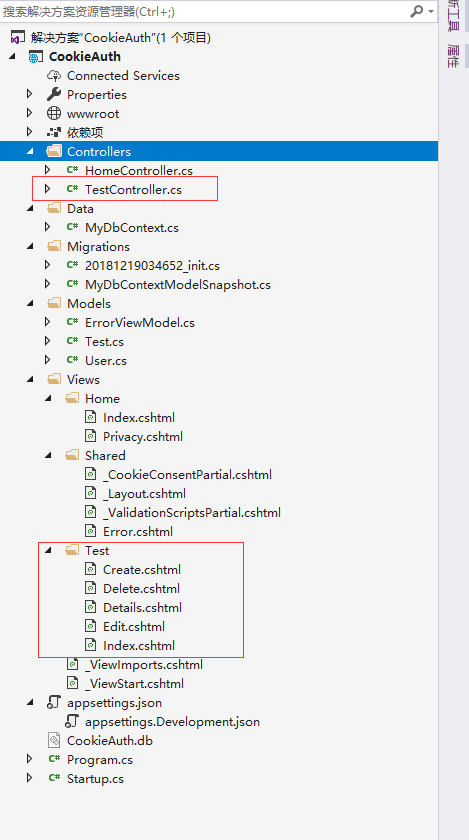
添加控制器和视图
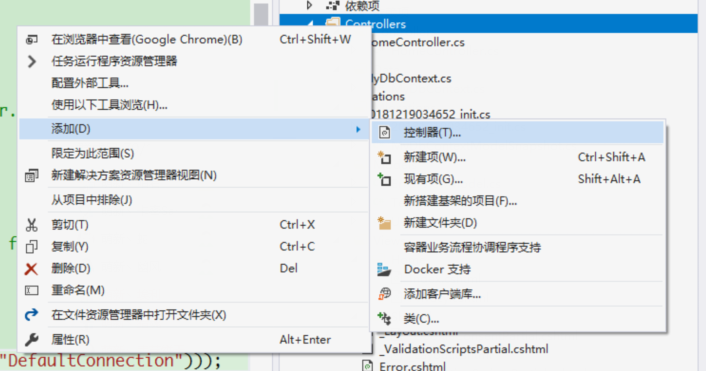
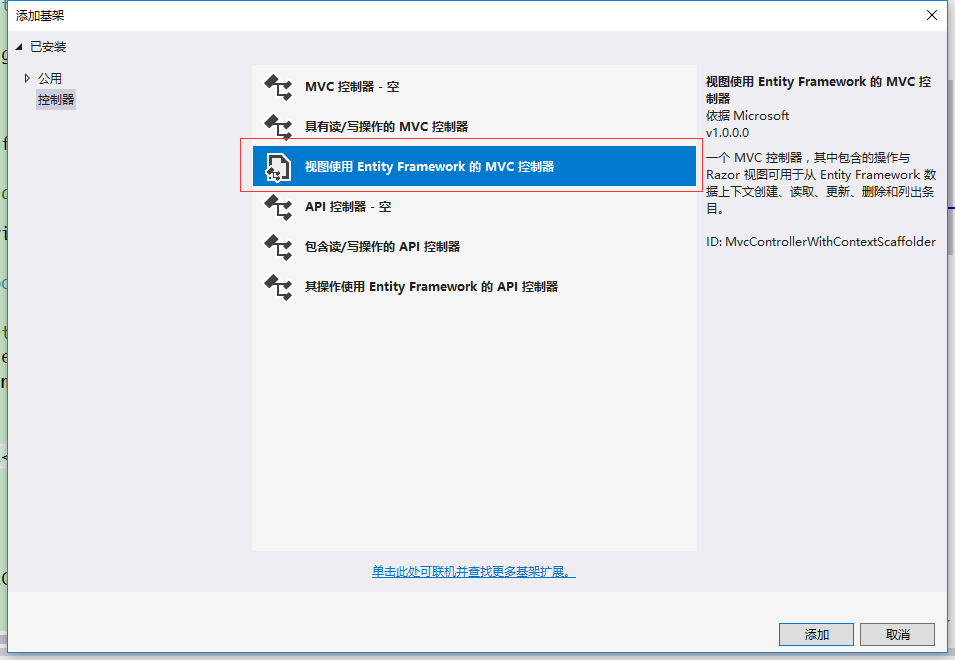

生成之后的项目结构目录如下
在homecontroller中编写一个Login方法
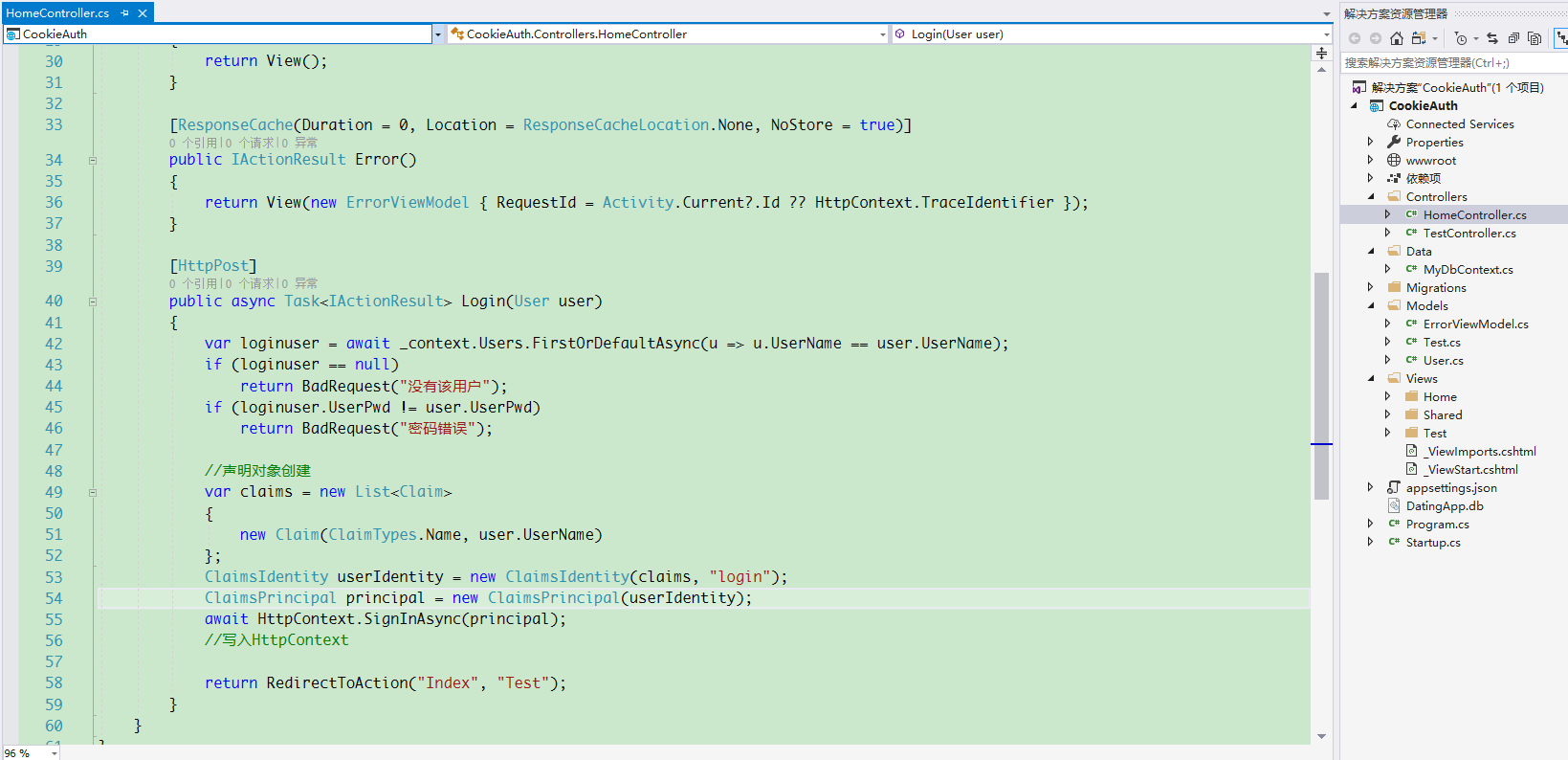
public class HomeController : Controller

    {

        private readonly MyDbContext _context;

        public HomeController(MyDbContext context)

        {

            _context = context;

        }

        public IActionResult Index()

        {

            return View();

        }

        public IActionResult Privacy()

        {

            return View();

        }

        [ResponseCache(Duration = , Location = ResponseCacheLocation.None, NoStore = true)]

        public IActionResult Error()

        {

            return View(new ErrorViewModel { RequestId = Activity.Current?.Id ?? HttpContext.TraceIdentifier });

        }

        [HttpPost]

        public async Task<IActionResult> Login(User user)

        {

            var loginuser = await _context.Users.FirstOrDefaultAsync(u => u.UserName == user.UserName);

            if (loginuser == null)

                return BadRequest("没有该用户");

            if (loginuser.UserPwd != user.UserPwd)

                return BadRequest("密码错误");

            //声明对象创建

            var claims = new List<Claim>

            {

                new Claim(ClaimTypes.Name, user.UserName)

            };

            ClaimsIdentity userIdentity = new ClaimsIdentity(claims, "login");

            ClaimsPrincipal principal = new ClaimsPrincipal(userIdentity);

            await HttpContext.SignInAsync(principal);

            //写入HttpContext

            return RedirectToAction("Index", "Test");

        }

    }
在Startup中添加cookie认证服务并使用
public IConfiguration Configuration { get; }

        // This method gets called by the runtime. Use this method to add services to the container.

        public void ConfigureServices(IServiceCollection services)

        {

            services.Configure<CookiePolicyOptions>(options =>

            {

                // This lambda determines whether user consent for non-essential cookies is needed for a given request.

                options.CheckConsentNeeded = context => true;

                options.MinimumSameSitePolicy = SameSiteMode.None;

            });

            //sqlserve

            services.AddDbContext<MyDbContext>(x => x.UseSqlServer(Configuration.GetConnectionString("DefaultConnection")));

            //添加cookie认证服务

            services.AddAuthentication(CookieAuthenticationDefaults.AuthenticationScheme)

            .AddCookie(options =>

            {

                options.LoginPath = "/Home/Index/";

            });

            services.AddMvc().SetCompatibilityVersion(CompatibilityVersion.Version_2_2);

        }

        // This method gets called by the runtime. Use this method to configure the HTTP request pipeline.

        public void Configure(IApplicationBuilder app, IHostingEnvironment env)

        {

            if (env.IsDevelopment())

            {

                app.UseDeveloperExceptionPage();

            }

            else

            {

                app.UseExceptionHandler("/Home/Error");

            }

            //使用认证服务

            app.UseAuthentication();

            app.UseStaticFiles();

            app.UseCookiePolicy();

            app.UseMvc(routes =>

            {

                routes.MapRoute(

                    name: "default",

                    template: "{controller=Home}/{action=Index}/{id?}");

            });

        }
修改Views/Home/Index.cshtml为下面内容
@model CookieAuth.Models.User

@{

    ViewData["Title"] = "Home Page";

}

<div class="row">

    <div class="col-md-4">

        <section>

            <form method="post" asp-action="Login">

                <h4>Login</h4>

                <hr />

                <div class="form-group">

                    <label asp-for="UserName"></label>

                    <input asp-for="UserName" class="form-control" />

                </div>

                <div class="form-group">

                    <label asp-for="UserPwd"></label>

                    <input asp-for="UserPwd" type="password" class="form-control" />

                </div>

                <div class="form-group">

                    <button type="submit" class="btn btn-default">登录</button>

                </div>

            </form>

        </section>

    </div>

</div>
在_Layout中添加一个导航栏

然后在Test控制器中添加认证特性

就可以启动项目。
如果不没输入正确的地址是会被重定向到登录页面。


就这样先,如果是已有项目 只需要在startup中添加cookie认证服务以及在login和logout方法中创建和销毁声明。
在controller或者action中添加启动认证或者不启用认证随意配置
asp.net core 登录身份认证(Cookie)的更多相关文章
- ASP.NET Core的身份认证框架IdentityServer4--入门
ASP.NET Core的身份认证框架IdentityServer4--入门 2018年08月11日 10:09:00 qq_42606051 阅读数 4002 https://blog.csdn ...
- ASP.NET Core的身份认证框架IdentityServer4--(4)添加第三方快捷登录
添加对外部认证的支持 接下来我们将添加对外部认证的支持.这非常简单,因为你真正需要的是一个兼容ASP.NET Core的认证处理程序. ASP.NET Core本身也支持Google,Facebook ...
- ASP.NET Core的身份认证框架IdentityServer4(9)-使用OpenID Connect添加用户认证
OpenID Connect OpenID Connect 1.0是OAuth 2.0协议之上的一个简单的身份层. 它允许客户端基于授权服务器执行的身份验证来验证最终用户的身份,以及以可互操作和类似R ...
- ASP.NET Core的身份认证框架IdentityServer4--入门【转】
原文地址 Identity Server 4是IdentityServer的最新版本,它是流行的OpenID Connect和OAuth Framework for .NET,为ASP.NET Cor ...
- ASP.NET Core的身份认证框架IdentityServer4--(3)令牌服务配置访问控制跟UI添加
使用密码保护API OAuth 2.0 资源所有者密码授权允许一个客户端发送用户名和密码到IdentityServer并获得一个表示该用户的可以用于访问api的Token. 该规范建议仅对" ...
- ASP.NET Core的身份认证框架IdentityServer4(7)- 使用客户端证书控制API访问
前言 今天(2017-9-8,写于9.8,今天才发布)一口气连续把最后几篇IdentityServer4相关理论全部翻译完了,终于可以进入写代码的过程了,比较累.目前官方的文档和Demo以及一些相关组 ...
- ASP.NET Core的身份认证框架IdentityServer4(5)- 包和构建
包和构建 IdentityServer有许多nuget包 IdentityServer4 nuget | github 包含IdentityServer核心对象模型,服务和中间件. 仅支持内存配置和用 ...
- ASP.NET Core的身份认证框架IdentityServer4(1)-特性一览
IdentityServer4是ASP.NET Core的一个包含OpenID和OAuth 2.0协议的框架.OpenID和OAuth 的区别请看 https://www.zhihu.com/ques ...
- ASP.NET Core的身份认证框架IdentityServer4--(2)API跟WEB端配置
API配置 可以使用ASP.NET Core Web API模板.同样,我们建议您控制端口并使用与之前一样的方法来配置Kestrel和启动配置文件.端口配置为http://localhost:5001 ...
随机推荐
- 北京Uber优步司机奖励政策(4月13日)
滴快车单单2.5倍,注册地址:http://www.udache.com/ 如何注册Uber司机(全国版最新最详细注册流程)/月入2万/不用抢单:http://www.cnblogs.com/mfry ...
- LVS入门篇(三)之LVS的工作模式和调度算法
1.NAT模型 (1)原理图: ①.客户端(200.10.10.1)将请求发往前端的负载均衡器(114.100.80.10),请求报文源地址是CIP(客户端IP),后面统称为CIP),目标地址为VIP ...
- rem布局注意问题和meta标签
使用rem前的准备: 如果是移动端,添加name="viewport"的meta标签,其中的属性数值根据实际需求而定: <meta name="viewport&q ...
- 解决循环里map不被重复覆盖的问题
参考:https://blog.csdn.net/zyf642112750/article/details/78295113 这样就不会一直重复 项目管理系统 了
- C# 调用C++ dll 返回char*调用方式(StringBuilder乱码)
// CDLLDemo.cpp : 定义 DLL 应用程序的导出函数. // #include "stdafx.h" #include "string.h" # ...
- 基于MapReduce的(用户、物品、内容)的协同过滤推荐算法
1.基于用户的协同过滤推荐算法 利用相似度矩阵*评分矩阵得到推荐列表 已经推荐过的置零 2.基于物品的协同过滤推荐算法 3.基于内容的推荐 算法思想:给用户推荐和他们之前喜欢的物品在内容上相似的物品 ...
- Appium 运行脚本报错InvalidSelectorException: Message: Locator Strategy 'css selector' is not supported for (转)
现象:Appium运行脚本报错InvalidSelectorException: Message: Locator Strategy 'css selector' is not supported f ...
- Jmeter如何做接口测试
最近在学习Jmeter,记录下来,与大家分享. 1. 打开Jmeter,我用的是5.0版本,打开后如下图所示: 2. 右键测试计划,添加 - 线程(用户) - 线程组,如下如图所示: 3. 右键线程组 ...
- zabbix_agentd-install.sh (脚本部署zabbix_agentd服务)
原文发表于cu:2016-05-20 基于http://www.cnblogs.com/netonline/p/7406598.html(http://blog.chinaunix.net/uid-2 ...
- Beta阶段第2周/共2周 Scrum立会报告+燃尽图 02
此作业要求参见:[https://edu.cnblogs.com/campus/nenu/2018fall/homework/2410] 版本控制地址 https://git.coding.net ...