
springboot 学习笔记(六)
(六)springboot整合activemq
1、现下载activemq,下载链接:http://activemq.apache.org/download.html,windows系统解压后进入bin目录,分32位、64位操作系统,运行activemq.bat启动程序,访问http://http://127.0.0.1:8161
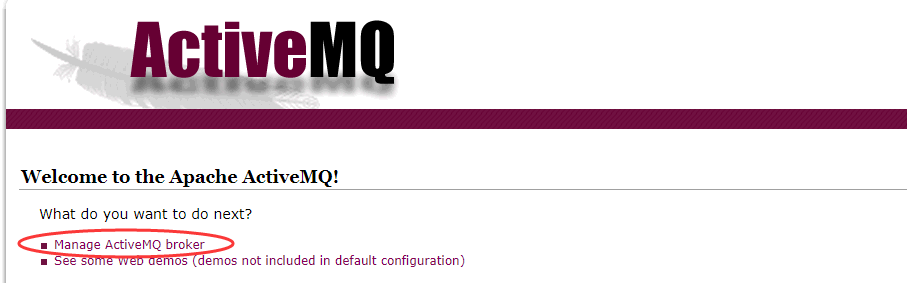 出现该界面说明安装成功,点击broker,输入账号admin 密码admin 进入管理界面
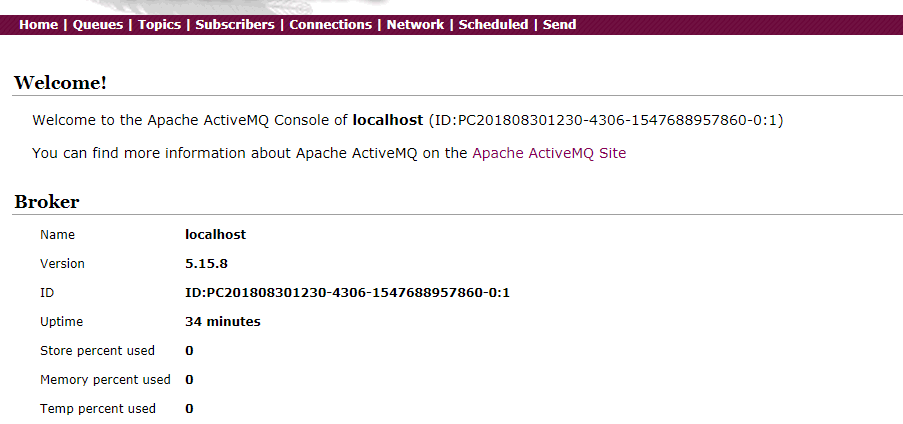 点击queue按钮,可以创建消息队列。
2、pom文件中增加以下依赖,在application.properties对activema进行配置
        <dependency>

            <groupId>org.springframework.boot</groupId>

            <artifactId>spring-boot-starter-activemq</artifactId>

        </dependency>

        <dependency>

            <groupId>org.apache.activemq</groupId>

            <artifactId>activemq-pool</artifactId>

        </dependency>
#访问地址

spring.activemq.broker-url=tcp://127.0.0.1:61616

spring.activemq.user=admin

spring.activemq.password=admin

#是否开启线程池

spring.activemq.pool.enabled=true

#最大连接数

spring.activemq.pool.max-connections=50
3、在Application.class中添加如下代码,方便注入队列
package com.zc.app.test;

import javax.jms.Queue;

import org.apache.activemq.command.ActiveMQQueue;

import org.springframework.boot.SpringApplication;

import org.springframework.boot.autoconfigure.SpringBootApplication;

import org.springframework.context.annotation.Bean;

@SpringBootApplication

public class TestApplication {

    @Bean

    public Queue queue(){

        return new ActiveMQQueue("test.queue");

    }

    public static void main(String[] args) {

        SpringApplication.run(TestApplication.class, args);

    }

}
TestApplication
4、新建一个service接口用来发送消息,并实现发送消息
/**

 *

 */

package com.zc.app.test.service;

import javax.jms.Destination;

public interface MsgService {

    public void sendMessage(Destination destination,String message);

    public void sendMessage(String message);

}
MsgService
/**

 *

 */

package com.zc.app.test.service.impl;

import javax.jms.Destination;

import javax.jms.Queue;

import org.springframework.beans.factory.annotation.Autowired;

import org.springframework.jms.core.JmsMessagingTemplate;

import org.springframework.stereotype.Service;

import com.zc.app.test.service.MsgService;

@Service

public class MsgServiceImpl implements MsgService{

    @Autowired

    private Queue queue;

    @Autowired

    private JmsMessagingTemplate jms; //用来发送消息

    @Override

    public void sendMessage(Destination destination,String message) {

        jms.convertAndSend(this.queue, message);

    }

    @Override

    public void sendMessage(String message) {

        jms.convertAndSend(message);

    }

}
MsgServiceImpl
5、写controller来调用接口
/**

 *

 */

package com.zc.app.test.controller;

import javax.jms.Destination;

import org.apache.activemq.command.ActiveMQQueue;

import org.springframework.beans.factory.annotation.Autowired;

import org.springframework.web.bind.annotation.GetMapping;

import org.springframework.web.bind.annotation.RequestMapping;

import org.springframework.web.bind.annotation.RestController;

import com.zc.app.test.service.MsgService;

@RestController

@RequestMapping("/msg")

public class SendController {

    @Autowired

    private MsgService msgService;

    @GetMapping("send")

    public String order(String message) {

        Destination destination = new ActiveMQQueue("test.queue");

        msgService.sendMessage(destination, message);

        return "send message success";

    }

}
SendController
6、启动程序,这时程序出现错误,提示JmsMessagingTemplate注入失败
Field jms in com.zc.app.test.service.impl.MsgServiceImpl required a bean of type 'org.springframework.jms.core.JmsMessagingTemplate' that could not be found.
7、通过测试,将acticemq线程池配置删除后,程序可以正常启动,最后找到原因是因为少了jms的pool依赖包,在pom文件添加以下依赖后可以正常启动
        <dependency>

            <groupId>org.messaginghub</groupId>

            <artifactId>pooled-jms</artifactId>

        </dependency>
8、然后访问url:localhost:8080/msg/send?message=124515,提示成功后,可以从activemq的管理界面看到test.queue消息增加
springboot 学习笔记(六)的更多相关文章
- Springboot学习笔记(六)-配置化注入
前言 前面写过一个Springboot学习笔记(一)-线程池的简化及使用,发现有个缺陷,打个比方,我这个线程池写在一个公用服务中,各项参数都定死了,现在有两个服务要调用它,一个服务的线程数通常很多,而 ...
- java之jvm学习笔记六-十二(实践写自己的安全管理器)(jar包的代码认证和签名) (实践对jar包的代码签名) (策略文件)(策略和保护域) (访问控制器) (访问控制器的栈校验机制) (jvm基本结构)
java之jvm学习笔记六(实践写自己的安全管理器) 安全管理器SecurityManager里设计的内容实在是非常的庞大,它的核心方法就是checkPerssiom这个方法里又调用 AccessCo ...
- SpringBoot学习笔记
SpringBoot个人感觉比SpringMVC还要好用的一个框架,很多注解配置可以非常灵活的在代码中运用起来: springBoot学习笔记: .一.aop: 新建一个类HttpAspect,类上添 ...
- Learning ROS for Robotics Programming Second Edition学习笔记(六) indigo xtion pro live
中文译著已经出版,详情请参考:http://blog.csdn.net/ZhangRelay/article/category/6506865 Learning ROS for Robotics Pr ...
- Typescript 学习笔记六:接口
中文网:https://www.tslang.cn/ 官网:http://www.typescriptlang.org/ 目录: Typescript 学习笔记一:介绍.安装.编译 Typescrip ...
- python3.4学习笔记(六) 常用快捷键使用技巧,持续更新
python3.4学习笔记(六) 常用快捷键使用技巧,持续更新 安装IDLE后鼠标右键点击*.py 文件,可以看到Edit with IDLE 选择这个可以直接打开编辑器.IDLE默认不能显示行号,使 ...
- Go语言学习笔记六: 循环语句
Go语言学习笔记六: 循环语句 今天学了一个格式化代码的命令:gofmt -w chapter6.go for循环 for循环有3种形式: for init; condition; increment ...
- SpringBoot学习笔记(14):使用SpringBootAdmin管理监控你的应用
SpringBoot学习笔记(14):使用SpringBootAdmin管理监控你的应用 Spring Boot Admin是一个管理和监控Spring Boot应用程序的应用程序.本文参考文档: 官 ...
- SpringBoot学习笔记(3):静态资源处理
SpringBoot学习笔记(3):静态资源处理 在web开发中,静态资源的访问是必不可少的,如:Html.图片.js.css 等资源的访问. Spring Boot 对静态资源访问提供了很好的支持, ...
- SpringBoot学习笔记(2):引入Spring Security
SpringBoot学习笔记(2):用Spring Security来保护你的应用 快速开始 本指南将引导您完成使用受Spring Security保护的资源创建简单Web应用程序的过程. 参考资料: ...
随机推荐
- Elasticsearch之curl创建索引库
关于curl的介绍,请移步 Elasticsearch学习概念之curl 启动es,请移步 Elasticsearch的前后台运行与停止(tar包方式) Elasticsearch的前后台运行与停止( ...
- 字符串(String)
字符串是由字符组成的数组,但在JavaScript中字符串是不可变的:可以访问字符串任意位置的文本,但是JavaScript并未提供修改已知字符串内容的方法. 常见功能: obj.length ...
- HTTP 400 错误 编译器错误消息: CS0016
问题:运行程序时提示http 400错误 解决方法: 去掉勾 尝试将网页发布到本地IIS上,发现出现以下错误: 编译器错误消息: CS0016 解决编译器错误消息: CS0016:方法如下: 一般都是 ...
- 关于SCANF 与 GETS(C语言)
SCANF遇到空格会自动停止录入字符串,而GETS不会,GETS可以用于输入带空格的字符串
- Windows上python + selenium + Firefox浏览器的环境配置
1.python安装 我的电脑是32位的,安装了Python 3.5.4版本其它安装版本 2.python环境变量配置 将”C:\Program Files\Python35",”C:\Pr ...
- CF1041F Ray in the tube
挂上Chester大神的解题报告 有一个思维跳跃的地方,就是不应该枚举所有的$B$点,而是应该在选定一个$A$点之后枚举距离计算. 然后我们发现枚举距离是$2^k$的长度就可以了,证明如下: 假如距离 ...
- netty的引用计数
netty的引用计数文档看http://netty.io/wiki/reference-counted-objects.html 为什么会引用引用计数呢,Java中不是有gc线程帮我们回收对象吗?我个 ...
- contentType和dataType的区别
contentType: 告诉服务器,我要发什么类型的数据 dataType:告诉服务器,我要想什么类型的数据,如果没有指定,那么会自动推断是返回 XML,还是JSON,还是script,还是Stri ...
- 项目中缺少org.wltea.ik-analyzer如何解决?
IKAnalyzer是一个开源的,基于java语言开发的轻量级的中文分词工具包.从2006年12月推出1.0版开始,IKAnalyzer已经推出了3个大版本.最初,它是以开源项目Luence为应用主体 ...
- 经典DP 嵌套矩形 (南洋理工ACM—16)
本来是个很水的DP,结果被自己的代码习惯给打败了 代码: #include<iostream> #include<stdlib.h> #include<string.h& ...