
吴裕雄 python 爬虫(2)
import requests

from bs4 import BeautifulSoup

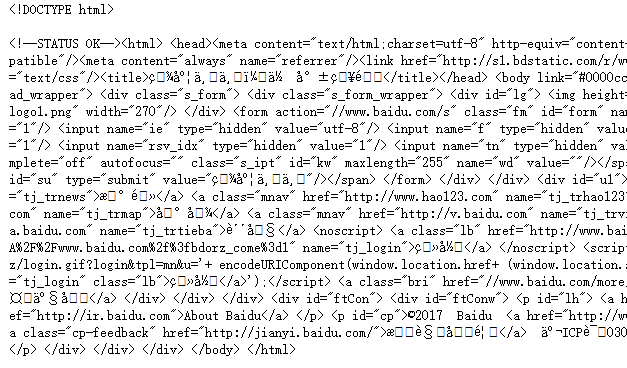
url = 'http://www.baidu.com'

html = requests.get(url)

sp = BeautifulSoup(html.text, 'html.parser')

print(sp)
html_doc = """

<html><head><title>页标题</title></head>

<p class="title"><b>文件标题</b></p>

<p class="story">Once upon a time there were three little sisters; and their names were

<a href="http://example.com/elsie" class="sister" id="link1">Elsie</a>,

<a href="http://example.com/lacie" class="sister" id="link2">Lacie</a> and

<a href="http://example.com/tillie" class="sister" id="link3">Tillie</a>;

and they lived at the bottom of a well.</p>

<p class="story">...</p>

"""

from bs4 import BeautifulSoup

sp = BeautifulSoup(html_doc,'html.parser')

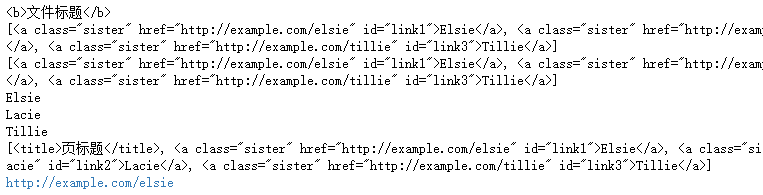
print(sp.find('b')) # 返回值:<b>文件标题</b>

print(sp.find_all('a')) #返回值: [<b>文件标题</b>]

print(sp.find_all("a", {"class":"sister"}))

data1=sp.find("a", {"href":"http://example.com/elsie"})

print(data1.text) # 返回值:Elsie

data2=sp.find("a", {"id":"link2"})

print(data2.text) # 返回值:Lacie

data3 = sp.select("#link3")

print(data3[0].text) # 返回值:Tillie

print(sp.find_all(['title','a']))

data1=sp.find("a", {"id":"link1"})

print(data1.get("href")) #返回值: http://example.com/elsie
import requests

from bs4 import BeautifulSoup

url = 'http://www.wsbookshow.com/'

html = requests.get(url)

html.encoding="gbk"

sp=BeautifulSoup(html.text,"html.parser")

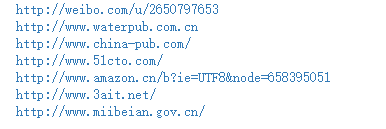
links=sp.find_all(["a","img"]) # 同时读取 <a> 和 <img>

for link in links:

    href=link.get("href") # 读取 href 属性的值

    # 判断值是否为非 None,以及是不是以http://开头

    if((href != None) and (href.startswith("http://"))):

        print(href)
import requests

from bs4 import BeautifulSoup

url = 'http://www.taiwanlottery.com.tw/'

html = requests.get(url)

sp = BeautifulSoup(html.text, 'html.parser')

data1 = sp.select("#rightdown")

print(data1)

data2 = data1[0].find('div', {'class':'contents_box02'})

print(data2)

print()

data3 = data2.find_all('div', {'class':'ball_tx'})

print(data3)

import requests

from bs4 import BeautifulSoup

url1 = 'http://www.pm25x.com/'  #获得主页面链接

html = requests.get(url1)  #抓取主页面数据

sp1 = BeautifulSoup(html.text, 'html.parser')  #把抓取的数据进行解析

city = sp1.find("a",{"title":"北京PM2.5"})  #从解析结果中找出title属性值为"北京PM2.5"的标签

print(city)

citylink=city.get("href")  #从找到的标签中取href属性值

print(citylink)

url2=url1+citylink  #生成二级页面完整的链接地址

print(url2)

html2=requests.get(url2)   #抓取二级页面数据

sp2=BeautifulSoup(html2.text,"html.parser")   #二级页面数据解析

#print(sp2)

data1=sp2.select(".aqivalue")  #通过类名aqivalue抓取包含北京市pm2.5数值的标签

pm25=data1[0].text   #获取标签中的pm2.5数据

print("北京市此时的PM2.5值为:"+pm25) #显示pm2.5值

import requests,os

from bs4 import BeautifulSoup

from urllib.request import urlopen

url = 'http://www.tooopen.com/img/87.aspx'

html = requests.get(url)

html.encoding="utf-8"

sp = BeautifulSoup(html.text, 'html.parser')

# 建立images目录保存图片

images_dir="E:\\images\\"

if not os.path.exists(images_dir):

    os.mkdir(images_dir)

# 取得所有 <a> 和 <img> 标签

all_links=sp.find_all(['a','img'])

for link in all_links:

    # 读取 src 和 href 属性内容

    src=link.get('src')

    href = link.get('href')

    attrs=[src,src]

    for attr in attrs:

        # 读取 .jpg 和 .png 檔

        if attr != None and ('.jpg' in attr or '.png' in attr):

            # 设置图片文件完整路径

            full_path = attr

            filename = full_path.split('/')[-1]  # 取得图片名

            ext = filename.split('.')[-1]  #取得扩展名

            filename = filename.split('.')[-2] #取得主文件名

            if 'jpg' in ext: filename = filename + '.jpg'

            else:            filename = filename + '.png'

            print(attr)

            # 保存图片

            try:

                image = urlopen(full_path)

                f = open(os.path.join(images_dir,filename),'wb')

                f.write(image.read())

                f.close()

            except:

                print("{} 无法读取!".format(filename))
吴裕雄 python 爬虫(2)的更多相关文章
- 吴裕雄 python 爬虫(4)
import requests user_agent = 'Mozilla/5.0 (Windows NT 10.0; Win64; x64)AppleWebKit/537.36 (KHTML, li ...
- 吴裕雄 python 爬虫(3)
import hashlib md5 = hashlib.md5() md5.update(b'Test String') print(md5.hexdigest()) import hashlib ...
- 吴裕雄 python 爬虫(1)
from urllib.parse import urlparse url = 'http://www.pm25x.com/city/beijing.htm' o = urlparse(url) pr ...
- 吴裕雄--python学习笔记:爬虫基础
一.什么是爬虫 爬虫:一段自动抓取互联网信息的程序,从互联网上抓取对于我们有价值的信息. 二.Python爬虫架构 Python 爬虫架构主要由五个部分组成,分别是调度器.URL管理器.网页下载器.网 ...
- 吴裕雄--python学习笔记:爬虫包的更换
python 3.x报错:No module named 'cookielib'或No module named 'urllib2' 1. ModuleNotFoundError: No module ...
- 吴裕雄--python学习笔记:爬虫
import chardet import urllib.request page = urllib.request.urlopen('http://photo.sina.com.cn/') #打开网 ...
- 吴裕雄 python 神经网络——TensorFlow pb文件保存方法
import tensorflow as tf from tensorflow.python.framework import graph_util v1 = tf.Variable(tf.const ...
- 吴裕雄 python 神经网络——TensorFlow 花瓣分类与迁移学习(4)
# -*- coding: utf-8 -*- import glob import os.path import numpy as np import tensorflow as tf from t ...
- 吴裕雄 python 神经网络——TensorFlow 花瓣分类与迁移学习(3)
import glob import os.path import numpy as np import tensorflow as tf from tensorflow.python.platfor ...
随机推荐
- Flume+HBase+Kafka集成与开发
先把flume1.7的源码包下载 http://archive.apache.org/dist/flume/1.7.0/ 下载解压后 我们通过IDEA这个软件来打开这个工程 点击ok后我们选择打开一个 ...
- 在javascript中toString 和valueOf的区别
1.toString()方法:主要用于Array.Boolean.Date.Error.Function.Number等对象转化为字符串形式.日期类的toString()方法返回一个可读的日期和字符串 ...
- 使用路由和远程访问服务为Hyper-V中虚拟机实现NAT上网
众所周知,在微软的Hyper-V环境中的网络环境中没有VMware Workstation中的NAT功能,所以Hyper-V环境中虚拟机上网一般情况下需要通过设置为外部网络方可访问网络,当然也可设置为 ...
- Nginx 之防盗链配置
首先,我们需要知道通过什么来实现防盗的! http referer 是header的一部分,当浏览器向web服务器发送请求的时候,一般会带上referer,这是在告诉服务器是从哪个页面链接过来的,服务 ...
- java根据GPS(经纬度)获取地理位置
package cn.antiy.weiqing.utils; import com.alibaba.fastjson.JSON; import com.alibaba.fastjson.JSONAr ...
- MYSQL--表分区、查看分区
一. mysql分区简介 数据库分区 数据库分区是一种物理数据库设计技术.虽然分区技术可以实现很多效果,但其主要目的是为了在特定的SQL操作中减少数据读写的总量以缩减sql语句的响应时 ...
- 了解Katalon的安装及基本使用(for mac)
一.整体了解: 2018 top 6的自动化测试工具(网上了解): 1. Selenium 2. Katalon Studio 3. UFT 4. Watir 5. IBM Rational Func ...
- BZOJ2134 luoguP1297 [国家集训队]单选错位
单选错位 [问题描述] gx和lc去参加noip初赛,其中有一种题型叫单项选择题,顾名思义,只有一个选项是正确答案.试卷上共有n道单选题,第i道单选题有ai个选项,这ai个选项编号是1,2,3,…,a ...
- 凸优化&非凸优化问题
转载知乎大神的回答:Robin Shen 参考:https://www.zhihu.com/question/20343349
- 2. 修改jsp需要重启tomcat的问题