
吴裕雄 python 爬虫(2)
import requests

from bs4 import BeautifulSoup

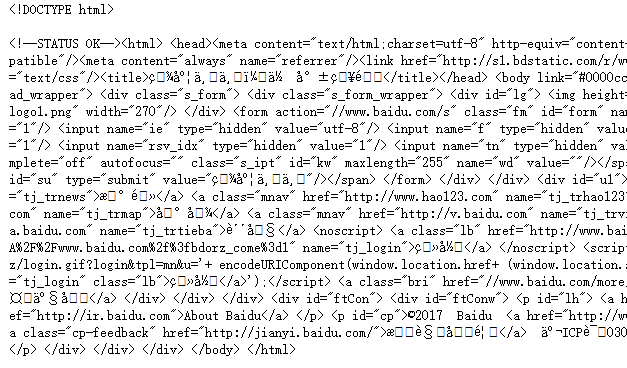
url = 'http://www.baidu.com'

html = requests.get(url)

sp = BeautifulSoup(html.text, 'html.parser')

print(sp)
html_doc = """

<html><head><title>页标题</title></head>

<p class="title"><b>文件标题</b></p>

<p class="story">Once upon a time there were three little sisters; and their names were

<a href="http://example.com/elsie" class="sister" id="link1">Elsie</a>,

<a href="http://example.com/lacie" class="sister" id="link2">Lacie</a> and

<a href="http://example.com/tillie" class="sister" id="link3">Tillie</a>;

and they lived at the bottom of a well.</p>

<p class="story">...</p>

"""

from bs4 import BeautifulSoup

sp = BeautifulSoup(html_doc,'html.parser')

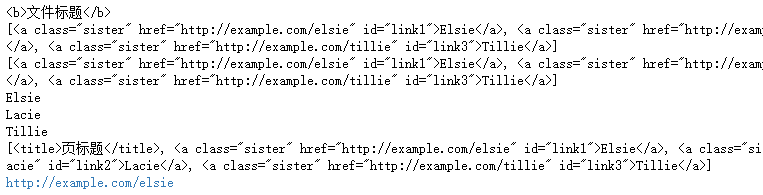
print(sp.find('b')) # 返回值:<b>文件标题</b>

print(sp.find_all('a')) #返回值: [<b>文件标题</b>]

print(sp.find_all("a", {"class":"sister"}))

data1=sp.find("a", {"href":"http://example.com/elsie"})

print(data1.text) # 返回值:Elsie

data2=sp.find("a", {"id":"link2"})

print(data2.text) # 返回值:Lacie

data3 = sp.select("#link3")

print(data3[0].text) # 返回值:Tillie

print(sp.find_all(['title','a']))

data1=sp.find("a", {"id":"link1"})

print(data1.get("href")) #返回值: http://example.com/elsie
import requests

from bs4 import BeautifulSoup

url = 'http://www.wsbookshow.com/'

html = requests.get(url)

html.encoding="gbk"

sp=BeautifulSoup(html.text,"html.parser")

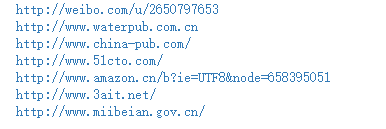
links=sp.find_all(["a","img"]) # 同时读取 <a> 和 <img>

for link in links:

    href=link.get("href") # 读取 href 属性的值

    # 判断值是否为非 None,以及是不是以http://开头

    if((href != None) and (href.startswith("http://"))):

        print(href)
import requests

from bs4 import BeautifulSoup

url = 'http://www.taiwanlottery.com.tw/'

html = requests.get(url)

sp = BeautifulSoup(html.text, 'html.parser')

data1 = sp.select("#rightdown")

print(data1)

data2 = data1[0].find('div', {'class':'contents_box02'})

print(data2)

print()

data3 = data2.find_all('div', {'class':'ball_tx'})

print(data3)

import requests

from bs4 import BeautifulSoup

url1 = 'http://www.pm25x.com/'  #获得主页面链接

html = requests.get(url1)  #抓取主页面数据

sp1 = BeautifulSoup(html.text, 'html.parser')  #把抓取的数据进行解析

city = sp1.find("a",{"title":"北京PM2.5"})  #从解析结果中找出title属性值为"北京PM2.5"的标签

print(city)

citylink=city.get("href")  #从找到的标签中取href属性值

print(citylink)

url2=url1+citylink  #生成二级页面完整的链接地址

print(url2)

html2=requests.get(url2)   #抓取二级页面数据

sp2=BeautifulSoup(html2.text,"html.parser")   #二级页面数据解析

#print(sp2)

data1=sp2.select(".aqivalue")  #通过类名aqivalue抓取包含北京市pm2.5数值的标签

pm25=data1[0].text   #获取标签中的pm2.5数据

print("北京市此时的PM2.5值为:"+pm25) #显示pm2.5值

import requests,os

from bs4 import BeautifulSoup

from urllib.request import urlopen

url = 'http://www.tooopen.com/img/87.aspx'

html = requests.get(url)

html.encoding="utf-8"

sp = BeautifulSoup(html.text, 'html.parser')

# 建立images目录保存图片

images_dir="E:\\images\\"

if not os.path.exists(images_dir):

    os.mkdir(images_dir)

# 取得所有 <a> 和 <img> 标签

all_links=sp.find_all(['a','img'])

for link in all_links:

    # 读取 src 和 href 属性内容

    src=link.get('src')

    href = link.get('href')

    attrs=[src,src]

    for attr in attrs:

        # 读取 .jpg 和 .png 檔

        if attr != None and ('.jpg' in attr or '.png' in attr):

            # 设置图片文件完整路径

            full_path = attr

            filename = full_path.split('/')[-1]  # 取得图片名

            ext = filename.split('.')[-1]  #取得扩展名

            filename = filename.split('.')[-2] #取得主文件名

            if 'jpg' in ext: filename = filename + '.jpg'

            else:            filename = filename + '.png'

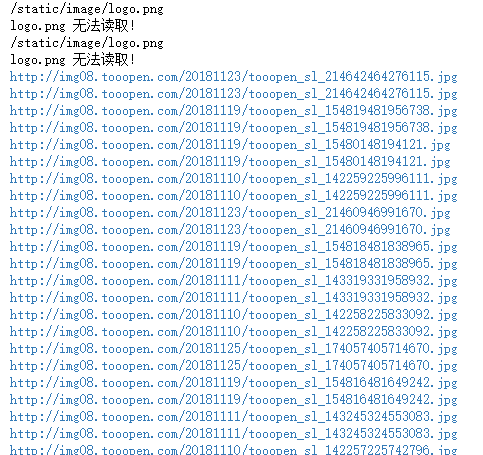
            print(attr)

            # 保存图片

            try:

                image = urlopen(full_path)

                f = open(os.path.join(images_dir,filename),'wb')

                f.write(image.read())

                f.close()

            except:

                print("{} 无法读取!".format(filename))
吴裕雄 python 爬虫(2)的更多相关文章
- 吴裕雄 python 爬虫(4)
import requests user_agent = 'Mozilla/5.0 (Windows NT 10.0; Win64; x64)AppleWebKit/537.36 (KHTML, li ...
- 吴裕雄 python 爬虫(3)
import hashlib md5 = hashlib.md5() md5.update(b'Test String') print(md5.hexdigest()) import hashlib ...
- 吴裕雄 python 爬虫(1)
from urllib.parse import urlparse url = 'http://www.pm25x.com/city/beijing.htm' o = urlparse(url) pr ...
- 吴裕雄--python学习笔记:爬虫基础
一.什么是爬虫 爬虫:一段自动抓取互联网信息的程序,从互联网上抓取对于我们有价值的信息. 二.Python爬虫架构 Python 爬虫架构主要由五个部分组成,分别是调度器.URL管理器.网页下载器.网 ...
- 吴裕雄--python学习笔记:爬虫包的更换
python 3.x报错:No module named 'cookielib'或No module named 'urllib2' 1. ModuleNotFoundError: No module ...
- 吴裕雄--python学习笔记:爬虫
import chardet import urllib.request page = urllib.request.urlopen('http://photo.sina.com.cn/') #打开网 ...
- 吴裕雄 python 神经网络——TensorFlow pb文件保存方法
import tensorflow as tf from tensorflow.python.framework import graph_util v1 = tf.Variable(tf.const ...
- 吴裕雄 python 神经网络——TensorFlow 花瓣分类与迁移学习(4)
# -*- coding: utf-8 -*- import glob import os.path import numpy as np import tensorflow as tf from t ...
- 吴裕雄 python 神经网络——TensorFlow 花瓣分类与迁移学习(3)
import glob import os.path import numpy as np import tensorflow as tf from tensorflow.python.platfor ...
随机推荐
- mysql表操作与权限操作
修改表ALTER TABLE 语法: . 修改表名 ALTER TABLE 表名 RENAME 新表名; . 增加字段 ALTER TABLE 表名 ADD 字段名 数据类型 [完整性约束条件…], ...
- ES6的学习记录
1.let命令: 基本用法: ES6新增了let命令,用来声明变量.用法类似于var,但是所声明的变量只在let命令所在的代码块内有效. { let a = 10; var b = 1; } cons ...
- oracle提高查询效率的34个方面全解析
oracle提高查询效率的34个方面全解析 在一个数据库中进行操作的时候,效率是很重要的,那么,如何提高oracle的查询效率呢?笔者将从以下几个方面进行详细解析: 1.选择最有效率的表名顺序(只 ...
- Python-第三方模块requests快速入手
首先确认一下 Requests 已经安装 Requests 是最新的版本 如果没有安装requests,请按照下面的方式安装 安装requests window和Linux环境下都可以输入 $ pip ...
- [Unity移动端]Touch类
Touch类的信息只能在移动端(触摸屏)上能够获取,在编辑器上是不能获取到的.因此,为了方便测试,可以打包apk后在模拟器上跑: unity打包apk:https://www.jianshu.com/ ...
- ROS学习手记 - 8 编写ROS的Publisher and Subscriber
上一节我们完成了 message & srv 文件的创建和加入编译,这次我们要玩简单的Publisher 和 Subscriber 要玩 Publisher 和 Subscriber, 需要具 ...
- 关于php中的exec命令
这个命令 一般是被禁用的 一些特殊需求的时刻 可以启用 比如 调用系统上的一些数据或者命令 $command ='/www/wwwroot/t.6328.net/Public/cfile/test' ...
- Docker 初学
据我理解, 它最大的用途是 将我们的应用及环境整个打包, 这样如果我们的开发环境环境部署了,就不用再分别去测试/ 生产环境部署了! -- 但是, 新问题在于, 拷贝这些东西比较麻烦... Docker ...
- js代码执行过程
一:first-blood:任何程序执行的第一步总是会先检查有没有语法错误,如果有,则直接抛出语法错误,直接跳出, 二:second-blood:预编译,预编译呢会有四个执行过程,1:创建执行期上下文 ...
- Callable和Future 多线程
参考:https://www.cnblogs.com/fengsehng/p/6048609.html